Week 8 - Simulation of a backward facing step in OpenFOAM
1)Pre Processing
2)processing
3)post-processing
The pre-processing
Geometry creation
chooses suitable files from Open foam tutorials for your problem case. Any problem statement consisting of suitable data from that one should understand which problem we should edit.
every OpenFoam consists of mesh, initial condition, and another parameter. we need to modify them accordingly, in ur case ICOFOAM is a solver.
$FOAM_TUTORIALS/incompressible/icoFoam/cavity/cavity
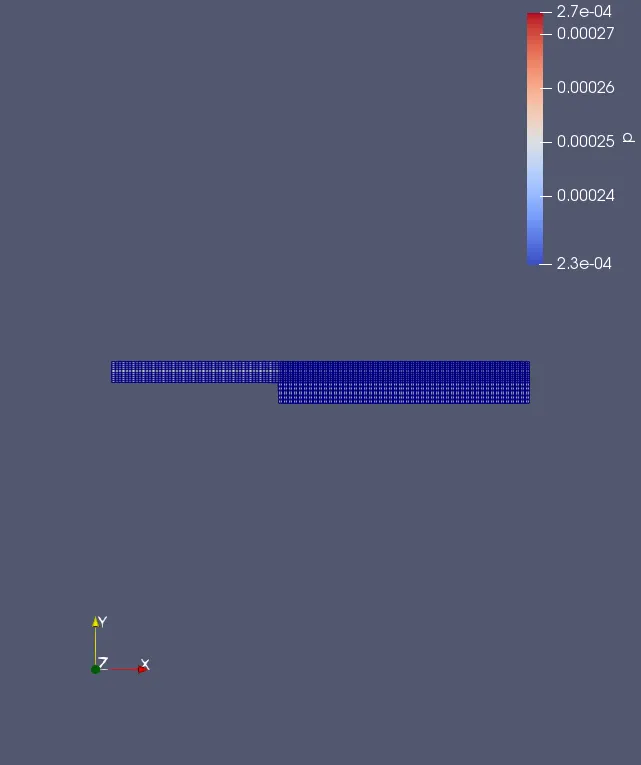
block mesh For different GF
/*--------------------------------*- C++ -*----------------------------------*\
  =========                 |
  \\      /  F ield         | OpenFOAM: The Open Source CFD Toolbox
   \\    /   O peration     | Website:  https://openfoam.org
    \\  /    A nd           | Version:  9
     \\/     M anipulation  |
\*---------------------------------------------------------------------------*/
FoamFile
{
    format      ascii;
    class       dictionary;
    object      blockMeshDict;
}
// * * * * * * * * * * * * * * * * * * * * * * * * * * * * * * * * * * * * * //

convertToMeters 0.1;

vertices
(
    (0 0 0)//0
    (8 0 0)//1
    (8 0.5 0)//2
    (0 0.5 0)//3
    (8 1 0)//4
    (0 1 0)//5
    (20 1 0)//6
    (20 0.5 0)//7
    (20 0 0)//8
    (20 -1 0)//9
    (8 -1 0)//10
    (0 0 1)//11
    (8 0 1)//12
    (8 0.5 1)//13
    (0 0.5 1)//14
    (8 1 1)//15
    (0 1 1)//16
    (20 1 1)//17
    (20 0.5 1)//18
    (20 0 1)//19
    (20 -1 1)//20
    (8 -1 1)//21
);

blocks
(
    hex (0 1 2 3 11 12 13 14) (50 5 1)    simpleGrading (1 5 1)
    hex (3 2 4 5 14 13 15 16) (50 5 1)    simpleGrading (1 0.2 1)
    hex (2 7 6 4 13 18 17 15) (150 5 1)   simpleGrading (5 0.2 1)
    hex (1 8 7 2 12 19 18 13) (150 5 1 )  simpleGrading (5 5 1)
    hex (10 9 8 1 21 20 19 12) (150 5 1)  simpleGrading (5 10 1)

);

edges
(
);

boundary
(
    inlet
    {
        type patch;
        faces
        (
            (0 11 14 3)
            (3 14 16 5)
        );
    }
    outlet
    {
        type patch;
        faces
        (
            (9 8 19 20)
            (8 7 18 19)
            (7 6 17 18)
        );
    }
    walls
    {
        type wall;
        faces
        (
            (4 5 16 15)
            (6 4 15 17)
            (0 1 12 11)
            (10 9 20 21)
            (10 21 12 1)
        );
    }
);

mergePatchPairs
(
);

// ************************************************************************* //
block mesh for GF 1
/*--------------------------------*- C++ -*----------------------------------*\
  =========                 |
  \\      /  F ield         | OpenFOAM: The Open Source CFD Toolbox
   \\    /   O peration     | Website:  https://openfoam.org
    \\  /    A nd           | Version:  9
     \\/     M anipulation  |
\*---------------------------------------------------------------------------*/
FoamFile
{
    format      ascii;
    class       dictionary;
    object      blockMeshDict;
}
// * * * * * * * * * * * * * * * * * * * * * * * * * * * * * * * * * * * * * //

convertToMeters 0.01;

vertices
(
    (0 0 0)//0
    (8 0 0)//1
    (8 0.5 0)//2
    (0 0.5 0)//3
    (8 1 0)//4
    (0 1 0)//5
    (20 1 0)//6
    (20 0.5 0)//7
    (20 0 0)//8
    (20 -1 0)//9
    (8 -1 0)//10
    (0 0 1)//11
    (8 0 1)//12
    (8 0.5 1)//13
    (0 0.5 1)//14
    (8 1 1)//15
    (0 1 1)//16
    (20 1 1)//17
    (20 0.5 1)//18
    (20 0 1)//19
    (20 -1 1)//20
    (8 -1 1)//21
);

blocks
(
    hex (0 1 2 3 11 12 13 14) (50 5 1)    simpleGrading (1 1 1)
    hex (3 2 4 5 14 13 15 16) (50 5 1)    simpleGrading (1 1 1)
    hex (2 7 6 4 13 18 17 15) (150 5 1)   simpleGrading (1 1 1)
    hex (1 8 7 2 12 19 18 13) (150 5 1 )  simpleGrading (1 1 1)
    hex (10 9 8 1 21 20 19 12) (150 5 1)  simpleGrading (1 1 1)

);

edges
(
);

boundary
(
    inlet
    {
        type patch;
        faces
        (
            (0 11 14 3)
            (3 14 16 5)
        );
    }
    outlet
    {
        type patch;
        faces
        (
            (9 8 19 20)
            (8 7 18 19)
            (7 6 17 18)
        );
    }
    walls
    {
        type wall;
        faces
        (
            (4 5 16 15)
            (6 4 15 17)
            (0 1 12 11)
            (10 9 20 21)
            (10 21 12 1)
        );
    }
);

mergePatchPairs
(
);

// ************************************************************************* // 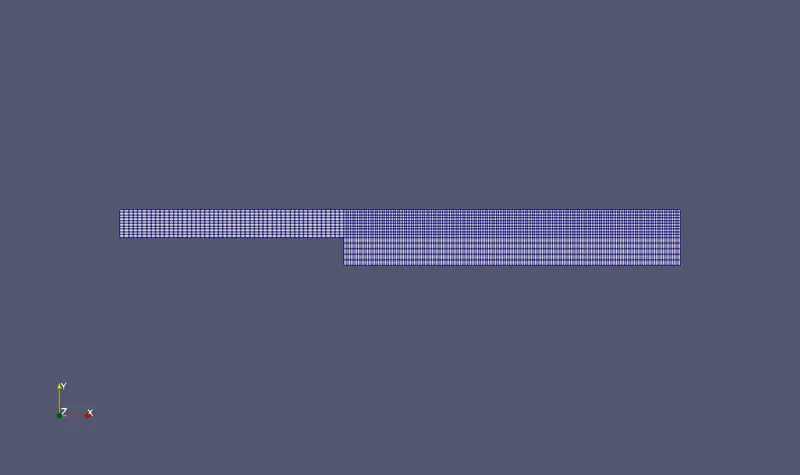
Mesh generated by running Block mesh on this blockMeshDict file. by running block mesh commend in terminal the mesh generation already done
boundary and initial condiction
after creating the mesh we have to set up the boundary and initial condition .this can be done by editing the O file present inside the case file . we can get this by typing following in the terminal window
cd cavity
cd cavity cd O
by listing the file in o .we can edit the p and u . P and U can be edited by following
velocity(U)
/*--------------------------------*- C++ -*----------------------------------*\
  =========                 |
  \\      /  F ield         | OpenFOAM: The Open Source CFD Toolbox
   \\    /   O peration     | Website:  https://openfoam.org
    \\  /    A nd           | Version:  9
     \\/     M anipulation  |
\*---------------------------------------------------------------------------*/
FoamFile
{
    format      ascii;
    class       volVectorField;
    object      U;
}
// * * * * * * * * * * * * * * * * * * * * * * * * * * * * * * * * * * * * * //

dimensions      [0 1 -1 0 0 0 0];

internalField   uniform (0 0 0);

boundaryField
{
    inlet
    {
        type            fixedValue;
        value           uniform (0.02 0 0);
    }

    outlet
    {
        type            zeroGradient;
    }

    walls
    {
        type            noSlip;
    }
}

// ************************************************************************* //
pressure (p)
/*--------------------------------*- C++ -*----------------------------------*\
  =========                 |
  \\      /  F ield         | OpenFOAM: The Open Source CFD Toolbox
   \\    /   O peration     | Website:  https://openfoam.org
    \\  /    A nd           | Version:  9
     \\/     M anipulation  |
\*---------------------------------------------------------------------------*/
FoamFile
{
    format      ascii;
    class       volScalarField;
    object      p;
}
// * * * * * * * * * * * * * * * * * * * * * * * * * * * * * * * * * * * * * //

dimensions      [0 2 -2 0 0 0 0];

internalField   uniform 0;

boundaryField
{
    inlet
    {
        type           zeroGradient;

    }

    outlet
    {
        type            fixedValue;
        value           uniform 0;
    }

    walls
    {
       type           zeroGradient;
    }
}


// ************************************************************************* //
boundary
/*--------------------------------*- C++ -*----------------------------------*\
  =========                 |
  \\      /  F ield         | OpenFOAM: The Open Source CFD Toolbox
   \\    /   O peration     | Website:  https://openfoam.org
    \\  /    A nd           | Version:  9
     \\/     M anipulation  |
\*---------------------------------------------------------------------------*/
FoamFile
{
    format      ascii;
    class       dictionary;
    location    "constant";
    object      transportProperties;
}
// * * * * * * * * * * * * * * * * * * * * * * * * * * * * * * * * * * * * * //

nu              [0 2 -1 0 0 0 0] 1e-5;


// ************************************************************************* //
control dict file
input relating to the control of time and reading and writing of solution data are read in from the control diet dictionary. the user should view this file as a case-control file, it is located in the system directory.
/*--------------------------------*- C++ -*----------------------------------*\
  =========                 |
  \\      /  F ield         | OpenFOAM: The Open Source CFD Toolbox
   \\    /   O peration     | Website:  https://openfoam.org
    \\  /    A nd           | Version:  9
     \\/     M anipulation  |
\*---------------------------------------------------------------------------*/
FoamFile
{
    format      ascii;
    class       dictionary;
    location    "system";
    object      controlDict;
}
// * * * * * * * * * * * * * * * * * * * * * * * * * * * * * * * * * * * * * //

application     icoFoam;

startFrom       startTime;

startTime       0;

stopAt          endTime;

endTime         20;

deltaT          1e-2;

writeControl    timeStep;

writeInterval   20;

purgeWrite      0;

writeFormat     ascii;

writePrecision  6;

writeCompression off;

timeFormat      general;

timePrecision   6;

runTimeModifiable true;


// ************************************************************************* //
calculating time step manually
dt=distance/velocity
dt=0.02/0.001
dt=20s
Processing the case
after setting up the problem. we have the run icoFoam solver and para form, we can view results obtained
post-processing
velocity variation
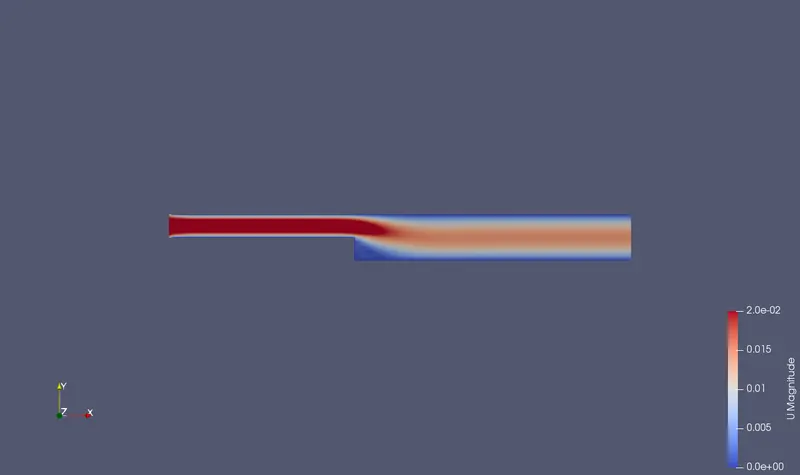
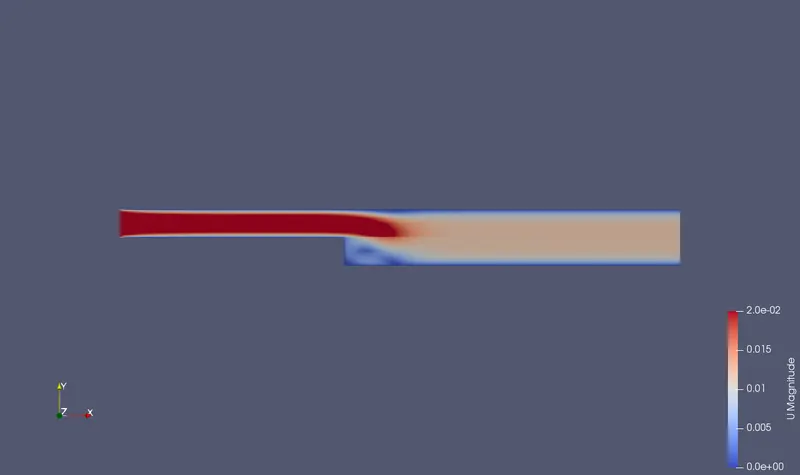
pressure variation
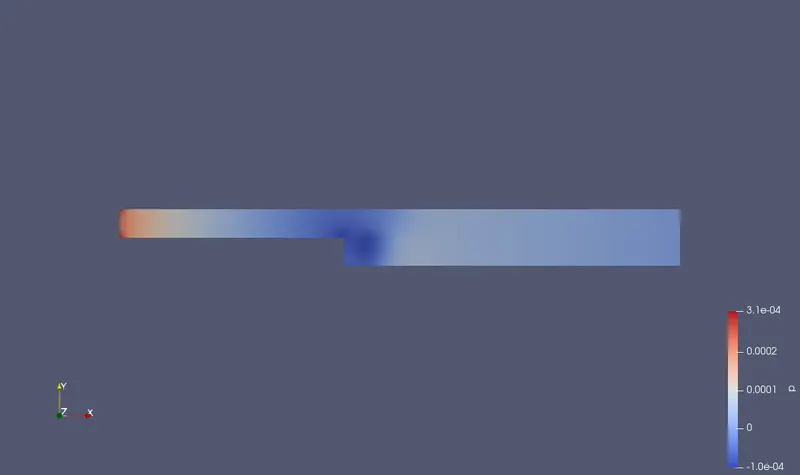
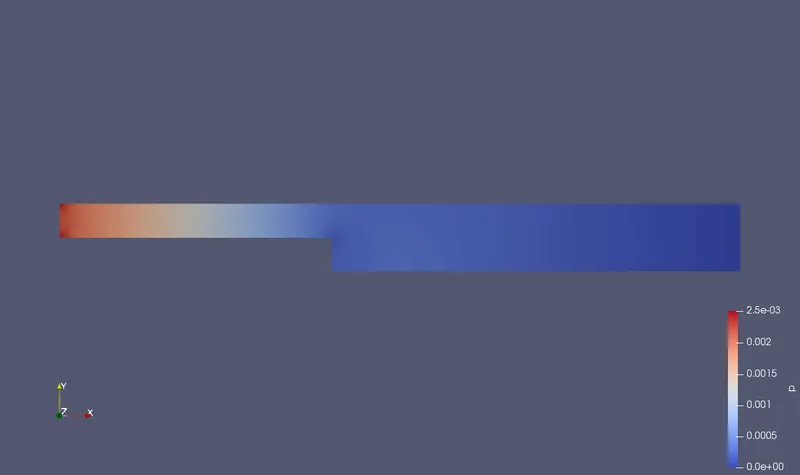
results
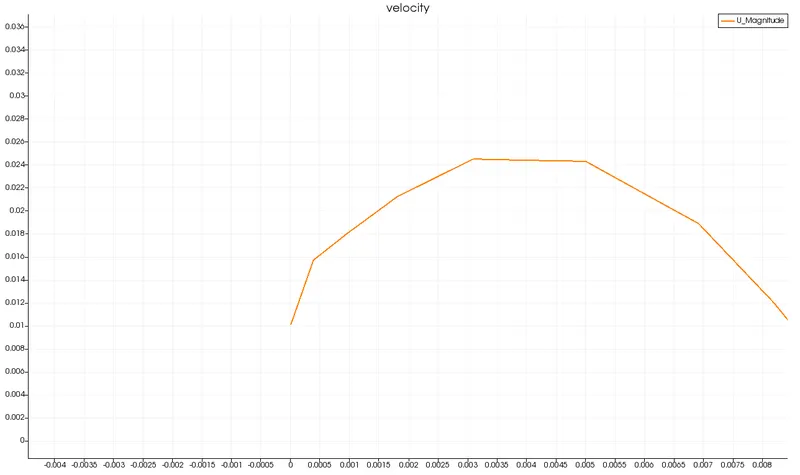
gf1
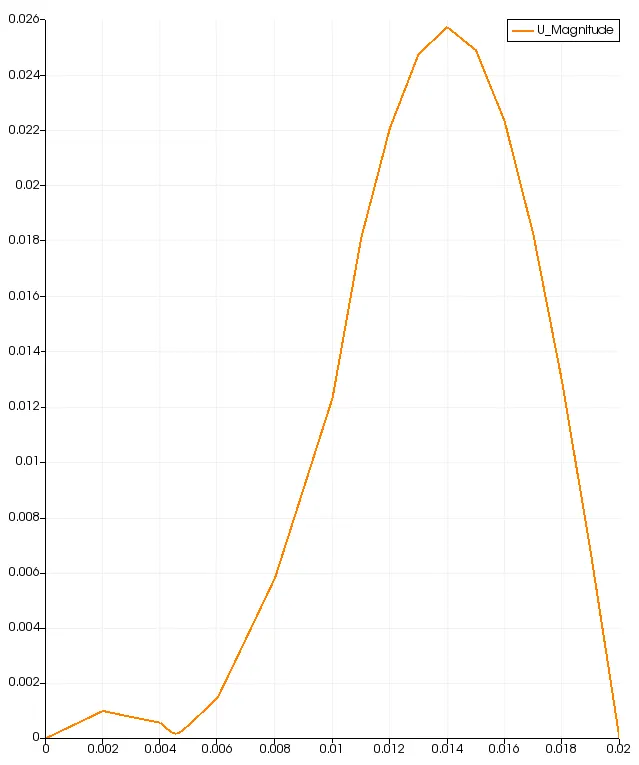
GF 1 have maximum velocity the all different GF
Grading/Growth factor is essential for meshing because
*it helps mesh we required results to proper
*time take run simulation will be less
*less error