Week 8 - Simulation of a backward facing step in OpenFOAM
Objective :
In this challenge, you are going to simulate an incompressible-laminar-viscous flow through the backward-facing step geometry. You should perform a transient simulation. The solver can be chosen based on the described physics of the flow. You need to explain the entire simulation procedure (how you set up the case). You should also provide explanations for every change you make inside the reference case files obtained from OpenFOAM tutorials. You can choose the inlet velocity such that the flow is laminar.
After that, you will perform 2 case studies as described below and compare the results.
Case 1 - Simulate the flow without using any grading factor (i.e., GF = 1)
Case 2 - Simulate the flow with a grading factor of 0.2. The cells should be finer near the walls (including the step wall).
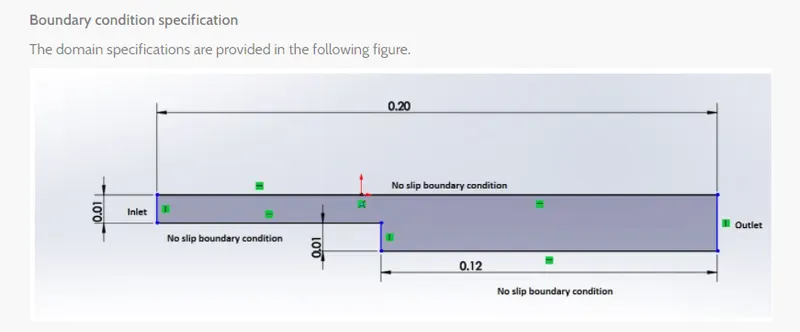
Solution
- Case 1 - Simulate the flow without using any grading factor.
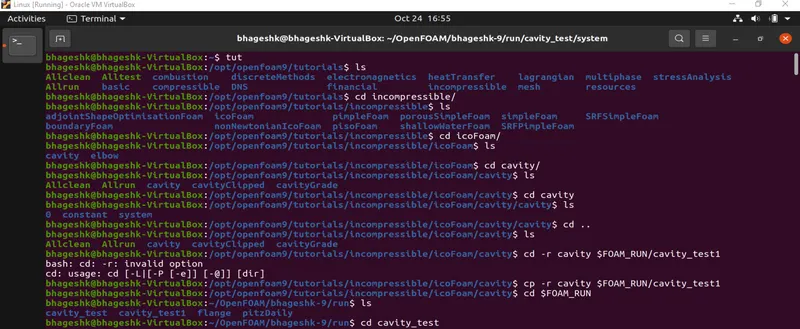
- First open the "Terminal", on which we will be solving our problem.
- Then type "tut" as it is the shortcut key for tutorials, after that type "ls" to view subfolders(directory) that are present in the tutorial folder.
- Here we require the incompressible directory for our problem. Now we'll change the directory to incompressible directory by 'cd' command present in it
- Now we are in the desired directory, Now by using the listing command "ls" to check the subdirectories present in it, we will change it to the cavity directory present inside it.
- After checking the cavity directory, we'll move out of the directory as we have to copy this directory into the 'FOAM-RUN' where we can solve the problem without changing the main code present in the Open-foam.
- copying can be done by "cp -r $FOAM_RUN/cavity_test" which will copy the folder into the run folder so that we can make changes to the folders present in the cavity folder.
- Now we have to come into the RUN folder by typing just run in the terminal.
- We will that there is the folder which we copied earlier, we have to make changes to this folders.
- After going inside the cavity folder and then inside, we'll see the blockmeshdict and controldict files, which we have to edit these files as per our need.
- we also have to edit the pressure and density files.
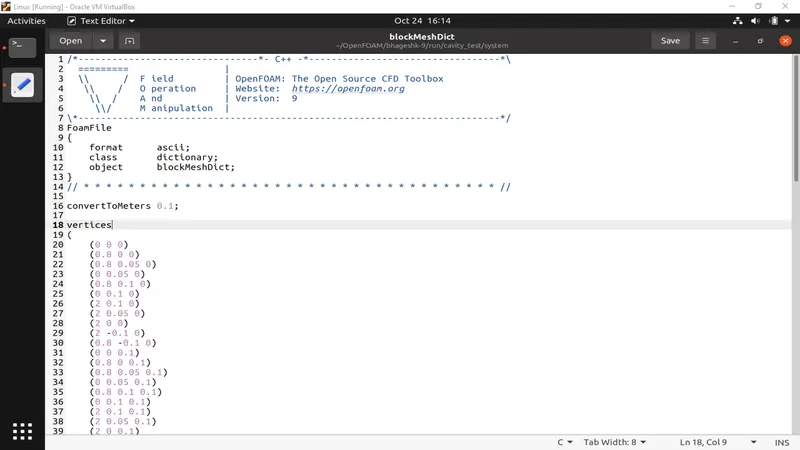
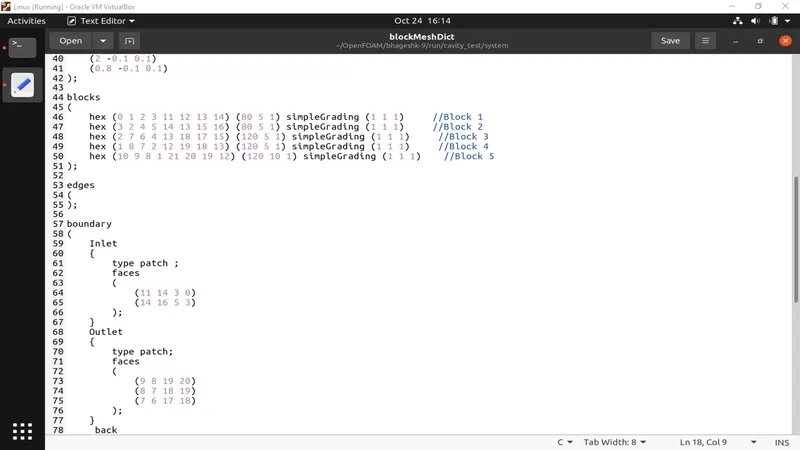
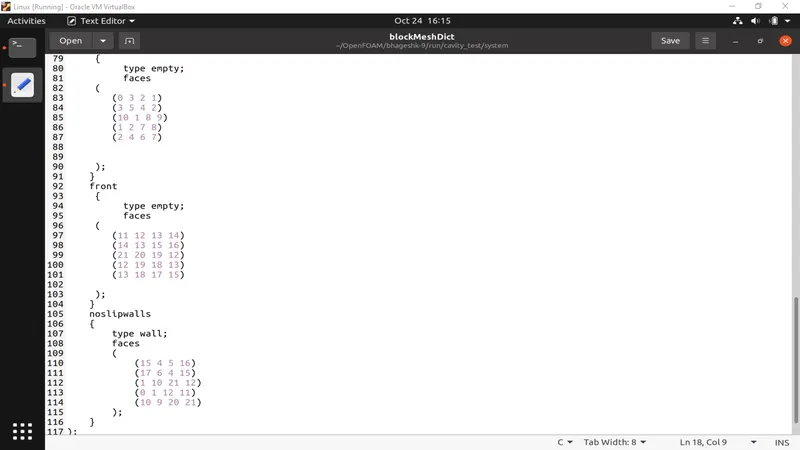
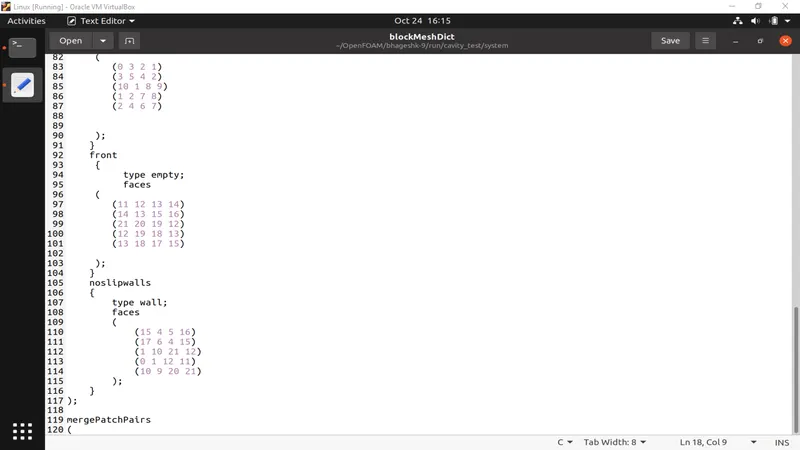
- We have to start by naming the vertices inside the blockmeshdict file and then creating the blocks in this, we have 5 blocks and 21 vertices after that we need to specify the number of mesh points needed along the x,y& z-axis, after that, we have to do simple grading to boundaries.
- After that, we have to give boundary conditions for that we must define all faces present and give them inlet and outlet for type patch and for front and back empty faces and also or top and bottom. After that save the file.
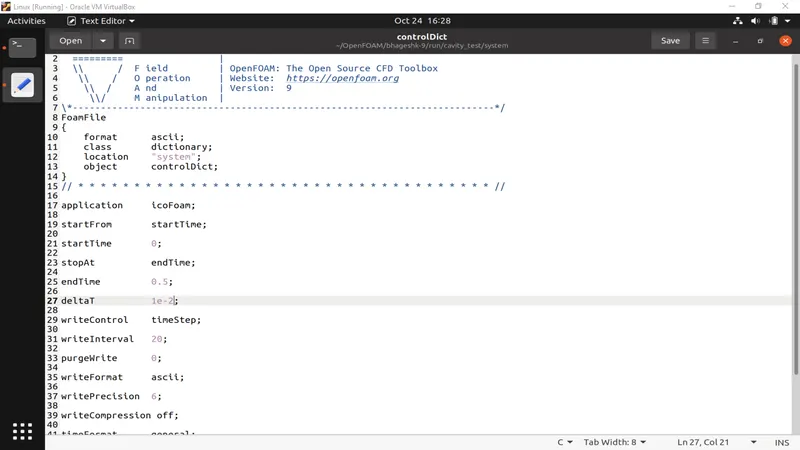
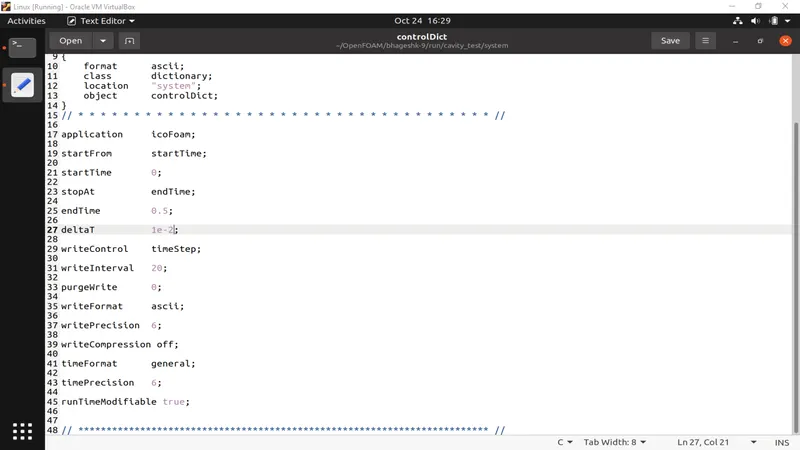
- In the controlDict, we have to give the values of the delta, start-time, end-time,writeInterval, etc.
- And then save the file.
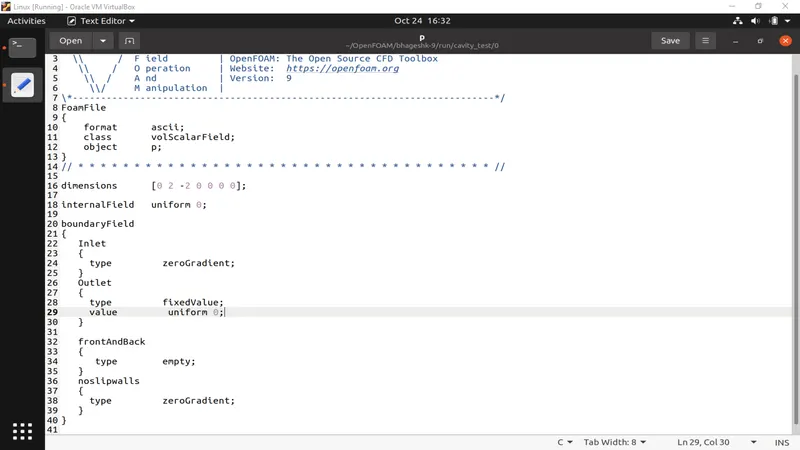
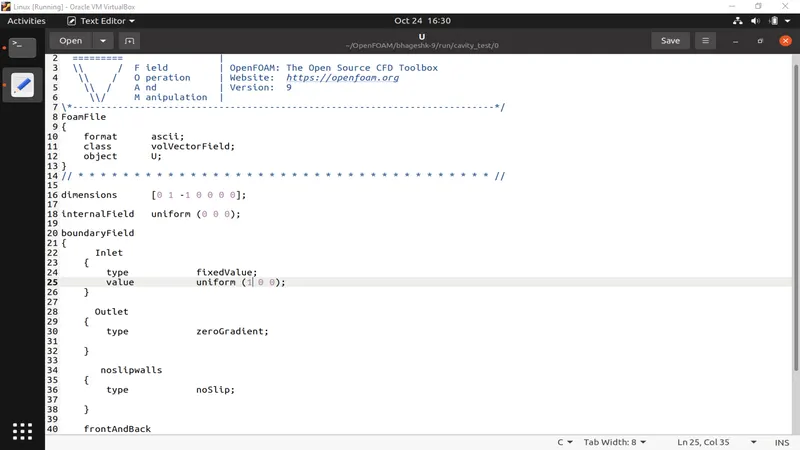
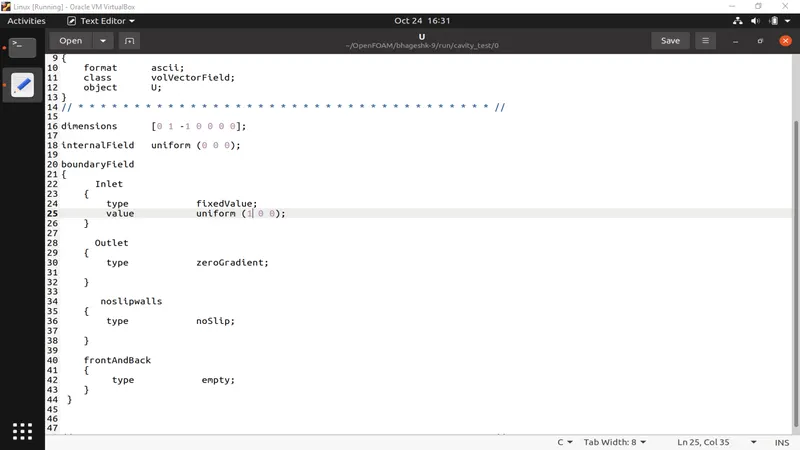
- In the velocity and pressure, we have assigned Inlet values as fixed values and outlet as zero gradient and pressure will be of fixed type. then the values of front and back will be empty, after that in transportproperties we can change the nu value to obtain the lower courant number
- After finishing the required assigning. We have to run the block mesh command to solve the block mesh and after that icoFoam command to solve the simulation and to get the output.
PLEASE SEE
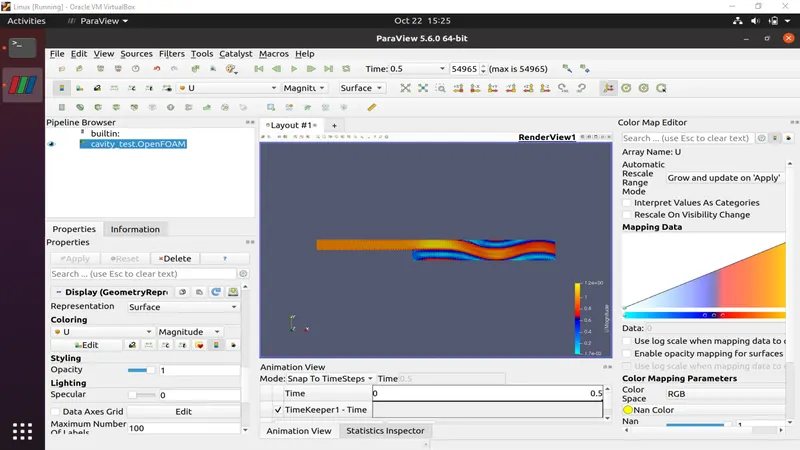
- As I have an old laptop and not so powerful one, it used to hang when opening the paraFoam tool because the simulation was running for longer time period.
- so I decided to lower the delta value to decrease the run time but it did not work still my laptop was hanging but i managed to get the velocity and pressure plot before it could hang.
- As I have kept lower delta values my plots did not converge fully.
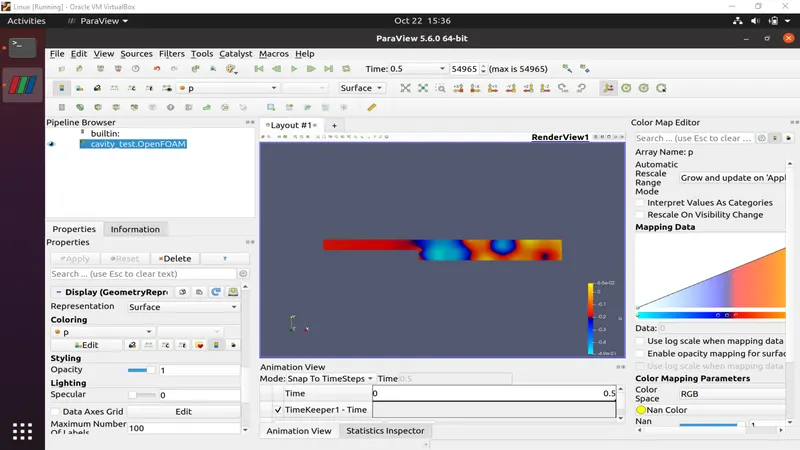
- Case 2 - Simulate the flow using grading factor 0.2.
Everything is the same in this case except the grading factor
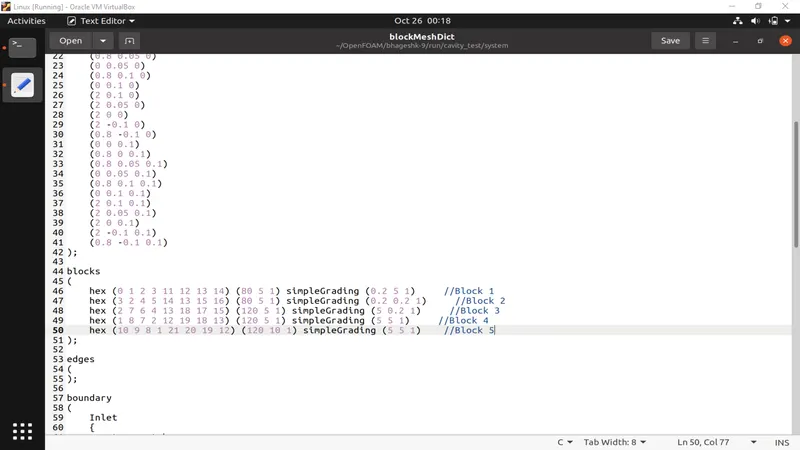
Plots for the changed garding factor is not also converged, If it is ran on a higher delta value then the simulation hangs .
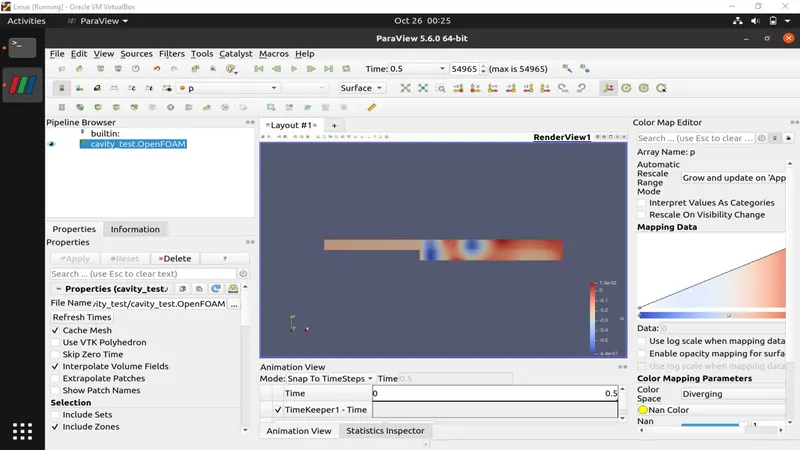
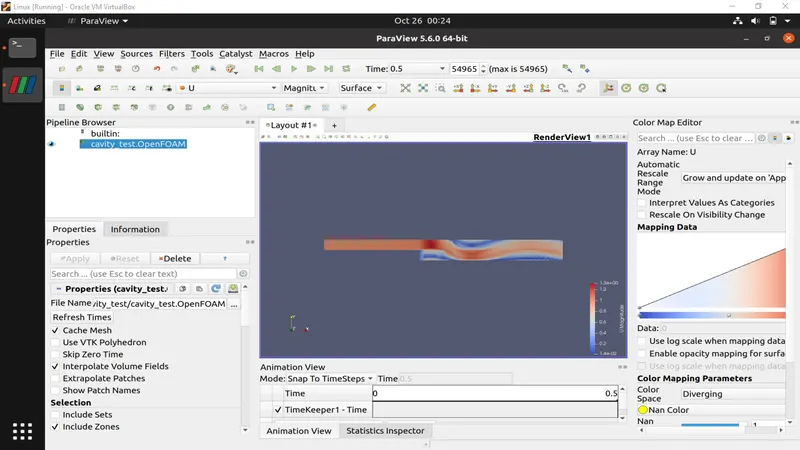
PLEASE SEE
- As I have an old laptop and not so powerful one, it used to hang when opening the para-foam tool because the simulation was running for longer time period.
- so I decided to lower the delta value to decrease the run time but it did not work still my laptop was hanging but I managed to get the velocity and pressure plot before it could hang.
- As I have kept lower delta values my plots did not converge fully.
- I and my mentor tried our best but the laptop hangs in between and we have to do everything again.