Week_8_Plastic Model_1
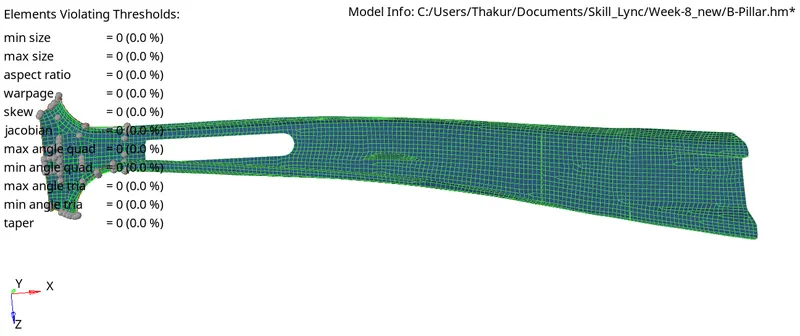
Objective : Mesh the plastic component for given quality criteria.
>Create mid surface >>auto mid sirface (Offset)
>check if midsurface generated is proper> remove red edges if any
>for mesh flow, lets select one direction (left to right)
>Trim the component into 4 parts using >>surface edit>>trim with lines >> drag a cut line
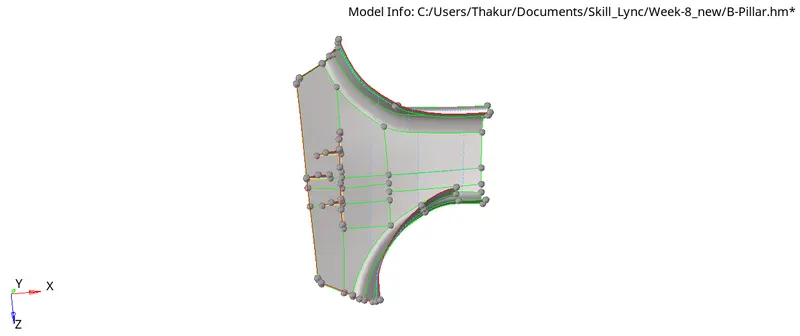
> create mesh >>automesh >>size and bias >> element size 5
>create node-node trim surface to get a proper flow as shon in above picture (under topology revison, select remesh)
> once part1 is meshed, go to part2 and then part3 and then part4
> see that trias are in only one direction
> use remesh option >>automesh>>elems>>mesh to reduce trias wherever needed.
Below is the whole component which matches element quality criteria, mesh flow