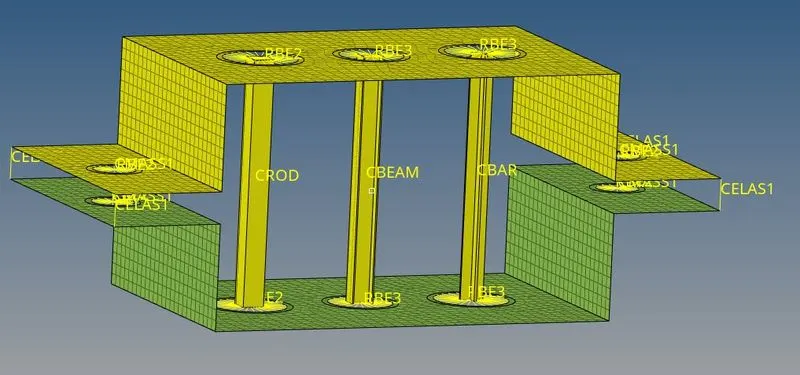
Week 4-1D Element Creation Challenge
Objective: Mesh the Parallel Bracket with the Size of 5 Units. Create 1D elements on the Parallel Bracket with "box", "I", "X" cross-sections.
Procedure:
- Defeature : Remove the surface fillets from both the brackets.
- Mid Surface : Create Midsurface (2D representation of 3D object) using auto midsurface and autoextraction by selecting bracket suraface one by one.
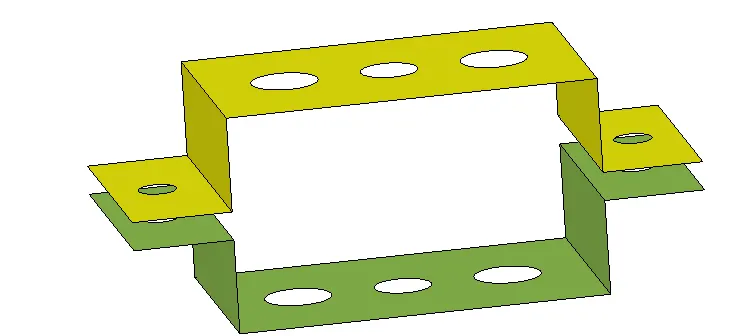
- Material : Create Material -steel
- Property : Create Property for upper and lower bracket. I have assigned thickness of 2 mm to upper bracket and thickness of 3 mm to lower bracket. Assign steel material to both the brackets.
- Washer Split : Create washer split with an offset of 3 units for all the holes.
- Automesh 2d mesh : 2D>>Automesh>>Select all surfaces>>Element size: 5 units >> mesh type : mixed. Match the number of nodes of inner and outer circles to rectify the mesh.
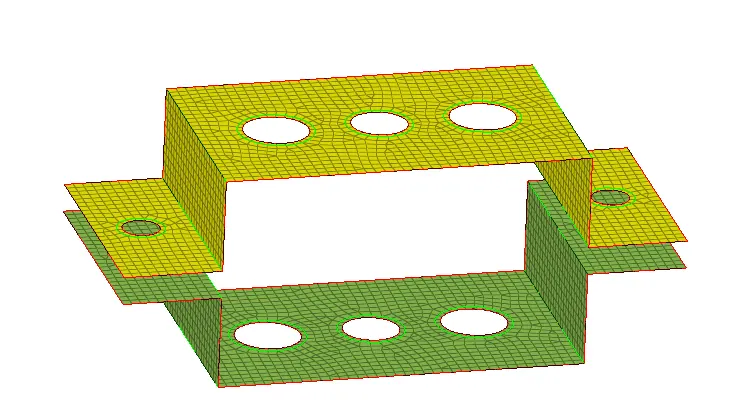
- Links
- Create Rbe2 link for hole a. Constrain Ux, Uy, Uz Dof.
- Create Rbe3 link for hole b. Constrain all 6 Dof
- Create Rbe3 link for hole c. Constrain Ux, Uy Dof
- Create Rbe2 link for hole d,e. Constaine all 6 DOf.
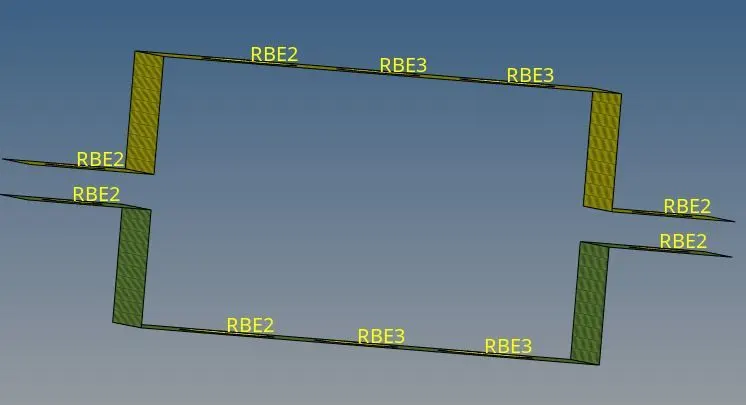
- Defining Cross-section
- For Box rod : 1D >>Hyperbeam >>Standard Cross section>>Library-Hyperbeam >> thin walled box>> Create >> input given dimensions
- For I beam : In Hyperbeam tab , Create >> Standard section >>Hypermesh >> I-section>> input given dimensions
- For X bar : In Hyperbeam tab , Create >> Standard section >>Optistruct >> Cross>> input given dimensions
- Property :
- Create Properties Box_Rod, I_beam , X_Bar
- Box_Rod : Assign Card image: PROD, Material : Steel, Beam section : Box_Rod
- I_Beam : Assign Card image : PBEAM, Material : Steel, Beam Section : I_Beam
- Cross_Bar : Assign Card image : PBAR, Material : Steel, Beam Section : Cross_Bar
- Spring : Assign Card image : PELAS
- Creating 1D elements :
- Rod: two nodes at the center of hole a of both the brackets, Property : Box_Rod, Elem type : CROD
- Beam: Bar >> Node A , Node B at the center of hole b of both the brackets, Orientation : z axis, Property : I_beam, elem type : CBEAM
- Bar : Bar >>Node A , Node B at the center of hole c of both the brackets,Orientation : z axis, Property : X_bar, elem type : CBAR
- Apply Mass : Masses >> select 4 nodes at the center of holes d, e >> mass : 10 units >>elem type: CMASS1
- Spring : Springs>>Create>>two nodes each at 4 corners of two brackets>>Property: spring>>Elem type : CELAS1
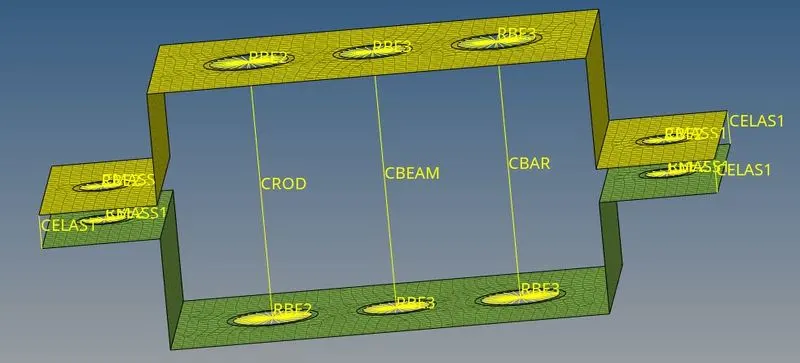
- Final Model with 1D detailed element representation