Week 12:Project-1-Meshing of Door Inner Panel Challenge
Objective : Follow the Quality Criteria and mesh the Side Door Panel and assign thickness
Steps:
>Creating midsurface
- Created Midsurface of the base component using the offset tool in surface edit after measuring the thickness
- To measure the thickness, point on the Level zero component is projected to the base surface. then using distance tool, distance is measured as 2.8. So surface is offseted by 1.4 mm
- Next all the ribs and profile of of the interior of the door need to be created on this Mid Surface.
- For ribs/stiffeners, midline is created and then midline is used to trim the base MS>>Mid surface is created using create ruled surface option.
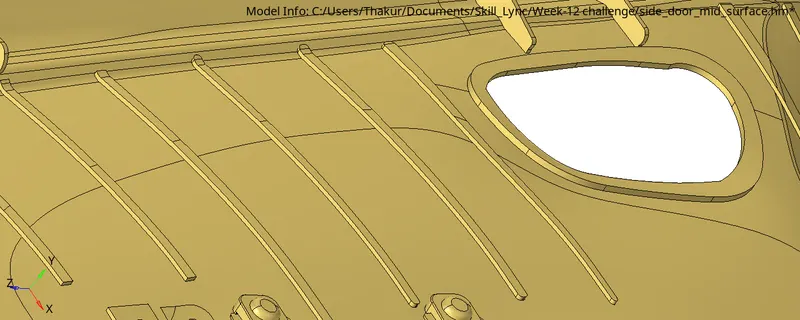
- For below component, as the two enclosing surfaces are identical, MS is extracted using final edit tools.
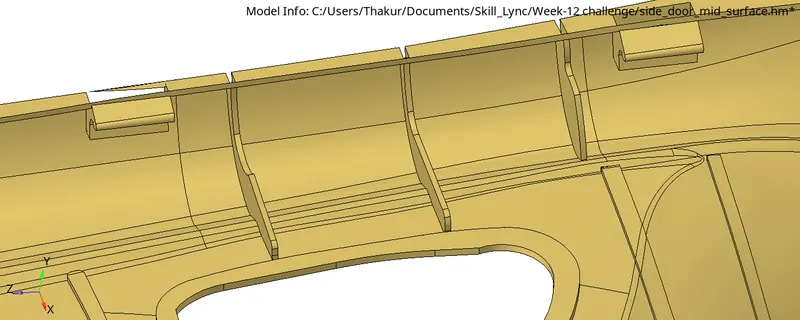
- For below C shaped Solid whose thickness is more than 6 mm, Cross is created and cross is used to trim the Base MS, then surfaces are created using ruled surface option. These surfaces are further trimmed using self intersecting option in surface edit tools
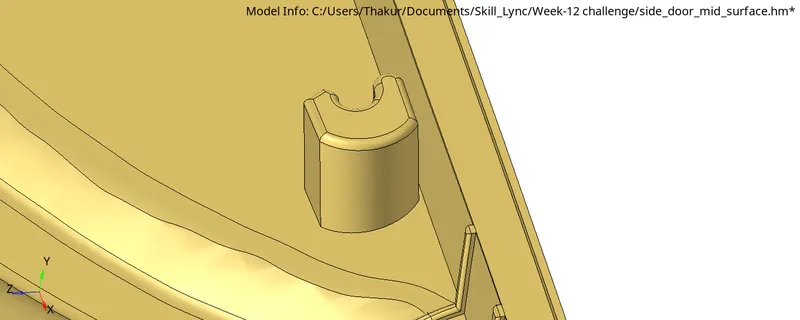
- The Mid surfaces of the ribs created are extended further using Surface extend option.
>Geometry cleanup
- other tools in quick edit like toggle edge, replace point, add/remove point, split surface using node/line is used wherever necessary to correct the geometry.
- Mesh is generated piecewise as per quality critera.
- Failed elements are corrected using cleanup tools in quality index, and also remeshing failed elemnets and rebuild mesh option
>Thickness assignment
Automatic thickness option is used to assign thickness, but properties are not created after several attempts