Week_8_Plastic Model_1
AIM: To obtain the mid surface of the given component and mesh it with the given quality criteria.
Procedure
- Import the given geometry of the B-Pillar in Hypermesh.
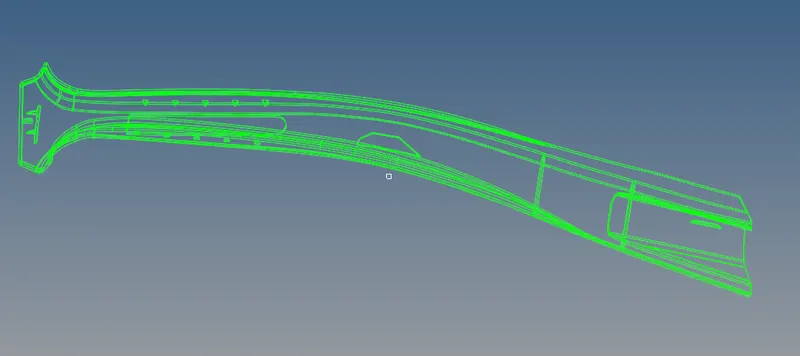
- Delete any solids in the geometry and check for topological errors such as missing or distorted faces.
- Generate the mid-surface for the geometry using a suitable method, such as manual mid-surface extraction.
- Assign the thickness of the mid-surfaces by defining properties with the correct thickness and assigning them to the corresponding mid-surface components.
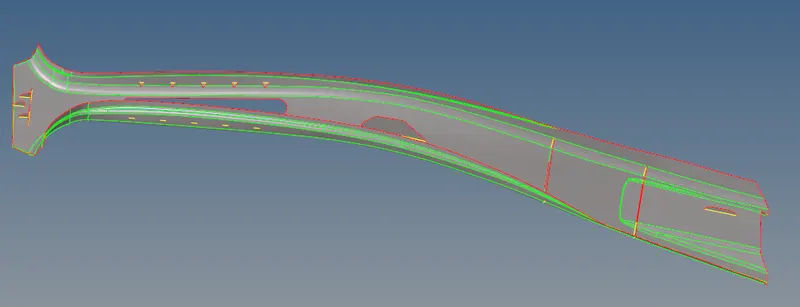
- Define the quality criteria by pressing F10 on the keyboard and editing the settings.
- Mesh the mid-surfaces using the automesh tool with a target element length of 5 mm and using quad and tria elements while avoiding tria elements as much as possible.
- Clean the mesh for good quality and check the element connectivity.
- Visualize the mesh with thickness by turning on the detailed 2D element representation option.
- Check for any remaining errors or issues in the mesh.
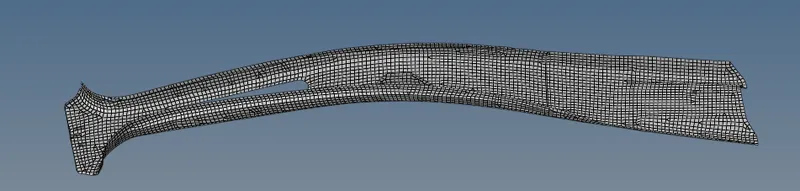
- Save the mesh and continue with further analysis or simulation.
Conclusion
In conclusion, the B-Pillar geometry was successfully imported and checked for topological errors. The mid-surface was generated manually and assigned with their respective thickness by defining properties. The meshing of mid-surface was performed using the automesh tool with a target element length of 5 mm and avoiding tria elements as much as possible. The mesh was cleaned for good quality, and the element connectivity was also checked. The detailed 2D element representation option was used to visualize the mesh with thickness. Overall, the mid-surface and meshing were done according to the given quality criteria for the B-Pillar component.