Week - 8 - Morphing
AIM: To understand different Morphing techniques in ANSA.
Objective:
- Perform different morphing techniques on the given models.
- Discuss applications of morphing in various industries.
Description:
Morphing in ANSA: ANSA is a pre-processing tool for finite element analysis. The “Morphing Tool” in
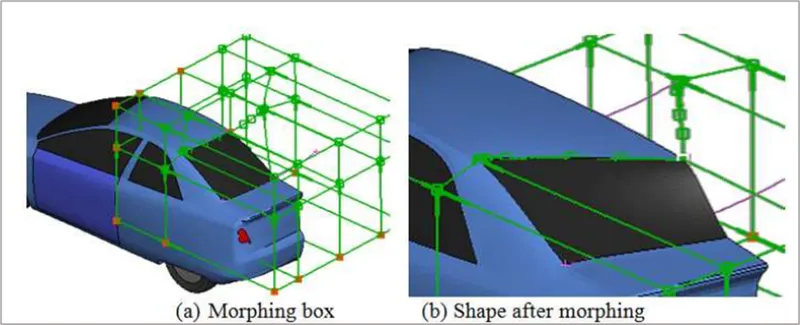
ANSA is used for the morphing process. The software modifies the shape of a 3D mesh based model by creating special geometric entities referred to as “Morphing Boxes” The Morphing Box is the basic entity of the Morphing Tool. The Morphing Box can include elements such as lines, shells, solids, and any combination thereof. Changing the shape of the Morphing Box morphs the elements inside the box. The elements inside the Morphing Box follow the motion/deformation of the box. The shape of the Morphing Box is controlled by the “Control Points” located at its corners and edges. Thus, the morphing parameters can be specified in terms of translation of the Control Points. There are some limitations of the commercial morphing software. For example, for morphing with ANSA, the designer has to create the Morphing Boxes, define Control Points, and specify the translation of those Control Points. Thus, the designer must know which portions of the deformable object to morph and how to morph to achieve the desired shape and volume.
Additionally, the morphing process is manual and the designer has to operate the software interactively in the visual mode to accomplish the morphing process. Thus, with ANSA, the shape morphing is limited and determined by the definition of control points and the morphing actions from the designer. Furthermore, this morphing technique is only suitable for small tweaks and cannot be used to make dramatic changes to the geometry, i.e. this technique cannot be used to generate desired geometries from a simple starting shape such as a sphere. The “Morphing Box” approach limits the degree of change since it does not allow the mesh elements that are inside the bounding box to go outside. Alternatively, if a significantly large “Morphing Box” is chosen to effect dramatic changes in shape and volume, the mesh quality significantly deteriorates.
Domain (Box) Morphing
Domain or Box Morphing is preformed via boxes that are created around a particular part or assembly that the user intends to morph. The movement of the Morphing boxes control points defines the morphing operations on the entities inside the Morph box. This type of Morphing can be applied to both FE and Geometry based models.
Direct Morphing
ANSA’s Direct morphing features gives the user the ability to efficiently modify a part locally without having to create Morphing boxes. This method is extremely useful in creating local modifications on single parts. Creation of depressions, surface fitting certain FE part features to new target geometry, moving selected features along the contour of a surface and also the ability to freeze (rigid) elements during the morphing process are some of the direct morphing abilities.
Parametric Morphing
The desired morphing actions can be saved as parameters which can be accessed in batch mode. Users can enforce desired shape changes by changing numerical input value for the appropriate parameter. This method of morphing is highly utilized for coupling of the morphing operations to an external optimizer. The scripting capability can be used in conjunction with ANSA’s parametric morphing functionality to deliver faster DOE models.
Geometry Morphing
ANSA brings to the CAE world its ‘one – of – a kind’ tool for CAD geometry morphing. This pioneering concept allows the user to utilize the inventory of all the familiar FE morphing functions to perform equivalent operations in a CAD environment on geometric entities.
Model 1 Morphing:
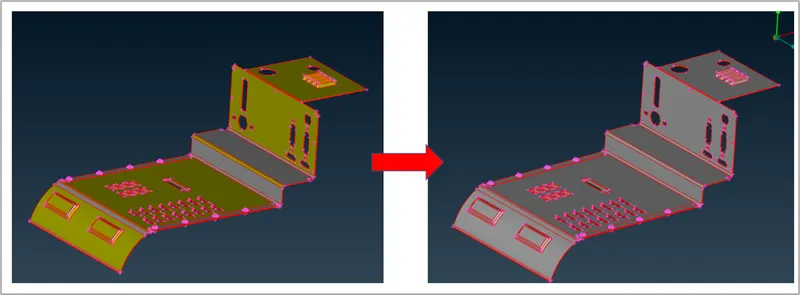
Initially, we import the model to ANSA and do the quick geometry cleanup and orientation.
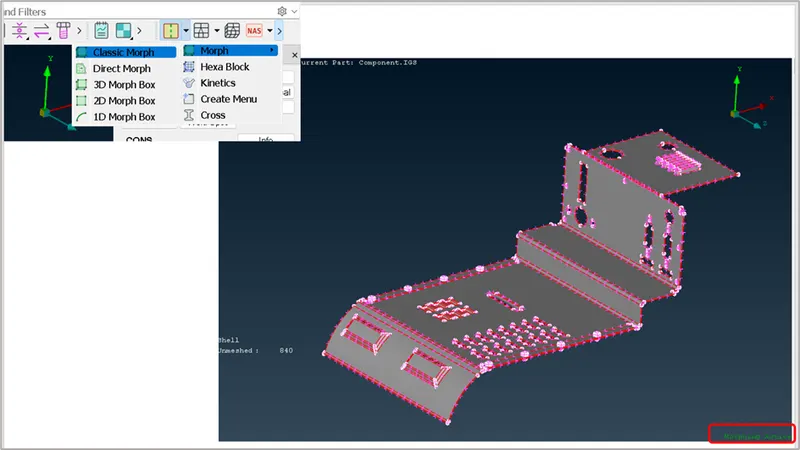
Activate the morphing module by navigating to the path as shown in below image:
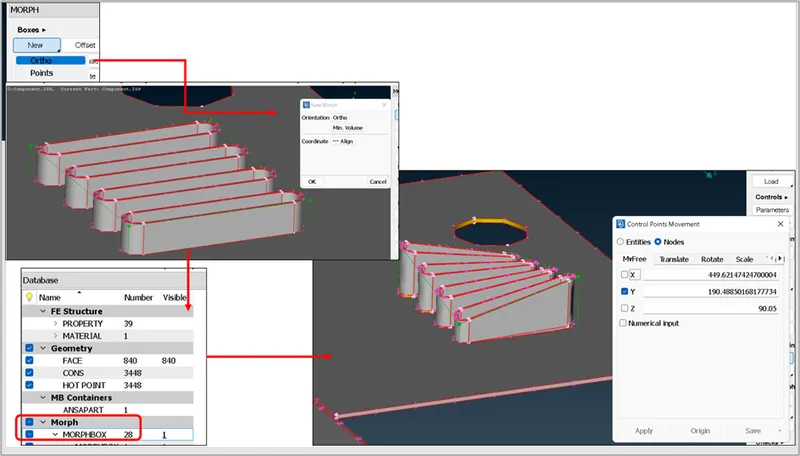
We start to create a new box around the feature that needs to be morphed by following the steps as shown below. The feature can be morphed as required by controlling the vertices of the box in any of the global coordinate axes. In the following image we can see that corner vertices of the box are selected and dragged in Y-axis.
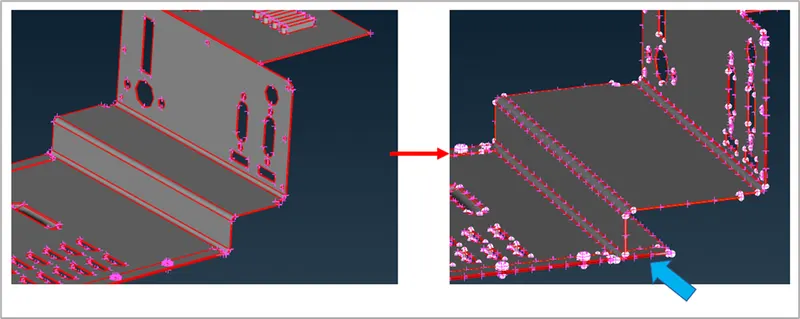
Similarly, one more feature is also morphed as shown below:
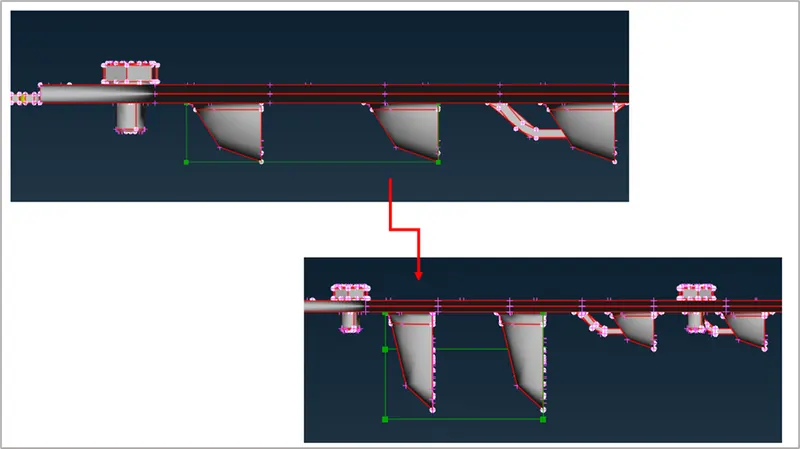
The created box cab be split into multiple sub boxes or segments to have a better control over the feature, this can be done by using the split option : MORPH>Boxes>Split.
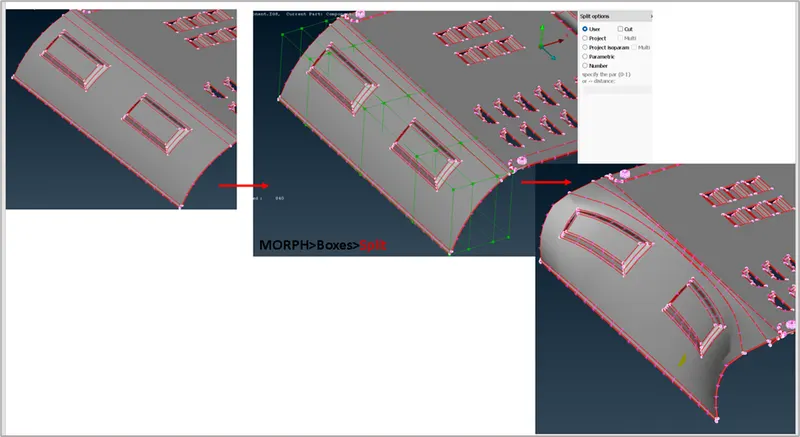
In the following image, it can be observed that the entire feature is moved towards left by using the steps mentioned earlier. This morphing technique gives a better control over the CAD geometry or FE to create the output the user intends to without spending much efforts on designing it from scratch.
Model 2 Morphing:
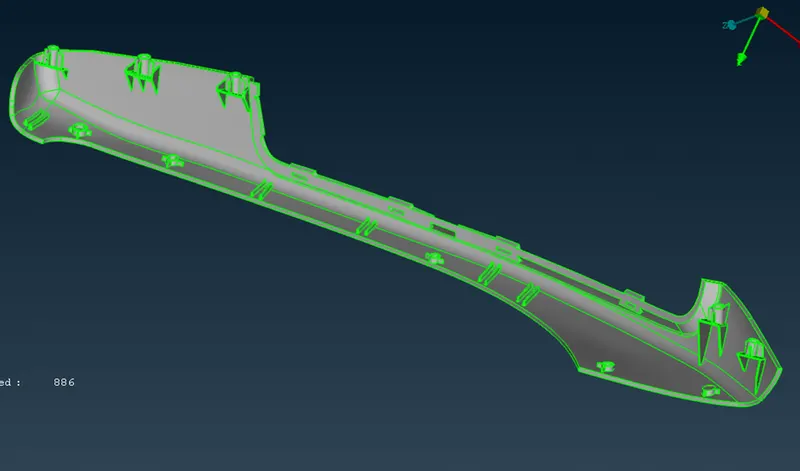
This CAD geometry is a hand rest and we can see that it has multiple dog house and rib.
By using the morphing module and its options, the height of these features can be increased/decreased. Similar steps discussed earlier are followed to get this output. We can select multiple features to create the boxes and move them individually.
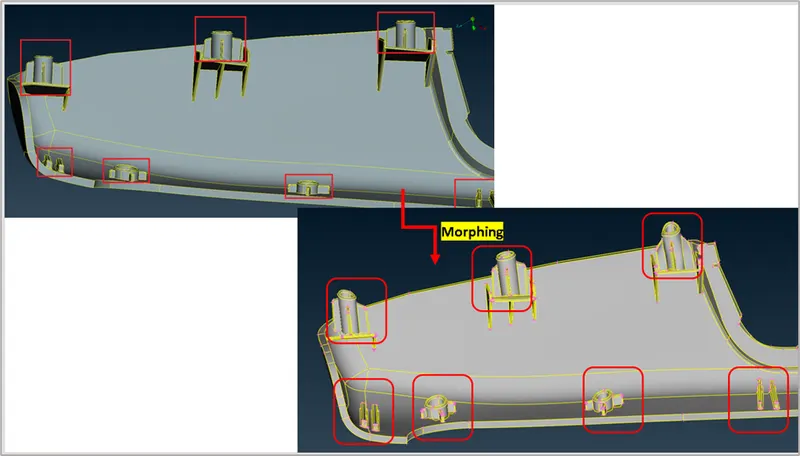
Refer to the attached models for more clarity.
Applications:
Parametrization based morphing is widely used in the aircraft industry for aerodynamic shape optimization. It is also widely used in structural design and automotive design(tweak the panels to make a SUV to hatch back or viceversa). This technique is not limited to the above said industries but can also be widely applied in other industries like packaging,piping related. Etc.
Conclusion:
To summarize, the morphing technique is straight forward and easy to control, but has strong assumptions on the form of the final shape. This doesn't need any numerical calculation and saves a lot of time to prepare/propose a preliminary draft to the design team and can act as a starting point to have a kickoff for a new project.
Lessons learnt:
- Understood the purpose of Morphing.
- Basic options of Morphing in ANSA for morphing the components.
- Applications of morphing in various industries.
References:
https://tigerprints.clemson.edu/cgi/viewcontent.cgi?article=1388&context=all_dissertations