Week - 8 - Morphing
AIM - To Perform Morphing On The Given Component Using ANSA.
OBJECTIVE:
- To Practice Morphng technique on the given practice model.
- To increase the height of the dog house and ribs for the main model.
- To Understand the Basics and need of Morphing in CAE/FEA.
THEORY - MORPHING:
The FE model is the replication of CAD model in terms of Finite Element. The Finite element reduces the infinity of the cad surface to finite by using nodes and elements.
In industries there are different complex FE models which consumes time to being model with perfection for desired analysis. But suppose after some time there is different version of the same model with little bit of changes in dimesion at few places or change in shape. Then with the help of Morphing technique the old FE Model can be replicated according to new CAD standard without investing much time in doing the FE Modelling again.
The drawback of this process is that it is complex to morph complex changes made in CAD. So time should be kept in mind while morphing. If Re-FE Modelling takes less time then Morphing should be avoided. But everything depends on Analysis point of view.
Example of Morphing Like same car Model with different version or face lift version of same car or some components of the car are increased or decreased in size according to output required from them in that case Morphing saves a lot of time which would be wasted in FE Modelling and helps jumping directly to analysis part with minimal investment of time on FE Modelling.
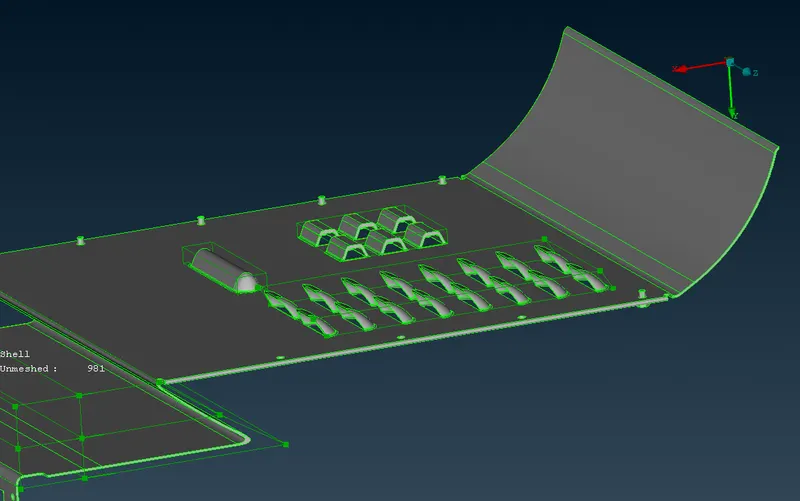
Here we will be performing Morphing on the Door Hand rest. Basically we will increase the height of the Dog House and Ribs.
PROCEDURE:
- At first the model is imported into ANSA.
- Then the region which is needed to Morph are selected by using Or command which only keeps the selected area visible for making the work simple.
- Then we need to go to classic morph. By using command Modules → Morph → Classic Morph.
- The Boxes are made around the region where morphing is needed. to make box we need to go to Classic Morph → Boxes → New.
- Then a pop up window opens up, after which we need to make a box selection of the region were morphing is to be done using left mouse button and right mouse deselecting the regions which are not required.
- Then click on the minimum volume on the pop window.
- After that click on the Aling option on the pop window and from drop down of handle select Cordinate and then select 3 nodes of the region to be morphed.
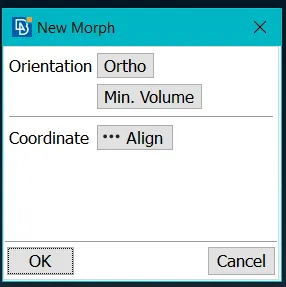
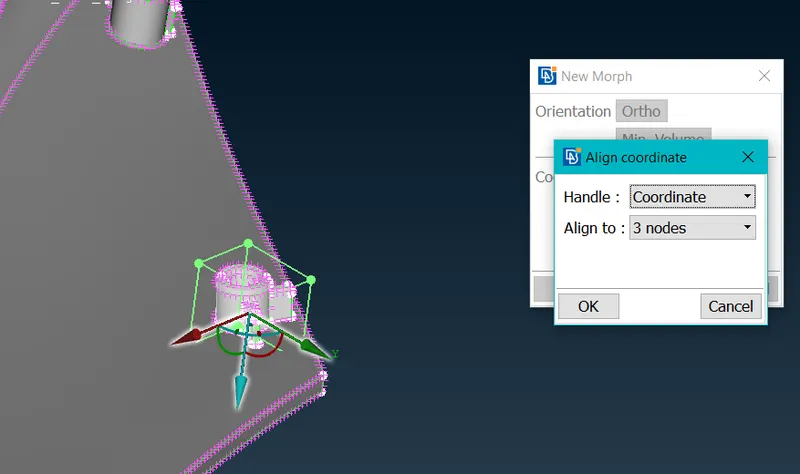
- The above procedure will help to create a perfect box to morph the region.
- After that to change the dimension of the selected region inside the box we need to select move from the Modules → Morph → Classic Morph → Box Morphing → Move.
- Again after taht a pop window will open called control point movements. It will help to change the dimension of the entity in the box.
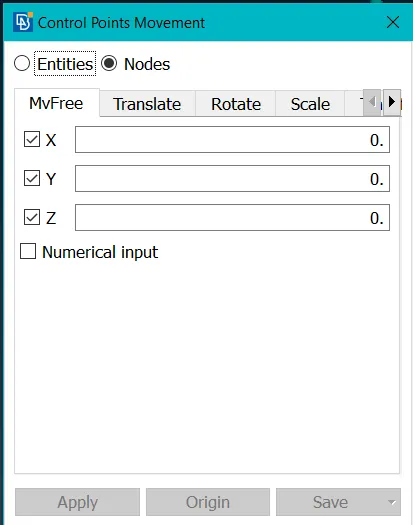
- Select Entities as the lines of the box or nodes and check the x, y or z for the desired movement in that direction the unchecked boxex will be constraint from movement.
- The above procedure was followed to do morphing for both the components.
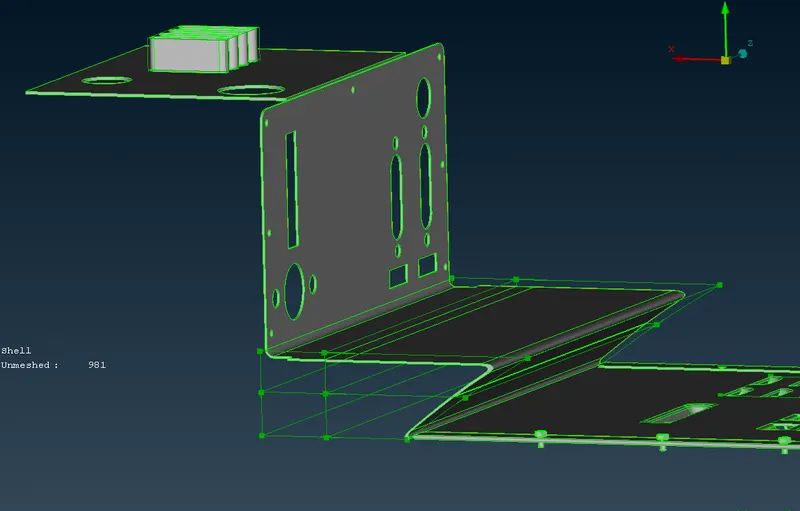
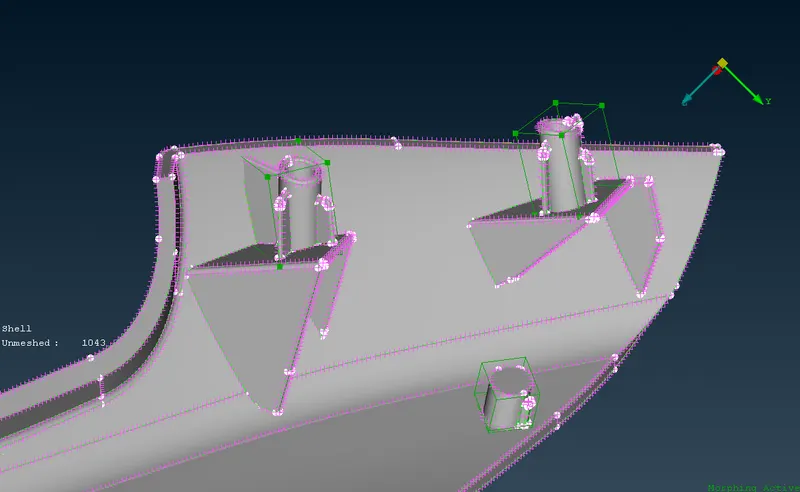
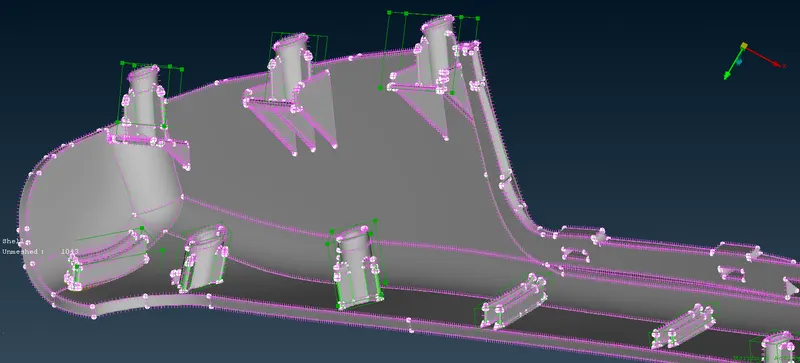
- Below are the images of the morphed components.
LEARNINGS:
- Learned Basic Morphing Technique in ANSA.
- Got Introduced to concept of Morphing.
CONCLUSION:
- Completed the morphing by increasing the height of the dog houses in the given component.
- Increased the height og the Ribs and change the shape of geometry in few places.