Week 3 - Solving second order ODEs
Ans) The link for the simulation animation which is uploaded in drive is given below along with the code which is used to simulate simple pendulum.
LINK FOR ANIMATION
https://drive.google.com/file/d/1628mnehnrskKn03nPgKy8M83T1aflE1X/view?usp=sharing
% ANIMATION AND SIMULATION OF SIMPLE PENDULUM
clear all
close all
clc

% Inputs
b = 0.05;  % Damping coefficient.
g = 9.81;  % Gravitational force.
l = 1;     % Length o the string.
m = 0.1;   % Mass of the bob.

% Initial condition
theta_0 = [0;3];  % 0 = Inttial Displacement, 5 = Intial Velocity.

% Time Points

t_span = linspace(0,20,500)

% Solving ode

[t,results] = ode45(@(t,theta) ode_func(t,theta,b,g,l,m),t_span,theta_0);
figure(1)
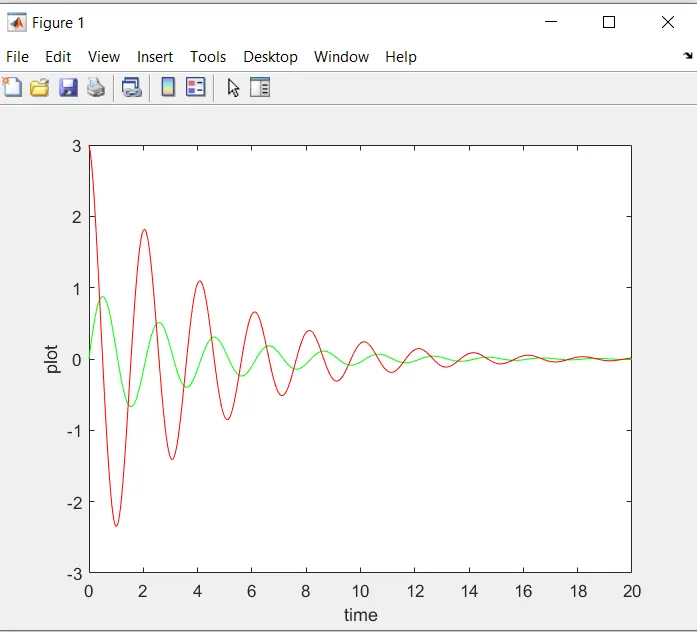
plot(t,results(:,1),'color','g')
hold on
plot(t,results(:,2),'color','r')

ylabel('plot') % this plot will plot theta and angular velocity.
xlabel('time')

theta = results(:,1)
ct = 1
for i = 1:length(theta);
    theta_x = theta(i);

    X0 = 0
    Y0 = 0

    X1 = l*sin(theta_x);
    Y1 = -l*cos(theta_x);

    % Plotting of simple pendulum for animation
    figure(2)

    plot([-0.5 0.5],[0,0],[X0 X1],[Y0 Y1],'linewidth',6);
    hold on
    plot(X1,Y1,'o','markers',20,'markerfacecolor','r')
    hold off
    grid on
    axis([-1.5 1.5 -1.5 0.5])
    pause(0.002)

    M(ct) = getframe(gcf);
       ct = ct+1;
end
% Matlab is going to ggenerate a movie with all the frames store in array
% M(ct)

movie(M)
% The below command make an AVI file were all the frames are put together to make a video

videofile = VideoWriter('pendulum','uncompressed AVI');

% The below commands are use to open the file and write the frames into it
% and finally it is closed and the video is made.

open(videofile)
writeVideo(videofile,M)
close(videofile)
Function code is given below.
function[dtheta_dt] = ode_func(t,theta,b,g,l,m)

         theta1 = theta(1)
         theta2 = theta(2)

         dtheta1_dt = theta2;

         dtheta2_dt = -(b/m)*theta2-(g/l)*sin(theta1);

         dtheta_dt = [dtheta1_dt; dtheta2_dt];

end
Result Plot is given below.
Errors faced while doing the assignment are as follows.
Typing Error L define in lower case and used as upper case.
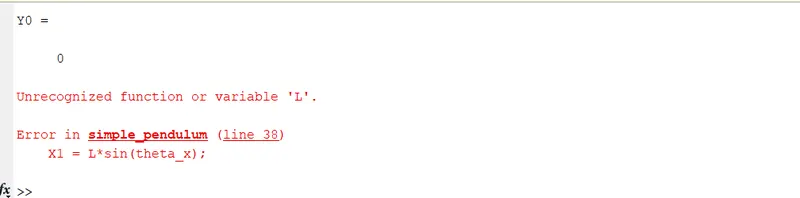
Typing error
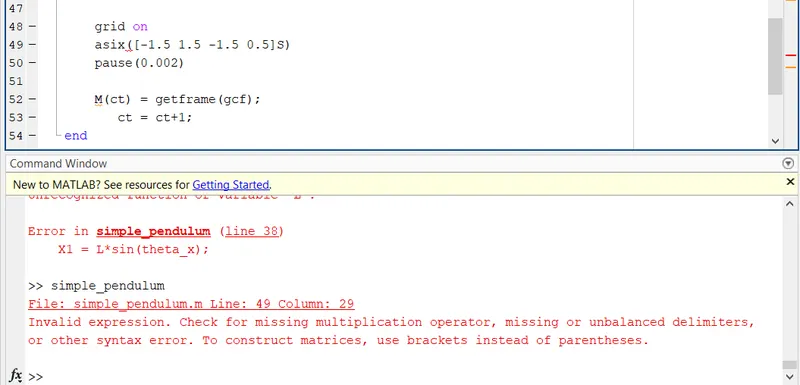
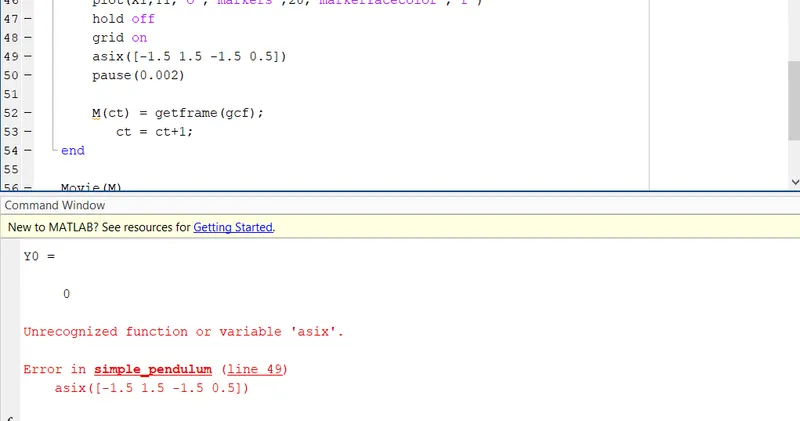
Generally typing errors were there and they were overcome by identification and error defination.