Week - 8 - Morphing
MORPHING
AIM:
- Practicing the Morphing techniques that availabe in the Ansa Preprocessor Tool and discuss about the applications of morphing in various industries.
OBJECTIVE:
- Changing some position and shapes of the Floor panel (Model =1)
- Perform morphing for the Hand Rest (Model-2) and Increase the Height of the Dog houses and Ribs.
CONCEPT OF MORPHING:
- Morphing is an adaptation of given shape to a new form.
- The geometry of a given concept model can be modified to required proportions to create new designs.
- CAE Morphing allows users to work on the FE mesh directly reducing the time taken to go back to the designer to update the geometry.
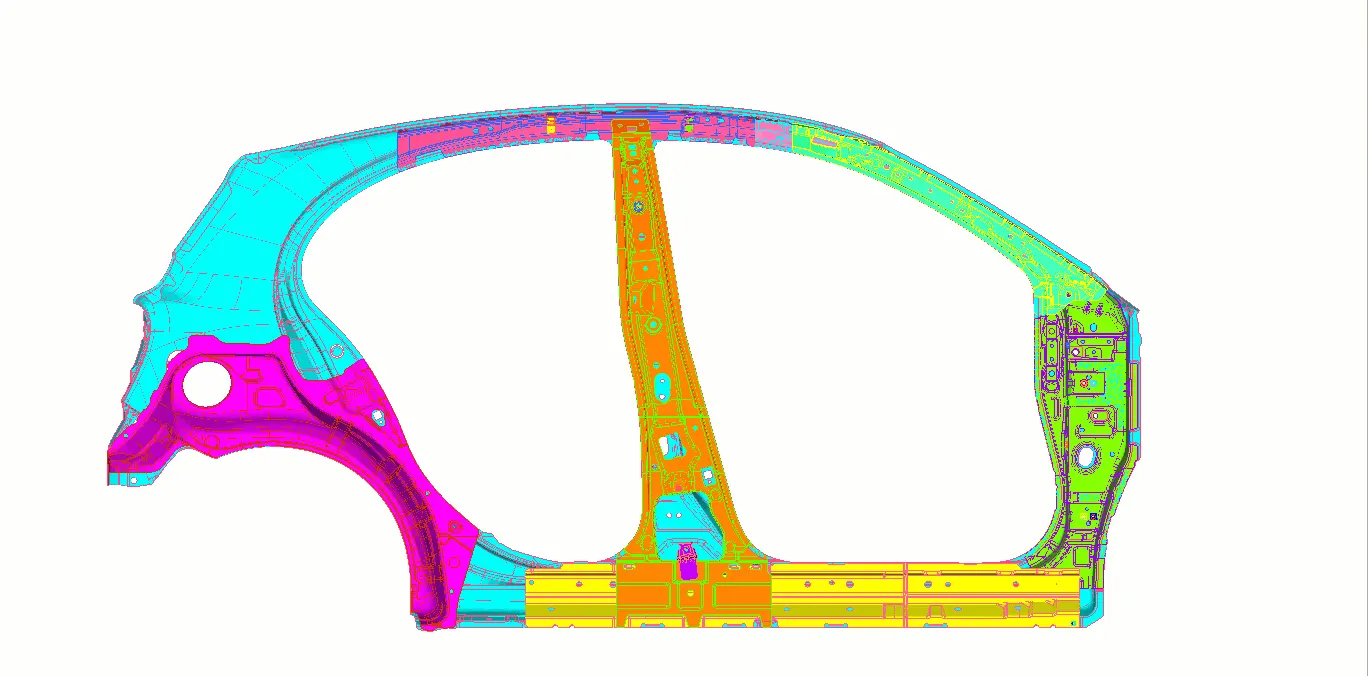
- The above image shows clearly, We can make any modification directly in on Parent geometry or on the FE as well.
EXAMPLE OF MORPHING AT FE LEVEL#
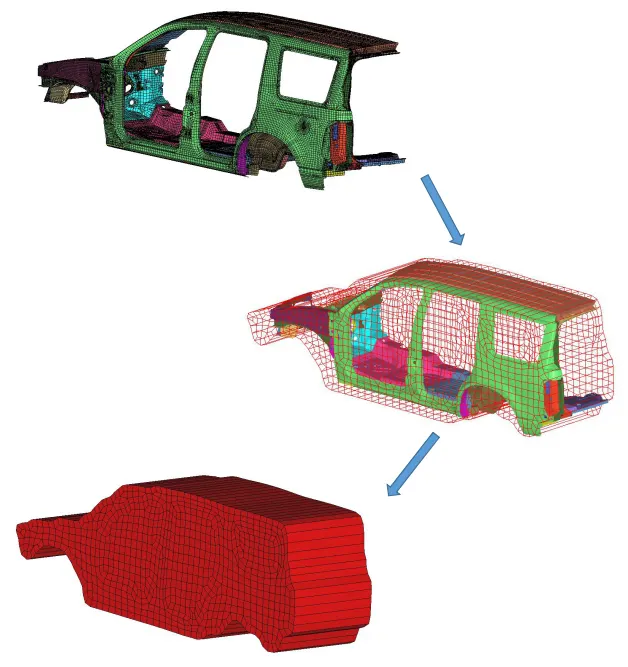
- It Minimizes the time spent on design modification by working directly at the mesh level
- Easy transformation of CAE models from the original design to a new concept.
TYPES OF MORPHING TECHNIQUES USED IN THIS MODEL:
Box Morphing
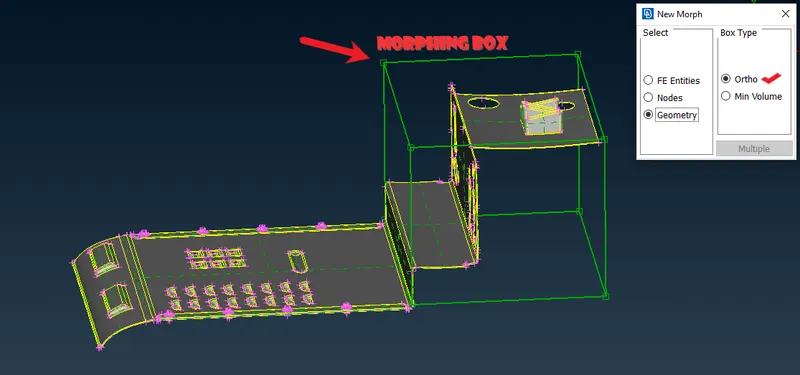
- Box Morphing is preformed via boxes that are created around a particular part or assembly that the user intends to morph.
- The movement of the Morphing boxes control points defines the morphing operations on the entities inside the Morph box. This type of Morphing can be applied to both FE and Geometry based models.
- Here we are using it with Ortho co-ordinates which is act according to the Global axis.
Direct Morphing
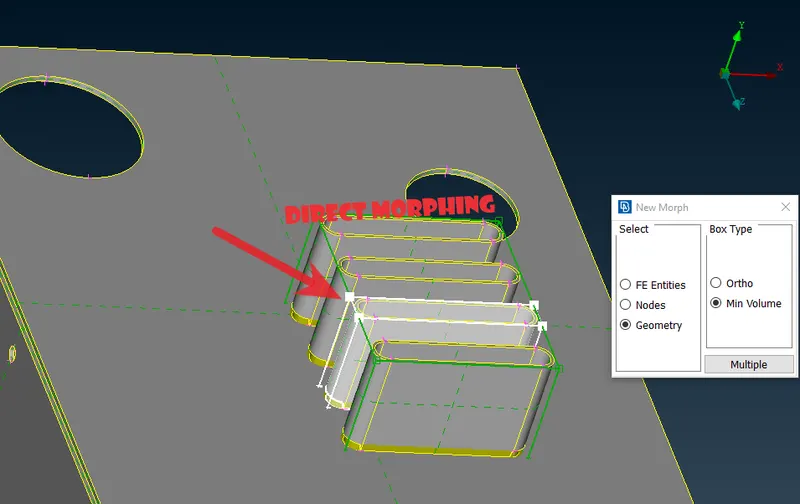
- ANSA’s Direct morphing features gives the user the ability to efficiently modify a part locally without having to create Morphing boxes
- With the help of this Local selection we can easily morph one single Part and make changes on it.
Geometry Morphing
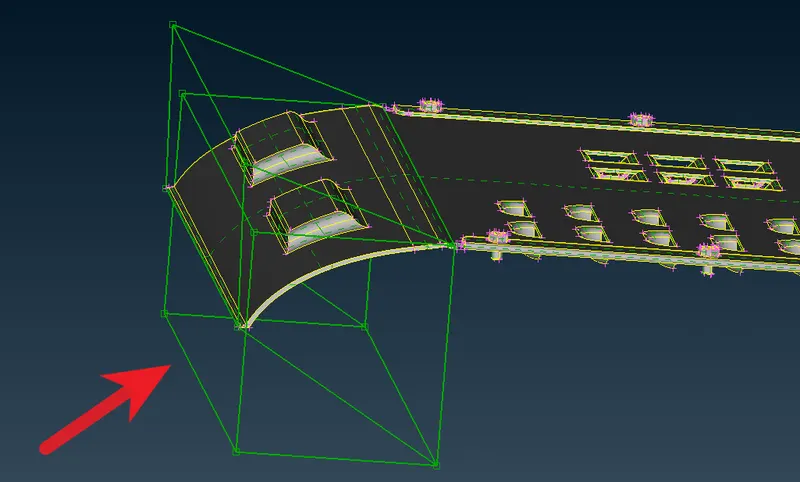
- We can change the 'Shape of the geometry' without disturbing the other areas.
APPLICATIONS OF MORPHING#
Automobile Industry
- Common application of morphing invloves tranforming the type of a car.
- Maruti Suzuki was a sedan, but its tail was morphed and made a hatchback for its use in higgh traffic condition.
- The same stand for Honda Amaze, where the actual and a bigger Honda City is transformed to its smaller version.
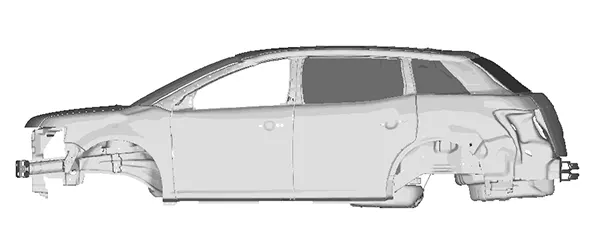
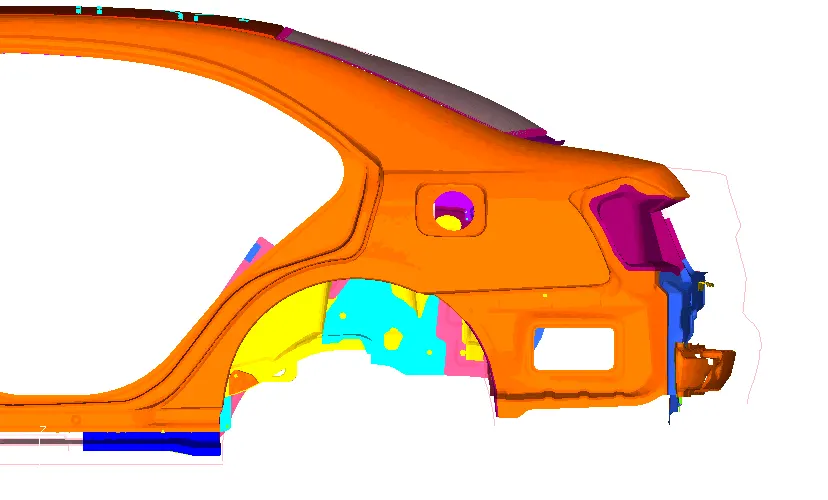
- The same is done for increasing the size of the tail or making the sedan to SUVs or SUVs to TUVs.
PROCEDURE:
IMPORTING THE MODEL TO ANSA # Floor panel
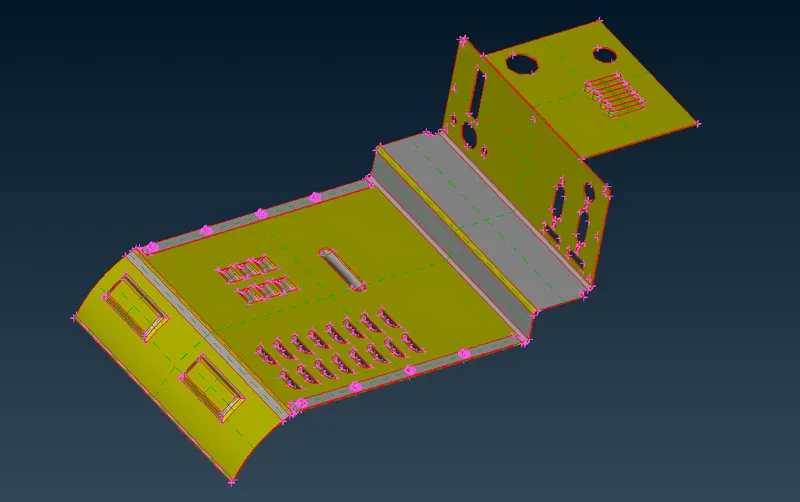
- We can check for the existing PID’s in the ‘Property Card’
- This is the single component, there is only one PID available in this model.
- After Import the downloaded geometry, we have give Topo to make connectivity of single Cons using (Topo module/Faces group/Topo)
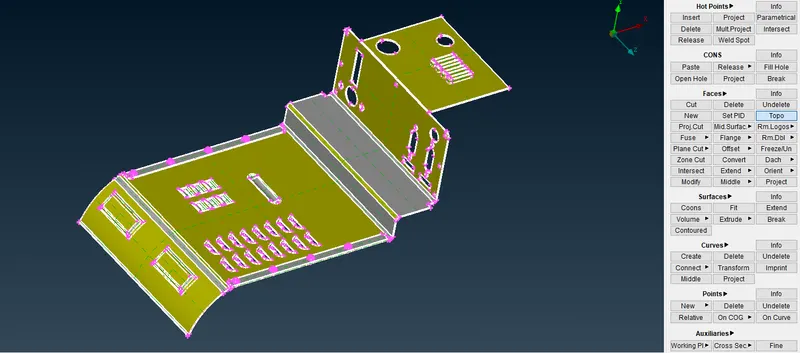
- Next step is Orient (Topo module/Faces group/Orient), this Helps to get the same color either Grey or Yellow color one side.
TOPOLOGY CLEAN UP:
- Now it is time to Geometry Cleanup.
- Before start Morphing Geometry Check is necessary, because in Original CAD geometry there might be some errors like Triple cons, Cracks, unchecked faces etc . . .
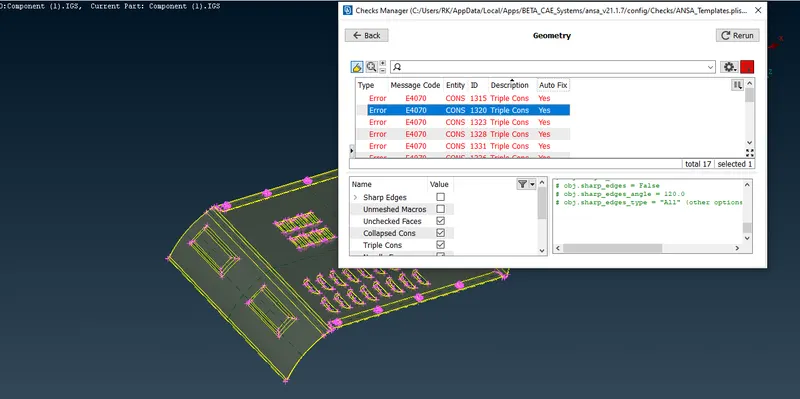
- Check the geometry for errors or sharp edges or single cons or crack faces using (Checks/Geometry)
- In the given component some errors were present when perform the geomentry check.
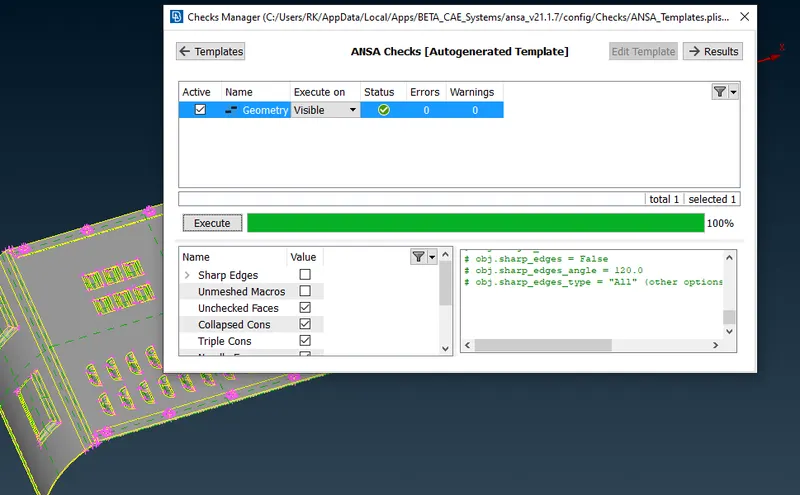
- In ANSA there is an option called 'AUTO FIX', i used this function to fix my errors.
- Eventhough some of the Triple cons are cannot fix automatically, so i did clear them manually
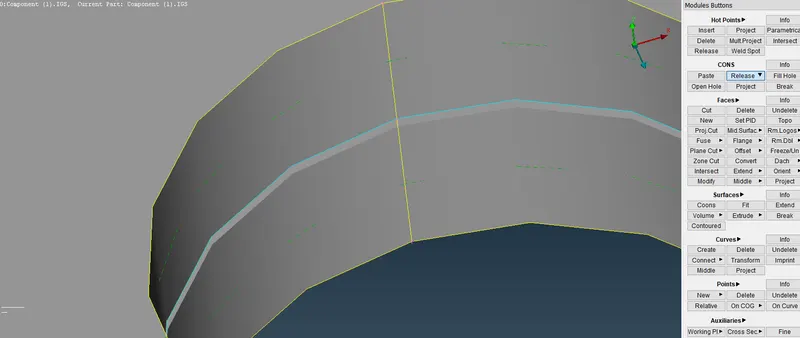
- Release option in (Topo/Cons/Release) used in this situation and after that i use the Topo to connect them Properly
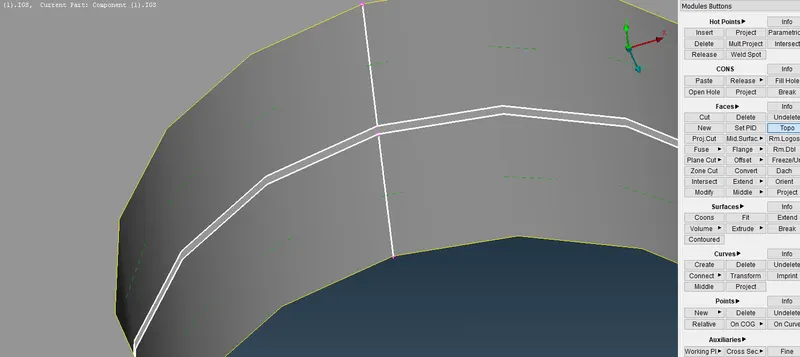
- After done with Topo clean up the model is ready for Morphing.
MORPHING OF FLOOR PANEL:
- To do the morphing, we have to Create the Boxes using (Morph Deck/Boxes/New)
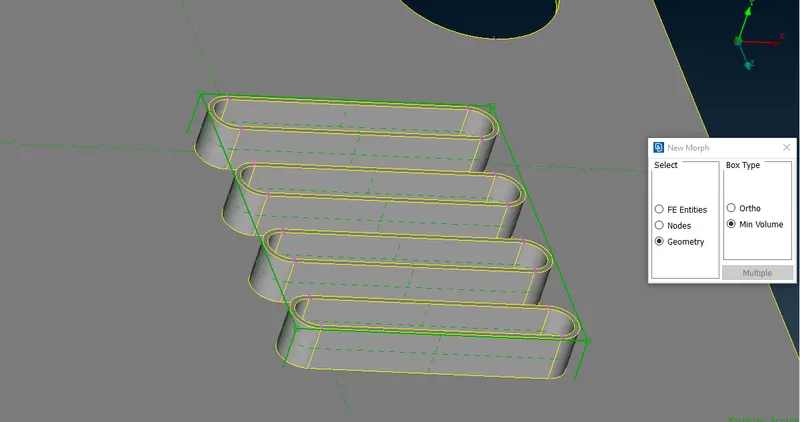
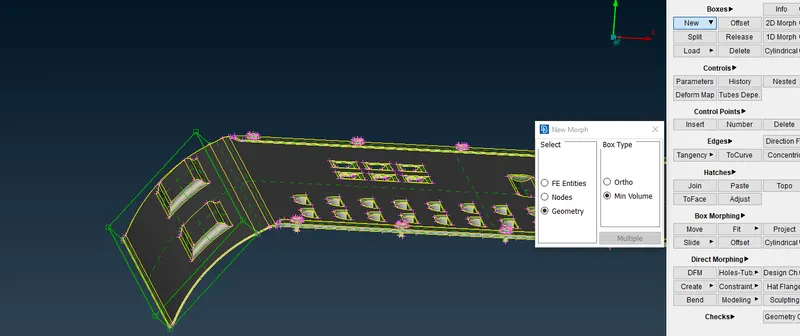
- The above images are the examples of some areas which we are going to morph
PARTS AFTER MORPHING#
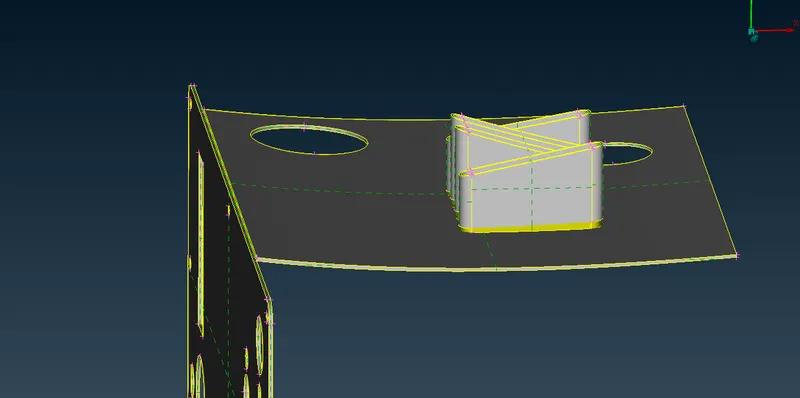
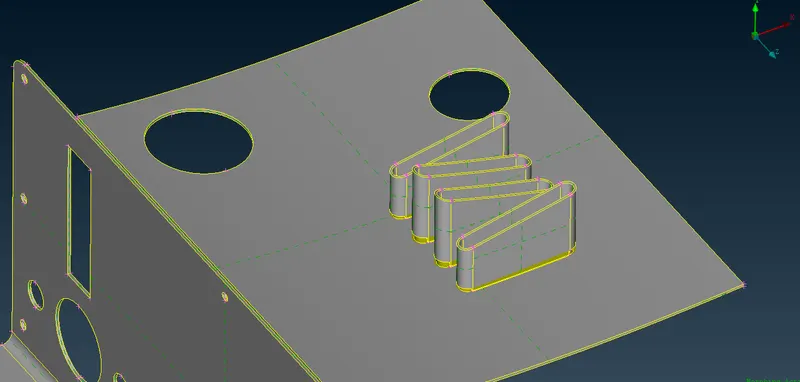
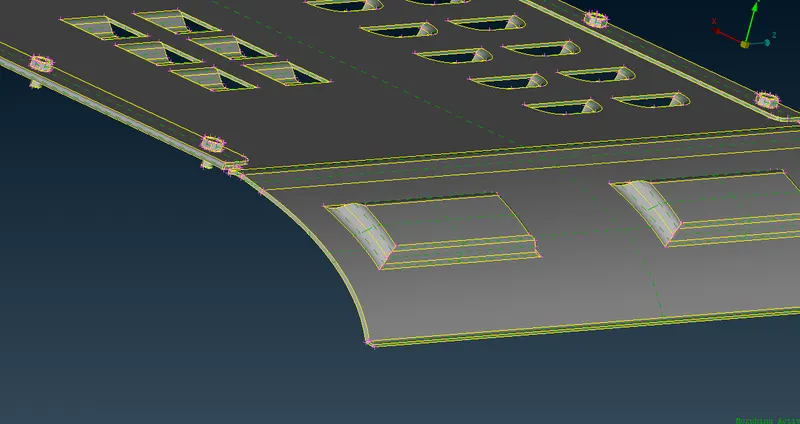
- In the above images i have made some modification in the 'Floor panel' using (Morph deck/Box morphing/Move) option to change the position of Box nodes
- We will try this on other areas with curves and bends and imply this.
MODEL -2 #Handle Rest
- The same procedure and steps followed for this model as well.
- After geometry cleanup and other things we will go for Morphing directly, There is no errors in this handle rest model while perfoming the (Checks/Geometry)
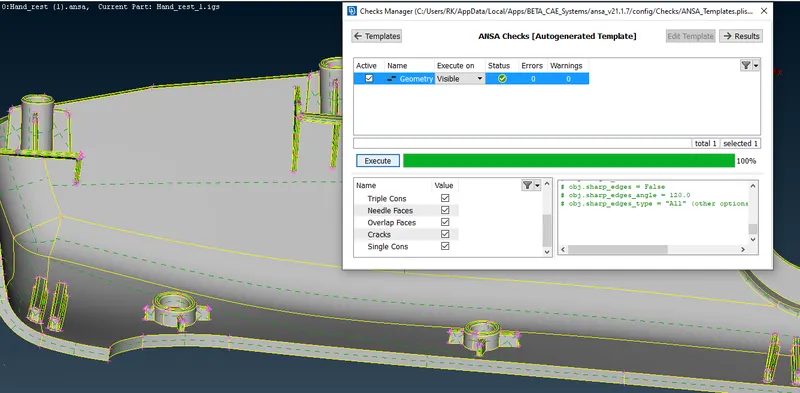
- To do the morphing, we have to Create the Boxes using (Morph Deck/Boxes/New), we can see it in below picture to get how create the boxes.
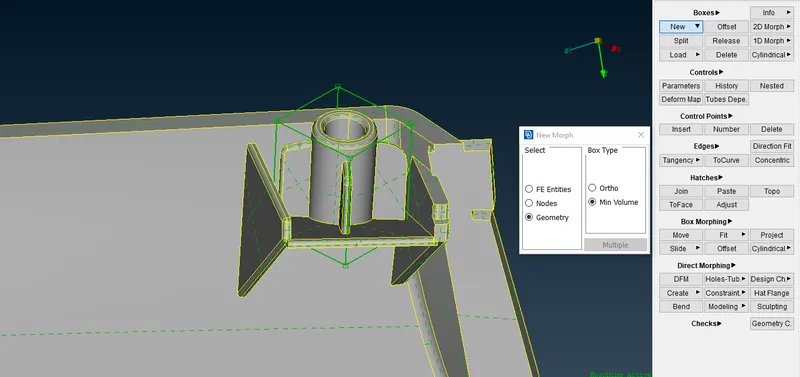
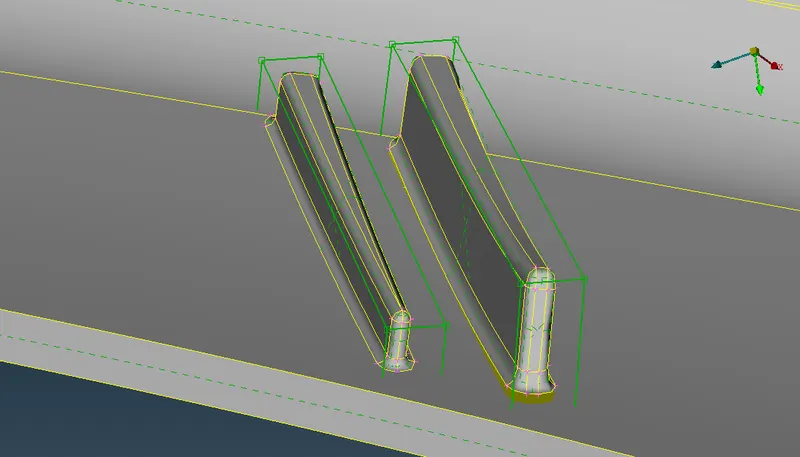
Expecting modifications in model -2
- Increase the Height of the Dog houses and Ribs in the Model
BEFORE AND AFTER IMAGES OF MORPHING:
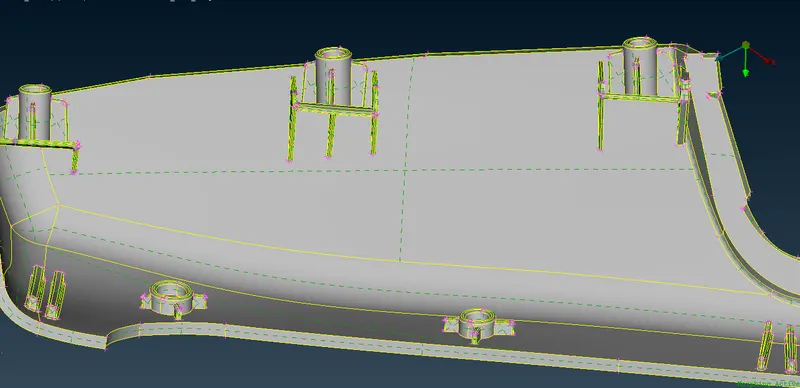
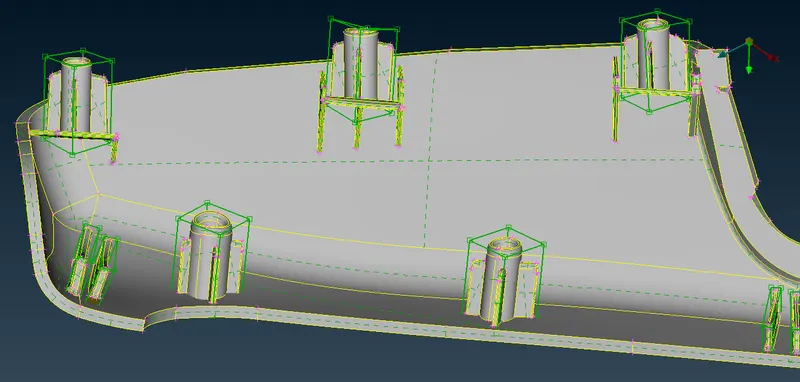
- we can use the (Morph deck/Box morphing/Move) option to make changes in Part local areas.
LEARNING OUTCOMES:
- Got some clear understanding on Morphing Techniques
- Learned the types of morphing and It's application and various areas
CONCLUSTION:
- Morphing is one of the best option in ANSA, It helps to get some modification on CAD geometry and FE models, using this tool.