Week - 8 - Morphing
Aim-
- To perform morphing operation on given component.
Objective-
- To perform morphing operation using box morphing technique.
- To perform morphing on model given to increase the height of ribs and dog houses.
Morphine overview:
- Morphing structures are structures that alter their shape and size upon applications.
- This field has been of interest to numerous researchers all over the world.
- Most reported morphing studies are confined to aerospace applications and studies conducted specifically for automotive applications are limited.
- Morphng can be done in CAD model and FE as well.
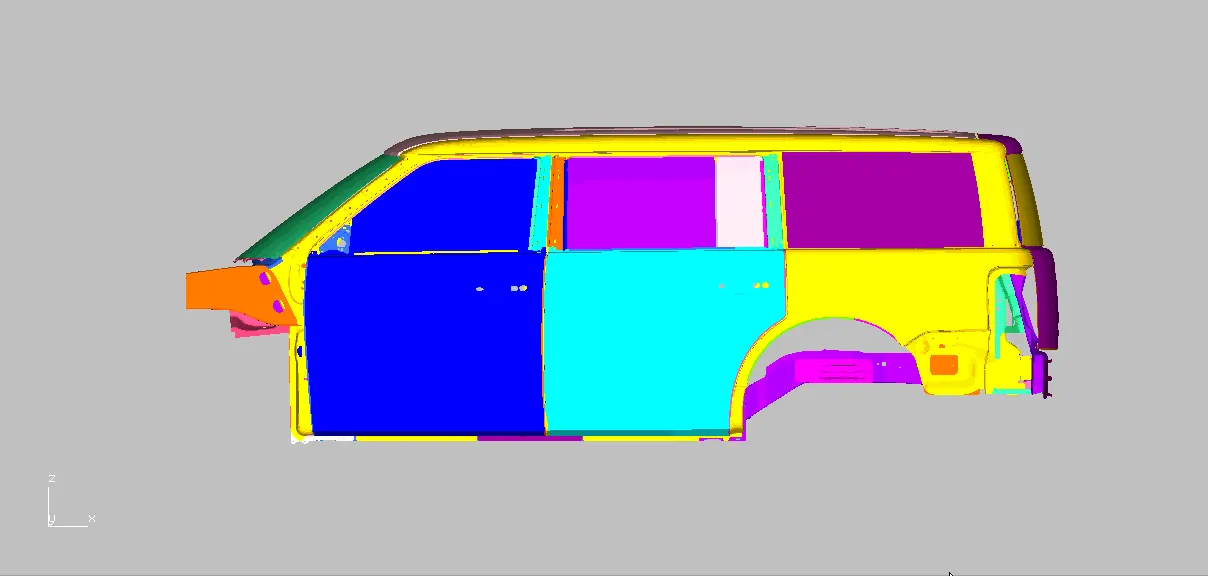
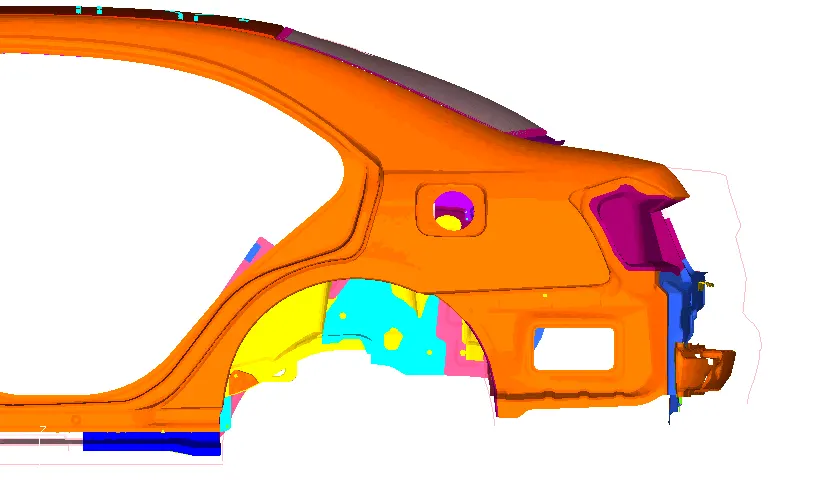
Application of morphing-
Morphing can be use in many discipline of CAE,
1.Durability
2.Crash
3.NVH
4.CFD
when it comes to morphing in ANSA,
ANSA morphing can be applied in two main methodes:
- Using morphing boxes (box morphing)
- Using direct morphing (Direct morphing)
Box morphing-
- In box morphing we creat box around the component on which we have to perform morphing.
- Then we can see that some controls points are created on box.
- By moving those boxes we can freely move the body and FE of the component by using move command in morphing module.
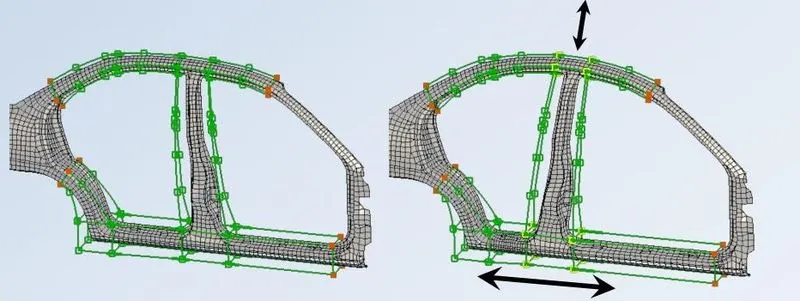
Box morphing technique-1
- In this technique we create multiple boxes on the FE model.
- So that we can move, slide and reshape of model at differential level through control points.
Box morphing technique-2
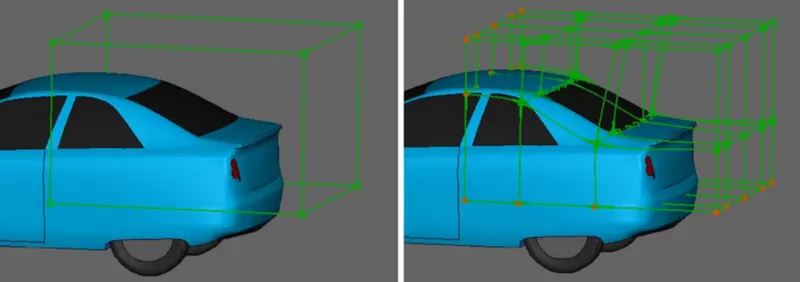
- In this methode first we will create a single morphing box and then split it into many.
- We will splite the box in such a manner that box edged shoul follow the feature line.
- This technique besically used in CFD domain and structural ananlysis as well.
Direct morphing-
- In FE and CAD we also follow direct morphing methode.
- In this methode we dont need box to morph the structure.
- Thi can be performed either by specifying frozen rigid node areas and morphing zone.
- Can be done by also fitting origin edges to target curves.
- There are special functions for creating local depression sliding features/ members onto a surface and modifying holes.
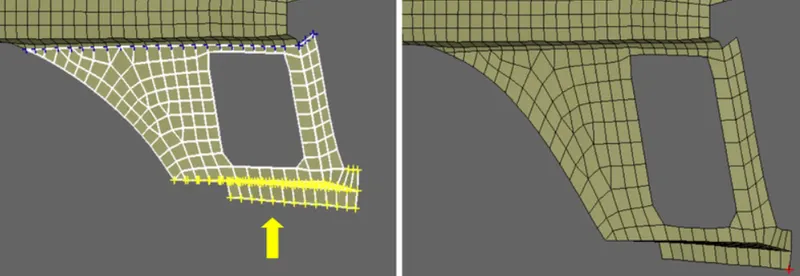
Example of morphing-
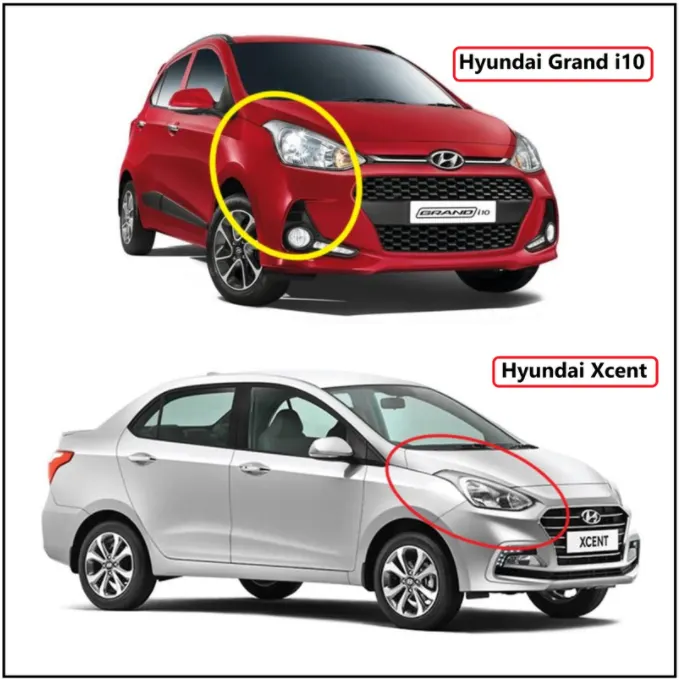
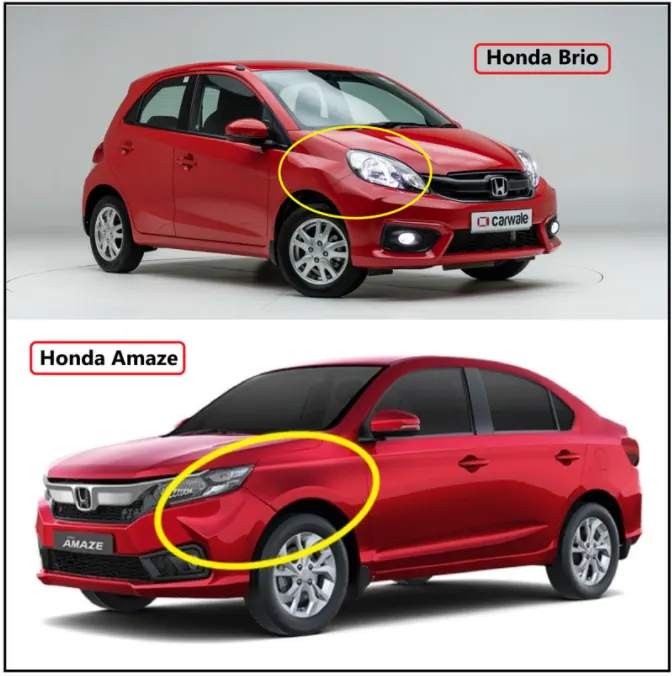
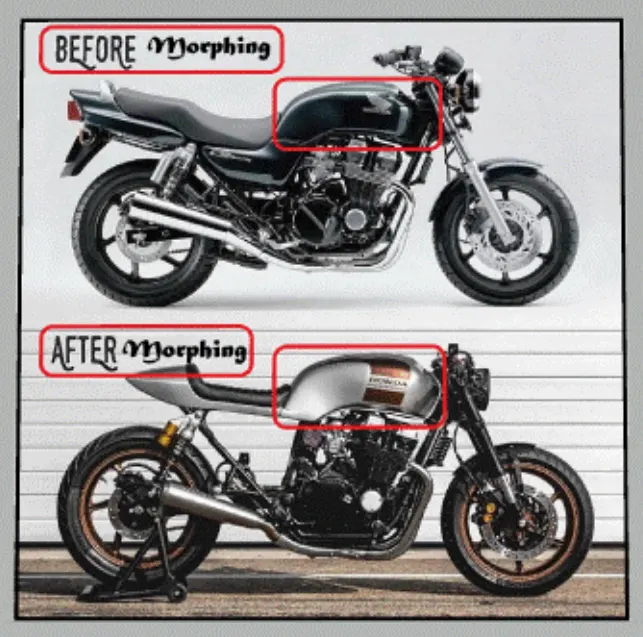
Procedure:
Stage-1
Importing the model-
- Here we will ne importing the CAD file into ANSA.
- Here is many types of file format supported by ANSA for CAD model like IGES,STEP and somtimes Parasolid also depending upon the requirment of industries.
For importing the model
we will go on pull down tab >> File >> open >> select the all format >> select the model from folder
Imported model-
- Hence model is imported on ANSA GUI by following these peocedure.
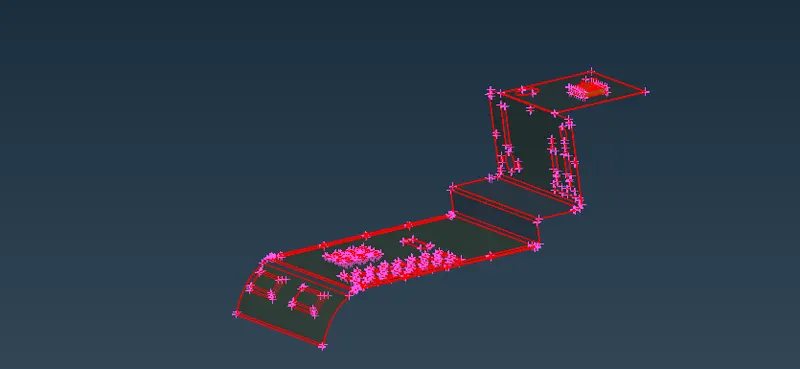
[Note-There are single/free edges on the model which need to get fixed]
Stage-2
Topo and geometrical cleanup
- Now on this model we will perform geometrical cleanups to eliminate all kind of geometrical errors.
- First we will do topo on the model,
For that, Go to topo module > faces > topo > select the component
After topological cleanup we can see that model is now free from free edges.
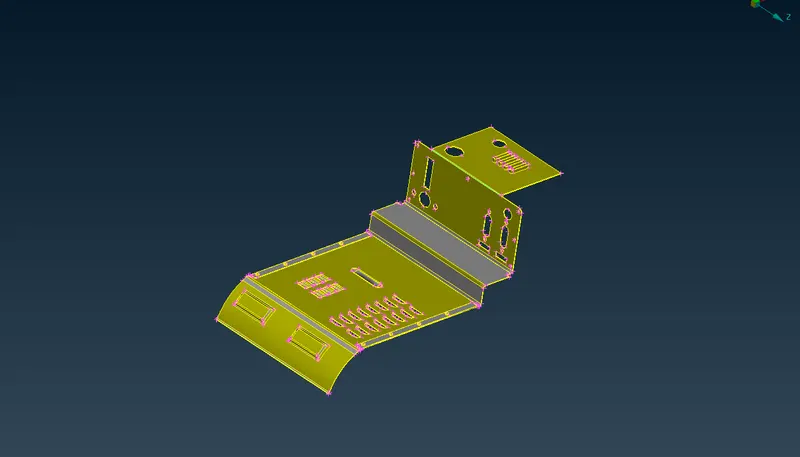
- Now after topological cleanup will to geometric check on this component.
Go to utilities > check > geometry
Click on geometry a new window will popup
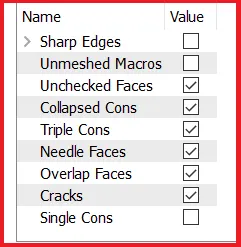
- check this as table as shown in figure,
- And need to fix all the geometrical errors in the model if presenet.
- Those errors can be fixed by automatically in check box itself, or manually as per condition.
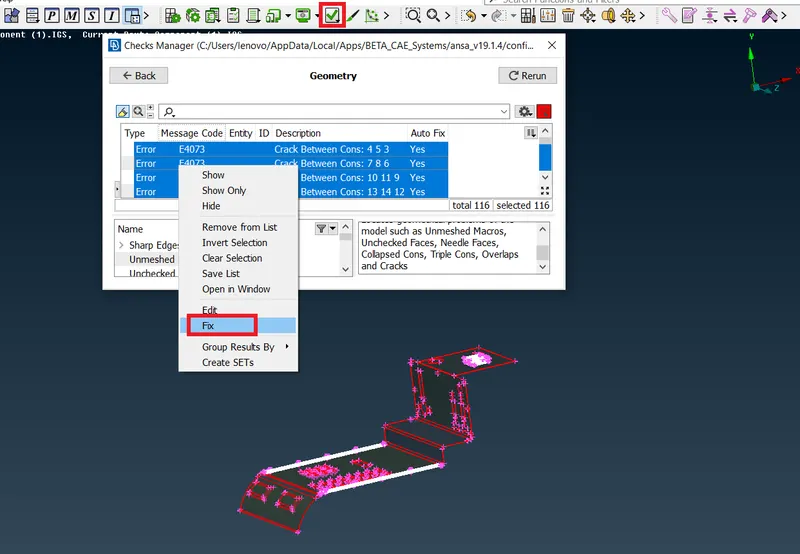
- Finally model will clean after these procedure if we will follow.
Stage-3
Start morphing-
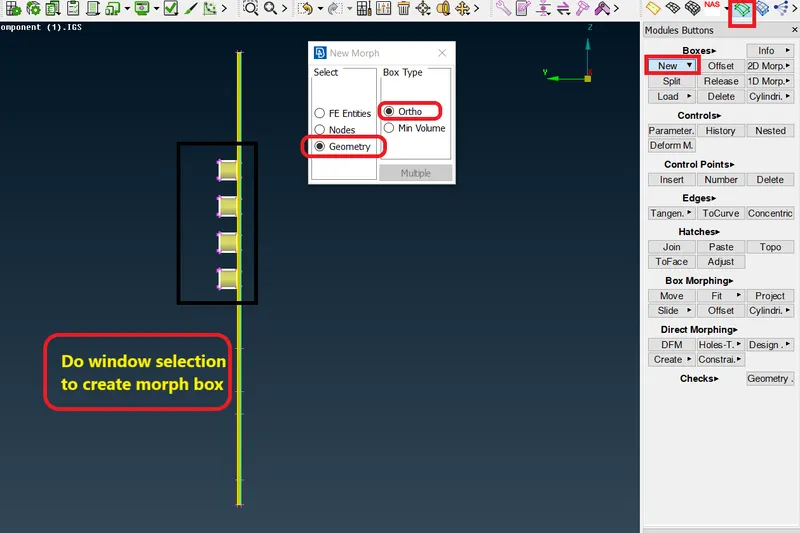
- To start morphing switch on the morph module.
- And then creat box on the component
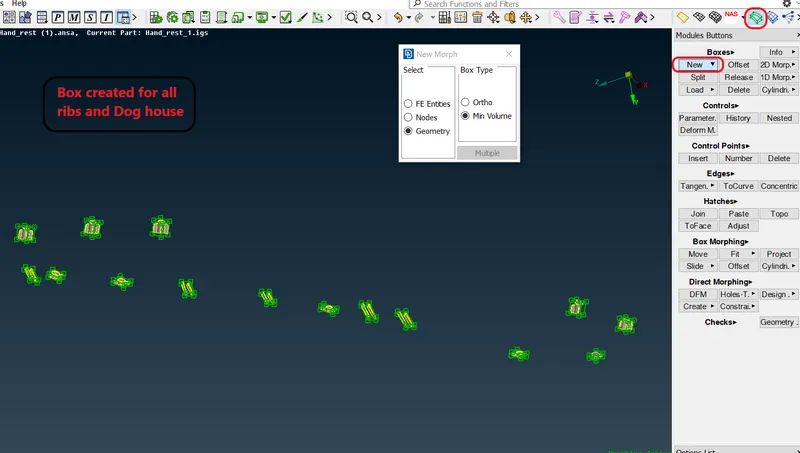
- For that Go to morph module > boxes > new > ortho > select the geometry
Box and control points creation,
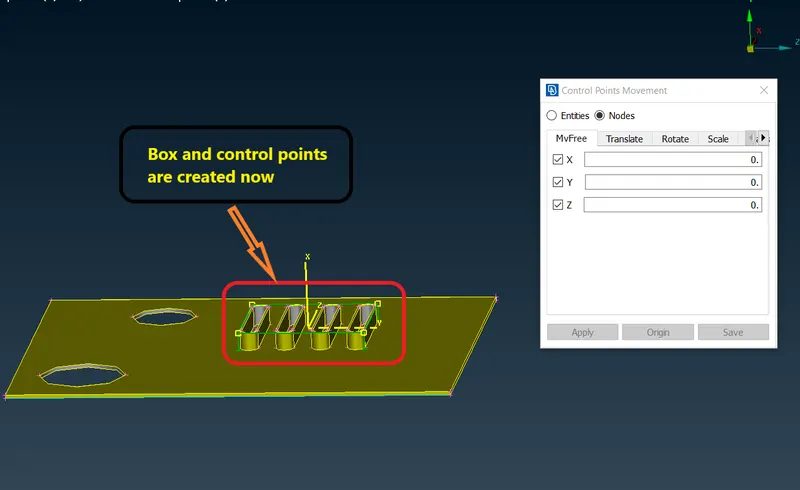
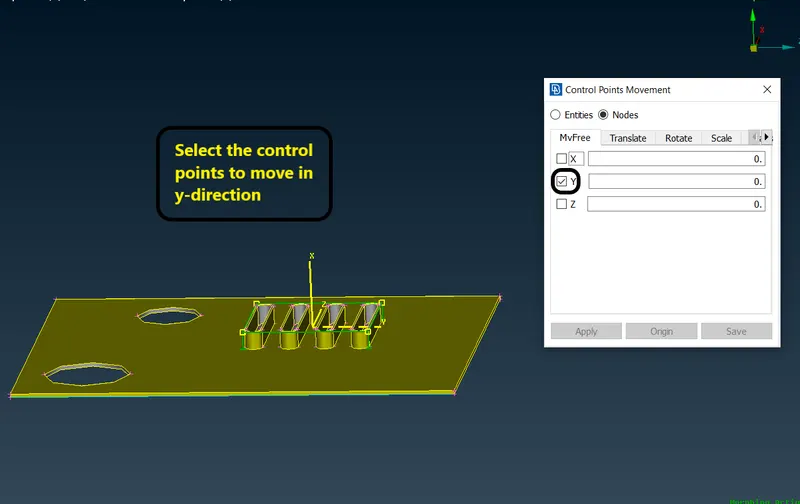
- Now we will select the control points by left mouse click
- And by giving right click global coordinate system will generated.
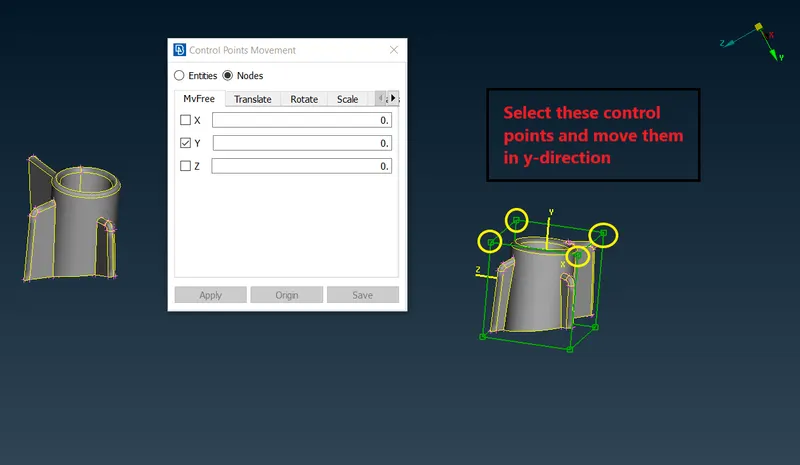
- And check box on y-direction to increase height.
- Now move the control points by curser left button.
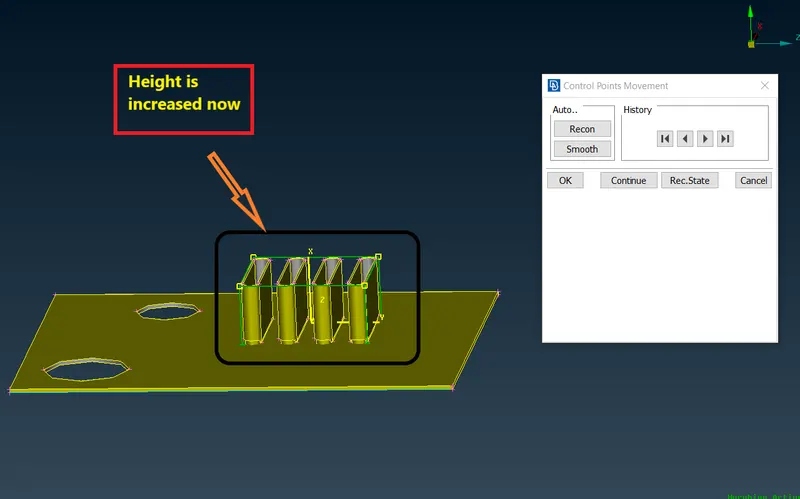
Geometry is morphed now,
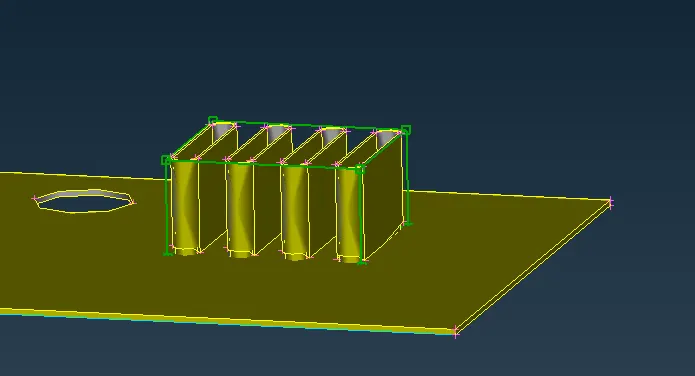
- Simmilarly will follow the same procedure for other regions also.
- create box and control points and use move command for morphing geometries.
Morphed region-2
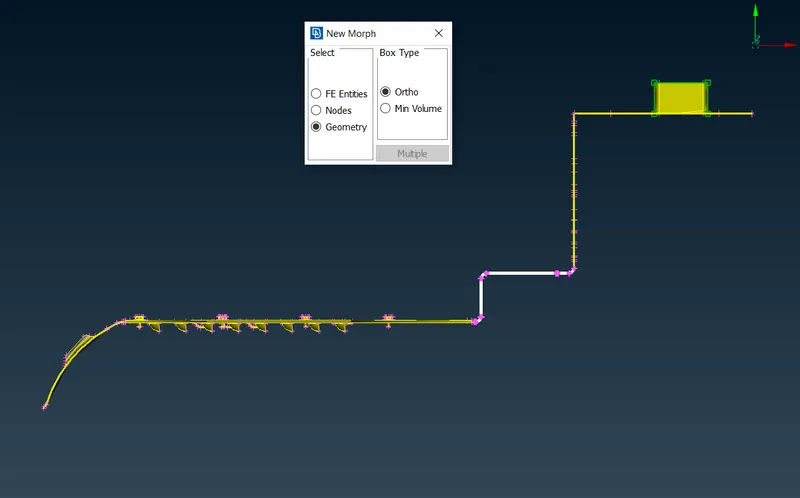
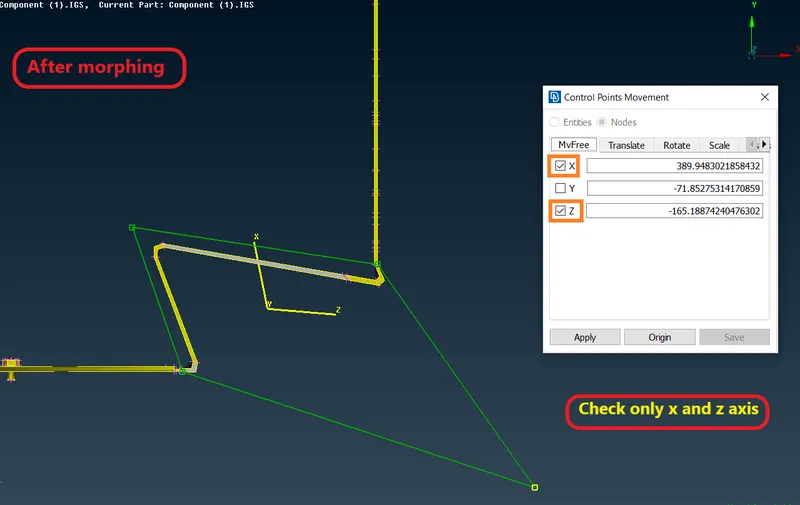
Morphed region-3
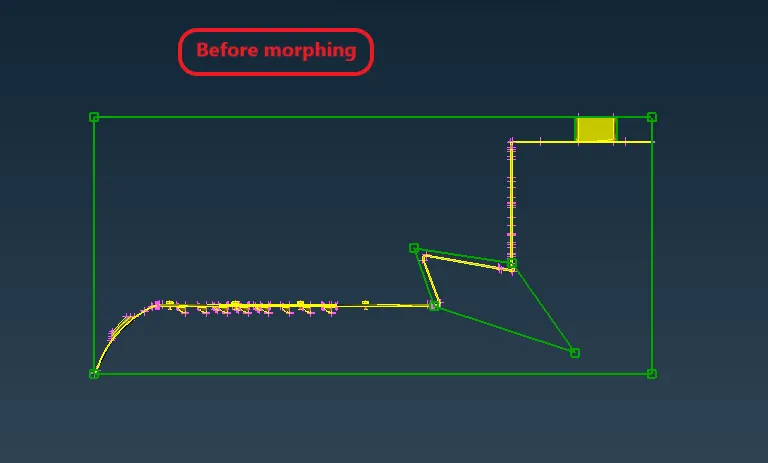
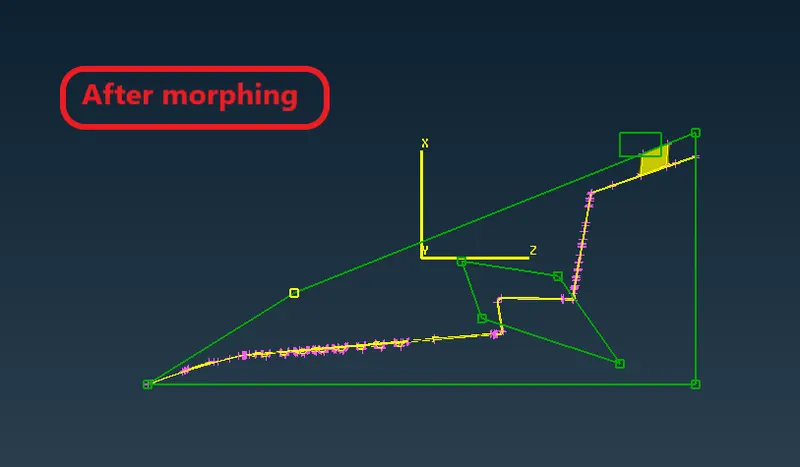
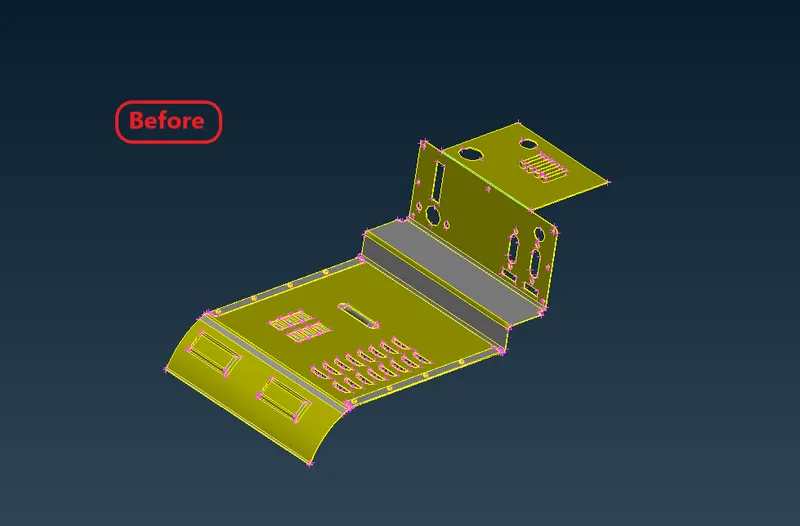
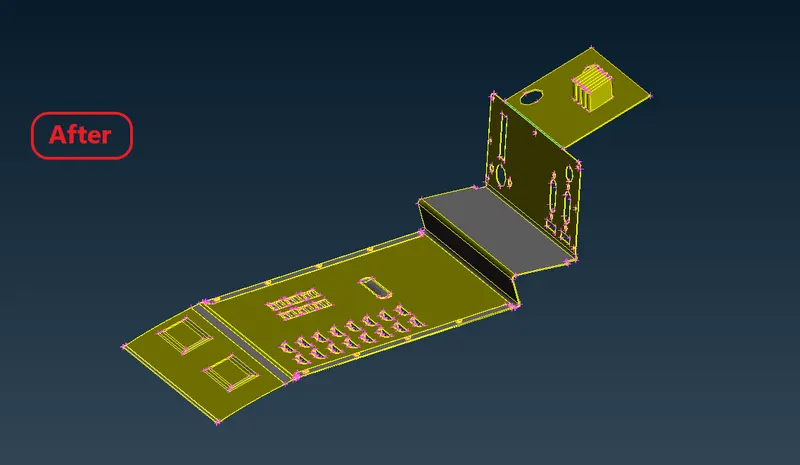
Complete model after morphing-
Model-2
- We will follow the same procedure of importing and geometry cleanup for component as we diid before for model-1.
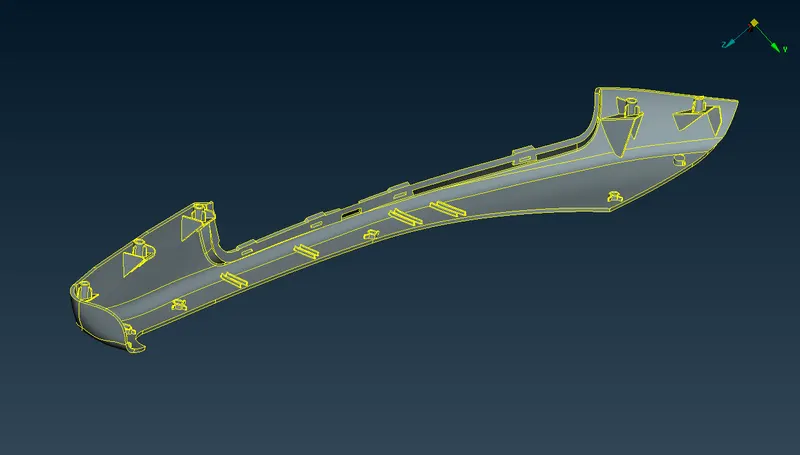
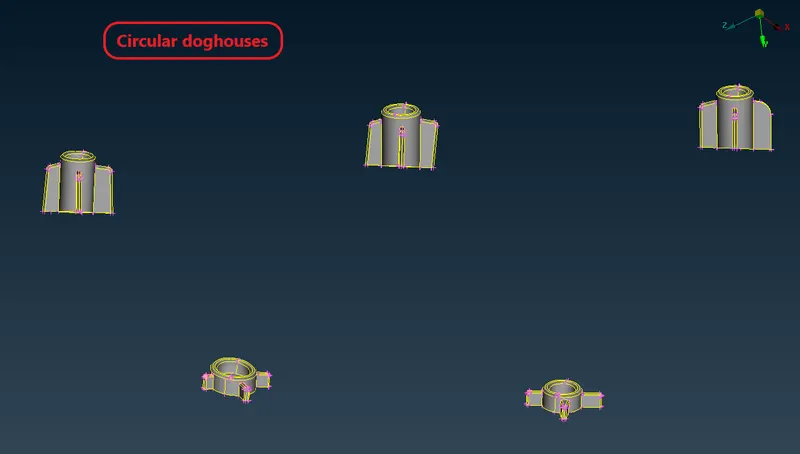
These are the circular doghouse we have to work on.
- Now create the boxes for all ribs and doghouses as well.
- Now start increasing the length for dog house as we hav done before.
- By using move commmand, select control points give coordinate system and move them in y- direction.
Dog house after morphing-
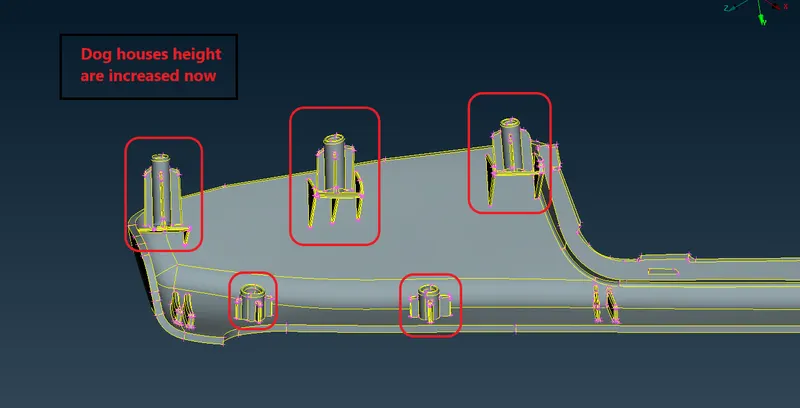
Ribs are also has been morphed-
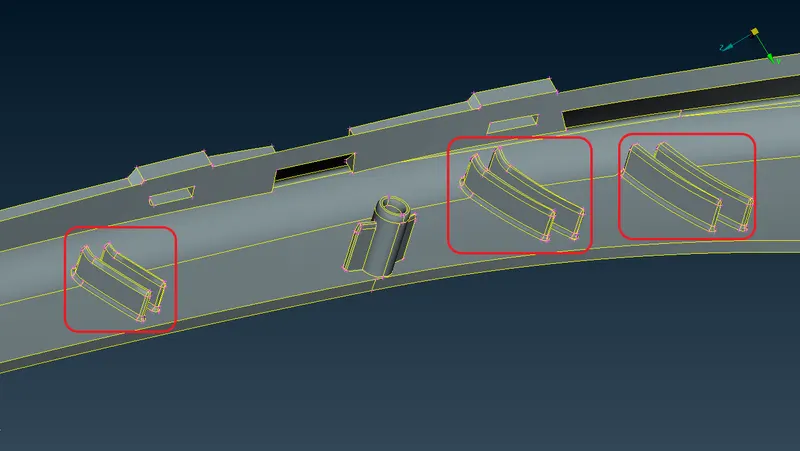
Complete morphed model-2
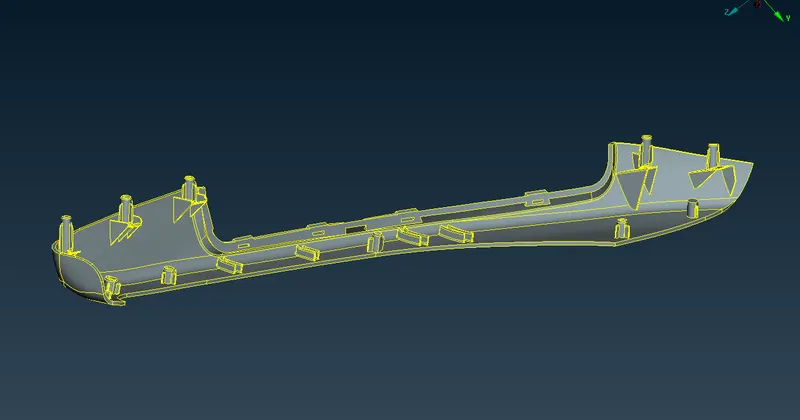
Finale morphed CAD model-
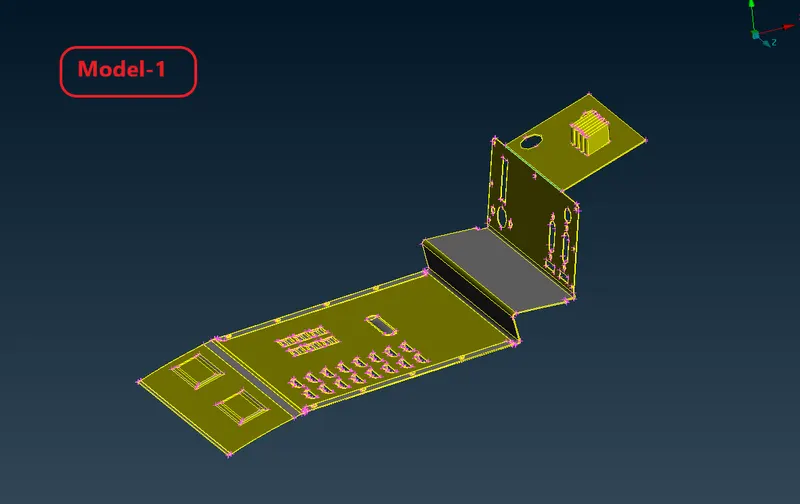
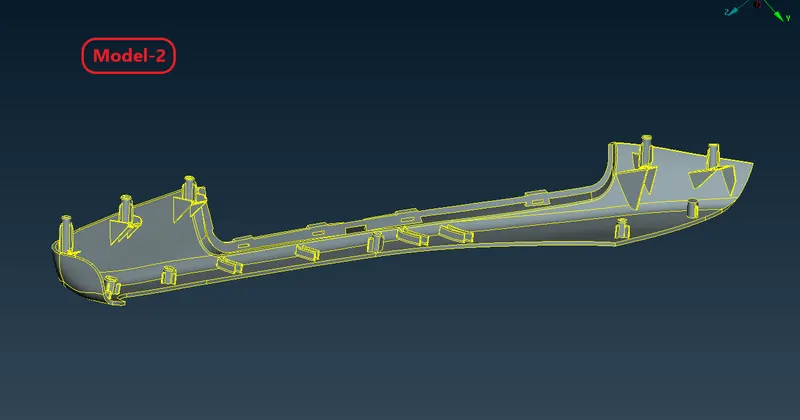
Result-
- Morphing operation is done here on both model given in this challenge.
- Model-1 is morphed according to the week 8 video instructor guidline.
- Model-2 is morphed according to the qus asked in this challenge, increasing the height of circular dog house and rectangular ribs are done.
Learning outcome-
- In week 8 challenge we came to know about some morphing techniques used in ANSA.
- Learn how to create morphvol means box for morphing.
- learn to uses move commands and various commands to perform morphing operation.