Week 4-1D Element Creation Challenge
ANS.
Aim:First of all we have to mesh the CAD object of target element size 5 mm by extracting the midsurface.After that we have apply rigid links and RBE3 links on different different section as given in the question.then finally we will creat 1D element with different different crossection on all the points given in the CAD model above.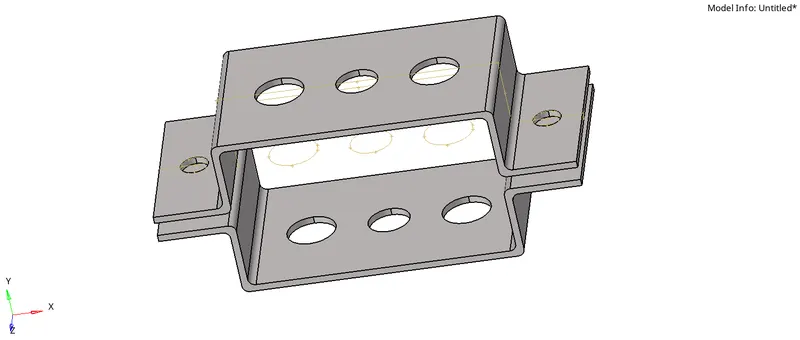
a.Given CAD model
Procedure:
1.Firtstly we will import the CAD model and will perform to extract the midsurface from this model.Extracting the mid surface may include different different tool operation for better midsurface extraction.Skin midsurface is the best as per this model requirnmen.
Final midsurface which we extract is shown below.
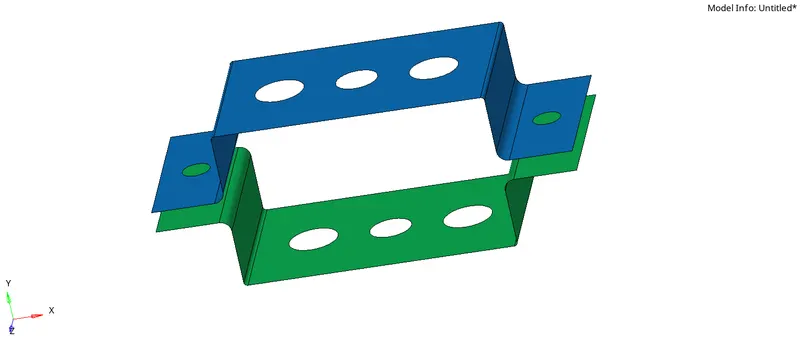
2. After extracting the mid surface we will do the mesh as given in the question of target element size of 5mm.Before that we also perform autocleamup in geometry.
During midsurfacing we have to focus on such points like we always try to provide same and even number of nodes around any hole in model.
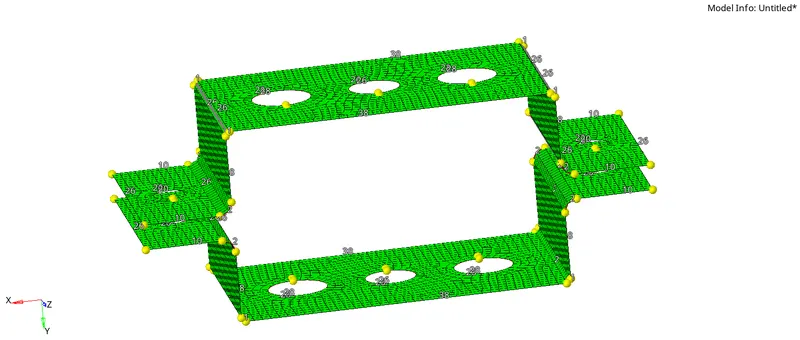
b.Here is the final mesh model of target element size of 5 mm.
3.Now after competed this we will now apply the 1D element such as rigid(RBE2) and also RBE3 as per the requirnment.In the question above we will aplly the RBE2 link on points a,e and f from 1D elements tools.
During RBE2 and RBE3 elements creation we also follow the in instruction about DOF's of rigid elements as given in the question.
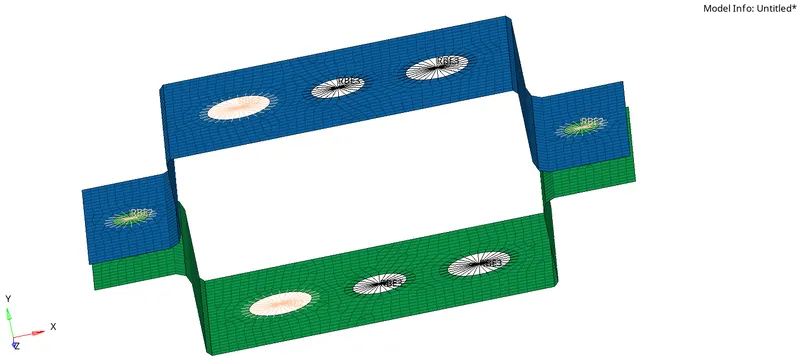
c.This is the model after applying RBE2 and RBE3 elements.
4.And finally we will creat 1D elements like Bar Rod and Beams on sections a,b and c with he given crossection of box,I and X.
Also we have to creat elements like mass and spring at given points f.
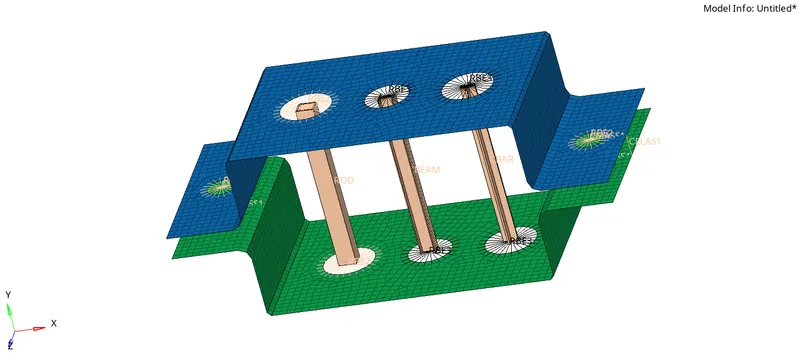
Result: Above shown model is the final model after applying all the rigid and 1D elements. In this challenge we learned about autocleanup before automesh,creating different different kind of Rigid and elastic elements on particular points considering the all DOF's as per requirnments.
Final model is uploaded here in HM file.