Week - 8 Mass Scaling
Aim:-To perform mass scaling operation for the dynamic simulation.
Theory:-
MASS SCALING
Anytime you add nonphysical mass to increase the timestep in a dynamic analysis
As per the CFL (Courant-Friedrichs-Levy) condition, the stable time step for explicit analysis is

Here emin is the size of the smallest mesh element.
c is the speed of the stress wave
The scaling factor is used for providing numerical stability.
The smallest element in the mesh has the biggest impact on the run time.
Let’s see what ‘c’ is made of.
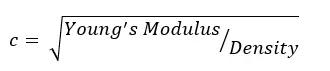
As per the formula we see that there variable to increase the time step but everything has its importance.
If we increase the element length the accuracy of the result decreases, otherwise we need to increase the speed of the stress wave.
It also has two variables young's modulus and density, here we can change the E because the stiffness will increase then the accuracy of the result decreases.
The only variable is density where we can add mass and increase the density which will reduce the timestep, the acceptable percentage of mass is 8%.
This manual form of mass scaling is done independently of the automatic mass scaling invoked with DT2MS
Negative: Mass is added to only those elements whose timestep would otherwise be less than TSSF*abs(DT2MS). When mass scaling is appropriate, I recommend this method.
Positive: Mass is added or taken away from elements so that the timestep of every element is the same. My opinion is there is no advantage to using this method over the negative DT2MS method and I find it harder to rationalize.
The parameter MS1ST in *CONTROL_TIMESTEP controls whether the mass is added only once during initialization (MS1ST=1) or anytime as necessary to maintain the desired timestep specified via DT2MS (MS1ST=0).
You can use ENDMAS in *CONTROL_TERMINATION to stop the calculation after a certain amount of mass has been added (active for automatic mass scaling only).
Procedure:-
- Import the model into ls prepost.
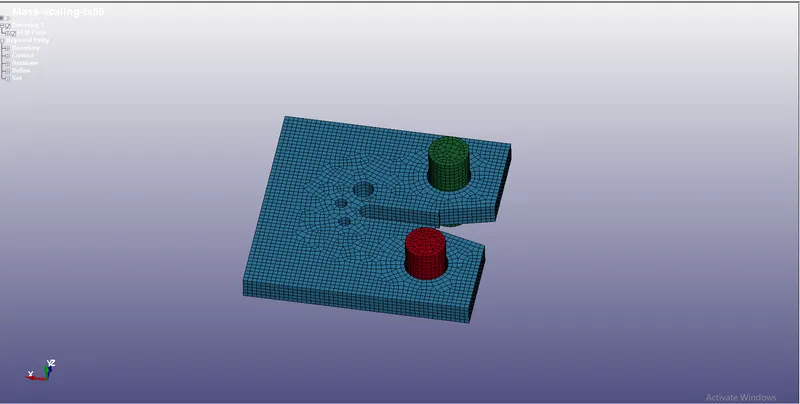
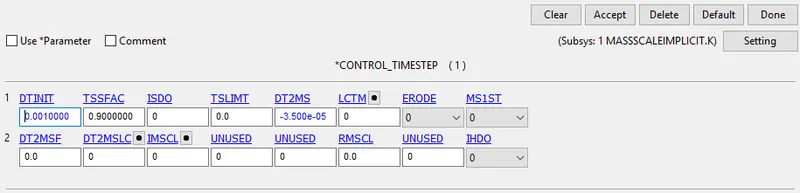
- After importing the model we need to enable the control time step card and we need to give the value for DT2MS and TSSF
- Depends upon the added mass the time step is controlled.
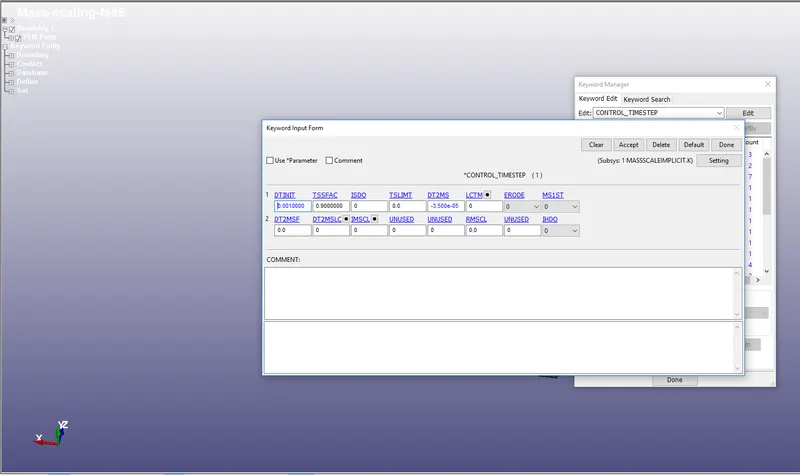
- Here we are going to change the DT2MS and TSFFAC value and we will be seeing the change in computational time and percentage of mass.
Case 1:-
Considering the DT2MS = -3.5e-05,TSSFAC=0.9
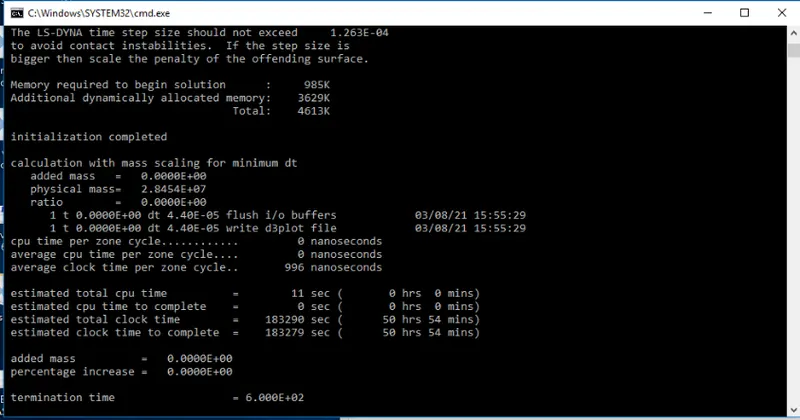
Percentage of mass=0%
Added mass=0
Estimate computational time =50hr 54min
Case 2:-
Considering the DT2MS = -3.5e-04,TSSFAC=0.9
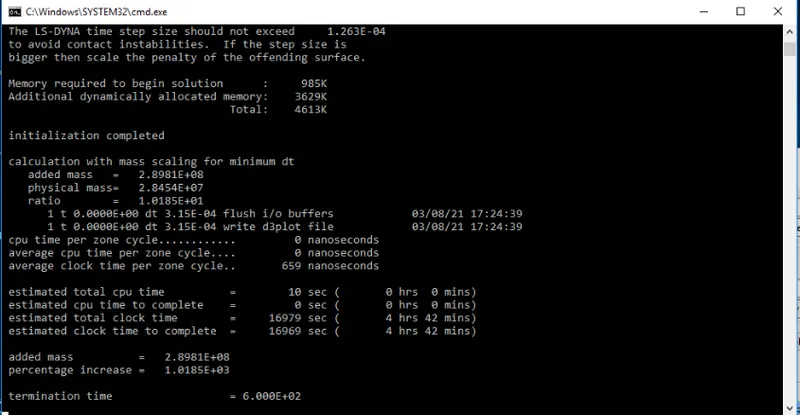
Percentage of mass=1018.5%
Added mass=2.8981e+08
Estimate computational time =4hr 42min
- Here there huge add in mass so that the energy values will vary and the accuracy of the result will wrong.
Case 3:-
Considering the DT2MS = -7.5e-05,TSSFAC=0.9
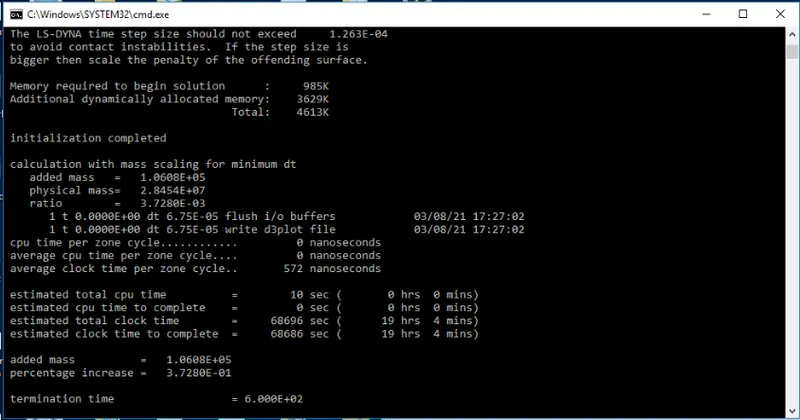
Percentage of mass=0.3%
Added mass=1.06e+05
Estimate computational time =19hr 4min
Case 4:-
Considering the DT2MS = -9.5e-05,TSSFAC=0.9
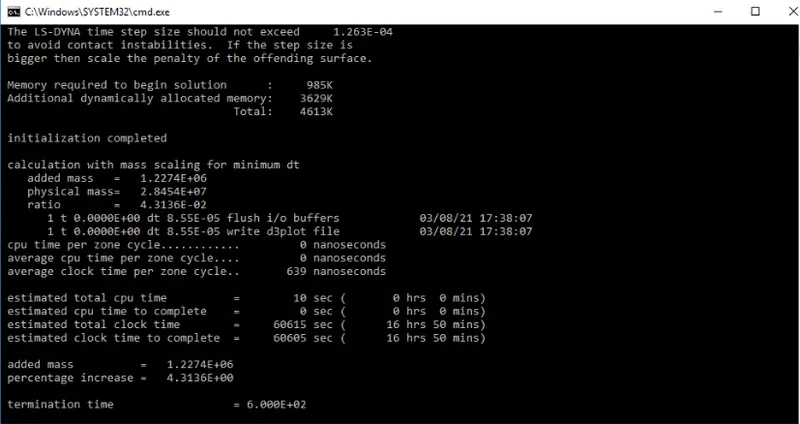
Percentage of mass=4.313%
Added mass=1.2274e+06
Estimate computational time =16hr 50min
Case 5:-
Considering the DT2MS = -1.15e-04,TSSFAC=0.9
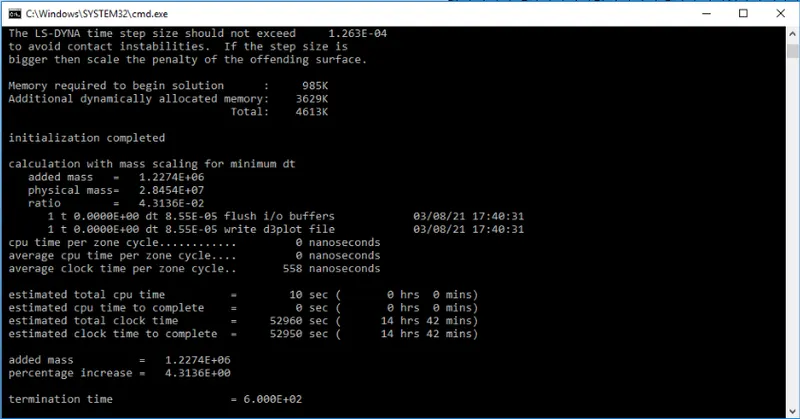
Percentage of mass=4.313%
Added mass=1.2274e+06
Estimate computational time =14hr 42min
Case 6:-
Considering the DT2MS = -1.55e-04,TSSFAC=0.9
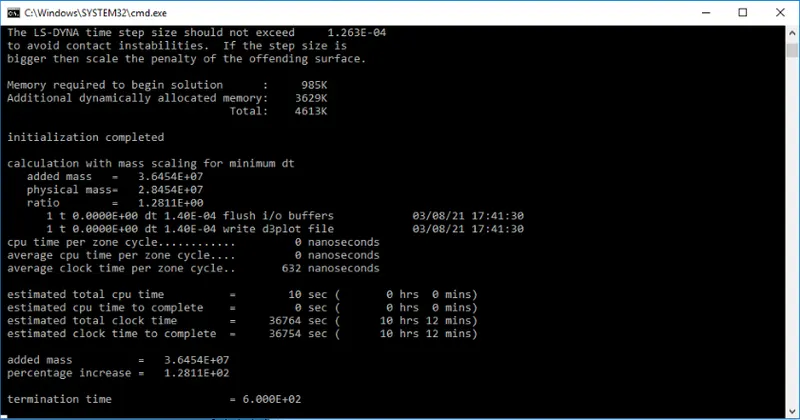
Percentage of mass=12.8%
Added mass=3.645e+07
Estimate computational time =10hr 12min
Case 7:-
Considering the DT2MS = -1.35e-04,TSSFAC=0.9
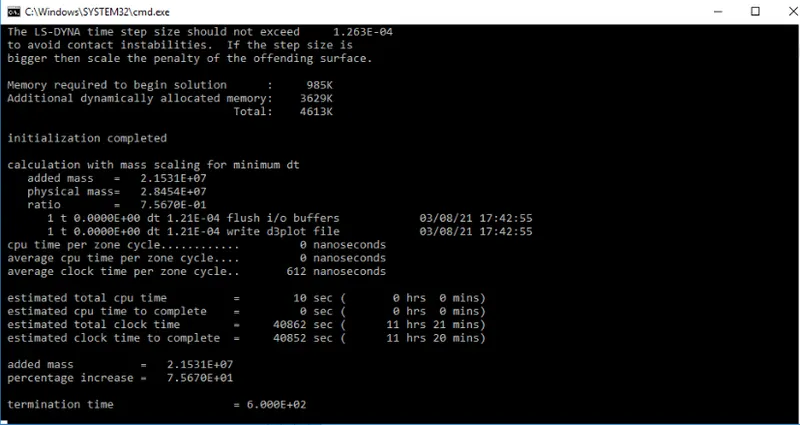
Percentage of mass=7.57%
Added mass=2.153e+07
Estimate computational time =11hr 20min
Case 8:-
Considering the DT2MS = -1.45e-05,TSSFAC=0.9
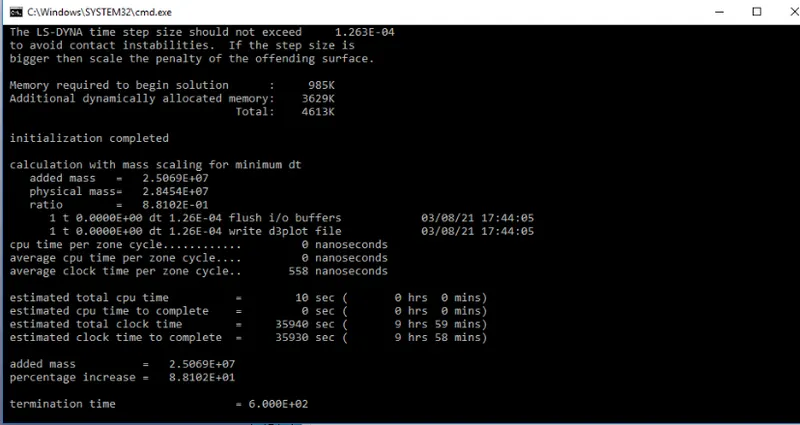
Percentage of mass=8.8%
Added mass=2.50e+07
Estimate computational time =9hr 59min
- Where the acceptable mass percentage is 8% but it is been crossing the limit so we need reduce the DT2MS a bit low.
Case 9:-
Considering the DT2MS = -1.37e-05,TSSFAC=0.9
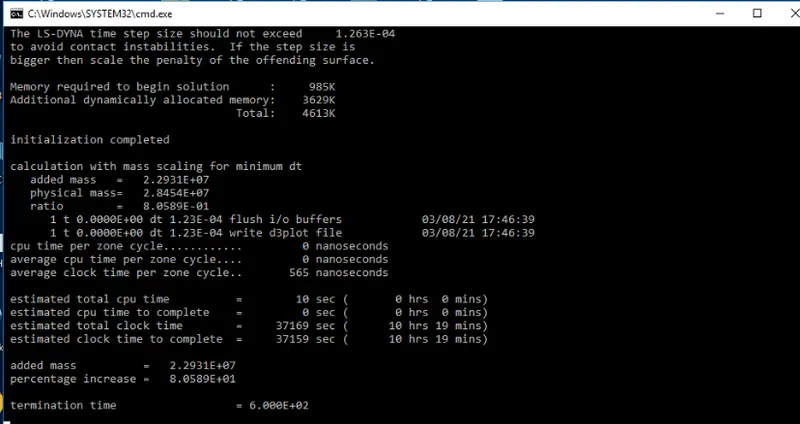
Percentage of mass=8.05%
Added mass=2.29e+07
Estimate computational time =10hr 19min
BY CHANGING THE TSFFAC.
Case 1:-
Considering the DT2MS = -1.5e-04,TSSFAC=0.8
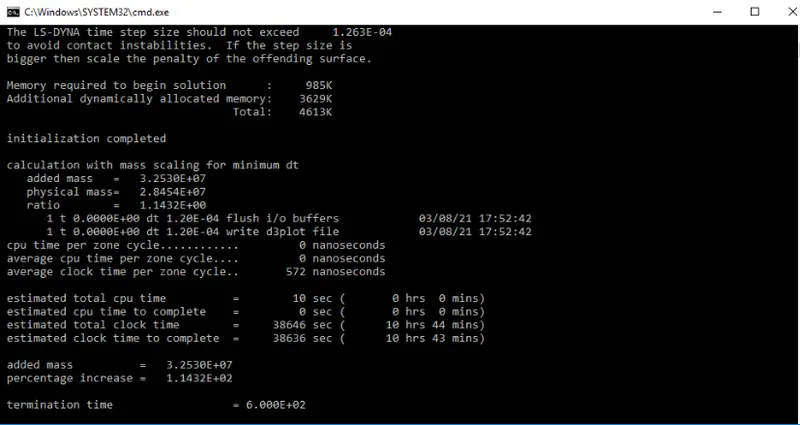
Percentage of mass=11.4%
Added mass=3.25e+07
Estimate computational time =10hr 44min
Case 2:-
Considering the DT2MS = -1.5e-04,TSSFAC=0.6
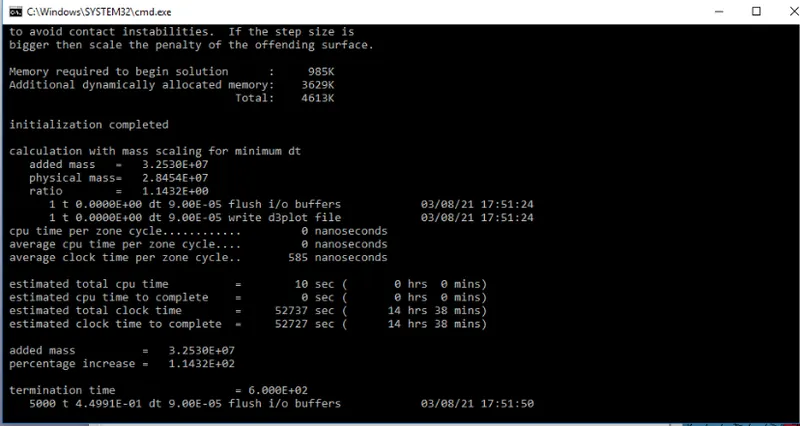
Percentage of mass=11.4%
Added mass=3.25e+07
Estimate computational time =14hr 38min
Case 3:-
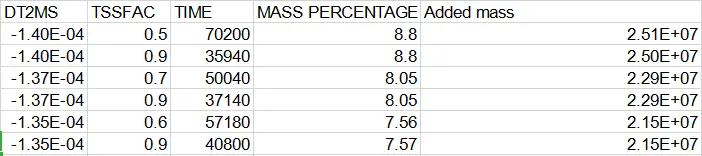
Considering the DT2MS = -1.4e-04,TSSFAC=0.5
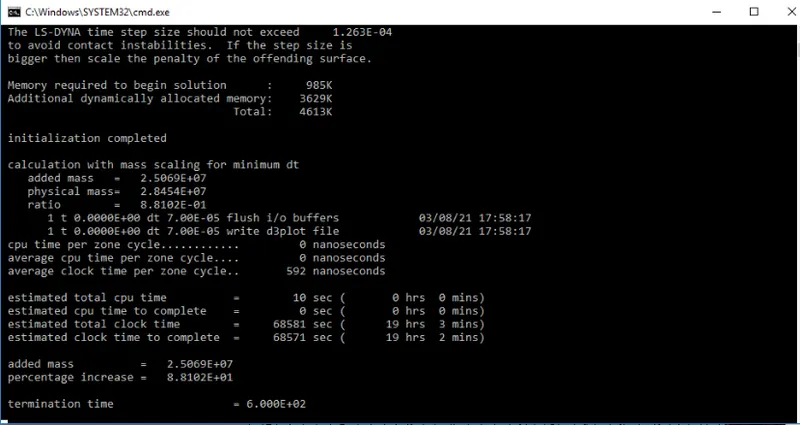
Percentage of mass=8.8%
Added mass=2.5069e+07
Estimate computational time =19hr 3min
Case 5:-
Considering the DT2MS = -1.35e-04,TSSFAC=0.6
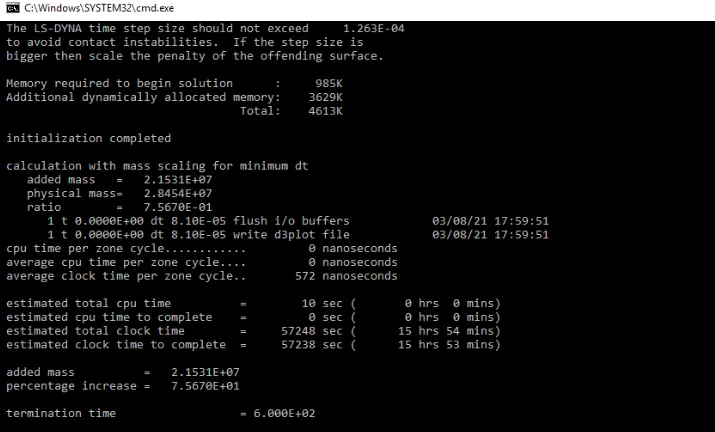
Percentage of mass=7.56%
Added mass=2.15e+07
Estimate computational time =15hr 54min
Case 6:-
Considering the DT2MS = -1.37e-04,TSSFAC=0.7
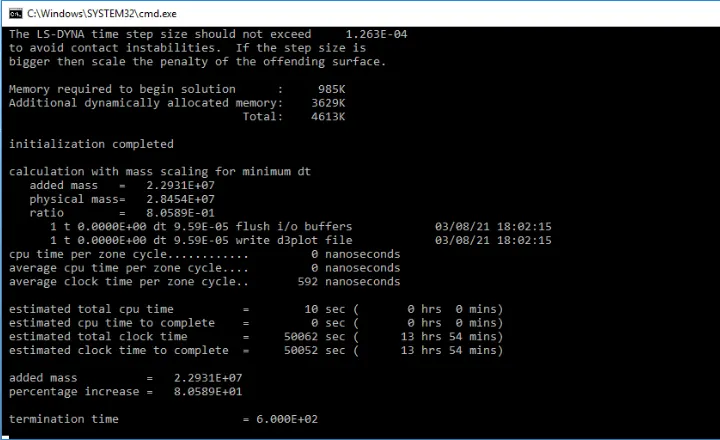
Percentage of mass=8.05%
Added mass=2.2931e+07
Estimate computational time =13hr 54min
IMPLICIT ANALYSIS:-
- Here we need to include two cards to run implicit analysis
- They are Implicit_auto, Implicit_General.
- Implicit_solution, Implicit_Solver control solving it should be kept as same.
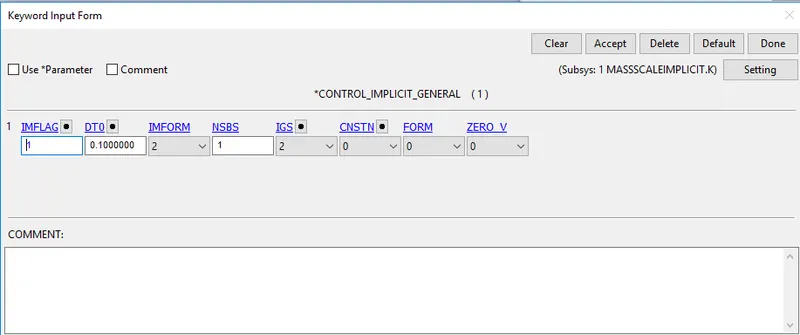
- IMFLAG=1 Activate implicit solver
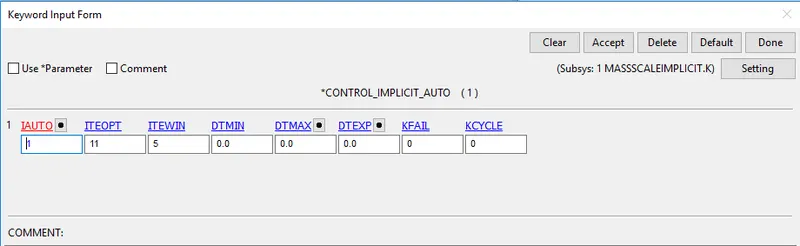
- IAUTO=1 is used for auto time stepping.
- ITEOPT, ITEWIN has used to carry out the iterations.
Case 1:-


Case 2:-
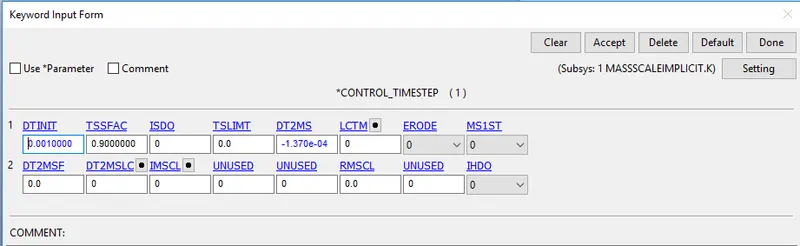


- From the implicit solutions, I understood that no add of mass is implicit because is not time-dependent
- But the change in computational time if increases DT2MS.
RESULTS:-
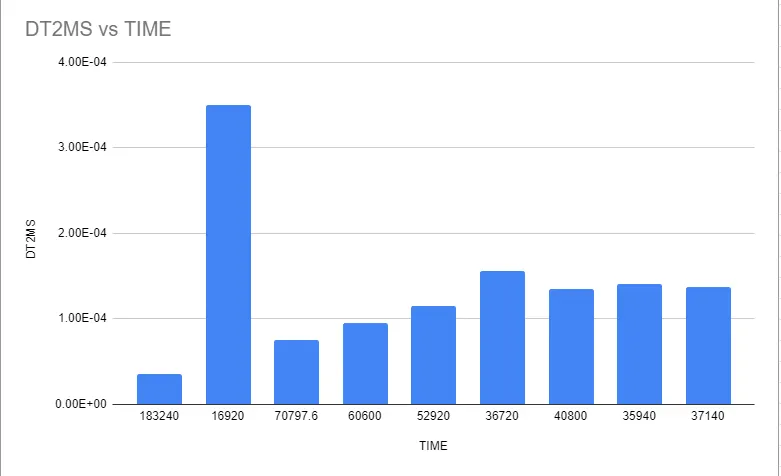
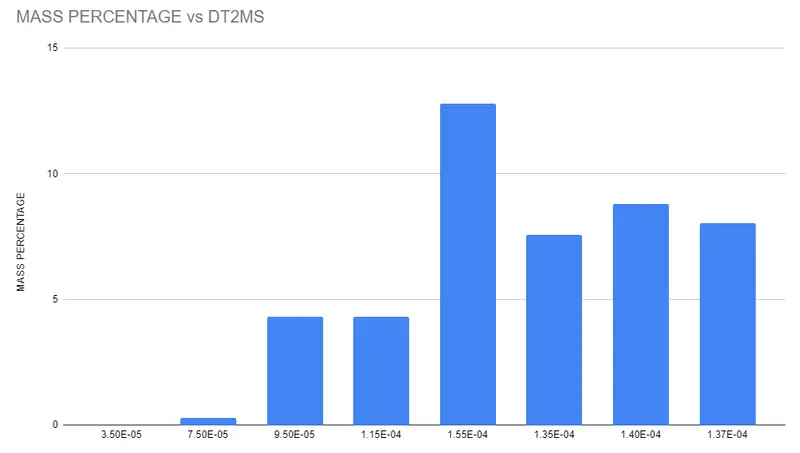
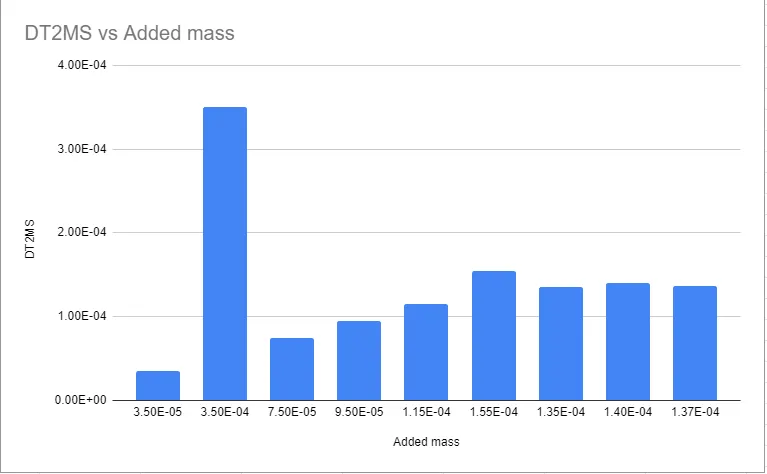
- As we had completed all the cases and we reduced the time to step under the restricted mass percentage.
- From this, I can conclude that the timestep is dependent on DT2MS
- If we increase the DT2MS value the computational time is been reduced.
- Here the DT2MS has increased there an increase in added mass.
- But we see that if we increase the TSSFAC by marking DT2MS constant there increases in computation time
CONCLUSION:-
- Understood how to perform mass scaling.
- Understood the effect of mass scaling.
- understood what are things that are required to take care of while doing mass scaling.