Week 8-Challenge
1 )
Answer :
Objective : Generating the 3D tetra meshing of the component with given Quality criteria .
Step by step process : Fiirst import the Geometry of the Housing component file from the given source . There is a 2 components of models of model 1 and model 2.
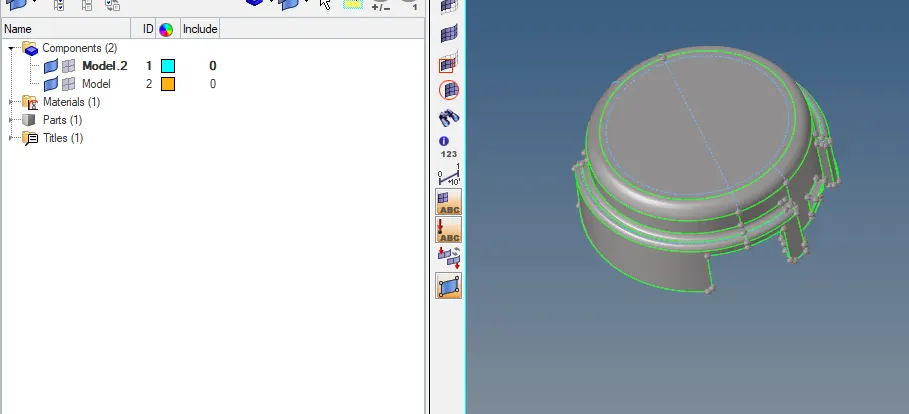
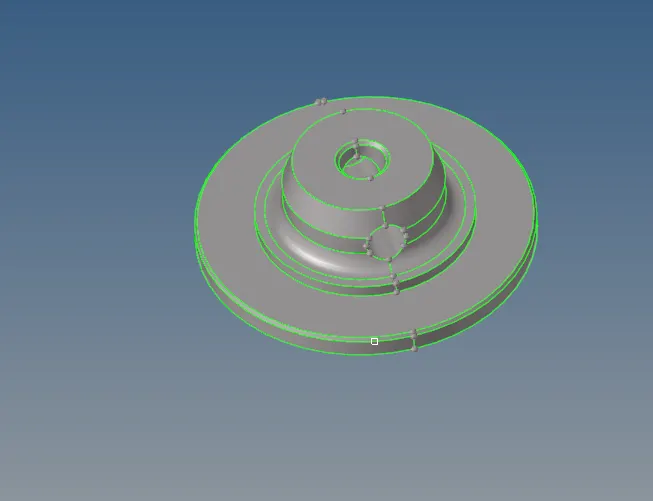
Fig 1 : Imported model 1 Fig 2: Imported model 2
Delete solid : Solid entity for components are delete for that press F2 > change the elements to Solid > select displayed >Delete .
Make the currrent component on which component to start the meshing .
Geometry clenup : After solid delete do the Geometry cleanup of toggle the the lines if there any unnecessary lines .
Model 1 meshing : For model 1 make it as current component before start the meshing For 3D Tetra meshing .For generating 3D meshing there are several methods in that i chosed 3D > Tetramesh > volume tetra mesh > change the Solid to surface >select surface >Mesh . set the element size as 5mm.
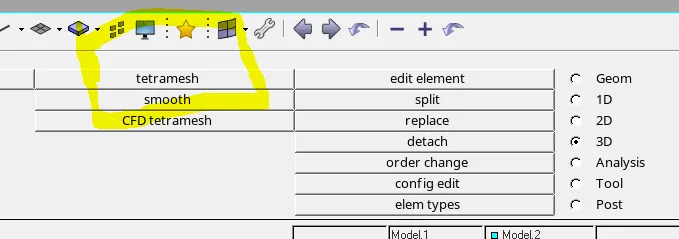
Fig 3 : Tetra meshing
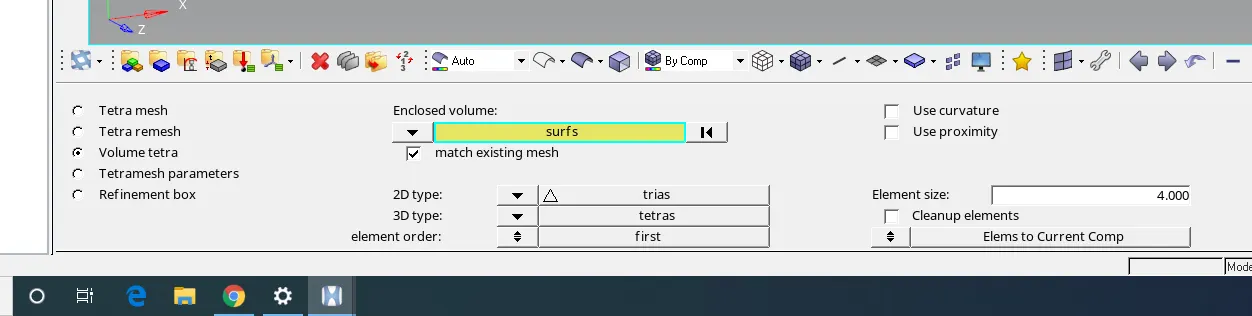
Fig 4 : volume Tetra mesh
After generating the 3D tetra mesh check the meshing of 3D elemets by mask elements for mask F5 > elements > select few elements >mask .
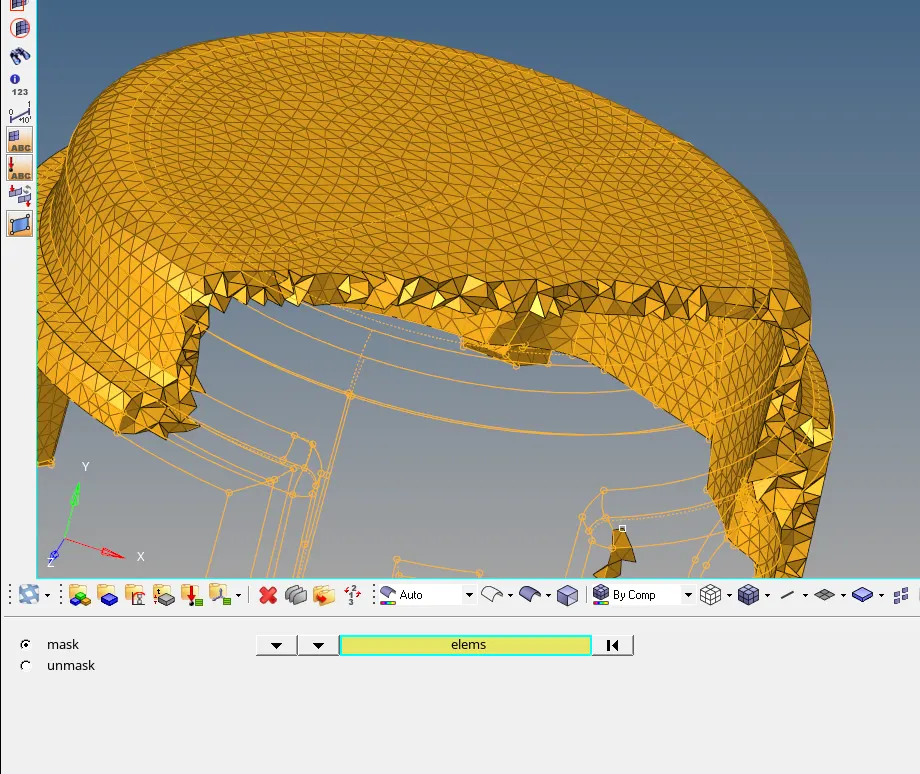
Fig 5 : checking of 3D elements.
After mesh check the Tetcollapse of Quality for 3D meshing . make it zero for any Tet collapse elements are there clear it by using Quality Index > check 3D meshing quality > Teetcollapse if failed any elements click seve the failed elements > Goto F5 > elements > Retrive option > mask > Reverse .Here we can observe the failed elements . If Failed elemnts are few then Clear the Quality Manuallly by Traslating for that goto Shift +F4 select the minimum length edge then increase the length of the edge upto clear the quality . If there are more elemnts failed then goto Remesh option.
Remesh the tetra elements : For remesh the elements goto 3D > tetra mesh > Tetra remesh > select the failed elements with adjecent elements and Remesh it .Before remeshing set the Tetra mesh parameters of tetcollapse is more than the our Failed Number 0.2 set it .Then we can proceed the Tetra Remesh
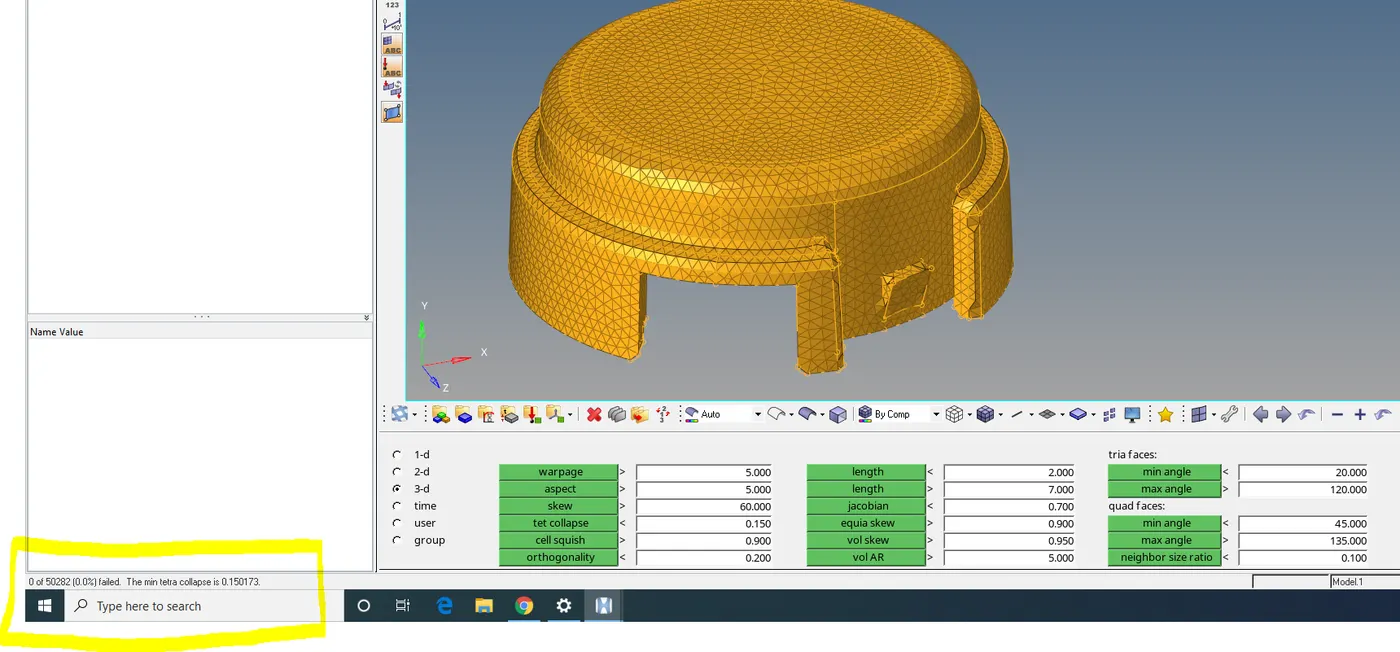
Fig 6 : Checking of Tet colllapse for 3D Tetra mesh
meshing of model 2 : For 2nd model it contain solid entity delete solid entity by using F2 .
Clear the geometry clenup by using Quick Edit panel to toggle unnecessary lines and Defeature the fillets of which fails the minimum length .
meshing of 3D tet mesh : For this model there i am used the meshing one of the method Utility option . for that goto view > Browse > hypermesh > utility > Geometry /mesh > Quick Tetramesh > Select the geometry and quality conditions of mesh type and element size .
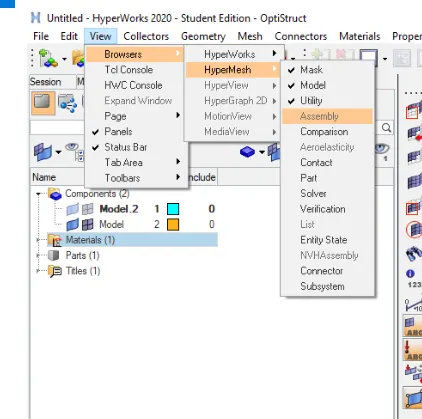
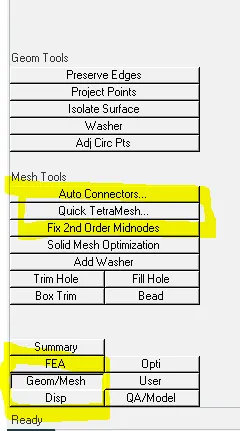
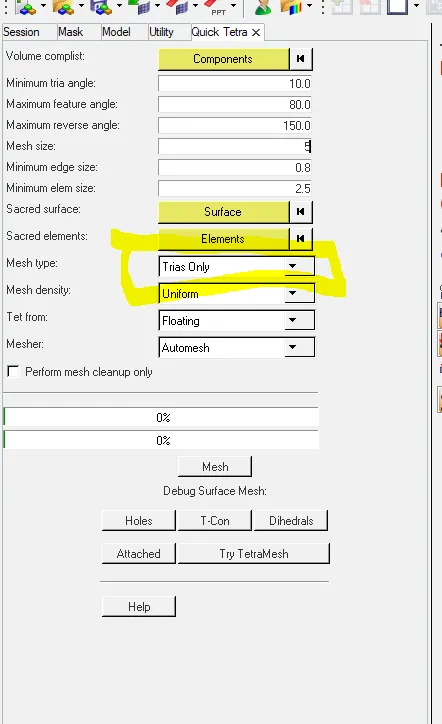
Fig 7 : Generating Tetra mesh by Using Utility option .
After meshing check the 3D elements are generated or not by mask some elements . Then goto Quality check check the how many elements are failed and clear itby manually or Remeshing .
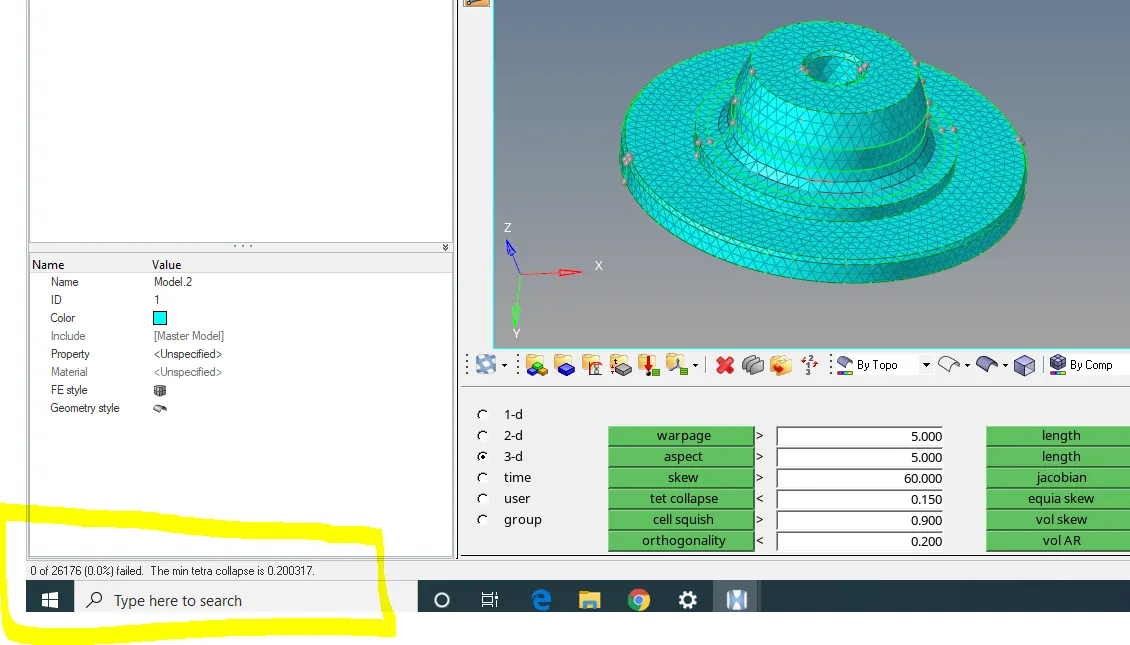
Fig 8 : Tet collapse of Quality checking for model .
For the Remaining components can follow the same process .