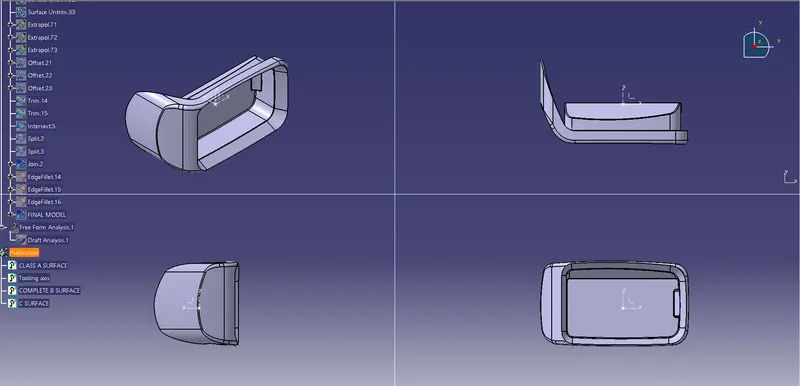
Week 8 - Challenge 4 - Coin Holder Design
Objective: To create the Coin Holder Plastic component through the given Class-A surface, also to perform draft analysis of the model
Steps:
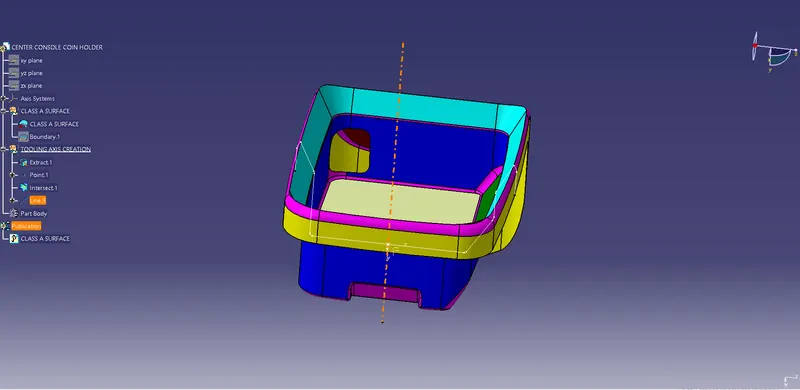
1. Creation to tooling axis: Extract the base. create a point. Insert axis system at the point created. draw a line perpendicular to the base passing through the point. This will be the tooling axis for the given model.
2. Draft analysis: Go to Insert - Analysis - Feature draft analysis. Before that customize view parameter mode to material. click on compass icon and align it with the tooling axis and click on the surface we will get our results.
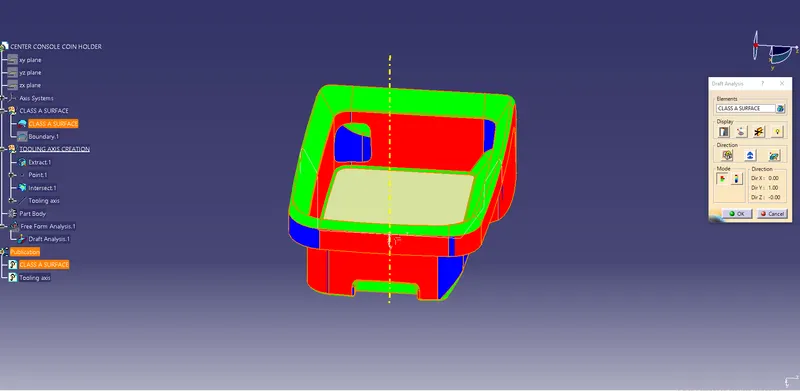
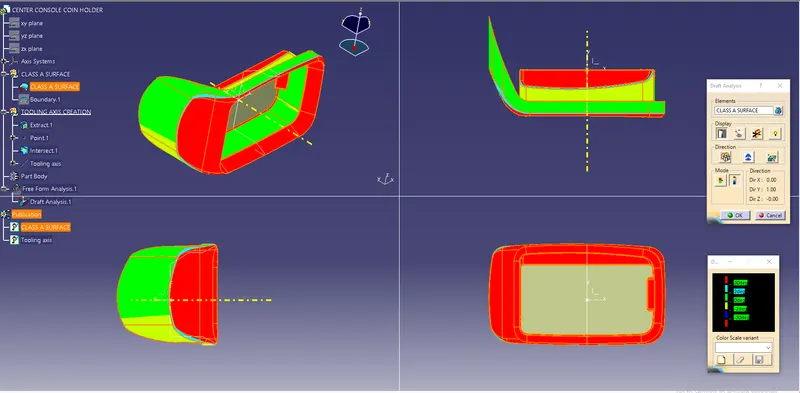
From the above image it is seen that surface in green colour has more than 3 degree draft which is most feasible range. Surface in red colour are parallel to the tooling axis. In other words those surfaces have 0 degree draft angle. Such surfaces can be ejected easily with the coating of release agents over core surface. Following is the image of the model in various orientations.
3. Creation of B Surface: B surface is created by combination of commands such as Extract, Untrim, Extrapolate, offset, Trim etc.
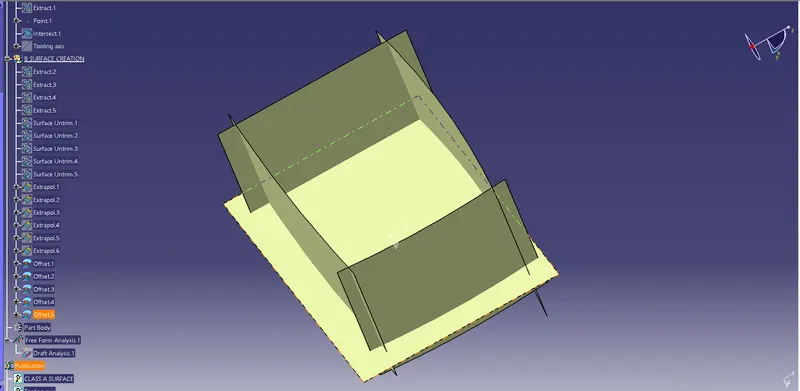
Complete B surface is shown below
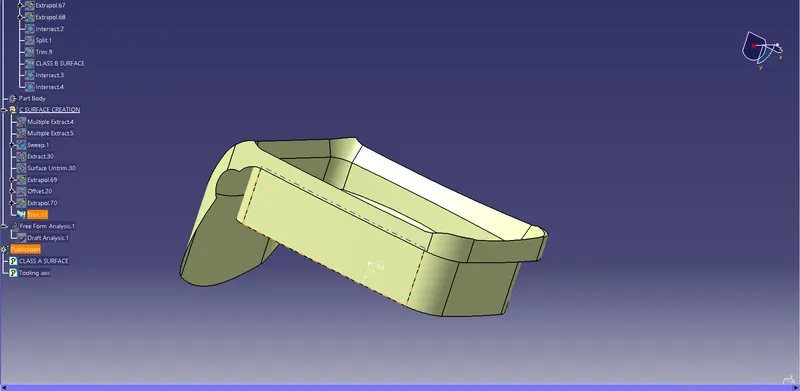
4. Creation of C surface: Sweep command with reference to surface is used to create C surface
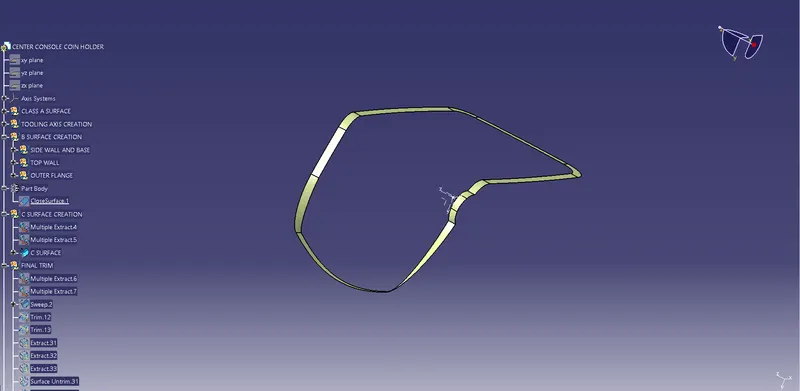
5. Creation of closed surface model: Joining the class A surface with class B surface using c surface gives the solid model.
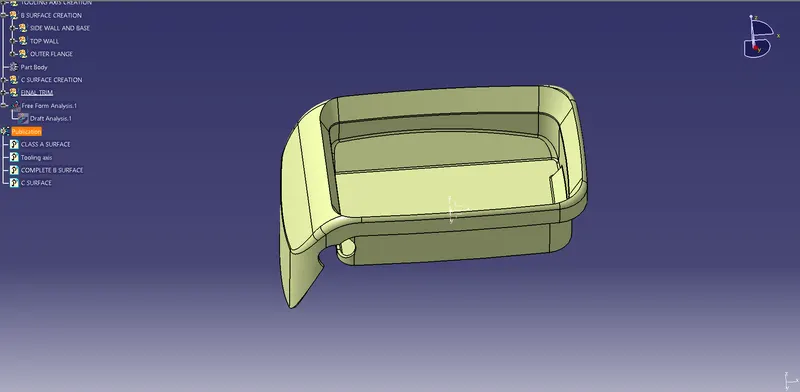
6. creation of solid model: close surface command in part design work bench is used to make the solid body
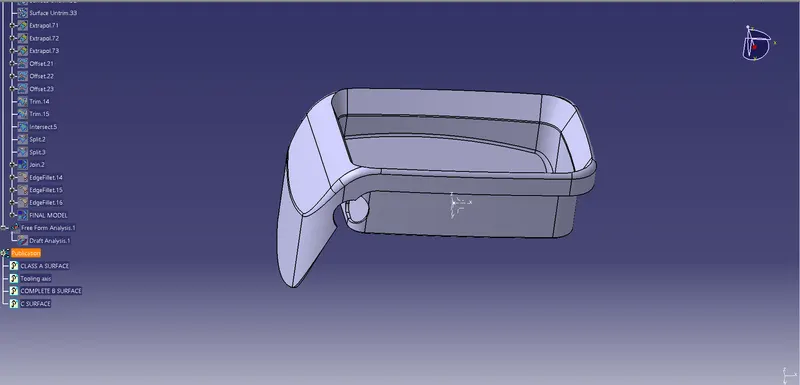
Image of the model in different orientations