Week 8 - Challenge 4 - Coin Holder Design
HELLO SIR,
Week 8 - Challenge 4 - Coin Holder Design
First, I check the connectivity of the (Class A) Coin Holder model. Click on the join command & boundary command to check, and to ensure that there is no gap between the surfaces.
After that,
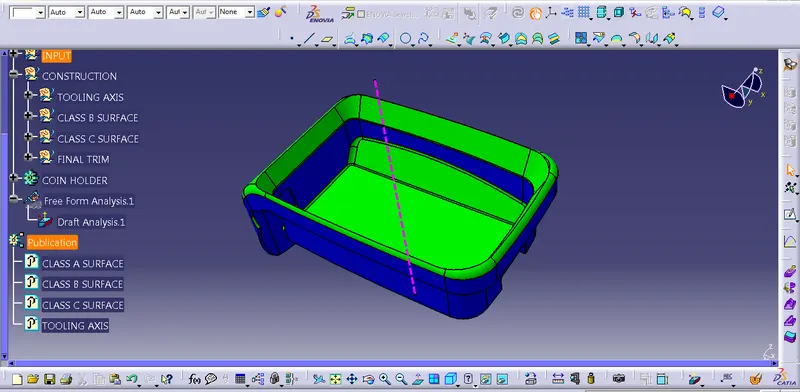
Creation of Tooling Axis
First of all, click the multiple Extract command to extract the base of the CLASS A surface, then create a point using the point command, and then create an axis system into the point. then using intersect command to intersect the surface.
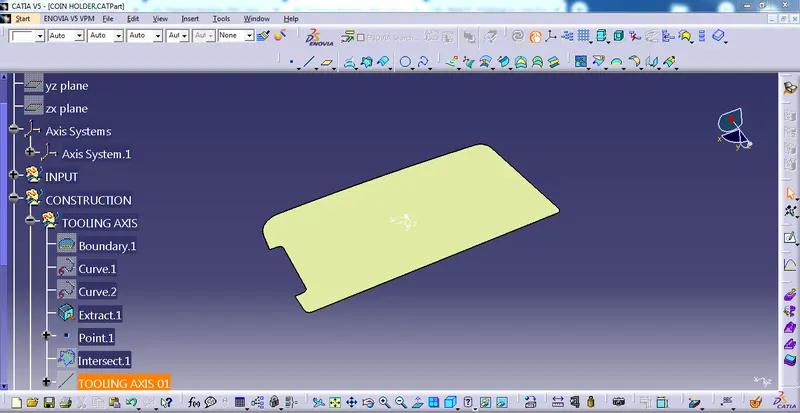
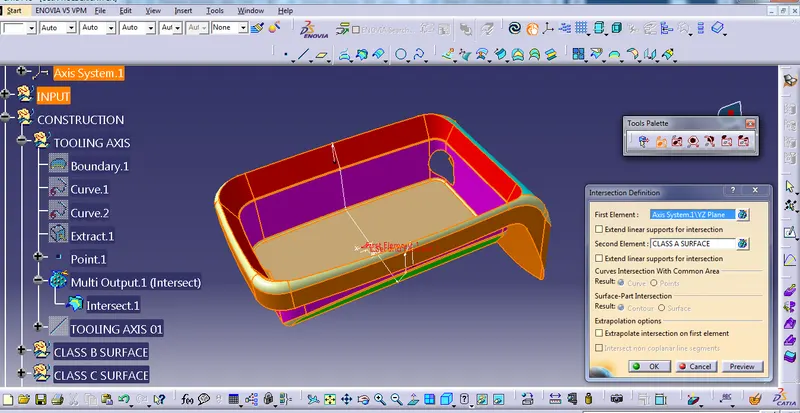
After that, we can see that there is no draft on some faces as a product designer I am not authorized to make modifications on class A surface so I am going to create a tooling axis point direction method.
Point method:- using Extract command extract the base of class A then create a point on the base of the surface then go to line command to create a line in y-direction then this is called TOOLING AXIS
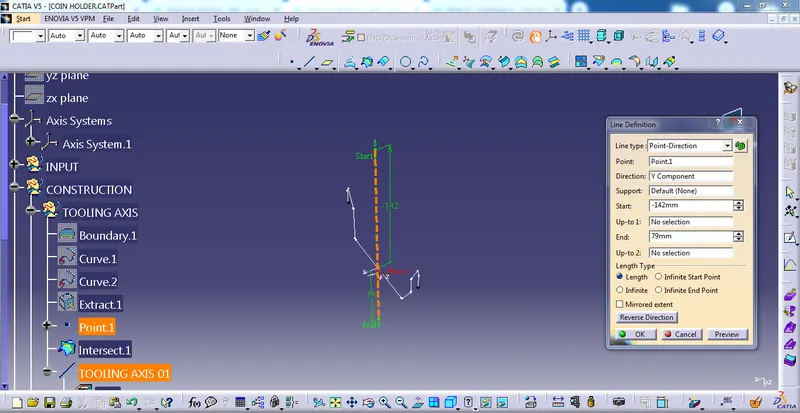
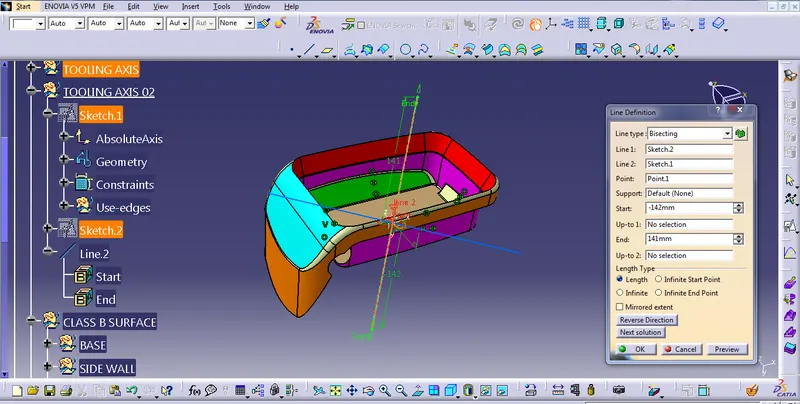
Bisecting method:- In this method extract the surface and then create a point using point command and then create an axis system and then
Create sketch 01 on YZ plane, then cut apart on the sketch plane and then intersect the using intersect 3D Element command then the drawn a line then bisect the line which I created then,
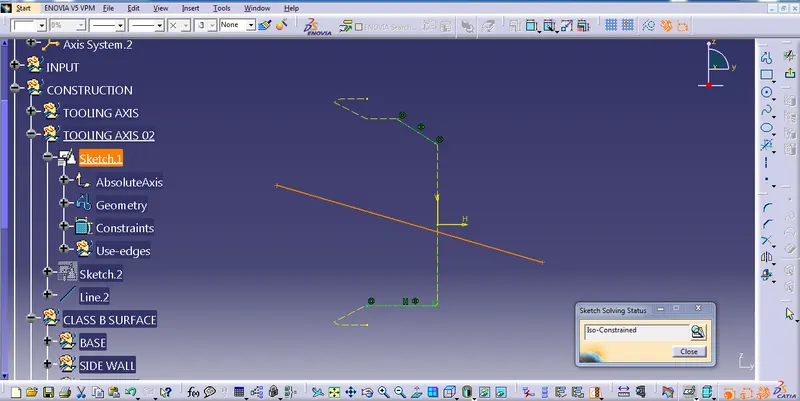
create another sketch 02, using the same procedure on sketch 01
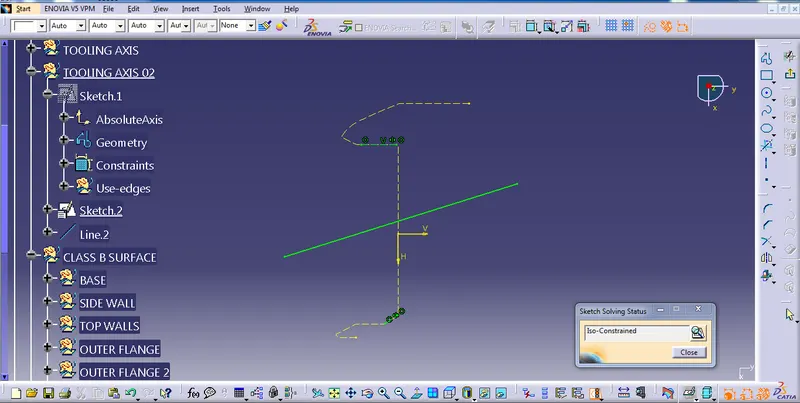
after that go to line command and bisect the sketch 01 and 02 then we have got TOOLING AXIS
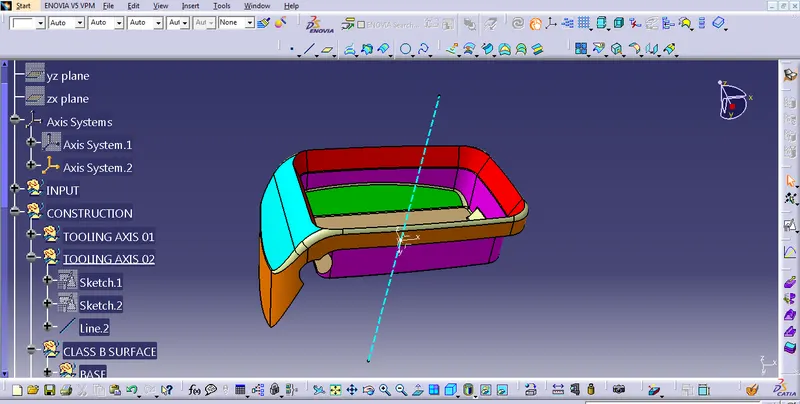
B CLASS SURFACE CREATION
Select the top surface of the class A surface and go to the extract command to extract the base of class A then go to untrim command to untrim the surface, then the surface is not intersected so that using extrapolate command to increase the size of the surface then offset 2.5 mm.
Extract the base of Class A
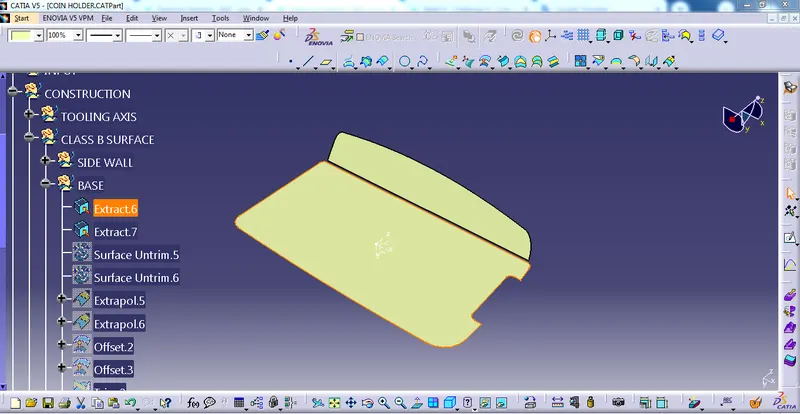
untrim the surface
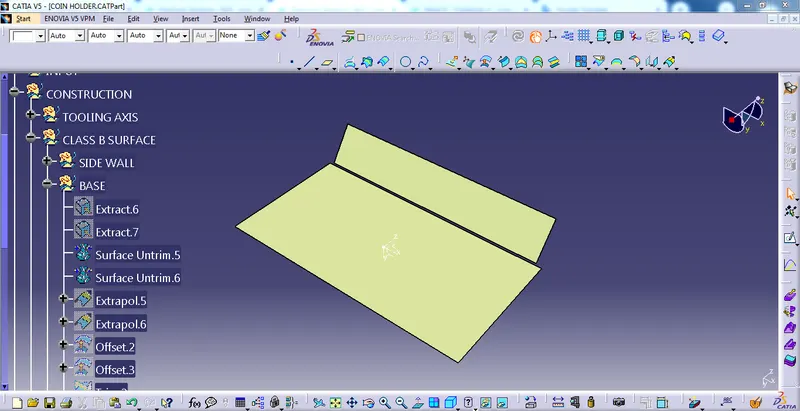
Extrapolate the surface
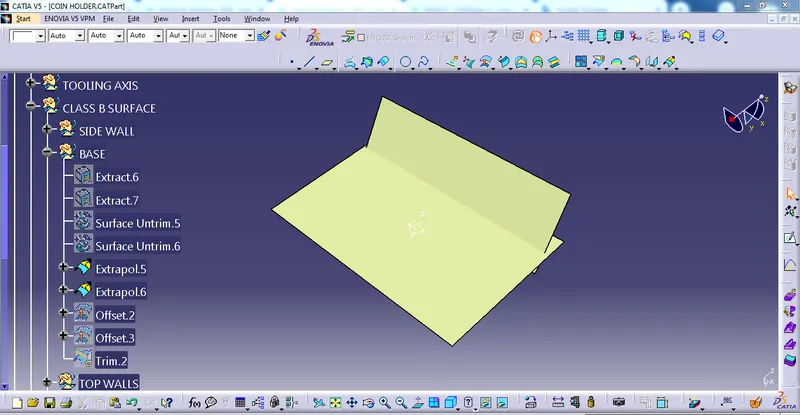
Offset 2.5mm of the surface
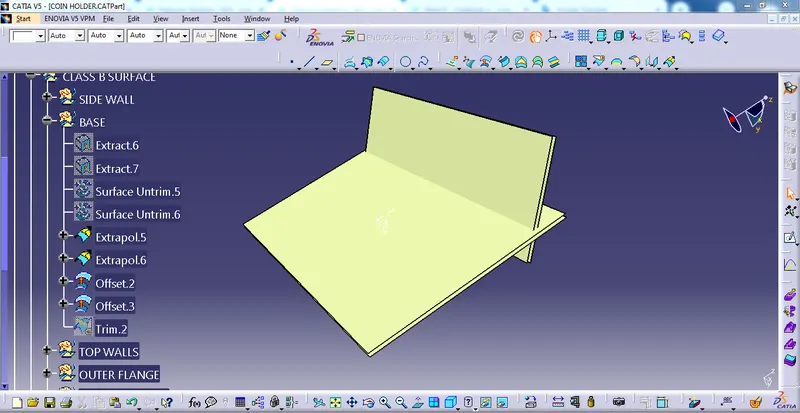
trim the surface
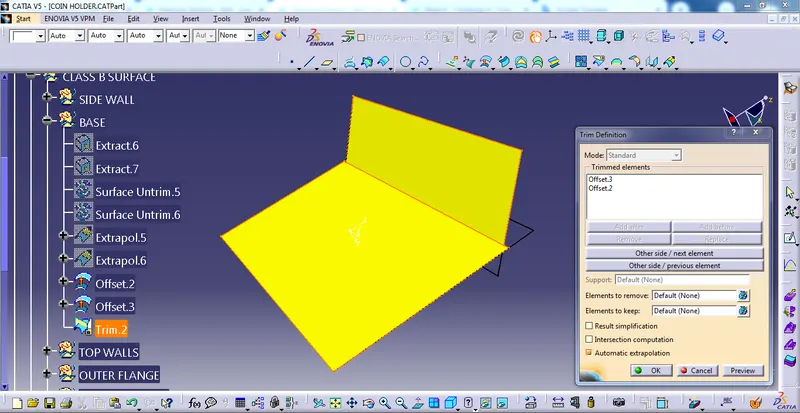
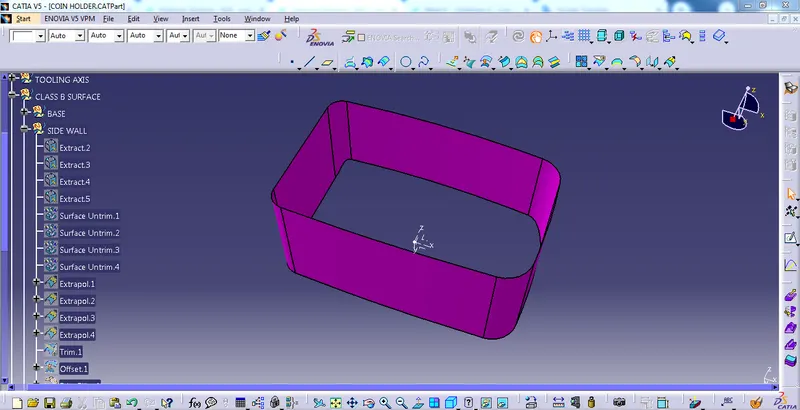
using the same procedure we have extracted, untrim, extrapolate, offset & fillet the Side walls of the class A surface.
the final result is...
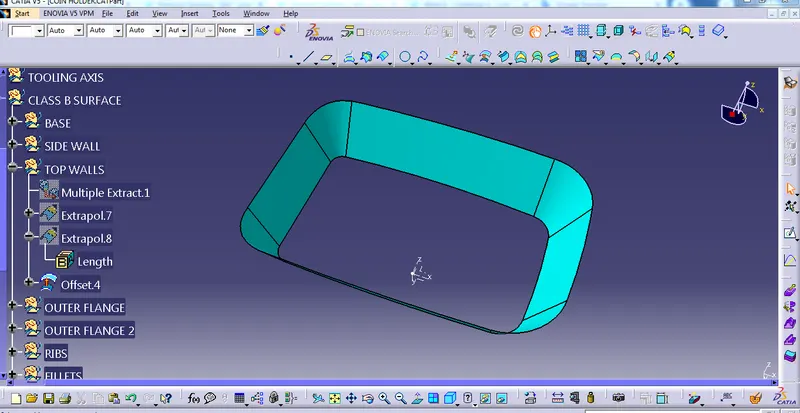
using the same procedure we have extracted, untrim, extrapolate and offset the Top walls of the class A surface.
the final result is...
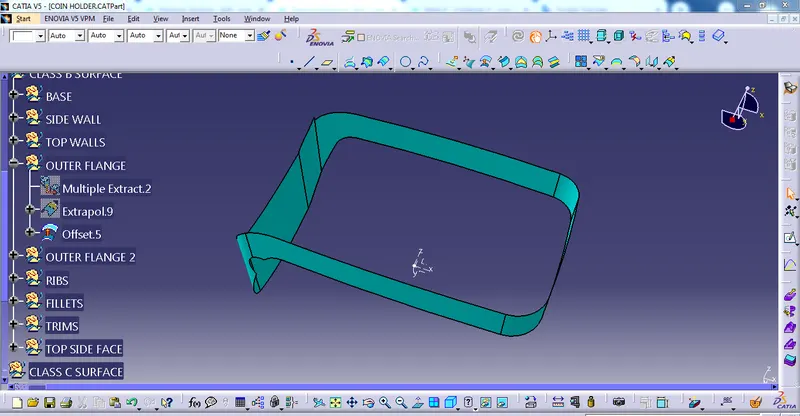
Again using the same procedure we have extracted, untrim, extrapolate and offset the Outer flange of the class A surface.
the final result is...
Again using the same procedure we have extracted, untrim, extrapolate and offset the Outer flange 02 of the class A surface.
the final result is...
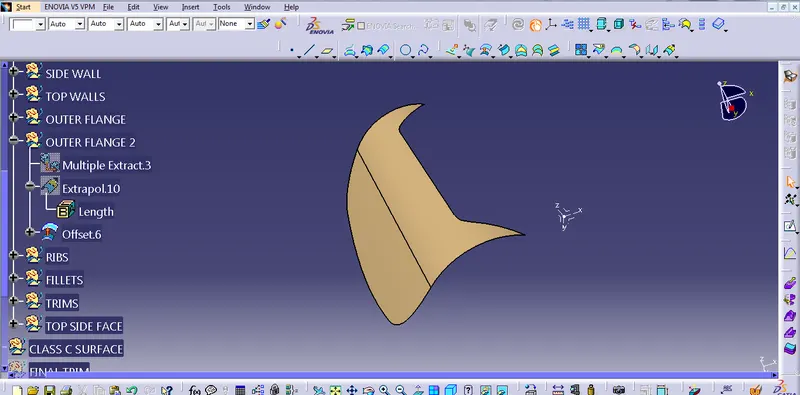
Again using the same procedure we have extracted, untrim, extrapolate and offset the Rib of the class A surface.
the final result is...
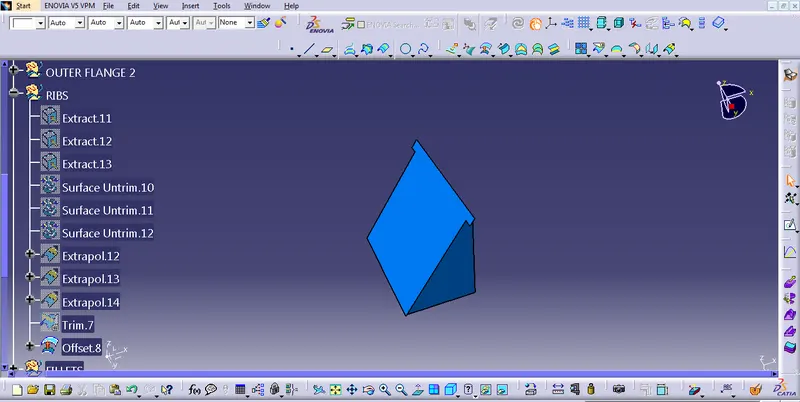
Again using the same procedure we have extracted, untrim, extrapolate and offset the top side wall of the class A surface.
the final result is...
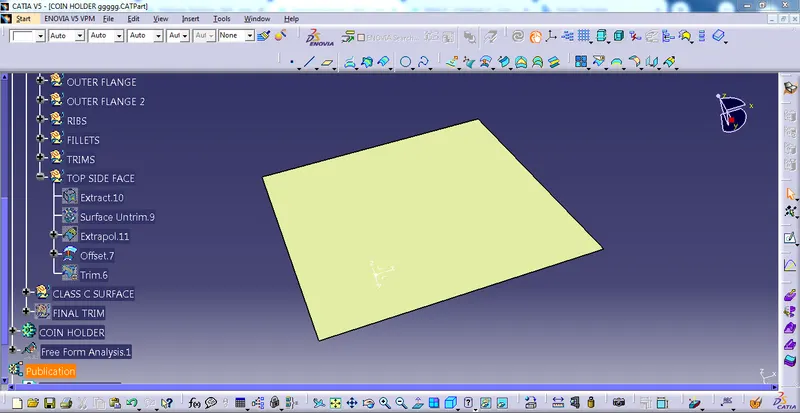
then, I have to trim the unwanted surfaces of the class B surface creation
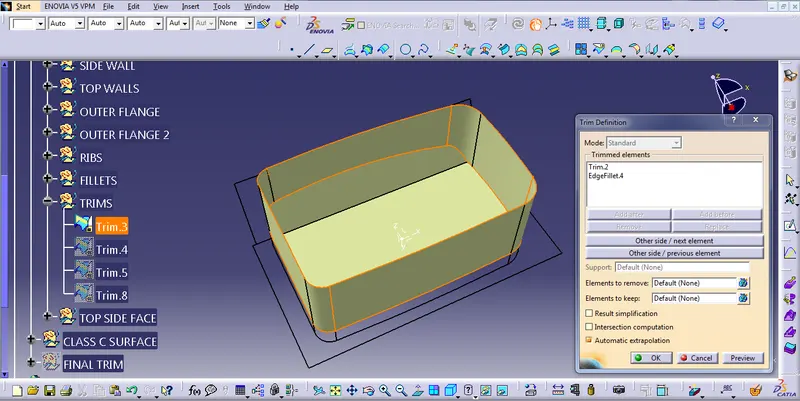
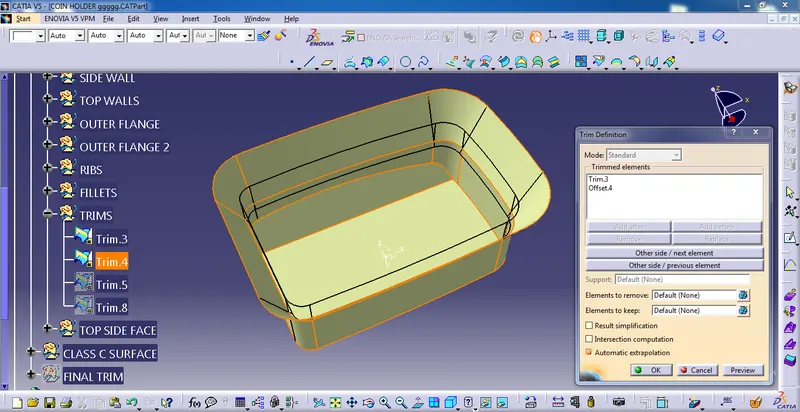
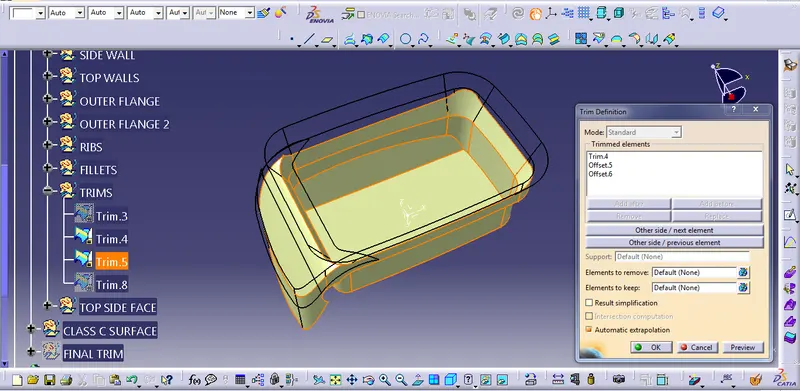
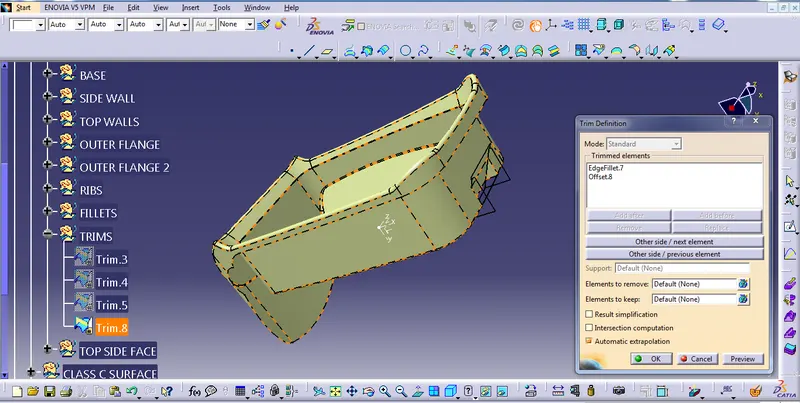
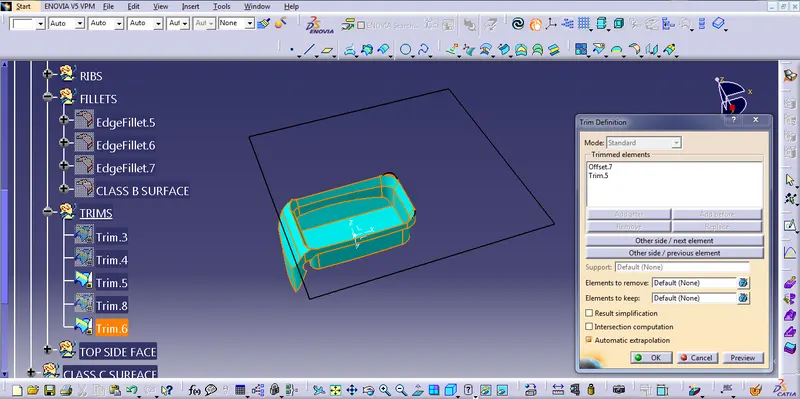
then we provide the fillet of the CLASS B SURFACE
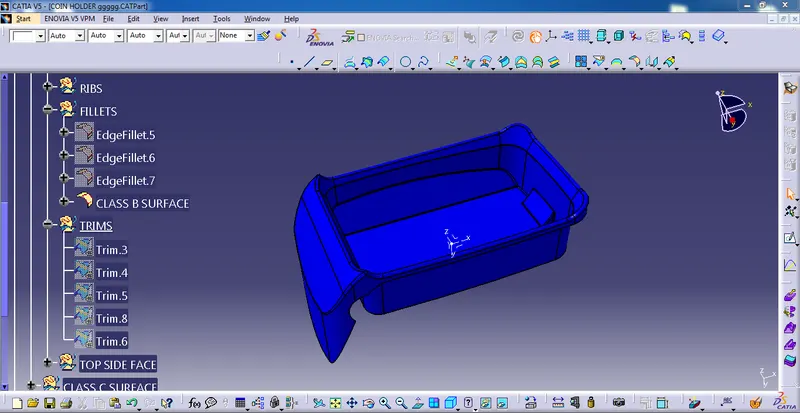
C CLASS SURFACE CREATION
Select the CLASS A surface and then go to the multiple extract command to extract the boundary. then Again go to the multiple extract command to extract the boundary of the CLASS A surface. then sweep the surface.
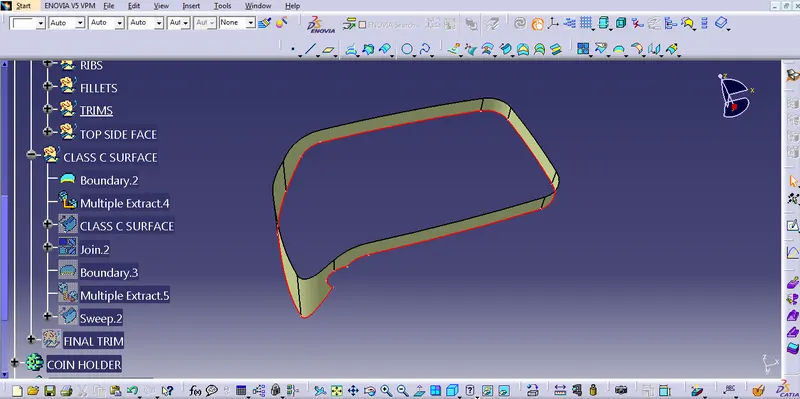
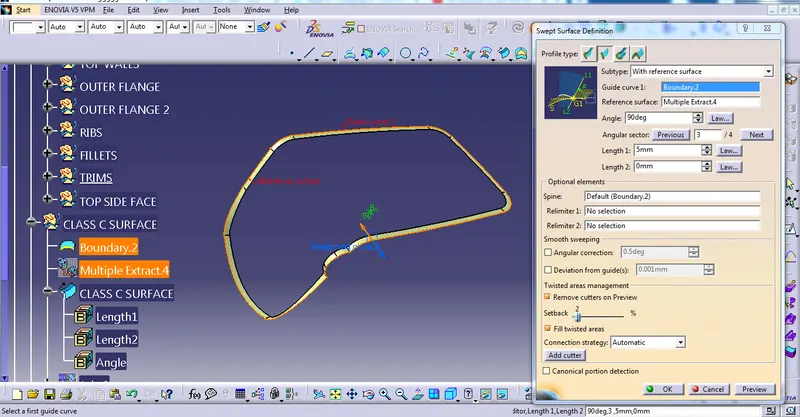
After that, join the Class B surface and Class C surface, then the trim to Class B surface
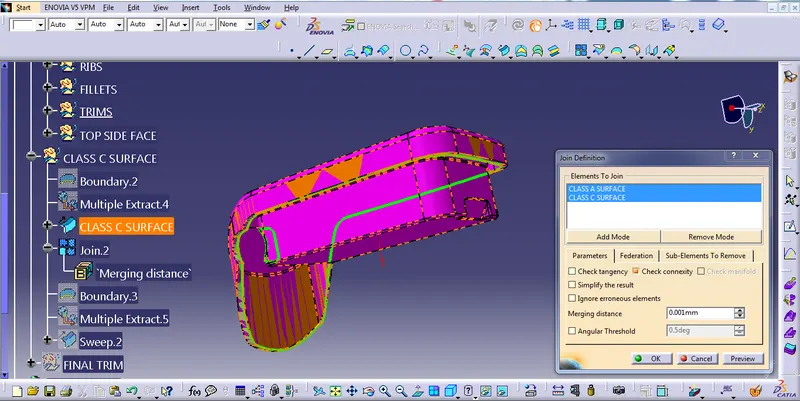
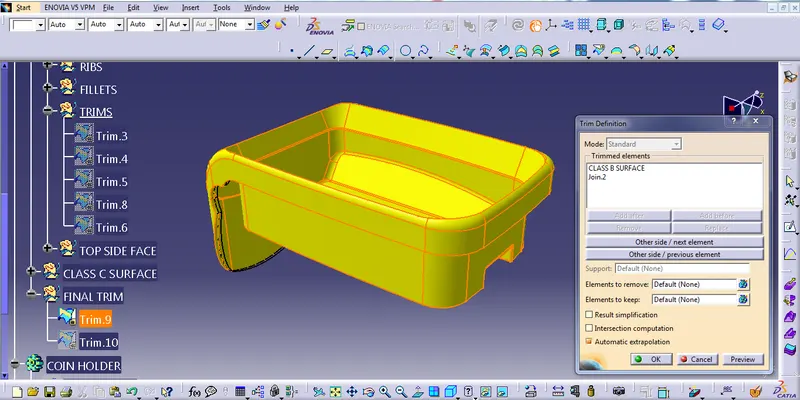
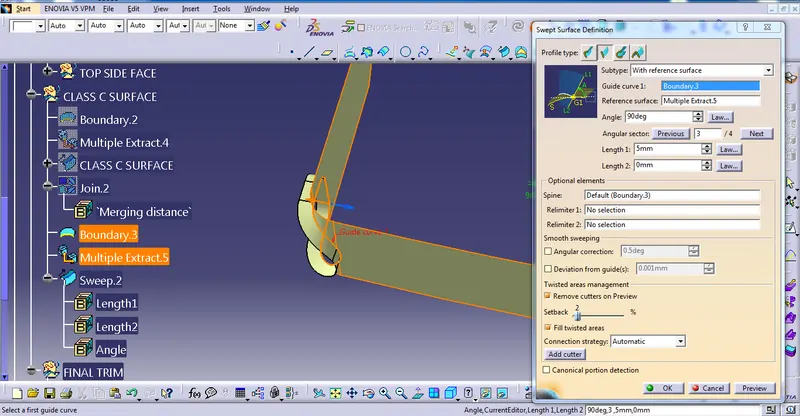
then, I created a hole for that I created a boundary using boundary command then extract the multiple surfaces using multiple extract commands then swept the surface outward direction then trim to the final surface.
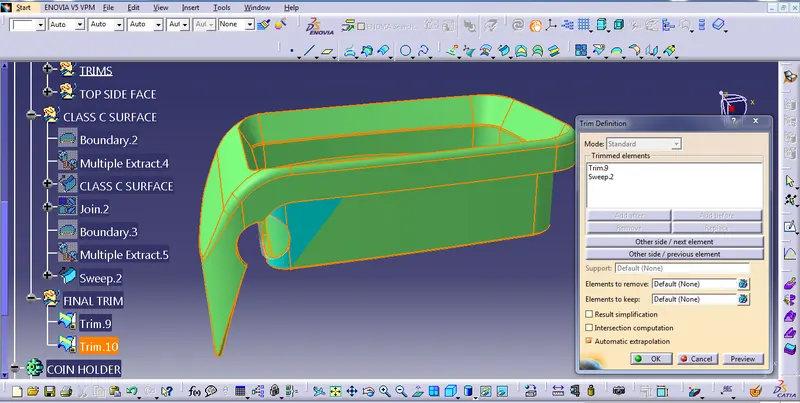
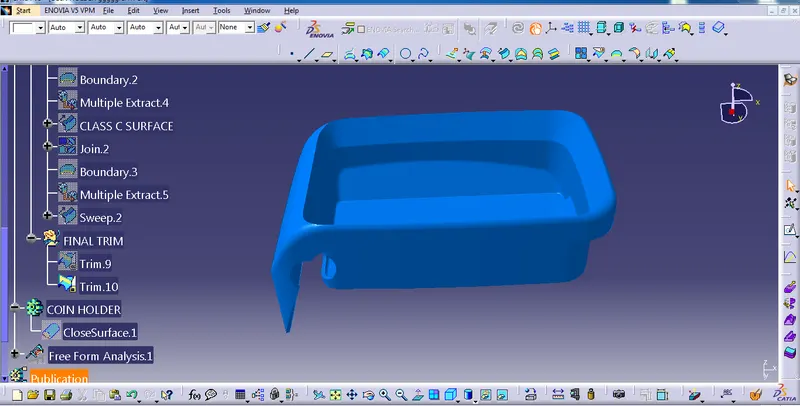
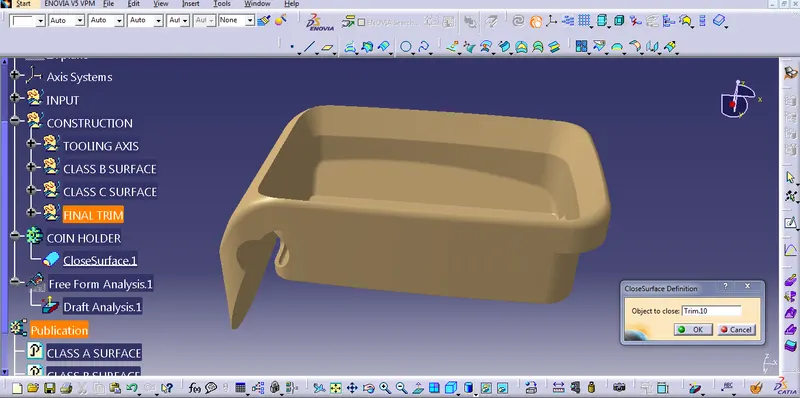
now I have got a complete close surface then we have to be ready to solidify
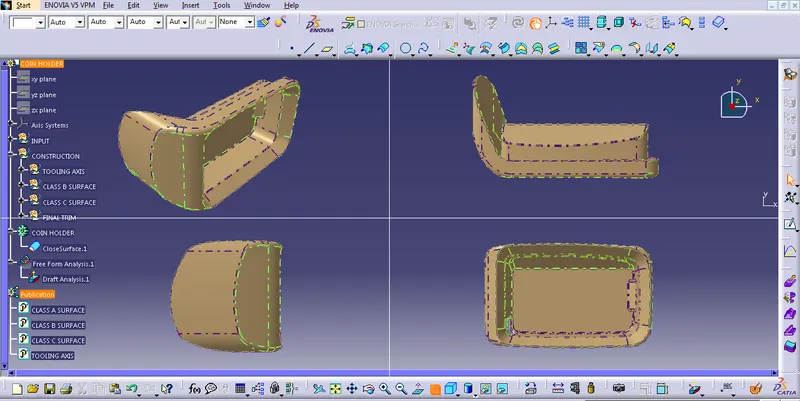
TOP, FRONT, SIDE, AND ISOMETRIC VIEW
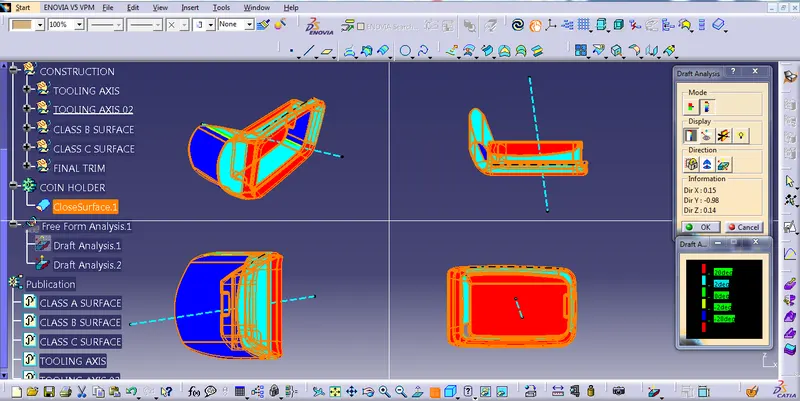
DRAFT ANALYSIS OF COIN HOLDER USING TOOLING AXIS 01 & TOOLING AXIS 02
- USING TOOLING AXIS 01
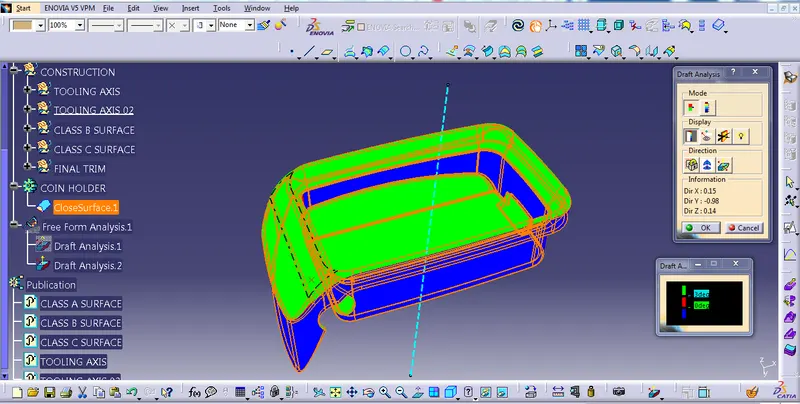
First, we have to customize the view parameter, I select the materials option, and go to the draft analysis command it will appear on the screen.
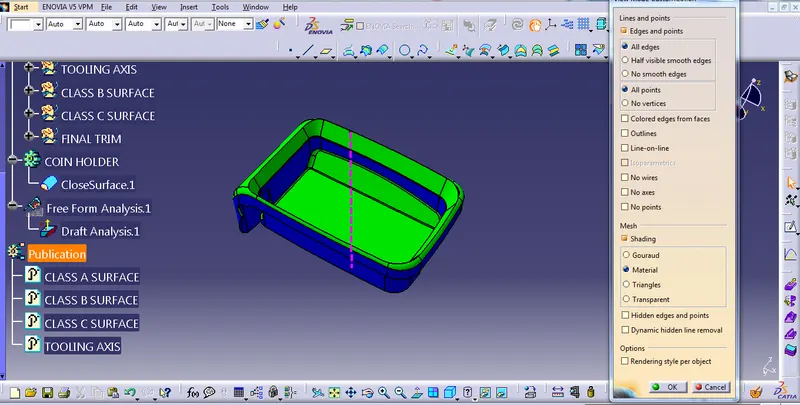
QUICK ANALYSIS MODE
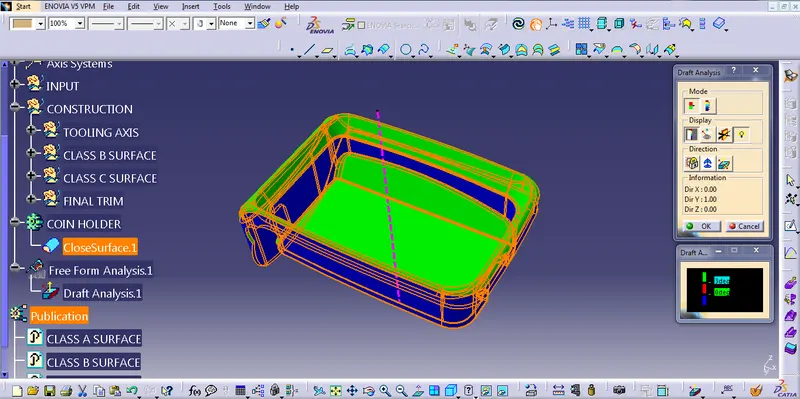
FULL ANALYSIS MODE
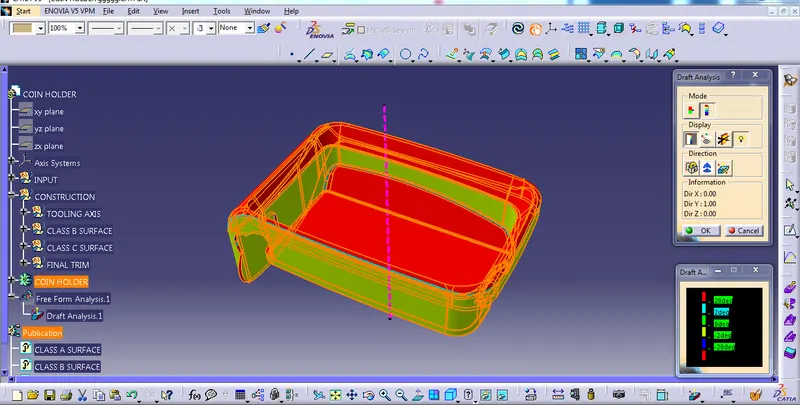
REPORT OF DRAFT ANALYSIS USING TOOLING AXIS 01 .....
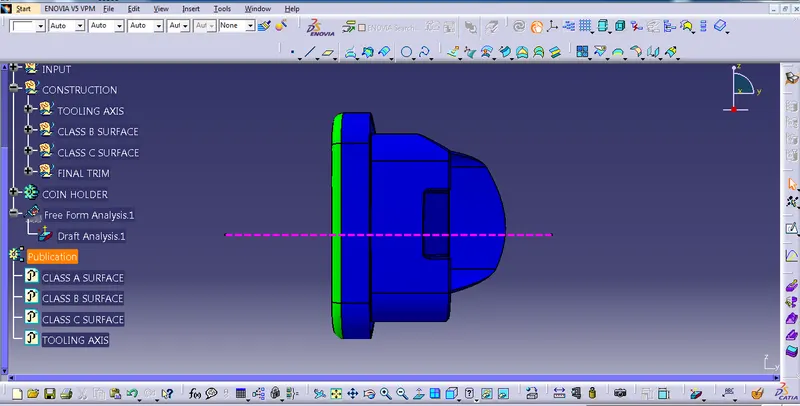
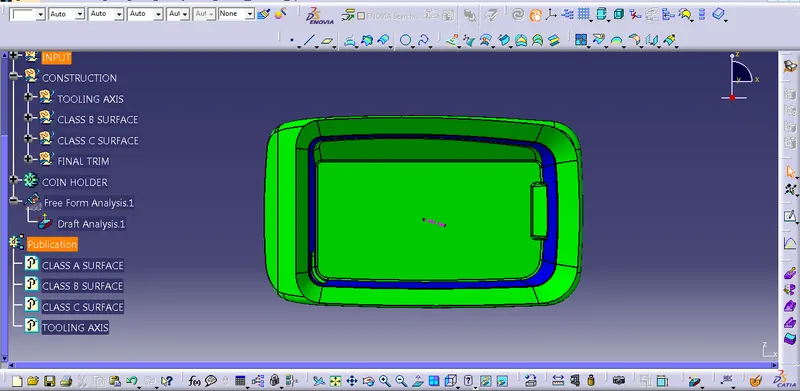
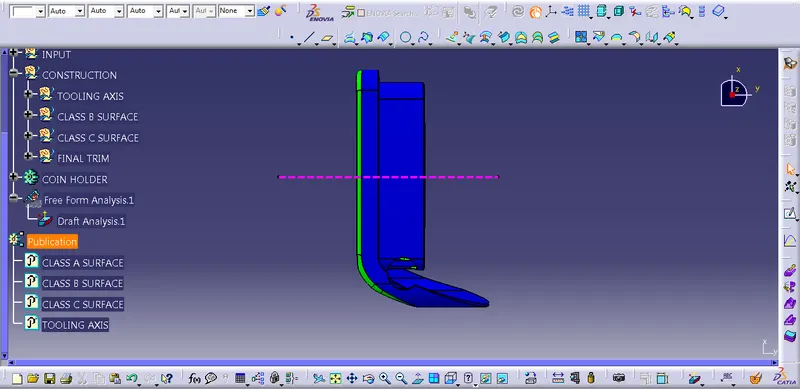
In this part, some of the faces are 0 degrees so I would suggest the class A team give some minimum draft angle to provide of the part.
TOP, FRONT, SIDE, AND ISOMETRIC VIEW OF COIN HOLDER
- USING TOOLING AXIS 02
QUICK ANALYSIS MODE
FULL ANALYSIS MODE
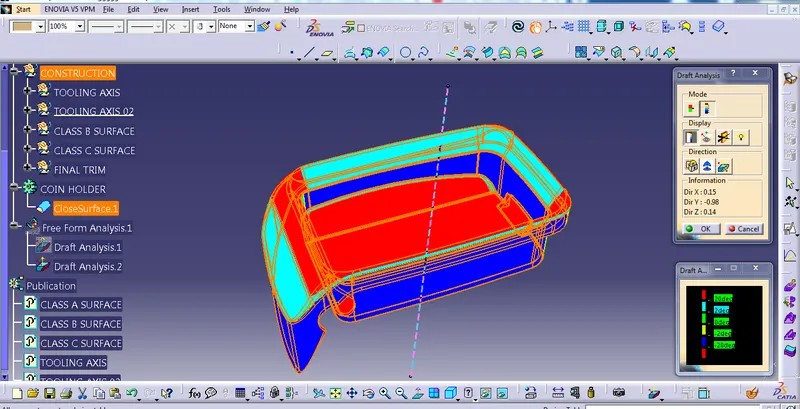
REPORT OF DRAFT ANALYSIS TOOLING AXIS 02 .....
In this part, some of the faces are 0 degrees so I would suggest the class A team give some minimum draft angle to provide of the part.
TOP, FRONT, SIDE, AND ISOMETRIC VIEW OF COIN HOLDER