Week 8 - Challenge 3 - Coin Holder Design
Aim: To create the Coin Holder Plastic component through the given Class-A surface.
Tooling axis:
- The axis is the direction in which the mold opens or else the core and cavity open. The tooling axis should help to clear components from the core and cavity, so it plays a very crucial role in plastic designing and manufacturing also.
Draft Angle:
- Draft angle is the degree of taper that is incorporated into the side wall and part, core, and cavity of the die-cast tool to aid in the removal of a part. Primarily, they function to reduce the friction between the part and the tool as it is ejected. Without draft angles, parts can be stripped, dented, or get stuck in the tool.
- Draft angle also reduces the friction between the part, core, and cavity and also reduces the production time as it is easy to reject the part from the core and cavity.
Draft Analysis:
- As the name suggests, draft analysis is nothing but checking the draft angle range i.e, whether the angle is in the ideal range of 3 degrees or not.
- In this analysis we have a color scale where we can see the range of a specific color and we can even change the range by double-clicking on the number.
- To do draft analysis go to insert-Analysis-Featured Draft analysis.
Commands Used:
1. Surfaces:
- Offset
- Sweep
2. Wireframe:
- Point
- Line
- Intersect
3. Operations:
- Join
- Untrim
- Trim
- Boundary
- Extract
- Multiple Extract
- Edge Fillet
- Extrapolate
4. Graphic Properties:
- Colors pallet
- Line styles
- Line width
5. Measure:
- Measure items
Tree Structure:
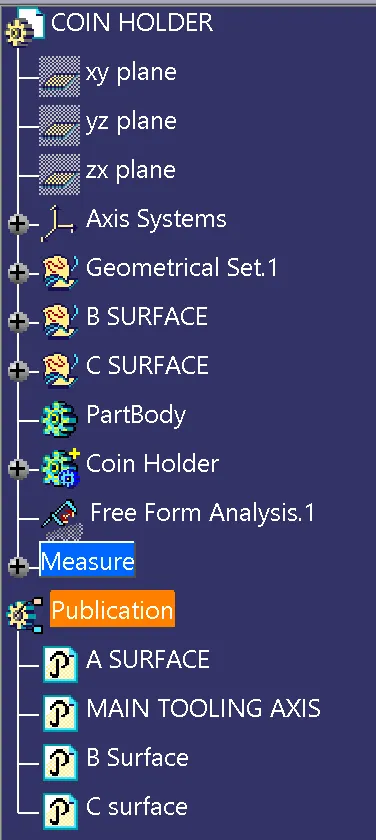
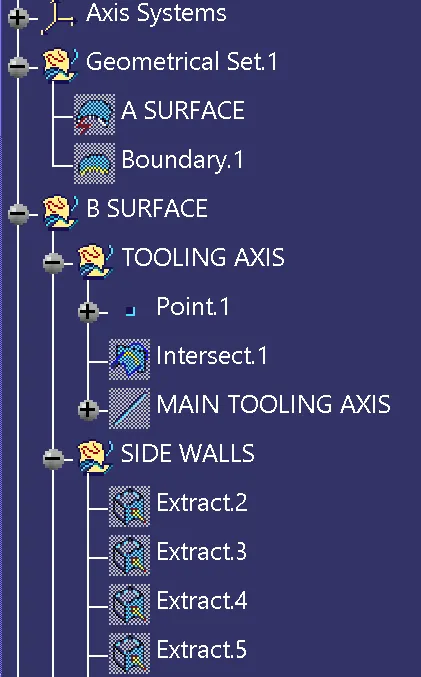
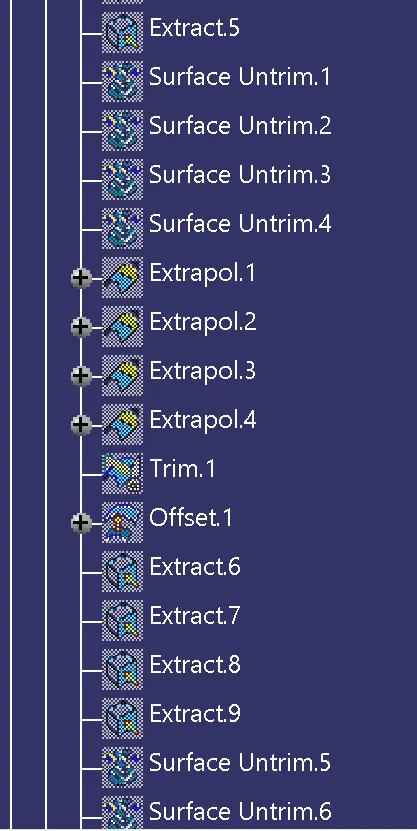
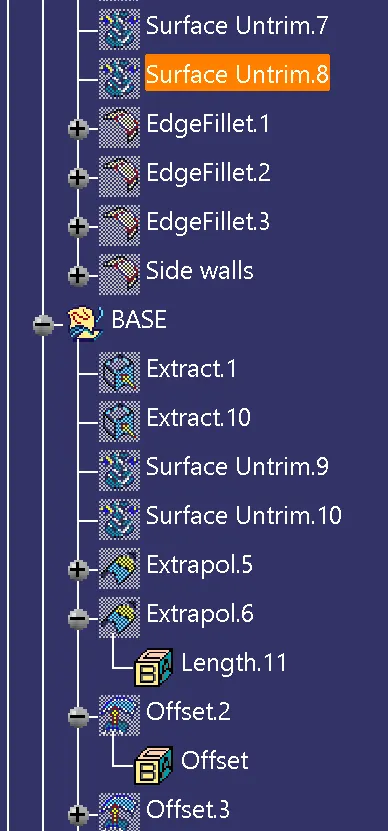
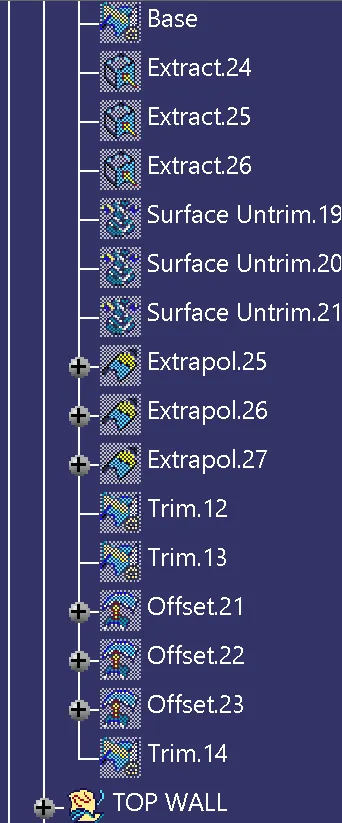
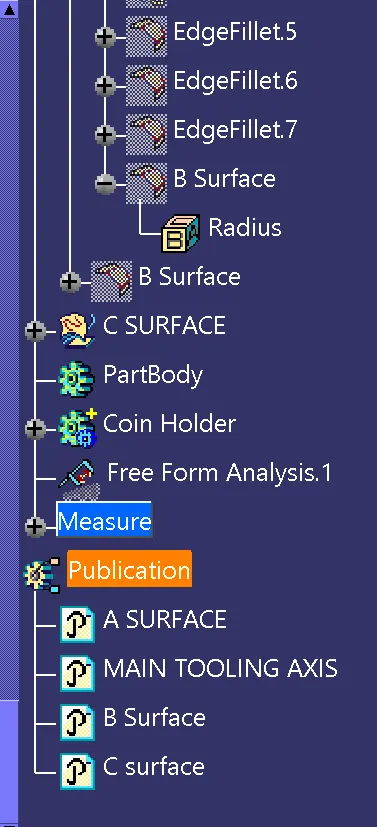
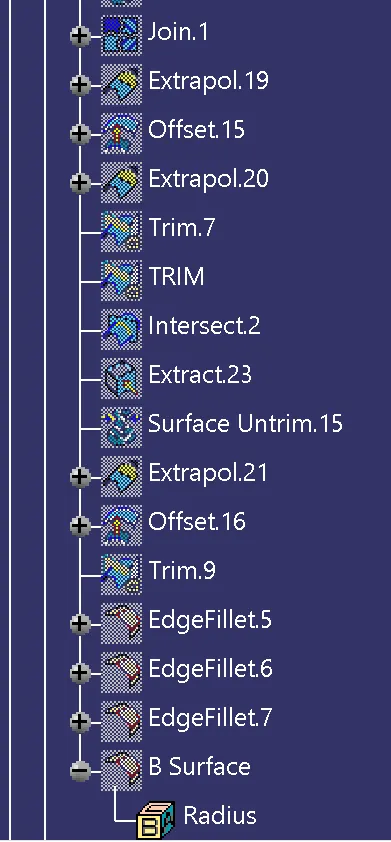
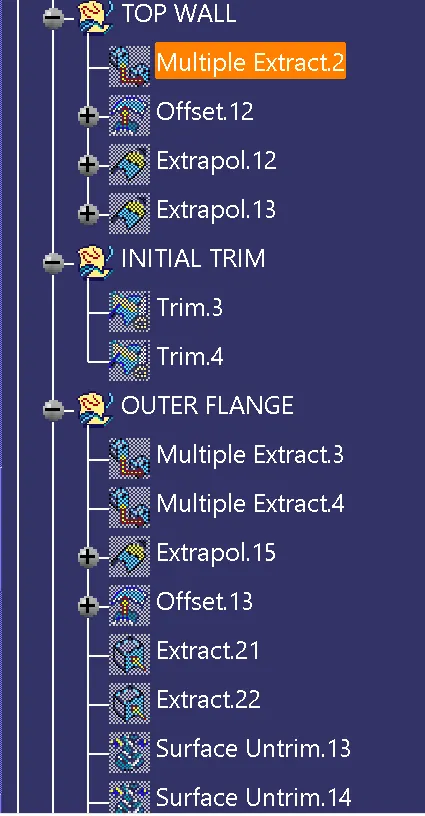
Closed Surface feature:
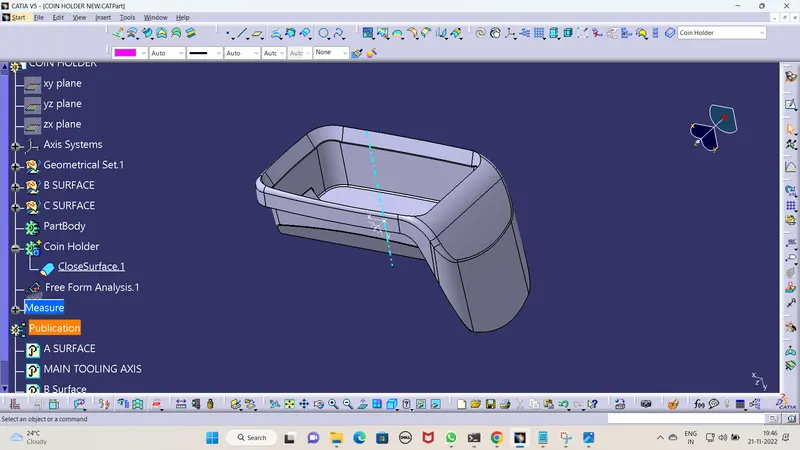
- Closed surface feature is used to make the hollow closed surface into a solid feature.
- To create a closed surface feature, first of all, check whether the surface is closed or not, to check that use the boundary command in the Generative shape design workbench.
- Click on the boundary option and select the surface to be checked, then if the surface is closed the below-shown error will pop up.
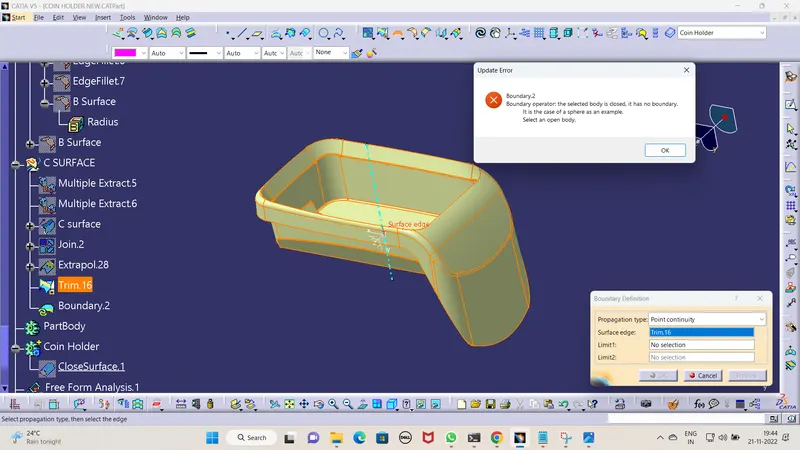
- Then change the workbench to Part Design for that go to Start > Mechanical Design > Part Design.
- Click on the closed surface option after creating a new part body, then the surface model will convert into a solid 3D model as shown below.
Publications:
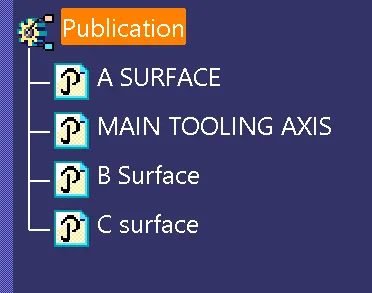
We can use the publication as a short way to reach put to the required sketch and also it is used to showcase the sketch in the tree structure the below screenshot shows the publication made in this particular drawing.
Steps to create a tooling axis by using the bisecting method:
- According to this particular challenge the walls of the part are parallel to the axis which is in the Y direction and the base of the sketch is perpendicular to the tooling axis so we just go with a line in the center of the base and we consider the line as our MAIN TOOLING AXIS.
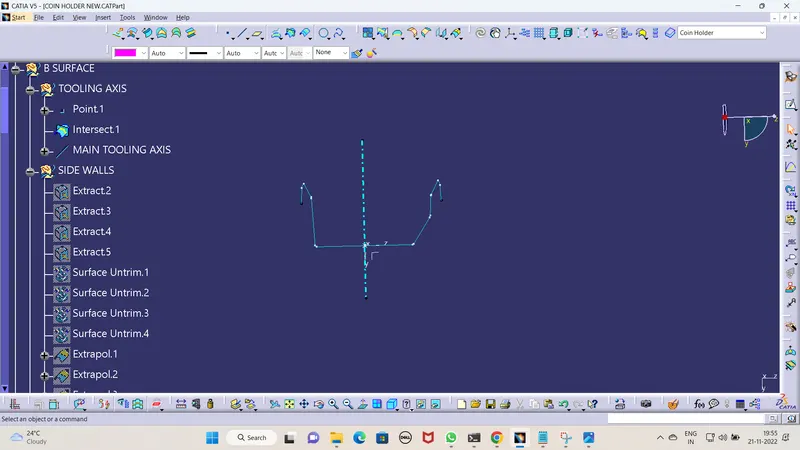
- The tooling axis's main objective is also getting satisfied and the below screenshot shows it.
Steps to do draft analysis by using the feature draft analysis option:
- Check with the Feature Draft analysis option in Insert > Analysis > Feature Draft Analysis.
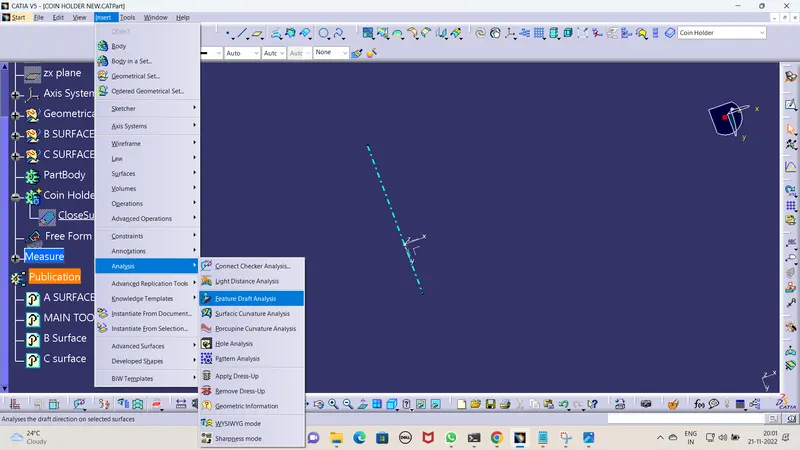
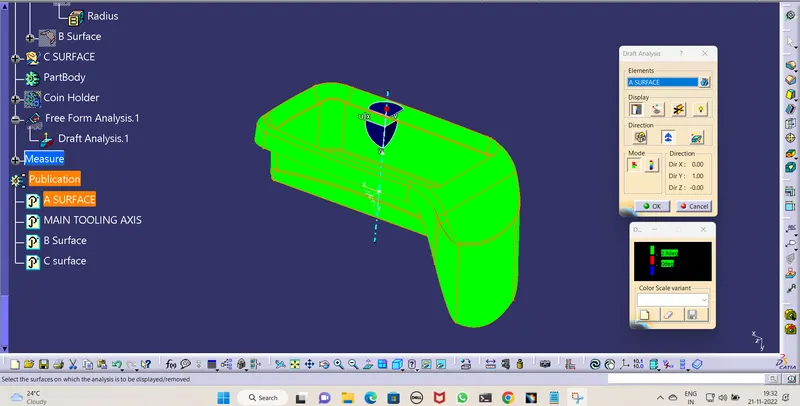
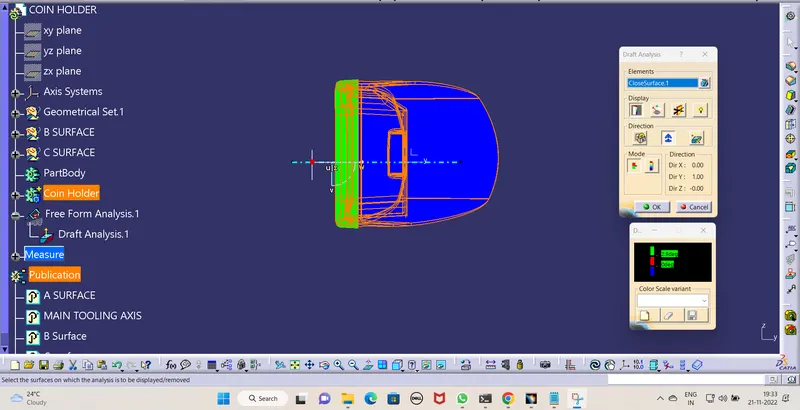
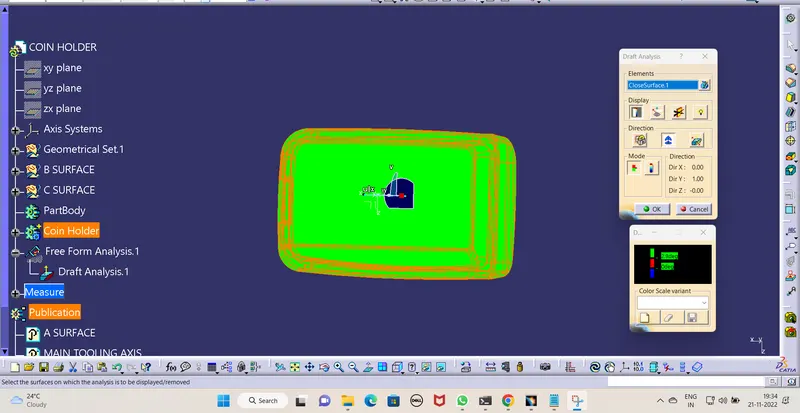
- In the Feature Draft analysis, select the compass and place the compass on the tooling axis and select the class A surface then in the Draft analysis we can clearly see the surface's draft angle concerning the tooling axis there we can find the color representation also.
- We can change the range of the color also as per the plastic design rule the draft angle is 3.
Screenshots of the Draft analysis report for both the given Class-A surface and the final plastic component:
- Class-A surface:
- Final plastic component:
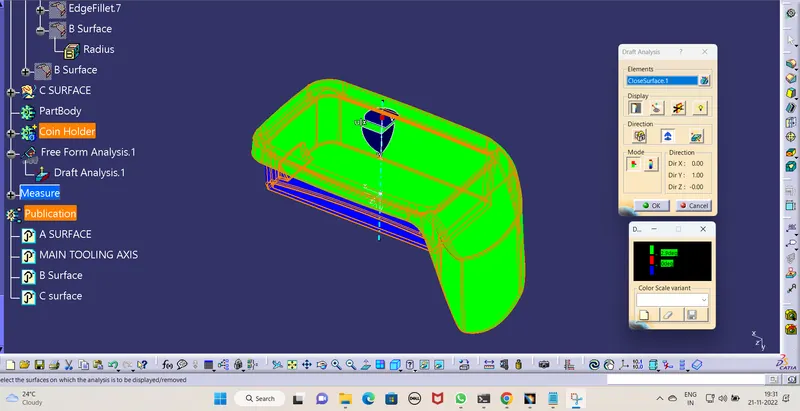
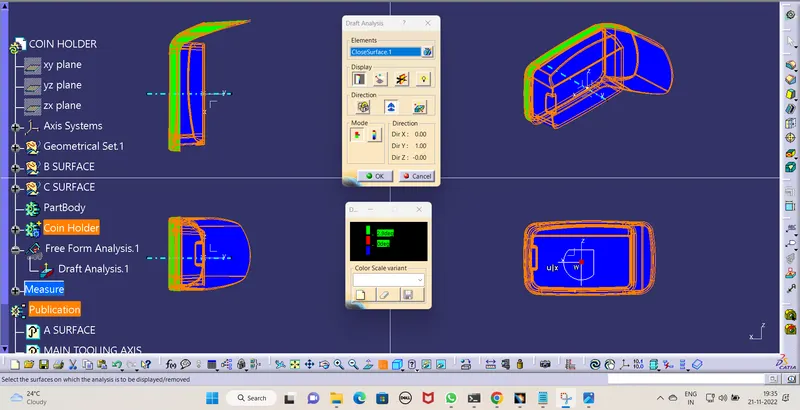
Screenshots of the solid model with the proper color code of the draft angle in various orientations (Isometric, Front, Side, and Top View):
- Top View:
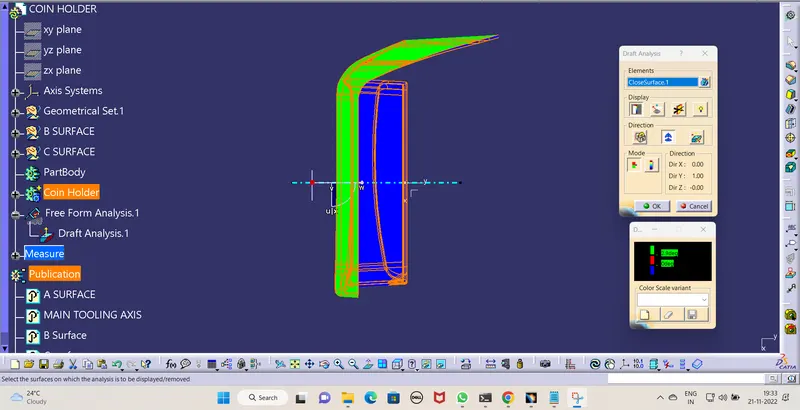
- Front View:
- Right Side View:
Conclusion:
Hence all the submission requirements are attached for this report and the part drawing is tagged to the report by using the browse option.