Week 8 - Challenge 3 - Coin Holder Design
Aim:
To create the COIN HOLDER Plastic Component through the given Class-A Surface and to perform draft analysis on the final plastic component using CATIA V5 tool.
Objectives:
- Creation of Tooling Axis
- Creation of Class B and Class C surfaces.
- Creating a solid part from the surface using close surface feature.
- Perform draft Analysis of final plastic component.
Introduction:
This project aims to create a coin holder using a given Class A surface. The approach includes creation of Class B and Class C surfaces keeping 2.5 mm thickness in mind for the complete component.
Design Constraints:
- ALTERATION OF CLASS A IS NOT ALLOWED.
- ALL SURFACES SHOULD BE CLOSED BEFORE CONVERTING TO SOLID.
- ALL FACES SHOULD MEET THE ALLOWED DRAFT REQUIREMENTS.
Procedure:
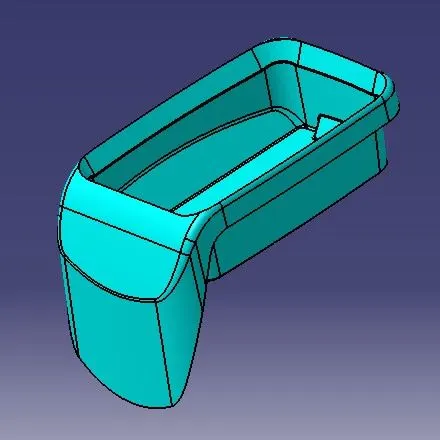
Class A surface: Following surface is the input for component creation.
- Class A surface is used to begin the design of a product.
- To continue with the design process, need to find out the tooling axis for surface-A.
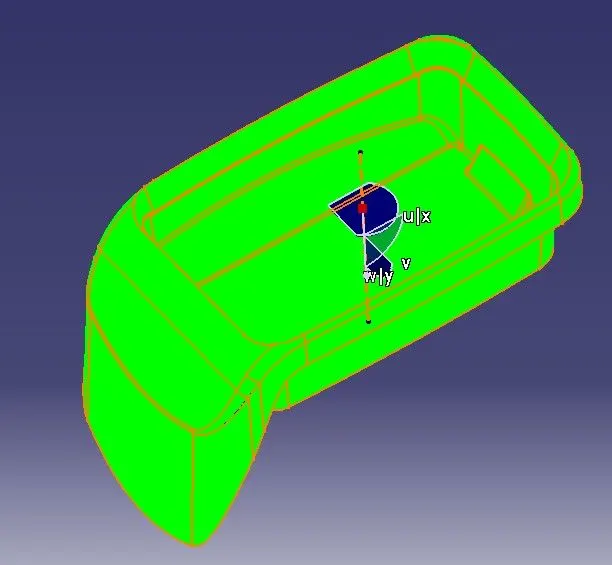
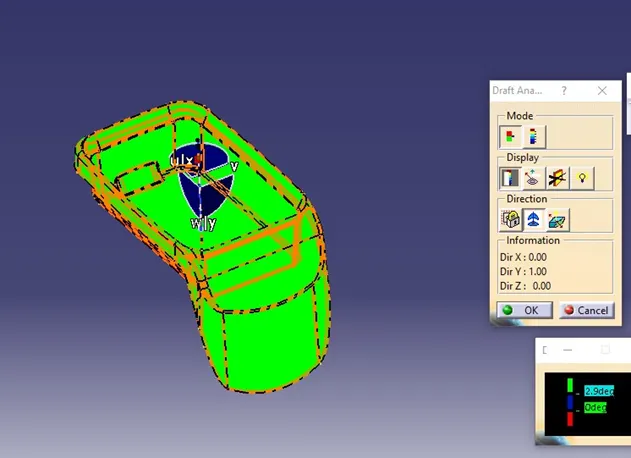
- In next step, need to check for all the drafts using Draft Analysis tool of CATIA.
Draft Analysis for Surface A:
- The Drafting analysis is performed using the Feature Draft Analysis command from INSERT menu
- The drafting analysis is done with 2.9 degree draft angle.
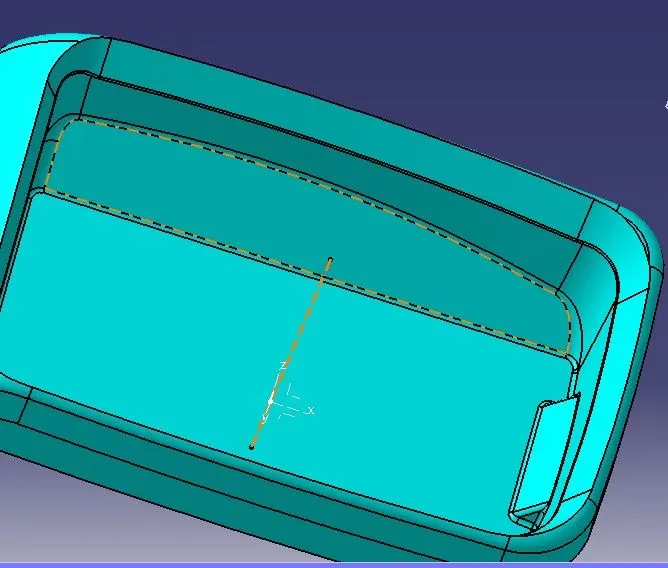
Creation of Tooling Axis:
- Tooling axis is created using a reference point created on the base surface
- Line is created normal to the base surface as it is horizontal to the plane parallel technique can be used.
- The dashed line shown in figure is the tooling axis.
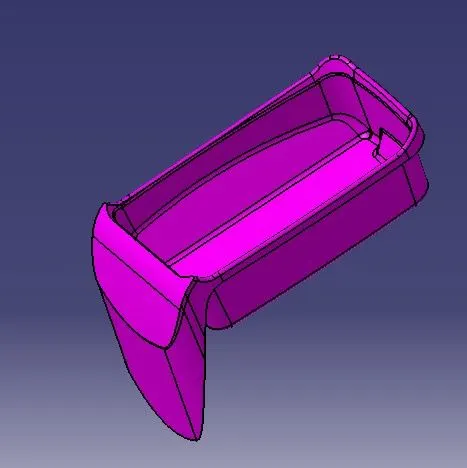
Creation of Class B surface:
- Class B surface is created from the Class A surface.
- Extract the surface from Class A using Extract command and untrimmed followed by Extrapolate if required, to obtain the original parent surface.
- The same procedure is followed on the other side as well.
- The resultant surfaces are then trimmed to form the Class B surface which is offset at a required thickness from Class A surface.
- Finally all the necessary fillets were added to the Class B surface.
Creation of Class C surface:
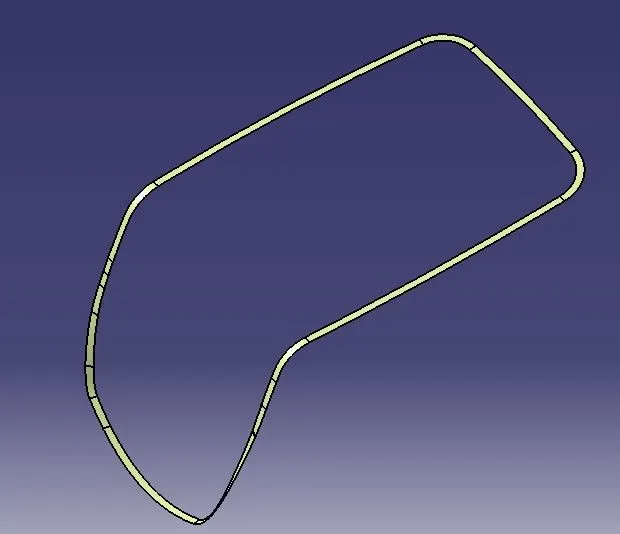
- Class C surface connects the Class A and Class B surface.
- For creating Class C surface, initially the boundary of Class A is extracted using Boundary
- Then Sweep command is used along the draft direction, with 90 degree draft angle.
Join Class A and Class C
- To make Class A and Class C as a single body, both surfaces are joined using Join This command is used to make sure that there is no any open boundary between Class A and Class C.
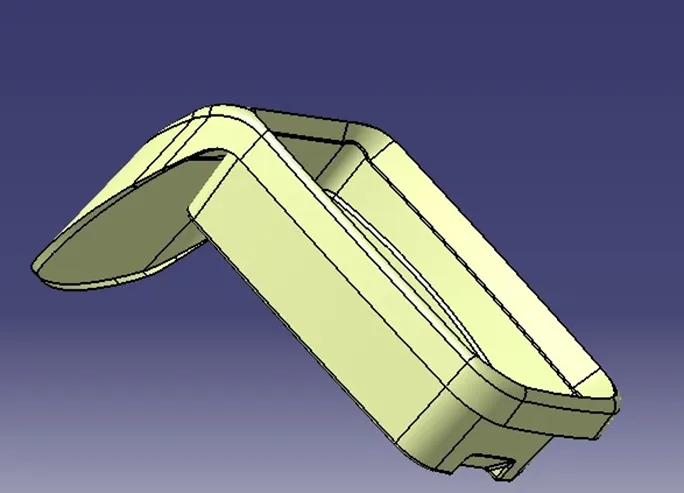
Final trims: - Class A + Class B + Class C:
- To obtain the final output, (shown in below figure) the joined Class A+C is trimmed with the Class B surface using trim feature.
- Solid body is obtained using closed surface feature from part workbench.
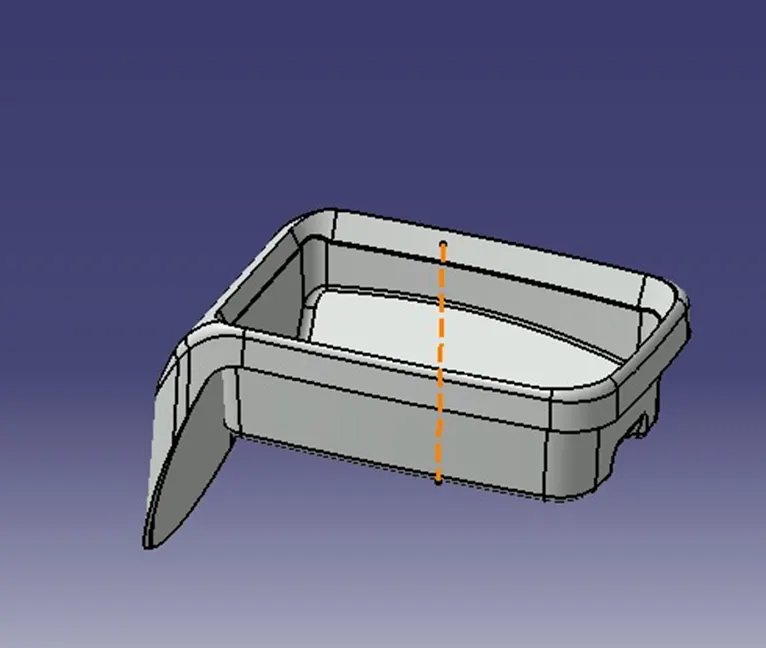
- The Tooling axis, Class A, B and C surfaces were published.
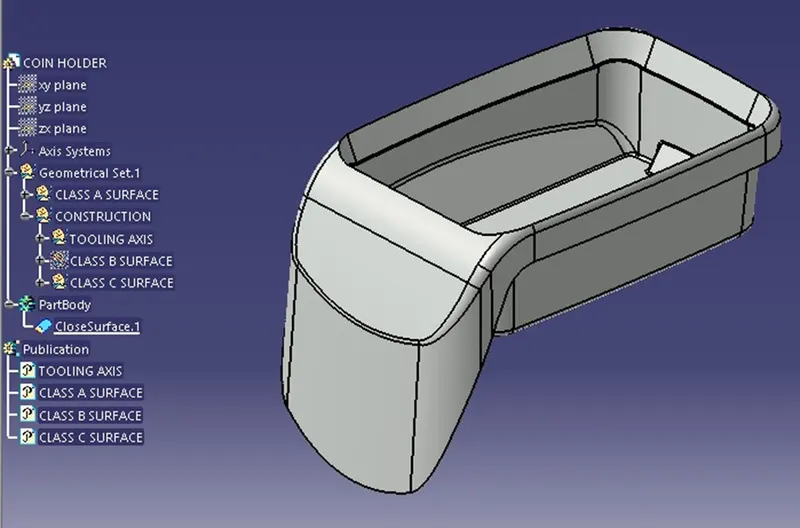
Draft Analysis of the Final Component:
- Main tooling axis is taken as the draft reference for this analysis.
Conclusion:
Final output “COIN HOLDER” is successfully designed using CATIA VS tool.