Advanced Sheet Metal Design Using NX Cad Challenge_5_Odd Shaped Enclosure
1. Title of the project
Sheetmetal Odd shape enclosure design using Siemens NX Cad Sheetmetal application.
2. Objective
To understand the procedures used in sheet metal odd shape enclosure design using different features in Siemens NX CAD software.
3. Introduction
NX for design is an integrated solution that helps you develop innovative new products. Unlike CAD only solutions and closed enterprise solutions delivers the highest integration between development disciplines in an open, collaborative environment. It also mergers solid and surface modelling techniques into one powerful tool set. It provides a set of tools within NX environment that allows for simple fast and accurate design of sheet metal parts
This project is a step-by-step approach of sheet metal odd shape enclosure design using Siemens NX CAD (student edition) software. It is prepared with the self-guiding tutorial by the Skill Lync as a part of my certification course program.
4. Design Methodology
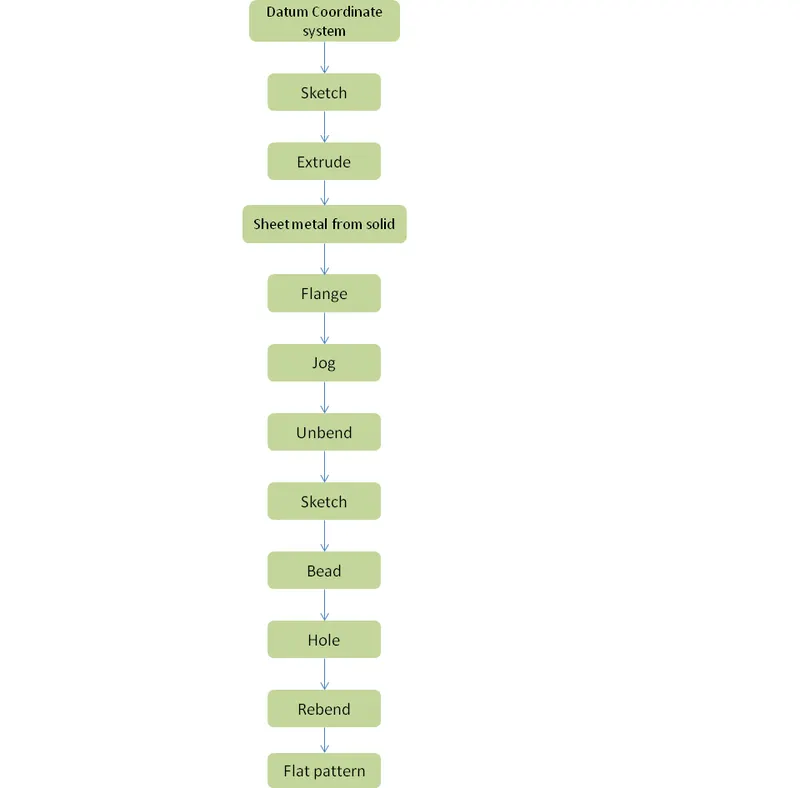
The 3D design of sheet metal odd shape enclosure design using Siemens NX CAD Student edition software. The methodology followed in the project is as follows:
5. Description
The features used in design are described below.
- Sketch
In NX, create sketch by choosing Sketch in Home toolbar. The screen will display the sketch options. You can choose the Sketch Plane, direction of sketching and type of plane for sketching. Here choose the XC-YC plane and click OK. The sketch plane will appear and the X-Y directions will be marked. This is the basic sketch window.
- Extrude
This command is used to create a feature by extruding a section along a vector. This tool is available in modelling group section NX application
- Sheet metal from solid
This command is used to build a sheet metal model that takes its shape from a collection of planar faces
- Flange
This tool is to adds a flat flange at an angle to a planar face and adds a bend between the two.
- Jog
This tool is used to lifts material from one side of the sketch line and adds a flange between two sides
- Unbend
This command is used to flatten the bend and material adjacent to the bend.
- Bead
This tool is used to lift material along the contour of the sketch that stimulates a stamping tool. Its available from punch group gallery in NX
- Hole
This command is just like to put holes in the sheet metal with respect to measurement
- Rebend
This command is used to restores an unbend feature to its previous state along with any feature added after the unbend feature.
- Flat pattern
This command is used to create a flat pattern feature from the formed sheet metal part
The following are different views of the sheet metal odd shape enclosure.
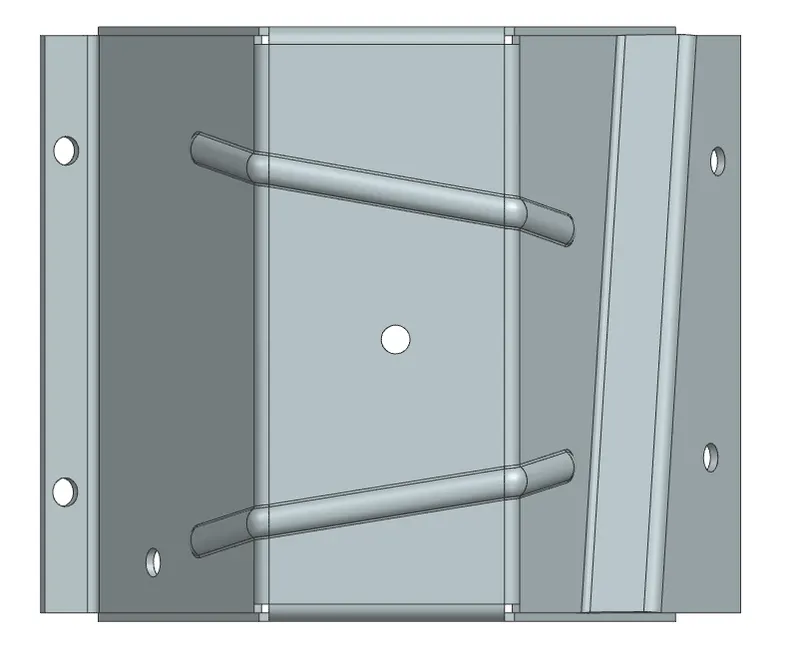
Figure1: Top View
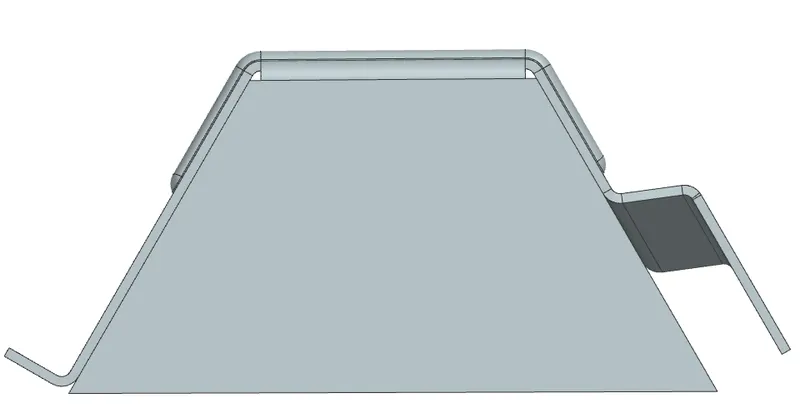
Figure2: Front View
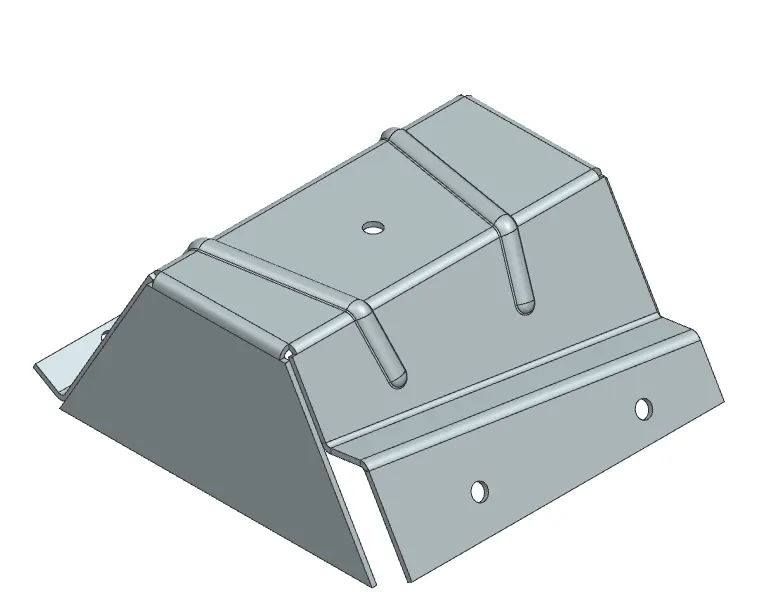
Figure3: Isometric View
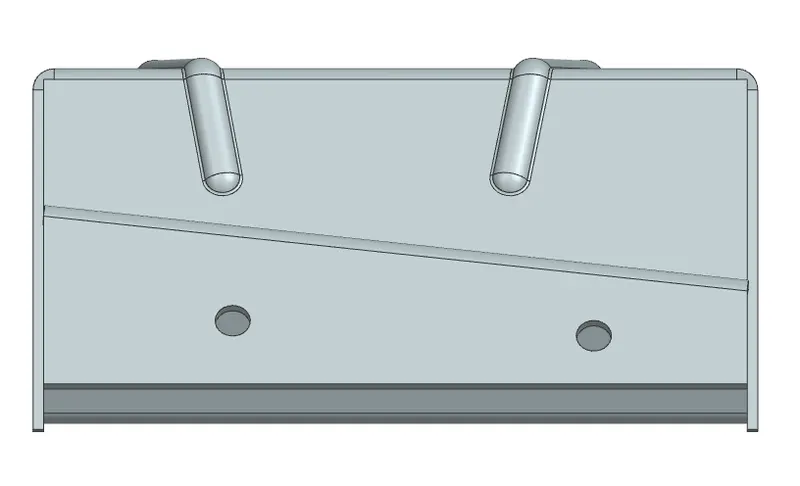
Figure4: Right View
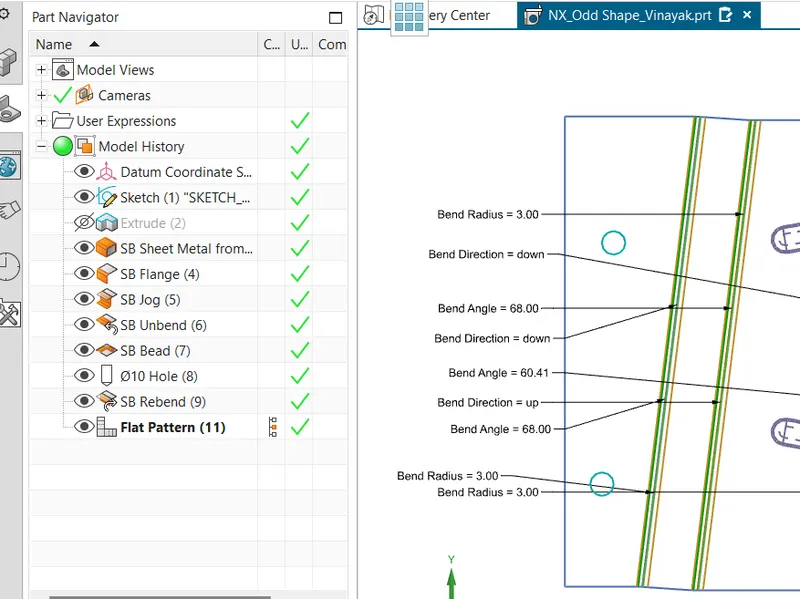
Figure5: Feature tree image
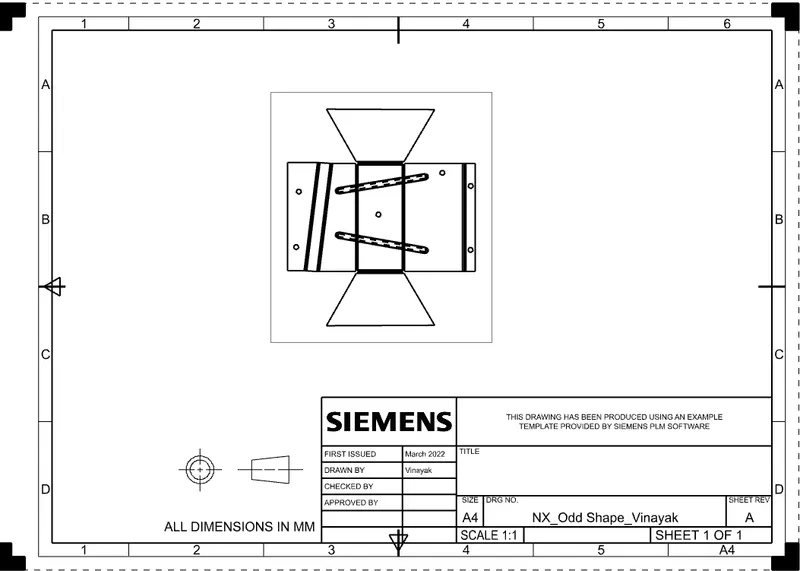
Figure6: Detailed drawing sheet image
6. Conclusion
This project shows as an example of how NX CAD can be for used to create an odd shape enclosure design by using various different features as per requirement of the designer.