Week 8 - Challenge 2 - Switch Bezel Design
Preliminary Draft Analisys on Class-A surface
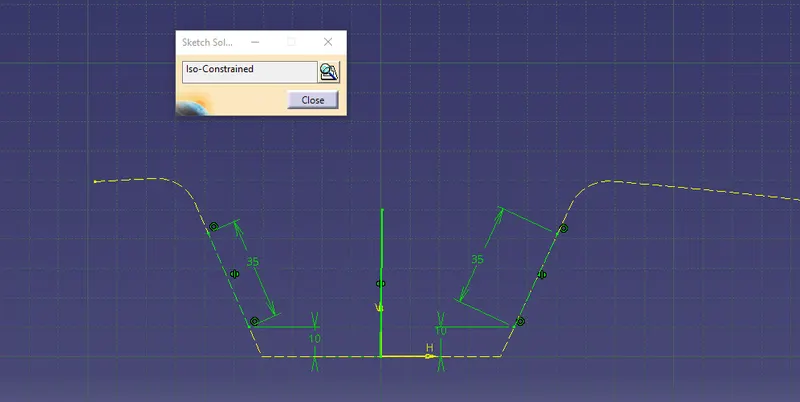
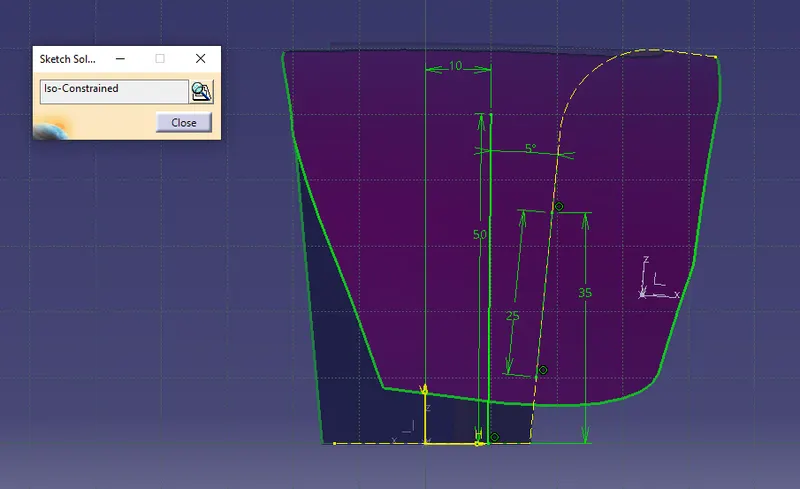
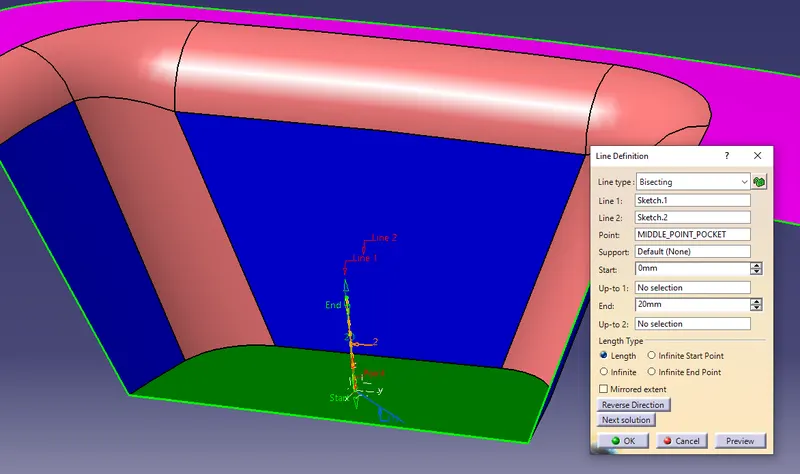
- First of all place an axis in the middle point of the pocket's bottom. This axis sys allows to create two intersection (in two perpendicular planes), and thus two bisecting lines, respectively.
- Sketch 1: considering the critical walls of the first intersection, create a line tangent to each. Then the first bisecting line can be created.
- Skecth 2: considering the single wall of the other intersection, create another line with a specific angle. To start I will use 4°, as 3° wasn't enough in the class video.
- The real tooling axis will be the resulting bisecting line between Sketch.1 and Sketch.2.
Axis System
Sketch 1
Sketch 2
Resulting Tooling Axis: the bisecting line of Sketch.1 and Sketch.2
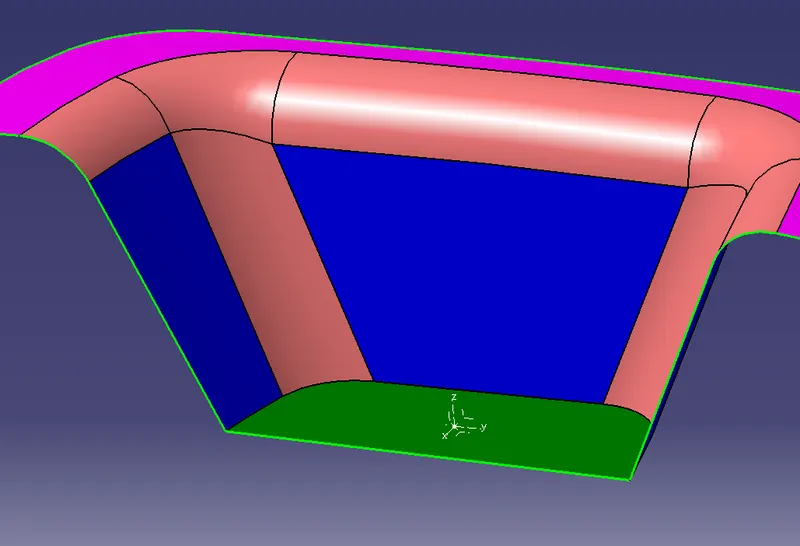
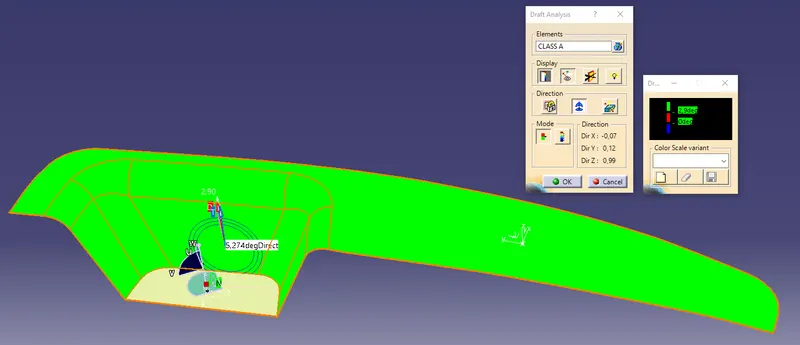
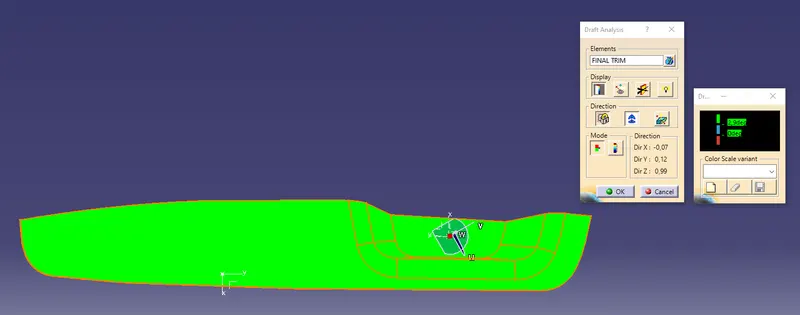
- The first attempt of Draft Analisys on Class-A surface with the use of the Tooling Axis can now be done.
- The result is completely green, meaning that the surface at this stage of design can be cleared along the selected tooling axis.
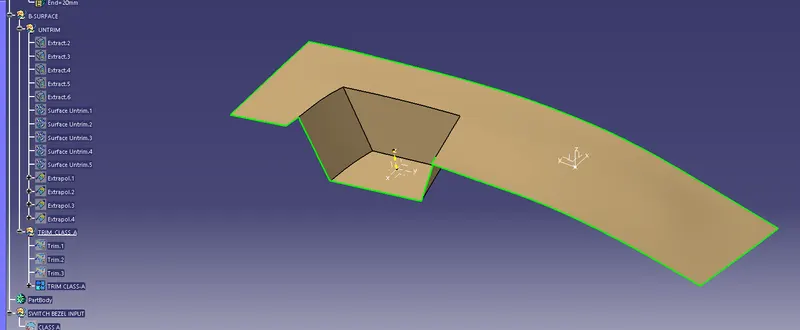
- Now it is necessary to remove all the edges, before applying the offset towards B-SURFACE, as they can cause computational errors.
- The trimmed Class-A surface without edges can be offsetted according to the part thickness.
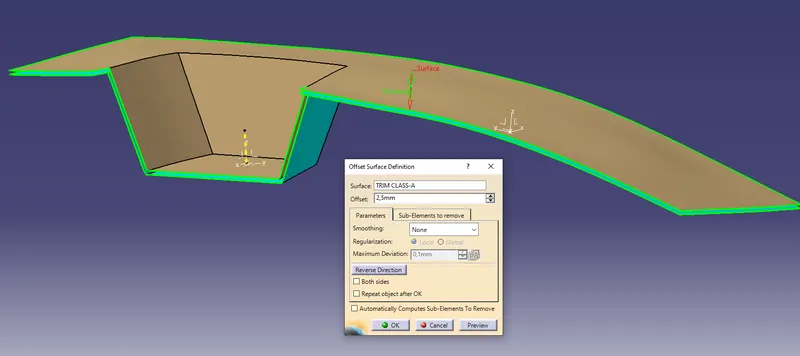
- Apply all the radius in the B-Surface with the role: "A-RAD" - "THK value" (for internal edges), or "A-RAD" + "THK value" (for external edges)
- To Create the C-Surface taking Class-A boundaries to generate sweeps with our draft direction (tooling axis), which is minimum 3°. If needed, add a little of extrapolation to compensate the smooth boundaries.
- Trim A-to-C and then the final Trim to-B. This surface must have no selectable boundaries.
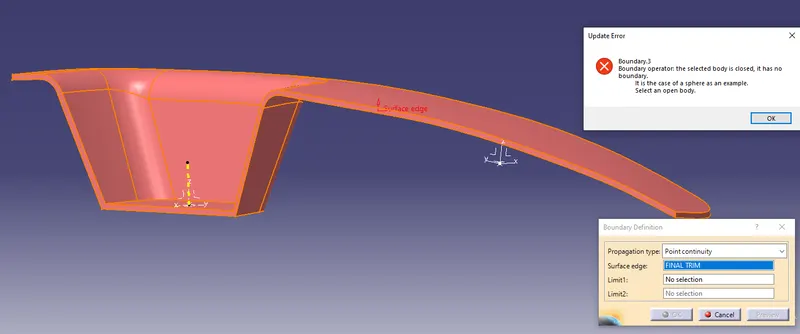
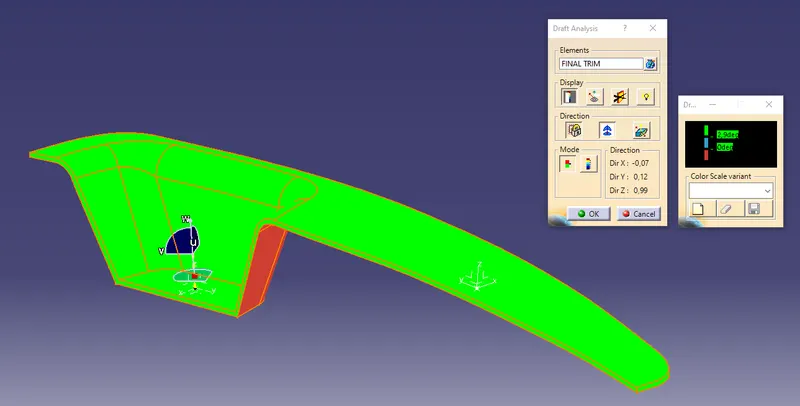
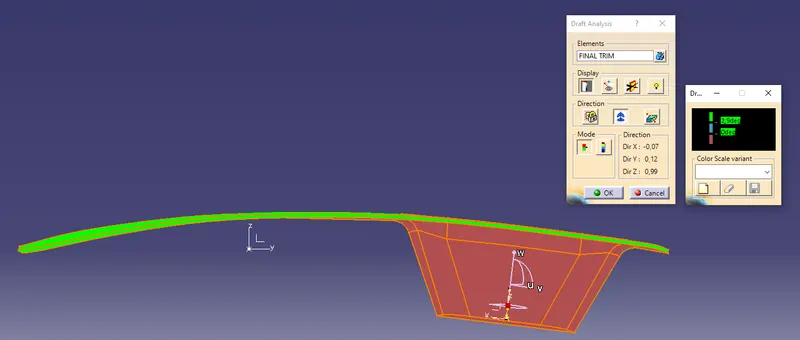
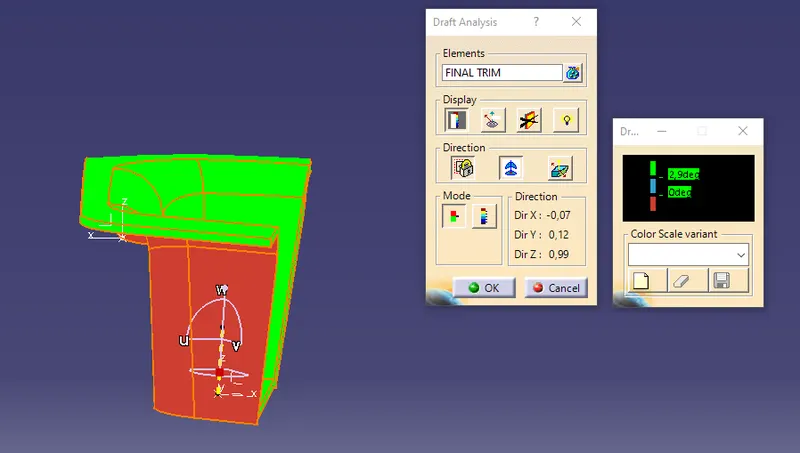
- The final Draft Analisys should show that both, Class-A, B and C surfaces can be cleared along tooling axis.
ISO VIEW
FRONT VIEW
SIDE VIEW
TOP VIEW
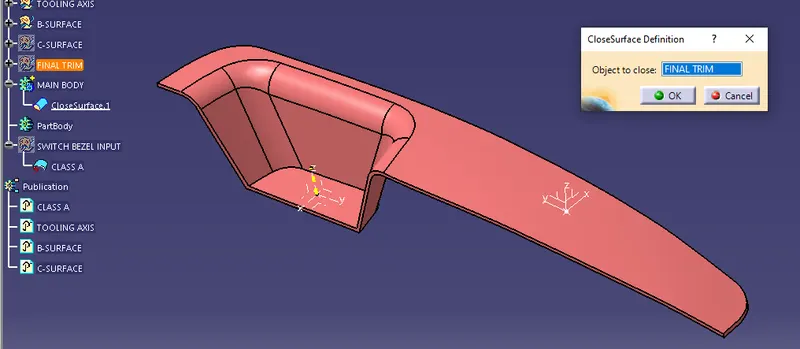
- Use the close surface command inside a Body to finish the part.
- Publish A, B, C surfaces and the tooling axis.