Week 8 - Challenge 2 - Switch Bezel Design
Aim:
This project aims to create a switch bezel plastic component using the given class A surface following the OEM standard. and perform the draft analysis.
Objective:
- To design switch bezel as per automotive OEM Standard.
- Create B Class and C Class and tooling axis.
- Converting close surface into the solid inside part workbench and provide the thickness of 2.5mm.
- Performing draft analysis to verify the creation of the Tooling axis and C Class surface.
CLASS A SURFACE
1.inner surface and aesthetic look which is visible to the customers.
CLASS B SURFACE
1.outer surface and just off-set of class A surface which is not visible to the customers.
CLASS C SURFACE
1.Which join both Class-A and Class-B Surface is known as class C surface.
Tooling Axis:
- Tooling axis based on x,y,z Direction
- bisecting method
- normal to the plane
Draft analysis:
The draft analysis technique is used to analyze whether our part model created in CAD is manufacturable based on the draft condition applied. Here the part should get easily removed from the Mold. No parts can be ejected from the tool if it is having a straight 90-degree profile from its base surface. A small draft angle is provided to each and every area of the component in order to get easy removal of the component from the tool.
Switch Bezels uses:
Switch Bezels in car are parts which contains switches and controls for different functions like Window control, Door lock/Unlock,Media and Temperature controls.
Material used in Switch Bezels and why it is used?
Acrylonitrile Butadiene Styrene(ABS) is used in switch bezel.which is scratch-resistant and wear-resistant. Sturdy, polished, not easy to fade, durable.The stylish appearance adds a sense of luxury to your car and makes your car unique.The car window switch cover helps protect the car window switch button from scratches or impacts. Cover existing scratches. The shell is sturdy, rust-proof and scratch-resistant, ensuring maximum strength and durability during long-term use These car window lift switch frame cover has self adhesive design, no harm to your car, easy to attach it to car and won't peel off. Surface must be clean and dry prior to adhering.
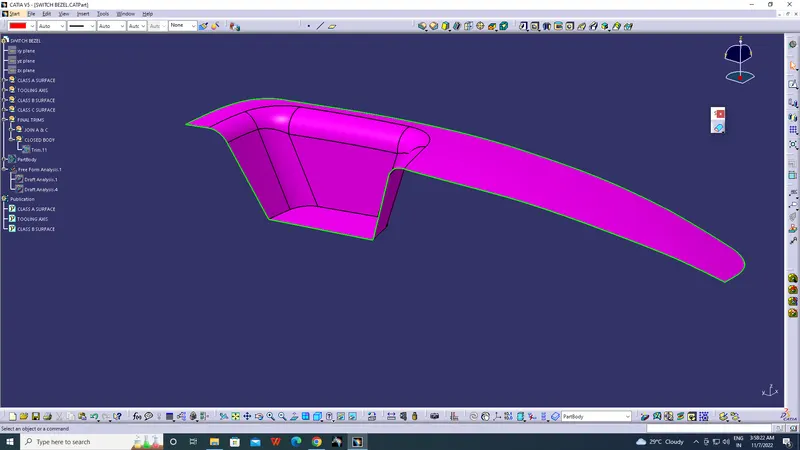
Step-1
Join the given class A with merging distance 0.1mm
Step-2
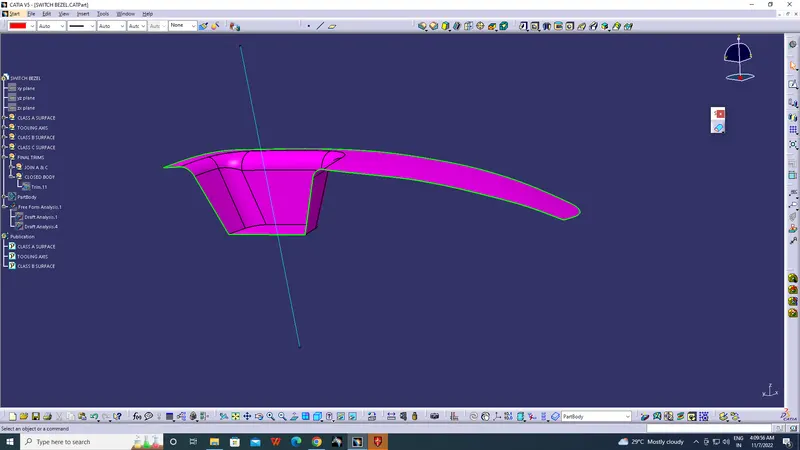
creation of tooling axis:
- Considering the Ejection from the cavity of the mould after manufacturing the interior trim switch bezel must have the nominal 3-degree draft angle.
- A Reference Point is created along the Surface zero and new Axis system is created
- The X Direction along the Class A and Y direction along the Class A were used to create Tooling direction
- Finally the Tooling axis is created by normal to plan and it is published. Class A Surface as input using surface operation commands Class B is developed
- The tooling Axis determines the direction of Class C boundary swept with draft direction.
- When viewing from tooling direction normal all the parts that are drafted should be visible so it gives an rough idea to determine product manufacturing in Injection molding..
Step-3
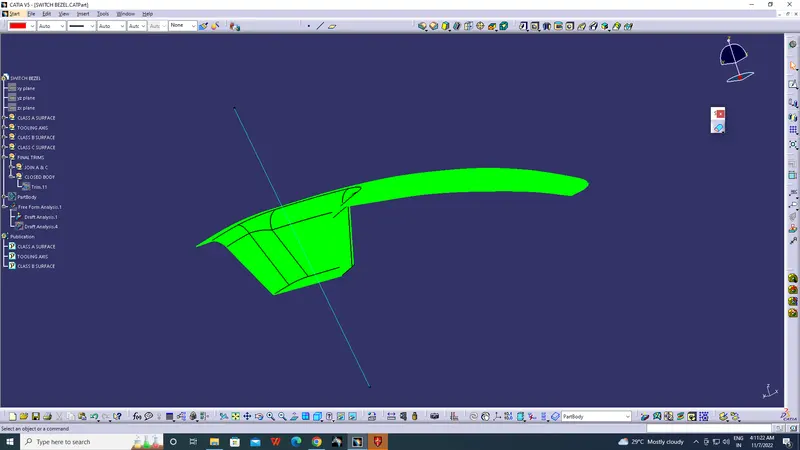
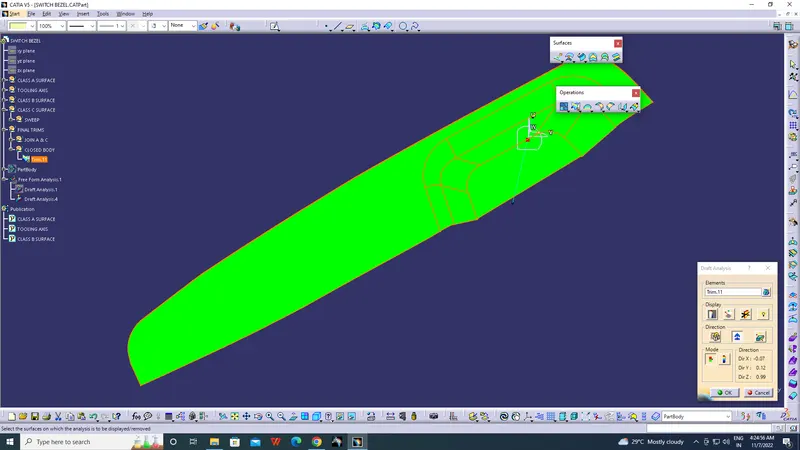
Draft analysis of Class A surface:
- Go to insert> analysis> feature draft analysis
- Align the tooling axis with the compass.
- Click on the surface and see that the surface is within the permissible limit of the draft values.
- The surface should be green and in the column nominal value 3deg given as input. hence the draft analysis on the class-A surface is successfully performed.
Step-4:
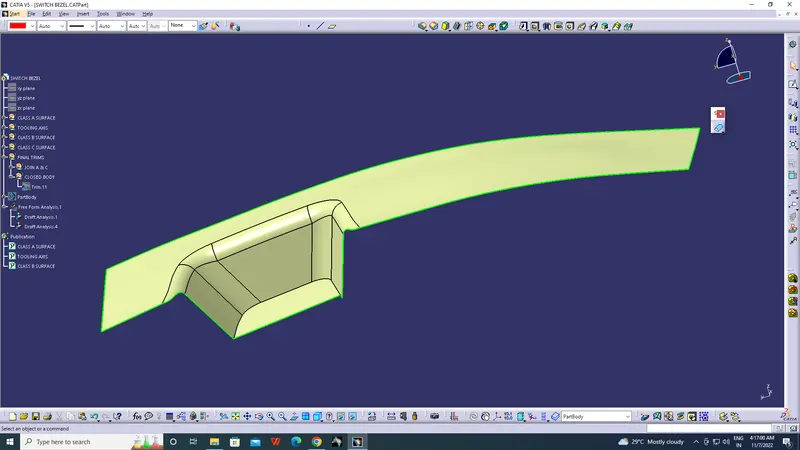
Creation of Class B surface:
- For creating the class-B surface the required surface except the offset surface have been extracted and then untrimmed all the surface.
- Then all the surfaces have been extrapolated to get intersections between them.
- Since the thickness of the Switch bezel is 2.5mm the B-Surface was offset to 2.5 mm and the required trim operations must be carried out.
- Finally, the required corners have been filleted.
- outer radius fillet of class B surface = radius of input class A + thickness of a component.
- inner radius fillet of class B surface = radius of input class A - thickness of a component.
Step-5:
Creation of Class C surface:
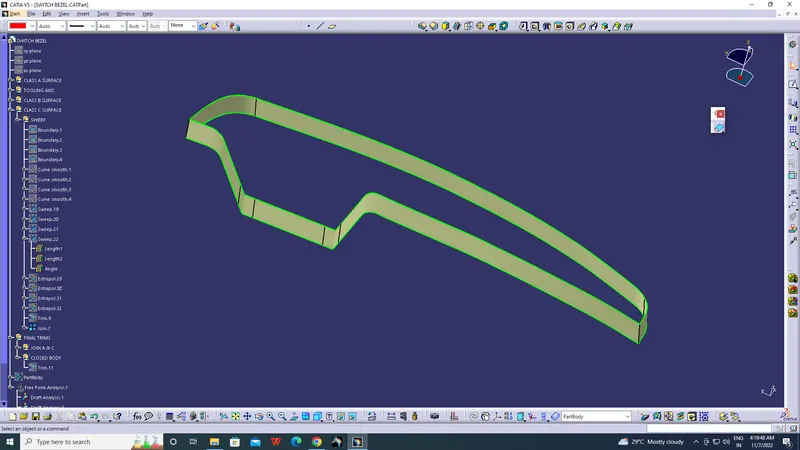
- The Next step is to from the C surface which is an intermediate surface between A and B and is used to give the closed surface appearance to the design
- The C Surface is swept using the profile as boundary line of Class A which is the Guide curve with a subtype along draft direction.
- The Direction of the sweep is the tooling direction formed earlier
- The draft angle for the sweep operation is provided which is 3 Degree and surface is swept for length above the thickness of the specified part
- The C surface is refined using smooth Curve options to remove the complexity and patches along the swept surface
- Finally the Class A and Class C surfaces are joined together using extrapolate and trim options.
Step-6
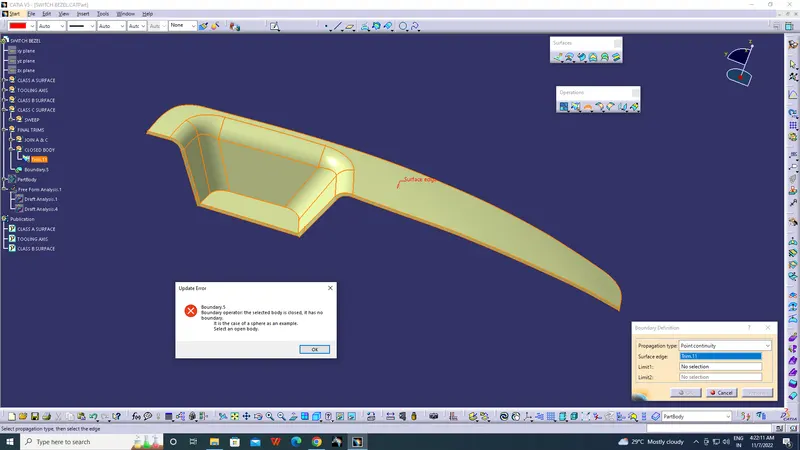
Procedure for Closed Body Creation
- The merged surface is then trimmed with B surface to form the closed surface.
- The Closed surface is then validated to find the irregularities along the edges and imperfections along the edges were then corrected using operation like extrapolate and surface trim
- This Closed surface is the outer skin of the switch bezel and finally the part is formed by Closed Surface in part design workbench
- The final part is measured to validate the uniform thickness of the part especially along the filleted edges.
Step -7
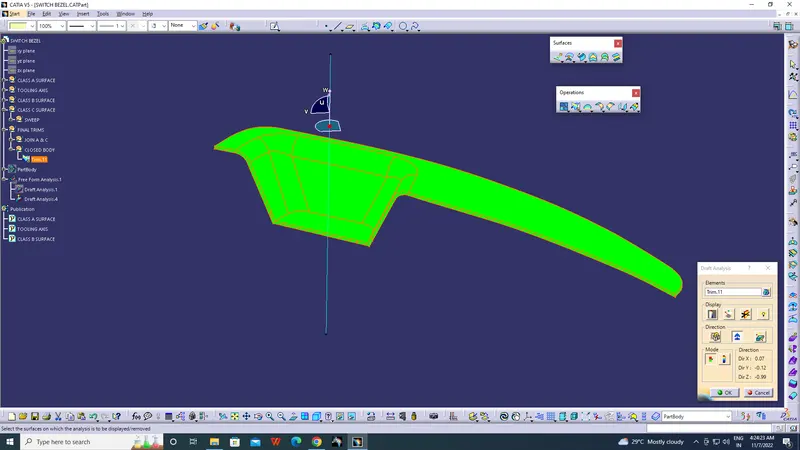
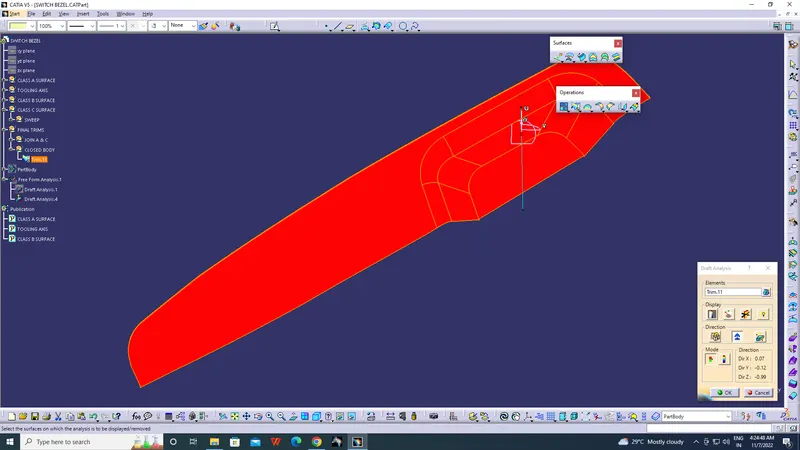
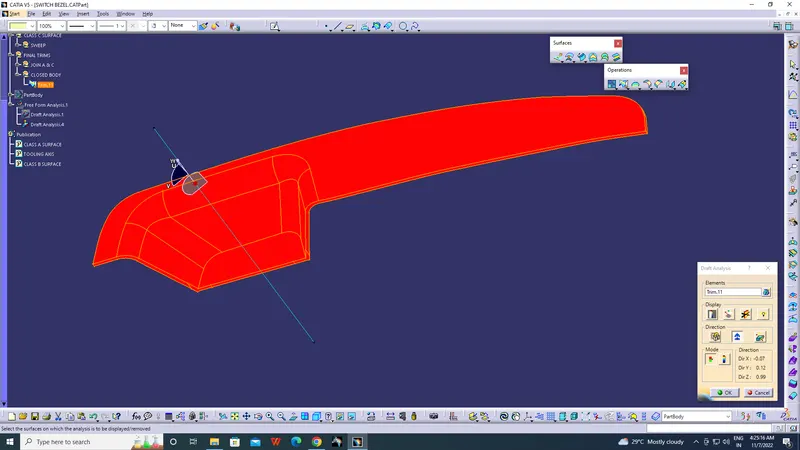
Procedure for Draft Analysis Procedure
- The part created has to be changed to material mode in display frame
- Then by enabling compass definition the axis system is pan along the direction of the part and aligned in line with the tooling direction
- Lock Direction is applied that fixes the compass and then the mode dialog box is formed by snapping at any point on the part
- The Color Codes are classified and Draft Angle are applied
- Then the Running point analysis is used to hover around the part to analyze the permissible draft angles and the analysis is saved.
Step-8
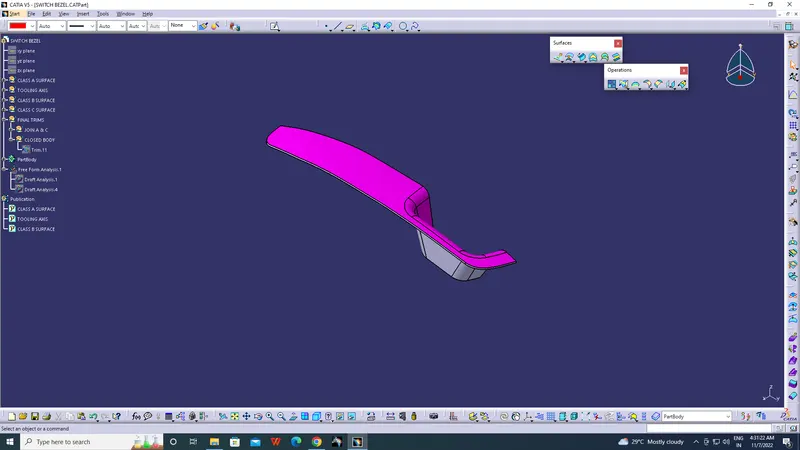
Converting the surface model into a solid model:
To complete the model, the Close Surface command from the part workbench was used thereby creating a solid model.
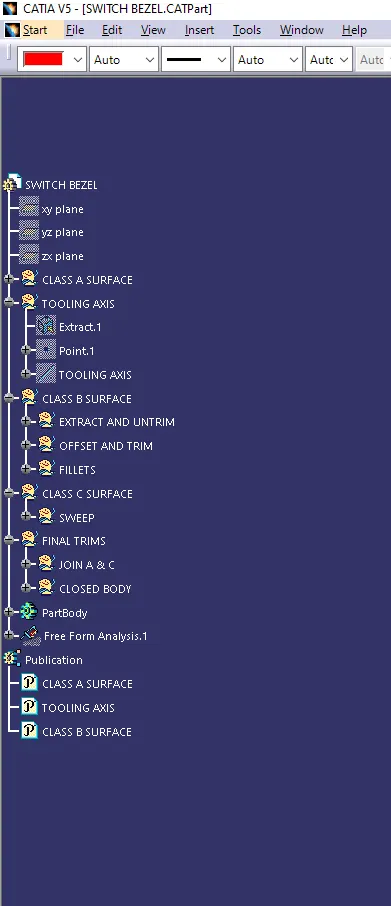
Tree structure:
CONCLUSION
This project imparted a great deal of knowledge regarding the creation of tooling axis and performing proper draft analysis on a component which are essential steps to ensure a design is fit for manufacture. It also provided valuable insights on the design of a plastic component using Class A, B and C surfaces using CATIA.