Week 8 - Challenge 3 - Coin Holder Design
Aim:
This project aims to create a Coin Holder plastic component using the given class A surface following the OEM standard. and perform the draft analysis.
Objective:
- To design Coin Holder as per automotive OEM Standard.
- Create B Class and C Class and tooling axis.
- Converting close surface into the solid inside part workbench and provide the thickness of 2.5mm.
- Performing draft analysis to verify the creation of the Tooling axis and C Class surface.
CLASS A SURFACE
1.inner surface and aesthetic look which is visible to the customers.
CLASS B SURFACE
1.outer surface and just off-set of class A surface which is not visible to the customers.
CLASS C SURFACE
1.Which join both Class-A and Class-B Surface is known as class C surface.
Tooling Axis:
- Tooling axis based on x,y,z Direction
- bisecting method
- normal to the plane
Draft analysis:
The draft analysis technique is used to analyze whether our part model created in CAD is manufacturable based on the draft condition applied. Here the part should get easily removed from the Mold. No parts can be ejected from the tool if it is having a straight 90-degree profile from its base surface. A small draft angle is provided to each and every area of the component in order to get easy removal of the component from the tool.
Coin Holder uses:
The Coin Holder is used in automobiles for storage of coin and other small items which needs to easily accessible for the passengers.The Location of the holder might be in the Dashboard,side door trims and between the car seats.The design should be in a such a way that the it should blend in with other components and interior and should not take more space.Also, it should be comfortable for easy access.
Material used in Coin Holder and why it is used?
Acrylonitrile Butadiene Styrene(ABS) is used in Coin Holder.which is scratch-resistant and wear-resistant. Sturdy, polished, not easy to fade, durable.The stylish appearance adds a sense of luxury to your car and makes your car unique. Cover existing scratches. The shell is sturdy, rust-proof and scratch-resistant, ensuring maximum strength and durability during long-term use.
step-1
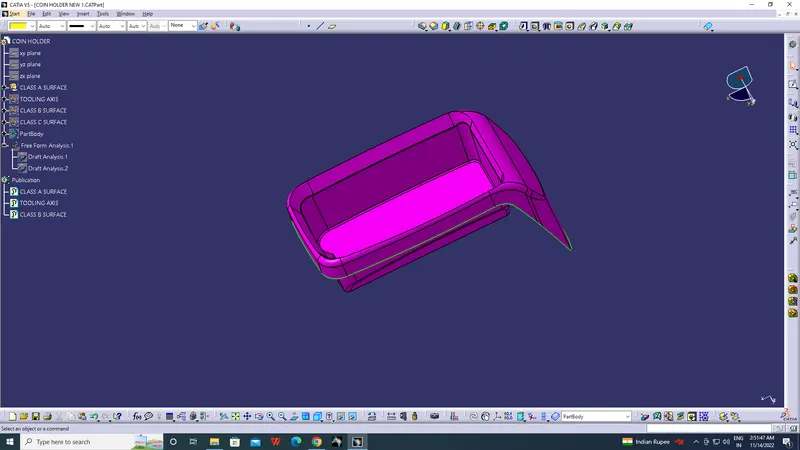
Join the given class A input with merging distance 0.1mm
Step 2:
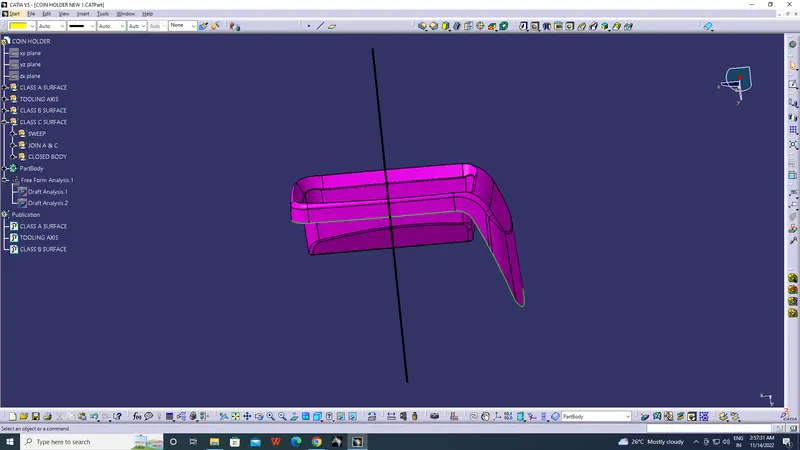
Creation of the Tooling Axis:
- Identify faces which can potentially create problems while manufacturing.
- Surfaces at angles along a desired Tooling Axis.
- Extract a plain surface and create a point on its center for Axis system creation.
- In this case Y axis can be a possible Tooling Axis Direction.
- The highlighted coloured faces can be a problem in terms of draft analysis.
- Intersect the YZ Plane with the Class A.
- Since Most of the Faces from the Intersect are either parallel or at 90º or having comfortable draft angles, the Tooling Axis will be created in direction normal to the Base surface along the origin of the Axis System.
Step-3
Draft analysis
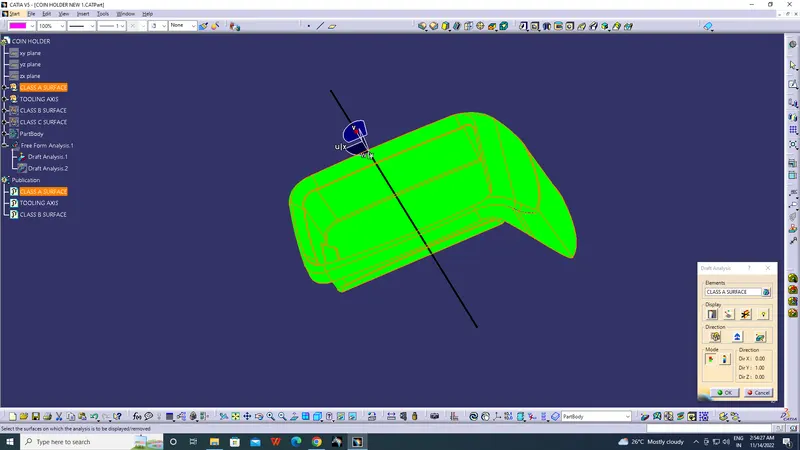
- Draft allows for the component to release from the mould, most parts or applications require a minimum of 0.5 to 1 degree draft angle and 3 dgree draft angle is widely used as per the norm.
- Change the material mode to customize mode before moving to the draft analysis.
- Insert –analysis-feature draft analysis
- Defining the draft direction Select draft analysis from the tool bar and click on the compass symbol and pull the compass from the right side top corner of the workbench and place it on the component where want to do the draft analysis. ‘W’ of the compass and tooling axis should be aligned on the same line.
- Once the compass is aligned with the tooling axis click on the lock symbol and drag on the surface we will get a wrong mark then select that point a table will appear it shows the draft value on the table we can adjust the draft value and analysis it for all the edges and surfaces.
- By clicking the on the surface and using the flipping tool we can assign the Flipping direction, the color of the surface change as per the flipping direction .
- Analysis under running point and move the mouse on the surface and it will show the details of the surface deg direct at each and every point of the surface.
Step 4:
Class B Surface Creation:
- Extract the relevant surfaces from Class-A surface which excludes the Fillets and holes.
- Here the selected faces consist of Side Walls, Base, Top Walls and External Flange surfaces.
- Extract of flat surfaces
- Use Untrim Command to untrim the extracted surfaces and create a natural extend.
- Extrapolate the untrimmed surfaces so that each of them intersects clearly and pass way forward than the Class A which will help in its trimming in further operations.
- Offset the extrapolated surfaces to the value of required Thickness of the Part.
- In this case of Coin Holder, the thickness value is 2.5 mm.
- The offset faces are the part of B-Surface.
- Trim the extra surfaces to obtain similar extended surfaces as in Class A.
- Create Fillets while maintaining the part thickness between the Class A and Class B surfaces.
Step 5: Class C Surface Creation:
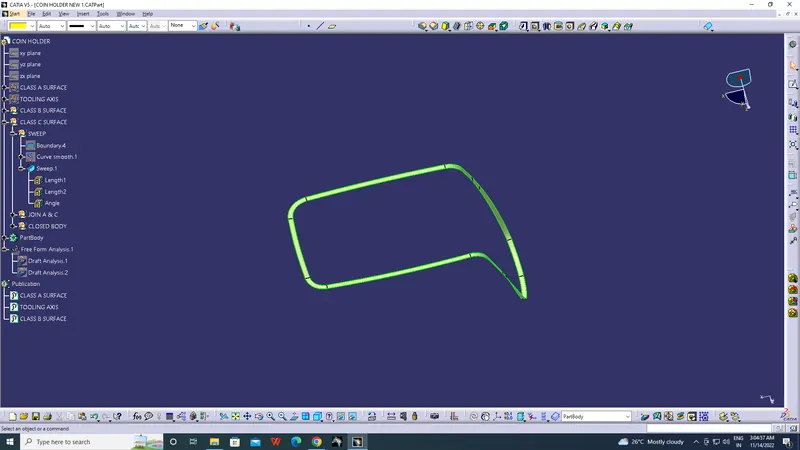
- Use Boundary Feature to extract the outer boundary of the Coin Holder Class A surface.
- Use Sweep Operation to extrude the boundary using the ‘With Reference Surface’ option and selecting the boundary for Guide curve and the Multiple extract of External Flange Walls as Reference Surface.
- Use angle as 90º and select inward direction i.e., towards B surface with appropriate length say 4mm.
- Use similar Boundary and Sweep option for the Cut Section in the coin holder.
- Multiple extract the reference surfaces and sweep outwards 90º to the extract towards B surface
Step 6:
Final Closed Surface Creation:
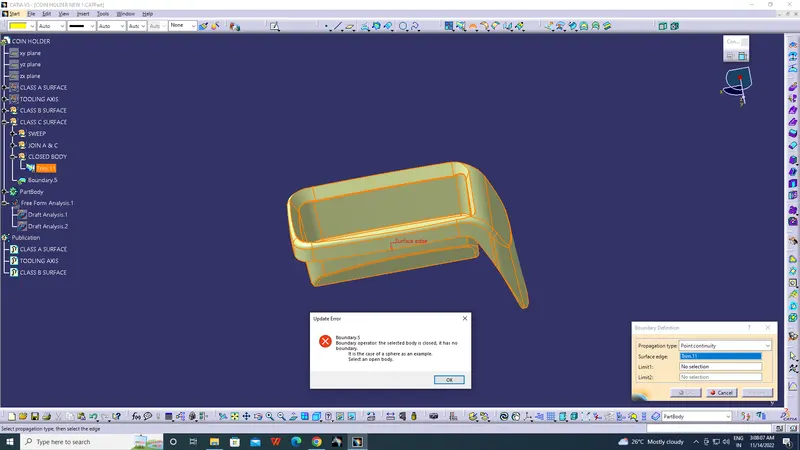
- Join all the Swept surfaces along with the Class B Surface.
- The Final trim should be one single Surface Entity without any gaps.
- Join the Final Trim Surface with the Class A surface to obtain the final enclosed Surface for the Coin Holder.
Step 7:
Perform Draft Analysis on the Final Closed Surface:
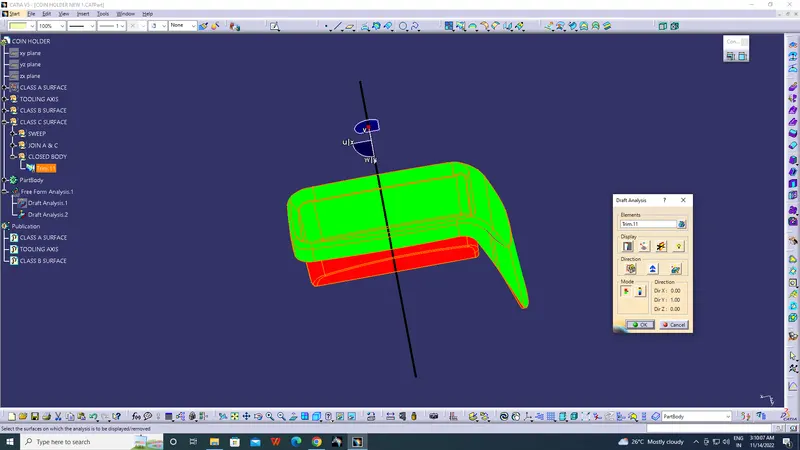
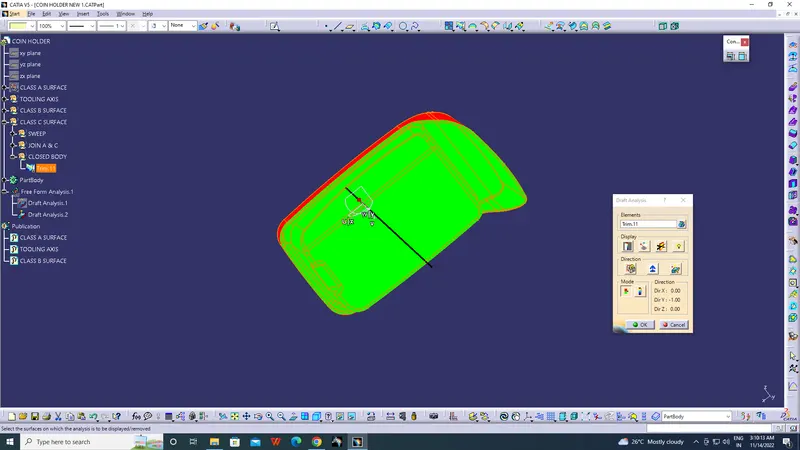
- Change View Mode Customization to Material mode
- Go to INSERT ---> ANALYSIS ---> FEATURE DRAFT ANALYSIS and move the compass to the Tooling Axis.
- Change the range to 2.9º.
- The final surface Draft analysis also does not pass since the class A contained Parallel walls and walls without draft.
- This component will be costly to manufacture or may even fail causing loss in Time and Cost.
Step 8:
Create a Closed Body Part from Final Closed Surface:
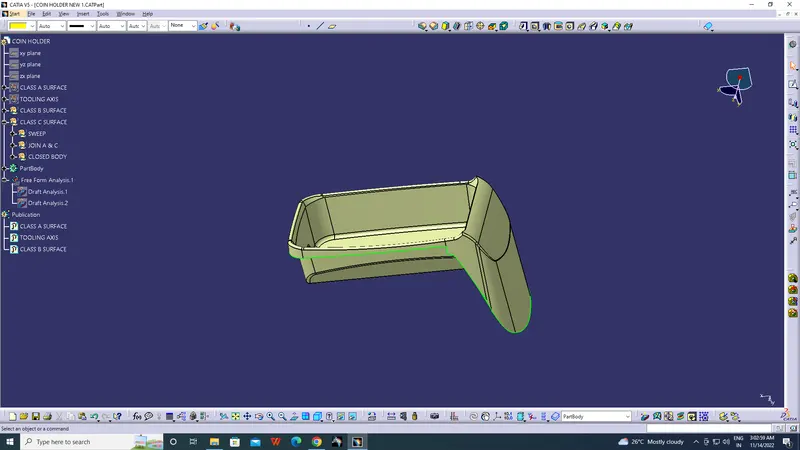
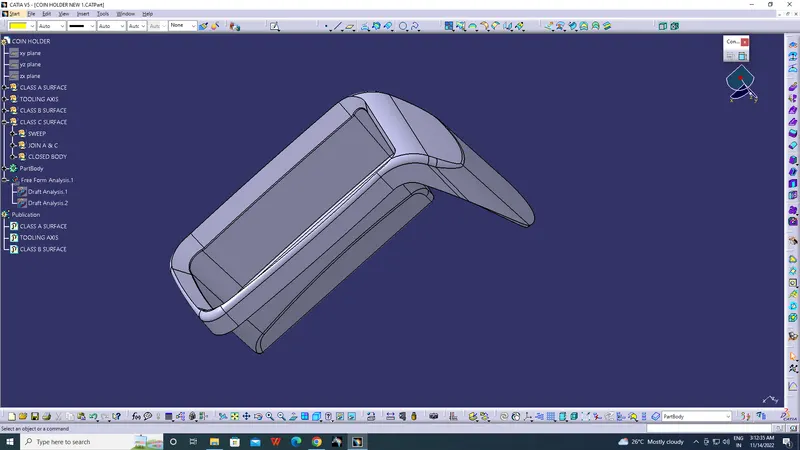
- Switch to Part Design Workbench and use Closed Surface option to create a Solid Part from the final obtained surfaces.
- The part created is the required Coin Holder designed from a Class A.
- The solid Part is obtained.
Conclusion:
The Design of Automotive Plastic Component – Center Console Coin Holder from Class A is completed using concepts of Draft angle, Draft Analysis for Class A and Final enclosed surface, Tooling Axis creation and implementation, Class B and Class C creation and conversion to a solid part.