Week 8 - Challenge 1 - Draft Analysis on a Fan Cover
Challenge - Draft Analysis on a Fan Cover
Create the tooling axis for the given Fan cover model meeting the requirements of the draft angle and perform the Draft analysis on the model.
Understanding Draft for Plastic products
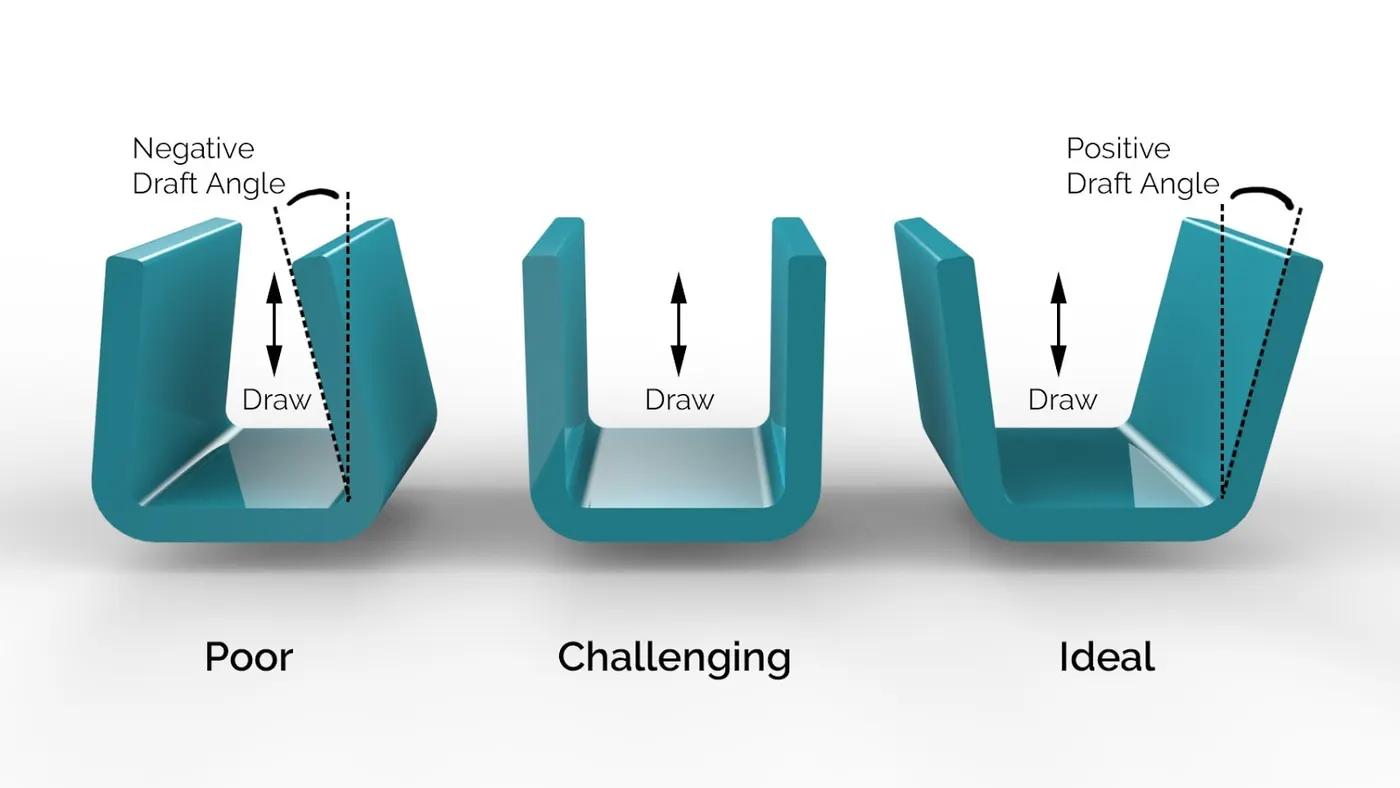
When developing parts for plastic injection molding, applying draft (or a taper) to the faces of the part is critical to improving the moldability of your part. Without it, parts run the risk of poor cosmetic finishes, and may bend, break, or warp due to molding stresses caused by the plastic cooling. Equally important, an absence of draft may prevent parts from ejecting from the mold, damaging not only the parts, but possibly the mold itself—a costly and time-consuming detour. Generally 3 degree draft is provided for smoot operations.
Draft Analysis on a Fan Cover using Catia v5
1. Creating the tooling axis
Create Class A surface using the skin file of the fan cover.
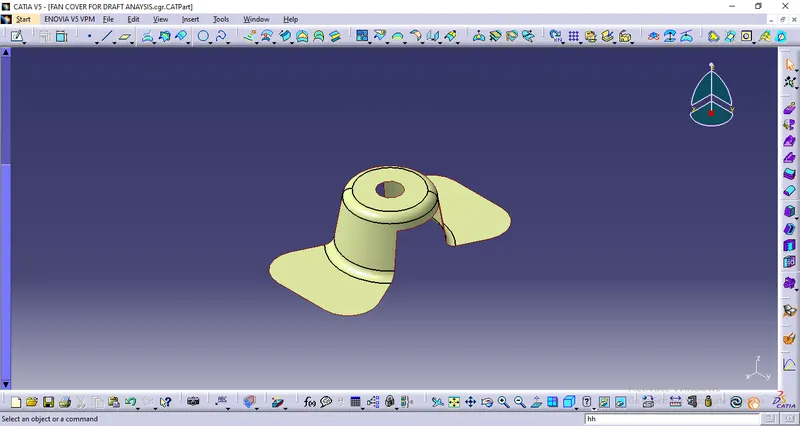
Check for any gap in class A surface using boundary
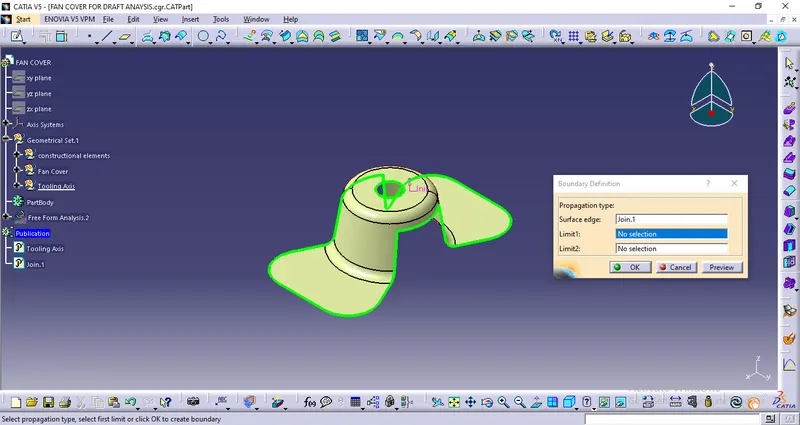
Crete a center point
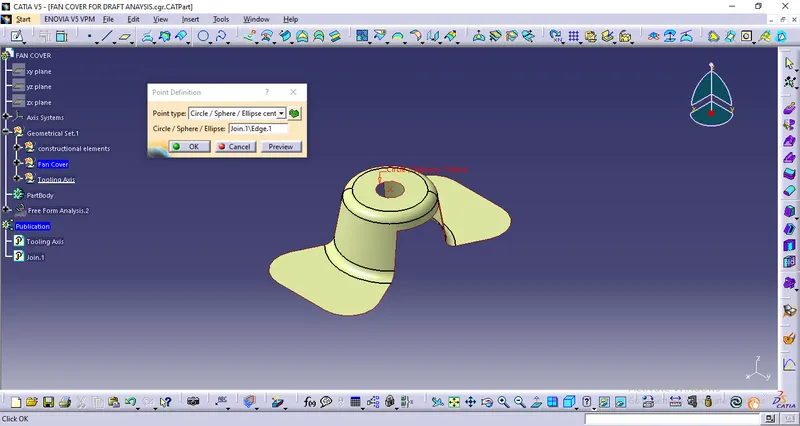
Create a dummy tooling direction
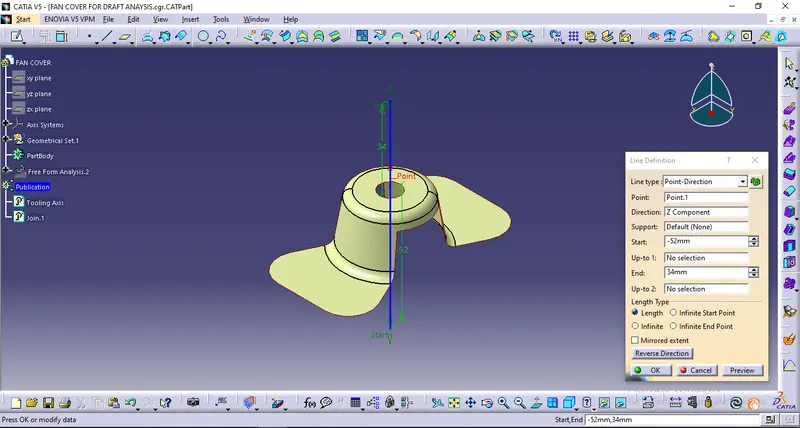
- On the basis of visual study create an appropriate dummy tooling direction using center point.
Intersect the class A with XZ plane
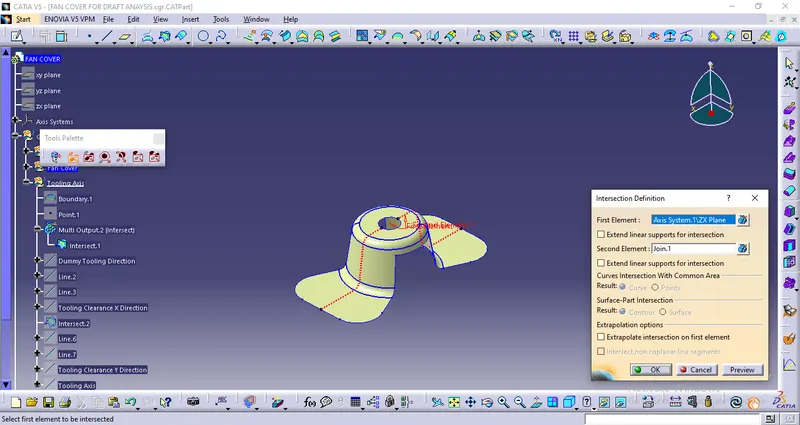
Create Tooling clearance in X direction
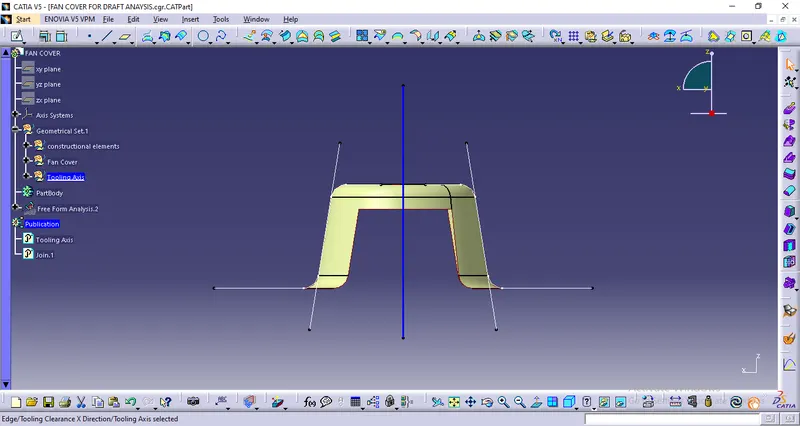
- Using the intersect curves draw lines on the edges of the body
- Using these two lines, create a bisecting line (Tooling clearance in x direction)
Intersect the class A with YZ plane
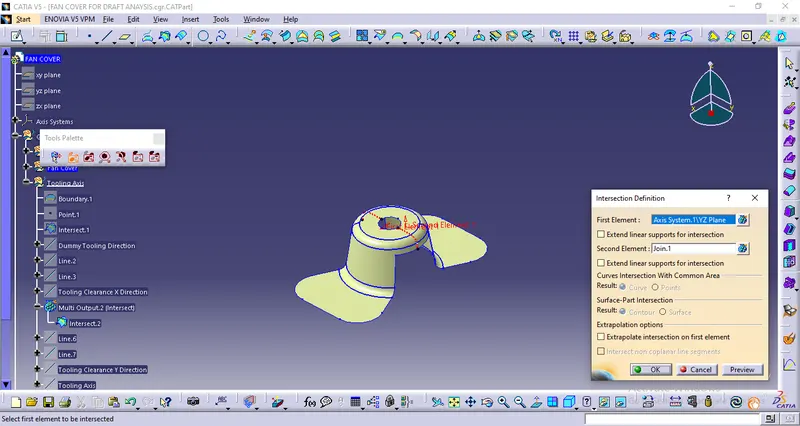
Create Tooling clearance in Y direction
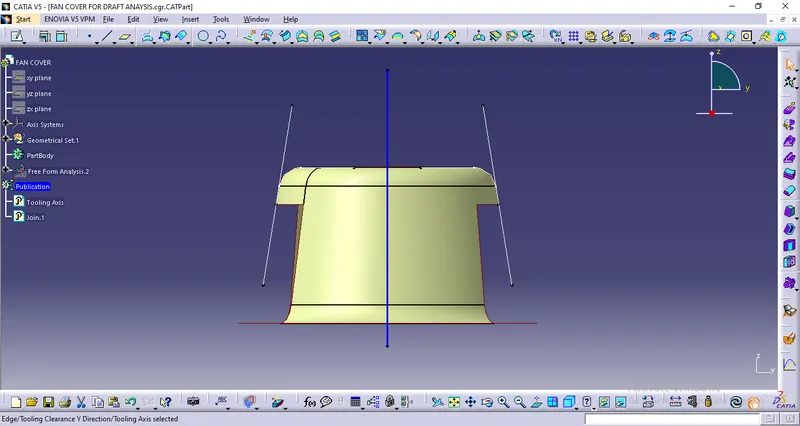
- Using the intersect curves draw lines on the edges of the body
- Using these two lines, create a bisecting line (Tooling clearance in Y direction)
Create the final Tooling Axis
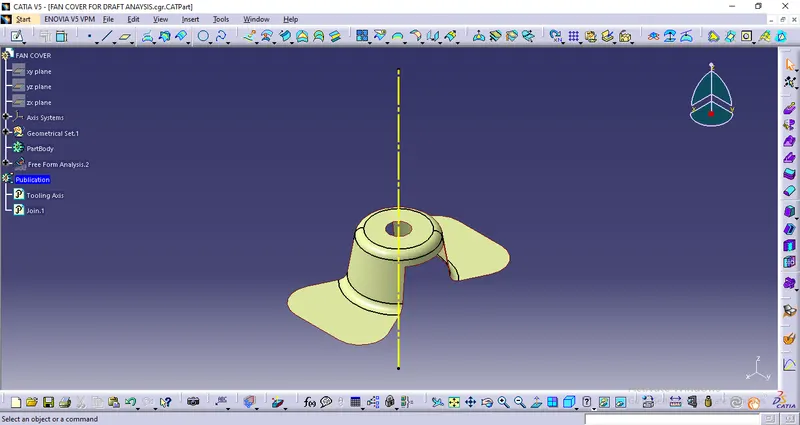
- Using both the clearance lines in X & Y direction and create the bisecting line (Tooling Axis).
- Publish the class A surface as well as tooling axis for convinience.
2. Draft Alanysis
Use the tooling direction
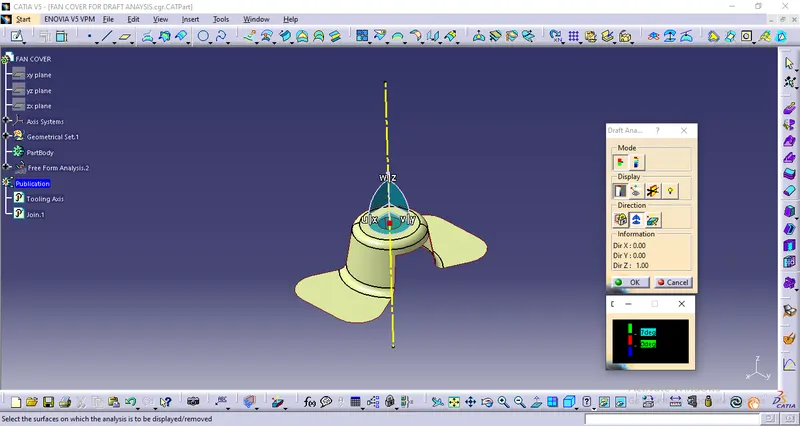
- Set the compass in the tooling direction.
Conduct draft analysis
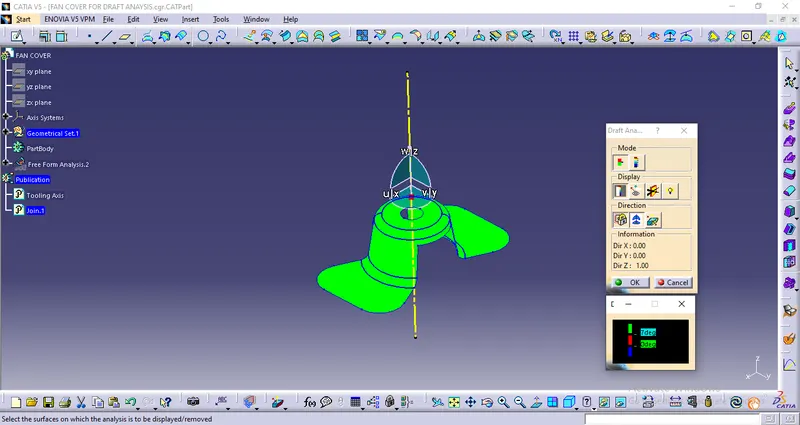
- Analyze at 7 degree required draft.
Check draft angle for different regions
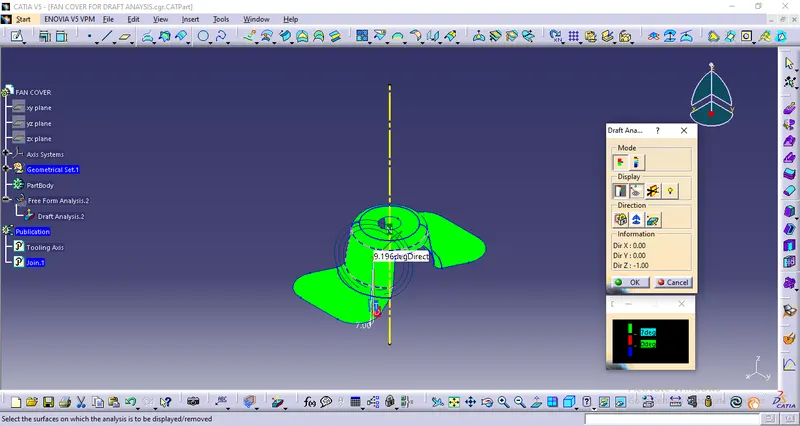
- Using analyse under the running point to check the draft at different region of the model.
As the model lies in green zone in the draft analysis which suggests that all faces have minimum 7 degree draft angle, which further makes the part manufacturable.