Week 8 - BlockMesh Drill down challenge
BLOCKMESH DRILL DOWN CHALLENGE: In this challenge, I am going to simulate the flow through the backward-facing step by using the blocks in icoFoam solver and postprocessing the results of the velocity profile at 0.085m from the starting point of the blocks.
There are 10 blocks in total and these are constructed using nodal points of the X, Y, Z-axis. The number of cells in X, Y, and Z direction are 200, 10, and 1. These numbers are mentioned in detail in the following code.
|--------------------------------------------------------------------------------------------------------------------------------------------------------------------------|
The below code is called blockMeshDict. This code is designed to hold the dimensional units, vertices, edges, and boundaries of the design. First, we proceed with simpleGrading (1 1 1).
|______________________________________________________________________________________________________|
/*--------------------------------*- C++ -*----------------------------------*\
========= |
\\ / F ield | OpenFOAM: The Open Source CFD Toolbox
\\ / O peration | Website: https://openfoam.org
\\ / A nd | Version: 8
\\/ M anipulation |
\*---------------------------------------------------------------------------*/
FoamFile
{
version 2.0;
format ascii;
class dictionary;
object blockMeshDict;
}
// * * * * * * * * * * * * * * * * * * * * * * * * * * * * * * * * * * * * * //
convertToMeters 0.1;
vertices
(
(0 0 0) //0
(8 0 0) //1
(8 0.5 0) //2
(0 0.5 0) //3
(8 1 0) //4
(0 1 0) //5
(20 1 0) //6
(20 0.5 0) //7
(20 0 0) //8
(20 -1 0) //9
(8 -1 0) //10
(0 0 0.1) //11
(8 0 0.1) //12
(8 0.5 0.1) //13
(0 0.5 0.1) //14
(8 1 0.1) //15
(0 1 0.1) //16
(20 1 0.1) //17
(20 0.5 0.1) //18
(20 0 0.1) //19
(20 -1 0.1) //20
(8 -1 0.1) //21
);
blocks
(
hex (0 1 2 3 11 12 13 14) (200 10 1) simpleGrading (1 1 1)
hex (3 2 4 5 14 13 15 16) (200 10 1) simpleGrading (1 1 1)
hex (2 7 6 4 13 18 17 15) (200 10 1) simpleGrading (1 1 1)
hex (1 8 7 2 12 19 18 13) (200 10 1) simpleGrading (1 1 1)
hex (10 9 8 1 21 20 19 12) (200 10 1) simpleGrading (1 1 1)
);
edges
(
);
boundary
(
inlet
{
type patch;
faces
(
(0 11 14 3)
(3 14 16 5)
);
}
outlet
{
type patch;
faces
(
(9 8 19 20)
(8 7 18 19)
(7 6 17 18)
);
}
frontandBack
{
type empty;
faces
(
(0 3 2 1)
(3 5 4 2)
(10 1 8 9)
(1 2 7 8)
(2 4 6 7)
(11 12 13 14)
(14 13 15 16)
(21 20 19 12)
(12 19 18 13)
(13 18 17 15)
);
}
Noslipwalls
{
type wall;
faces
(
(5 16 15 4)
(4 15 17 6)
(0 1 12 11)
(10 21 12 1)
(10 9 20 21)
);
}
);
mergePatchPairs
(
);
// ************************************************************************* //
|--------------------------------------------------------------------------------------------------------------------------------------------------------------------------|
Pressure Boundary Conditions:
|______________________________________________________________________________________________________|
/*--------------------------------*- C++ -*----------------------------------*\
========= |
\\ / F ield | OpenFOAM: The Open Source CFD Toolbox
\\ / O peration | Website: https://openfoam.org
\\ / A nd | Version: 8
\\/ M anipulation |
\*---------------------------------------------------------------------------*/
FoamFile
{
version 2.0;
format ascii;
class volScalarField;
object p;
}
// * * * * * * * * * * * * * * * * * * * * * * * * * * * * * * * * * * * * * //
dimensions [0 2 -2 0 0 0 0];
internalField uniform 0;
boundaryField
{
inlet
{
type zeroGradient;
}
outlet
{
type fixedValue;
value uniform 0;
}
Noslipwalls
{
type zeroGradient;
}
frontAndBack
{
type empty;
}
}
// ************************************************************************* //
|--------------------------------------------------------------------------------------------------------------------------------------------------------------------------|
Velocity Boundary Conditions:
|______________________________________________________________________________________________________|
/*--------------------------------*- C++ -*----------------------------------*\
========= |
\\ / F ield | OpenFOAM: The Open Source CFD Toolbox
\\ / O peration | Website: https://openfoam.org
\\ / A nd | Version: 8
\\/ M anipulation |
\*---------------------------------------------------------------------------*/
FoamFile
{
version 2.0;
format ascii;
class volVectorField;
object U;
}
// * * * * * * * * * * * * * * * * * * * * * * * * * * * * * * * * * * * * * //
dimensions [0 1 -1 0 0 0 0];
internalField uniform (0 0 0);
boundaryField
{
inlet
{
type fixedValue;
value uniform (1 0 0);
}
outlet
{
type zeroGradient;
}
Noslipwalls
{
type noSlip;
frontAndBack
{
type empty;
}
}
// ************************************************************************* //
|--------------------------------------------------------------------------------------------------------------------------------------------------------------------------|
ControlDirecotry: In this code we give number of timesteps, starting time, ending time and deltaT values to start the solver.
|______________________________________________________________________________________________________|
/*--------------------------------*- C++ -*----------------------------------*\
========= |
\\ / F ield | OpenFOAM: The Open Source CFD Toolbox
\\ / O peration | Website: https://openfoam.org
\\ / A nd | Version: 8
\\/ M anipulation |
\*---------------------------------------------------------------------------*/
FoamFile
{
version 2.0;
format ascii;
class dictionary;
location "system";
object controlDict;
}
// * * * * * * * * * * * * * * * * * * * * * * * * * * * * * * * * * * * * * //
application icoFoam;
startFrom startTime;
startTime 0;
stopAt endTime;
endTime 0.5;
deltaT 0.00001;
writeControl timeStep;
writeInterval 20;
purgeWrite 0;
writeFormat ascii;
writePrecision 6;
writeCompression off;
timeFormat general;
timePrecision 6;
runTimeModifiable true;
// ************************************************************************* //
|--------------------------------------------------------------------------------------------------------------------------------------------------------------------------|
TransportProperties:
|______________________________________________________________________________________________________|
/*--------------------------------*- C++ -*----------------------------------*\
========= |
\\ / F ield | OpenFOAM: The Open Source CFD Toolbox
\\ / O peration | Website: https://openfoam.org
\\ / A nd | Version: 8
\\/ M anipulation |
\*---------------------------------------------------------------------------*/
FoamFile
{
version 2.0;
format ascii;
class dictionary;
location "constant";
object transportProperties;
}
// * * * * * * * * * * * * * * * * * * * * * * * * * * * * * * * * * * * * * //
nu [0 2 -1 0 0 0 0] 0.01;
// ************************************************************************* //
Results of the above program.
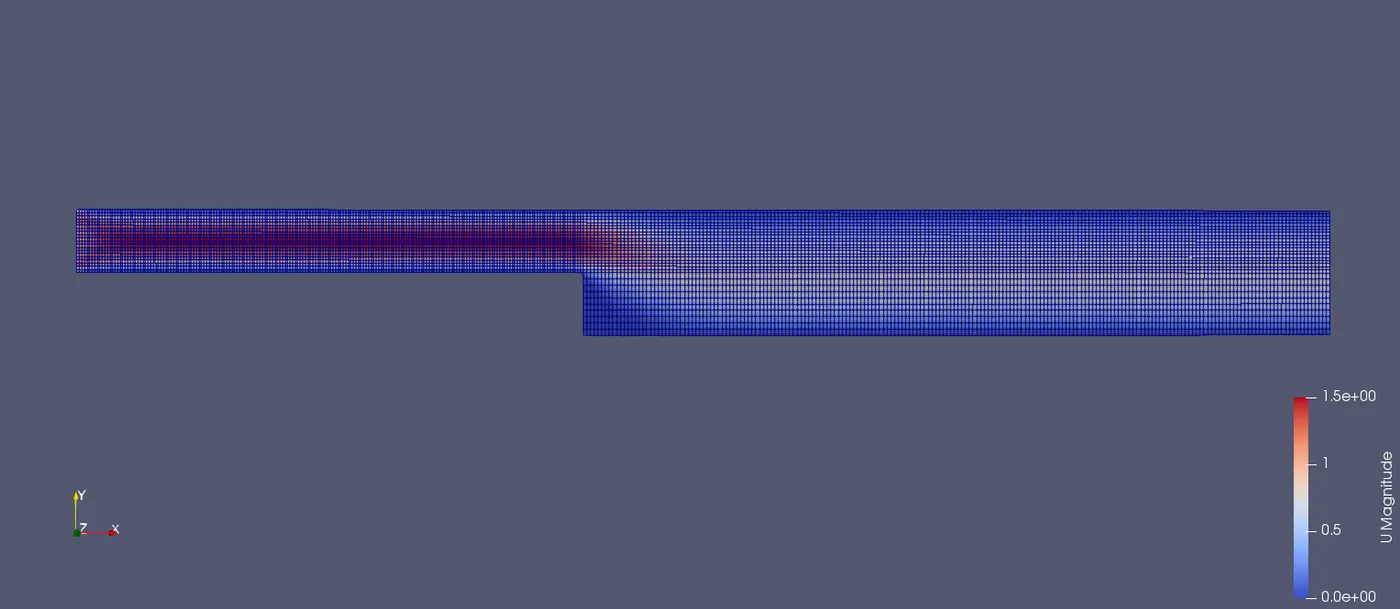
The below picture is the results of blockMeshDict. The blue lines represent the number of cell points in all the three directions and the distance between them is given by simpleGrading.
As we gave the simpleGrewading values (x y z) = ( 1 1 1) the cells are equally distributed
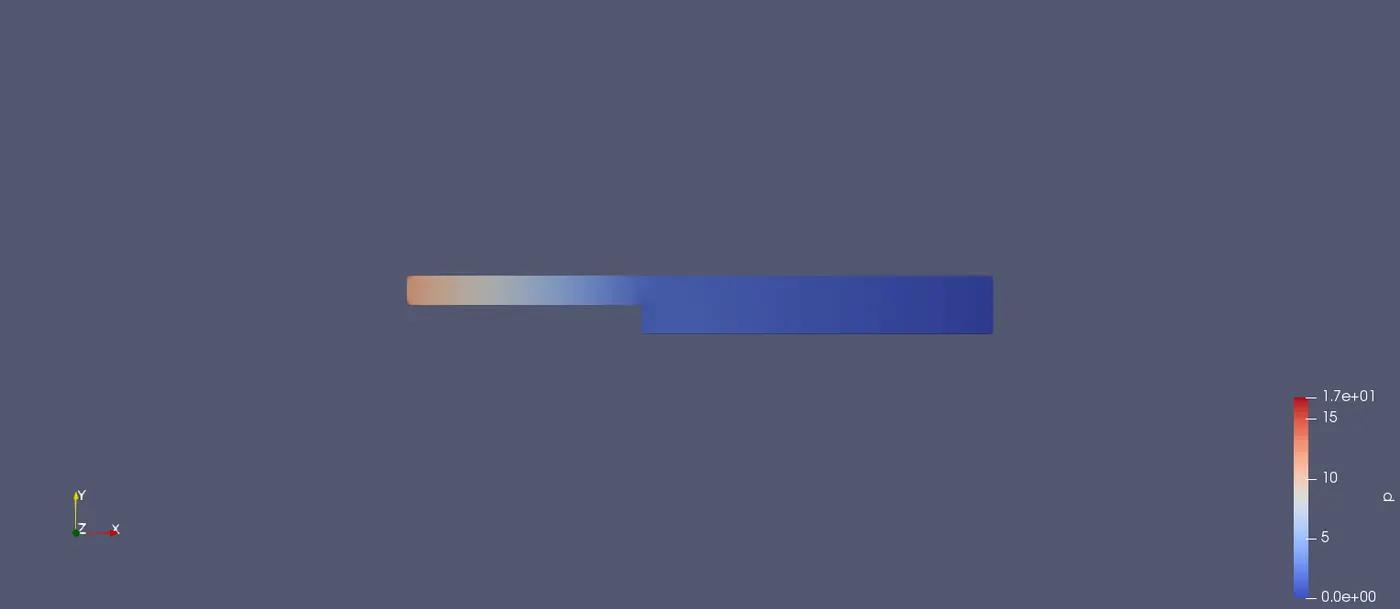
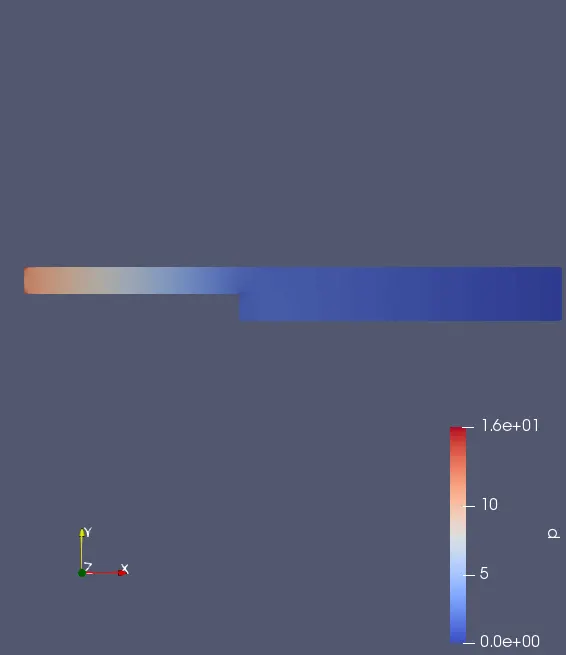
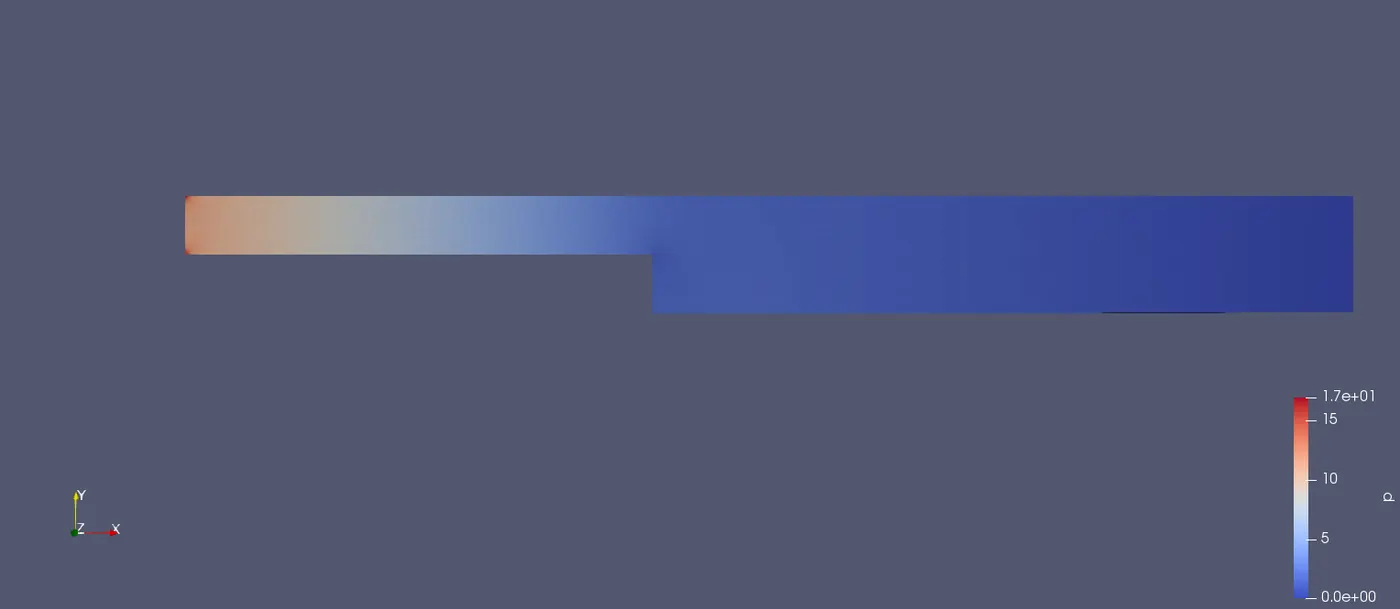
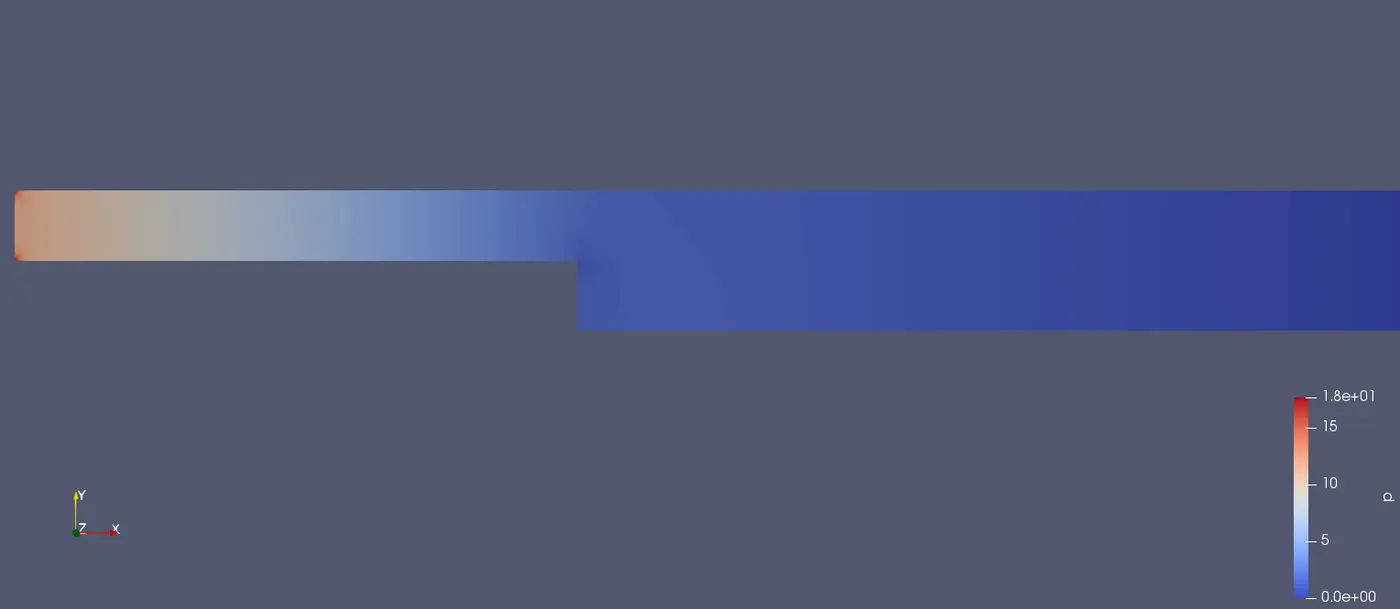
This picture represents the pressure distribution(cd 0/ p) all over the body and we can observe that the pressure at the inlet is greater than the pressure at the outlet.
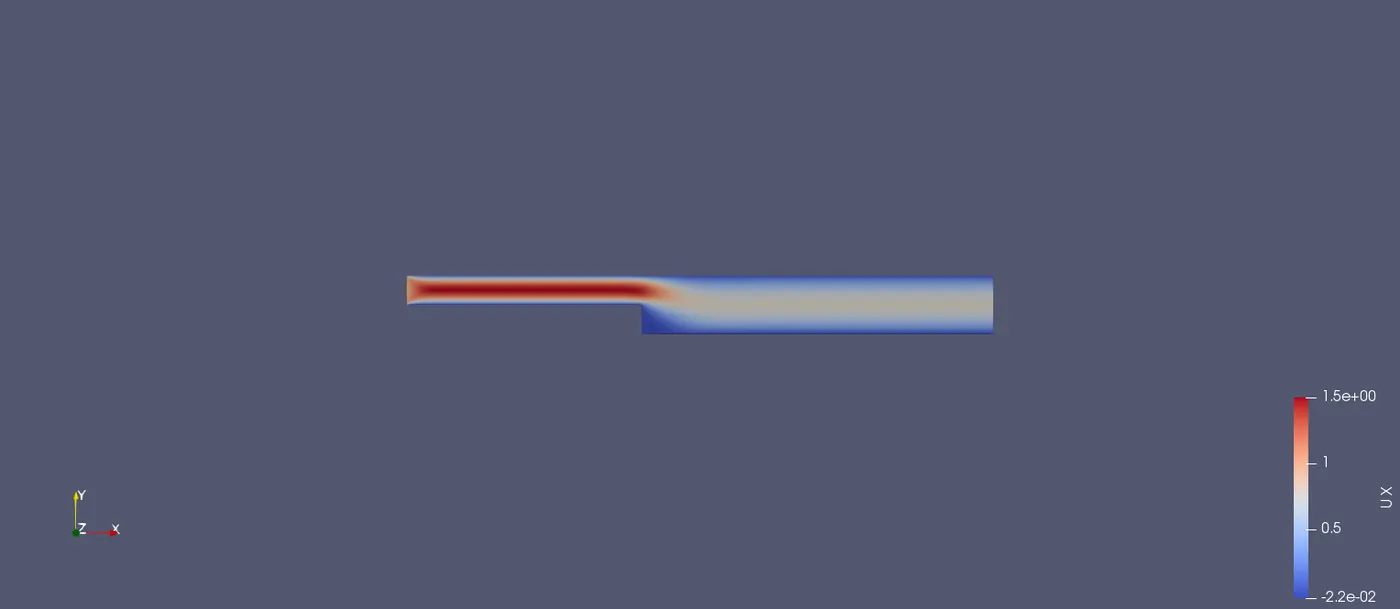
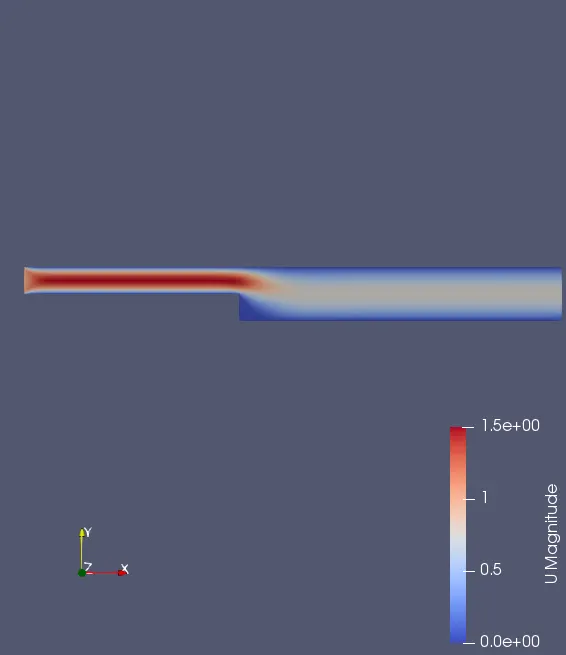
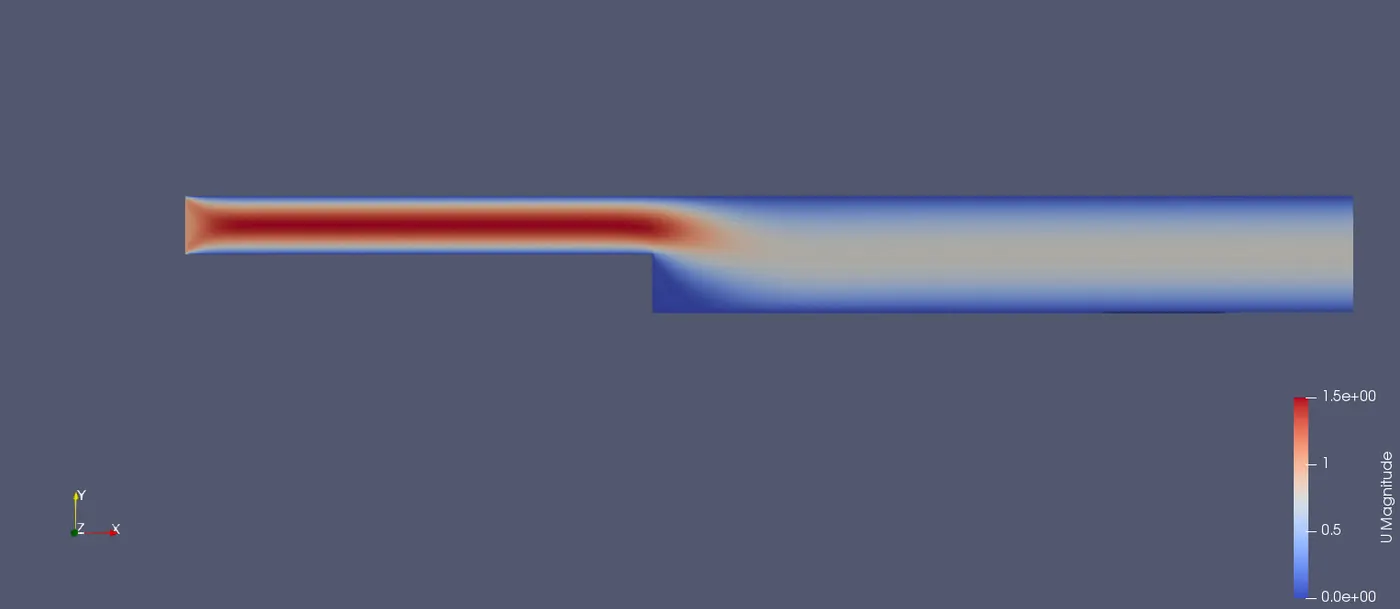
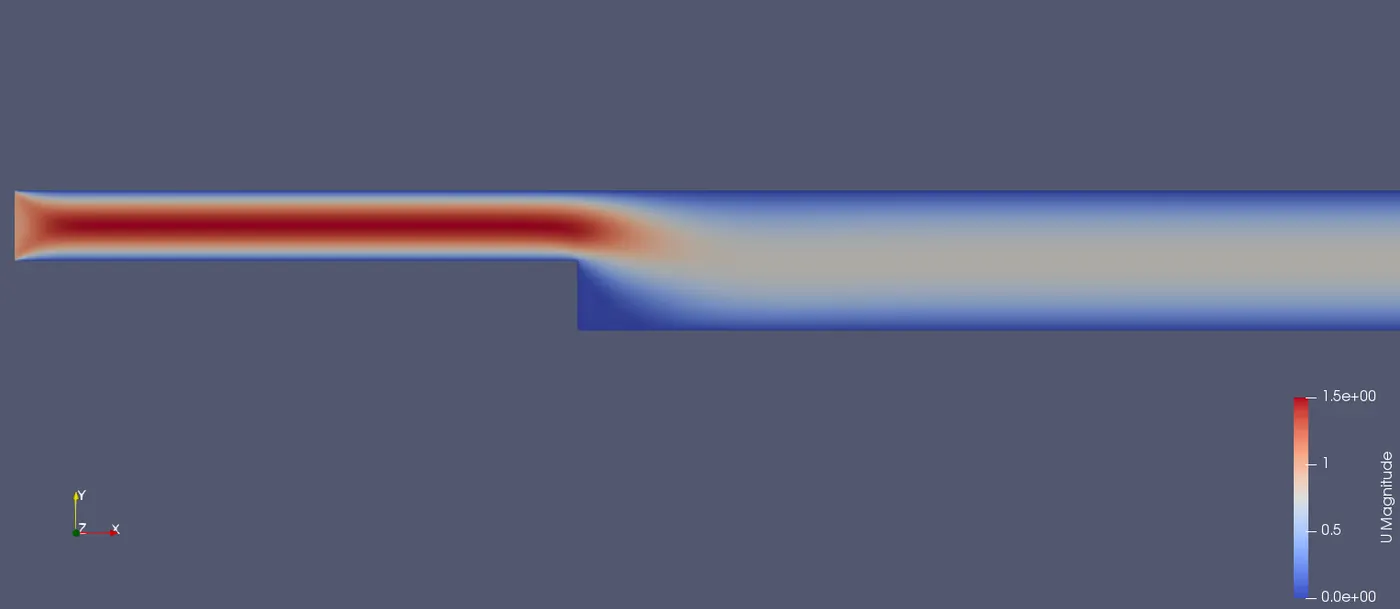
This picture represents the Velocity distribution (cd 0/ U) and here the velocity is greater at the inlet when compared to the outlet velocity. This is also due to the size of the inlet.
______________________________________________________________________________________________________________________
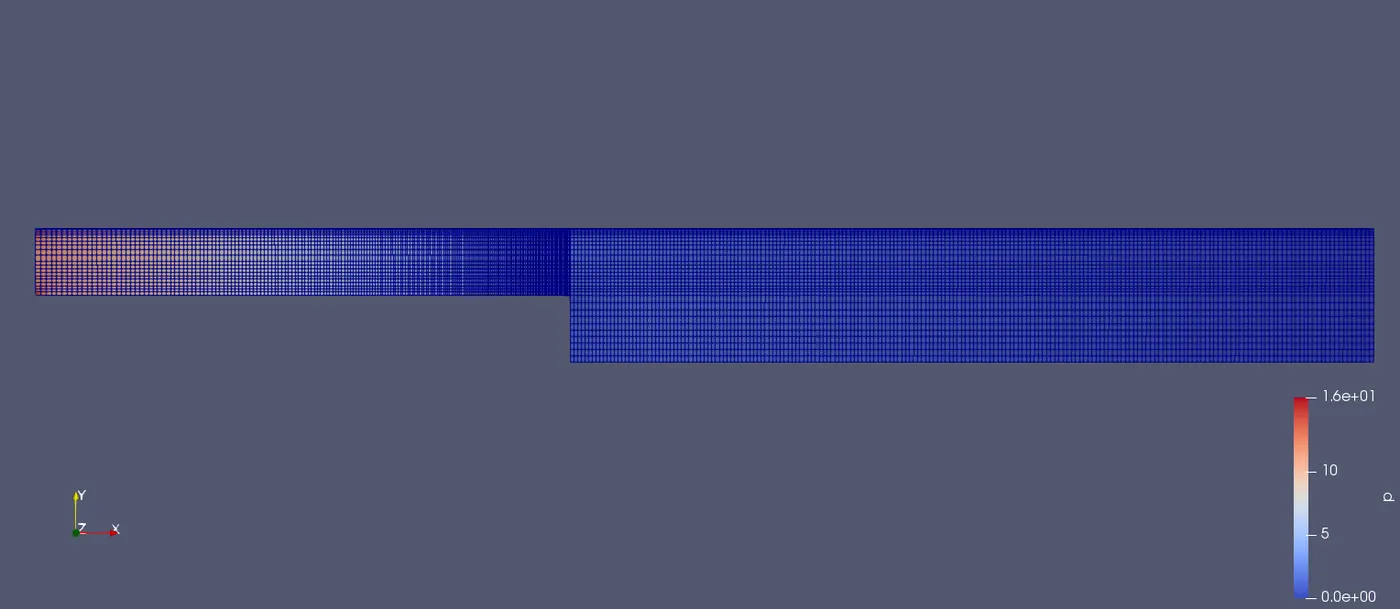
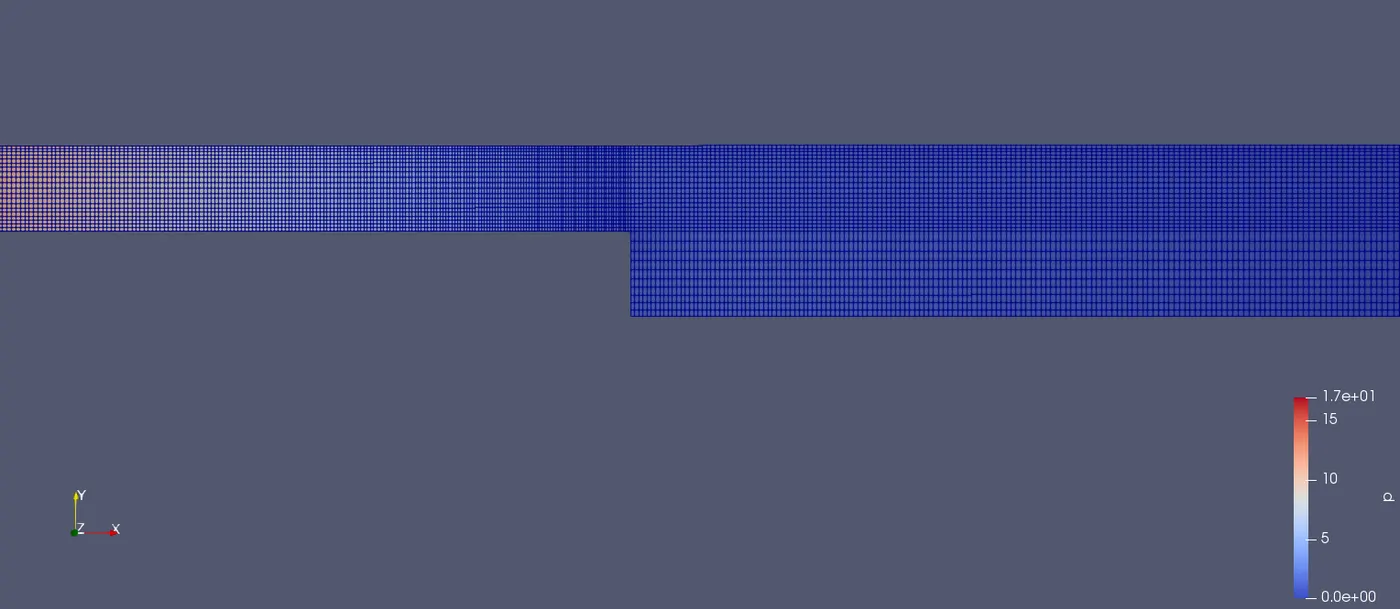
Results of blockmesh when simpleGrading is set using 0.2:
From the below picture we can observe that at certain place the cell points are very close and this space is increasing in the next cell. This is due to the values we gave in the simpleGrading in each block.
SimpleGrading 0.8:
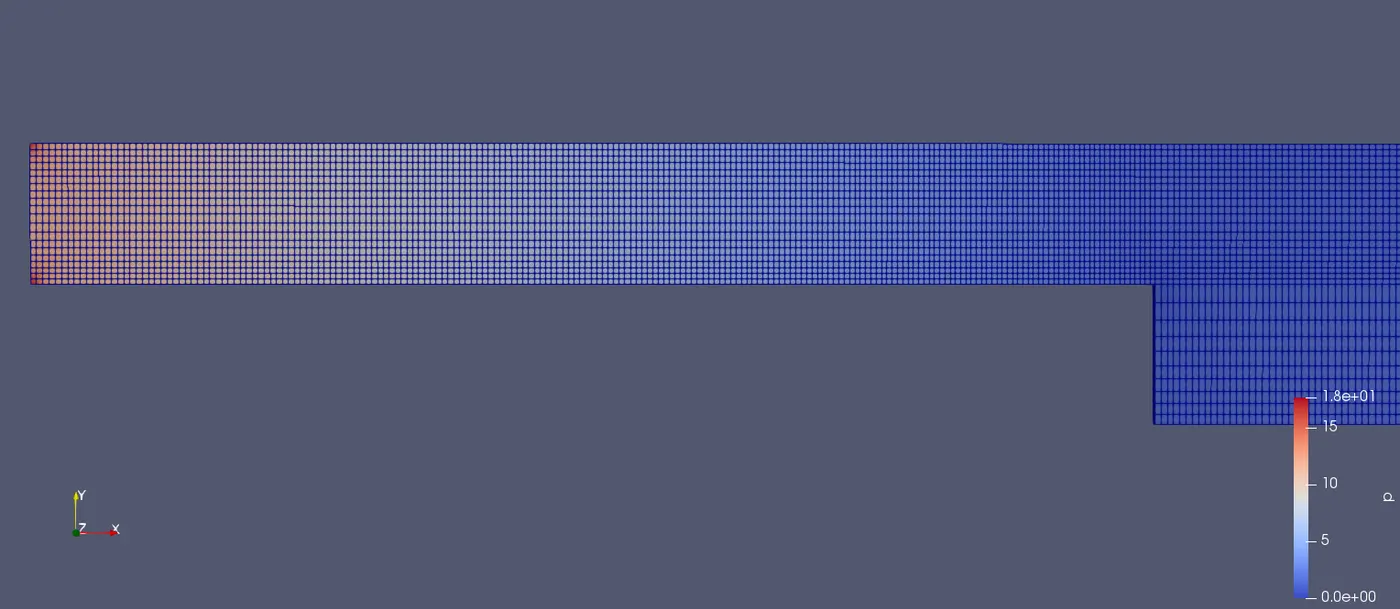
For better representation, I have cropped the picture a little closer to the inlet. This is to represent the mesh size because we have to take grading size as 0.8 which very small and from a long distance this seems to be crossed lines and merged lines.
CONCLUSION:
- The major purpose of the different simpleGrading is to show how the cell size varies.
- The number of cells in the mesh plays a prominent role in the solver. The higher the number of cells the greater the output.
- The simpleGrading is a very great tool we can increase the number of cells or grid points at important locations like inlet throat and other regions and neglecting the other place. This saves the iteration time and gives accurate results.