Week 8-3D Tetra Meshing Challenge
MODEL 1 - 2D to 3D Conversion Method
AIM:
- To Create a Teramesh for Housing component with the following quality criteria by following TetraMesh Generation Method: 2D to 3D Conversion.
PROCEDURE:
- CAD SET UP
- CAD Geometry
- Model Clean Up
- 3D CAD MODELING
- Meshing
- BOUNDRY CONDITIONS SETUP
- Load Cases
- Final check for the Quality of elements
PREPERATION OF MODEL FOR MESHING:
IMPORTING THE MODEL
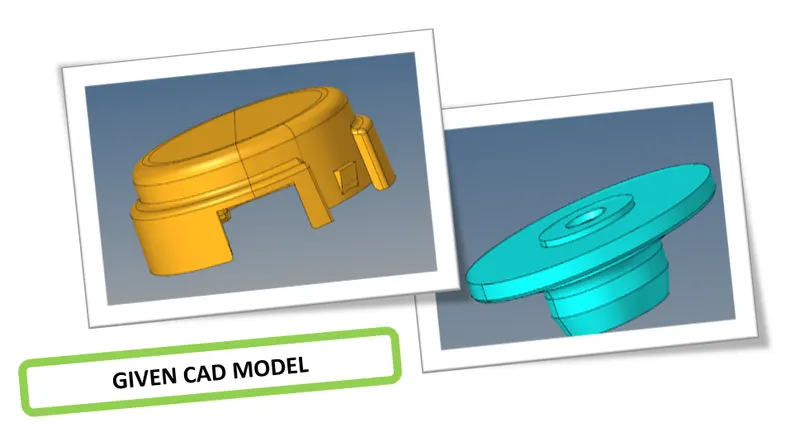
figure - Given CAD model
- Now it is time to Geometry Cleanup, to generate FEM we clean up the geometry
- Surface patch up, creating new surfaces, eleminating of triple cons in unwanted area, converting single cons to double cons in necessary area are comes under geometry cleanup phase.
Steps to be followed before meshing
QUALITY CRITERIA:
- Every product which is been produced will go through the set of quality check.
- If quality check Fails other steps like Boundry Conditions & applying loads will not be feasible, So element quality check is an Important.
- Now, We have to set the Quality criteria properly as per the given requirements using (Menu Bar --> Preferences --> Criteria File settings)
- Element sizes : Min - 2 Units, Target - 5 Units, Max - 7 Units
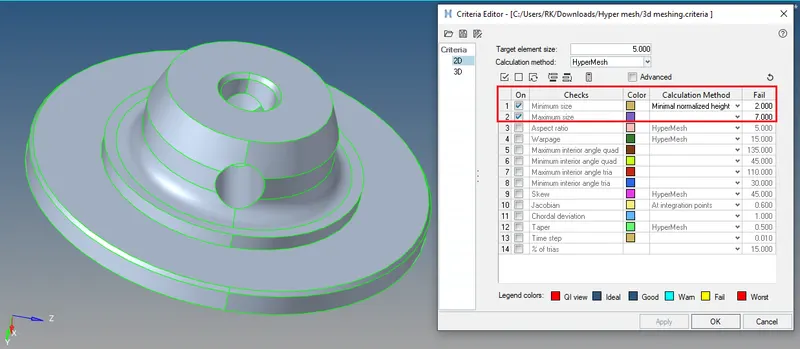
figure - Quality Criteria Tab
- Here in Tetra modelling, we have to Consider only for minimum & max. length in shells criteria and to Consider the Tet collapse in Solids criteria (Tet collapse value - 0.15 mm)
MESH CREATION:
Process of Meshing
- Definite element size.
- Choose types of element.
- Shell mesh (2D - tria & quad)
- Various methods.
- Surface less meshing.
- Solid mesh
- Tetra mesh ( Unstructured mesh).
- Hexa mesh ( Structured mesh).
- Quality cruteria check.
- Remesh - Quality improvement.
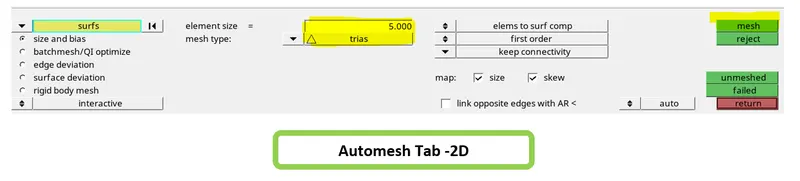
- Surface meshing has been performed for both component considering the min. & max. quality criterias using (main menu --> 2D page --> auto mesh)
- To solve 2D element failure go to --> 2D --> Quality index --> Clean up tools.
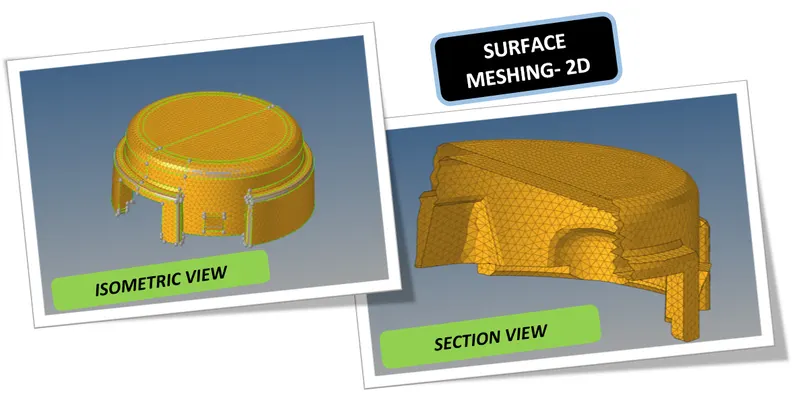
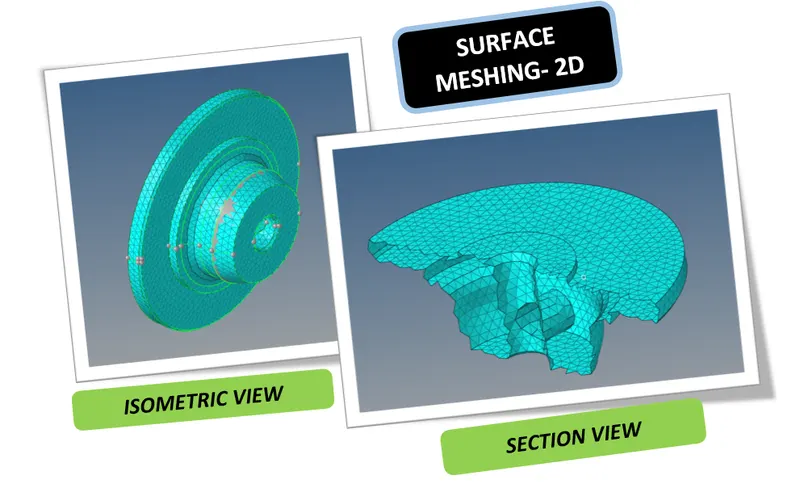
figure - Surface mesh - 2D (Isometric & Section view)
2D Shell mesh coverting to 3D Solid mesh
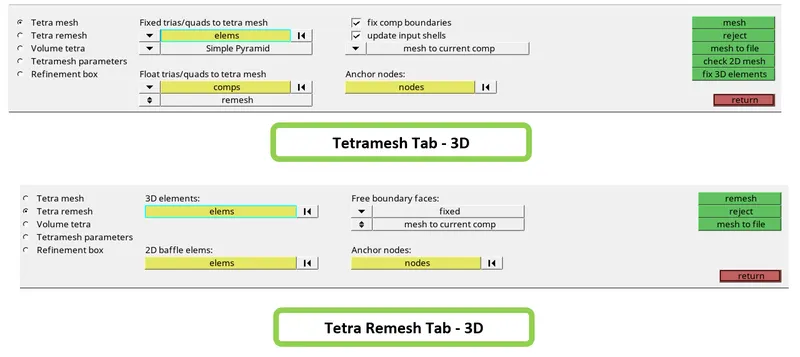
- Tetra meshing has been performed using, (3D --> Tetramesh)
- To solve tet collapse GO to --> 3D --> Tetramesh --> Tetraremesh.
- Change the Tetra remesh parameters if needed.
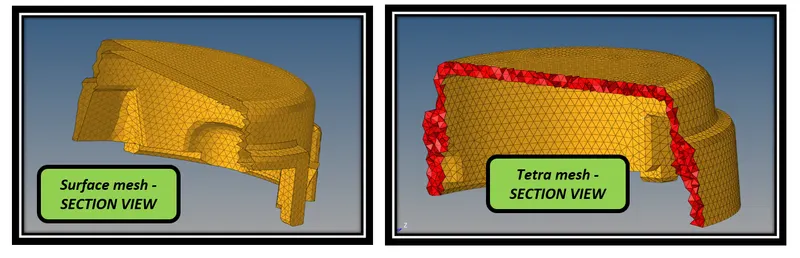
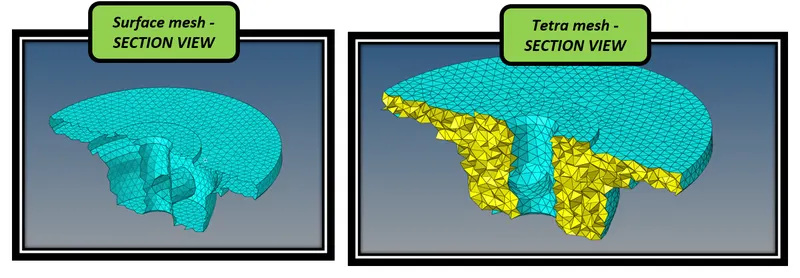
figure - Surface mesh - 3D Tetra mesh ( Section view)
- Tetra elements has been created as per our requirement.
FINAL RESULT:
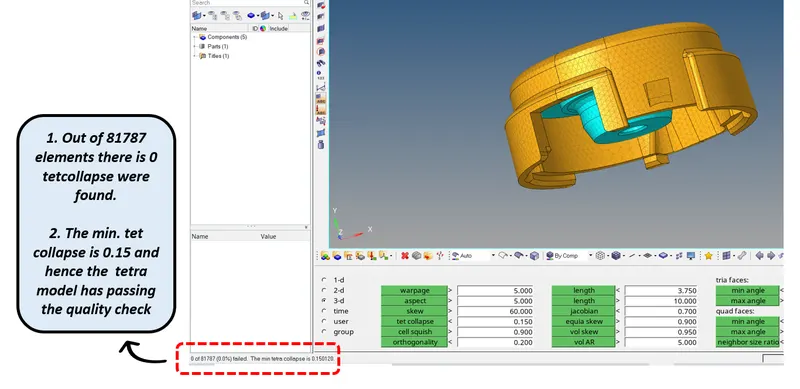
- As per our objective finally 'Zero' Tet collapse achived
MODEL 2 - QUICK TETRA MESH METHOD
AIM:
To Create a Teramesh for the given model, by following quick tetramesh method with the following quality criteria.
IMPORTING THE MODEL
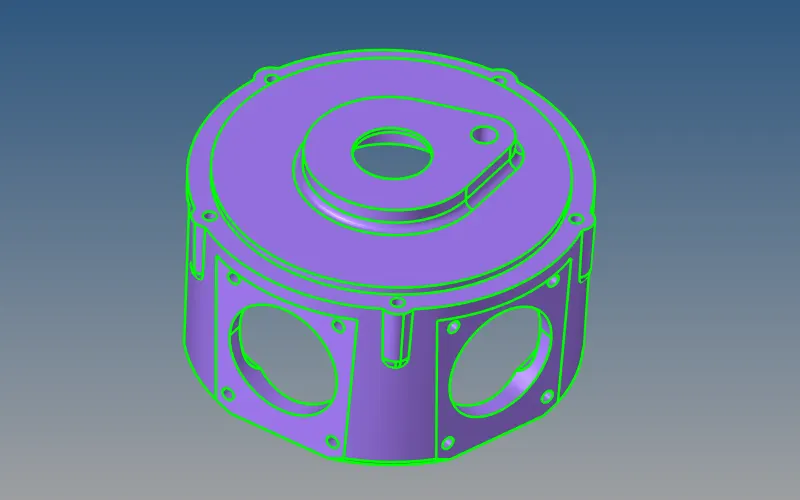
figure - Given CAD model
PROCEDURE:
Quick Tetra mesh
- Quick Tetra mesh is a direct method to mesh without performing surface mesh manually.
- By performing Quick tetra mesh it automatically performs surface mesh first then it performs the Tetra mesh.
- This method is used when there is no importance given to the quality criteria.
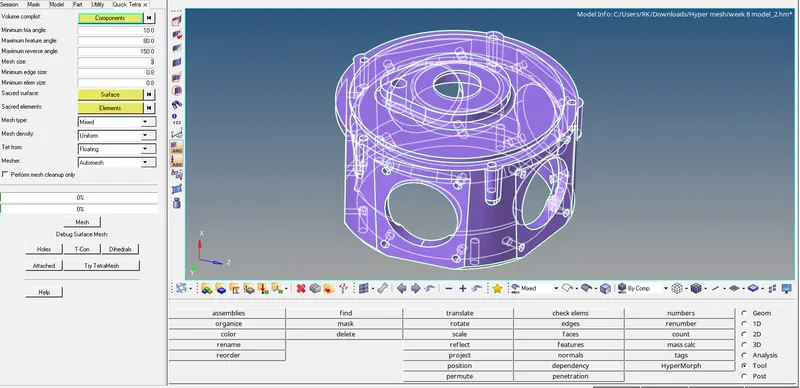
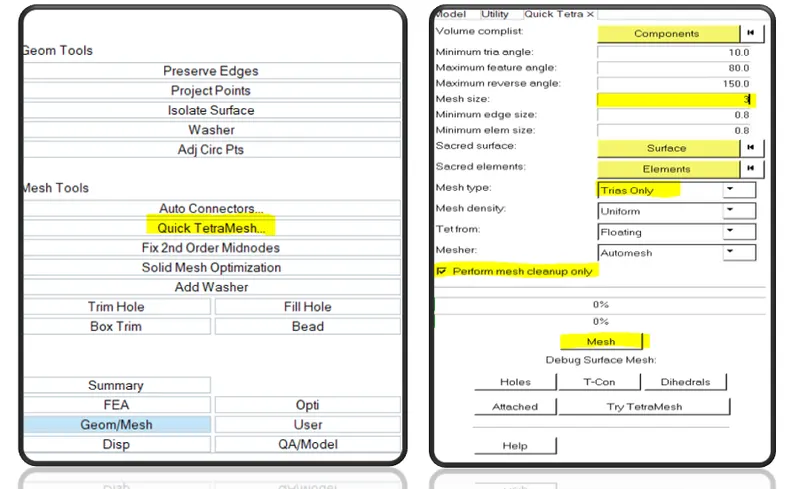
figure - Quick tetra Tabs
- We can do the Quick Tetra mesh using the utility panel which present in (Menu Bar --> View ---> Browser --> Hypermesh ---> Utility)
- Under utility ---> GO to Geometry/mesh ---> Quick tetra mesh as shown above
- Now perform the Meshing as shown in the above image
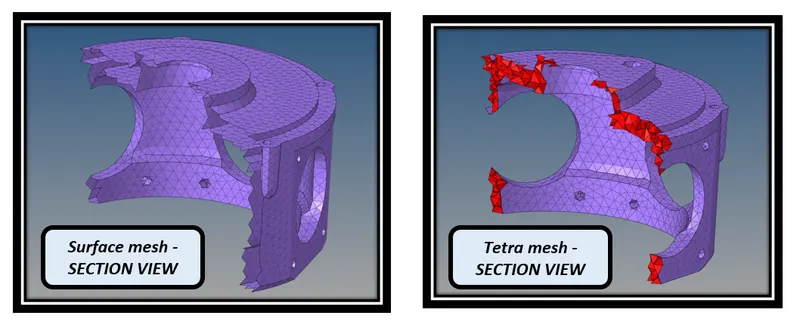
figure - Solid and Surface mesh - 3D Tetra mesh (Section view)
FINAL RESULT:
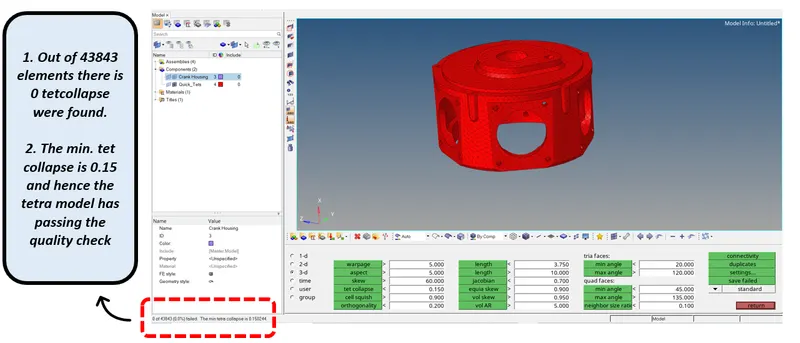
- As per our objective finally 'Zero' Tet collapse achived.
MODEL 3 - VOLUME TETRA METHOD
AIM:
To Create a Teramesh for the given assembly model, by 3D Volume Tetramesh method with the following Quality criteria.
IMPORTING THE MODEL
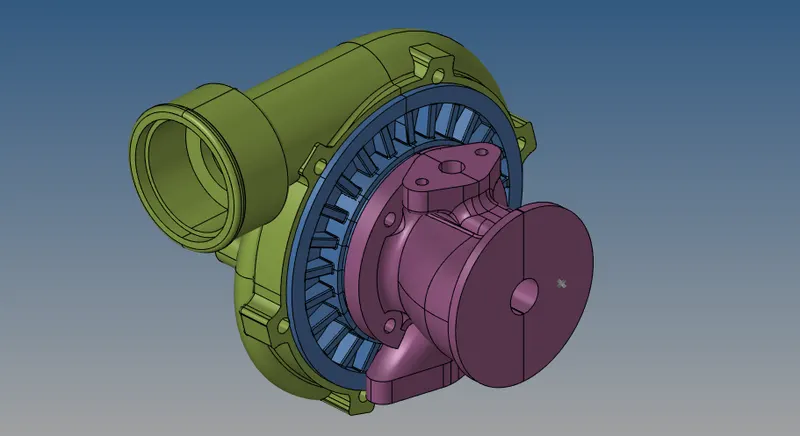
figure - Given CAD model
Volume Tetra mesh
- In this model Volume mesh option used to create the meshing using the option
- GO TO ---> 3D --> Tetra mesh --> Volume tetra mesh.
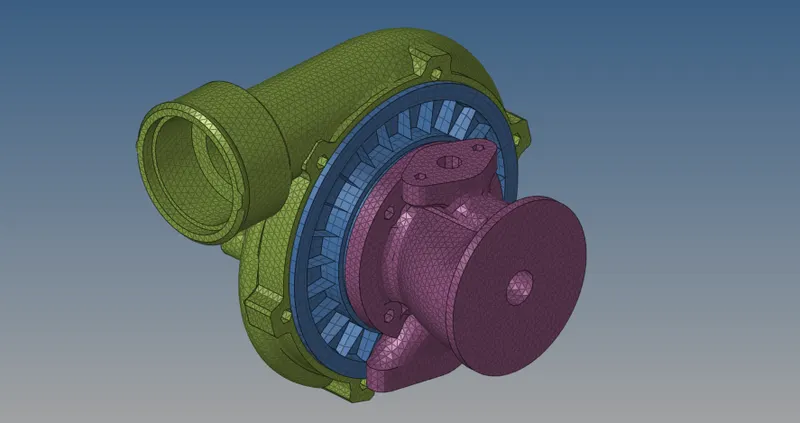

figure - Volume meshing
VOLUME MESH
- Volume mesh is a direct method to mesh without performing surface mesh.
- We can directly mesh on the Solids/Parent geometry
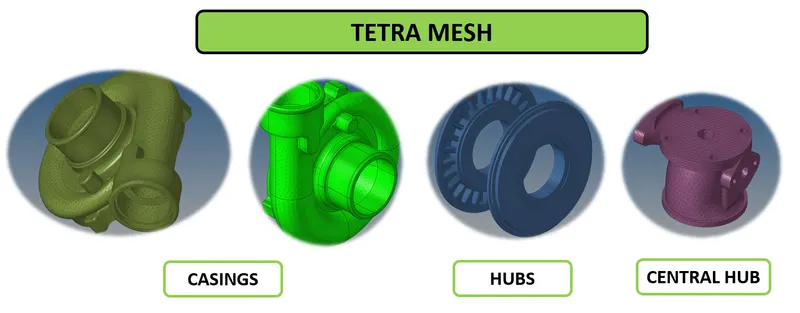
FINAL RESULT:
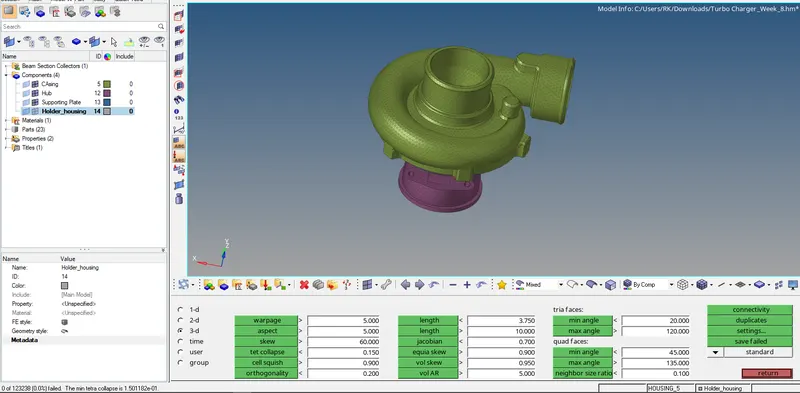
- 'Zero' Tet Collapse has maintained as per need
LEARNING OUTCOMES:
At the end of this challenge, I can able to
- Perform Tetra modelling for any complex components.
- Identify the quality failure and resolve the failures and mprove the Mesh Quality.
- Work on ,HYPERMESH' with a flow.
CONCLUSION:
- As per the aim, the given components has been checked for the geometrical errors and mesh them with the given element Quality criteria.
- Also Tetra elements are used to model the component and there has not been any kinks and dips on the surface of the component.
- Tetra model has been performed by eliminating all the tet collapse.