Week 8-3D Tetra Meshing Challenge
AIM:
For the given three model create 3D mesh based on the given criteria.
GIVEN MODEL 1:
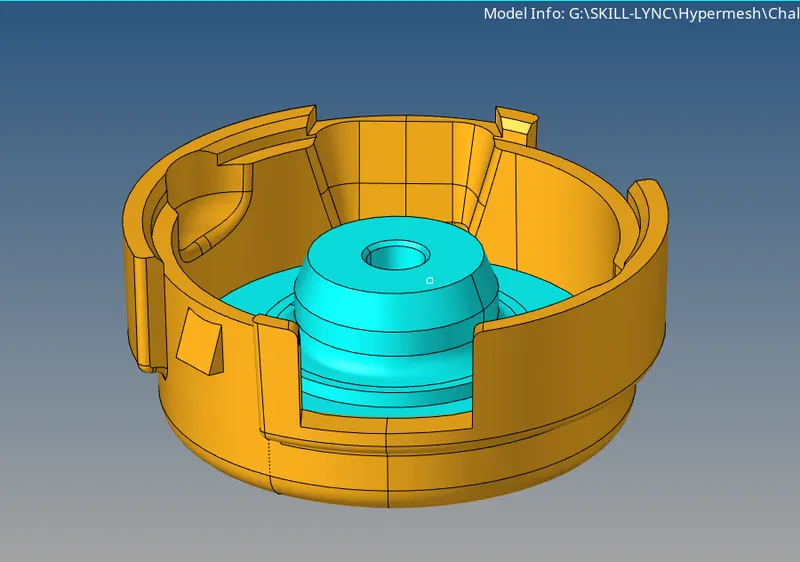
PROCEDURE:
- The criteria given for this model is first perform 2D meshing based on the quality criteria given, after that convert the 2D elements into 3D elements using 3D>Tetramesh option.
- First check the geometry and clear the area which are failed for the quality.
- Change the geometric colour mode to 'by topo' to see the construction lines clearly.
- To remove the fillets which has the radius less than the minimum element length go to Geometry>defeature>surface fillet>Enter the maximum and minimum radius> select the component>click find
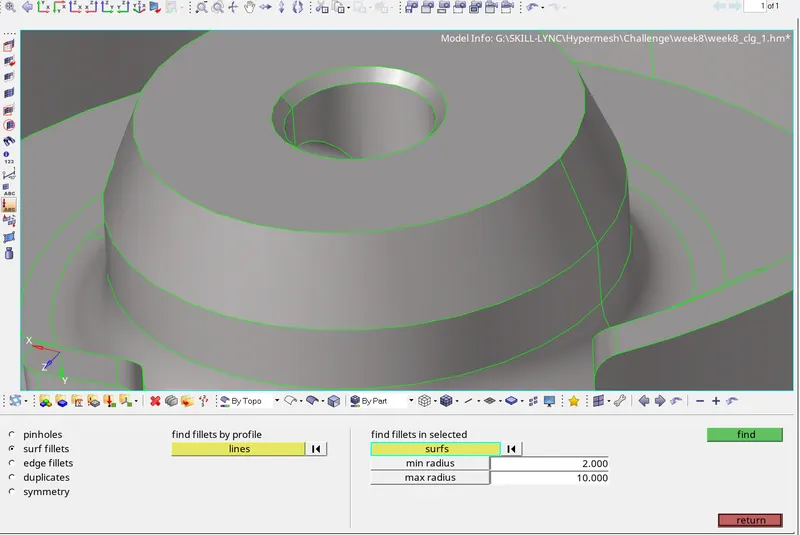
- Now click remove to remove the unwanted fillets which then converted into sharp edge.
- Toggle the feature lines which are possible to fail under the criteria.
- Use cut option to split the large curvy surface to maintain the good mesh flow
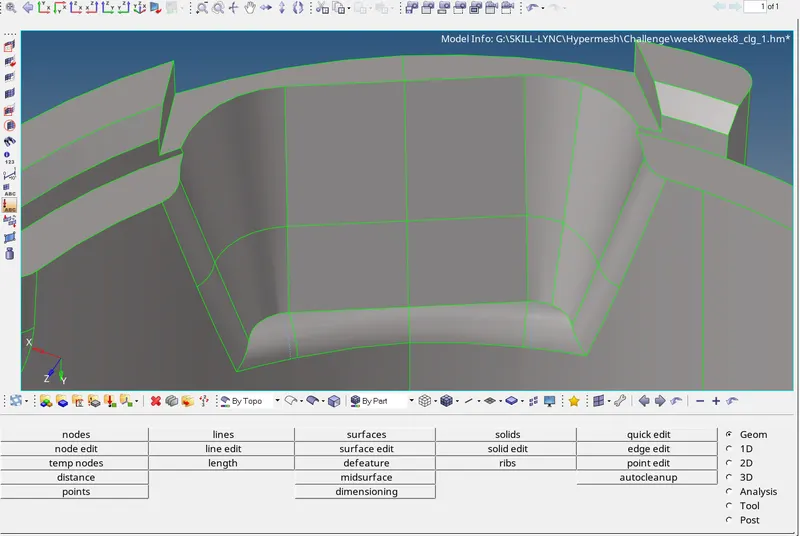
- Now go to rebulit mesh and edit the mesh parameter and mesh criteria file.
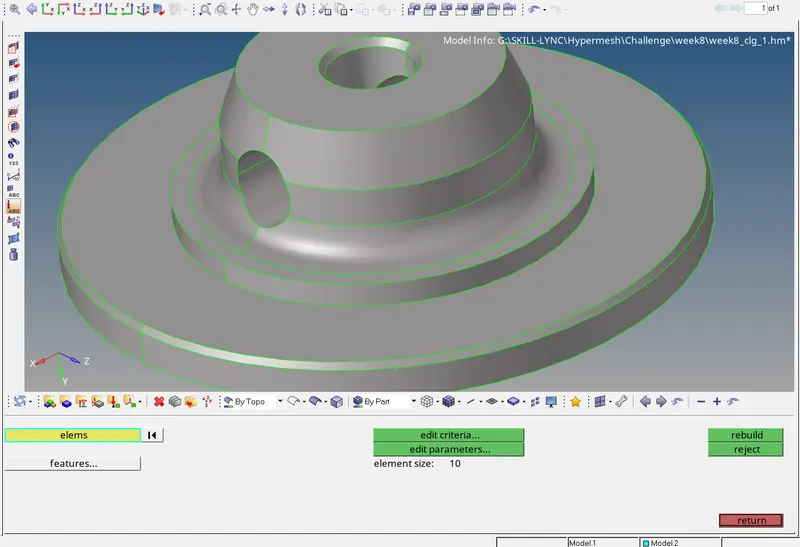
- Once you have edited the criteria and parameters go to 2D>automesh>select the surface one by one and mesh. Make sure to check the flow as align and turnon keep connectivity and also make the working component as current component. Use mesh type as tria for flat surfaces and use R-trias for the curved surfaces.
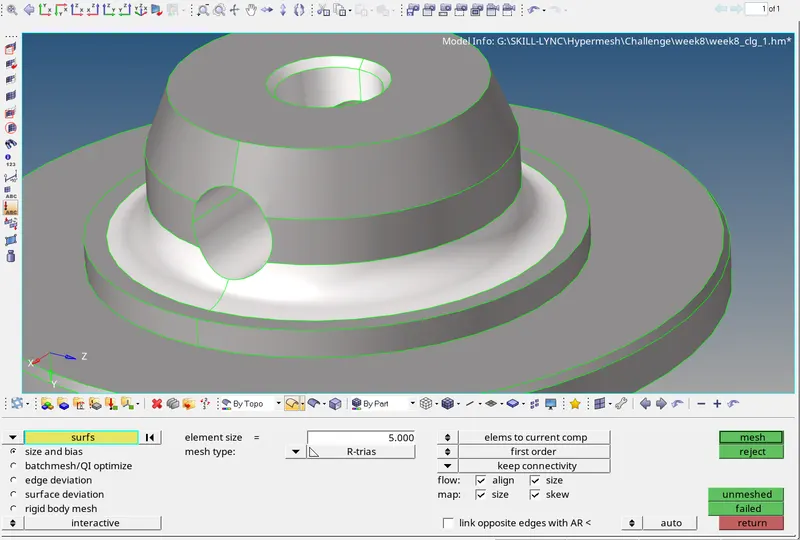
- Now go to tools check elements and check for failure element and then use remesh option to clear it or use the quality index option and use cleanup tools to clear the quality.
- Change the element colour mode to "By Element quality" which highlight the failure element clearly and easy to fix.
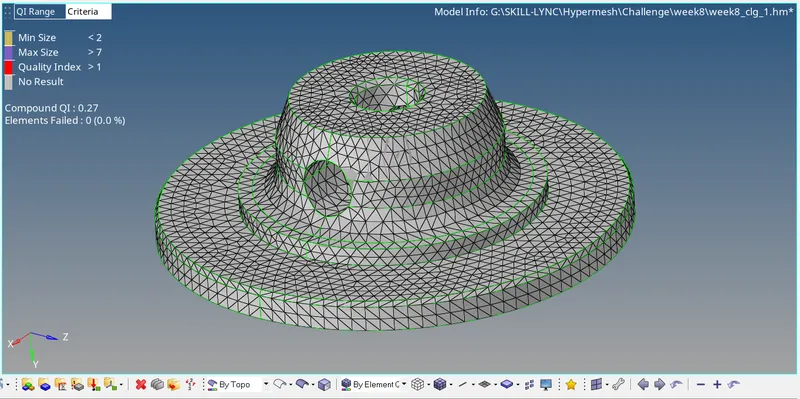
- Once you have cleared all the 2D quality criteria go to 3D>tetramesh>Select the component and then change the tetramesh option as "split quads into trias" and check the box "fix comp boundaries", "update input shells" to maintain the features boundaries from being distroted.
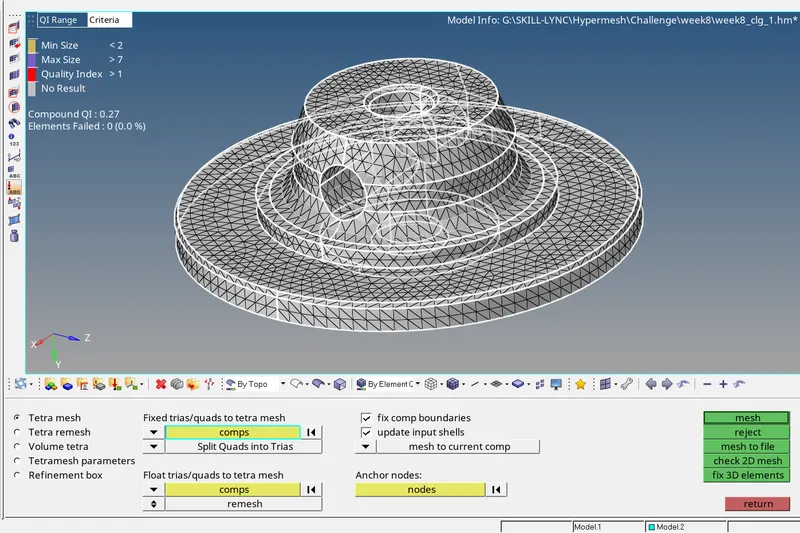
- Now use tools>check elements>ted collapse to check for check ted collapse. Click save failed to retrive the elements failed for ted collapse and then mask it and go to 3D>tetramesh>tetra remesh to clear the tedcollapse.
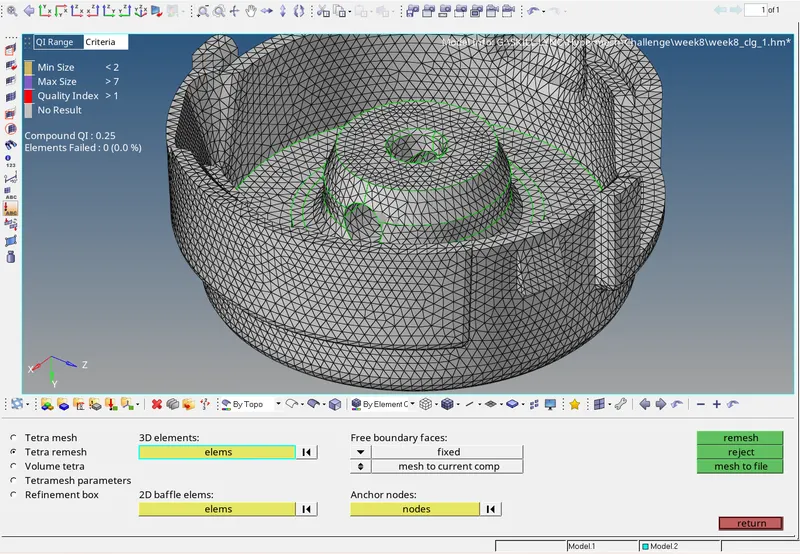
- Once you cleared all the ted collapse your model is completed and then go to next model.
MODEL 2:
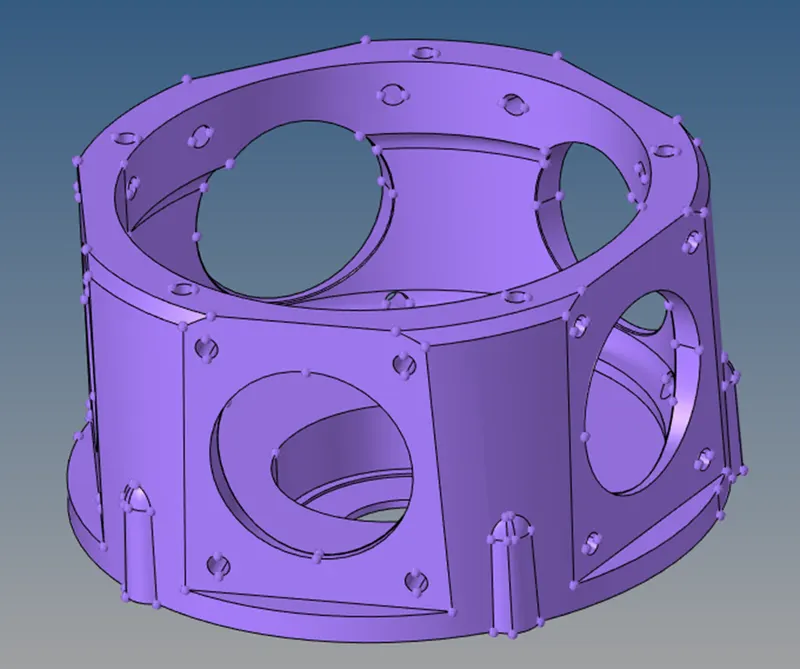
AIM:
To generate 3D mesh elements using either quick tetra mesh or volume tetra mesh based on the given quality criteria.
PROCEDURE:
- Open the model and change the Geometry color mode to "By topo" then you see all the construction and feature lines. Go to wireframe mode to check the model is closed volume.
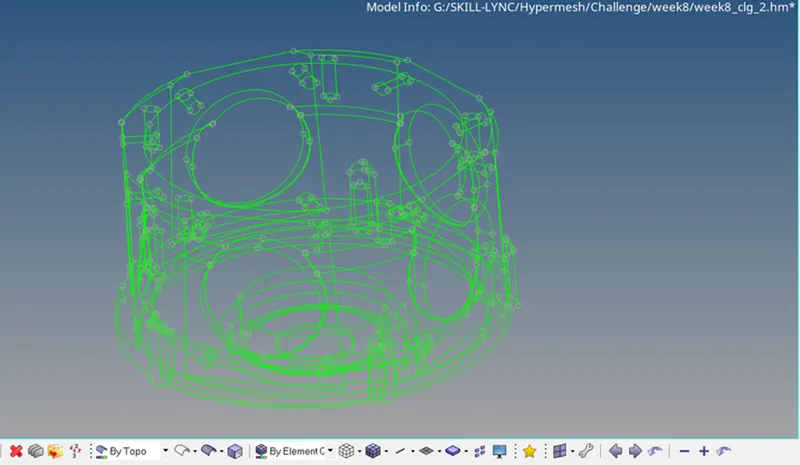
- Here it is not required to perform geometric cleanup. Now go to 3D>tetramesh>volume tetra>check on the curvature and proximity box>enter the minimum and target element size>select 2D type as tria>Selent 3D type as tetras>Select element order as "first">check on the cleanup element box.
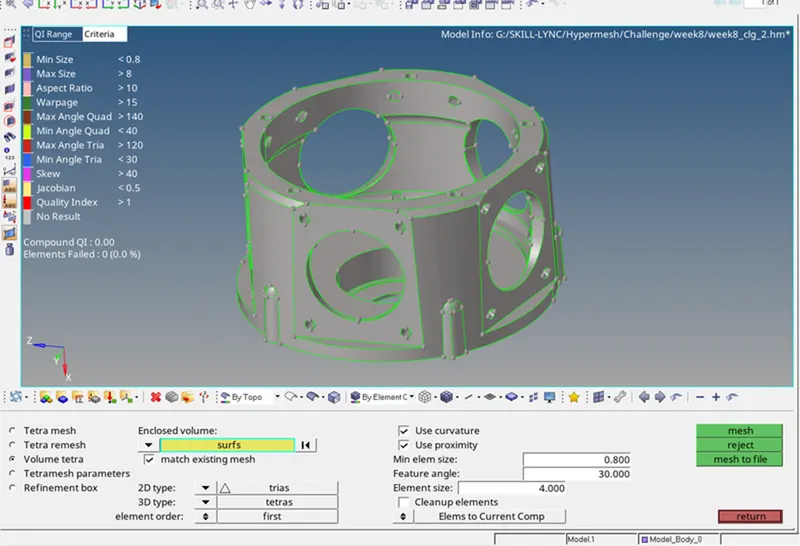
- Go to tetramesh parameters, enter ted collapse value as 0.150 and now select the surface using box selection or using component id and then click mesh.
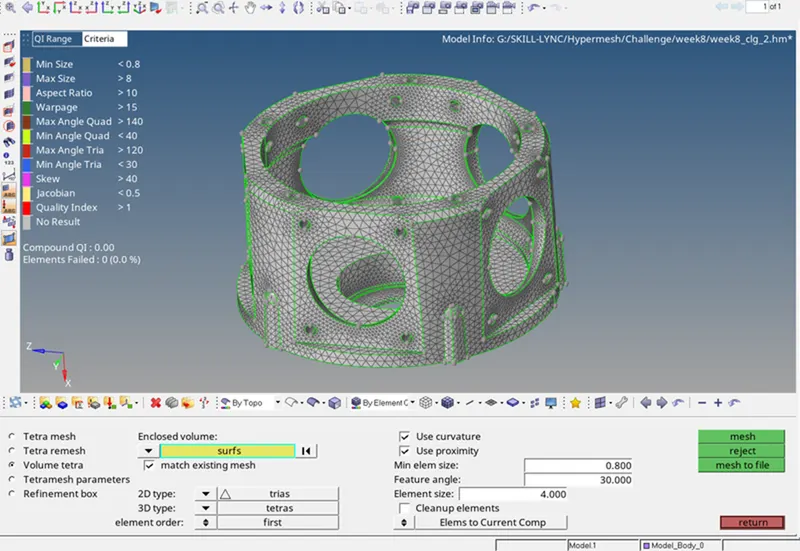
- Curvature is used where the curved surfaces are needed to capture with minimum element length to avoid failure element and surface dents. Proximity is used where the feature lines are finer and are needed to capture with mimimum element length.
- Use mask option to verify the 3D element created.
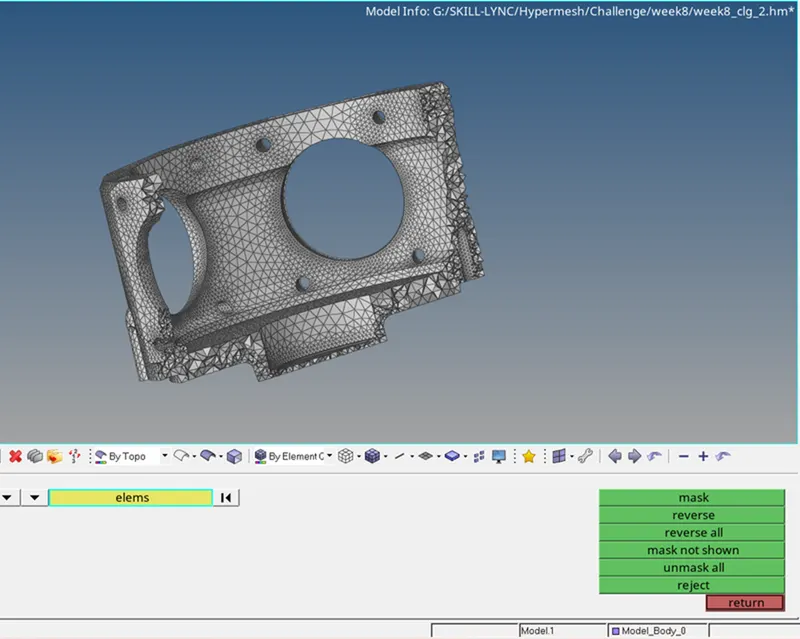
- Now go to tools>check elements>3D>Ted collapse>click save failed. Now go to mask select the failed elements by retrive option and then click mask and click reverse.
- Now only the failed elemets displayed. Click on Unmask adjacent and then go to 3D>tetramesh>tetra remesh>Select elements as displayed and then click remesh. This is how you can clear the ted collapse quality.
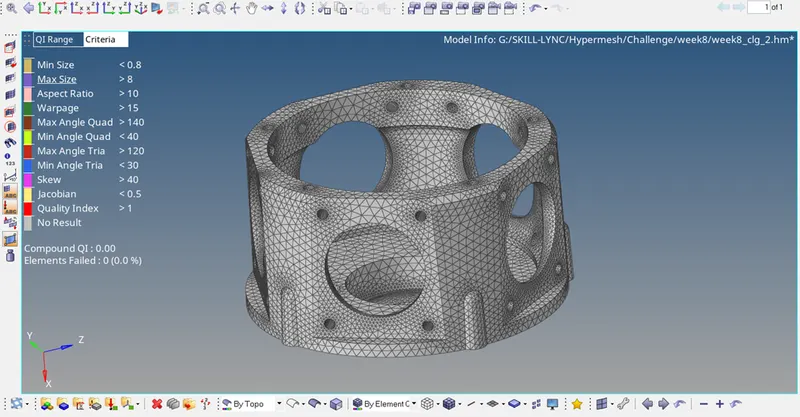
COMPLETED MODEL 2:
MODEL 3:
PRODEDURE:
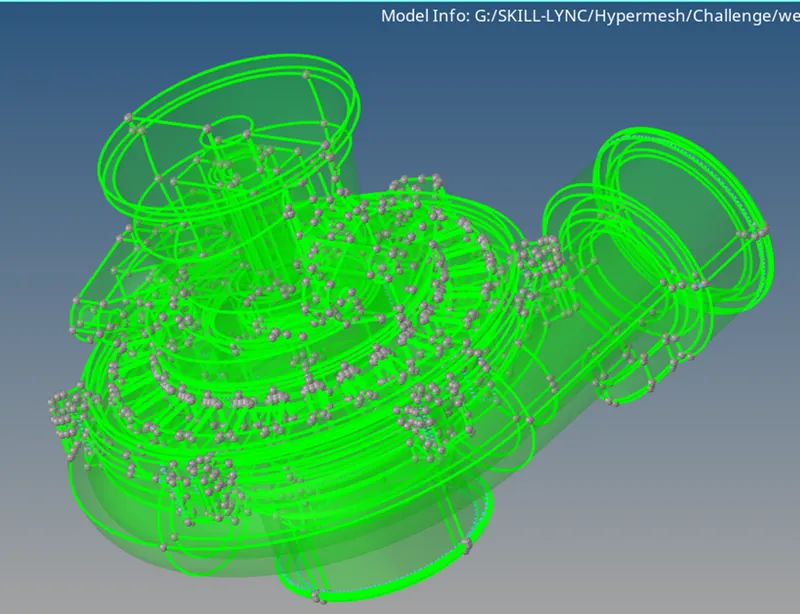
- Open the model and change the Geometry color mode to "By topo" then you see all the construction and feature lines. Go to wireframe mode to check the model is closed volume.
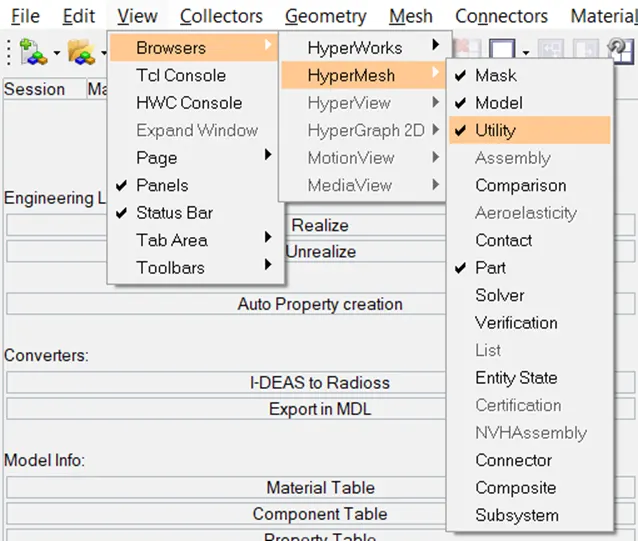
- Here totally there are four components so first select any one component and then go to view>browser>hypermesh>check the utility tab on.
- Go to Geom/Mesh. Under mesh tools click on Quick Tetramesh. Select the component enter the target mesh size and set mesh type as tetra and click mesh.
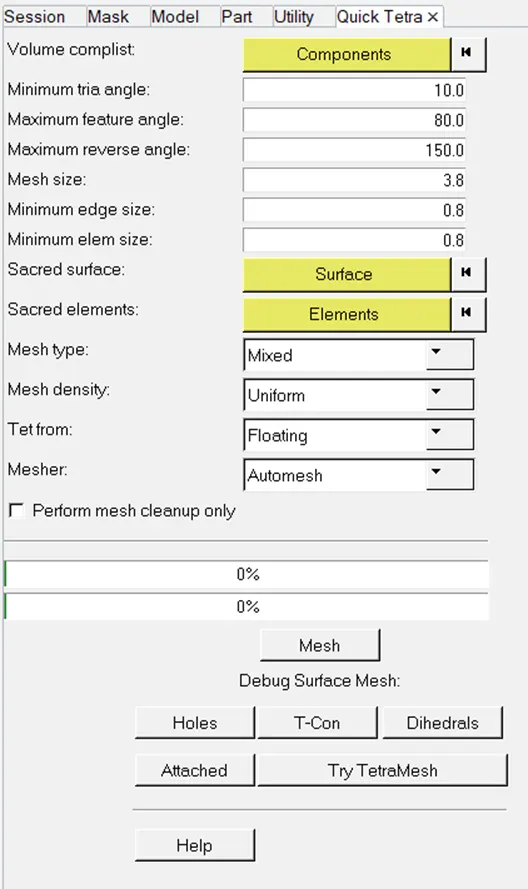
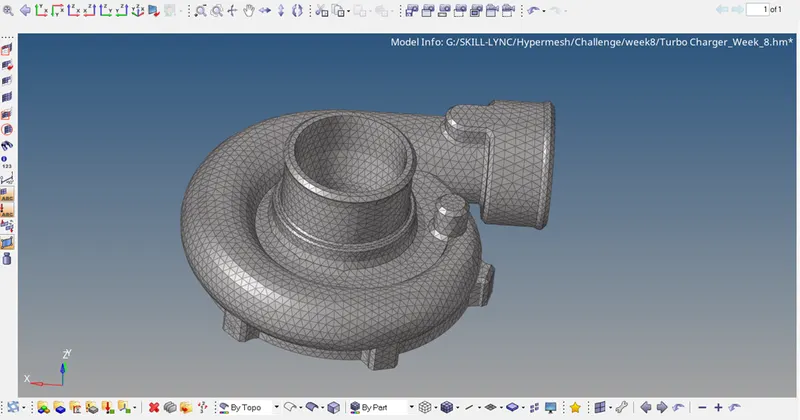
- Similarily for clearing Ted collapse use the similar procedures like in model 1 and 2.
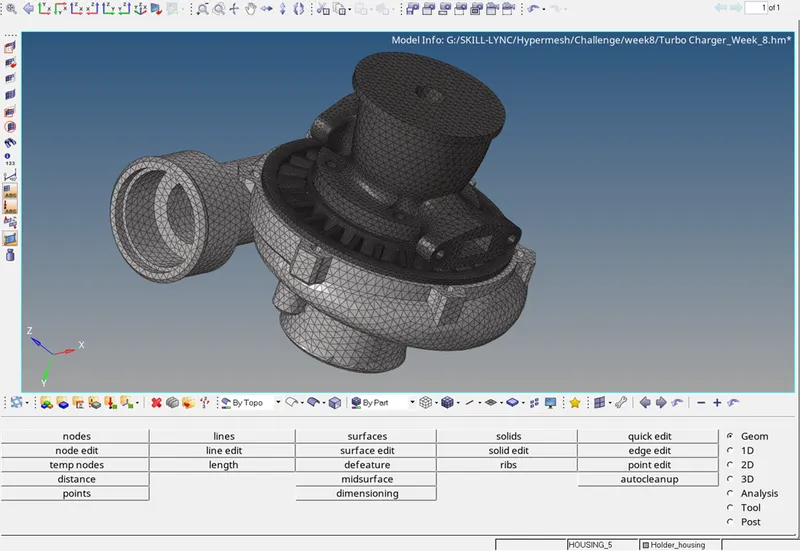
COMPLETED MODEL 3:
RESULT:
Thus 3D meshing is performed with tetramesh options and quicktetra mesh based on the given quality criteria.