Week 7 State of charge estimation
Aim:
1. To simulate the 3 test cases from the harness dashboard and write a detailed report on the results
2. What is coulomb counting? Refer to the above model and explain how BMS implements coulomb counting for SOC estimation?
Solution 1:
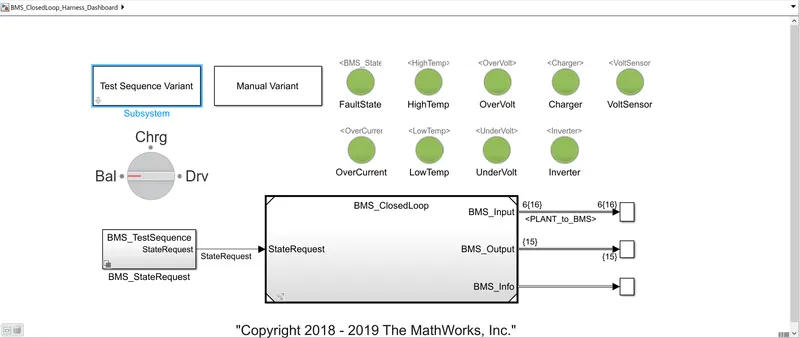
Test Case 1:
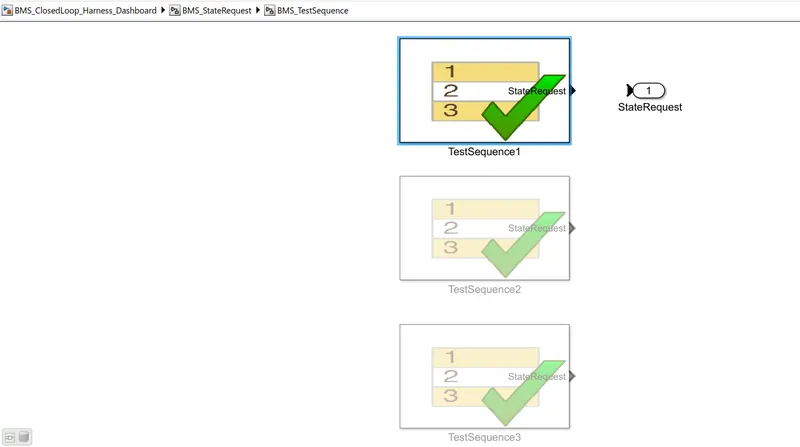
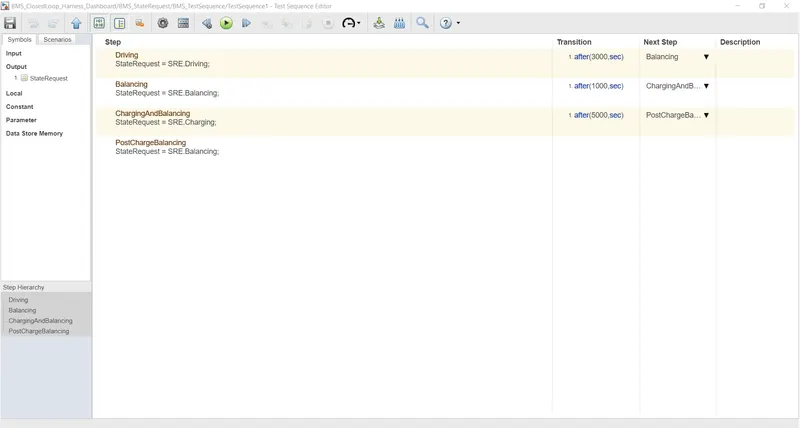
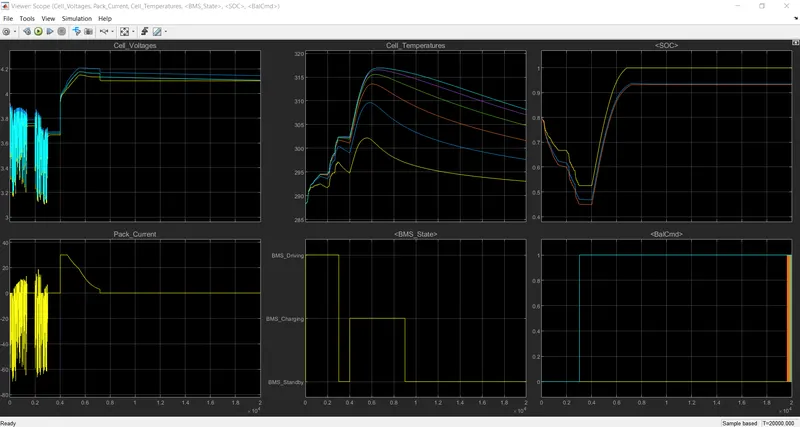
From the plot, it is seen that the vehicle is initially in a driving state, and charging was done to 90%. After charging it reaches standby mode. It can also be seen in the BMS state plot. The battery temperature increases in driving and charging. Battery voltage was increased to 4.2V while charging. The current plot shows the value of current supplied to the vehicle while driving. SOC decreased up to 50% in driving conditions and it was increased while charging.
Test Case 2:
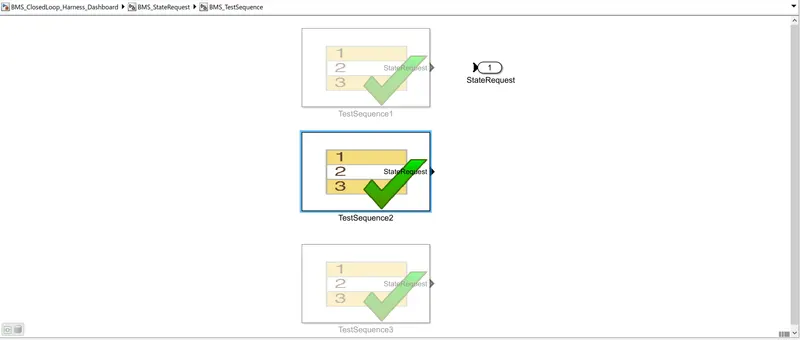
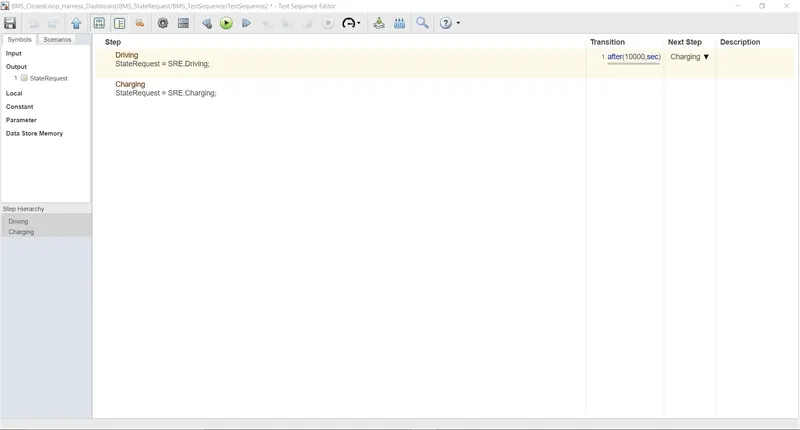
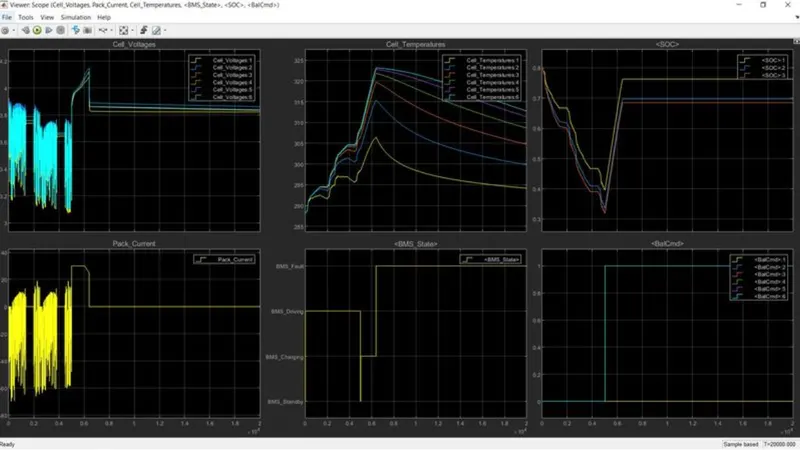
From the above graph, a fault condition occurred in the second case, From the model, we can see what type of faults are occurred in the graph, the system is not working since the faults arise. The SOC had stopped and the BMS state is showing a fault signal.
Test Case 3:
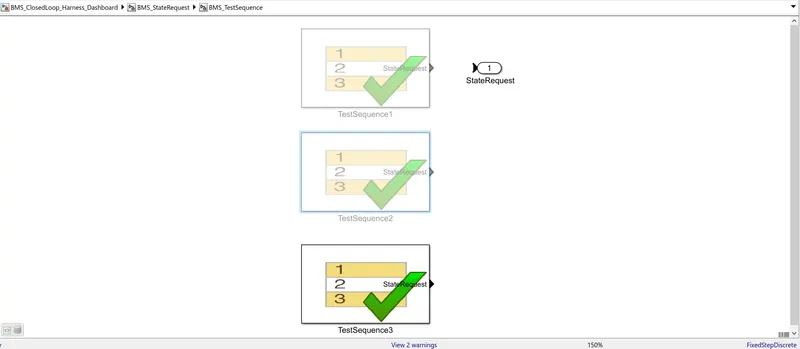
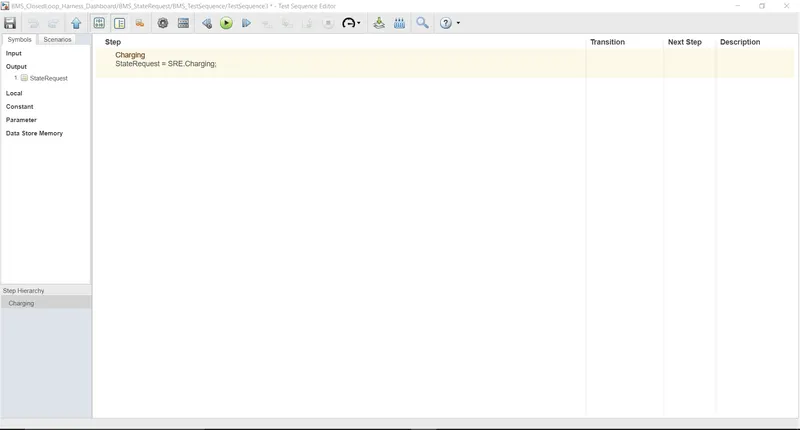
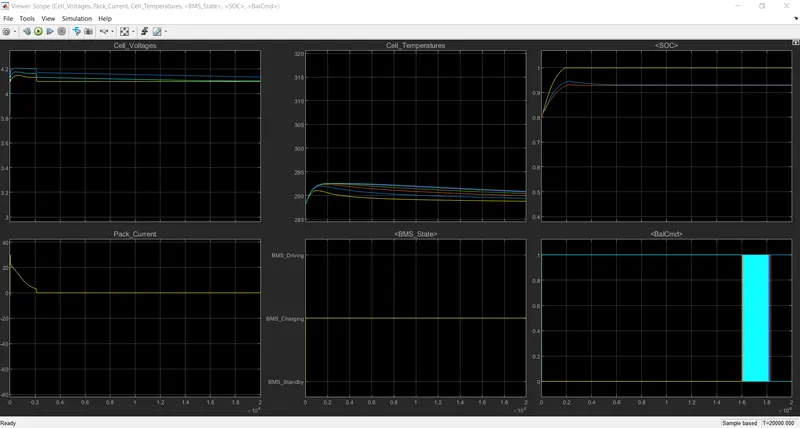
Since the battery is only in charging mode, the sudden influx of current from 0 to 30A is seen within the first 5 seconds (when zoomed in). The surge of electrons into the cells, also explains the drastic rise in temperature in all cells. Cell balancing is in process since the beginning. We can say this because a SOC of 100% is highly unlikely, and with Coulomb counting, it might be displaying 100% because it is only pre-programmed to do so at the end of CCCV charging. EKF shows a SOC of 93% while UKF displays 94.5%, which seems more realistic and accurate.
Solution 2:
Coulomb counting method:
The Coulomb counting method measures the discharging current of a battery and integrates the discharging current over time in order to estimate SOC. Coulomb counting method is done to evaluate the SOC(t), which is estimated from the discharging current I(t), and previously estimated SOC values, SOC (t-1). The following equation calculates SOC:
`SOC(t) = SOC(t-1) + frac{I(t)}{Qn} . Delta.t`
How does BMS implement coulomb counting for SOC estimation?
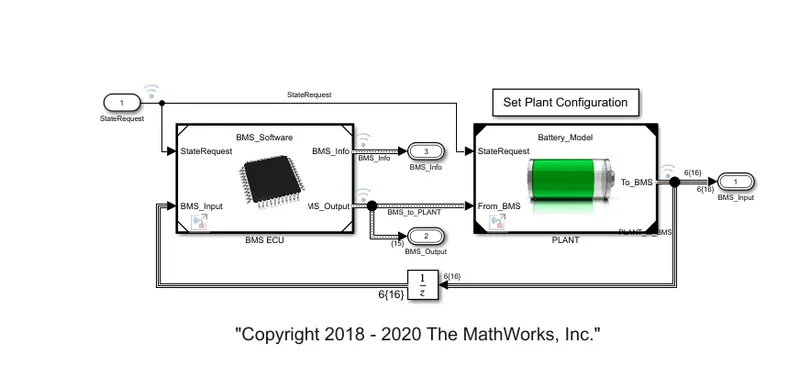
We first open the BME ECU block. Here the input signal(State Request) and feedback signal (BMS_input) from the battery is fed to the 'BMS ECU' block. The output of the 'BMS ECU' block is given to the 'PLANT' block.
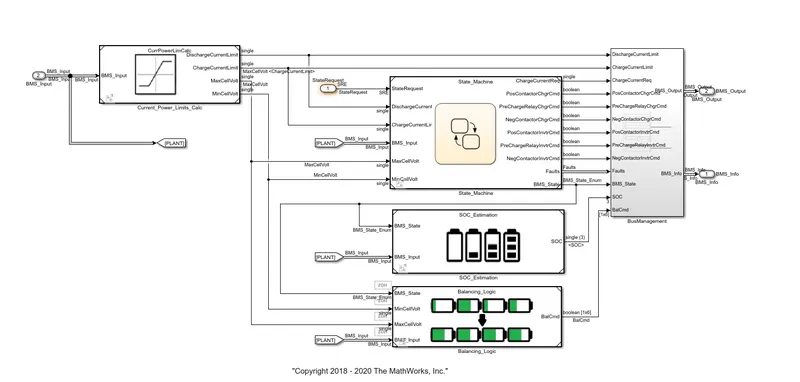
After opening the 'BMS ECU' block we will get the following interface which consists of blocks of the Current power limits calculator, State Machine, Bus Management, Balancing logic, and SOC Estimation connected. The current power limits calculator sets the lower and upper limits for the values of the current and voltage for charging and discharging the battery. This limited current and voltages are fed as input to the State Machine block. The 'SOC Estimation' block is with two inputs, one from the 'PLANT' block and the second is from the output of the 'SOC_Estimation' State Machine (BMS_State Enum) block.
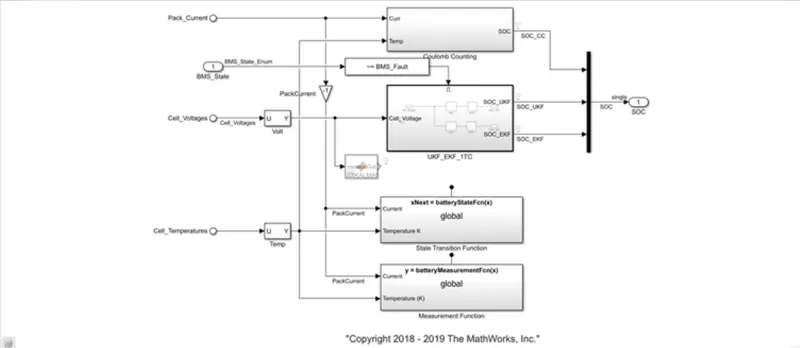
After opening the 'SOC_Estimation' block we will get the interface shown below in figure12. Further the input from 'PLANT' i. e. temperature and pack current are given to the 'Coulomb Counting block. The 'Soc' is the output of the 'Coulomb Counting' block.
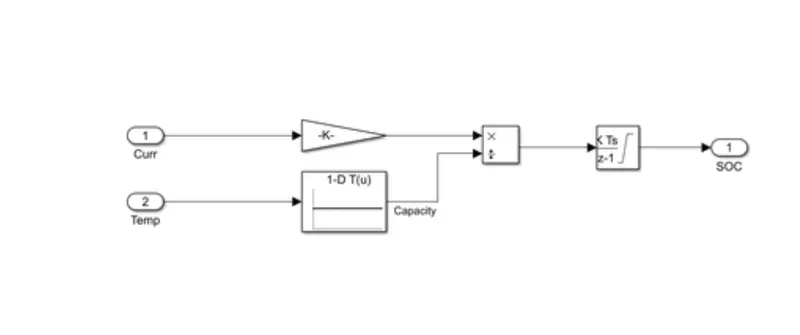
Working of Coulomb Counting block:
It consists of the 'Gain' block which is nothing but the value of the current of the battery while charging or discharging during that particular interval time.
The capacity of the battery is represented by the '10 Lookup Table' block.
As we know, SOC can be defined as follows:
`SoC= frac{Q(t)}{Q(n)}`
Therefore according to the definition of SoC product block is provided.
Further, this ratio (Soc) for a unit of time is integrated over a period of time therefore 'Discrete-Time' Integrator block is provided to calculate SoC added or subtracted during charging or discharging respectively. Further, this value of SoC is added or subtracted from the previous value of SoC of the battery to get the latest value of SoC of the battery.
Conclusion: The above challenge was successfully simulated and carried out.