Week 7 - Minor Project
Aim:
- setup the domain for analysis of flow over an airfoil at the subsonic and supersonic regimes.
- Setup simulation for subsonic and supersonic regimes at 5, 10, 15 degree angles of attack.
Creating Mesh
Creating domain:
- Export NACA0012 coordinates in ICEM CFD
- Create edges to the airfoil and name the edges respectively
- Create domain according to the length and name the inlet, outlet and fairfield respectively.
Creating Blocks:
- Create a 2-d planar block named “FLUID”.
- Associate the edges of the block to the curve of the domain under option Blocking.
- Split the block to take out irrelevant parts of the domain such as the inside of the airfoil by dividing the block into different sections and selecting the irrelevant block.
- Associate the edge of the deleted block with the curve of the airfoil then associate the vertices of the block with the points inside the airfoil to move the empty block inside the irrelevant part of the airfoil.
Set a Required Number Of Nodes:
- Select the edges of blocks and set the required number of nodes.
- Make sure the change in cell space is gradual and not drastic to avoid shockwaves.
Check Mesh Quality:
- Check for mesh qualities like mesh quality, aspect ratio and determinant 2x2x2 and determinant 3x3x3.
- Save the mesh by transferring it to unstructured mesh and saving it as ansys file.
Setting up the Simulation:
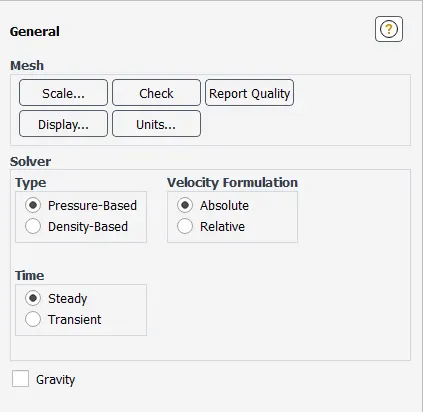
General Settings:
- select pressure based for incompressible simulation and for compressible select density based solver.
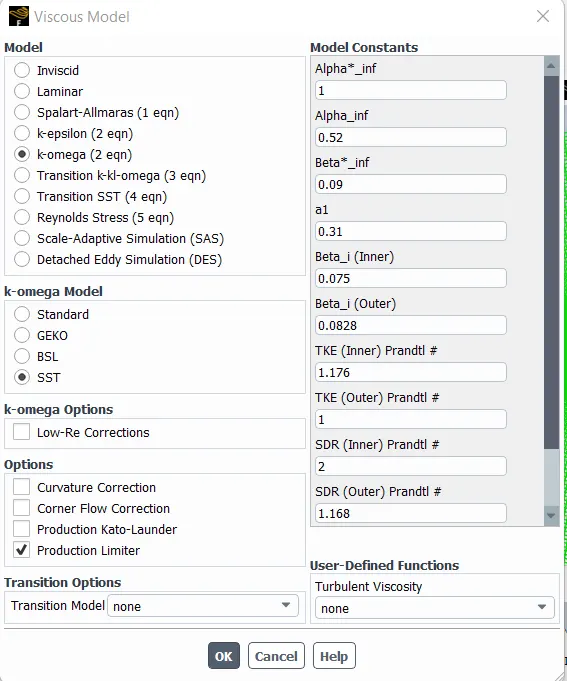
Viscous Model:
- for calculating flows near walls of airfoils select k-omega viscous model.
Material:
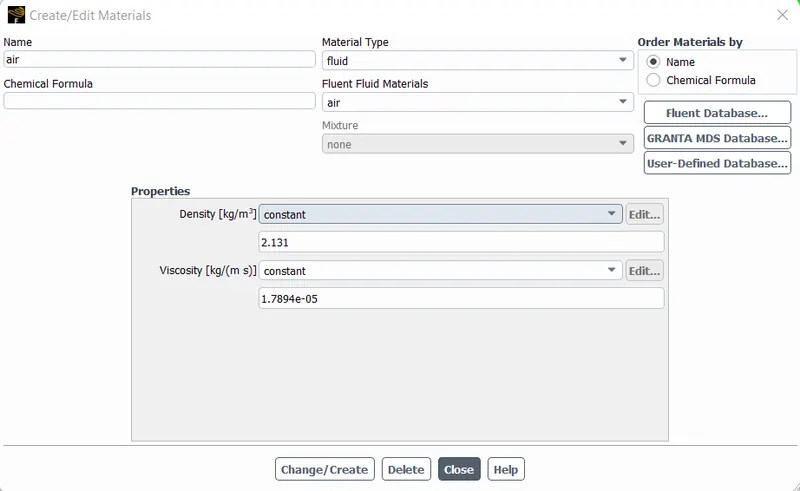
Assign material:
- assign air as fluid flowing through the domain.
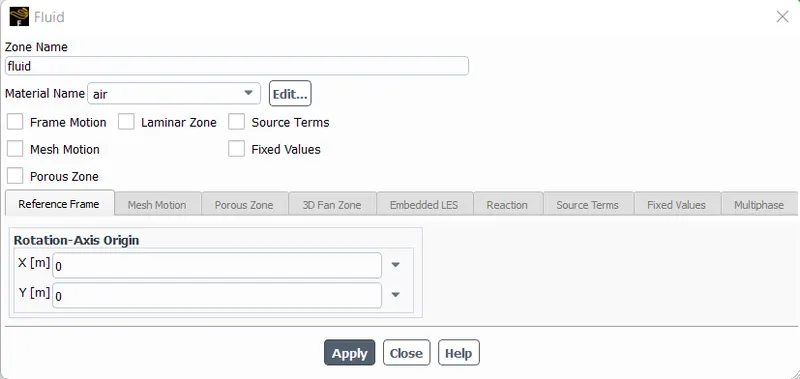
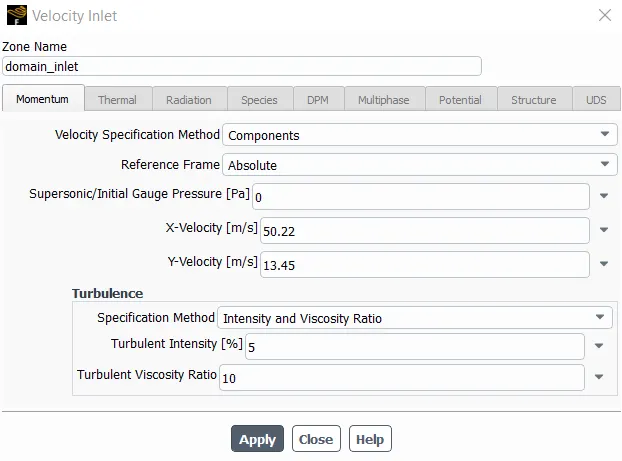
Boundary Conditions
- assign inlet as pressure velocity inlet with components of x and y direction to simulate angle of attack.
- assign outlet as pressure outlet.
- assign far field as symmetry
- assign walls of airfoil as walls.
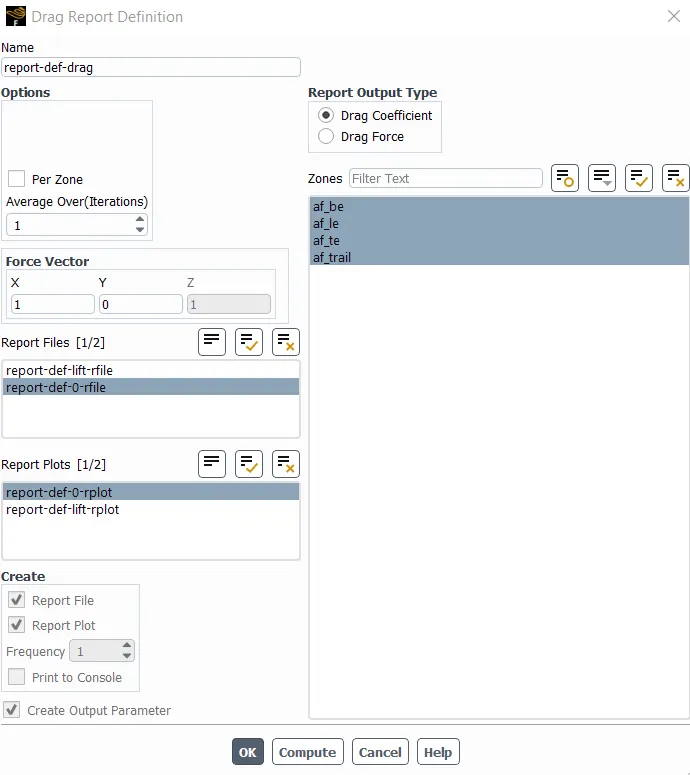
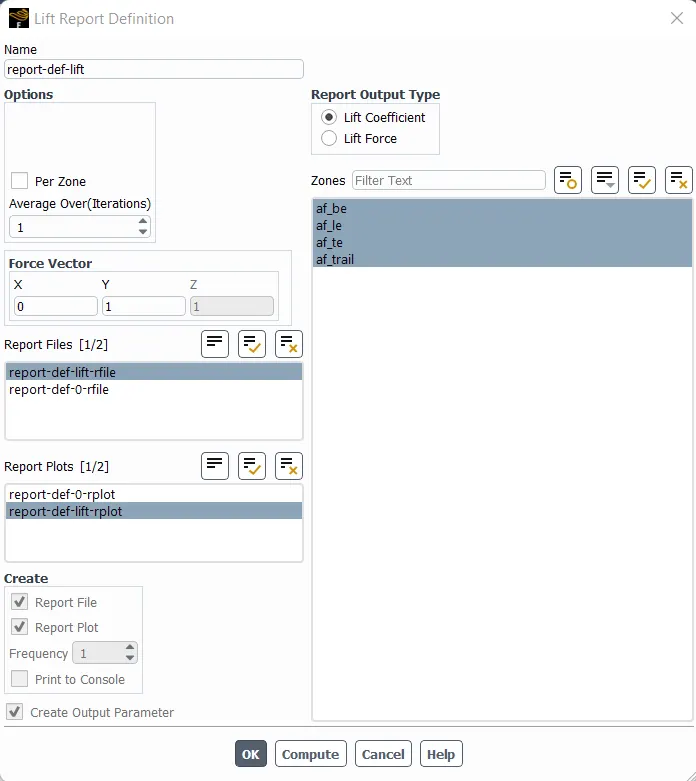
Report generation:
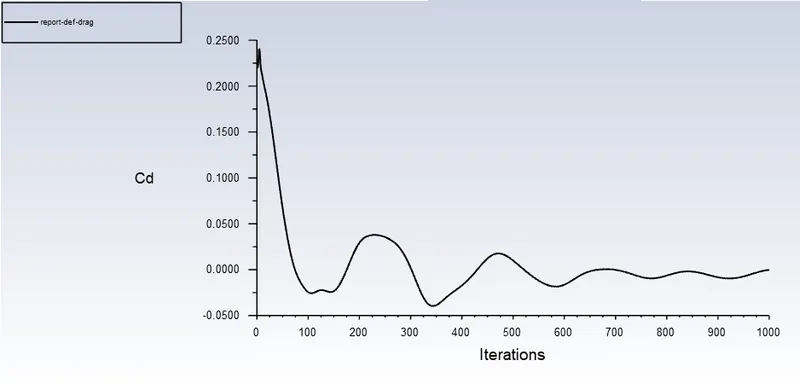
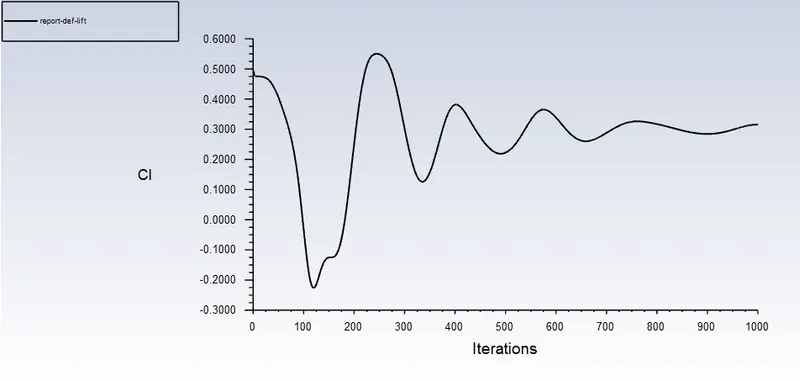
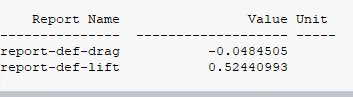
- assign monitors for drag and lift coefficients to calculate drag and lift forces generated during the simulation.
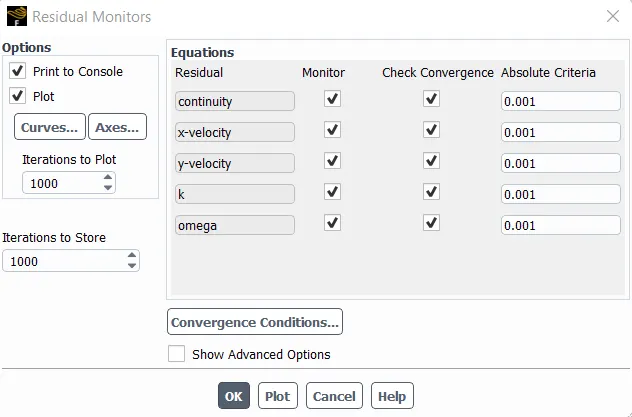
Residuals:
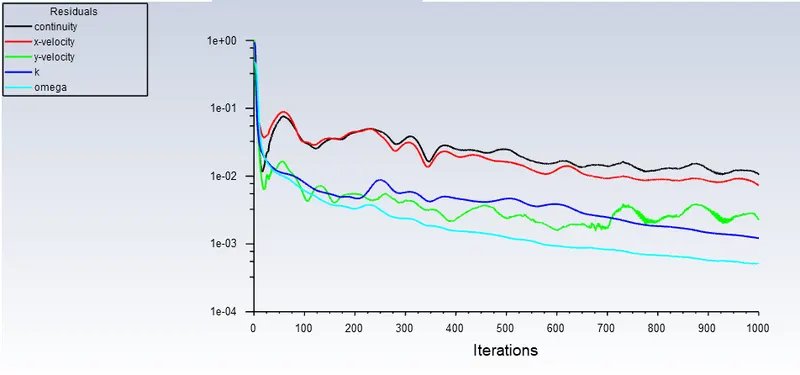
- keep the residual monitors values as default.
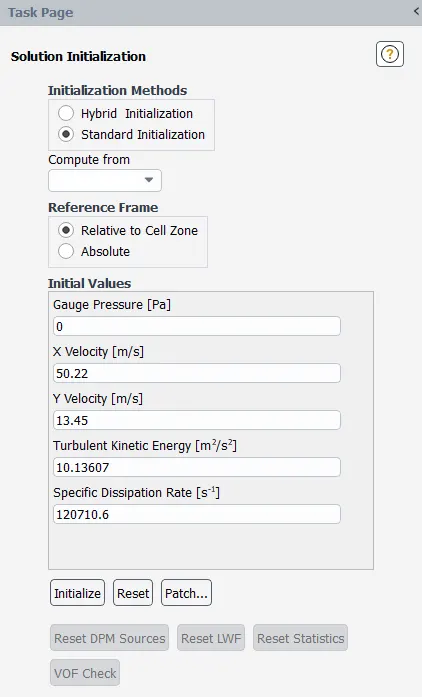
Initialization setting:
- select standard initialization and compute from domain inlet, then initialize the solution.
Calcutation setting:
- select number of iterations as 1000, and keep the rest as default.

Results:
Compressible:
mesh:
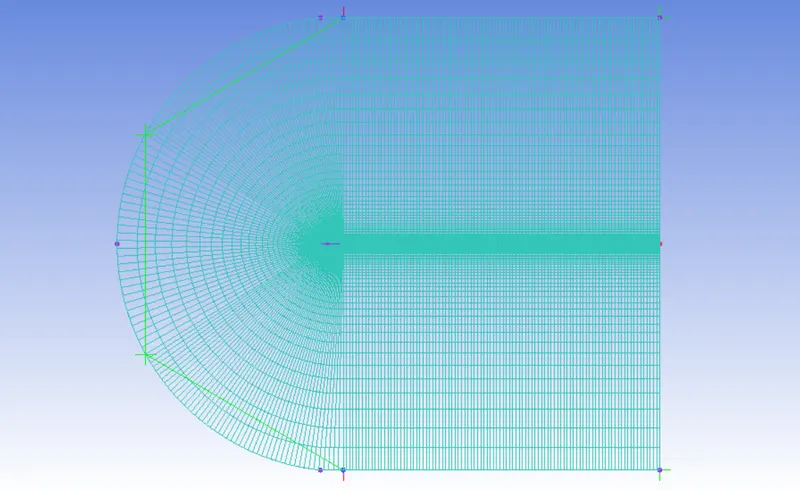
5 degree angle of attack:
result:
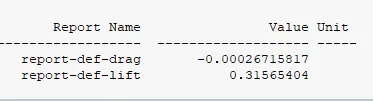
residual:
Cd:
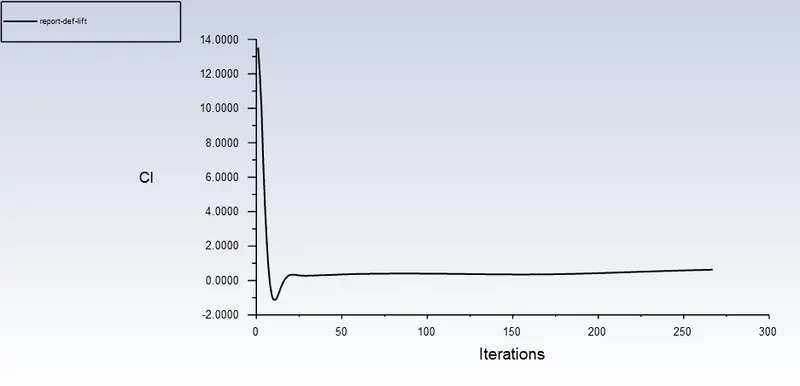
Cl:
10 degree angle of attack:
result:
residual:
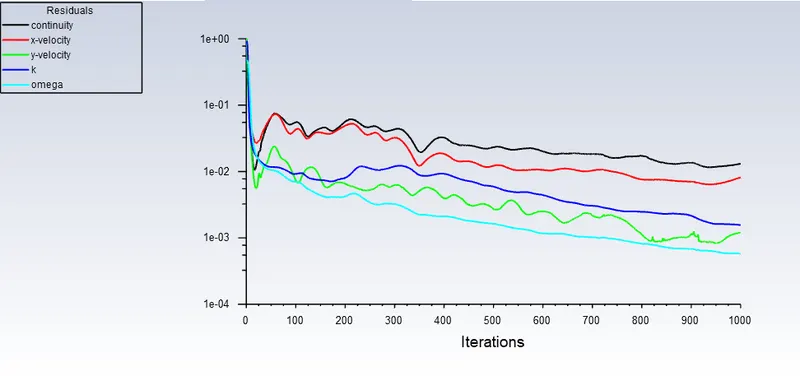
Cd:
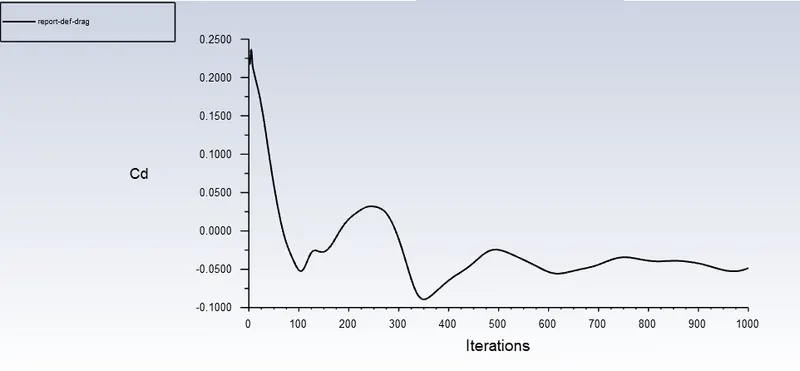
Cl:
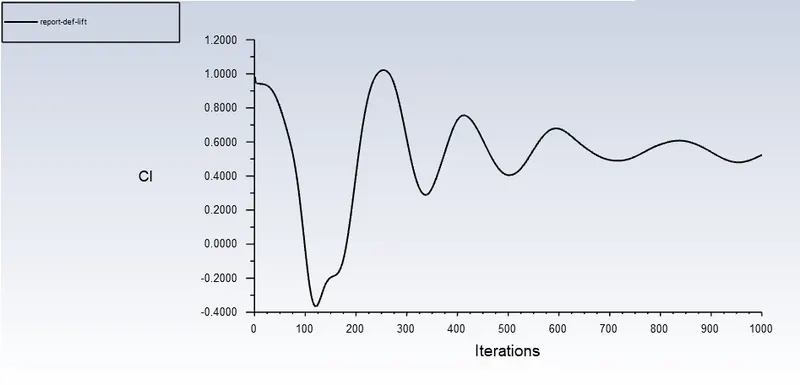
15 degree angle of attack:
result:
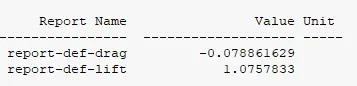
residual:
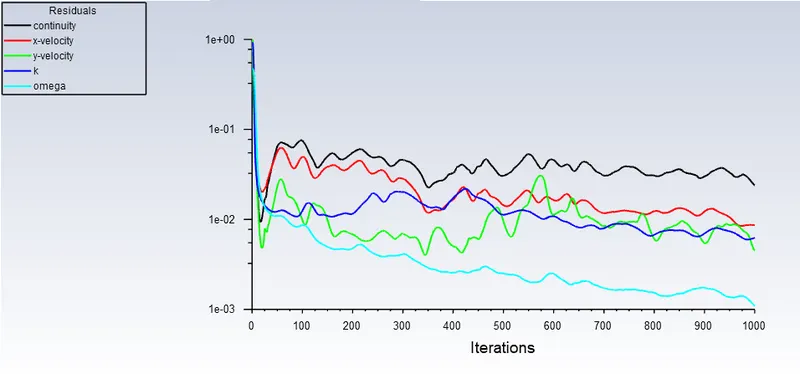
Cd:
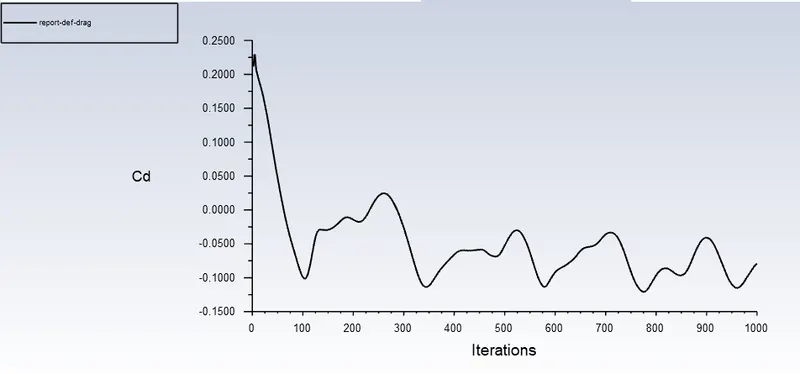
Cl:
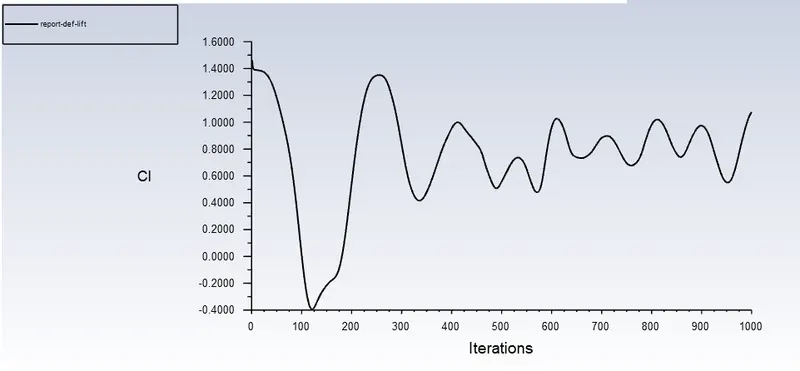
Incompressible:
mesh:
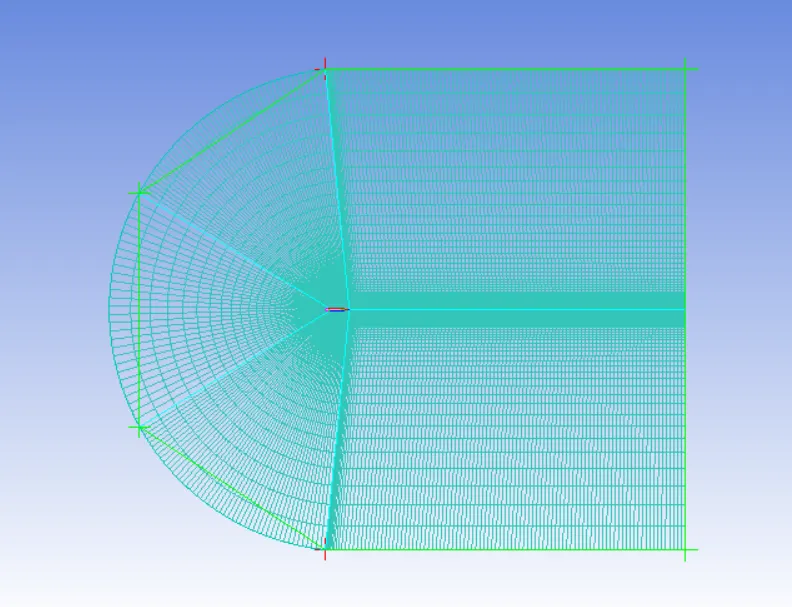
5 degree angle of attack:
result:
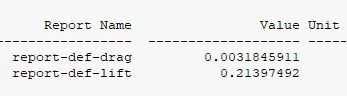
residual:
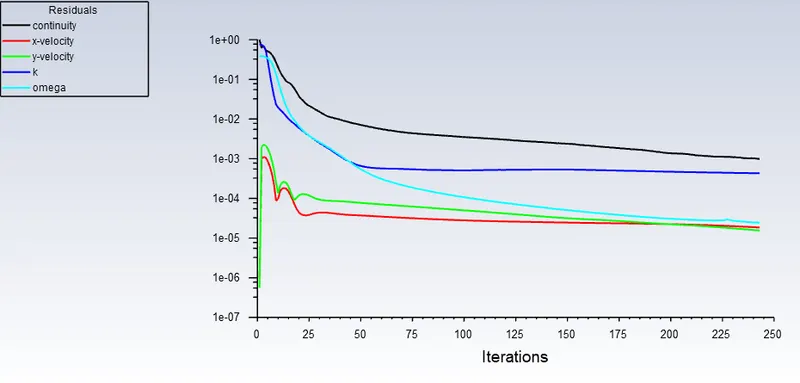
Cd:
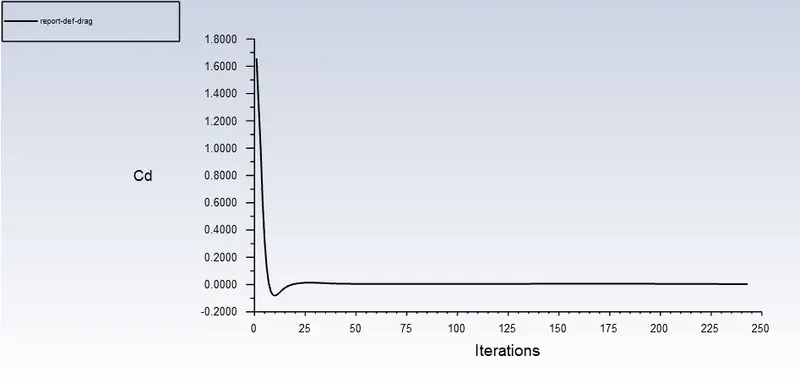
Cl:
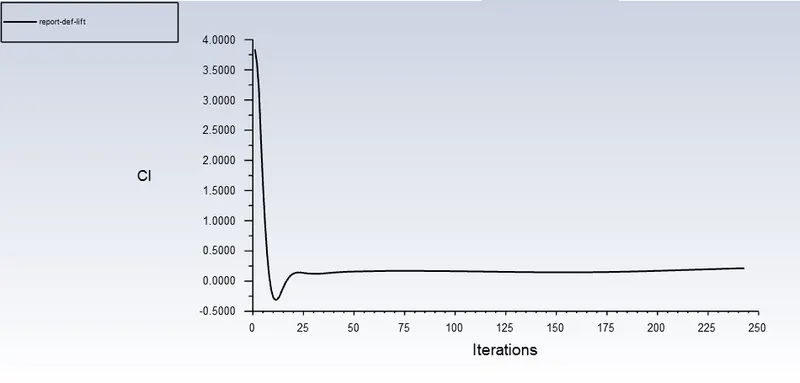
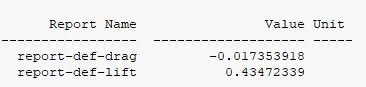
10 degree angle of attack:
result:
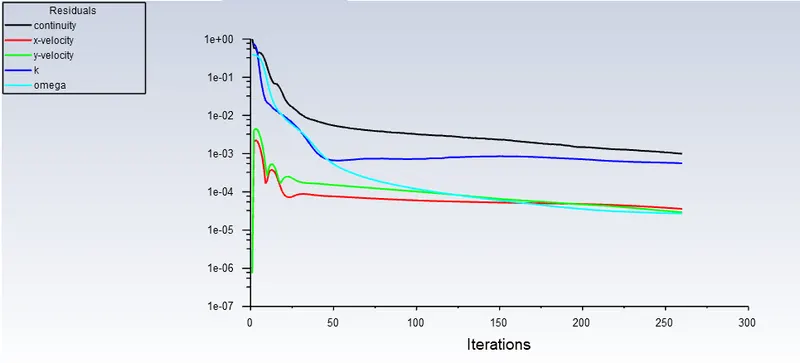
residual:
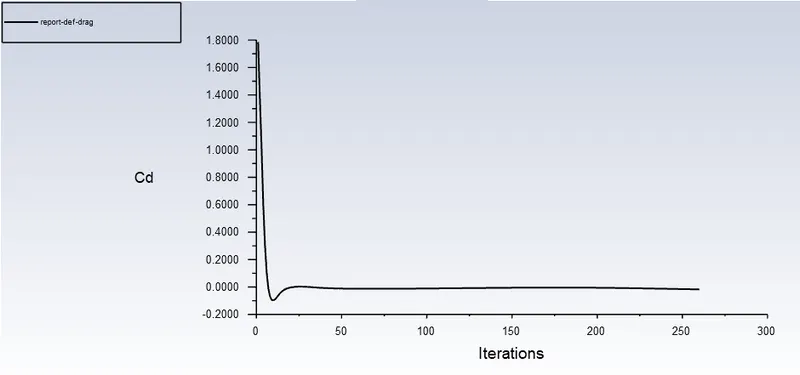
Cd:
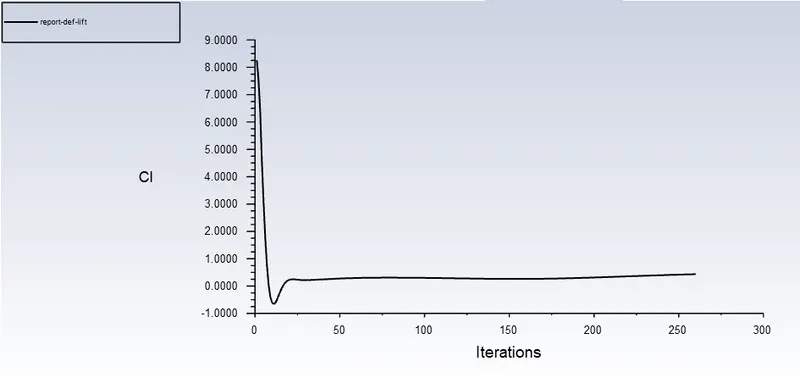
Cl:
15 degree angle of attack:
result:
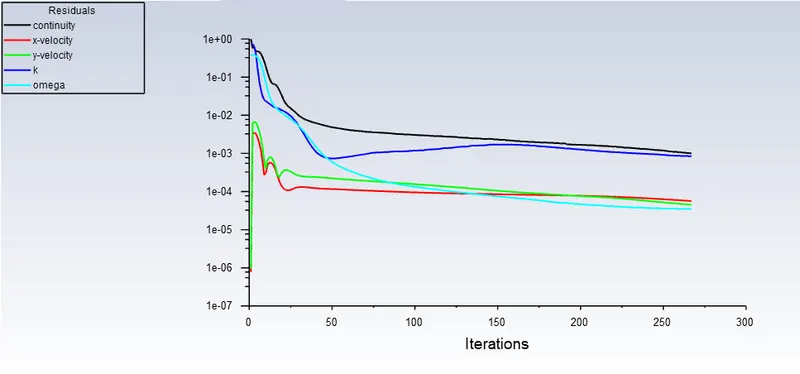
residual:
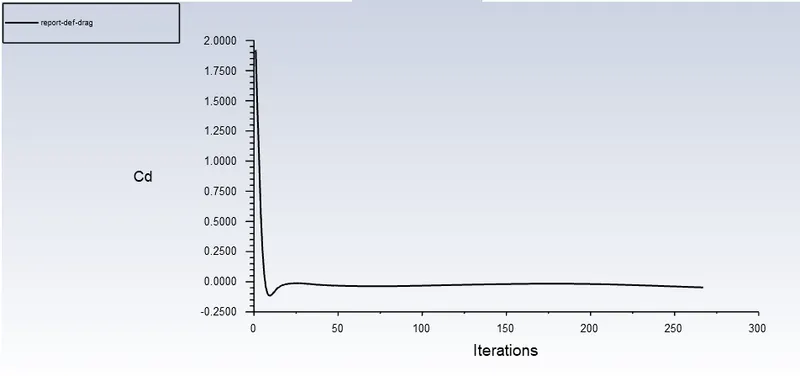
Cd:
Cl: