Week 7-Long Piston With Cam
Aim- To perform a transient analysis on a piston and cam mechanism using the transient structural analysis.
Objective
The simulation of the rolling operation on a piston and cam mechanism.
Run the analysis with Frictionless contact, Frictional with 0.1 and 0.2 as the frictional contact for a total of 3 cases.
Plot the Equivalent Stress, Directional Deformation, and Equivalent Elastic Strain and compare them for all three cases.
Procedure- To start the simulation by opening with the Ansys workbench.
Select the static structure from the toolbox as shown below shown.
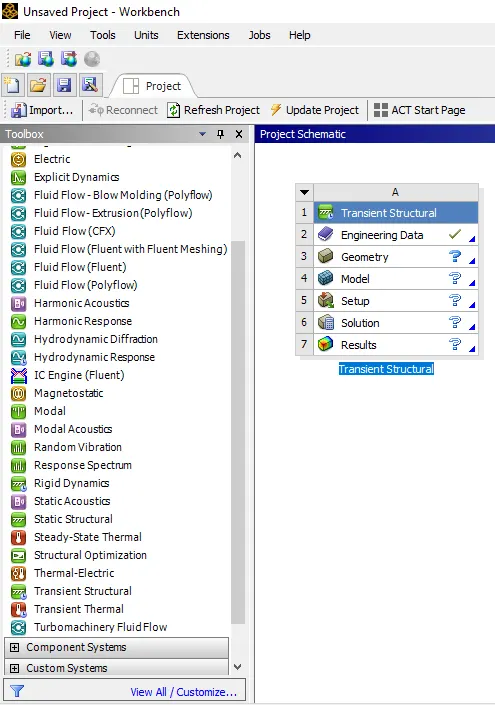
In static structural select to assign the material property in engineering data.
Selecting the material property as the copper alloy and structural steel as shown below.
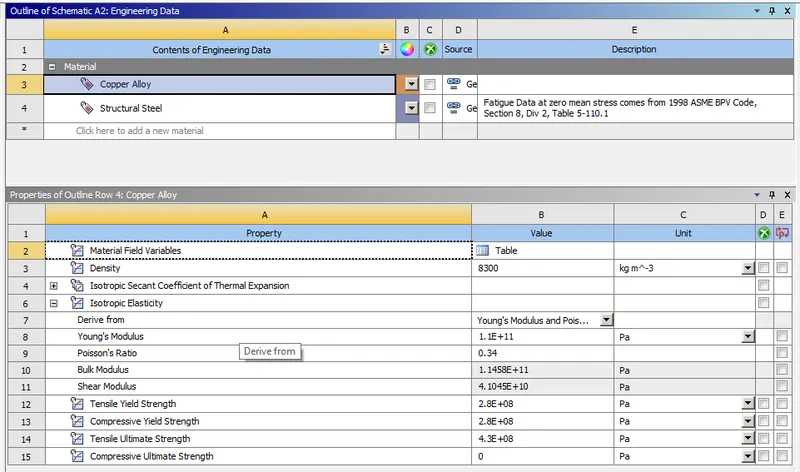
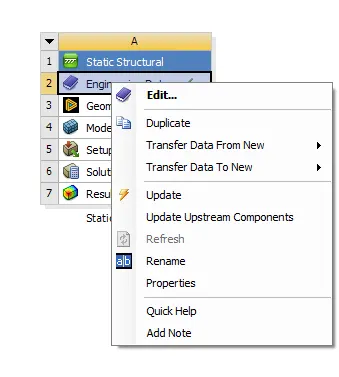
Update the engineering data as shown below.
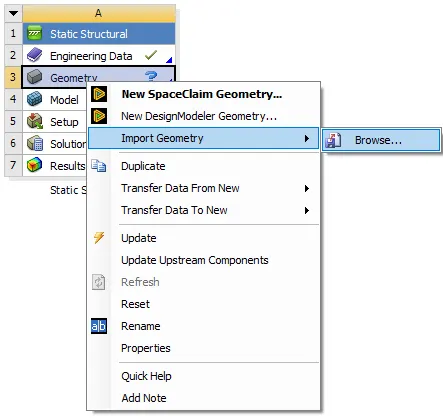
Also import the geometry from the browse with the updated geometry.
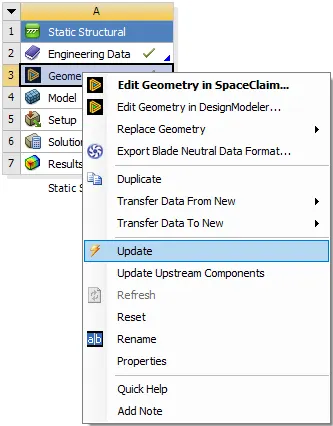
After updating the geometry double click on the model, its popup with the model window.
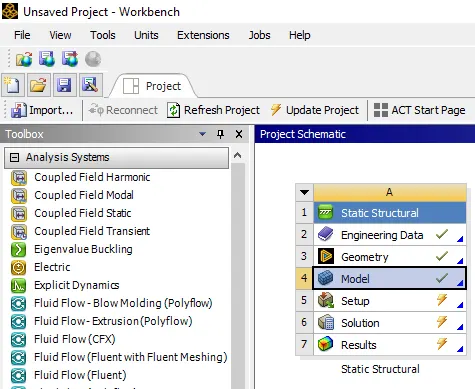
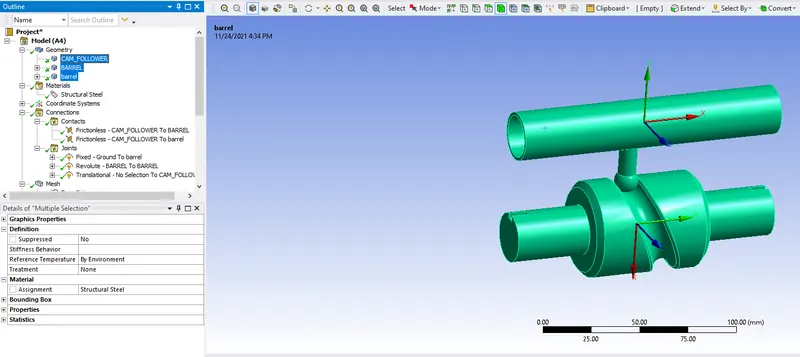
The select all geometry in the name of CAM follower, barrel 1, and barrel 2. Select the material as the structural steel.
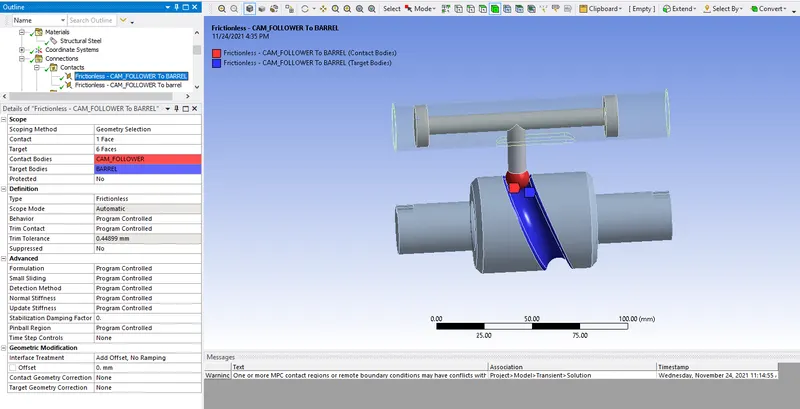
Create the proper contacts for the contact bodies and target bodies as shown below.
Similarly, for the 2nd contact create the contact bodies as shown below.
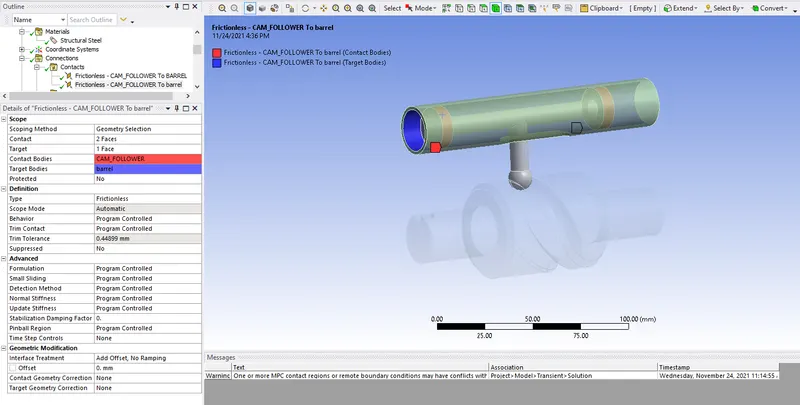
By selecting both the contact and assigning the type will be frictionless as shown below.
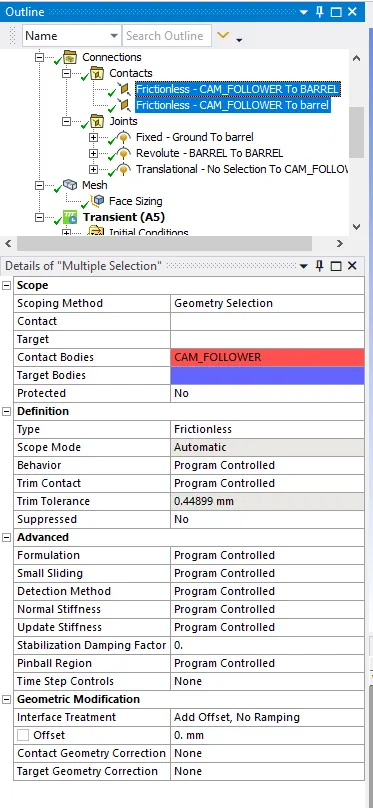
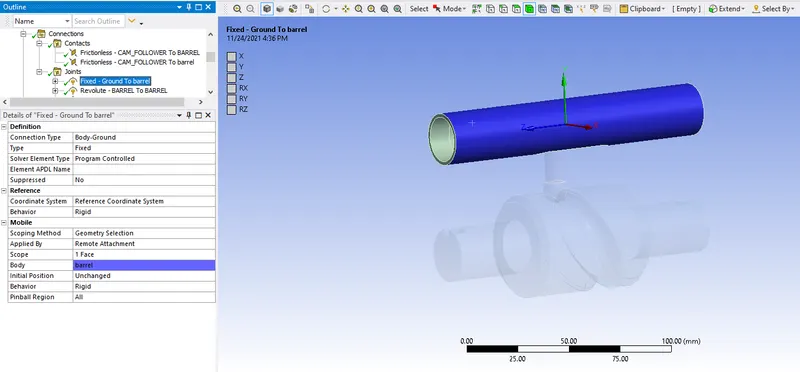
Create the fixed joints for the barrels select the proper body and coordinate system as shown below.
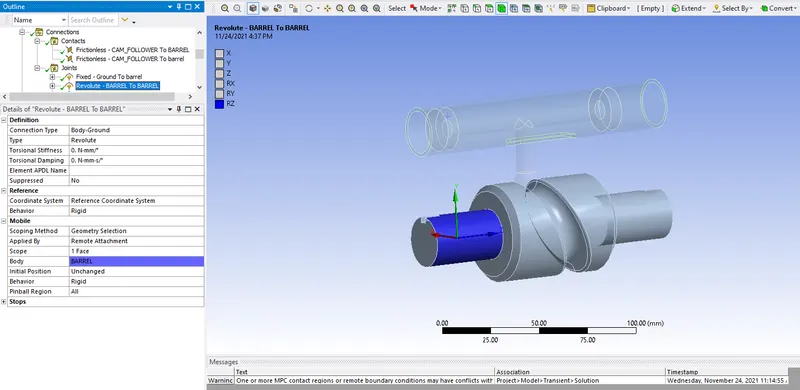
Similarly, create the joints for the revolute and select the scope and body properly as shown below.
Create the translational joints for the cam and select the proper selection as shown below.
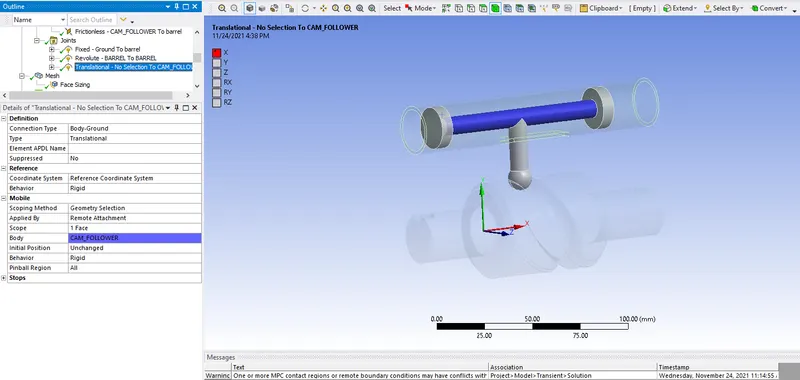
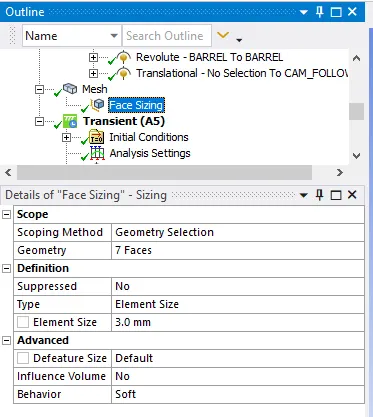
The meshing has been selected and face sizing as the 3mm will be as shown below.
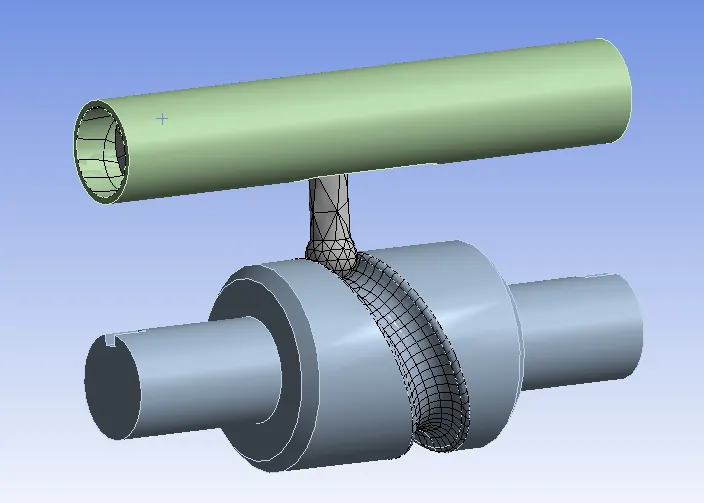
After meshing the component as shown below.
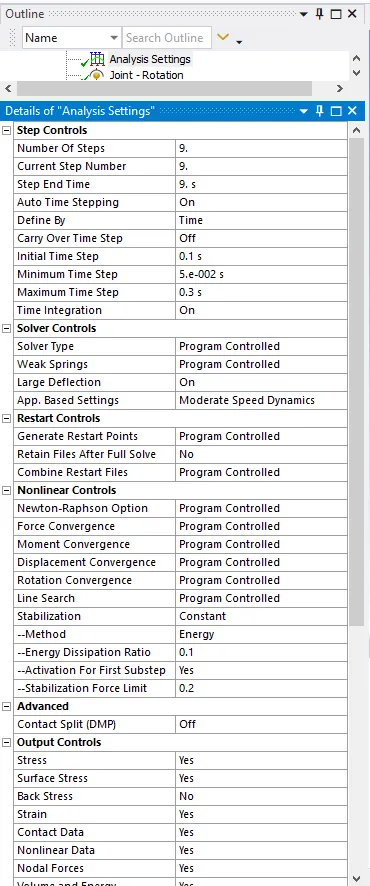
Make the analysis settings for the given model by selecting the no. of steps as shown below.
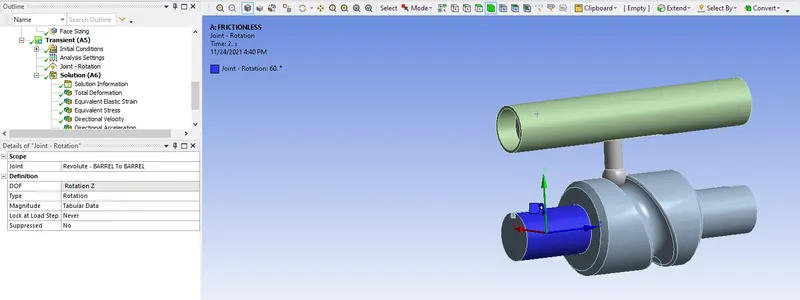
Create the rotational joints as shown below.
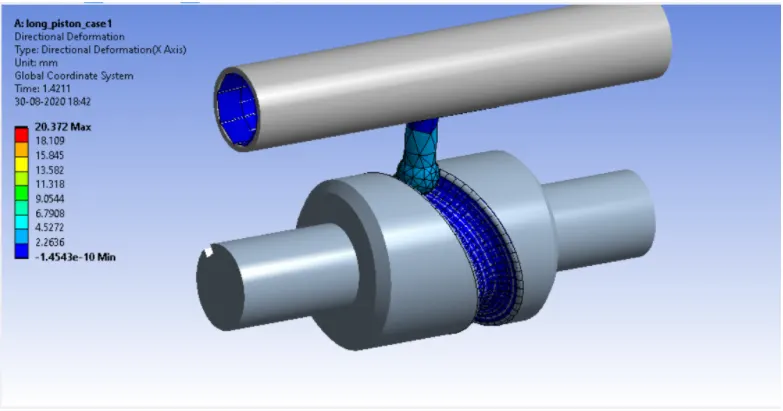
After assigning all parameters the model is shown the directional deformation will be shown the 20.372mm as shown below.
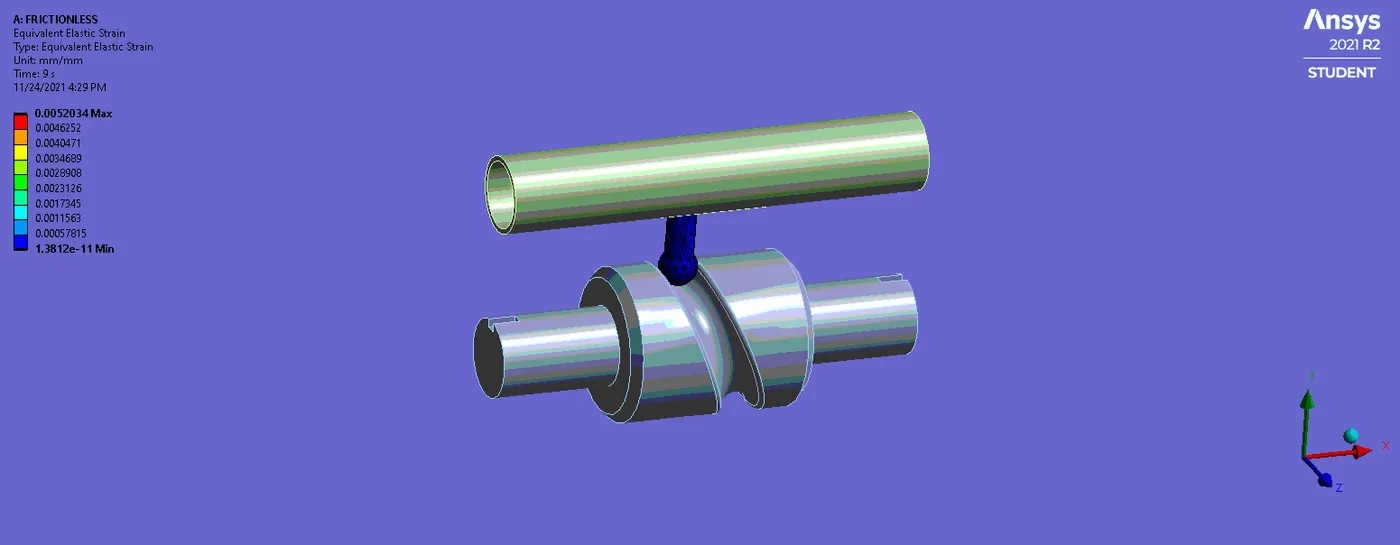
The equivalent strain is shown max of 0.0052034mm and min of 1.38e-11 as shown below.
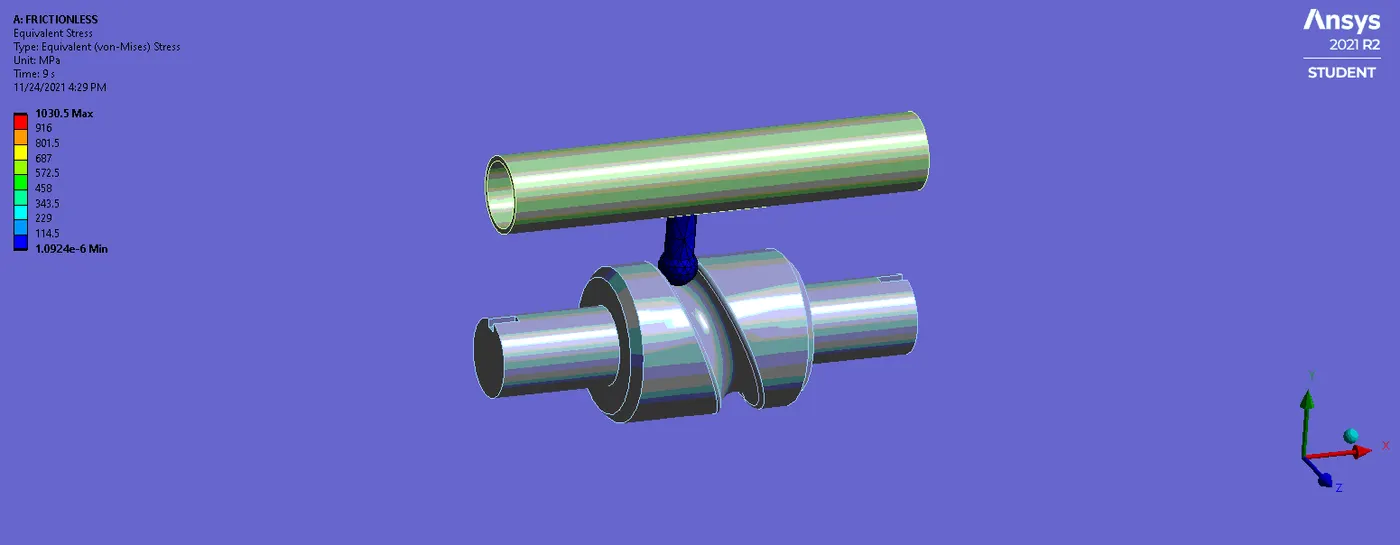
The equivalent stress is of the max. will be 1030.5 MPa and min of 1.0924e-6 a shown below.
CASE 2
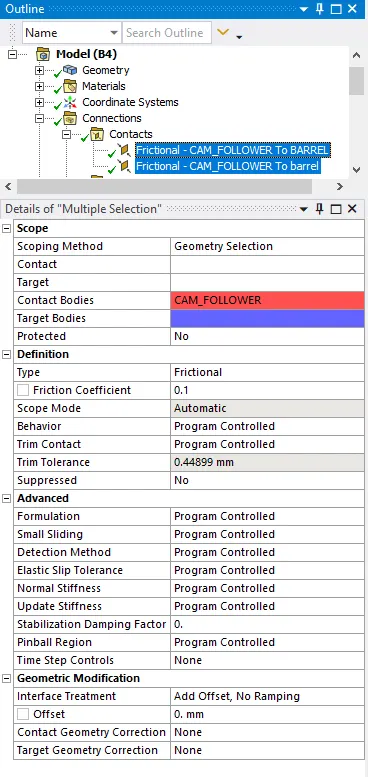
Similarly for the other cases also of friction is of 0.1 and 0.2 we can assign for the 2 cases and make for the analysis for the transient structural.
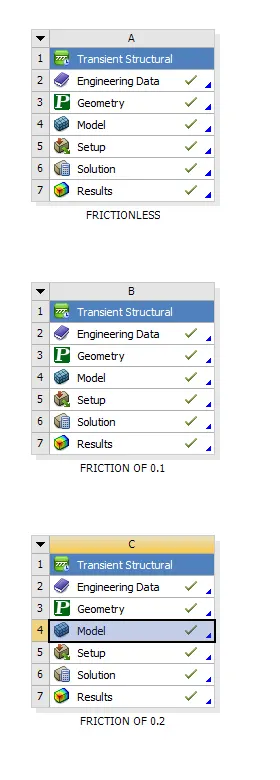
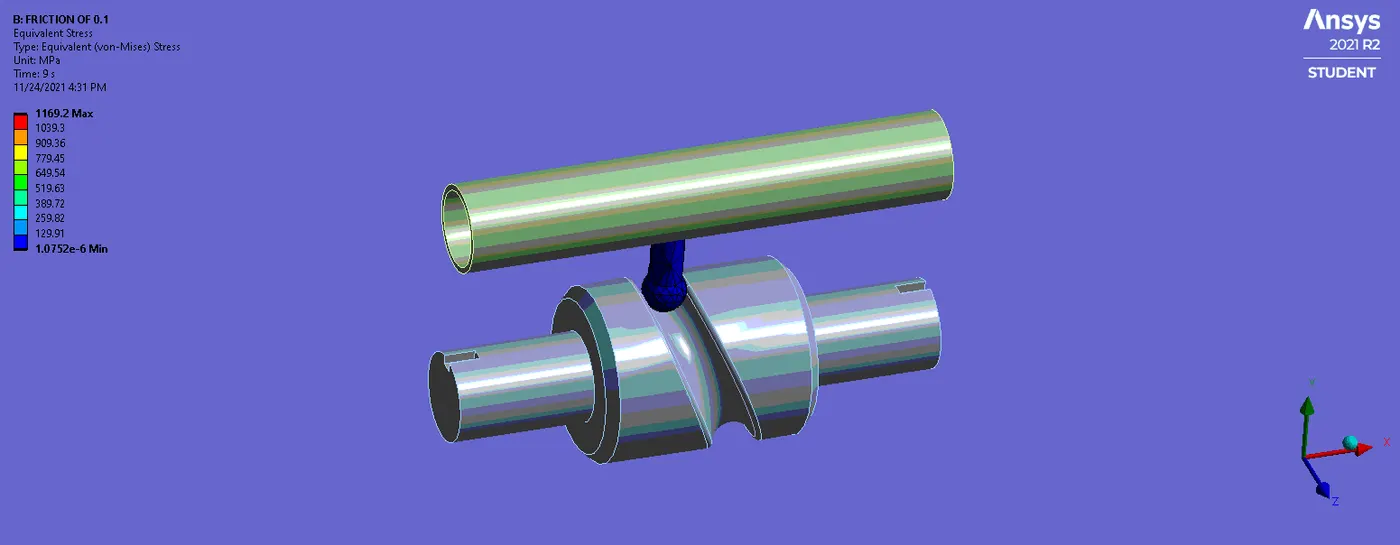
The contact creates the geometry is of the friction of 0.1 as shown below.
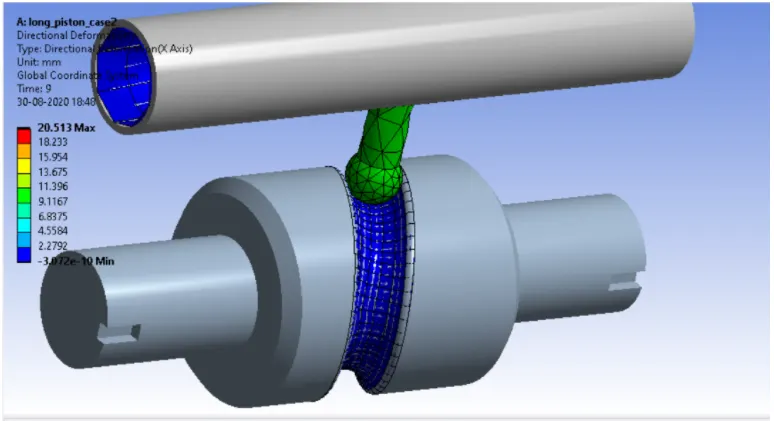
After solving the simulation plot the results for the different types of frictions as shown below.
After assigning all parameters the model is shown the Directional deformation will be shown the 20.513mm as shown below.
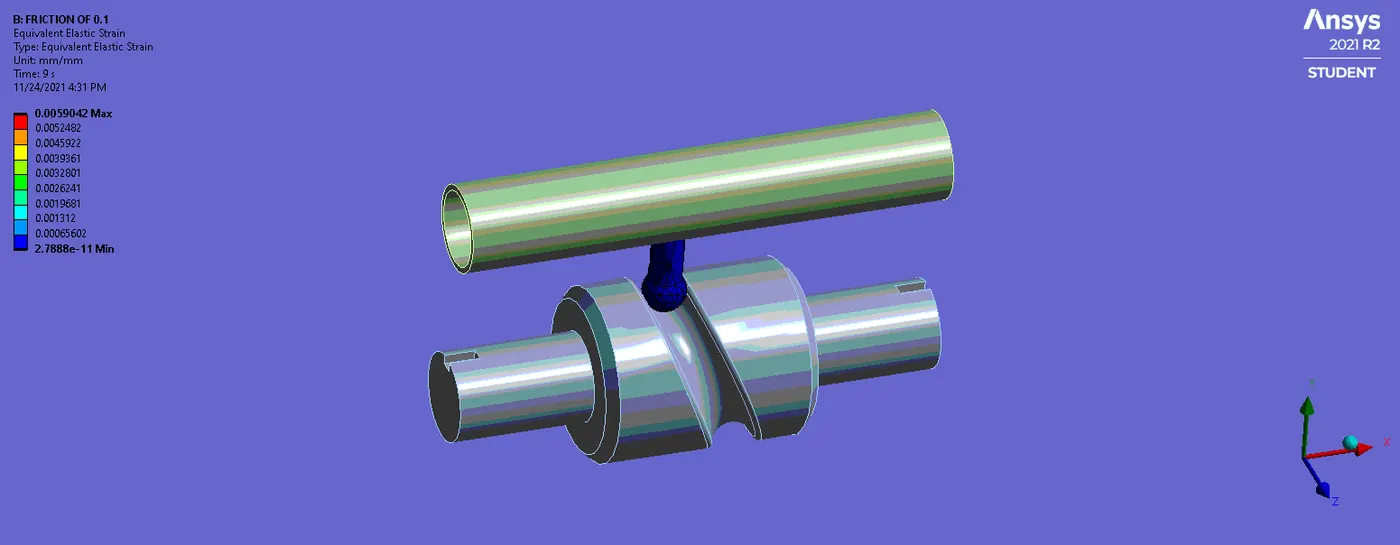
The equivalent strain is shown max of 0.0059042mm and min of 1.38e-11 as shown below.
The equivalent stress is of the max. will be 1169.2 MPa and min of 1.0752e-6 a shown below.
CASE 3
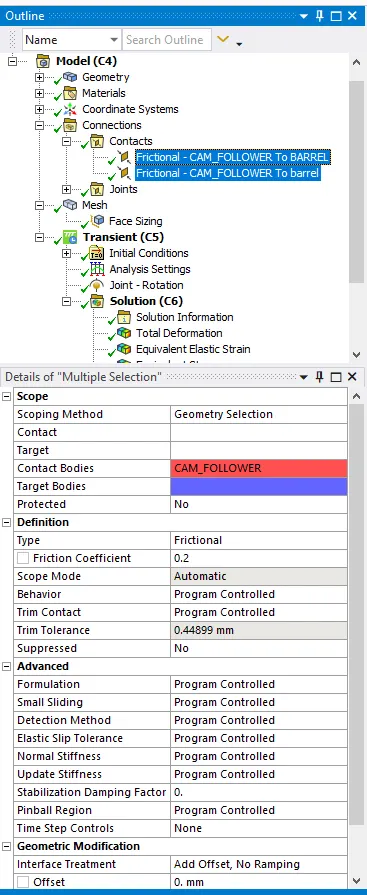
The contact of the friction has to be selected as 0.2 as shown below.
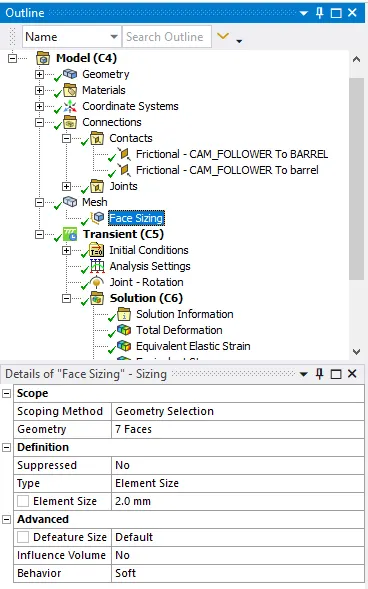
Set the face sizing of 2 mm if its error comes and generate the mesh.
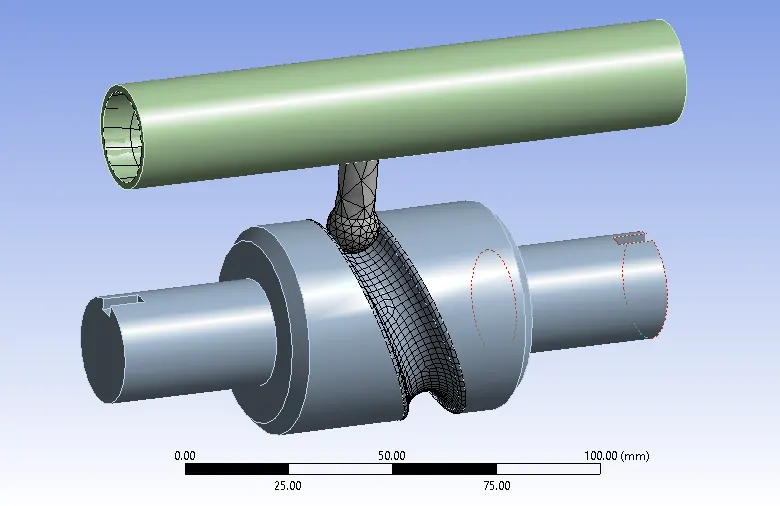
After generating mesh as shown below.
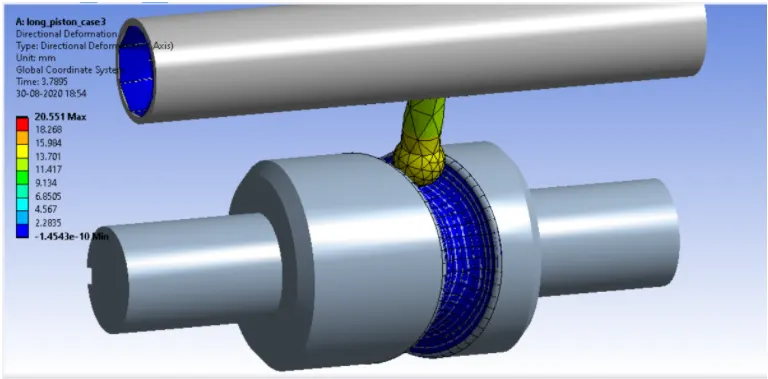
After done with the simulation the component will be 20.551mm as Directional deformation shown below.
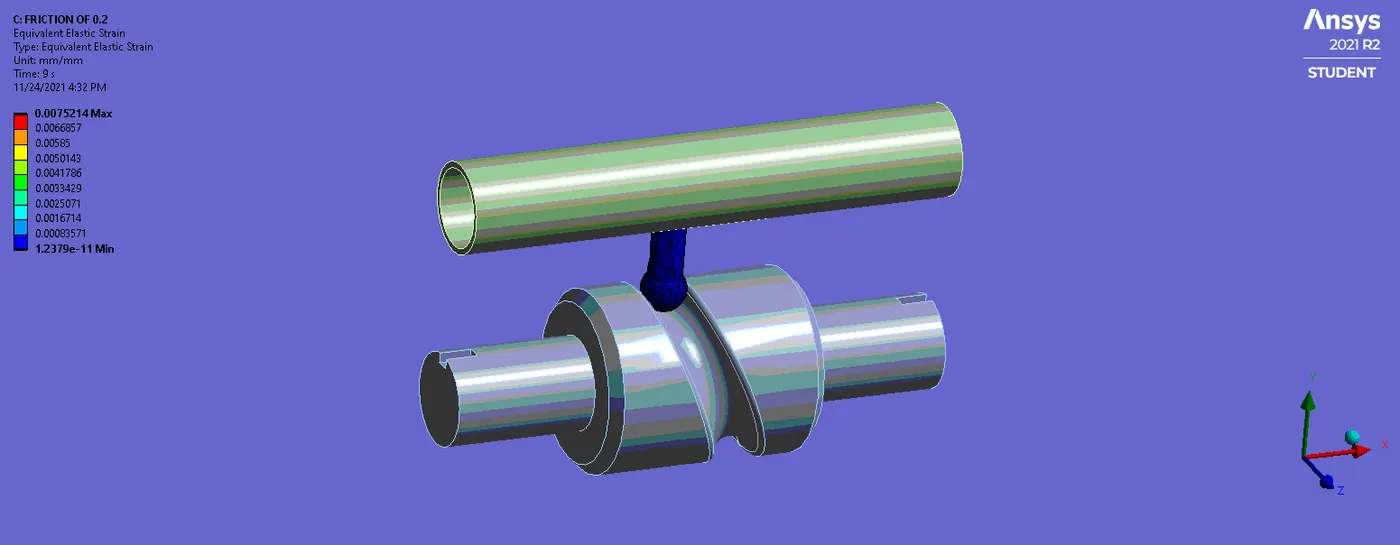
The equivalent strain is shown max of 0.0059042mm and min of 1.38e-11 as shown below.
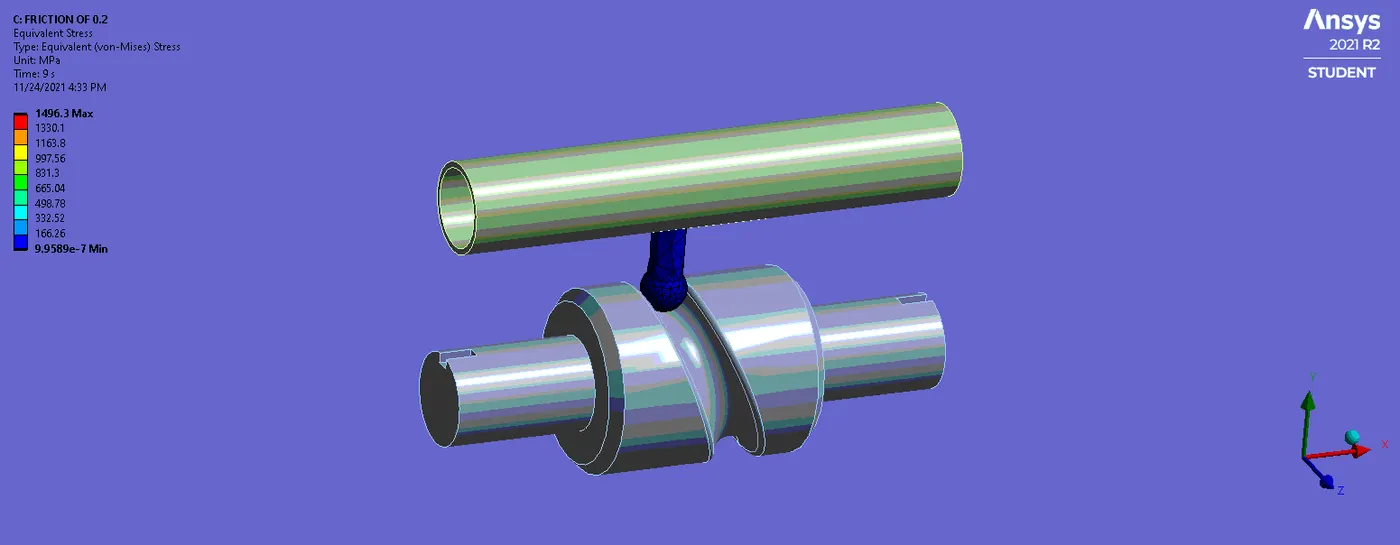
The equivalent stress is of the max. will be 1496.3 MPa and min of 1.0752e-6 a shown below.
Results
The results have been tabulated below
| Directional deformation | Elastic strain | Equivalent stress | |
| Case 1 | 20.372mm | 0.0052034mm | 1030.5 MPa |
| Case 2 | 20.513mm | 0.0059042mm | 1169.2 MPa |
| Case 3 | 20.551mm | 0.0059042mm | 1496.3 MPa |
Conclusion
- The directional deformation for the given transient structural model will be case 1 is 20.372mm and max 20.551mm for case 3 as shown above.
- The equivalent elastic strain for the given model will be the min in case 1 of 0.0052034 and max in case 3 of 0.0059042 as shown in the above table. It varied according to different types of frictions as shown below.
- The equivalent stress is of the given component will be less in case 1 is of 1030.5MPa and max. of the 1169.2 for cases 2 and 1496.3 MPa case 3 as shown from the table. The adding the friction the stress was increased case by case.
Google link
https://drive.google.com/file/d/16VWGSRnx-_yPbSBTdtf_CNPhNA7dpRZW/view?usp=sharing