Week 7 Challenge - Assembly Workbench
DRAWING 1:-
INPUT:-
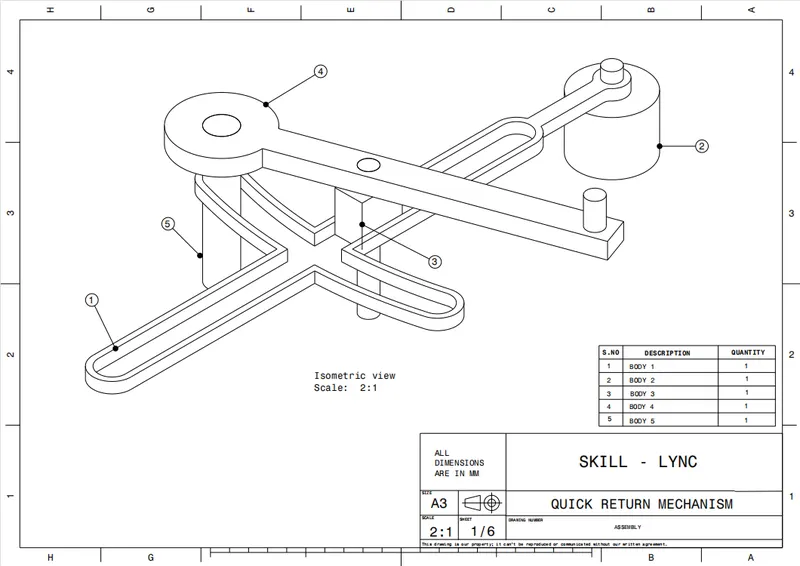
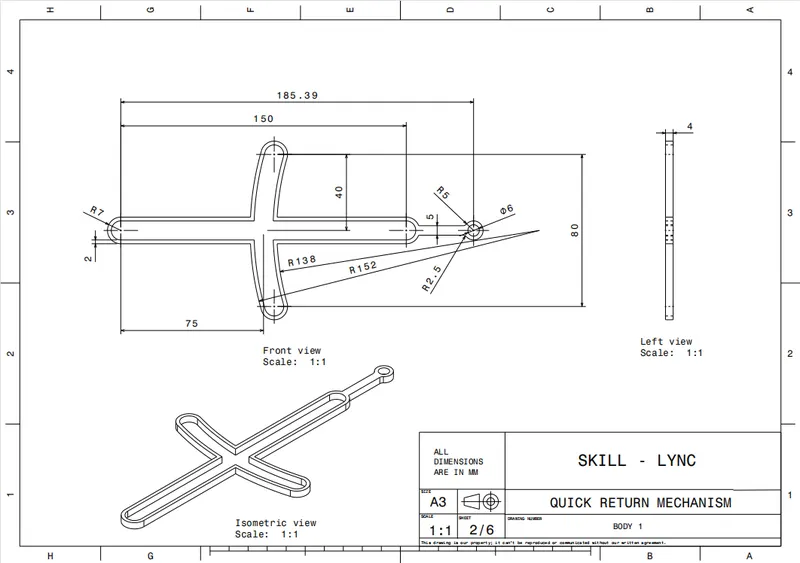
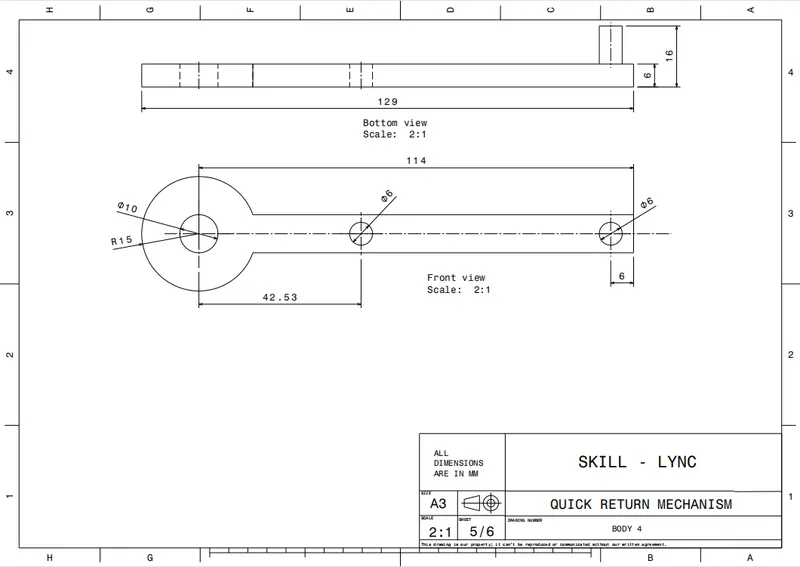
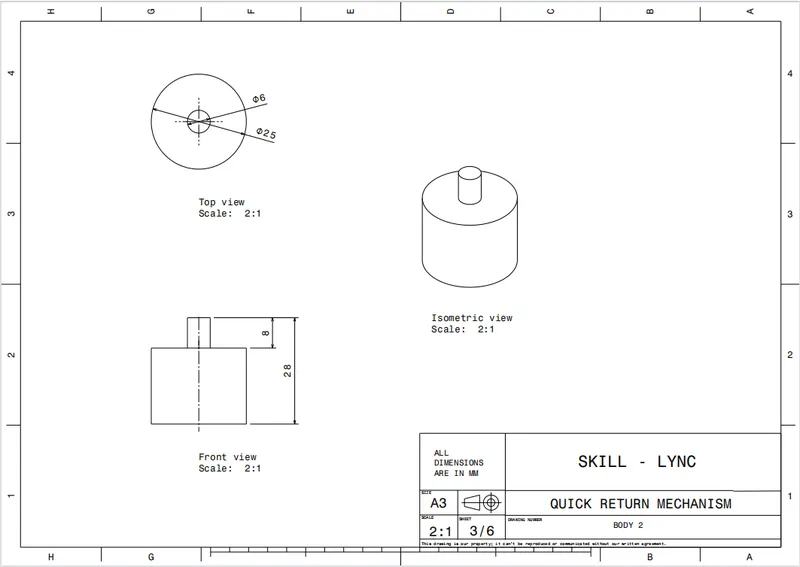
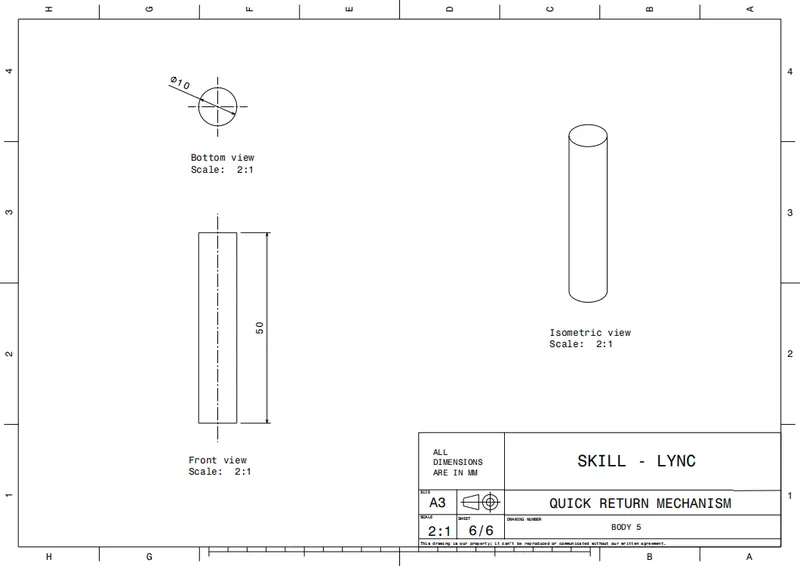
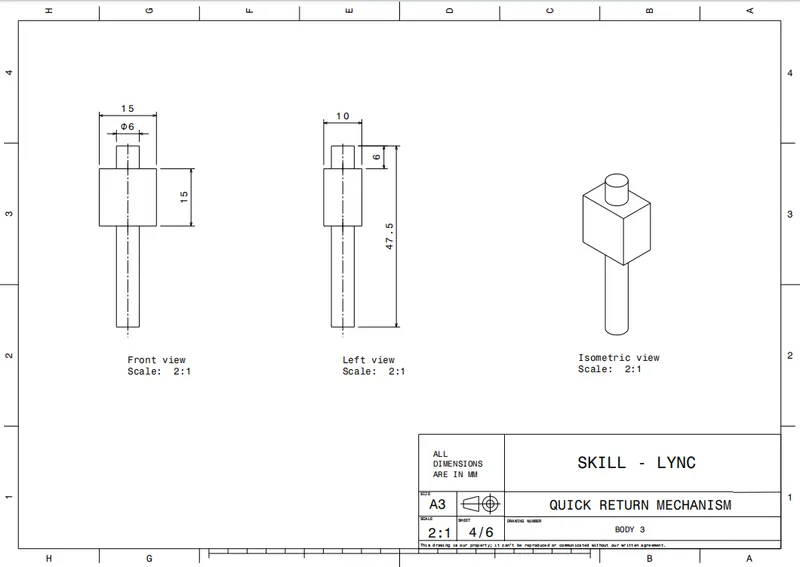
PROCEDURE:-
1.) First make each solid part using part workbench using 2D drawing sheet data.
2.)Create 2D drafting of each part using drafting workbench.
3.) Now the important point is to assemble all the parts using assembly workbench.
4.) Go to assembly workbench and select new product.
5.)Now, I copied each part one by one in this product file and inserted a geometrical set naming as refrence element in each part.
6.) Create axis for circular part.
7.)Now give proper constraints to lock the position of parts according to the requirement.
DRAWING 2:-
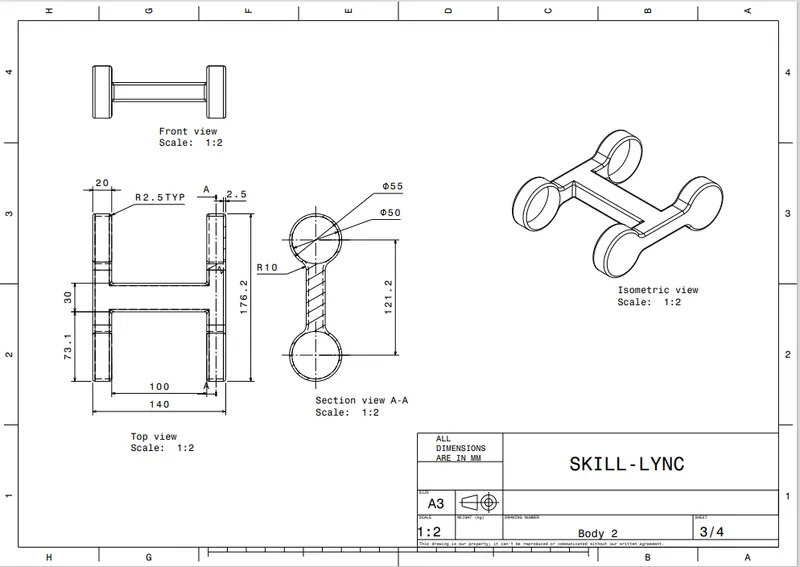
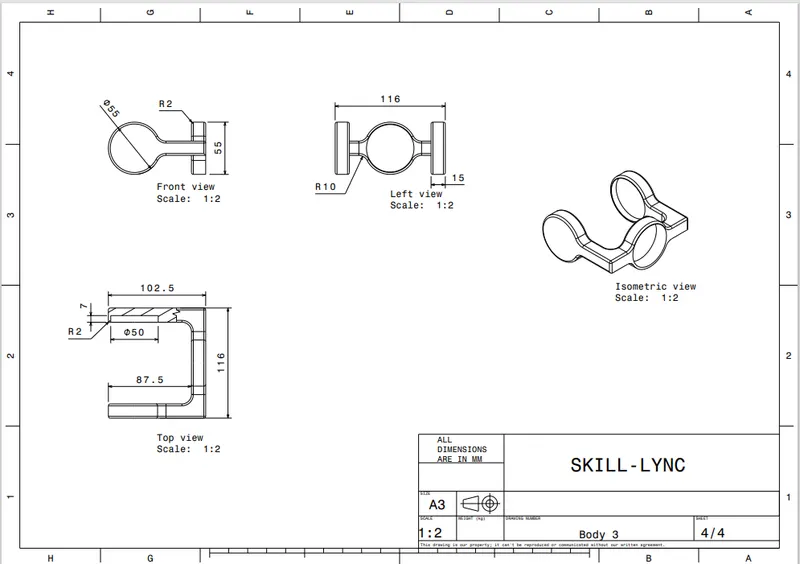
INPUT:-
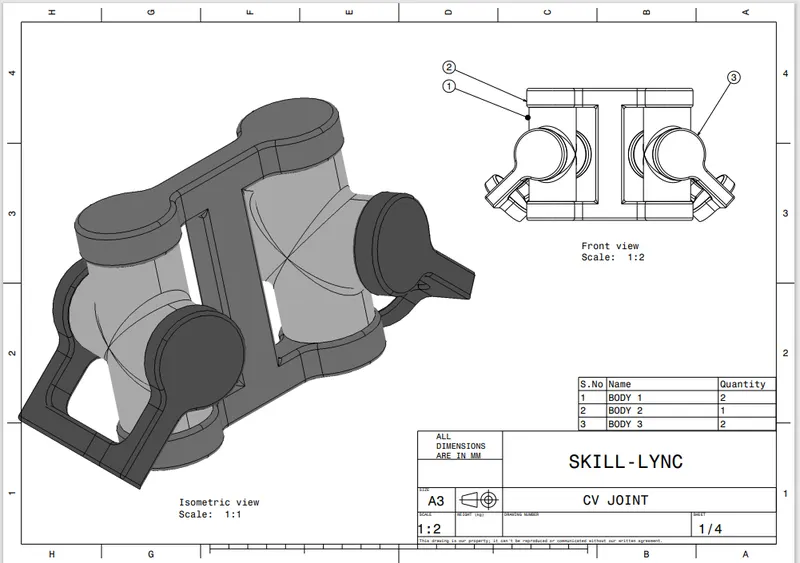
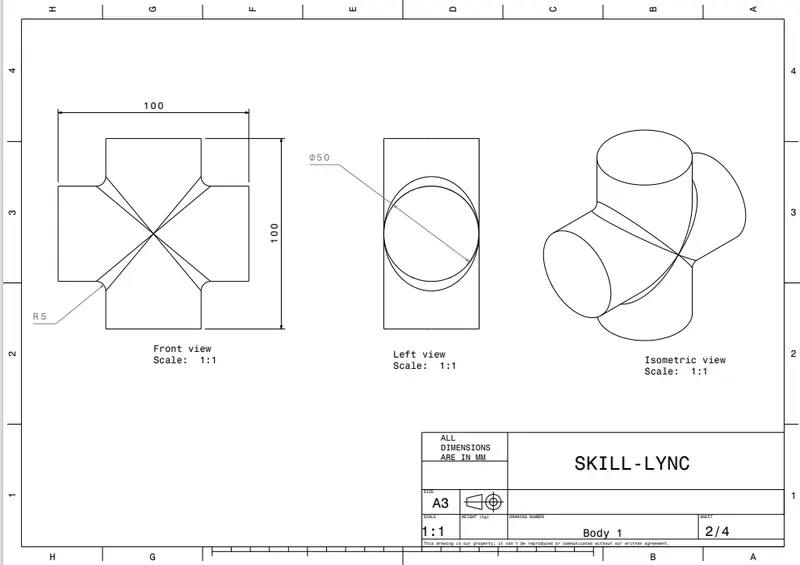
PROCEDURE:-
1.) First make each solid part using part workbench using 2D drawing sheet data.
2.)Create 2D drafting of each part using drafting workbench.
3.) Now the important point is to assemble all the parts using assembly workbench.
4.) Go to assembly workbench and select new product.
5.)Now, I copied each part one by one in this product file and inserted a geometrical set naming as refrence element in each part.
6.) Create axis for circular part.
7.)Now give proper constraints to lock the position of parts according to the requirement.