Week 7 Challenge
1. Open the profile model for the innermost shape. Create an existing ground profile. Design profile at one constant elevation.
Aim: To create the profile model for the innermost shape.
Procedure:
Create a new file with seed 2D imperial training. Attach the project mainline.dgn file. Set the mainline active. Open the background (aerial) imagery. Set as aerial. Attach E_Terrain.dgn. Set it as an active profile (ORD>Terrain>Active>set active). Open the view in 8. Try fit view, there we can see the existing ground profile. Using profile between points draw a line from starting point to ending point. Make the slope zero.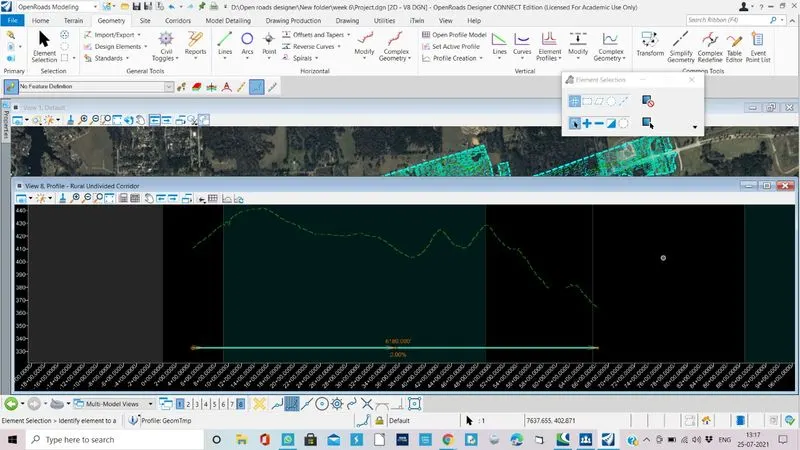
Result: Created the existing ground profile and profile at one constant elevation.
4. Change the designed profiles for all the shapes with constant or variable slopes of desired values.
Aim: To create the designed profiles for all the shapes with constant or variable slopes of desired values.
Procedure:
Go to ORD>Geometry>Element profile> constat/variable
Click on the variable one. Give slope. start giving points. End at last point of existing profile.
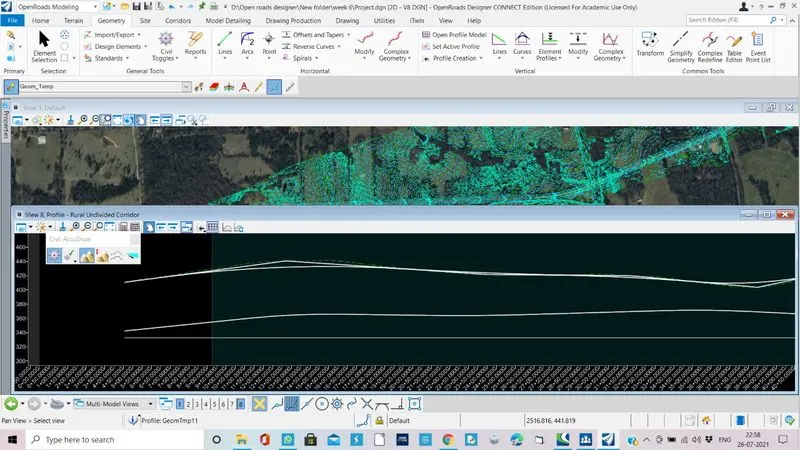
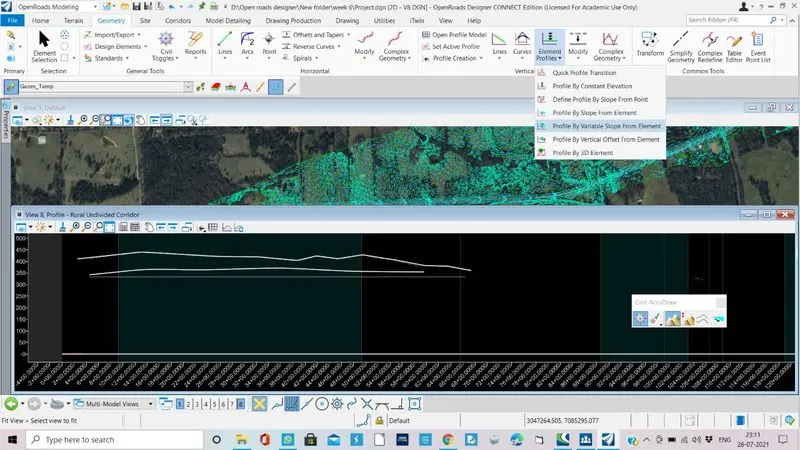
Result: Created the design profiles for all the shapes with constant slopes.