Week 12 Challenge
1. Create alignment plans in sheets.
Aim: To Create alignment plans in sheets
Procedure:
Open the new file. Name it as production_01. Attach the mainline alignment file. Go openroads drawing production>Named boundary?Place civil boundary. (Plan) Give the start and end locations and remaining details and accept it, Another window pops up i.e., create drawing again give the details like annaotaion, seed, and size of the drawing sheet. Click ok, It will process the sheets and provide. Apply the annotations in 2d imperial which will give geometric details and chainage. we can use text and label to add anything we want to display.
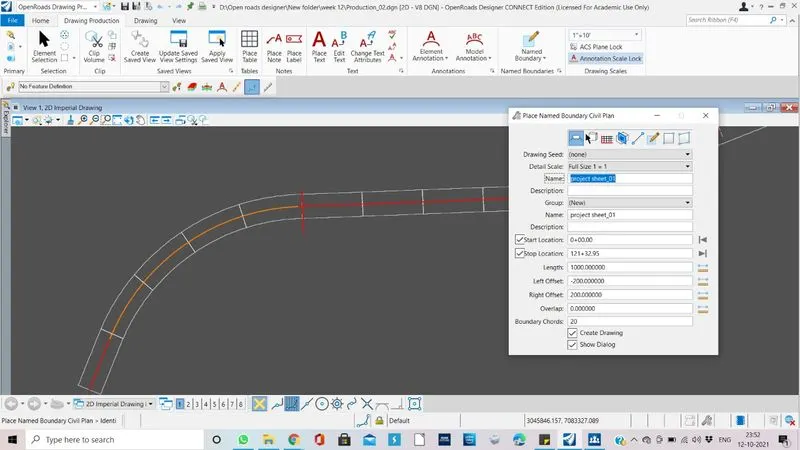
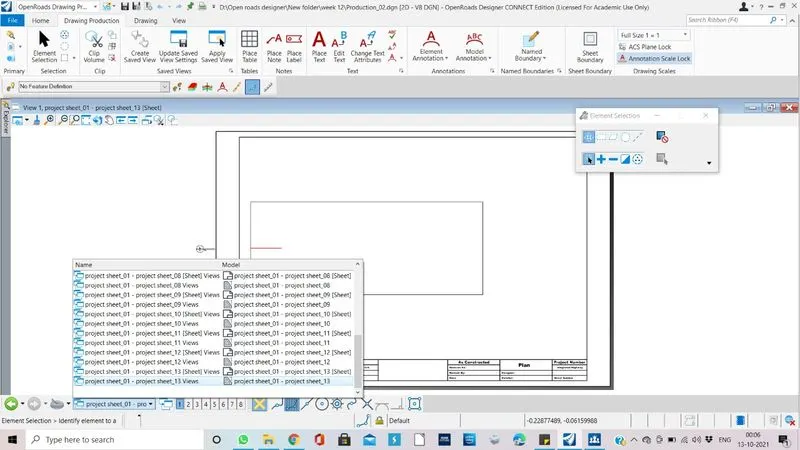
Result: Created alignment plans in sheets
2. Create roadway double stack plans in sheets.
Aim: To Create roadway double stack plans in sheets.
Procedure:
Create a new file. Attach the roadway plan, and mialine alignment.
Go openroads drawing production>Named boundary?Place civil boundary. (plan_plan) Give the start and end locations, overlap, and remaining details and accept it, Another window pops up i.e., create drawing again give the details like annaotaion, seed, and size of the drawing sheet. Click ok, It will process the sheets and provide. Apply the annotations in 2d imperial which will give geometric details and chainage. we can use text and label to add anything we want to display.
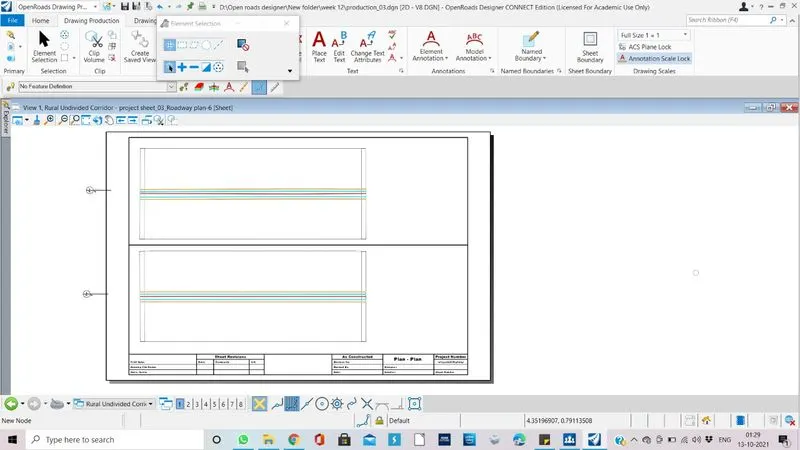
Use place note and labels to add something as text or sumbol or etc.
Result: Created roadway double stack plans in sheets.
3. Create plan and profile sheets.
Aim: Create plan and profile sheets.
Procedure:
Create a new file with seed 2d imperial drawing. Attach corridor basics.dgn. Do the same honors for this also. Use civil boundary,This time choose plan and profile, and give the details and right click. Difference between this and above two is we dont choose drawing at the bottom. Then open the profile view of alignmnet and create profile civil boundary like we did above for plan(plan and profile 20 scale). Go to named boundaries. right click on the mainline alignment and click alternate plan profile. The alternative drawings will be created.
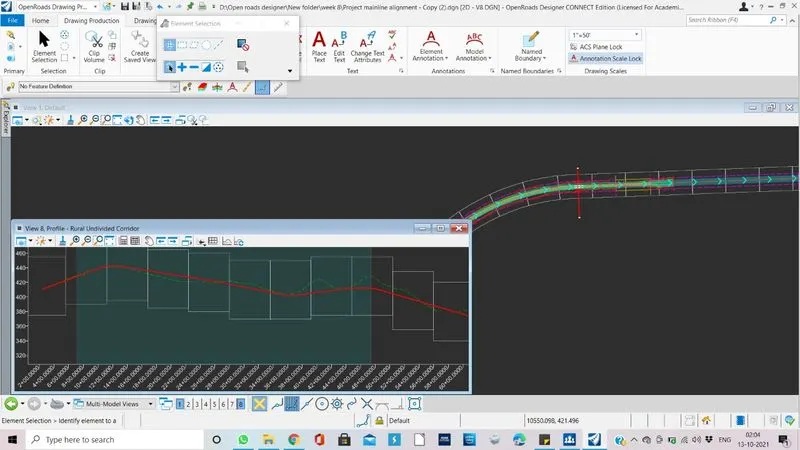
Result: Created plan and profile sheets.
4. Create cross sections sheets.
Aim: Create cross sections sheets.
Procedure:Like wise cross section sheets also can be created using named boundary.
Result: Created cross sections sheets.