Week 6-Meshing of Hood Challenge
Meshing of Hood using HYPER WORKS
AIM:
- To extract mid-surface, geometry clean up, and deploy for the hood model components.
OBJECTIVES :
- To extract separate mid-surface for the components.
- To perform geometry clean up for the extracted mid-surface.
- To deploy mesh on the extracted mid-surface.
- To remove the elements failing for quality.
- To assign thickness to the components.
ABSTRACT
A Car hood or bonnet is a part which is located at the front end and it covers the engine of the automobile. Its function is to protect the engine.
We can easily open and close the hood during repairs or maintenance. Hoods are typically made of the same material as the rest of the body work
This may include steel, aluminium, fiberglass or carbon fiber. However, some aftermarket companies produce replacements for steel hoods in
fiberglass or carbon fiber to make the vehicle lighter. In this project we are going to perform geometry clean-up and mesh the hood model
according to the given quality criteria using Hypermesh.
INTRODUCTION:
HOOD
Car hood mainly consists of two parts, inner bonnet and outer bonnet. Inner Bonnet usually provides strength for the engine, battery and
other important parts in the front-end of the car. Outer Bonnet provides styling and gives aerodynamic shape to the car body. Various
requirements are needed while designing such as safety aspects and the quality criteria.
1)Aspect Ratio: It is defined as the ratio of maximum element edge length to the minimum element edge length. The ideal value is 1 but less than 5 is acceptable.
2)Minimum/Maximum element length: It is very important to check this error as it is used for crash analysis check.
3)Jacobian: It is the scale factor used in the transformation of a coordinated system. The ideal value is 1 but greater than 0.6 is acceptable.
The value of the determinant of the Jacobian matrix is calculated for each integration point of the
element according to each type:
Element Type Order Number of integration points
4)Skewness: If the quad element is not a square and has deformation, skewness is defined as 90 minus the minimum angle between the two lines
joining the apposite mid sides of the element and similarly for the triangular element it is 90 minus the line between the each node of the
opposing mid side. The ideal value is less than zero but 45 degree is acceptable.
Skew angle = 90° - < 30°
5)Warp Angle: It is defined as the angle between normals of two triangular planes formed by splitting the quad element along diagonals.
PROCEDURE :
- In order to create a midsurface of the geometry, first we have to do the topology repair of the model. There are several errors in the surface created during modeling. We have to correct these errors which would resist in a good midsurface creation.
- The geometry is imported by using 'import geometry' option keeping the file format as 'STEP’
- FILE >> IMPORT >> MODEL >> SELECT FILE >> IMPORT
- The model is observed for all the areas where geometry clean-up (topology repair) is necessary. The areas and the tools required to execute the operation are identified.
- There are some areas where the surface is not perfectly filled so we can see some bend which can remove by delete the surface and using spline create surface.
- 2d >> spline >> select line >> create
- At some area we have toggle the surface to remove the unwanted green line .
- GEOMETRY TOOL >> QUICK EDIT >> TOGGLE >>SELECT LINE
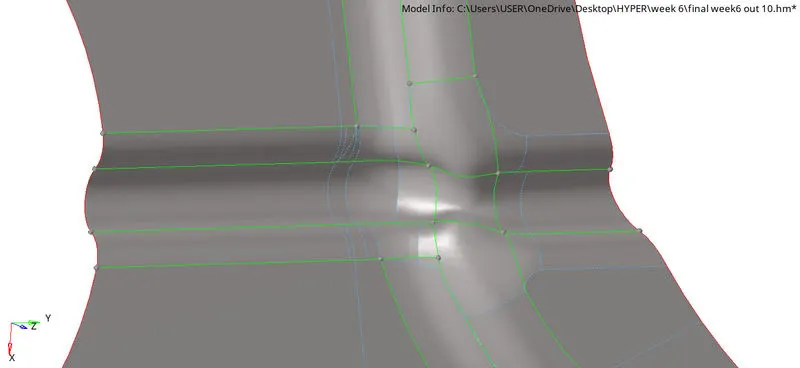
- At some surface there is some bent it can be removed by add\remove point, add point on line , replace point tools
- GEOMETRY TOOL >> QUICK EDIT >> USE (add\remove point, add point on line , replace point)

- Do the same where the same type of problem
- After all topology repair the midsurface is created success fully.
- Mesh the midsurface by part by part
- 2D >> AUTOMESH >> SELECT SURFACE >> CREATE
- If there any rotating quarts we have to re mesh by selecting required elements.
- After mesh correctly we have to check quality index and make sure there is no red and yellow colour element, it means the element is weak.
- If so using clean up tool correct it and make the element colour normal.
- 2d >> qualityindex >> check
- If error, using clean up tool correct it
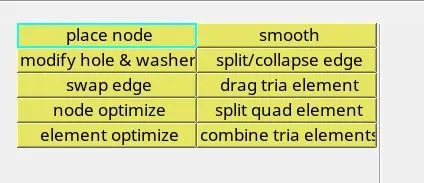
- Then check elements make sure the elements attain required quality
- Tool >> check elements >> check(( in 2d) warpage, aspect ratio , skew , length of element, angle of elements)

RESULTS :
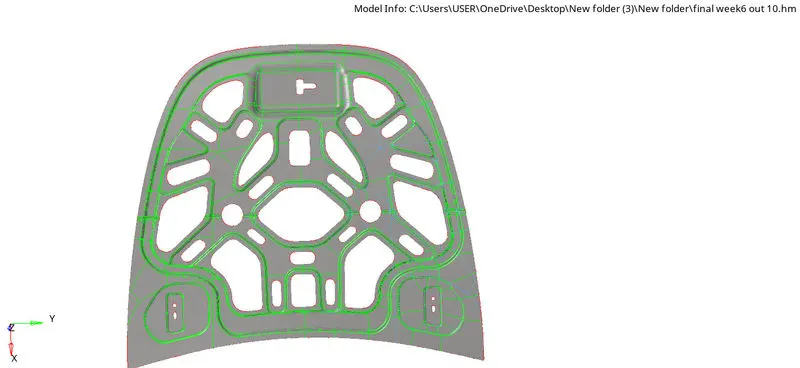
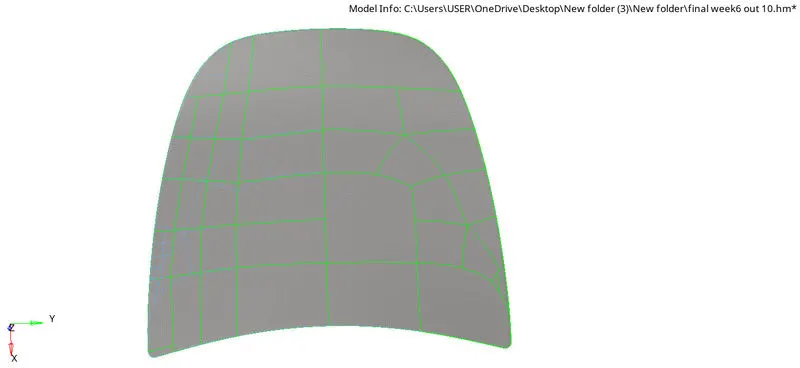
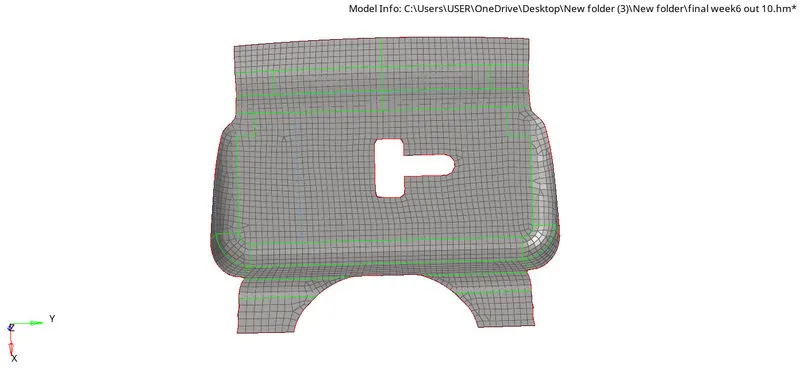
CONCLUSION:
Hence, by performing the project we conclude that the Hood model is meshed according to the given quality criteria values and is ready for analysis.