Week 6-Meshing of Hood Challenge
Aim:
Inner hood panel has to be meshed with the given quality criteria and assiging the thickness value to the property.
Procedure:
1)Firstly, the autoclean up command is used to aviod unwanted errors is any.
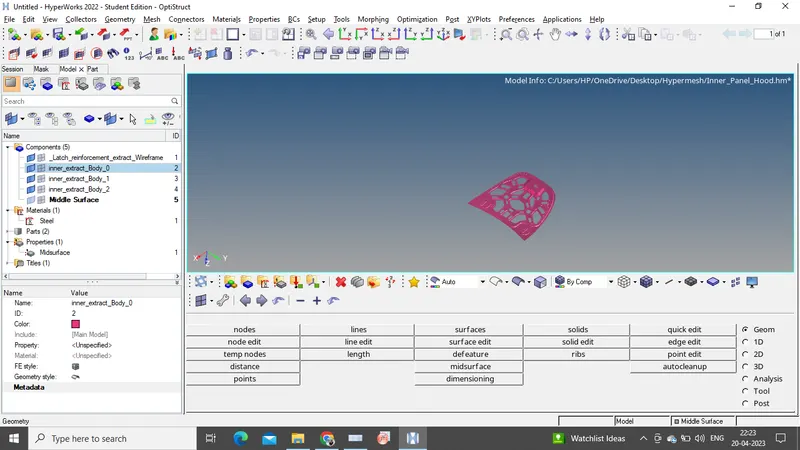
2)Later on, midsurface is extracted using the auto midsurface by selecting the offset option during extraction.
3)Now the property ID and material is assign to the midsurface. Basically, midsurface is created to reduce the nodes and elements, which reduces the time during analysis and it is created for thickness less than 5mm sheets.
4)Meshing of the surfaces are performed using the automesh command. The average mesh size is set at 5mm.
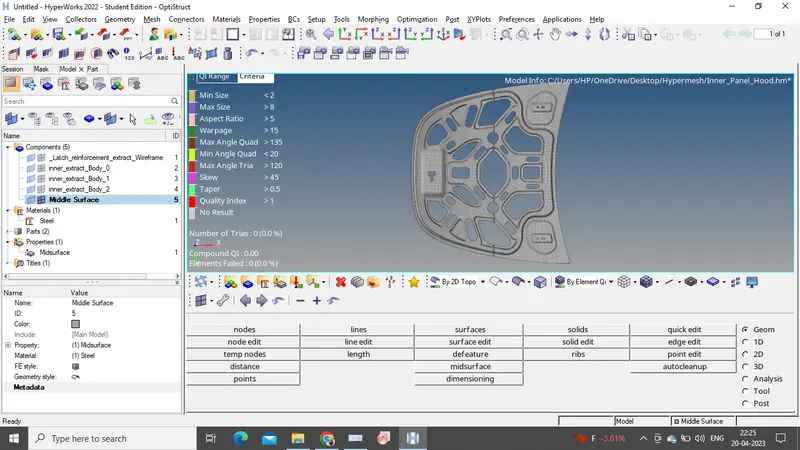
5)After meshing the complete model, quality index is assigned.
6)Finally, the meshed component with a particular thickness value is assigned.
Learnings:
1)During meshing, to attain proper flow rebuild mesh and smooth commands are to be used.
2)Learnt to extract the midsurface and clearing of the quality criteria is done.
Conclusion:
The model is meshed with proper mesh flow and by assigning the property.