Week - 5 - 2D meshing for Plastic components
Objective:
Meshing for the symmetry Bottle cap has to be generated with good quality criteria.
Cad model: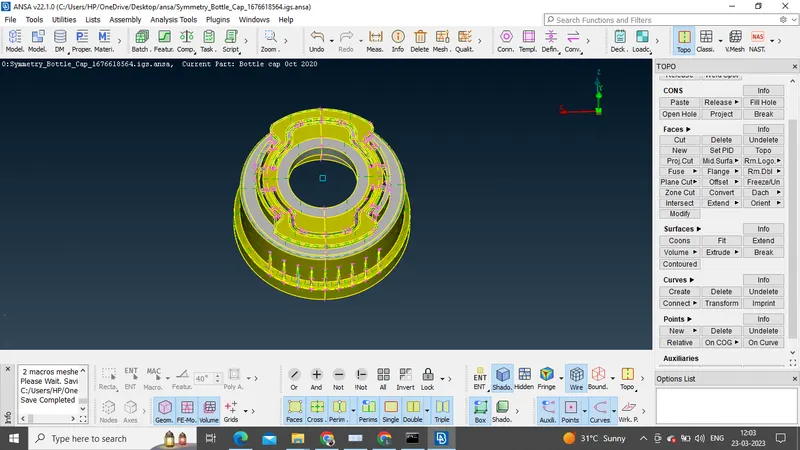
Procedure:
1)Initially, for proper cons resolution an element length of 1mm is provided, after which a topo operation is performed.
2)Geometry checks has to be performed, so that the design model is ready for pre-processor.
3)Given is a plastic model, which has multiple thickness. So randon thickness measurement is carried out.
4)To create a mid surface, we have 2 methods: manual method and auto method. For the given model auto mid could not be generated by ANSA, so manually midsurface is created.
5)To start with the midsuface creation, i started by extracting the bottom face. As the component has many features proper care should be taken while selecting the face to create the off-set. Always select the face which is clean and with minimum features.
6)After extracting the mid-surface for the circular parts, fins are created. If we observe the fins are of different thickness, so middle command in faces is used to create the mid plane, later to join the fins with circular part extend command is used and the unwanted materials is been trimmed.(creating a cut and deleting the extra material).
7)The component contains 12 ribs, middle commond from the faces is used to extract the midsurface because of varing thickness. The 12 ribs are arranged around the circle, so rotate command can be used to copy the rib. To use the rotate option initially a mid-point has to be created along which the component rotates. Similarly, for teeth the mid-surface is created by using con2curve command and projecting the con to the base, same method is used to rotate the teeth around the circular section.
8)In the simialry way the top surfaces are only created.
9)After creating the mid-surface, property ID has to be given.
10) Before meshing ,mesh parameters and quality criteria are to be assigned.
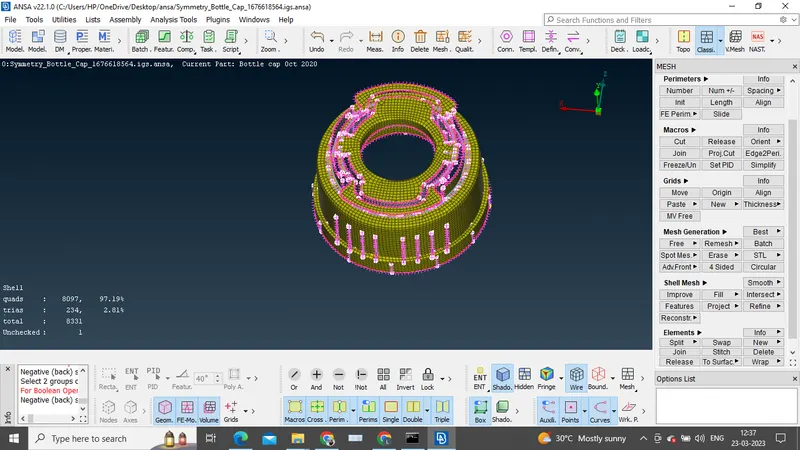
11)Manual meshing is performed with help of classic shell module.
Conclusion: