Week 4 - 2D Meshing for Sheet Metal
Objective:
Generate the Mesh for the given CCB CAD model,by following proper procedure like, Check for the Geometry errors, take the mid surface, perform gepmetry cleanup and implement 2D element Quality criteria to the mesh model.
Cad Model:
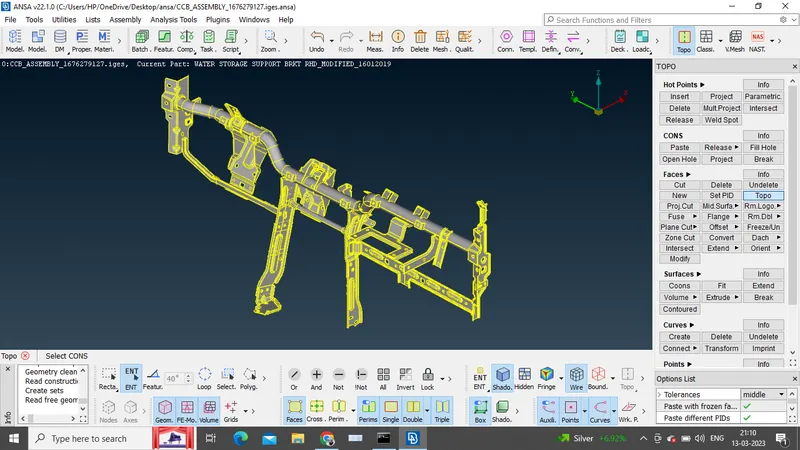
The following design model has to be checked for geometry errors, create a mid surface, apply quality criteria and perform meshing.
Procedure:
The given model has different components, so each part has to undergo all the steps individually.
1)Pshell 35:
Firstly, selected the component having a property id as PShell 35.
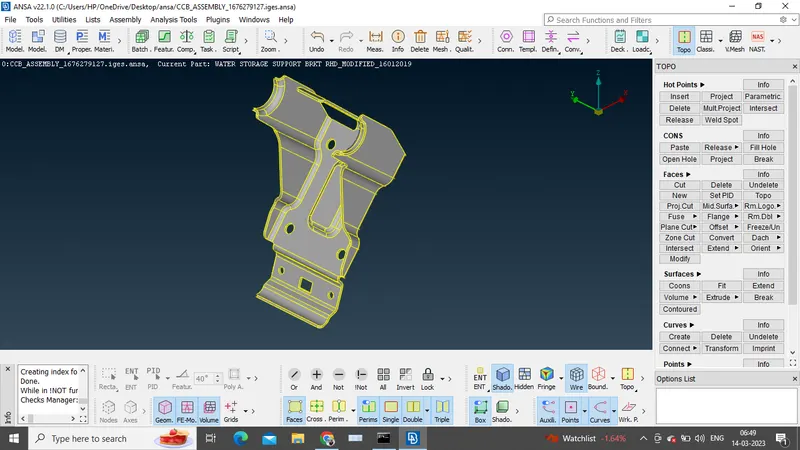
Above shown is the design model of the property, with zero geometrical errors.
2)Mid-surface of the component is extracted by the automatic mid-surface (skin) command.
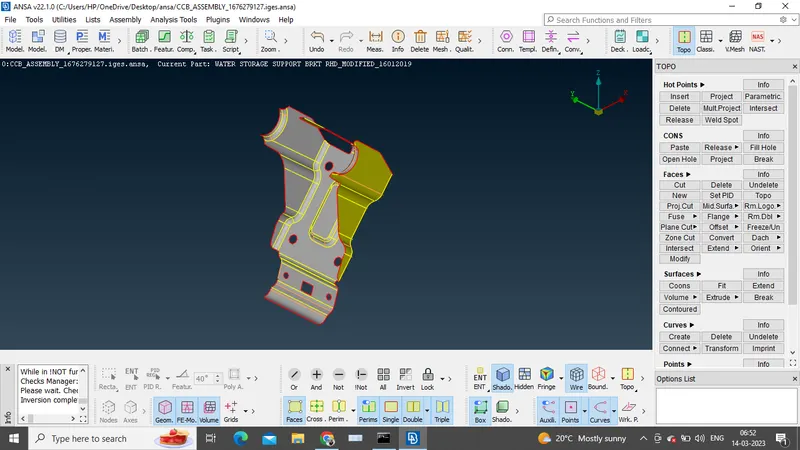
3)New property ID is created for the mid-surface and the perimeter and macro lenghts of 5mm are assigned.
4)Before generating the mesh on the cad model, geometry clean up is done.
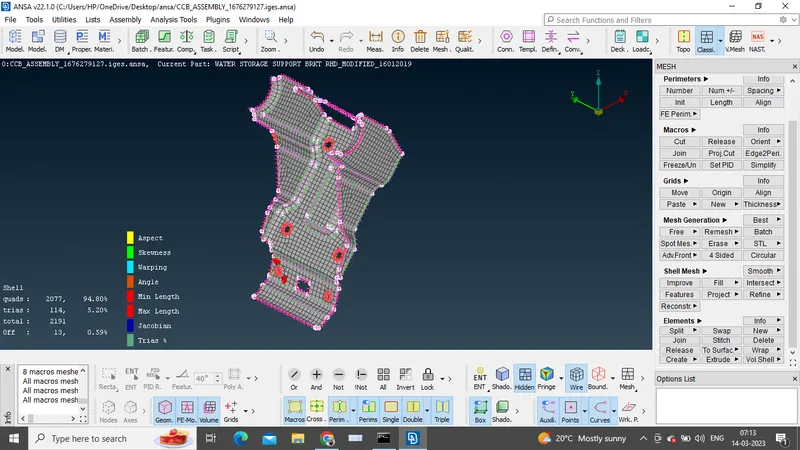
5)Finally mesh is generated ion the mid-surface.
Conclusion:
The meshing of the given CCB CAD model is executed