Week 6-Meshing of Hood Challenge
To extract the mid surface for each component and mesh the given
hood component with the given target size of 5 mm mentioned quality
criteria.
Follow the below-mentioned quality criteria, mesh the component given below and assign thickness:
Target Element Length = 5 Units
| S.N | Quality Criteria | Value |
| 1 | Aspect Ratio | 5 |
| 2 | Skewness | 45 |
| 3 | Warping | 15 |
| 4 | Taper | 0.5 |
| 5 | Min. Length | 2 Units |
| 6 | Max. Length | 8 Units |
| 7 | Min angle Quad | 45 |
| 8 | Max angle Quad | 135 |
| 9 | Min angle Tria | 20 |
| 10 | Max angle Tria | 120 |
| 10 | Tria % | 10 |
PROCEDURE :-
1) Import the model.
2) Extract the midsurface for the each component.
3) Cleanup the component.
4) Mesh.
5) Reflect the mesh.
6) Check quality index.
Import the model in step file.
Go to preference and give all mentioned dimensions then apply on
the component with on the hinge part only remaining all in switch
of mode.
Extract the mid surface of the hinge.
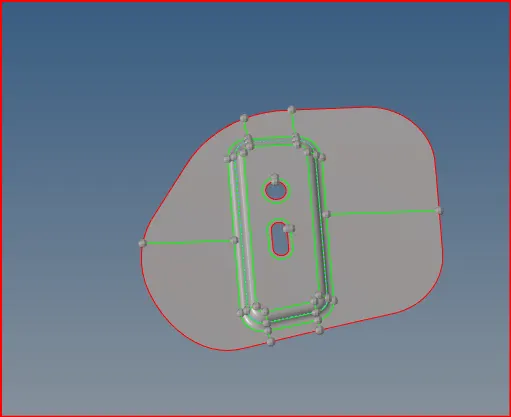
fig. midsurface of hinge
And also cleanup the mid surface of hinge.
After that doing mesh of the mid surface of the hinge.
Then using quality and find the errors with using tools and doing
quality mesh of the hinge.
After that find the edges with using edges tool.
Then combine the elements and clear the edges problem.
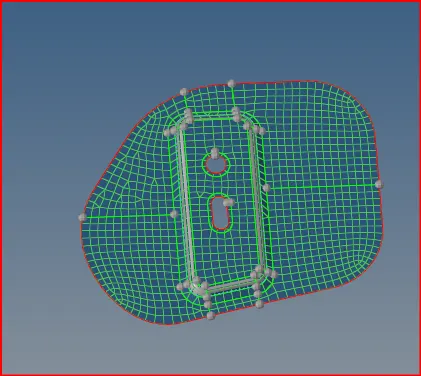
fig. hinge mesh with quality
Then reflect the hinge go to option select element click on
displayed and duplicated the current component select the
nodes and base point then hinge reflection done.
After that assign the thickness of property id.
After the hinge reflection switch of the hinge and switch on
the latch remaining all switch of the component.
Then midsurfacing of the latch and autocleanup the latch.
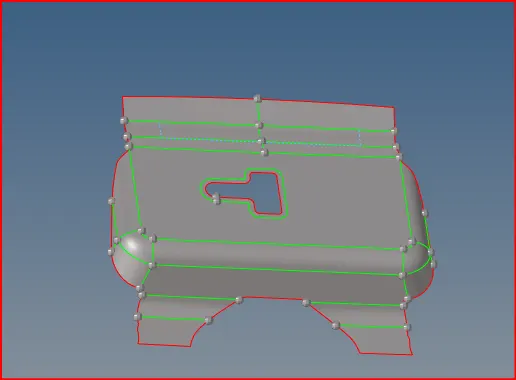
fig. midsurface of latch
After that meshing the latch and clear the drag elements. incase formed
any duplicate element then will remove duplicate elements and create
the new elements on that place.
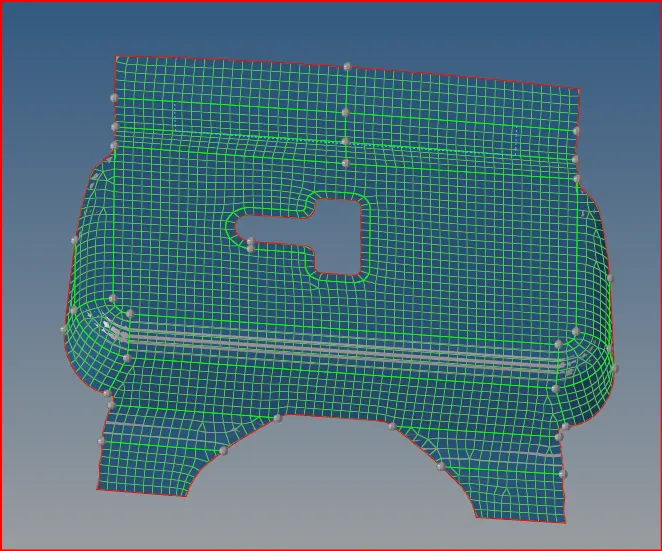
fig. mesh of latch
After that the proper mesh you would get quality mesh and find the
edges and clear the all duplicated and clear the errors.
After that assign the property id.
After that finish the latch and switch of the latch and switch on the
outer component toggle the lines and create new line conviently for doing
meshing.
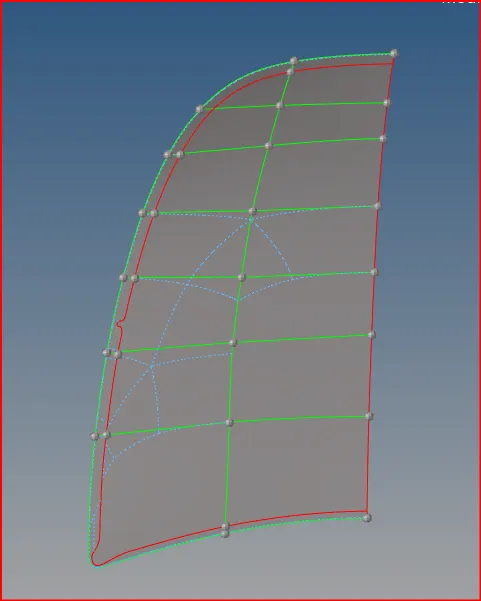
fig. Outer midsurface
After that doing mid surface of the outer hood and divide into two
equal parts and cut the one part of outer wood and will create a
middle line on anglar hood and then doing mesh of the outer wood.
Then finish the proper mesh and remove unwanted nodes and elements
than will get a quality mesh after completion of meshing reflect the
outer hood component same as hinge.
After that go to tool and select elements than displayed and click on
duplicate select the nodes and base points then reflect the outer
hood.
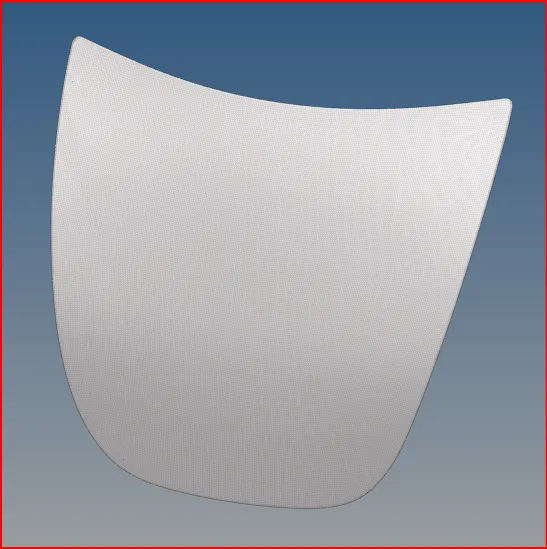
fig. Outer panel
after finish the outer panel and will go to inner hood.
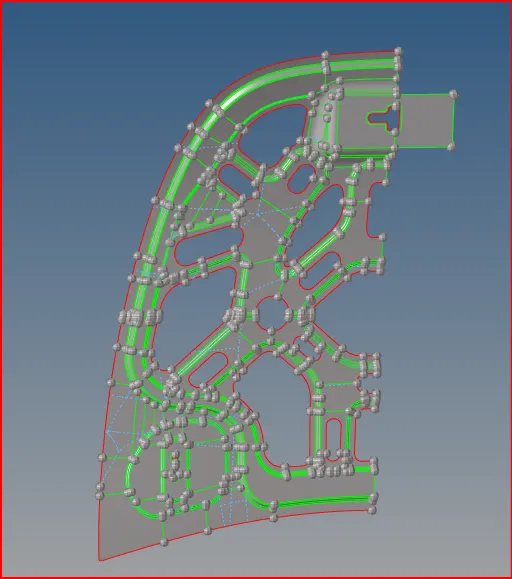
fig. inner panel
Toggle the lines in this component switch off the hinges and mid surface
of the outer panel and doing mesh of inner panel.
After that inner panel mid surface divided into two equal parts and deleted
the one part of inner panel and then doing mesh and remove unwanted nodes
before meshing because the small nodes created big problem doing mesh.
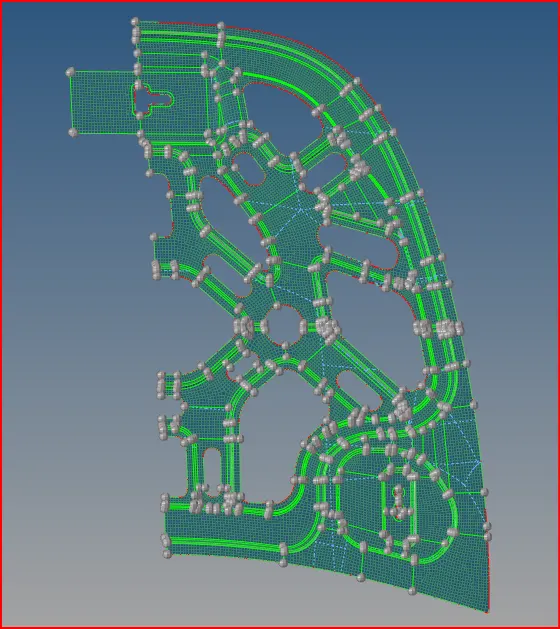
fig. inner panel mesh
Then delete the duplicate components carefully and create new elements.
After finish the meshing mesh reflect the inner panel and click on the duplicate
then reflect the inner panel.
RESULT :-
The given hood assembly is successfullly meshed according to the mesh quality
provided and quality checked.
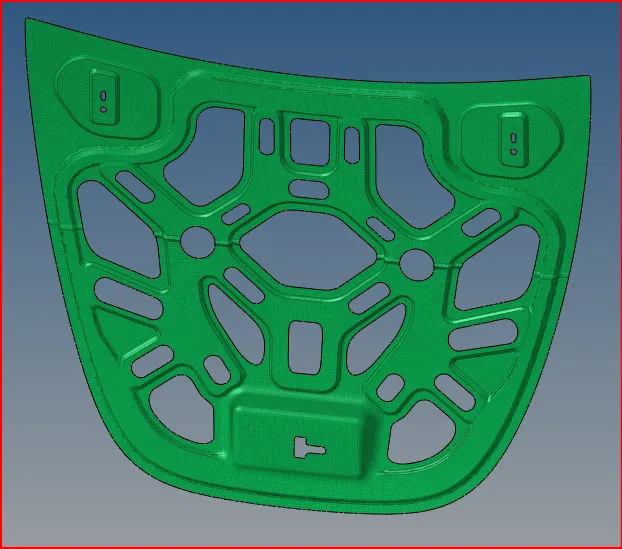
fig. final inner panel
fig. final outer panel
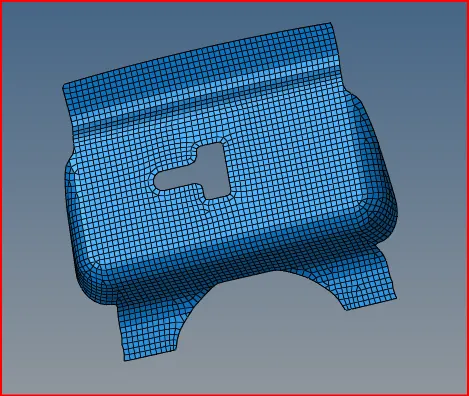
fig. final latch
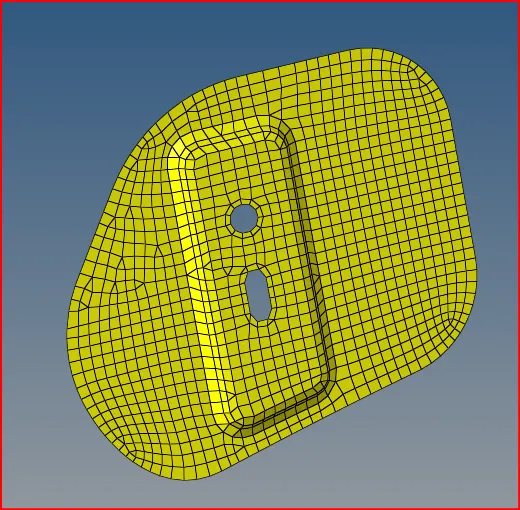
fig. final hinge
CONCLUSION:-
In this challenge we learnt how to mesh of the hood component and
how to mid surface also we learnt mask, quality index and organize
and reflect, find edges tools.