Week 6: Conjugate Heat Transfer Simulation
Conjugate Heat Transfer Simulation :
What is conjugate heat transfer?
when transfer of heat takes place between a solid and fluid surfaces , either heat flows from solid side to fluid side or from fluid side to solid side, such heat transfers are called conjugate heat transfers.
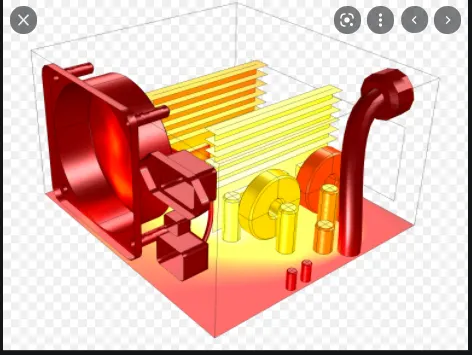
The above image is an example of conjugate heat transfer where heat is being relase into atmosphere or air through solid surfaces.
Objective:
- To understand conjugate heat transfer through simulation
- Run a transient simulation on cylinderical geometry
- Capture changes and variation of pressure and velocity
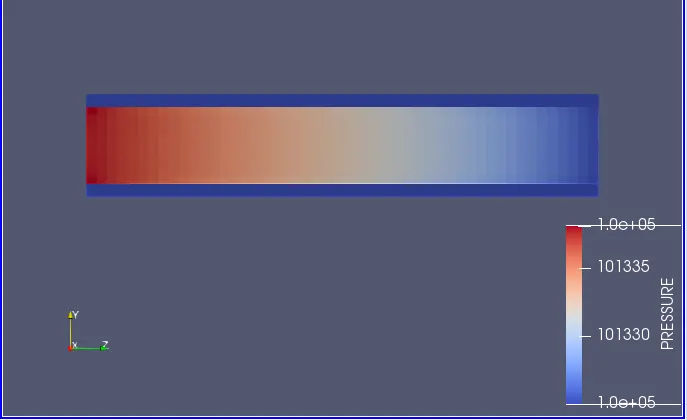
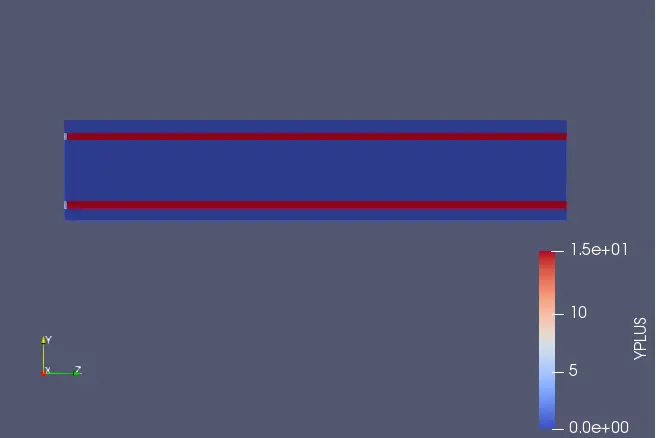
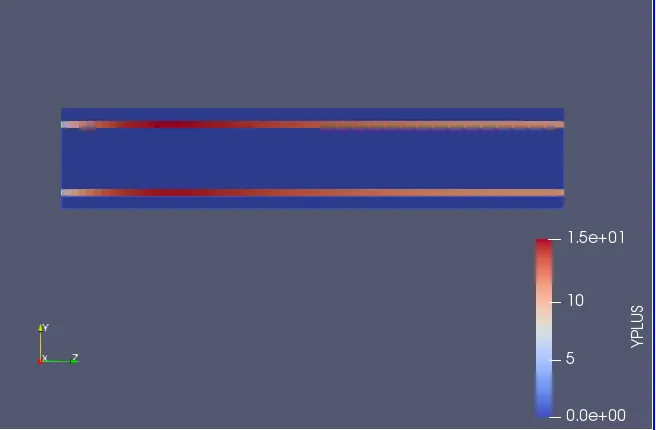
- Capture Y+
- To understand concept of supercycling and why it is used
Calculation of inlet velocity:
Given, reynolds number = 7000
density = 1.2 kg/m^3
dynamic viscosity = 0.000018 kg/ms
since, reynolds number (Re) = (rho*V*D)/(Dynamic viscosity)
hence, V = Re*Dynamic viscosity/rho*D
= (7000*0.000018)/(1.2)*0.2
= 3.5m/s
Geometry
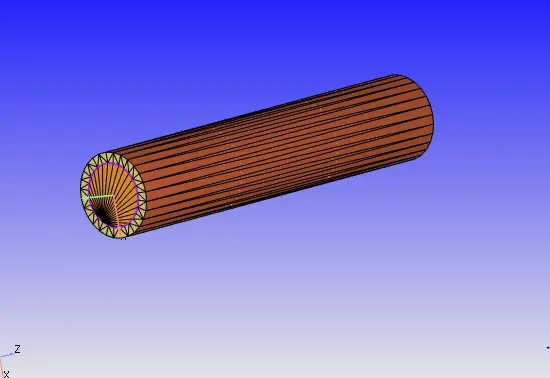
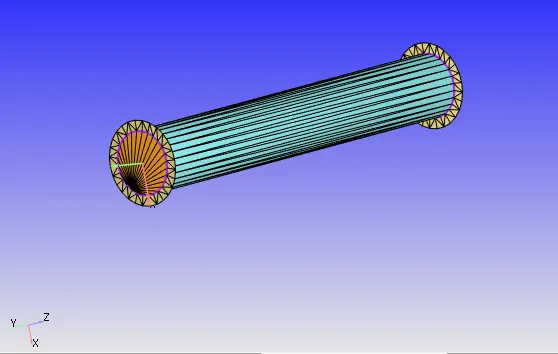
Simulation Parameters
Materials
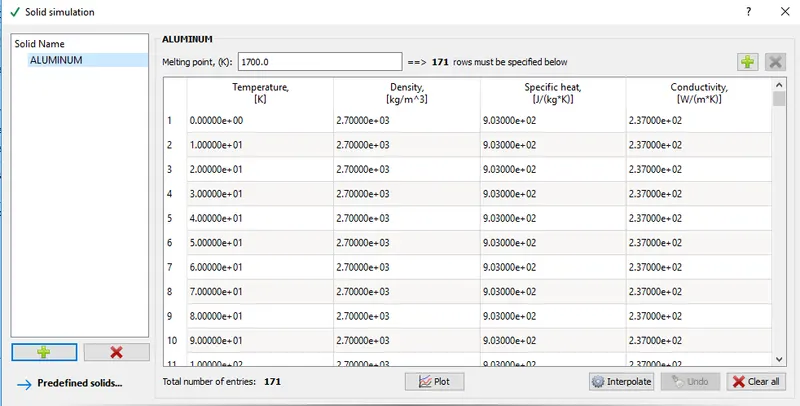
Since geometry contains a solid region , check solid simulation from materials doc. Almunium is our solid for this simulation
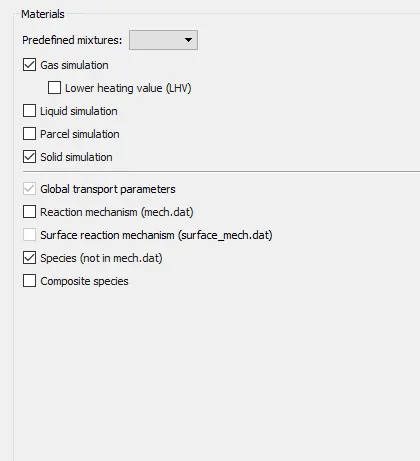
Choose Alimunium as solid from pre-defined mixtures
Run parameter
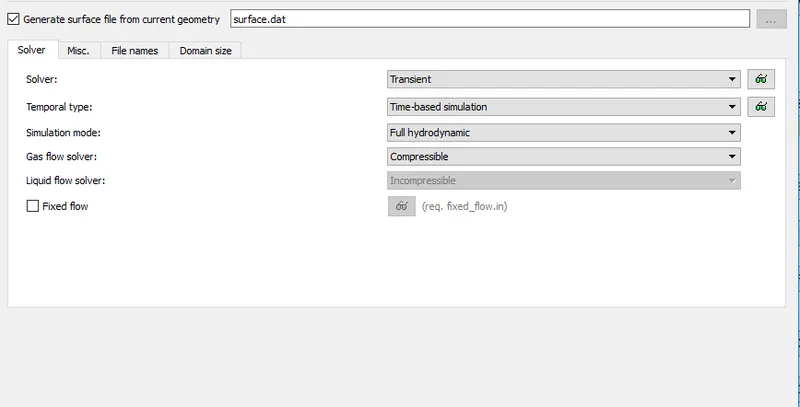
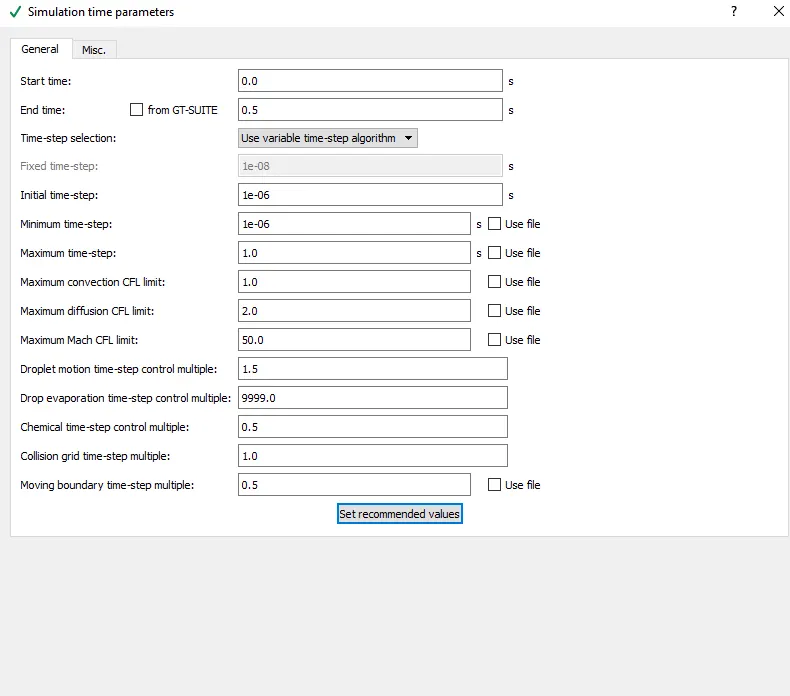
We are going to run a fully hydrodynamic transient simulation
start time = 0
End time = 0.5
Initial time step = 1e-6
Min-time step = 1e-6
Solver parameters
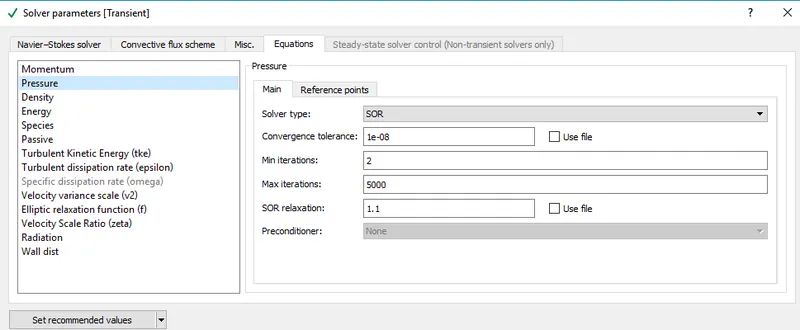
Inside equation block , choose pressure and increase Max-iteration from 50 to 500 or 5000 , this is done so that all iterations are solved properly. Do this change only when you get warning of exceeding max iteration on pstar in cygwin.
Regions and Initialisation
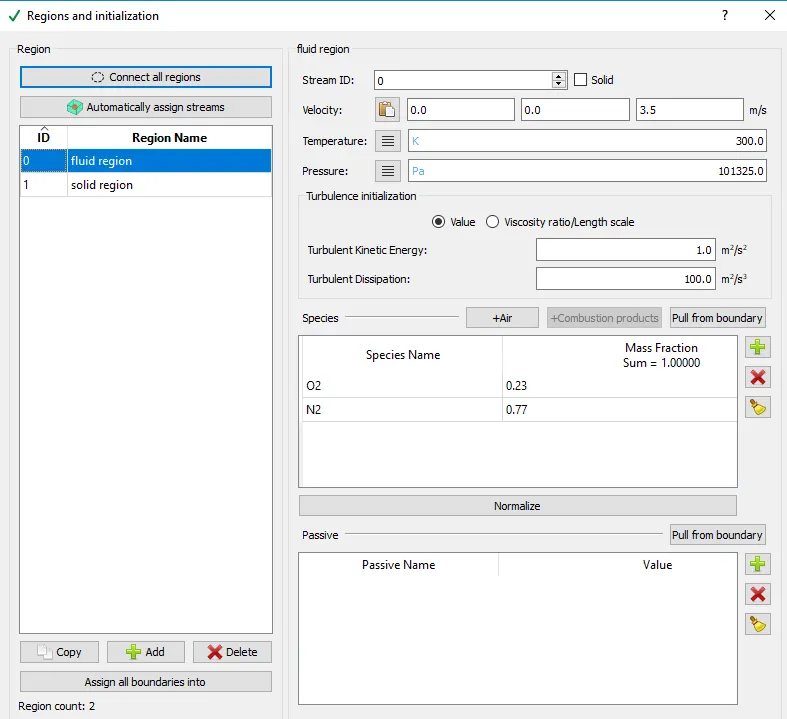
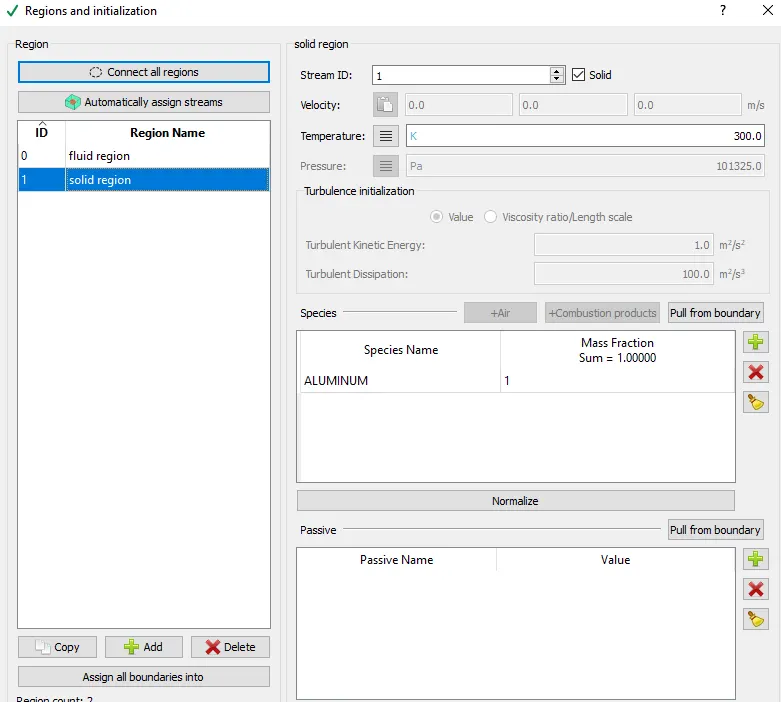
We have two regions in our geometry , a solid and fluid one so we will add two region in regions and initialisation.
solid region - check solid box and select stream id of 1. select alimunium as solid mixture
Fluid region - Give velocity of 3.5m/s in z - direction as length of pipe lies in z-plane, choose species as air .
CONCEPT OF STREAM ID -
- A stream is a collection of regions of same phase.
- Stream ID is used when regions of diffrent phase (eg: solid, liquid) are involved , converge solves each region with seprate stream ID seperately.
- Fluid region is assigned stream Id of 0
- Solid region is assigned stream ID of 1 or greater than 1.
- In fluid region converge solves all equations , whereas in solid region it only solves energy equation as we are interested in temprature distribution on solid region.
When to provide stream ID of 1 or more in solid region?
Answer - Each stream ID can contain two solid regions , If solids have different motion profile, assign different stream IDs to each one of them and if any of them have same motion profile you can assign similar stream IDs to them. so if there are 3 solids with different motion profile , assign 1, 2, 3 stream IDs to them, but suppose if 2 of them have similar motion profile you can assign stream ID of 1 to one solid and 2 to other two solids which have same motion profile.
Boundaries
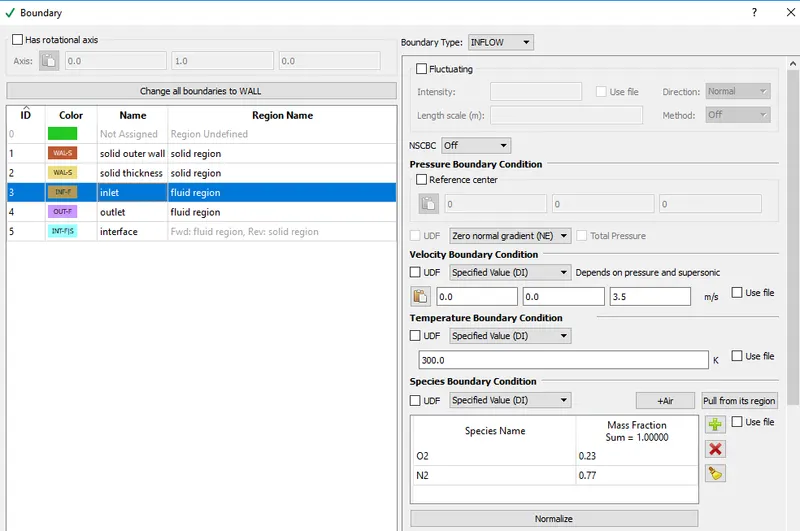
Inlet = select region as fluid, give inlet velocity of 3.5 and for pressure select neumann boundary condition.
Outlet = select region as fluid , given atmospheric pressure and for velocity slect neumann boundary condition.
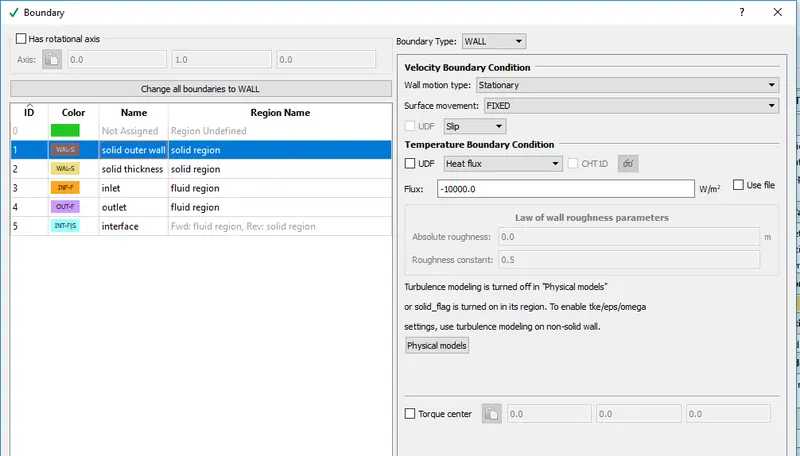
Outer wall = select boundary type as wall and give slip condition, now in temprature boundary condition select heat flux, -ve sign for heat flux indicates heat is flowing out of pipe.
Thickness = select boundary type as wall, and region as solid region.
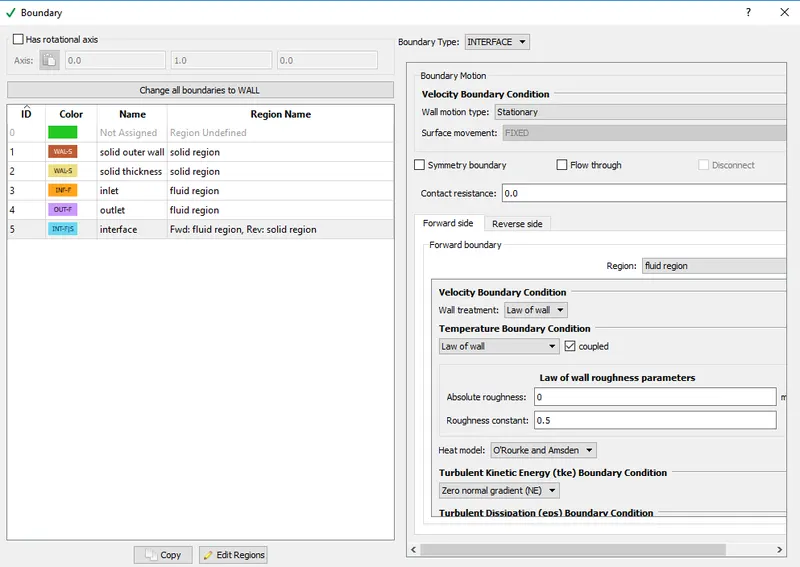
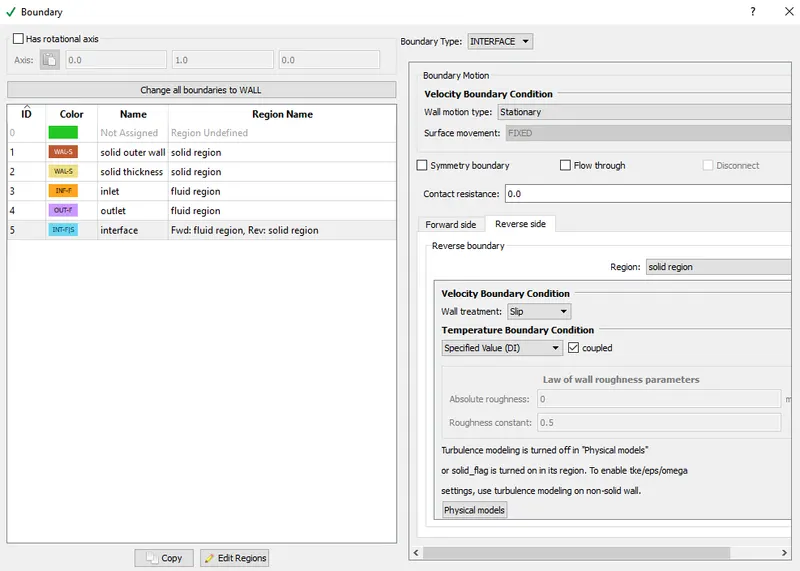
Interface = Interface conditions are used when a surface serves as partition between solid and fluid region.
forward/reverse side - side on which flow is taking place is called forward side and opposite of that is reverse side.
- To identify which is forward and which is reverse , click on normals.
- The region in which normals are directing is forward side.
- The region opposite to direction of normal is reverse side.
Physical Models
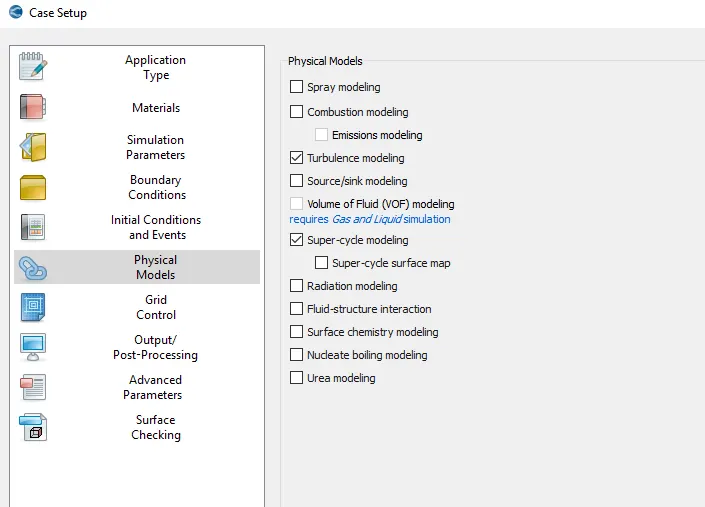
Choose supercycling from physical models
concept of super-cycling
- Supercycling is used while solving CHT problems, It is used when you are intrested in final tempratures.
- solid and fluid sides are solved simultaneously, at particular time stores instataneous HCTs and tempratures on interface.
- solver on fluid side stops and solid simulation runs until solid temprature reaches steady state.
- updates the solid temprature field and unfreezes the fluid solver.
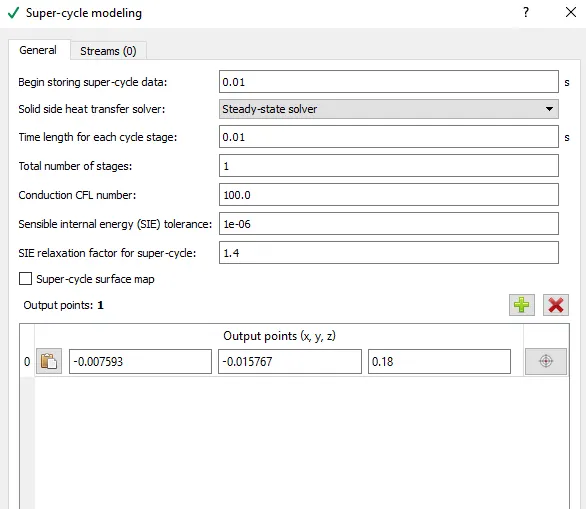
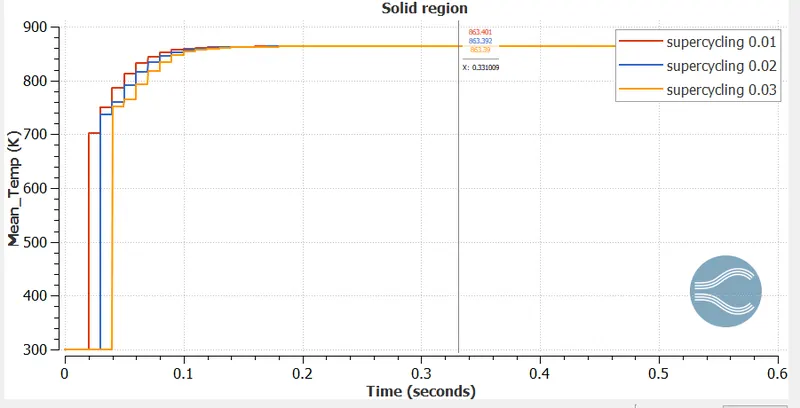
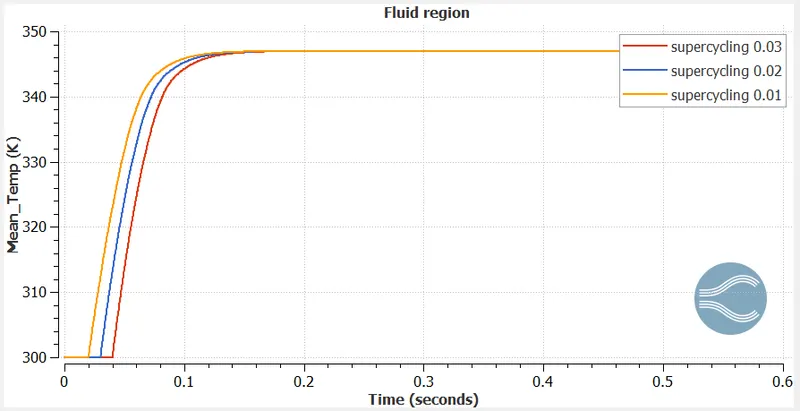
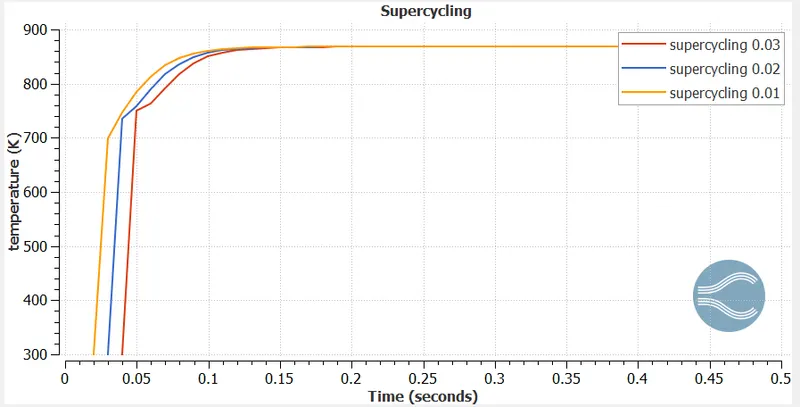
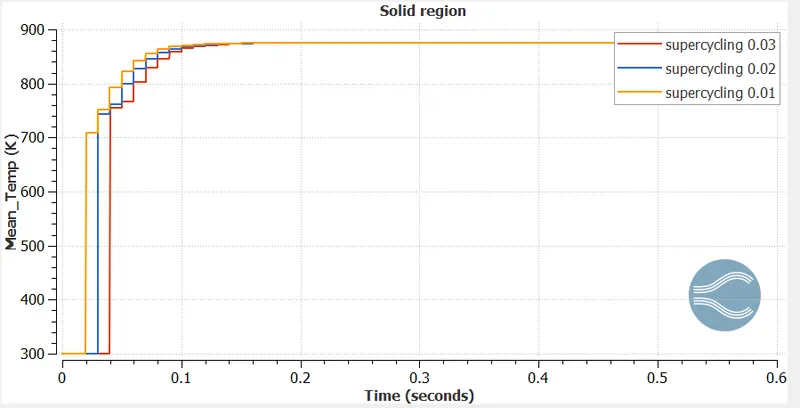
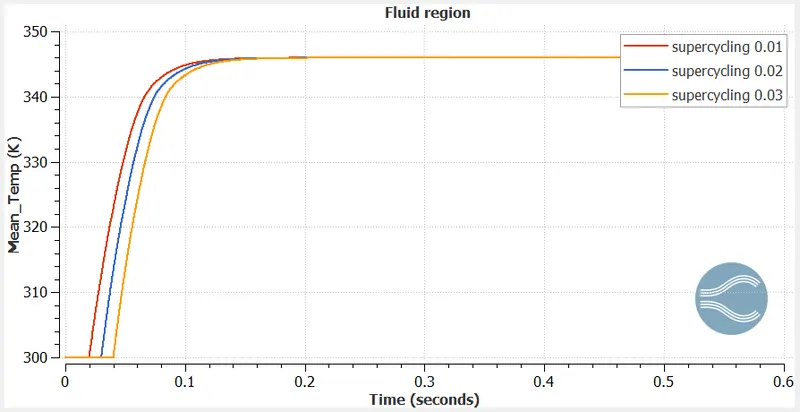
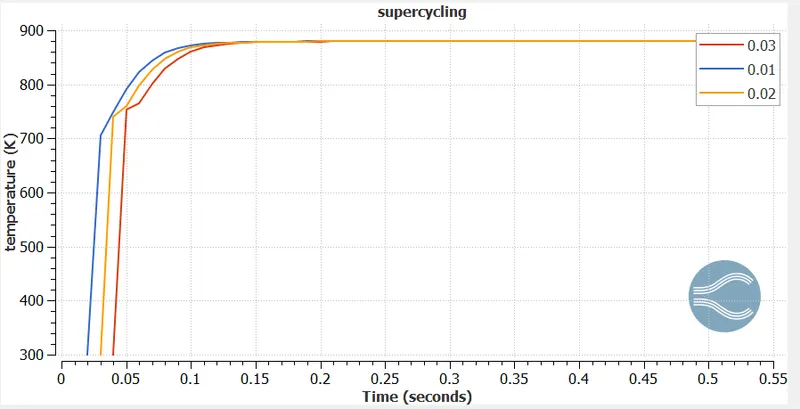
- supercycling simmulation run for three base grid 0.003, 0.004, 0.002
- set begin time time as 0.01 , 0.02, 0.03 for all three base grid
- set SIE relaxation factor to 1.4.
- out put points represents solid region, it is used to mention location of solid region.
PLOTS
Plots for grid 0.004 and supercycling 0.01, 0.02 , 0.03
Temprature fluctuation increases initially with increase in supercycling.
Plots for grid size 0.003 and supercycling 0.01, 0.02 , 0.03
Contours
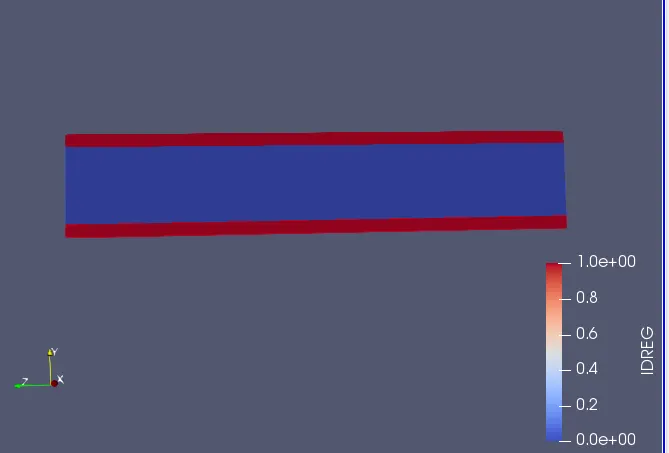
Idreg contours are used to identify solid and liquid regions. If Idreg is 1 it represents solid region and if Idreg is 0 it represents fluid region.
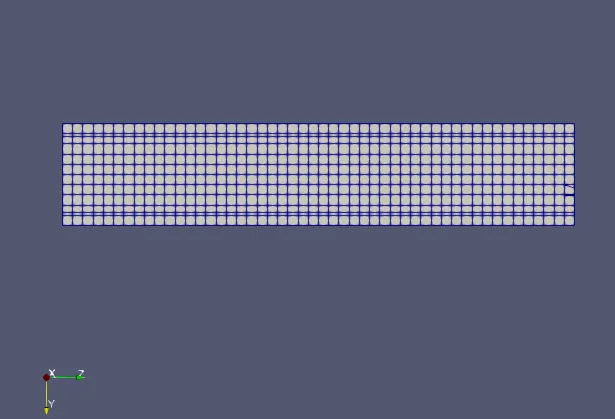
Base grid
Pressure contour
Velocity contour
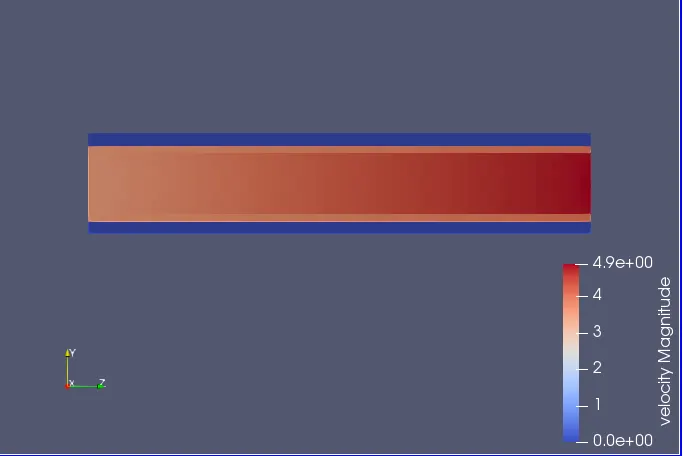
We observe a increase in velocity at outlet. Velocity increses from 3.5 at inlet to 4.9 at outlet.
Yplus contour
Initial Y+
Final Y+
Velocity animation
https://drive.google.com/file/d/1U7CDeHgfMkReLJ5BaYIKn_o3VB13orXb/view?usp=sharing
Pressure animation
https://drive.google.com/file/d/1EFwqutUQrbLg2SwWhXQ6hMmtVqwjqu9b/view?usp=sharing
Y + animation
https://drive.google.com/file/d/1Lo5xd6SjRXZV_Fz4WcE1kIClW9klOowc/view?usp=sharing
Conclusions:
- Learnt the use solid simulation from material doc.
- Learnt concept of super-cycling , when and how it is used.
- Sign for flux represents direction of flux .
- Learnt simulation for Conjugate heat transfer.
- Use of interface boundary condition.