Menu

IIT Certification Programs

Workshops

Projects

Blogs

Careers

Student Reviews


More

Academic Training

Informative Articles

Find Jobs

We are Hiring!


All Courses

Choose a category

Loading...

All Courses

All Courses

logo

Week 6 Challenge

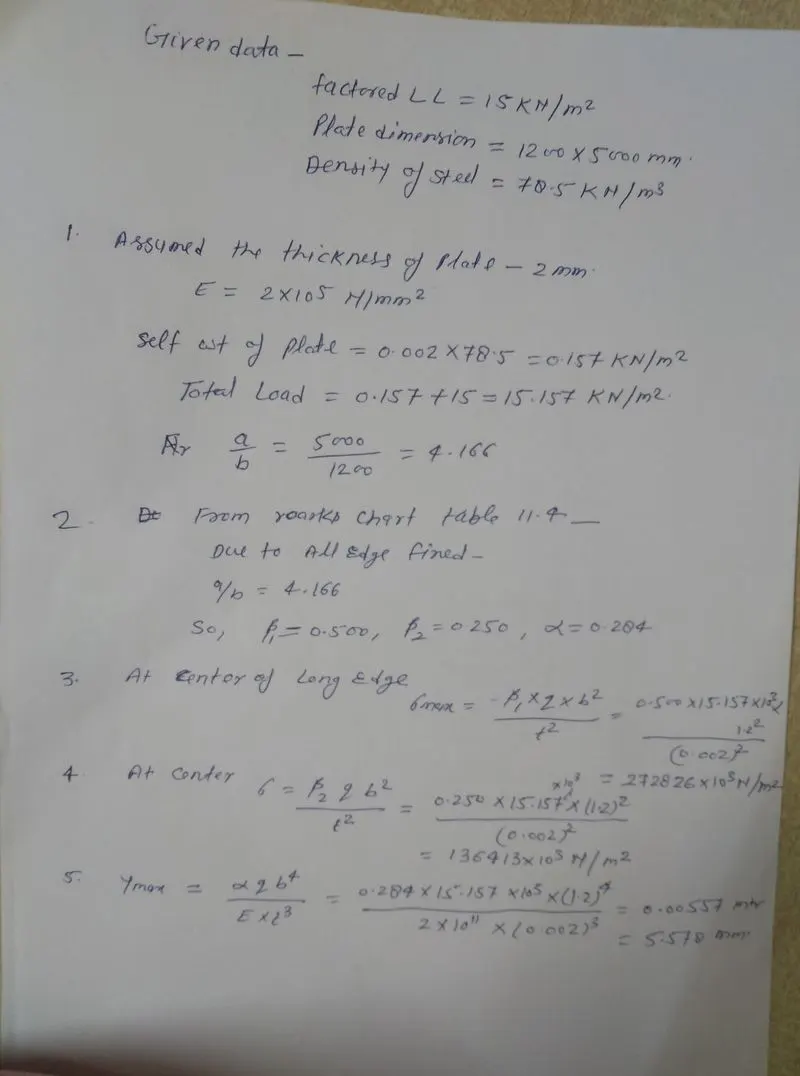
  Answer-1 Aim- Design of chequered plate with given span and all edge fixed Procedure- Assumed thickness of plate Find stress formula and value From roarks chart table 11.4 find Calculate mac stress, stress at center and ymax Calculation and check as per attachment-     Answer-2 Aim – To draw load…
    Project Details

    Loading...

    Leave a comment

    Thanks for choosing to leave a comment. Please keep in mind that all the comments are moderated as per our comment policy, and your email will not be published for privacy reasons. Please leave a personal & meaningful conversation.

    Please  login to add a comment

    Other comments...

    No comments yet!
    Be the first to add a comment

    Read more Projects by Santosh Kumar (31)

    Week 6 Challenge

    Objective:

      Answer-1 Aim- Design of chequered plate with given span and all edge fixed Procedure- Assumed thickness of plate Find stress formula and value From roarks chart table 11.4 find Calculate mac stress, stress at center and ymax Calculation and check as per attachment-     Answer-2 Aim – To draw load…

    calendar

    01 Jul 2022 12:16 PM IST

      Read more

      Week 5 Challenge

      Objective:

      Answer –1  Aim- To determine PG web thickness for given load without stiffener. Procedure – Check shear buckling requirement limit. Minimum thickness of web requirement Shear capacity check Design of shear buckling Calculation and check as per attachment- Result- Web is not adequate to carry a factored…

      calendar

      29 Jun 2022 06:50 AM IST

        Read more

        Week 4 Challenge

        Objective:

          Answer- 1 Aim – To calculate section classification  of beam As per IS 800-2007 Table – 2 and steel table here classified of given beams- ISMB -500 b/tf = 180/17.2 = 10.46  is less than 10.5 so it is compact  section ISMB – 200 b/tf = 75/11.4 = 6.57  is less than 9.4 so it is…

        calendar

        27 Jun 2022 05:52 AM IST

          Read more

          Week 3 Challenge

          Objective:

          Answer- Given data- Length of column = Height of Building  L = 10 mtr   effectively restrained in mid height in one direction (in Z direction) but free to move in other direction (Y direction) Effective Length  = 1.2 L =1.2*10 =12 mtr     (As per IS 800-2007 Table -11)   Pinned Base…

          calendar

          25 Jun 2022 04:58 AM IST

            Read more

            Structural Modelling using Etabs 2018

            Objective:

            Aim- To model an apartment with all seismic consideration based on given architectural plan. To know how to check the seismic performance of an apartment using ETABS. Required Data for ETABS Analysis- Pinned support, Base+9 story +1mumty Assumed column size- 450X650mm, Beam -400X500 mm, Slab Thick-150mm, Shear wall 300mm…

            calendar

            21 Jun 2022 06:17 AM IST

            • ETABS
            Read more

            Week 2 Challenge

            Objective:

            Design of Tension Member 1. Net Area for tension member calculation problem Calculate the net section area for the tension member as shown in Figure below. The plate size is 260 x 20 thick and Bolt size is 20 mm. Plate – Drilled Hole   Answer Aim- To Calculate net section area of tension member of given figures.…

            calendar

            20 Jun 2022 04:50 PM IST

              Read more

              Week 1 Challenge

              Objective:

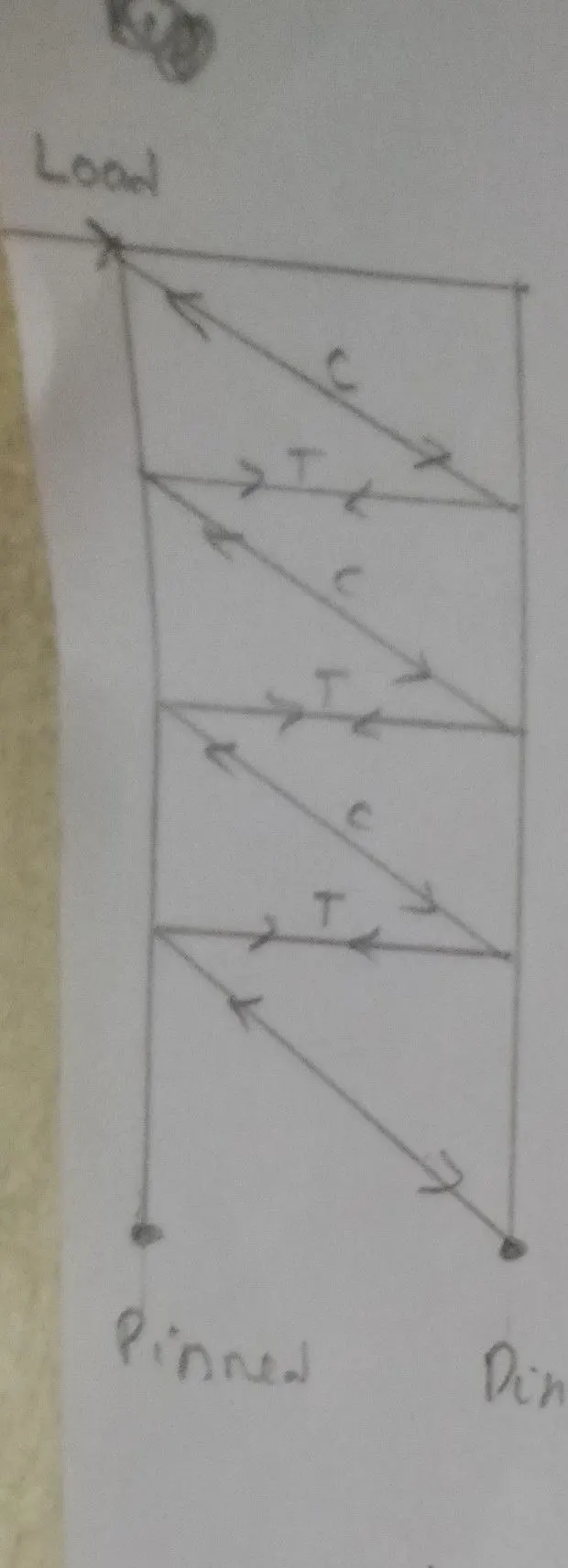
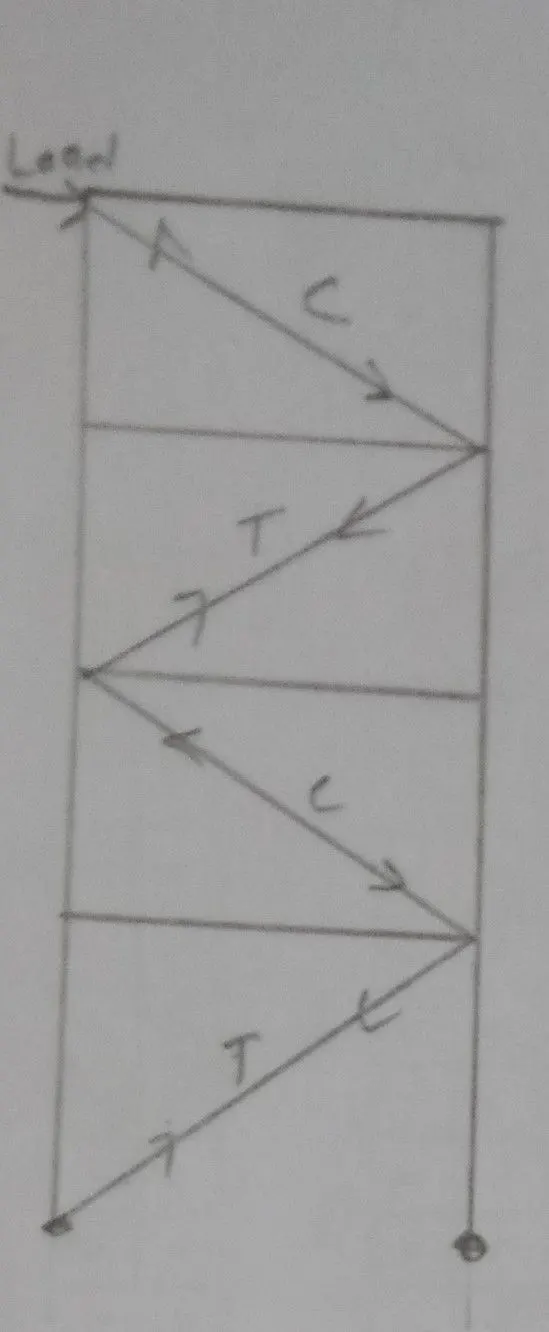
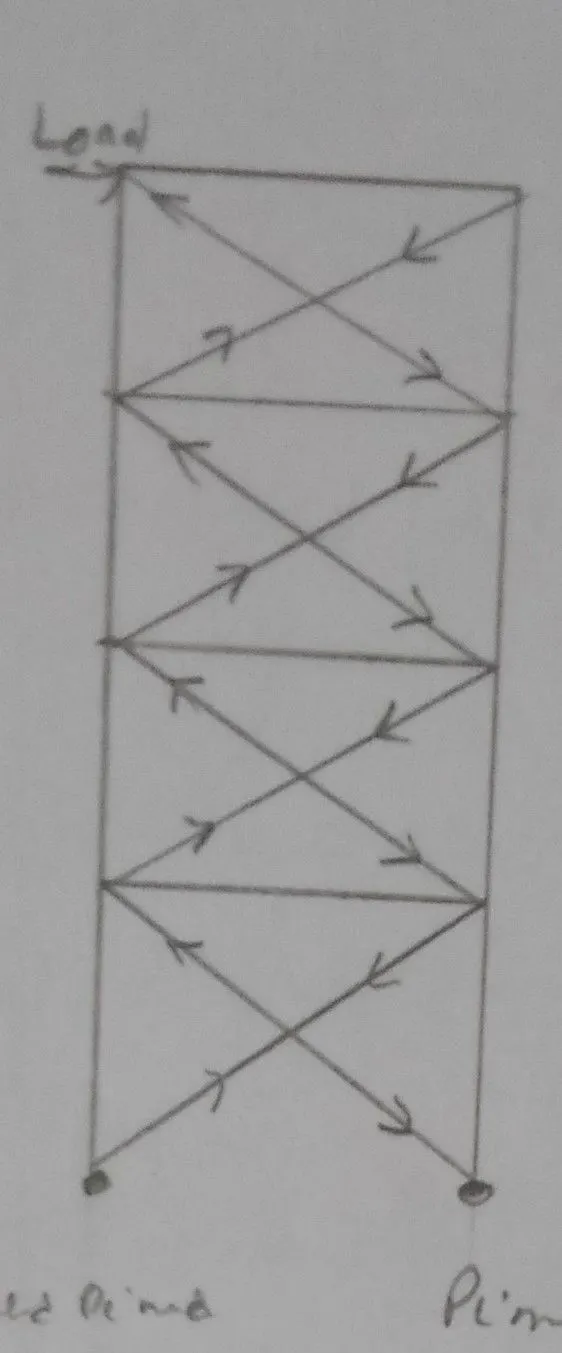
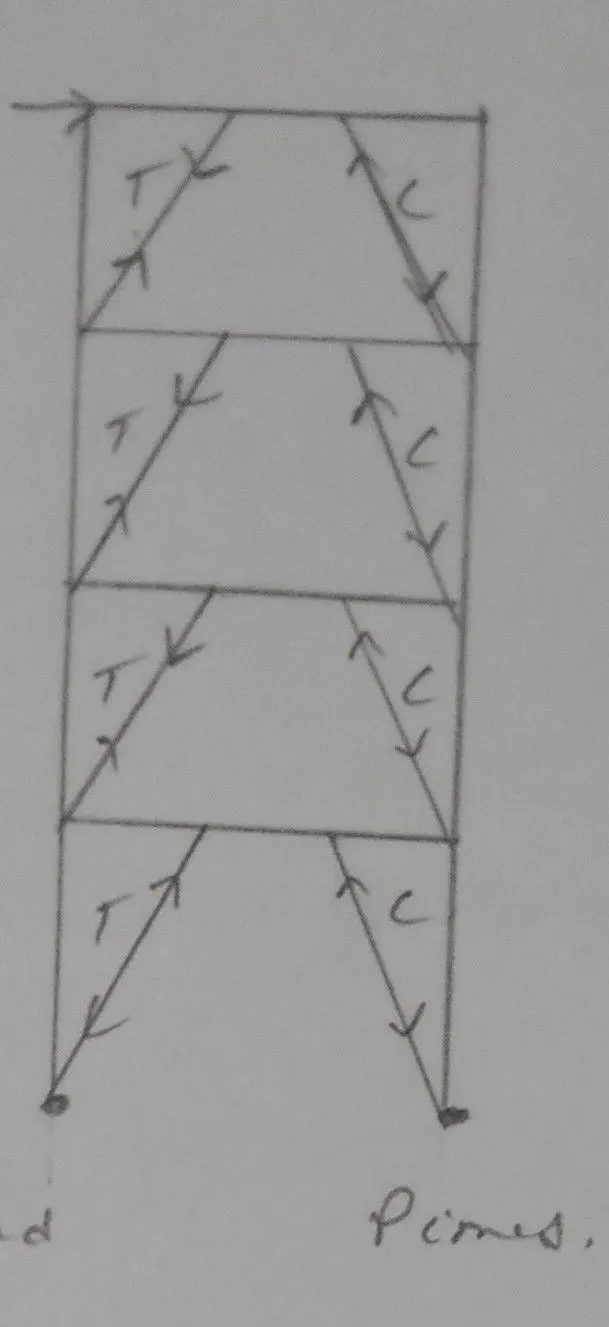
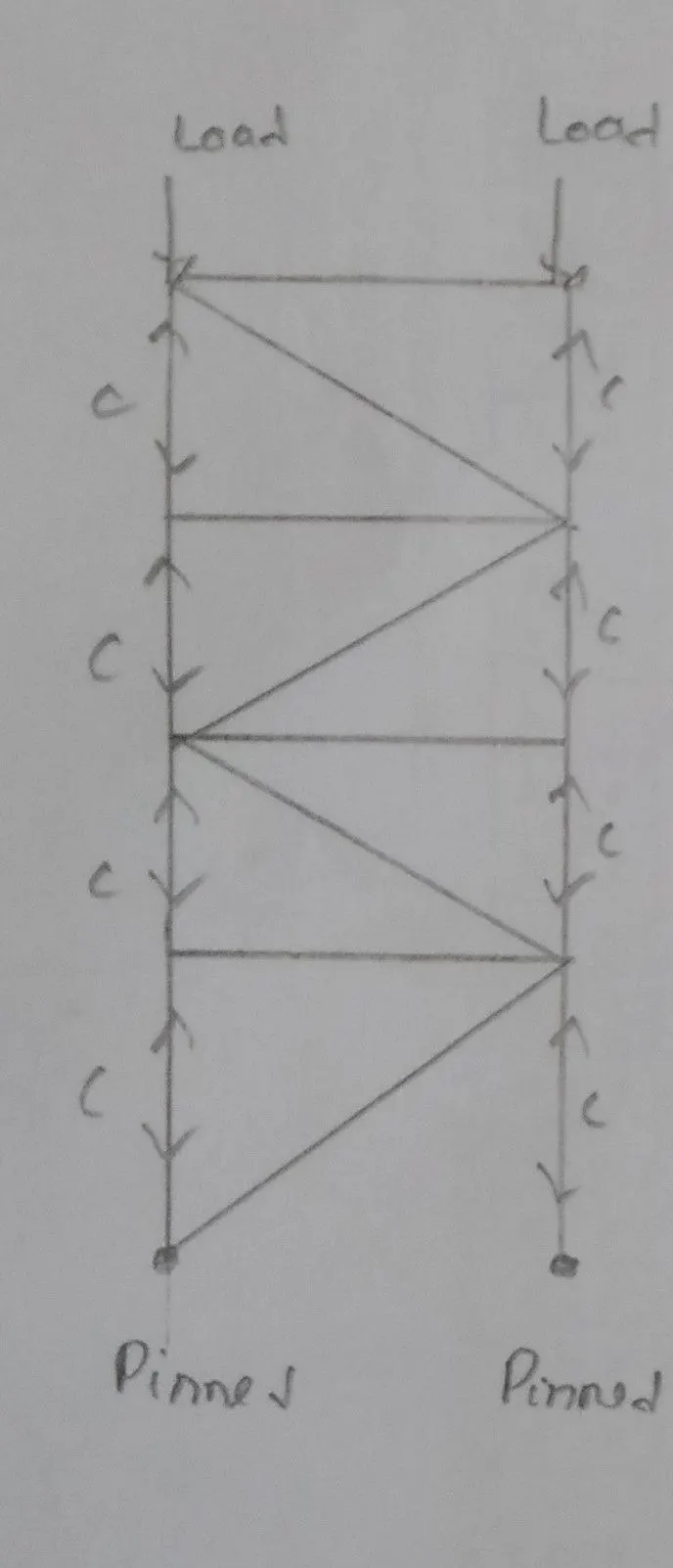
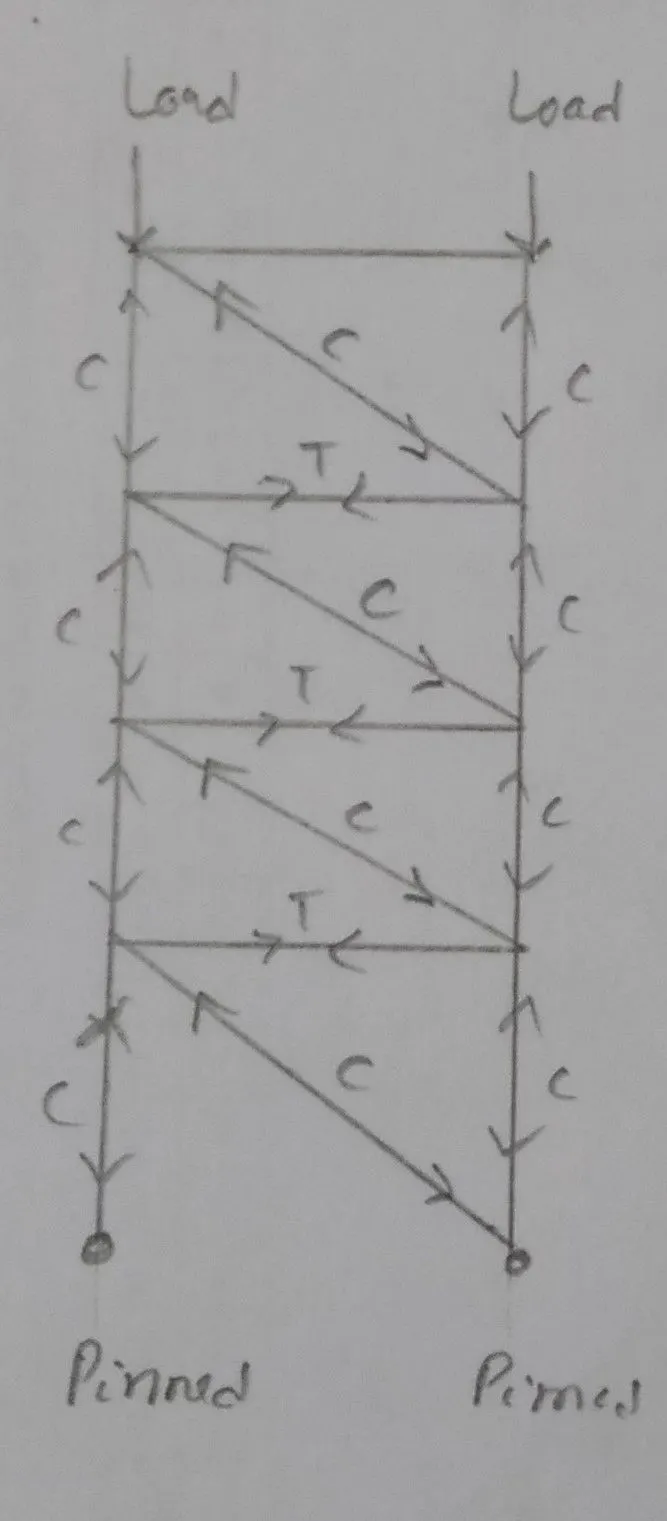
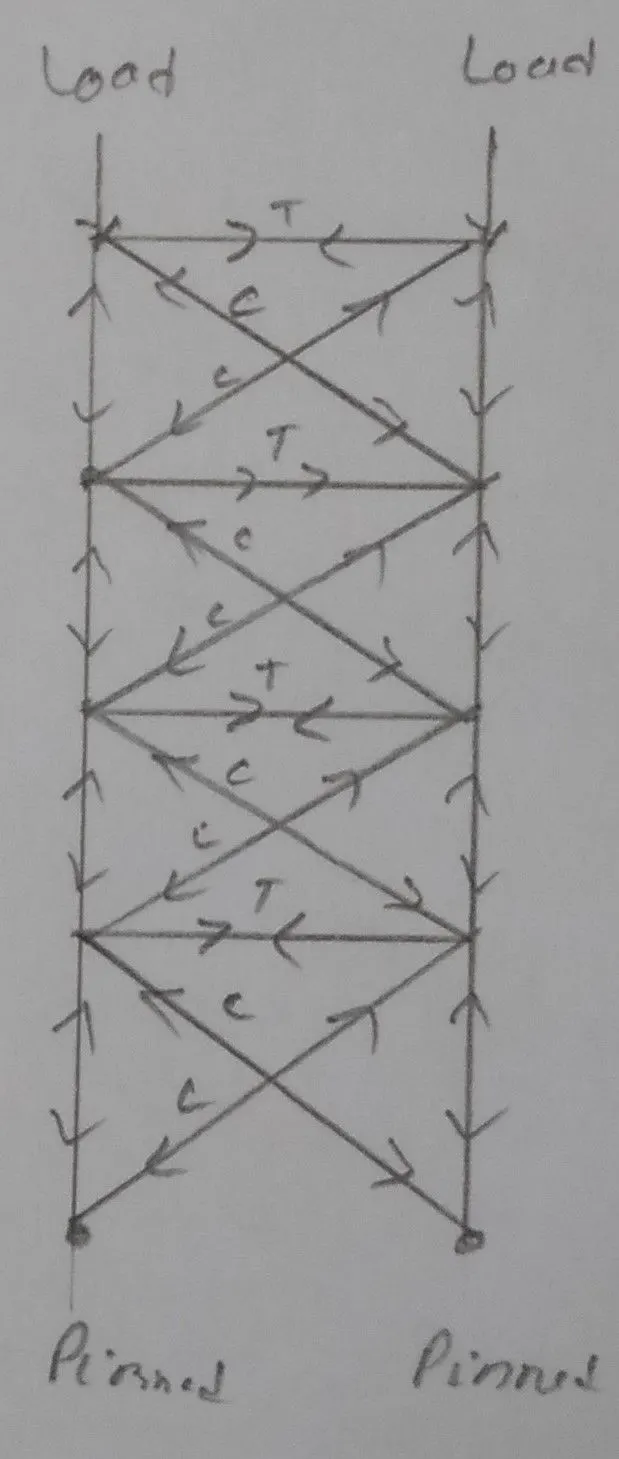
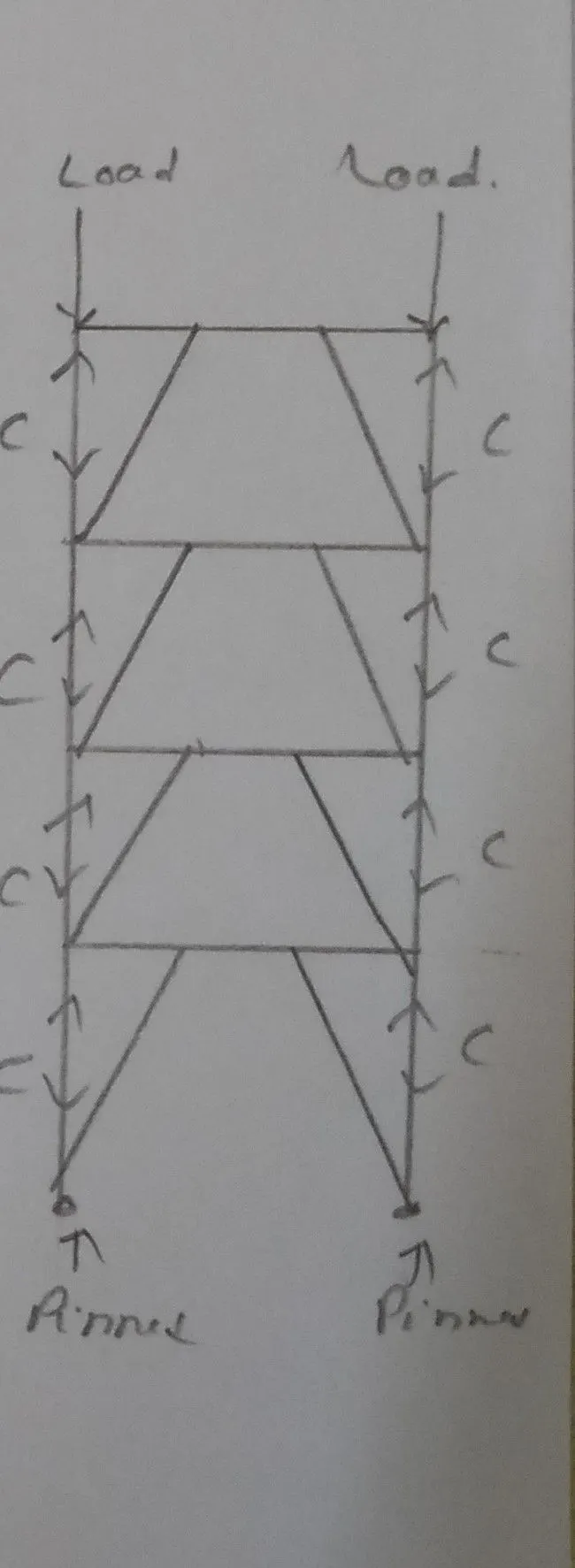
              Answer-1 Aim- Find out which truss is most efficient in carrying gravity load in both. Observation- Truss A is the Pratt truss and Truss B is Howe truss. Pratt Truss- This truss is having vertical members between the upper and lower members and diagonal members sloping toward to center. In Pratt truss vertical members…

              calendar

              18 Jun 2022 06:37 AM IST

                Read more

                Project 2_Design & Analysis of a Hostel building at Guwahati, Assam

                Objective:

                Answer-  AIM- To calculate necessary data from the given architectural and site information and some data assumed. To model analysis & design the frame structure uding ETABS Softwere. To model analyse &  design the foundation using safe softwere. To produce structural Typical floor plan & Typical…

                calendar

                16 Jun 2022 07:17 AM IST

                Read more

                Foundation Design using SAFE

                Objective:

                Answer-1 AIM- To know the general design procedure of spread footing with safe software. Data required for safe analysis & design- Column Size- 400x400 mm Comperssion axial load for the load combination of (1.5DL+1.5LL) = 2000 kN Factored Load = 2000/1.5 = 1333.3 kN Dead Load = 1333.3/2 = 666.7 Live Load = 1333.3/2…

                calendar

                10 Jun 2022 12:47 PM IST

                  Read more

                  Design of Shallow Foundation (Isolated Footings)

                  Objective:

                   Answer : Aim- To know the general design procedure of spread with manual calculation. To practice now the input s can be collaborated and arrived as data for calculation. Steps of footing design- Calculation of Gross soil pressure for footing area. Calculation of net soil pressure for flexure and shear design Footing…

                  calendar

                  07 Jun 2022 05:46 AM IST

                    Read more

                    Analysis & Design of RCC shear walls in the model using ETABS

                    Objective:

                    Answer- Aim of challange - To know the design of RC Shear wallusing ETABS analysis To know the basics of shear wall reinforcement detailing with respect to indian standards. To ensure the Ductility reinforcement required by IS-13920-2016 has satisfied in reinforcement drawing. Introduction of Shear Wall- Shear wall…

                    calendar

                    04 Jun 2022 10:35 AM IST

                    Read more

                    Reinforcement detailing of Columns from ETABS output

                    Objective:

                    Answer- Aim & Introduction-  To know the design of RC column using Etabs analysis To know the basics of RC column reinforcement detailing with respect indian Standards. To ensure the ductlicty reinforcement required by IS-13920-2016 has been satisfied in reinforcement drawing. Deatiling rule of reinforcement concrete…

                    calendar

                    03 Jun 2022 01:20 PM IST

                    Read more

                    Reinforcement Detailing of Beams from ETABS output

                    Objective:

                    Ans- Aim - Detailed designed of RCC Beam in ETABS and reinforcement detailing. Procedure- First download ETABS file and save then run for analysis. Go to Design option – concrete frame design- start design then go to design info and design longitudinal reinforcement and shear reinforcement.   As per question…

                    calendar

                    03 Jun 2022 06:07 AM IST

                    Read more

                    Project 1_Comparative study of different storey buildings for Seismic forces

                    Objective:

                    Project-1 Influencing Factors- As per given data design model and analysis and finding following result, Also attached all model . Criteria Analysis Result Effect of stiffness on time period Building E(10 storey varriying column size) 1.571 s Building F(10 storey uniform column size) 1.608 s Building G(Varriying column…

                    calendar

                    30 May 2022 06:36 AM IST

                      Read more

                      Modelling of 25 storey building with the specified properties using ETABS

                      Objective:

                      Answer- Aim- Modelling of 25 storey structure frame as per given data as per question- Procedure- First go to ETABS Software open and choose new model then use built in setting with display unit and design code.   Go to custom grid setting and edit grid and set X,Y Grid and go to grid storey with edit storey and add…

                      calendar

                      26 May 2022 10:04 AM IST

                      Read more

                      Conceptual design of a building with columns and shear walls

                      Objective:

                      The building shown, 20 × 35 m in plan, has columns on a 5 × 5 m grid and shear walls (with dimensions shown in m, 250 mm in thickness) in three alternative arrangements, (a), (b), (c), all with the same total cross-sectional area of the shear walls. Compare the three alternatives, taking into account the restraint…

                      calendar

                      23 May 2022 06:37 AM IST

                        Read more

                        Concept on positioning of Columns

                        Objective:

                        Question 1: Comment on the layout of the framing plan concerning earthquake resistance in the two horizontal directions X or Y (dots are columns, lines depict beams). Look into aspects of symmetry, redundancy and bi-directional stiffness and ductility. Ans- Aspects of Symmetric - Investigation of the above frame plan with…

                        calendar

                        20 May 2022 11:23 AM IST

                          Read more

                          Understanding the concepts on Degrees of Freedom

                          Objective:

                          Question 1: A five storey structure with 5 translational DOF is shown here. Each storey has mass ‘m’. The eigenvalue problem has been solved and the 5 periods of vibration Tn and their corresponding mode shapes, φn has been derived ? Ans- A five storey structure with 5 translational DOF

                          calendar

                          17 May 2022 04:45 PM IST

                            Read more

                            Calculation of Stiffness in Structural elements

                            Objective:

                            Question 1: Compute lateral stiffness of the one story frame with an intermediate realistic stiffness of the beam. The system has 3 DOFs as shown. Assume L = 2h and Elb = Elc  ? Question 2: For the following structures: Determine the number of degrees-of-freedom for dynamic analysis Establish the equation…

                            calendar

                            15 Apr 2022 08:03 AM IST

                              Read more

                              Identification of Cracks

                              Objective:

                              1) What is the mode of failure or damage of the beams in the figure above? Are the damages repairable? a)   Observation-  In this Picture concrete crushed & Reinforcement exposed, Concrete spalled beyond the reinforcement which may be sign of rupture. Beam top portion looking safe beacause advantage of flange…

                              calendar

                              30 Mar 2022 10:52 AM IST

                                Read more

                                Usage of Navigation tool , Timeliner and Clash Detection test using Naviswork

                                Objective:

                                1) Use the Architecture/ Structure Project file developed by you in Week 6 to 8. Export the Revit architecture and structure model to Navisworks Cache file following the export settings discussed in class ? Ans: Aim- Revit File export in Nwc File- Procedure- Go to revit software and open week 8 Architectural model…

                                calendar

                                25 Mar 2022 12:22 PM IST

                                Read more

                                Creating Conceptual mass in REVIT and Creation of Sinusoidal curve and a Parametric stadium using Dynamo

                                Objective:

                                1) Using Dynamo create a set of sinusoidal points and create a curve and create a surface out of the curve? Ans- Indroduction- Dynamo is a visual progamming language for Revit. It is a programming language that allows  to type lines of code; while also creating an algorithm that consists of nodes. Aim- Create…

                                calendar

                                19 Mar 2022 04:29 PM IST

                                  Read more

                                  Preparing Schedule & Cost Estimation for a building using REVIT

                                  Objective:

                                  1) Use the shortcut keys in Revit discussed in class to complete the following tasks and list them below Ans -            a. Using 3D model create a section box Shortcut Key - BX            b. To create similar doors and windows in a floor plan layout Shourtcut…

                                  calendar

                                  15 Mar 2022 04:11 PM IST

                                    Read more

                                    Structural analysis of a buidling using Robot Structural Analysis

                                    Objective:

                                    1) What are HVAC systems? Why are they essential in the modeling of buildings ? Ans- HVAC stands Heating,Ventilation, Air conditioning.  HVAC system is designed to achieve the enviormental requirement of comfort of occupants & process.HVAC system are more used in different type of building as residential,…

                                    calendar

                                    12 Mar 2022 12:21 PM IST

                                    Read more

                                    Creating Architectural and Structural model with 3D rendering using REVIT

                                    Objective:

                                    1) Select the type of structure you want to build from one of the three below:        a. Multi-Unit Residential Apartment        b. Office Buildings        c. School Ans- Here i am choose office building construction. 2) Assume reasonable assumptions for…

                                    calendar

                                    11 Mar 2022 05:14 AM IST

                                    Read more

                                    Usage of Collaborate tool in REVIT

                                    Objective:

                                    1) Open an architectural template. Using the Manage tab set project base point and project shared coordinates for the project ? Ans - Open Rivet softwere then create new project as Architectural Template and saved this as Building Architectural. After then go to grid option and draw grid line Longitudinal and transverse,after…

                                    calendar

                                    02 Mar 2022 01:02 PM IST

                                      Read more

                                      Introduction to National Building Code and Steps in a Construction project

                                      Objective:

                                      1) Why are building codes or standards essential for the modeling/ efficiency of drawings in Revit ? Ans- Building code designed to protect building and people and property inside them from fire, earthquack,windstorm and other extreme event, the also ensure structural integrity, electrical, plumbing & mechanical system…

                                      calendar

                                      23 Feb 2022 12:25 PM IST

                                        Read more

                                        3D Creation of Celing, Roof, Architectural plan, Structural plan, Sectional view, Elevation view and Camera specific view for a house plan using REVIT

                                        Objective:

                                        1) Based on the project saved from Week 3, proceed from the First Floor Level. Model a Ceiling from the architecture tab above the walls at the first-floor level? Ans- Aim -Model a ceiling at first fllor level-For this first go to Architecture tab and then going to ceiling tab and choose ceiling porperties and select area…

                                        calendar

                                        17 Feb 2022 11:43 AM IST

                                          Read more

                                          Creating Walls, Partition walls and Floors for a residential layout using REVIT

                                          Objective:

                                          1) Use the project file created from Week 2. Use it for this assignment. Based on your layout from week 2, using floor tool under architecture tab and select the floor with appropriate material and thickness using the property browser create a layout in the Ground floor Level. Align the floor plan with grids created from…

                                          calendar

                                          08 Feb 2022 04:28 PM IST

                                            Read more

                                            Creating Levels, Grids, Layout and model elements for a residential unit using REVIT

                                            Objective:

                                            1) What is BIM? Summarize the features of BIM and benefits of using BIM over 2D CAD tools ? Ans- BIM is an intelligent model based process that connects Arechiture ,Engineering & construction professionals, so they can more efficiently design build and operate building & infrastructuren through this, its is…

                                            calendar

                                            05 Feb 2022 06:07 AM IST

                                            Read more

                                            Introduction to REVIT concepts

                                            Objective:

                                            1) From the file menu, create a new project (Structural / Architectural / Construction template ) and name the project appropriately? Aim- From the file menu, create a new project and name the project 2) Save the new project file. Close and open using icons from file toolbar Aim-save the new project,close and open…

                                            calendar

                                            01 Feb 2022 04:56 PM IST

                                              Read more
                                              Showing 1 of 31 projects