Week 6- Challenge
MESH THE HOOD COMPONENT AND CHECK IT WITH GIVEN QUALITY CRITERIA VALUES
QUALITY CRITERIA VALUES:
Target element size=5mm Min. length=2mm
Max. length=8mm Warping=15
Skewness=45 Aspect ratio=5
Taper=0.5 Min. Angle Quad=45
Max. Angle Quad=135 Min. Angle Tria=20
Max.Angle Tria=120 Trias%=10
MODEL 1.LATCH REINFORCEMENT EXTRACT BODY
OBJECTIVE:
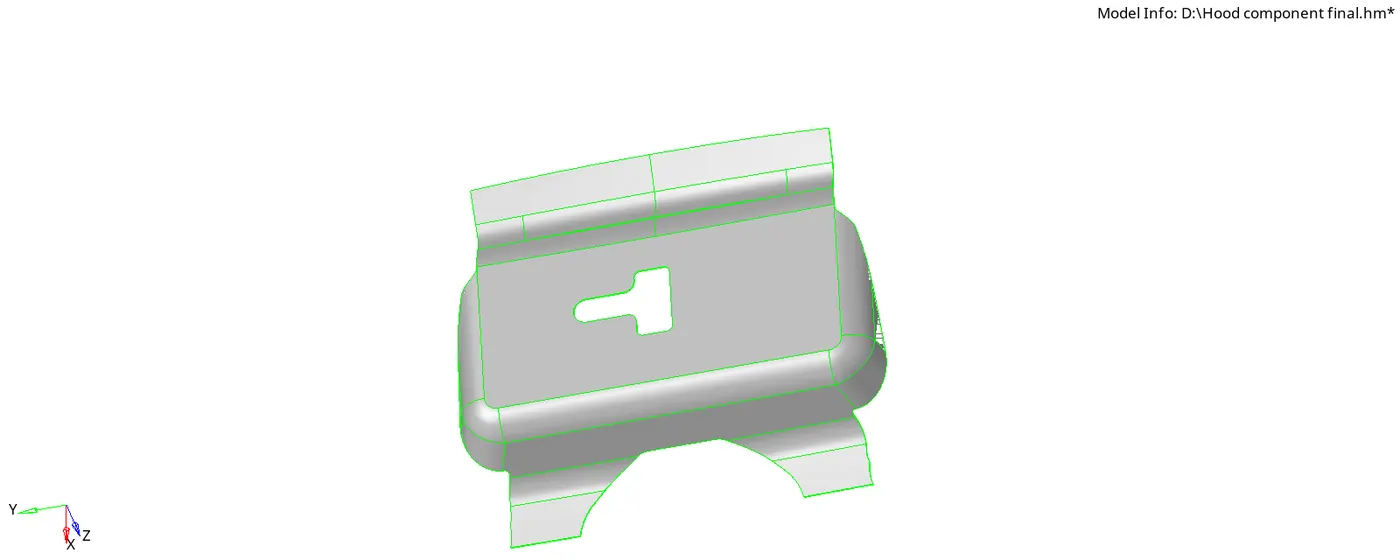
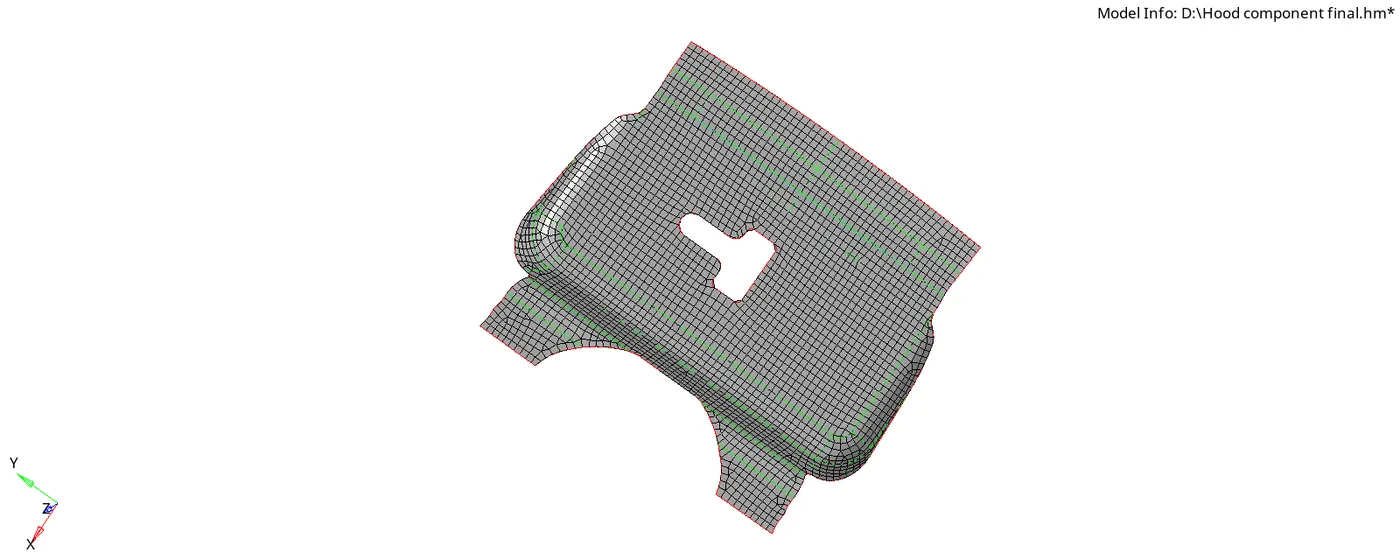
The main objective here is to extract the midsurface and mesh the given latch component which is attached in the combined hood component and check it with given quality criteria such as warpage,skewness etc....
PROCEDURE:
- Open the new Hyperworks page import the given Hood component as-
- File - Import - Model - Import geometry - Filetype - STEP - Now click on Import
- Make the Latch reinforcement extract body as the parent model and delete the Solids on that suface and than Extract the Individual Midsurface
- Start Cleanup activities on the extracted model as toggling the lines or suppresing the lines etc...
- Now after completion of manual cleanup activities start meshing the model seperately part by part
- By doing so the mesh flow will be proper and it will be perfect near feature line also.
- After meshing check there are no triangular elements near the feature edges and Free edges , if there are any try to fix those either by matching the opposite trias or by dragging those trias outside the edges
- Also verify that there are no rotating quards in the mesh, if there are any as such remesh it again by selecting with elements till they are fixed.
- After this go to 2D - Smooth - Select Elements - Smooth the elements till the mesh flow is proper or till the value of smoothing constant goes to decimal value ex:(0.0011...)
- By doing smooth the mesh flow will be perfect and curves will be correct
- Now start checking the quality by -
- Preferences - Criteria file settings - Set the values such as Warpage , Target element size , Taper, Minimum size , Maximum size , Skewness , % Trias etc...
- Fix all the Quality failures by editing the elements by Remeshing or -
- By using 2D - Quality index - Element optimize, Swap edge , Combining tria elements, Place nodes....Resolve the quality failures by bringing the failure value to 'Zero'.
CONCLUSION:
Extracting the given midsurface and meshing the Latch component with necessary quality criteria is successfully completed
MODEL 2. HINGE REINFORCEMENT EXTRACT BODY 1
OBJECTIVE:
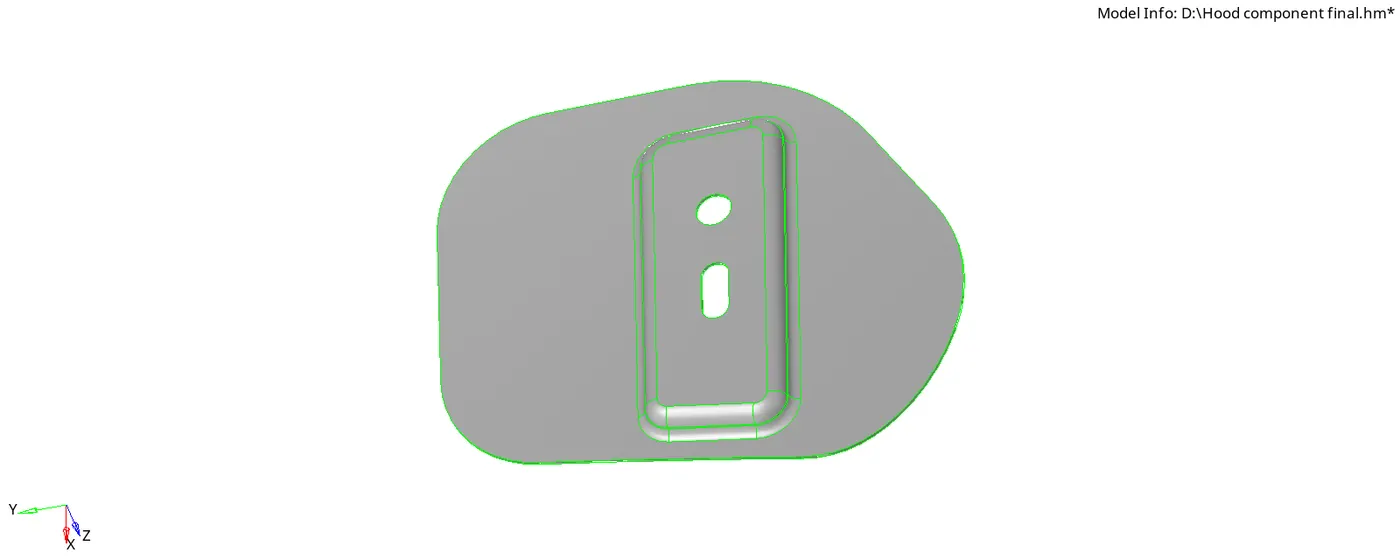
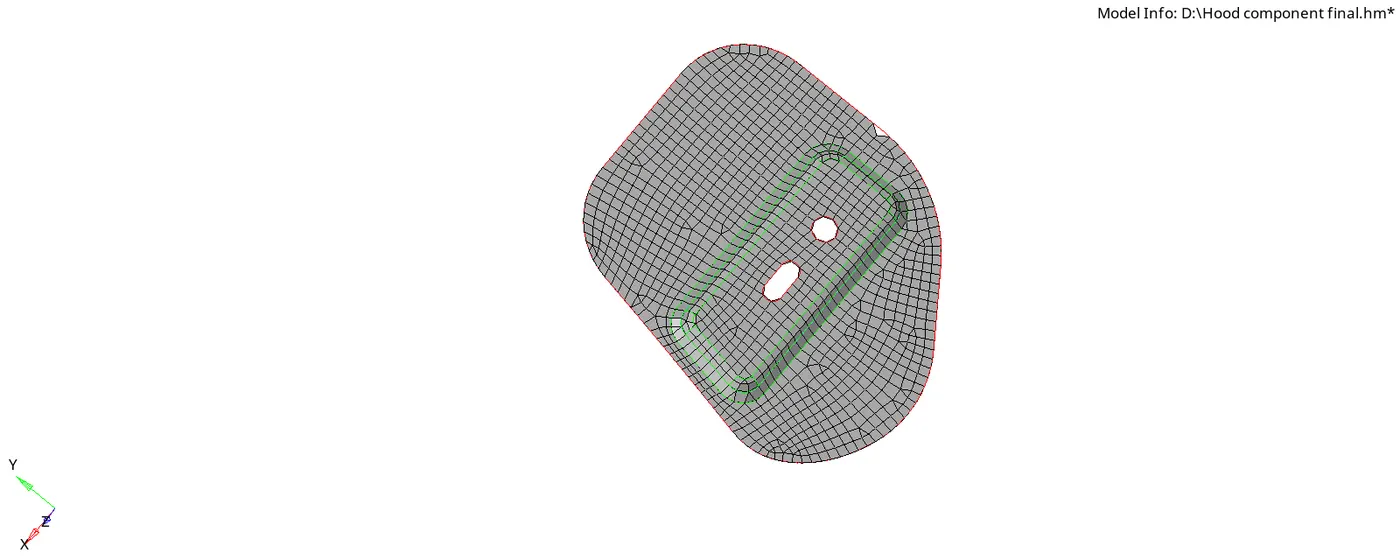
The main objective here is to extract the midsurface and mesh the given Hinge reinforcement component which is attached in the combined hood component and check it with given quality criteria such as warpage,skewness etc....
PROCEDURE:
- Open the new Hyperworks page import the given Hood component as-
- File - Import - Model - Import geometry - Filetype - STEP - Now click on Import
- Make the Hinge reinforcement extract body 1 as the parent model and delete the Solids on that suface and than Extract the Individual Midsurface
- Start Cleanup activities on the extracted model as toggling the lines or suppresing the lines etc...
- Now after completion of manual cleanup activities start meshing the model seperately part by part
- By doing so the mesh flow will be proper and it will be perfect near feature line also.
- After meshing check that there are no triangular elements near the feature lines and Free edges , if there are any try to fix those either by matching the opposite trias or by dragging those trias outside the edges
- Also verify that there are no rotating quards in the mesh, if there are any as such remesh it again by selecting with elements till they are fixed.
- After this go to 2D - Smooth - Select Elements - Smooth the elements till the mesh flow is proper or till the value of smoothing constant goes to decimal value ex:(0.0011...)
- By doing smooth the mesh flow will be perfect and curves will be correct
- Now start checking the quality by -
- Preferences - Criteria file settings - Set the values such as Warpage , Target element size , Taper, Minimum size , Maximum size , Skewness , % Trias etc...
- Fix all the Quality failures by editing the elements by Remeshing or -
- By using 2D - Quality index - Element optimize, Swap edge , Combining tria elements, Place nodes....Resolve the quality failures by bringing the failure value to 'Zero'.
CONCLUSION:
Extracting the given midsurface and meshing the Hinge component with necessary quality criteria is successfully completed.
MODEL 3. HINGE REINFORCEMENT EXTRACT BODY 2
OBJECTIVE:
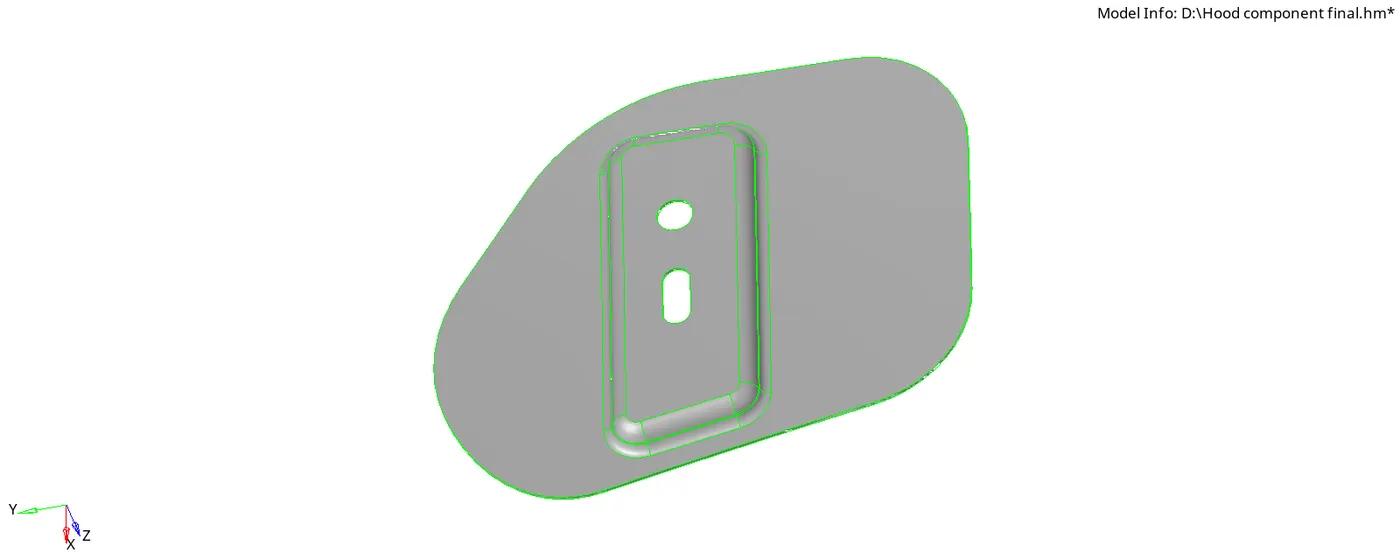
The main objective here is to extract the midsurface and mesh the given Hinge reinforcement component which is attached in the combined hood component and check it with given quality criteria such as warpage,skewness etc....
PROCEDURE:
- Open the new Hyperworks page import the given Hood component as-
- File - Import - Model - Import geometry - Filetype - STEP - now click on Import
- Make the Hinge reinforcement extract body 2 as the parent model and delete the Solids on that suface and than Extract the Individual Midsurface
- Start Cleanup activities on the extracted model as toggling the lines or suppresing the lines etc...
- Now after completion of manual cleanup activities start meshing the model seperately part by part
- By doing so the mesh flow will be proper and it will be proper near feature line also
- After meshing check that there are no triangular elements near the feature lines and Free edges , if there are any try to fix those either by matching the opposite trias or by dragging those trias outside the edges
- Also verify that there are no rotating quards in the mesh, if there are any as such remesh it again by selecting with elements till they are fixed.
- After this go to 2D - Smooth - Select Elements - Smooth the elements till the mesh flow is proper or till the value of smoothing constant goes to decimal value ex:(0.0011...)
- By doing smooth the mesh flow will be perfect and curves will be correct
- Now start checking the quality by -
- Preferences - Criteria file settings - Set the values such as Warpage , Target element size , Taper, Minimum size , Maximum size , Skewness , % Trias etc...
- Fix all the Quality failures by editing the elements by Remeshing or -
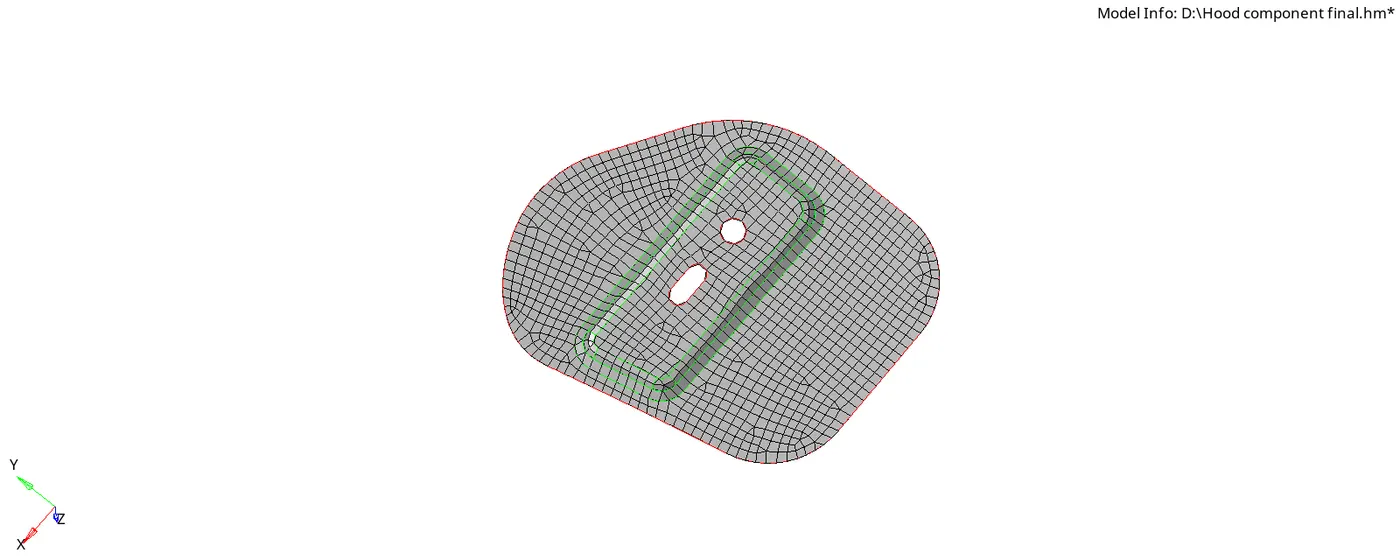
- By using 2D - Quality index - Element optimize, Swap edge , Combining tria elements, Place nodes....Resolve the quality failures by bringing the failure value to 'Zero'
CONCLUSION:
Extracting the given midsurface and meshing the Hinge component with necessary quality criteria is successfully completed.
MODEL 4. OUTER EXTRACT BODY
OBJECTIVE:
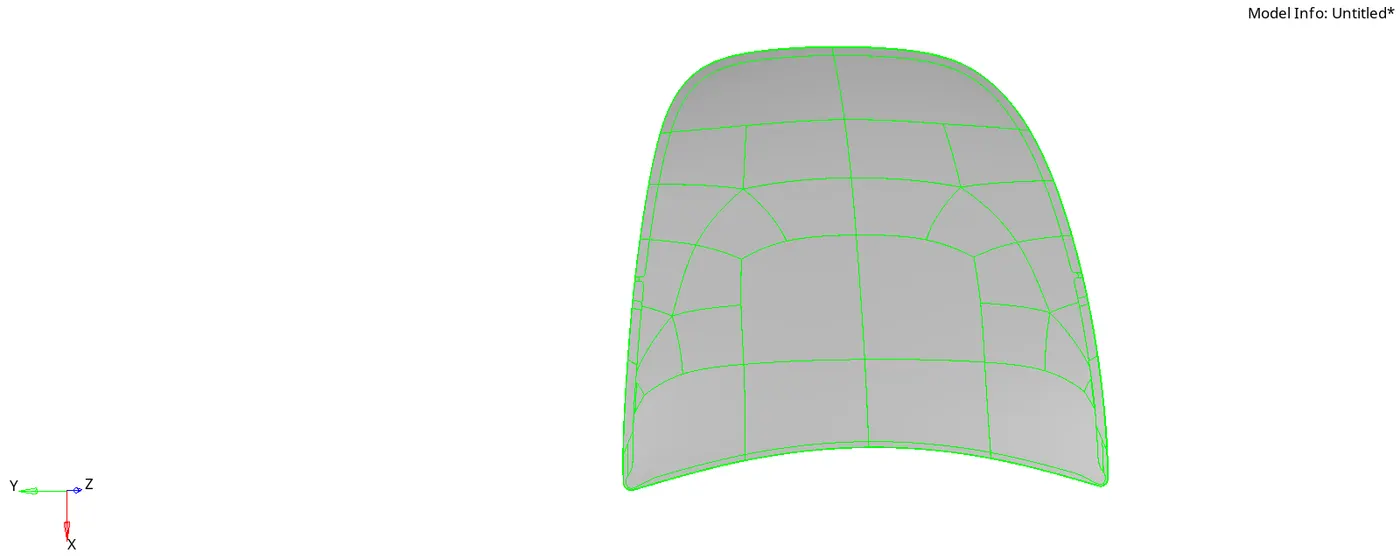
The main objective here is to extract the midsurface and mesh the given Outer extract component which is attached in the combined hood component and check it with given quality criteria such as warpage,skewness etc....
PROCEDURE:
- Open the new Hyperworks page import the give hood component as-
- File - Import - Model - Import geometry - Filetype - STEP - now click on Import
- Make the Outer extract body as the parent model and delete the Solids on that suface and than Extract the Individual Midsurface
- After extracting , as the component is very big make the model into two halfs and work on only the half part by which we can save lot of time and the work will be very accurate.
- Start Cleanup activities on the extracted model as toggling the lines or suppresing the lines etc...
- Now after completion of manual cleanup activities start meshing the model seperately part by part
- By doing so the mesh flow will be proper and it will be proper near feature line also
- After meshing check that there are no triangular elements near the feature lines and Free edges , if there are any try to fix those either by matching the opposite trias or by dragging those trias outside the edges
- Also verify that there are no rotating quards in the mesh, if there are any as such remesh it again by selecting with elements till they are fixed.
- After this go to 2D - Smooth - Select Elements - Smooth the elements till the mesh flow is proper or till the value of smoothing constant goes to decimal value ex:(0.0011...)
- By doing smooth the mesh flow will be perfect and curves will be correct
- Now start checking the quality by -
- Preferences - Criteria file settings - Set the values such as Warpage , Target element size , Taper, Minimum size , Maximum size , Skewness , % Trias etc...
- Fix all the Quality failures by editing the elements by Remeshing or -
- By using 2D - Quality index - Element optimize, Swap edge , Combining tria elements, Place nodes....Resolve the quality failures by bringing the failure value to 'Zero'.
- now after all this for getting back the final component we need to reflect the half part which we have worked by-
- Tool - Reflect - Elements - Select y axis and Base(B) - Also duplicate the elements - Select current component - Than select the base node - Reflect
- After reflecting primarily check for the edges by -
- Tool - Edges - Elements - Give some tolerance value - Find edges - Than it will show free edges with Red colour highlited.
- Than you can also preview equivalence by which we can fix where the connections are not properly made - Click Equivalence - It will fix all the connections.
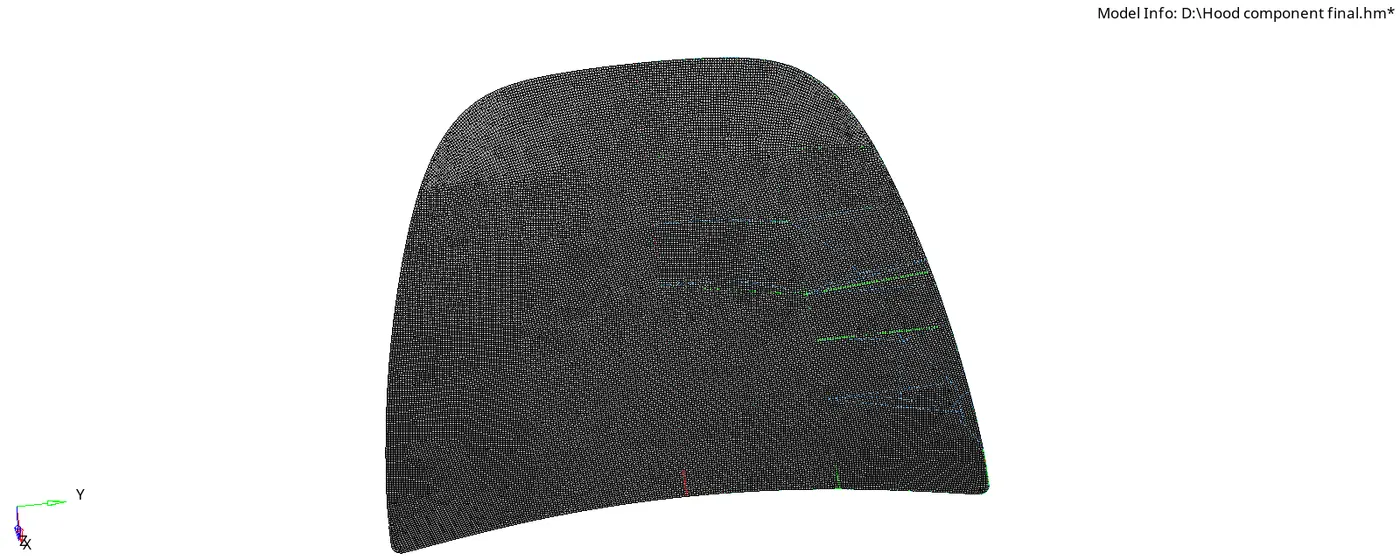
- By this the final model can be achieved.
CONCLUSION:
Extracting the given midsurface and meshing the Outer extract component with necessary quality criteria and fixing all the connections is successfully completed.
MODEL 5. INNER EXTRACT BODY
OBJECTIVE:
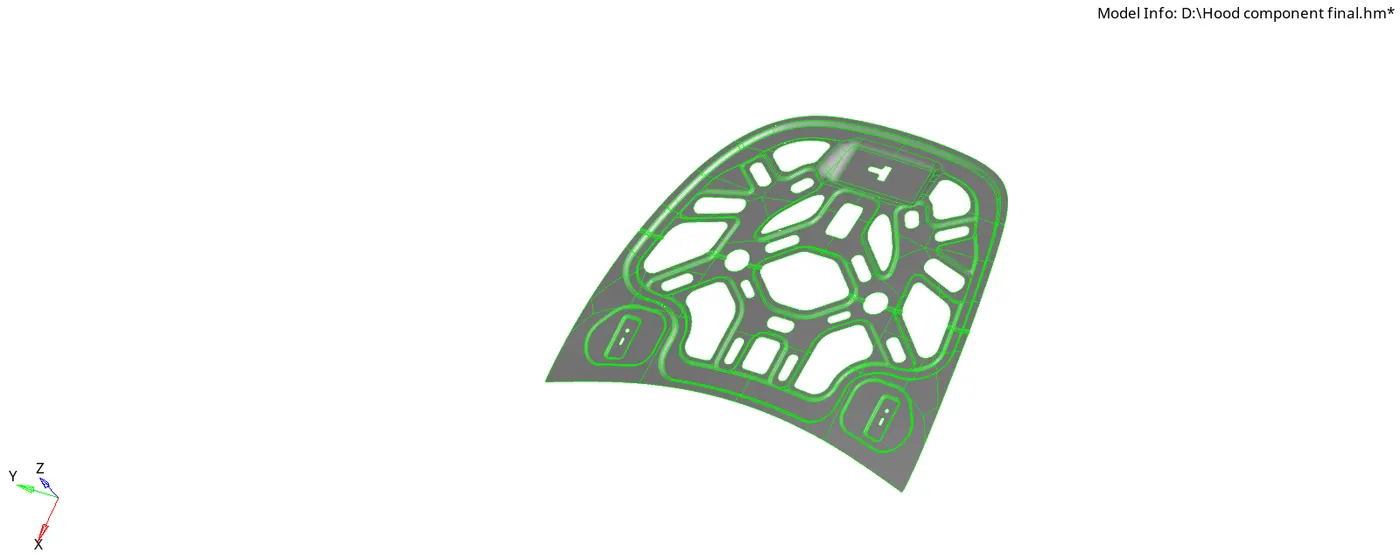
The main objective here is to extract the midsurface and mesh the given Inner extract component which is attached in the combined hood component and check it with given quality criteria such as warpage,skewness etc....
PROCEDURE:
- Open the new Hyperworks page import the give hood component as-
- File - Import - Model - Import geometry - Filetype - STEP - Now click on Import
- Make the Inner extract body as the parent model and delete the Solids on that suface and than Extract the Individual Midsurface
- After extracting , as the component is very big make the model into two halfs and work on only the half part by which we can save lot of time and the work will be very accurate.
- Start Cleanup activities on the extracted model as toggling the lines or suppresing the lines etc...
- Now after completion of manual cleanup activities start meshing the model seperately part by part
- By doing so the mesh flow will be proper and it will be proper near feature line also
- After meshing check that there are no triangular elements near the feature lines and Free edges , if there are any try to fix those either by matching the opposite trias or by dragging those trias outside the edges
- Also verify that there are no rotating quards in the mesh, if there are any as such remesh it again by selecting with elements till they are fixed.
- After this go to 2D - Smooth - Select Elements - Smooth the elements till the mesh flow is proper or till the value of smoothing constant goes to decimal value ex:(0.0011...)
- By doing smooth the mesh flow will be perfect and curves will be correct
- Now start checking the quality by -
- Preferences - Criteria file settings - Set the values such as Warpage , Target element size , Taper, Minimum size , Maximum size , Skewness , % Trias etc...
- Fix all the Quality failures by editing the elements by Remeshing or -
- By using 2D - Quality index - Element optimize, Swap edge , Combining tria elements, Place nodes....Resolve the quality failures by bringing the failure value to 'Zero'.
- now after all this for getting back the final component we need to reflect the half part which we have worked by-
- Tool - Reflect - Elements - Select y axis and Base(B) - Also duplicate the elements - Select current component - Than select the base node - Reflect
- After reflecting primarily check for the edges by -
- Tool - Edges - Elements - Give some tolerance value - Find edges - Than it will show free edges with Red colour highlited.
- Than you can also preview equivalence by which we can fix where the connections are not properly made - Click Equivalence - It will fix all the connections.
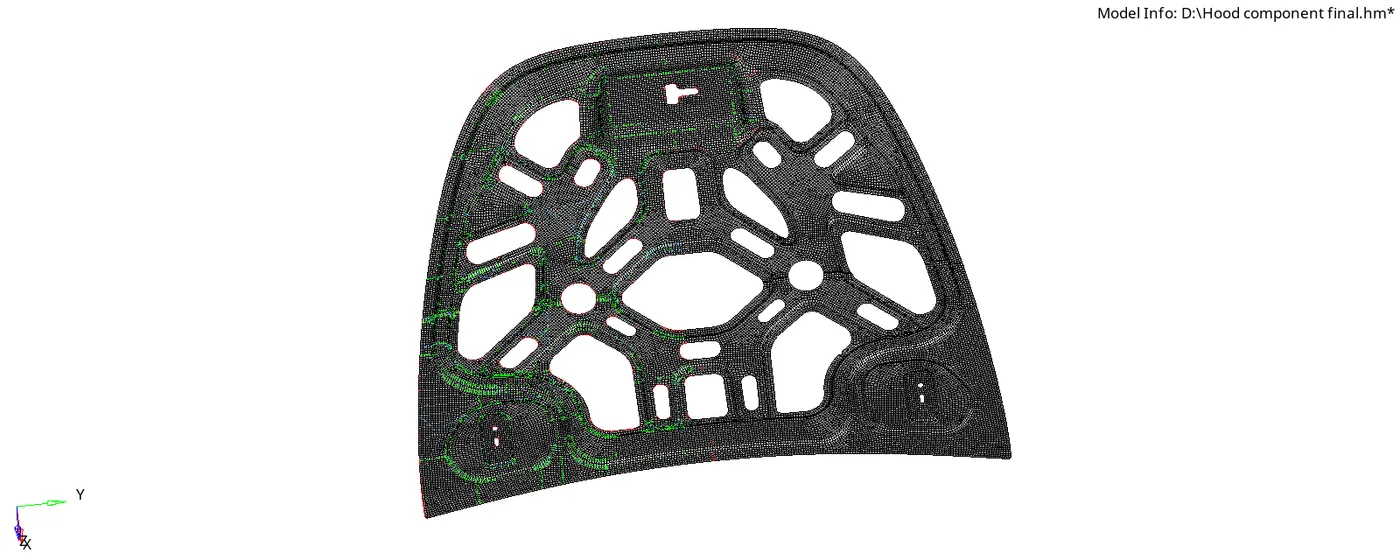
- But after all necessary connections finall mesh the Latch component which is inside the Inner extract and once again check for failures and if anything still present fix all that.
- By this the final model can be achieved.
CONCLUSION:
Extracting the given midsurface and meshing the given Inner extract component with necessary quality criteria and fixing all the connections is successfully completed.