Week 12:Project 2-Meshing of Rear Wheel Holder challenge
WEEK 12 CHALLENGE
PROJECT 2 . Meshing of Rear Wheel Holder challenge
OBJECTIVE:
The main objective in week 12 Project 2 challenge is to perform Meshing of Rear Wheel Holder challenge according to given quality criteria values and to assign thickness for elements .
Skewness - 45
Aspect ratio - 5
Warping -15
Taper- 0.5
Target elem. Length - 4 units
Min. Length - 2 Units
Max. Length - 8 Units
Min angle Quad - 45
Max angle Quad - 135
Min angle Tria - 20
Max angle Tria - 120
Tria % - 10
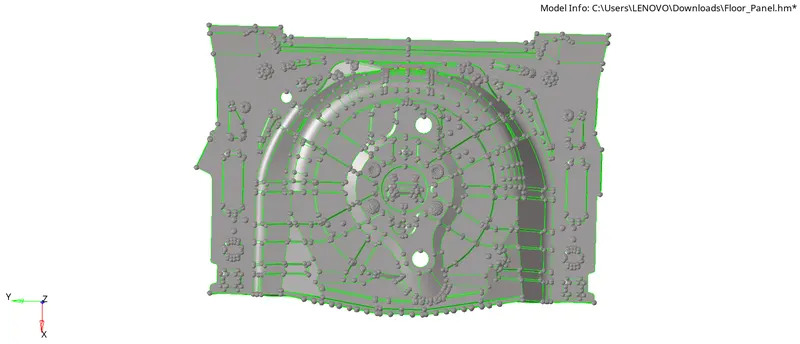
PARENT MODEL
PROCEDURE:
- First Import the file by going to File - Import - Model - Type - IGES - Select the file - Import
- Press 'F' to fit the model in the screen
- Primarily check the thickness of the surfaces by going to Distance command(F4)
- For checking thickness on flat side or varied surface create nodes by going to Temp. nodes -Click and hold on one side and the portion will be highlighted than you can click wherever node is needed and for another side to check thickness
- Go to Project select the node to be projected - Duplicate the node twice - Select the opposite surface where node is to be duplicated -
- Now Go to Geom - Distance(F4) - Two nodes - measure the thickness wherever the thickness cannot be found easily
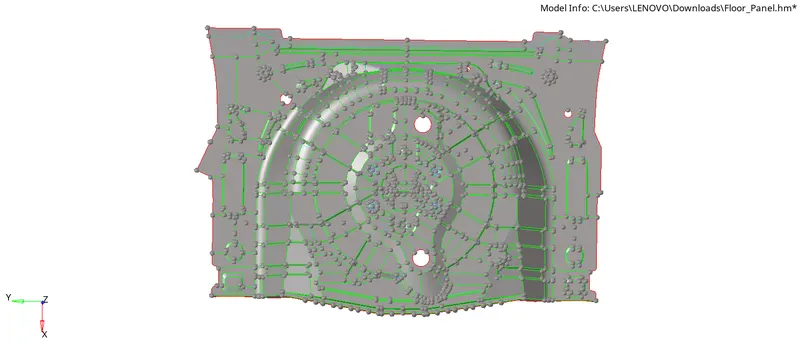
- Than start extracting midsurface manually as the component is with varying thickness by going to Geom - Surface edit - Offset -mention the offset value and extract the midsurface
- After extracting the manual mid surface do necessary geometric cleanups and one important thing is to Remove the button shaped surfaces as the capturing of this type of surface would be difficult and also mesh will also not be proper in those type areas.
AFTER MANUAL MID SURFACING
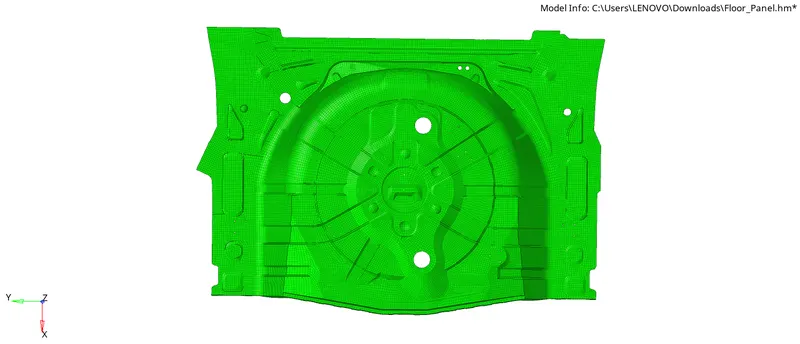
- After extracting all the mid surfaces start meshing by going to - Automesh - Target element size - 5 units - Mesh each and every midsurface individually to get proper mesh
- Than check for Quality criteria failure of elements by going to Tools - Check elements - Min. elem length = 2, max. elem length = 8, Skew = 45 , Aspect ratio = 5 , Warping = 15 , Taper = 0.5 , Min angle tria = 20 , Max angle tria = 120 , Min angle quad = 45 , Max angle quad = 135 ... check all the failed values and if any failures are present correct all the failed elements by using Remesh or By using quality index options by going to
- 2D - Quality index - By using Element optimize, Drag trias , smooth , Swap edge options try to bring all the failed elements to zero by doing that the mesh will look organised
- Now this created mesh should be assigned with thickness by creating seperate components for each size and should assign with the property with same thickness by
- Create - Component - Rename according to our thickness value - Mention thickness value in dropdown values of component - Can choose a colour also
- Than Create a Property - Rename with same value as in component - Enter the thickness as same as entered for component - Click enter - Data will be saved
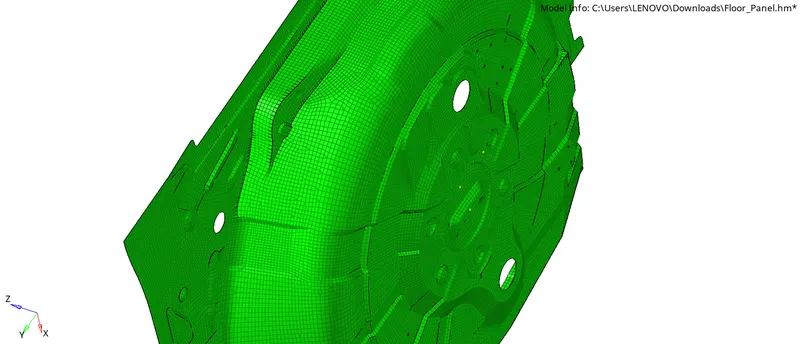
- Now according to the thickness by verifying in parent model organise elements to the components created according to their necessary thickness values and now - Right click on the component and Click on - Assign - Mention property with same thickness -Apply - Ok - Tahn the thickness will be applied for those elements
- Cross verify those elements by going to 2D Detailed Element Representation the elements will be with the mentioned thickness values
AFTER MESHING
AFTER ASSIGNING THICKNESS
RESULT:
Meshing of Rear Wheel Holder challenge with necessary Quality criteria values and assigning thickness according to given specifications is successfully completed.