Calculate the Stretch Ratio by comparing the ELFORM (-2,-1,1,2) with Ogden_Material Model.
AIM
To perform the simulation using different ELEFORM's as given and calculate the stretch ratio and plot the graphs in excel sheets between engg.stress Vs stretch ratio.
OBJECTIVE:
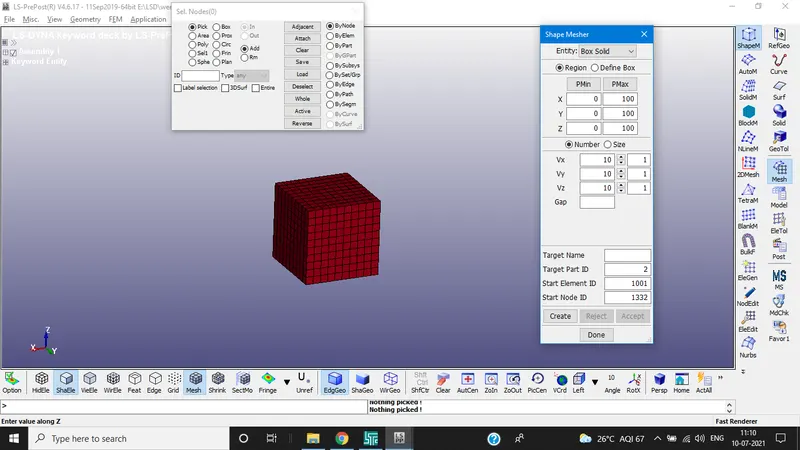
- Create the block of 10mm×10mm×10mm dimension with 10 elements for each direction and use the material card(Ogden_material.k)
- Use appropriate boundary conditions to simulate uniaxial tensile behaviour for the model
- Compare the results of the simulation with given ELEFORM's
- Use required solver(implicit/explicit).
The Ogden material model is a hyperelastic material model used to describe the non-linear stress-strain behaviour of complex materials such as rubbers and biological tissue. The model relies on the fact that the material behaviour can be described by means of a strain energy density function, whence the stress-strain relationships can be derived. The Ogden model is often used to model rubberlike materials such as polymers, and biological materials. These materials can generally be considered to be isotropic, incompressible and strain rate independent.
PROCEDURE
- Import the file .k material file in LS prepost
- As discussed create a block which has 10 elements on each direction using shapemesher under mesh tab as shown below
SECTION CREATION:
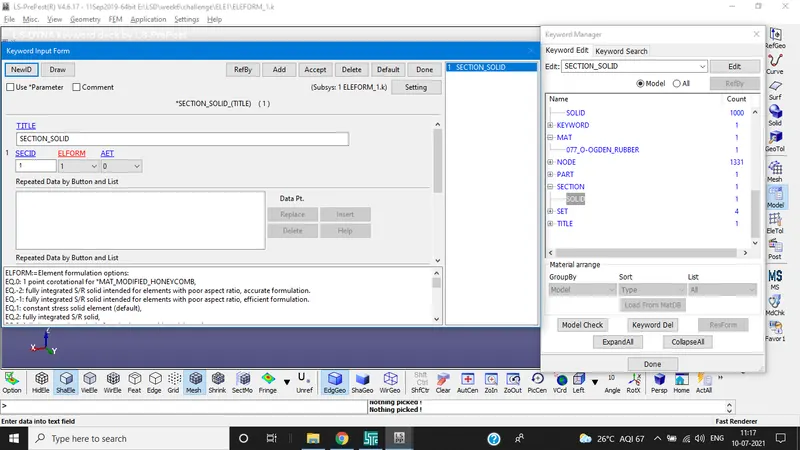
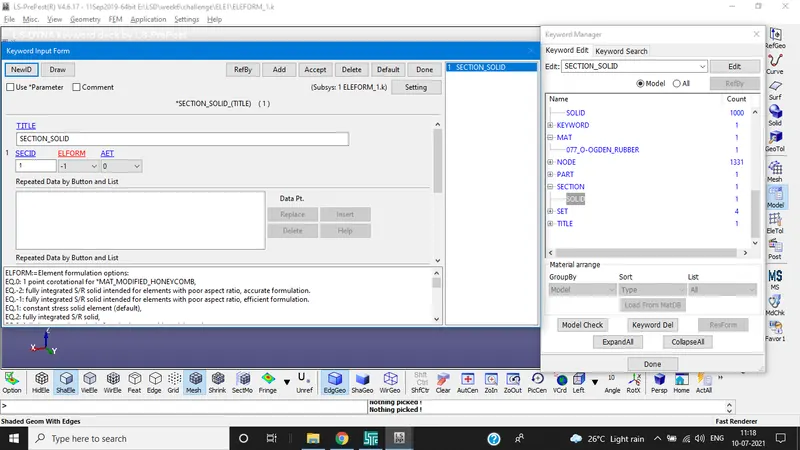
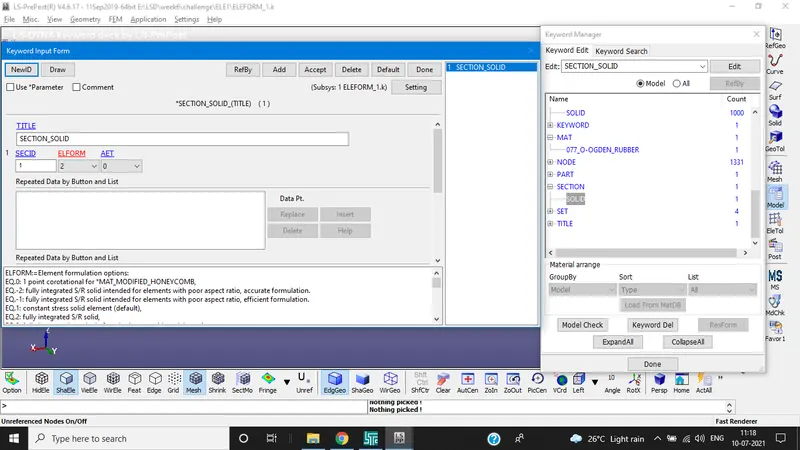
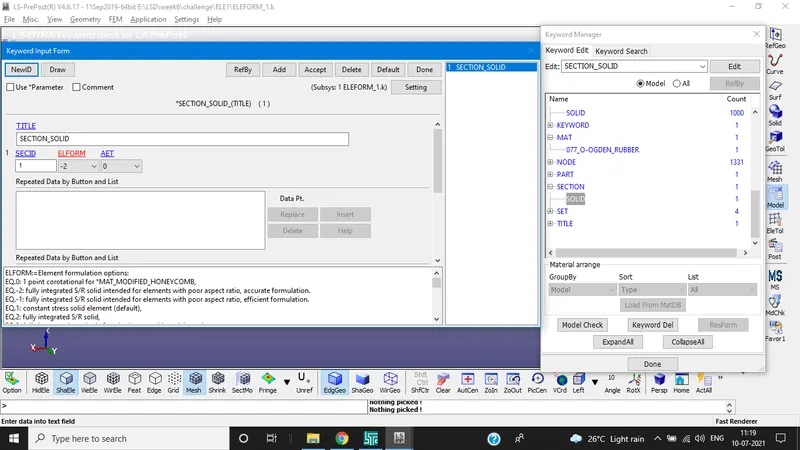
The section properties of the FE model created is assigned as solid element with different ELEFORM's as in
CASE 1.ELEFORM(1): constant stress solid element
CASE 2.ELEFORM(-1): fully integrated S/R solid intended for elements with poor aspect ratio, efficient formulation
CASE3. ELEFORM(2): fully integrated S/R solid
CASE4. ELEFORM(-2): fully integrated S/R solid intended for elements with poor aspect ratio, accurate formulation.
MATERIAL:
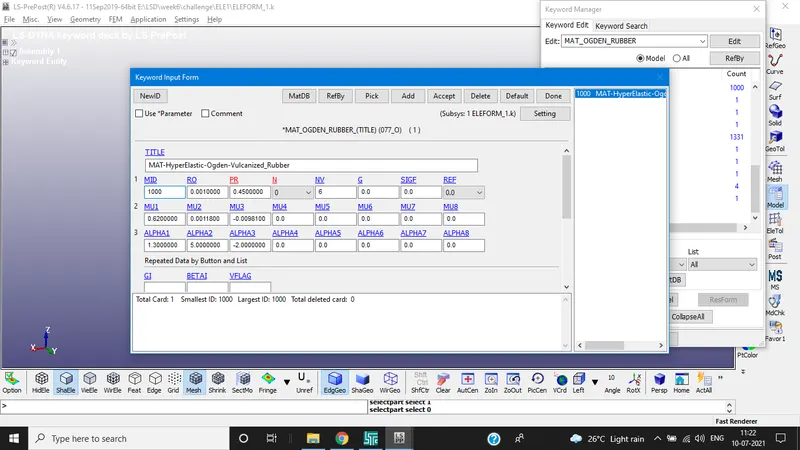
The material card is already provided the keyword file, the unit system is gm-mm-ms and is assigned accordingly to the solid block.
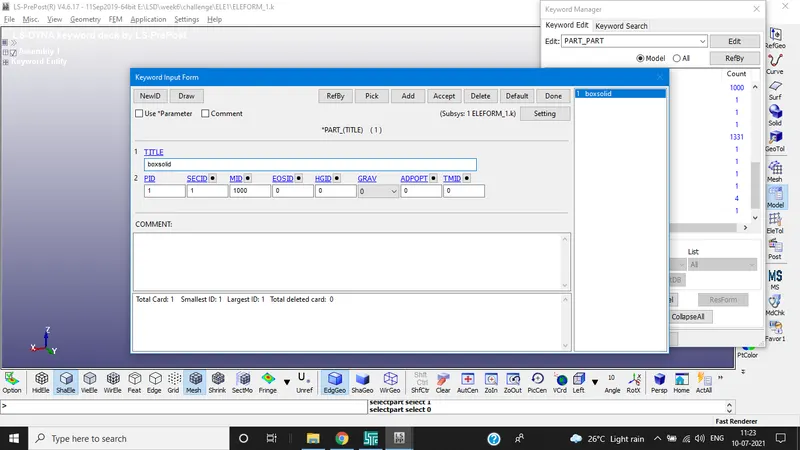
Assigning material and section to the part
Boundary conditions
To perform the uniaxial tensile test on the specimen, the nodes of one of the faces are fixed along the X-axis.
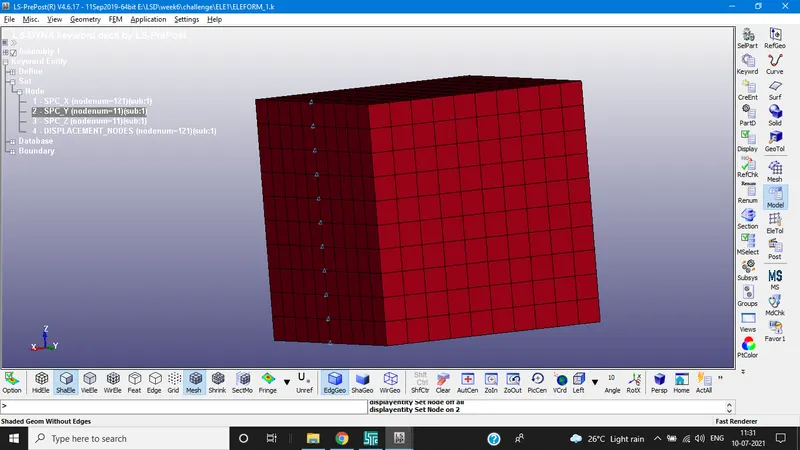
Then we fix the vertical middle nodes along Z-direction fixed in y direction
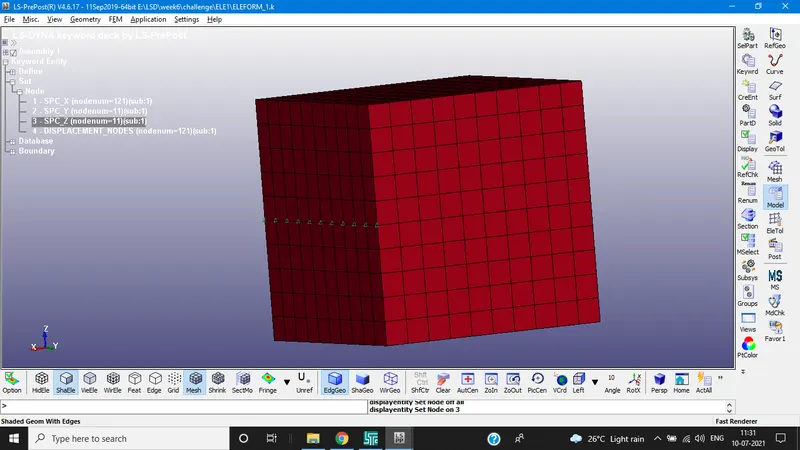
And we fix the horizontal middle nodes along Y-direction fixed in Z direction
Below images are related to SPC conditions
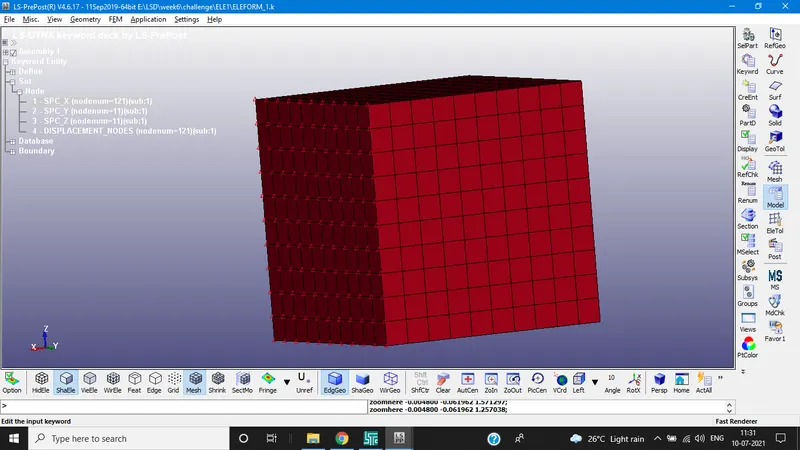
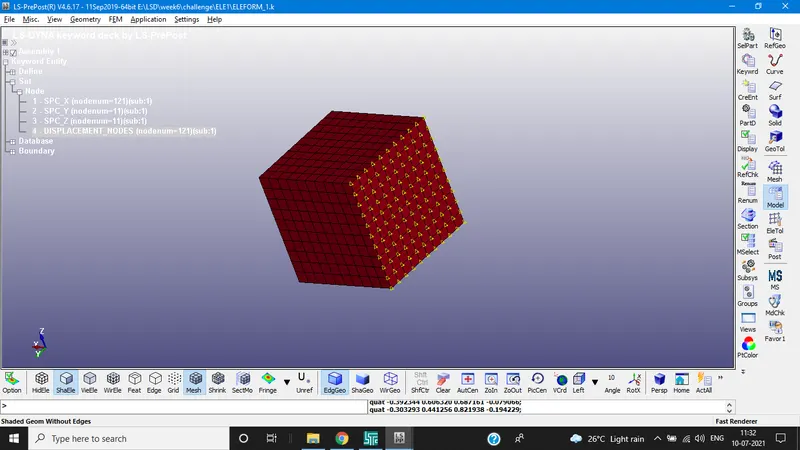
Below image represent the nodes selected for the applying load conditions.
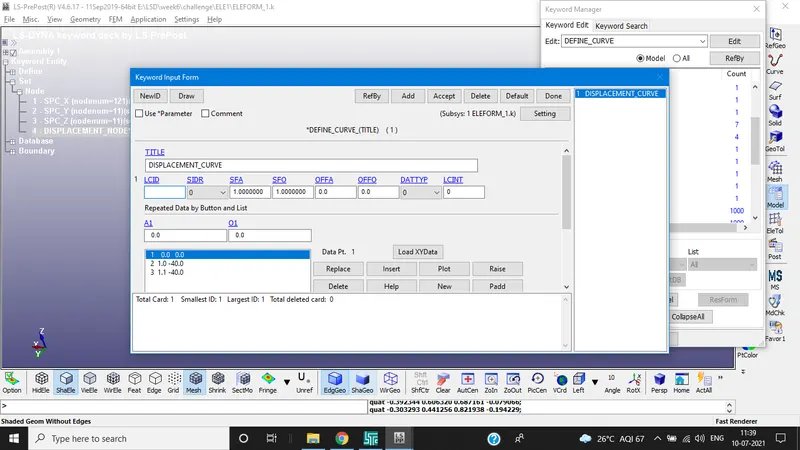
Minimum load to be applied on the moving surface to attain a stretch ratio of 5, is calculated by using following relation,
True strain = ln(1+engg.strain)
stretch ratio(λ) = 1 + engg.strain
5 = 1 + (δl/L)
δL = 40mm
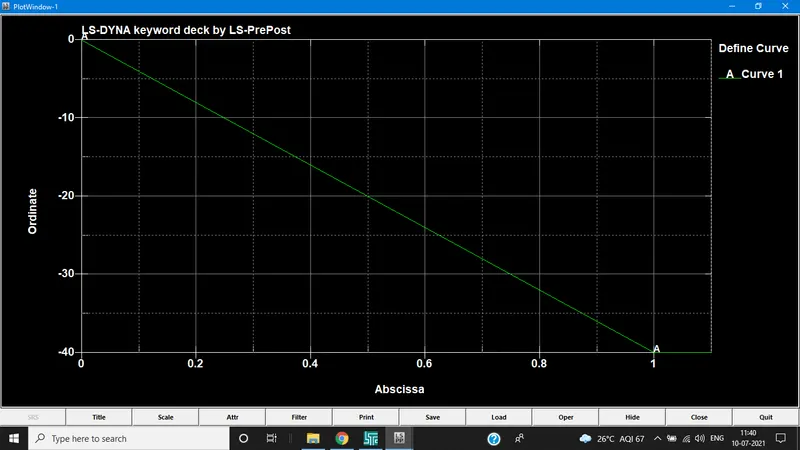
CONTROL CARDS
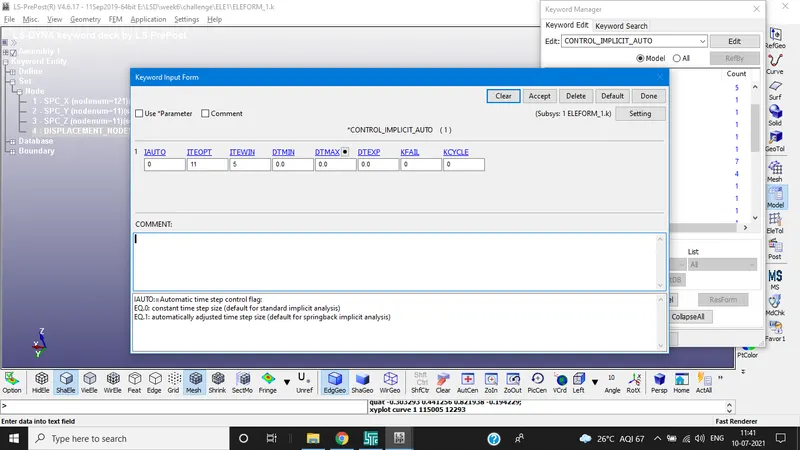
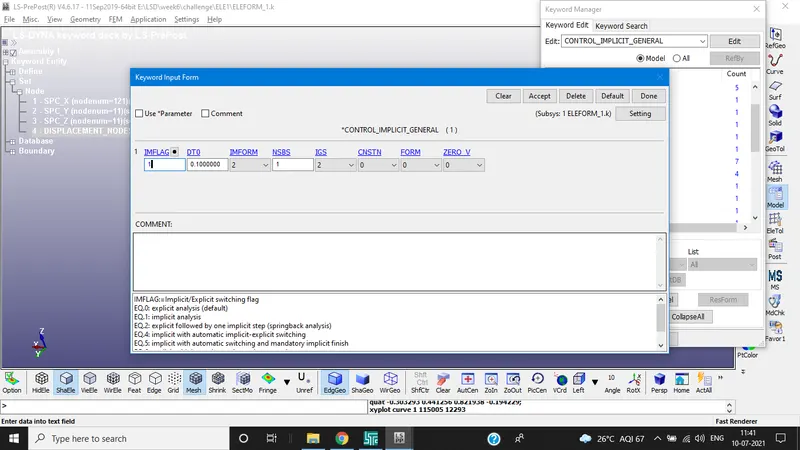
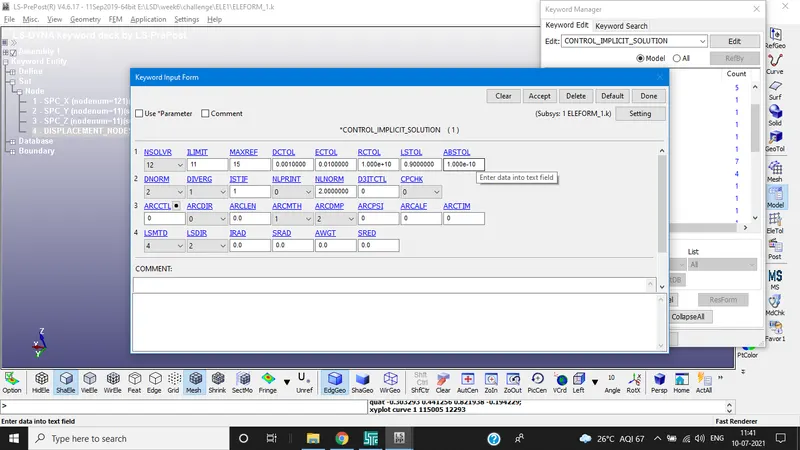
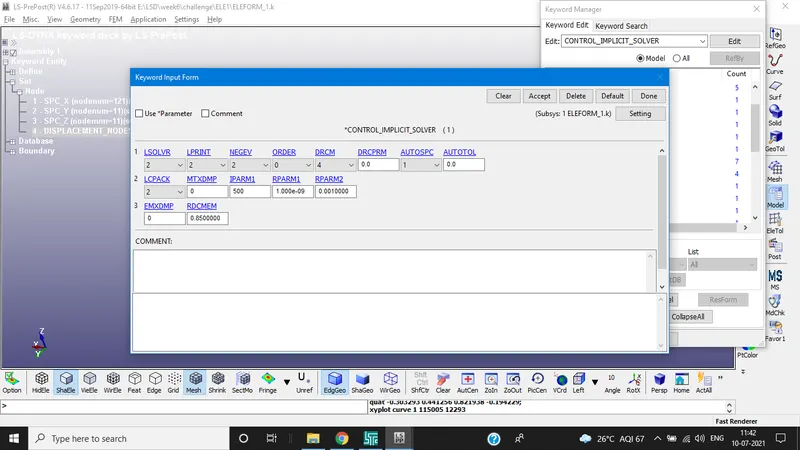
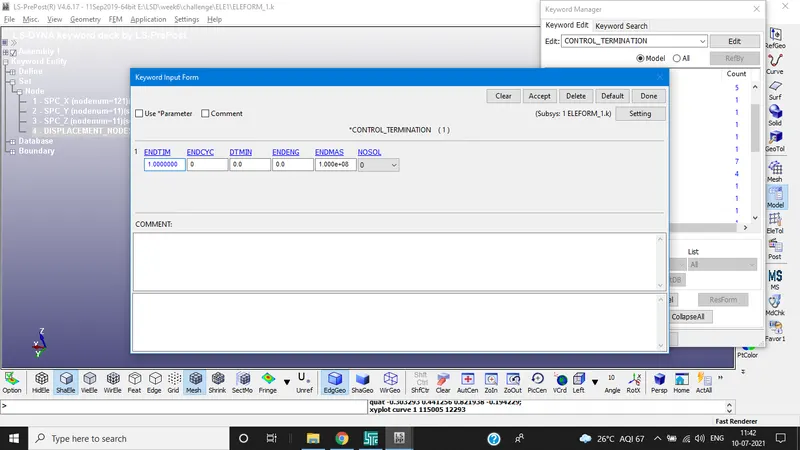
DATABASE
ASCII OPTION
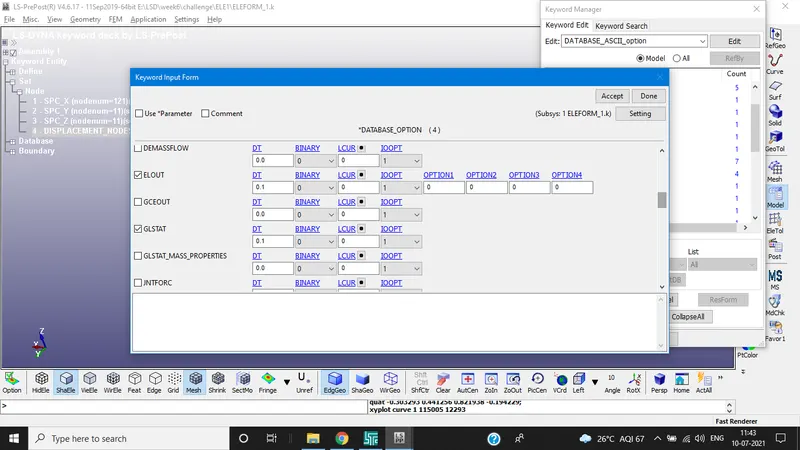
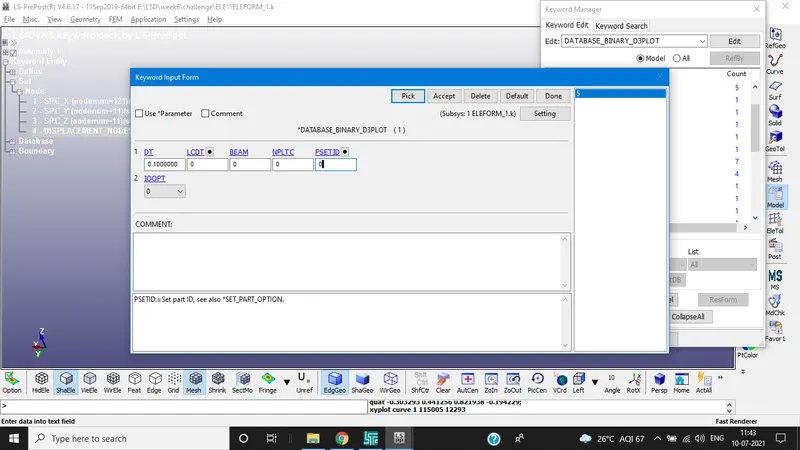
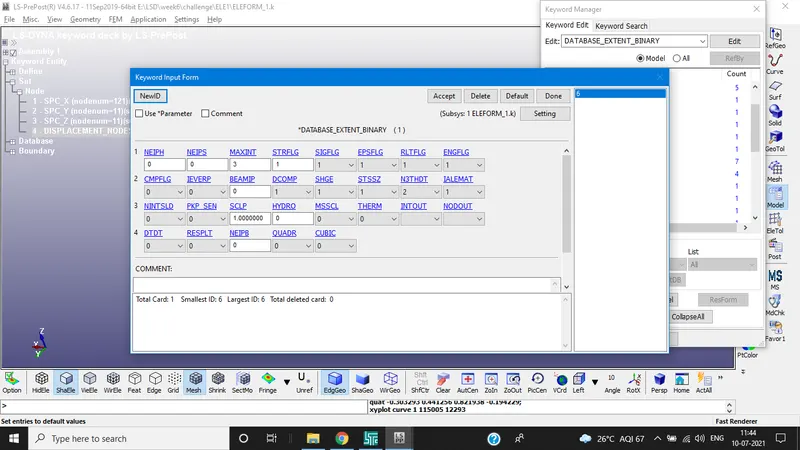
MAKE SURE TO GIVE THE VALUE OF STRFLG
Give the model check the executing the file
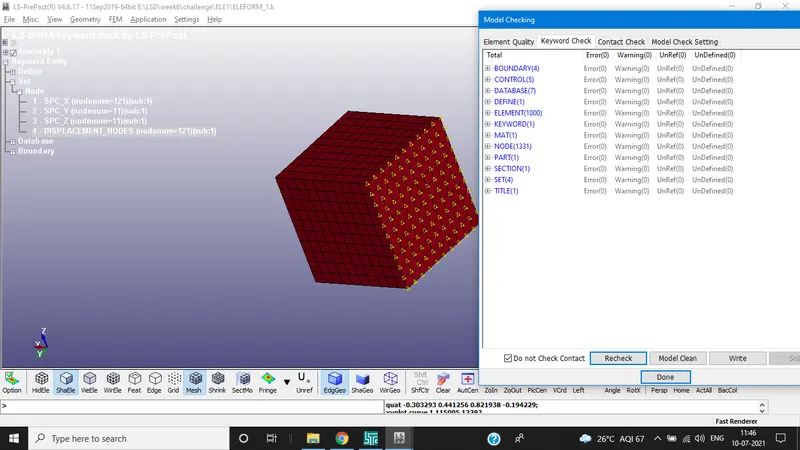
Simulation:
Use the double precision solver for implicit simulation.
Since load is proportional to time, problem is static and induced forces should be converged the problem is solved using implicit solving.
Results
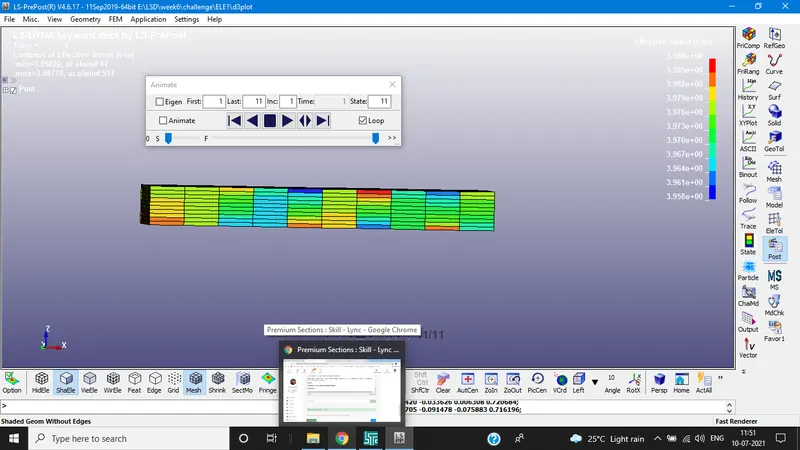
CONTOUR PLOTS FOR VON MISES STRESS
ELEFORM 1
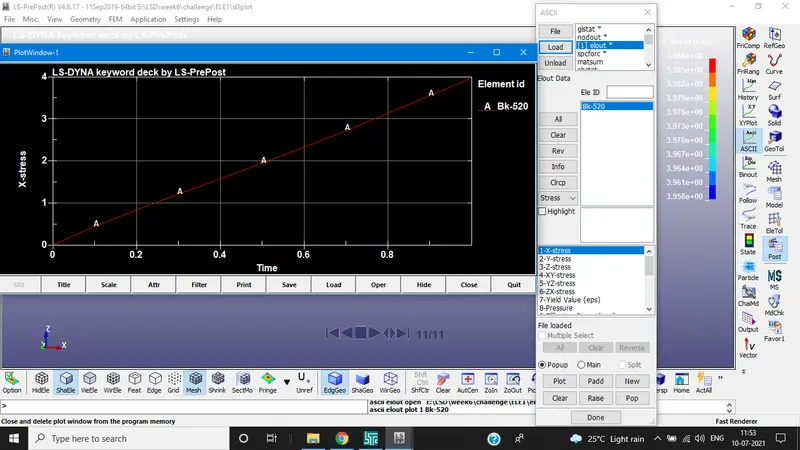
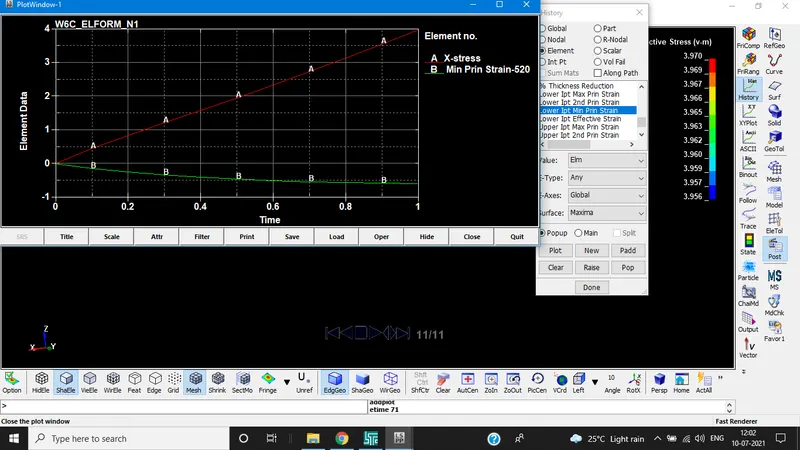
ELOUT FOR ELEFORM1(520 ELE)
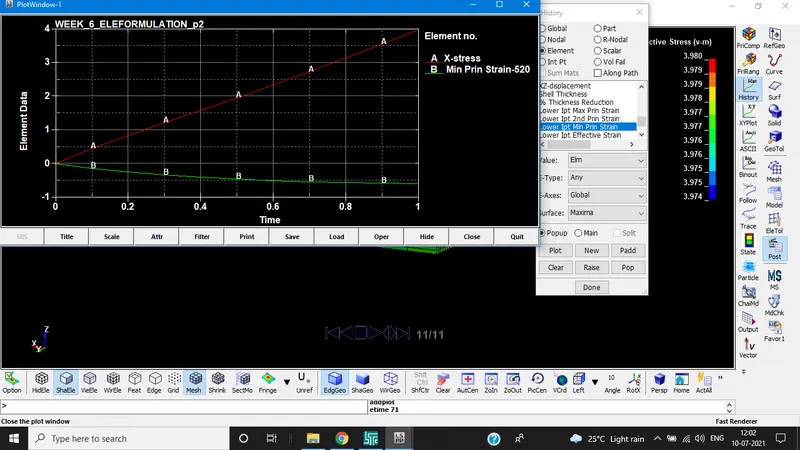
ELEFORM(-1):
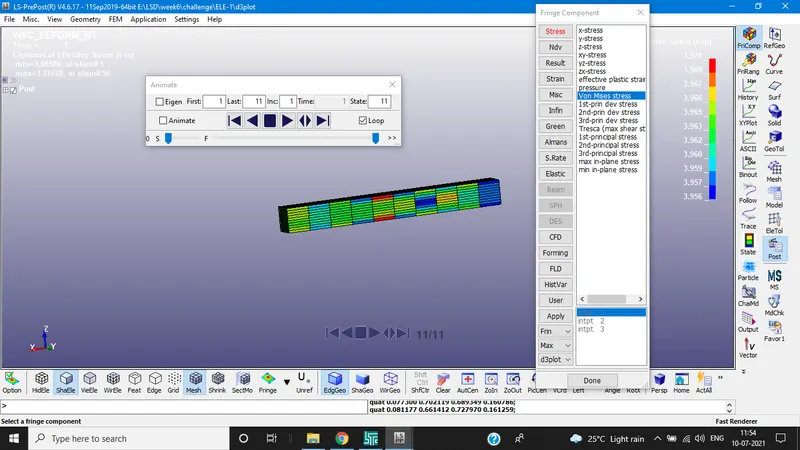
ELEFORM(2)
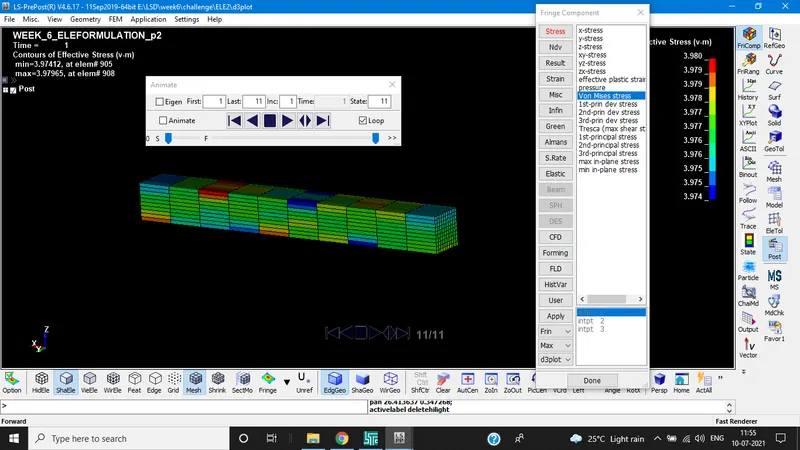
ELEFORM(-2)
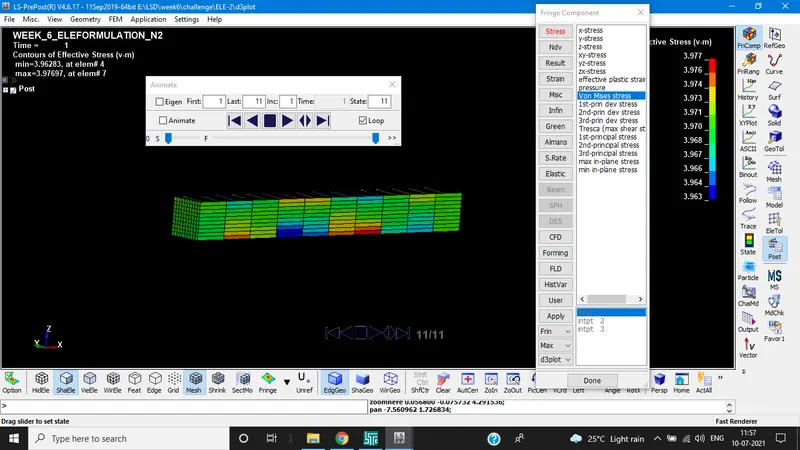
ELEFORM(1)
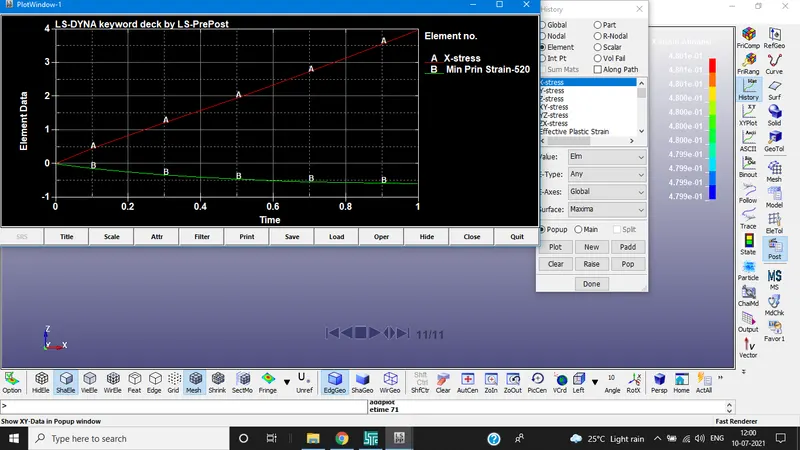
ELEFORM(-1)
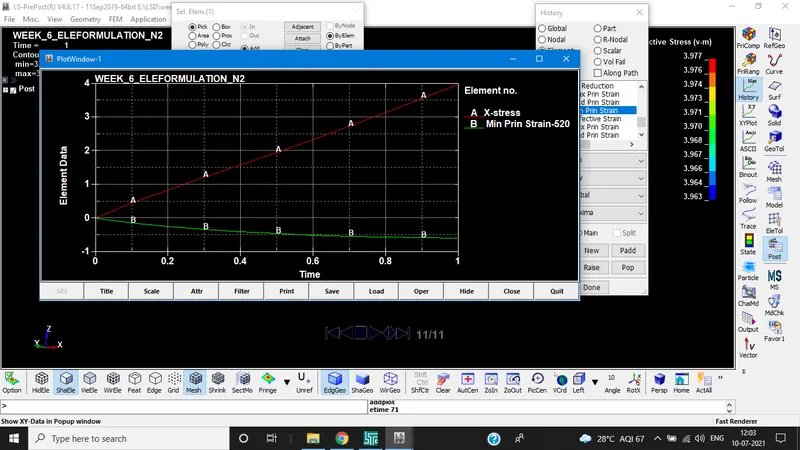
ELEFORM(2)
ELEFORM(-2)
Calculation of Engineering stress/strain and stretch ratio:
In LS-DYNA stress/strain outputs which we get from the post processing are true stress and strains. To find engg.stress/strain and stretch ratio following relations are used.
For true stress:

TRUE STRAIN
εt = ln(1+εe)
Engg. Stress σe = σt/(1 + εe)
Engg. Strain = ε =δ/L0
Stretch ratio, λ = 1 + εe
Using excel sheet calculate engineering stress and stretch ratio and plot the graphs.
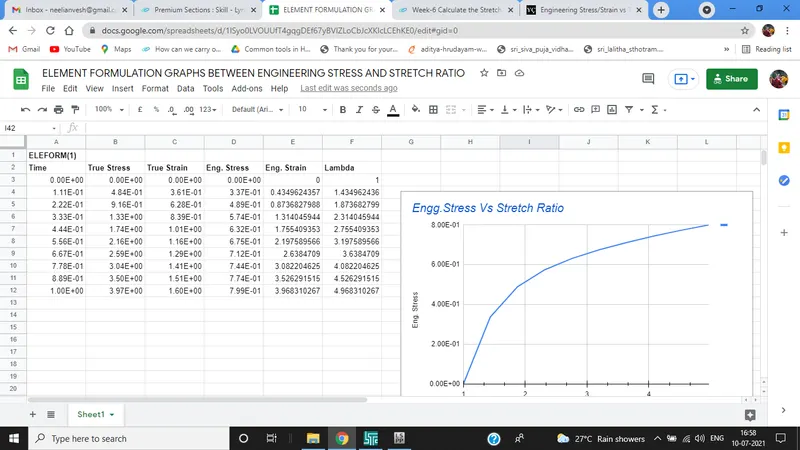
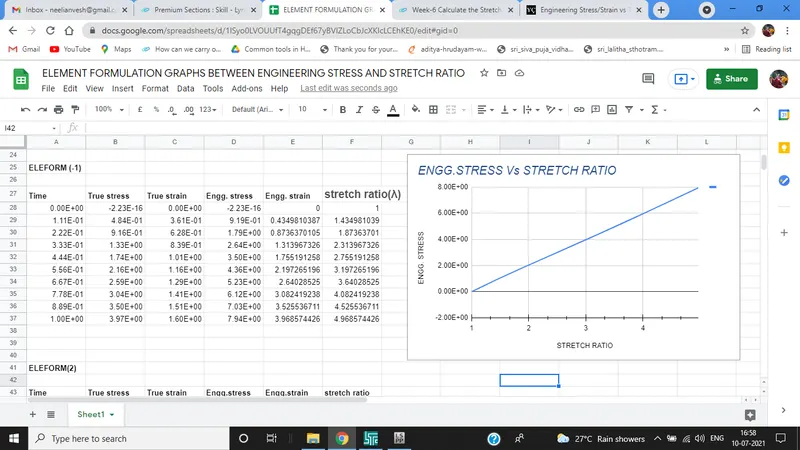
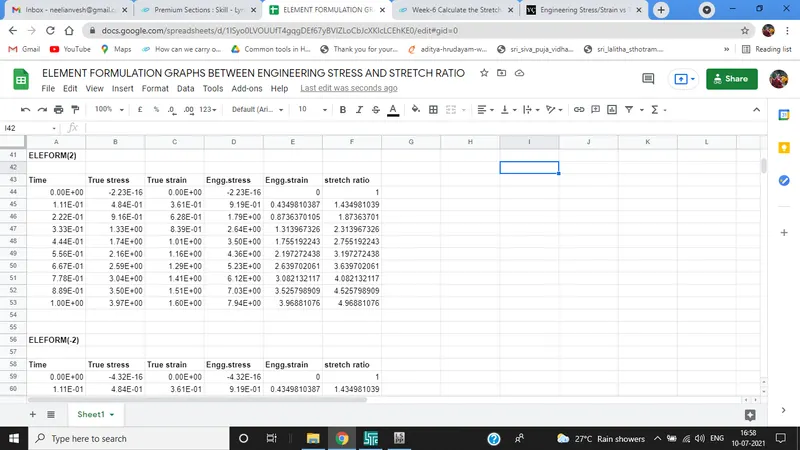
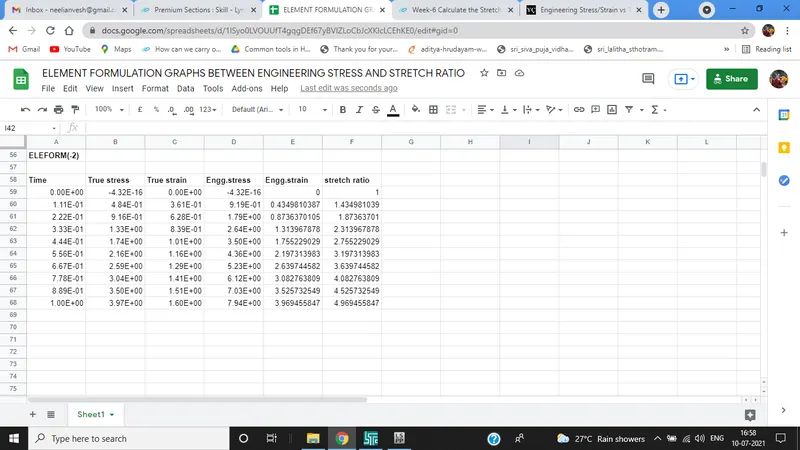
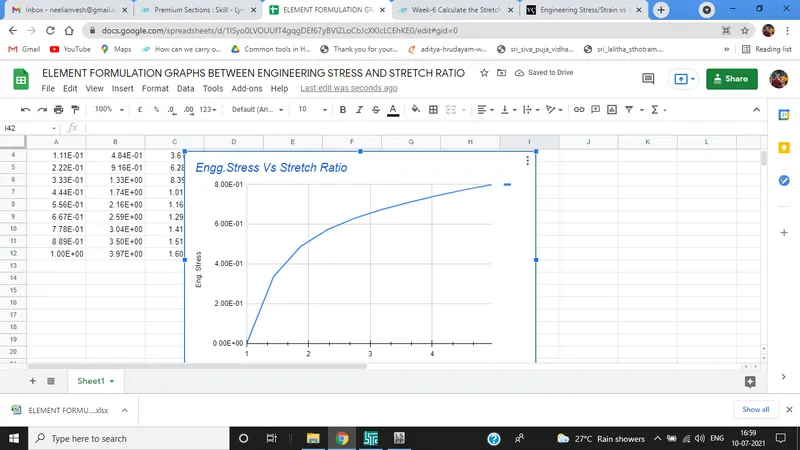
The graph we plotted are different ELEFORM Values is nearly same. since problem is not so complex every element formulation succeed.
CONCLUSION
- FE model of solid block is created and given material is assigned to simulate for different ELEFORM
- Uniaxial tensile test is solved by implicit solver since the analysis is quasi-static
Google Doc:
https://docs.google.com/spreadsheets/d/1ISyo0LVOUUfT4gqgDEf67yBVlZLoCbJcXKIcLCEhKE0/edit#gid=0