2D meshing on the instrumental Panel
PROJECT 1
IP SUBSTRATE
AIM
For the given component, check for the geometrical errors and mesh with the given element Quality criteria. After meshing the component the thickness has to be assigned.
What is IP Substrate?
The automotive instrument panel (IP) has evolved over time to become one of the most complex subsystems in today's automobile (Jira, 1996), both from an appearance and functionality viewpoint. Not only does it lend a distinctive character to the interior of an automobile from an aesthetic point of view, it must also house beneath the styled surface several components required for functional reasons.
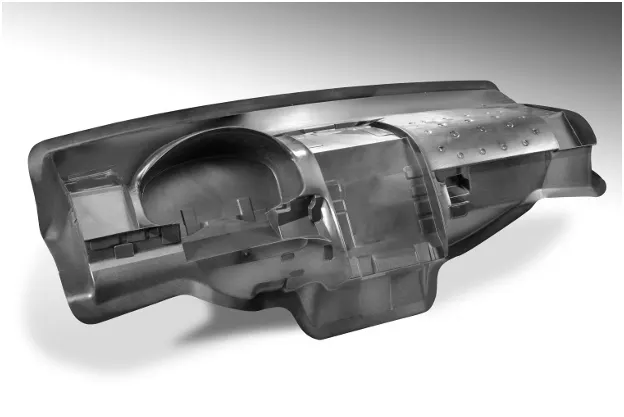
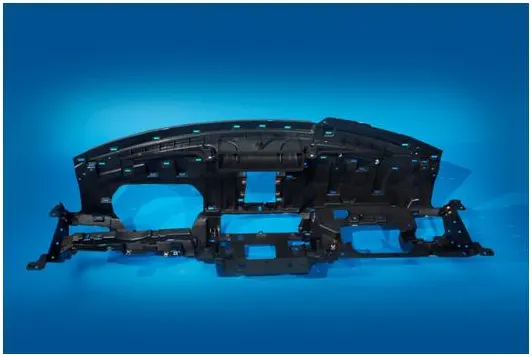
Above images are examples of IP substrate
The purpose of Instrument panel (also called dash, instrument panel (IP), or fascia) is a control panel set within the central console of a vehicle or small aircraft. Usually located directly ahead of the driver (or pilot), it displays instrumentation and controls for the vehicle's operation.
Function
The function of the instrument cluster is to keep the driver informed with the most current information as they drive. Gauges provide the information for speed, distance, heat and fuel. Indicator lights provide warnings and updates like the check engine light and the low fuel light. Different vehicles have different warnings available.
Identification
The instruments in the instrument cluster are gauges that are circular, and in most cases back lit. The instrument cluster includes the speedometer, fuel gauge, tachometer and odometer; it is located on the driver's side on the dashboard, in front of the steering wheel.
Components
The speedometer tells you how fast the vehicle is moving. The fuel gauge tells you how much fuel is currently in your gas tank. The tachometer provides the driver with the rotation rate of the crankshaft in the engine. The odometer tells you how many miles the vehicle has traveled.
NOTE: since we have the skeleton of the IP Panel the above features are not represented in it.
For the given project we need to check for the geometrical errors and extract the mid surface.
PROCEDURE
- Import the model and give a topo
- Now checks for the geometrical errors for the parent component if any errors are found rectify them with the given topological options.
- Once the errors are cleared extract the mid surface except for the dog houses and ribs.
- Check the mid surface for the geometrical errors because there are chances of needle surfaces, crack surfaces and collapsed cons.
- Try to fix the above mid surface errors one by one this will give the clean geometry.
- After clearing all errors check the geometry again to make it is clean.
- Since we have the ribs and dog houses for the mid surface extraction different set off options are used.
As per the industry norms mid surface extraction for the ribs are done by
- v Middle surface select the either sides of the rib surfaces this create the Mid for the rib
- v Offset the one side of rib surface this can be done by measuring the distance and offset according to it (For the given model both options are used based on the rib and its location towards the beneath surface
DOG houses
- v The representation of surfaces are hollow
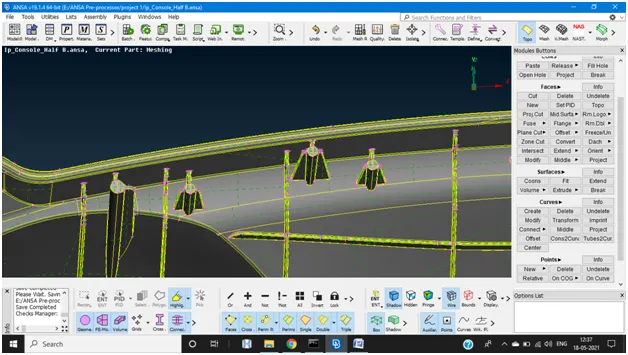
- v Extraction of the surface are done creating a cut in middle of the hollow then convert them into curves using TOPO>CURVES>Cons2Curves. If any gap is left we create a curve.
- v Then create new surface from the curves this will represent the dog house repeat the same procedure for all the hollow surface and there are some attached to it follow the above steps as we discussed on how to extract Mid for the ribs.
- v After completion of the extraction Mid surface must be extended to the below surface so that it matches the parent component for this go to TOPO>FACES>EXTEND >Select the single con>click mid mouse button> select the target surface and click ok.
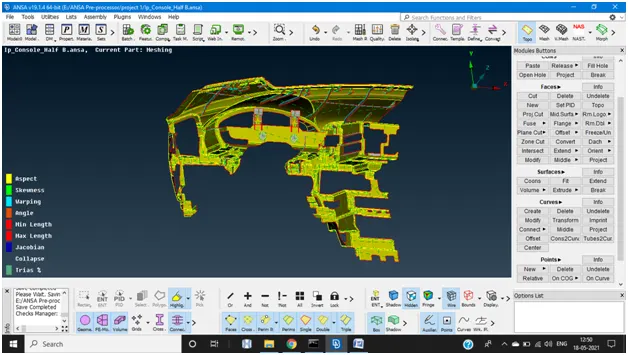
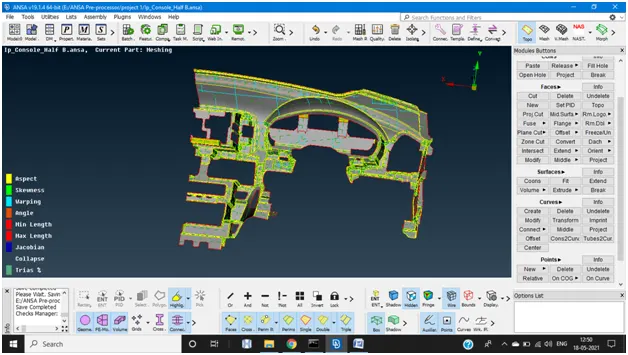
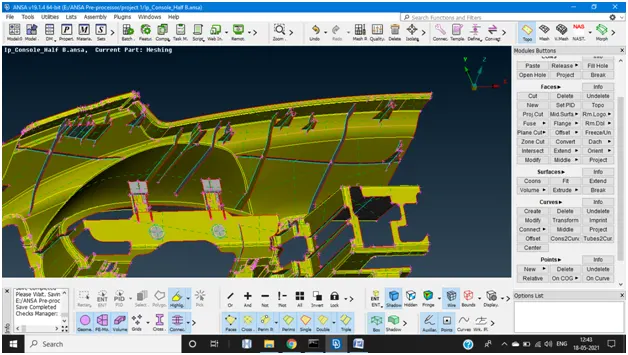
Above images represent the mid surfaces extraction and extend of ribs and dog houses
- v Once mid surface is completed for the whole surface check for the final geometrical errors because this will lead to the good mesh flow(rectify if any errors are found).
MESHING
- v Before meshing set the mesh and quality parameters as given for the model and save the settings.
- v Since minimum element length is 2mm check for the cons which are less than given length because to ovoid the failure elements.
- v Now mesh the component surface by surface to ensure good mesh flow and it has satisfy all the parameters.
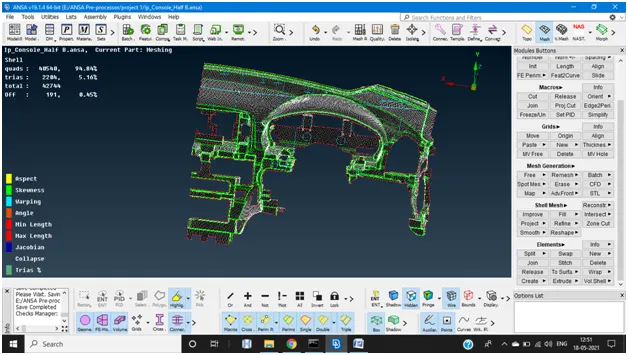
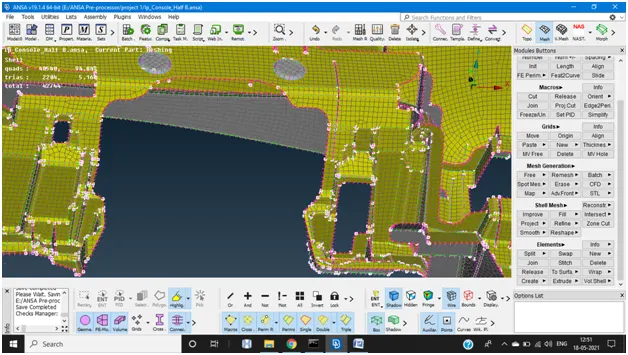
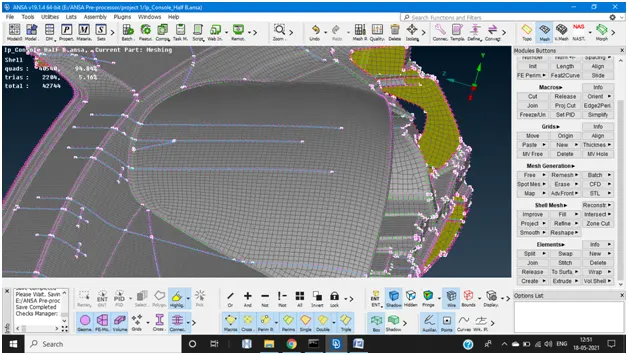
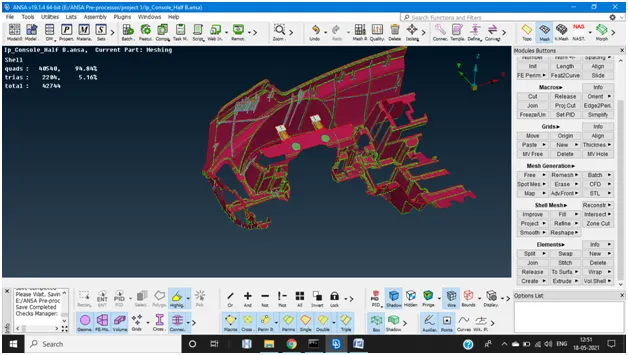
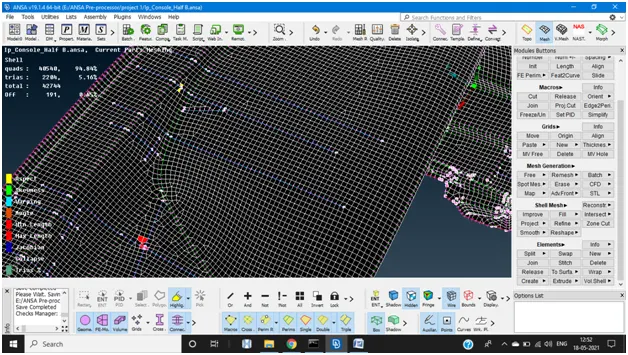
Above images represent the meshing scenario
The elements failing for the quality parameters are at the some crucial location if we try to eliminate them adjacent elements are failing. Though the percentage of off elements(0.45%) are acceptable as per the norms.
After meshing assign the different PID which Have different thicknesses and enable the draw shell as solid.
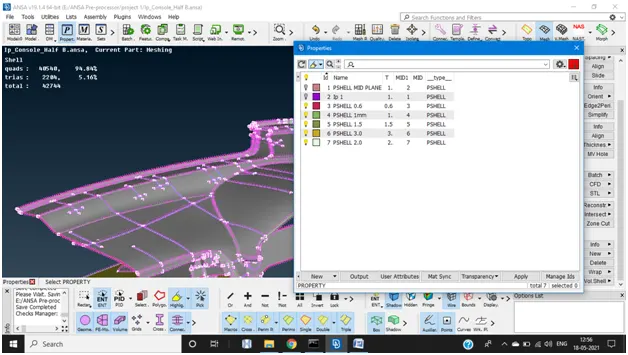
PID’s are assigned
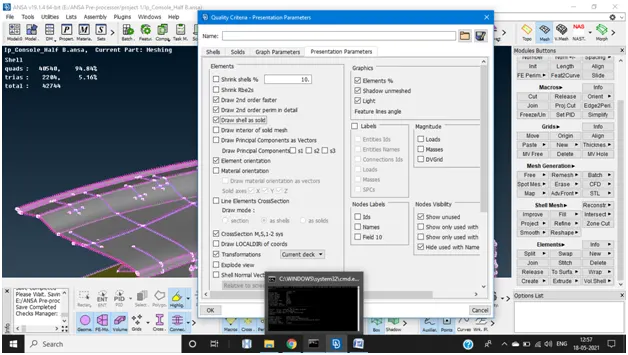
Enable the draw shell as solid
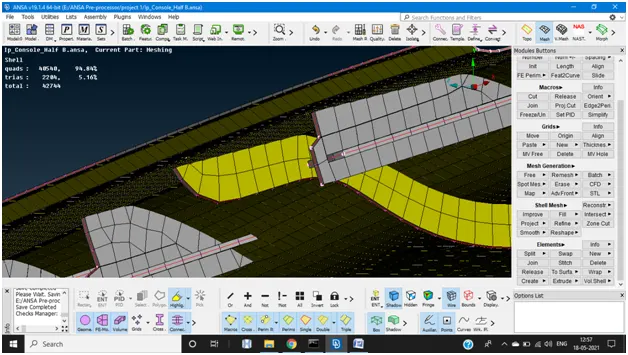
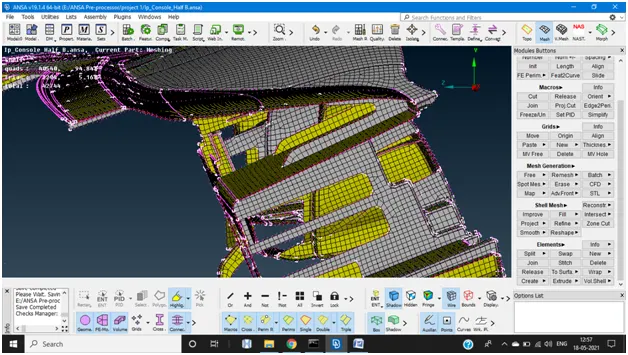
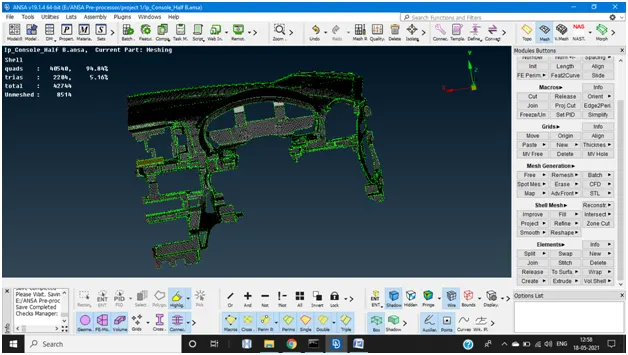
This image represents the comparison of parent and MID surface components after assigning thickness
LEARNING OUTCOMES AND CONCLUSION
From the given model I’ve learnt how to solve the complex parts of automobile. Since there are certain areas where manual cleaning is required due to the complexity for model various options are used for the mid surface extraction. And this helped me enhance different tool skills of ANSA.
NOTE: I've attached the drive link for the FE model in a word document please find it below along with the spare report. Sorry for inconvenience I've caused to you people due to some technical snag I couldn't upload directly.