Week-6 Calculate the Stretch Ratio by comparing the ELFORM (-2,-1,1,2) with Ogden_Material Model.
Aim:
- The aim of the challenge is to analyse the elongation of a cubical substance of dimension 10*10*10 cubic mm of Ogden material.
Procedure:
- The first procedure is to open the model in the LS-Prepost. As there aren't any fem parts but a material keyword exist in the keyword entity.
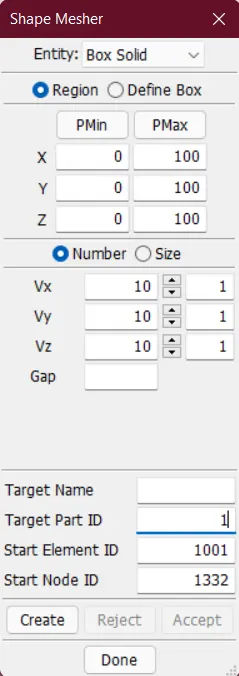
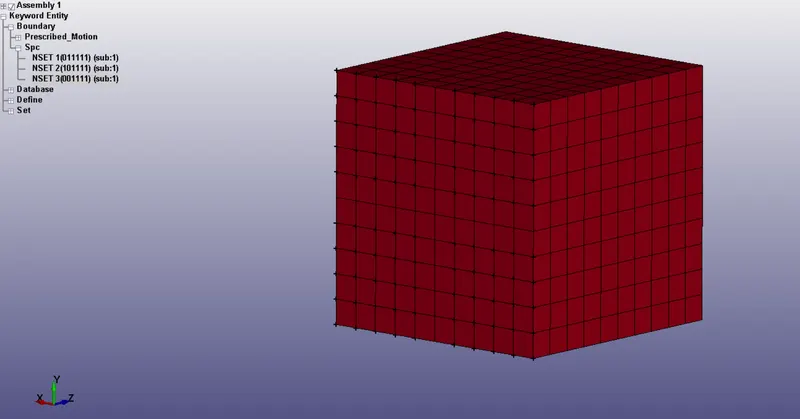
- The next step is to create a cube having 10 solid elements on each side and having a length of 1mm. The solid cube has been generated using the shape mesh option present in Element and Mesh.
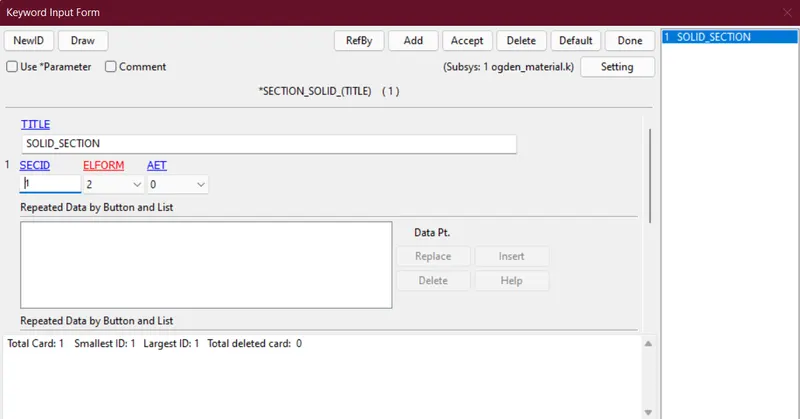
- The next step is to create a section card for the solid elements present in the cube. In the section card we have to change the elform and run the model with four different elforms, 1,-1,2,-2.
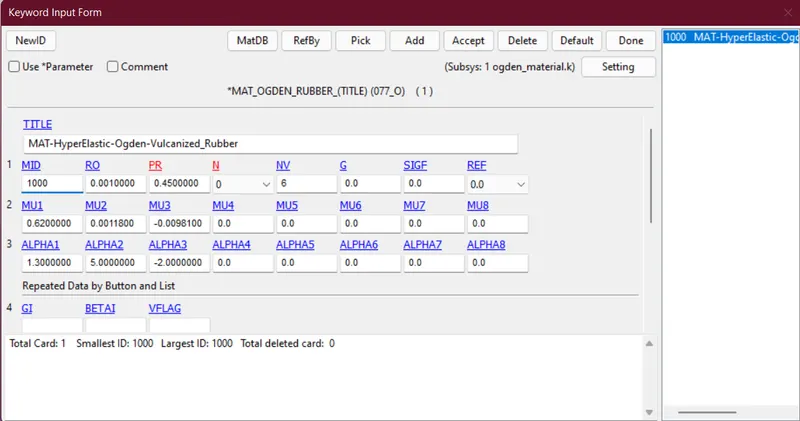
- The next step is to check the material property in the property card and check the consistency of the unit system and it has been found that the unit system followed is kg-mm-ms.
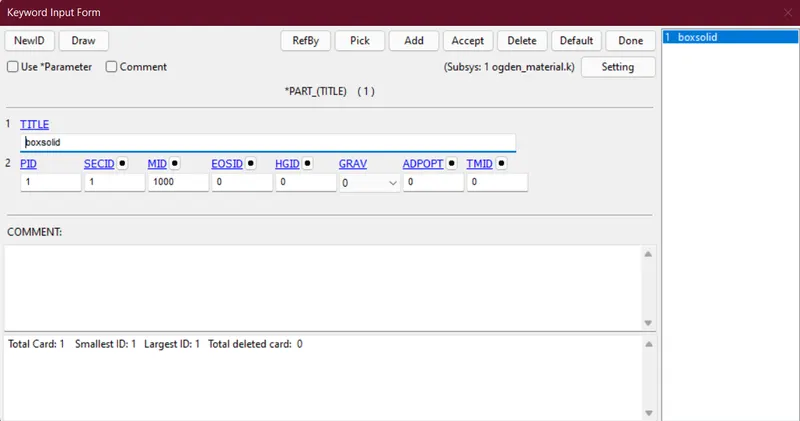
- Then the next step is to assign the section Id and material Id to the part card.
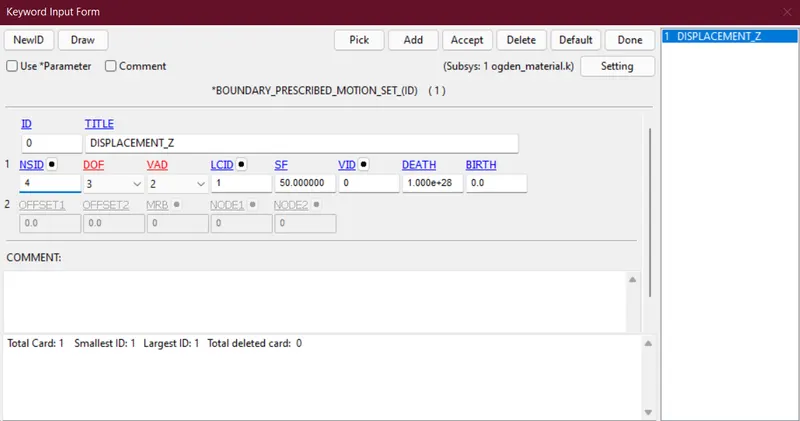
- Then the next step is to apply elongation to one side of the cube and the elongation value is 50mm in the z-direction to be applied in 2ms.
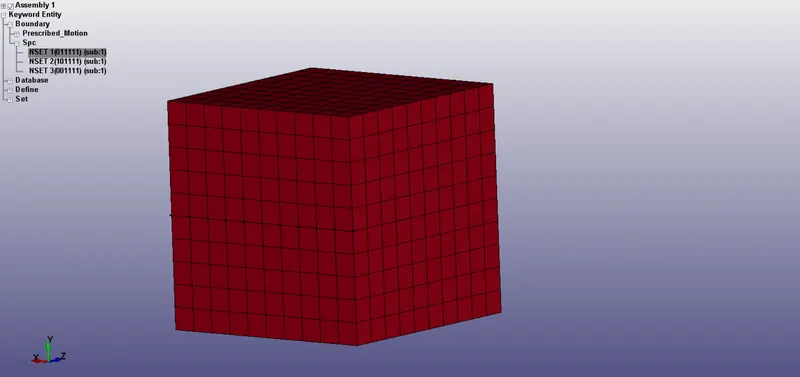
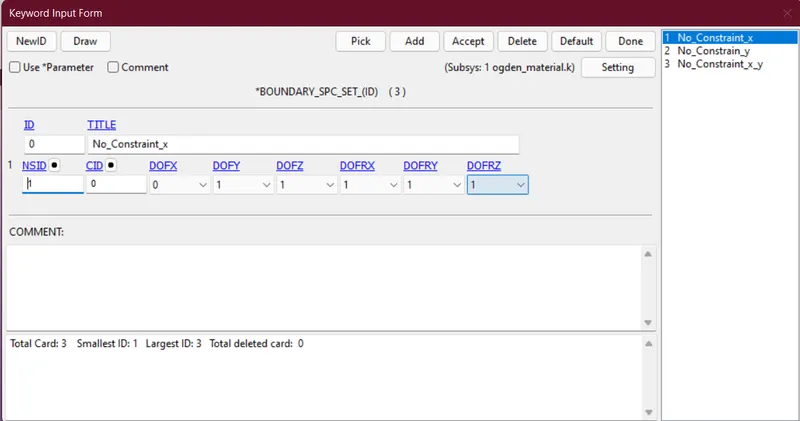
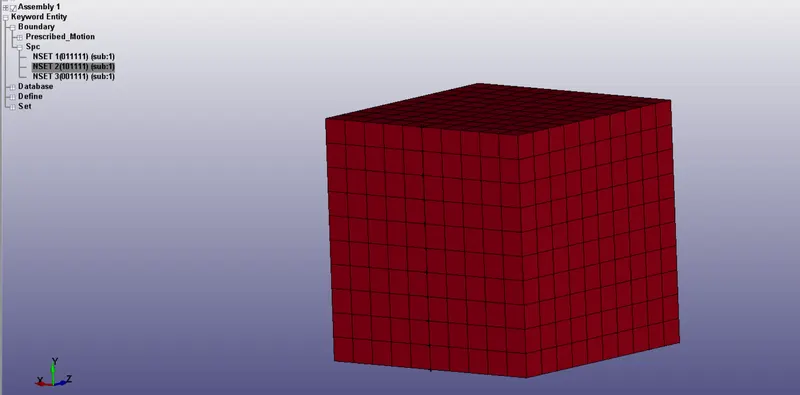
- The next step is to apply the constraint to the face of the cube in such a manner that no notch forms at the rigid section of the cube.
- No constraint in the x-direction, constrain is given below
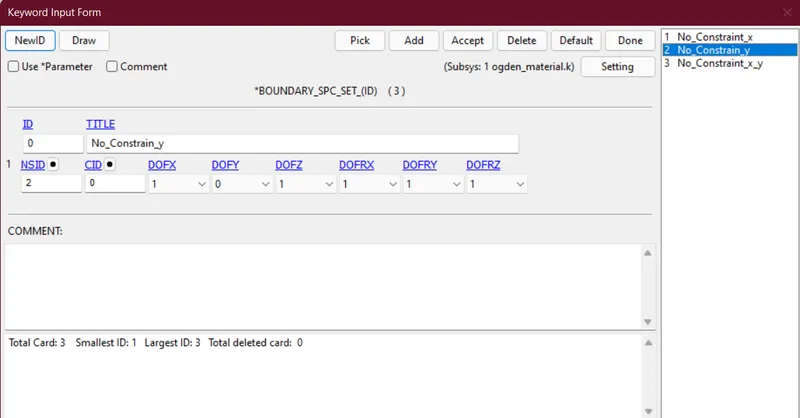
- No constraint in the y-direction, constrain is given below
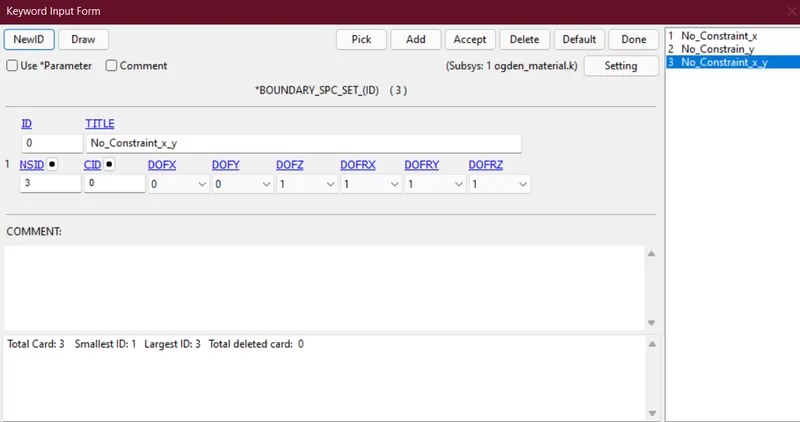
- No constraint in x, y-direction, constrain is given below
- No constraint in the x-direction, constrain is given below
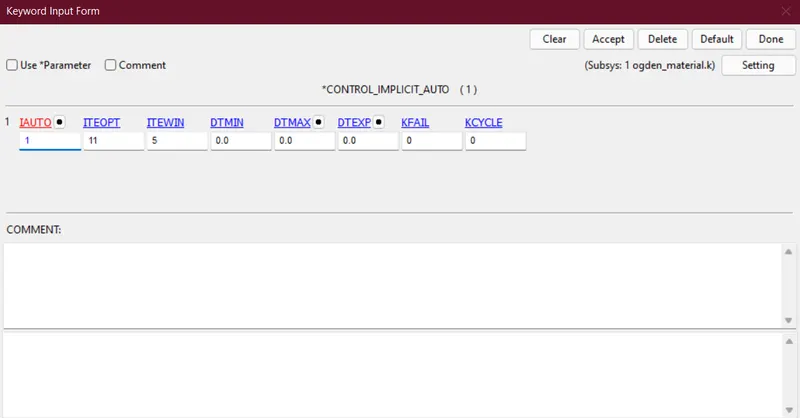
- Then we will check whether we want to run the analysis with Implicit or Explicit analysis. As the type of analysis is to get final results at the end of the time step it is better to consider implicit analysis to get better convergence. Also, the implicit analysis makes the run time smaller as there isn't any contact involved in this analysis. To make the implicit analysis we have to follow this procedure in the control card.
- The first step is to enable the implicit analysis and to complete this we have to assign value 1 in the Control_Auto card in IAUTO.
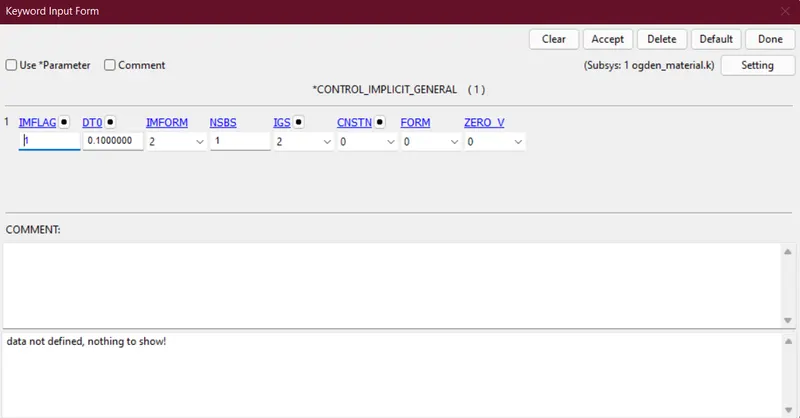
- The next step is to assign the time step in the Control_General card. The considered time step is 0.1ms. And assign value 1 in the Control_General card in IMFLAG.
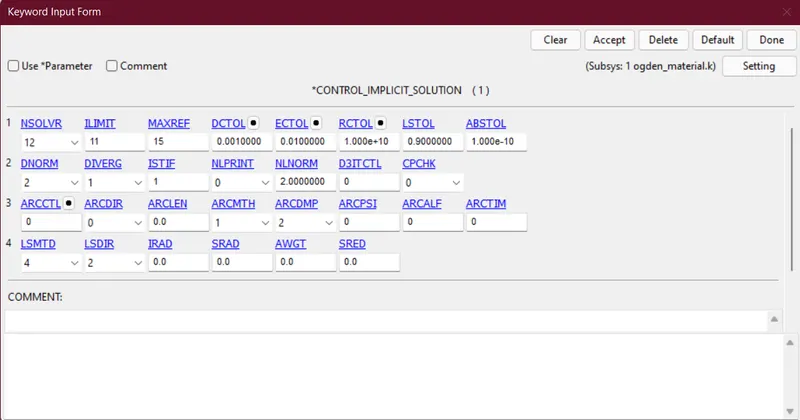
- The next step is to enable the implicit solver in the Control_Solution card.
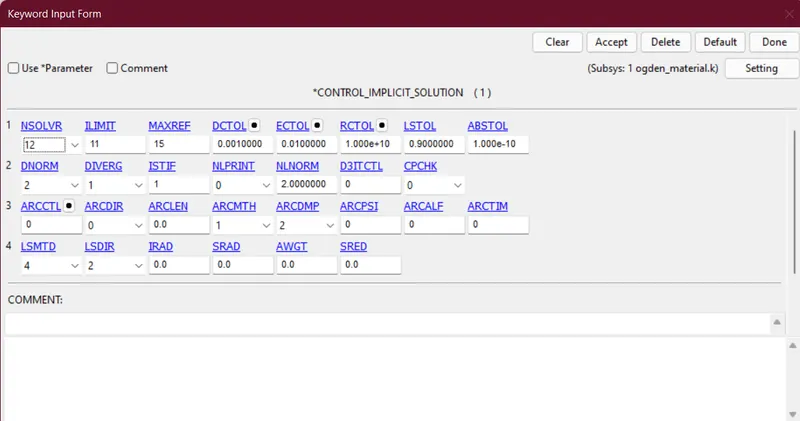
- The next step is to enable the implicit solver in the Control_Solver card.
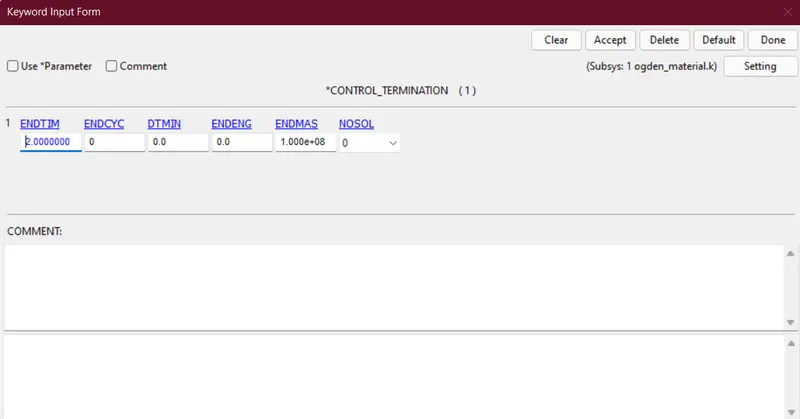
- The last one is to assign the Control_Termination card and assign the termination time as 2ms.
- The first step is to enable the implicit analysis and to complete this we have to assign value 1 in the Control_Auto card in IAUTO.
- To get the output in post-processing we have to define Database cards and enable the following cards - Ascii_options, Binary_D3plot, Extent_Binary, History_Solid.
- Post-Processing:
- Plotting z-stress and mean z-strain along time for elform 1
- Plotting z-stress and mean z-strain along time for elform -1
- Plotting z-stress and mean z-strain along time for elform -2
- Plotting z-stress and mean z-strain along time for elform 2
- The next step is to extract all the data into excel and make comprehensive plots out of it.
- Elform1:
- Elform-1:
- Elform2:
- Elform-2:
- Elform1:
- Plotting z-stress and mean z-strain along time for elform 1
- Conclusion

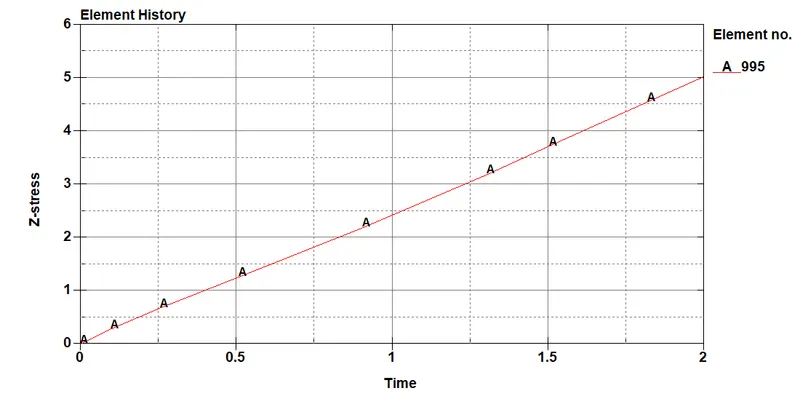
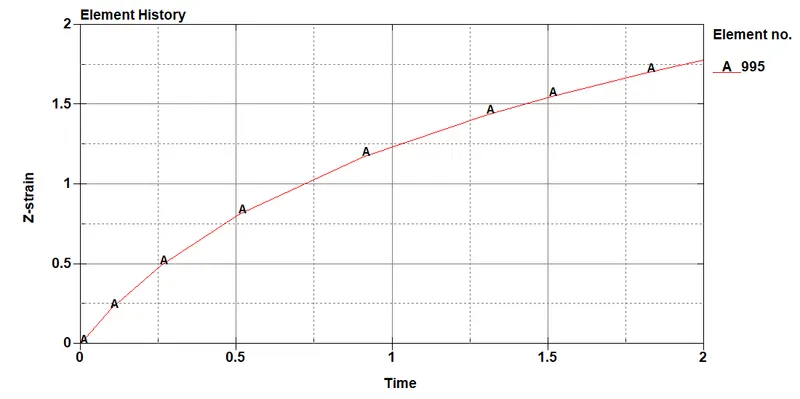
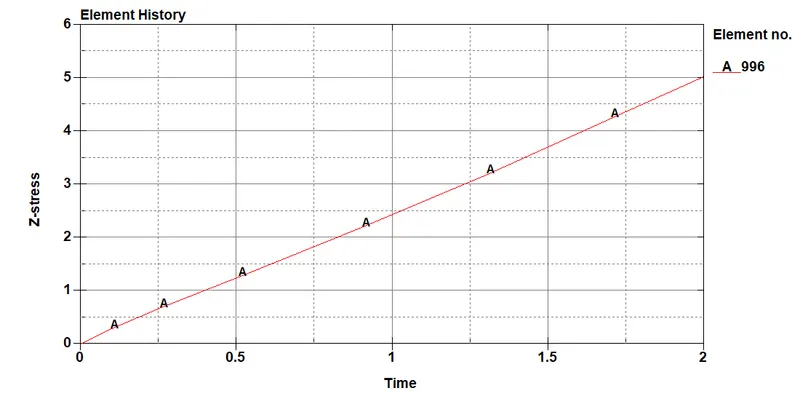
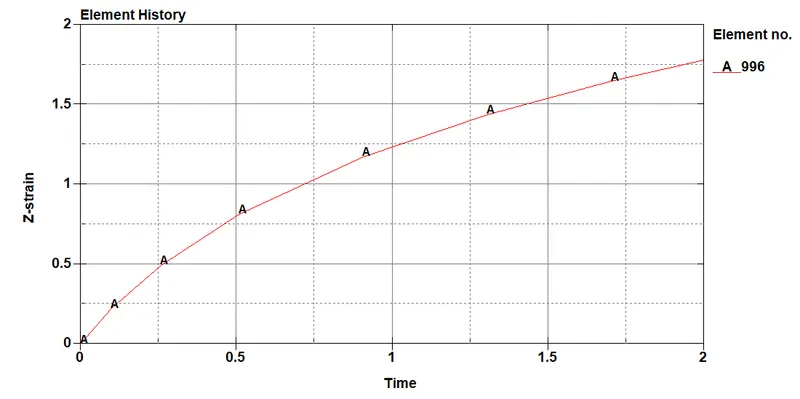
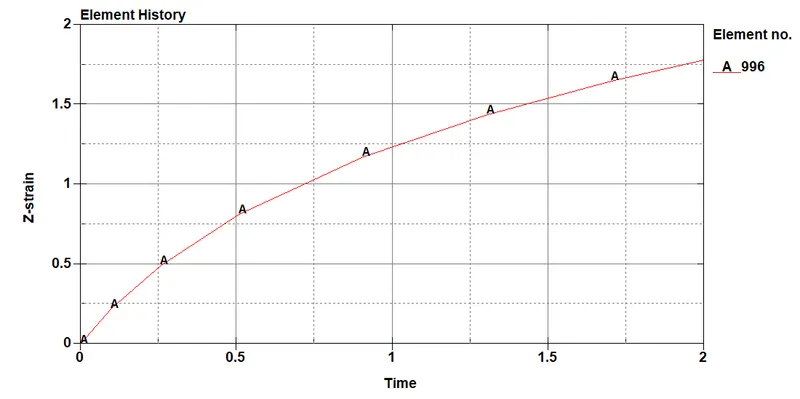
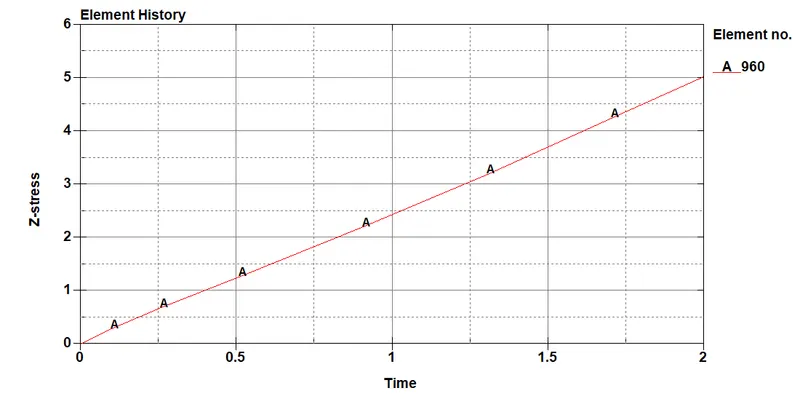
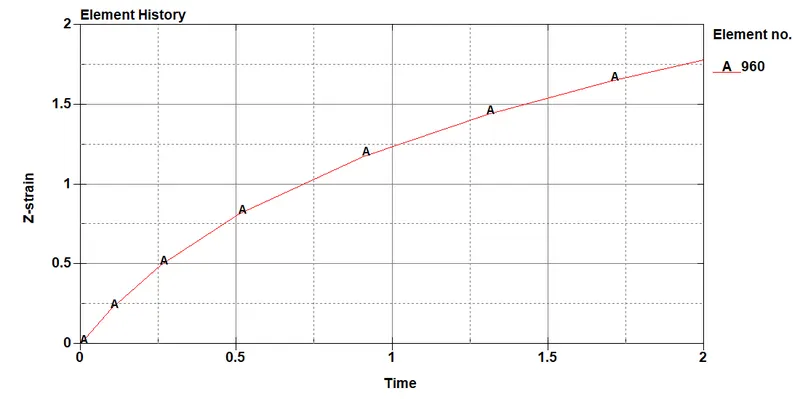
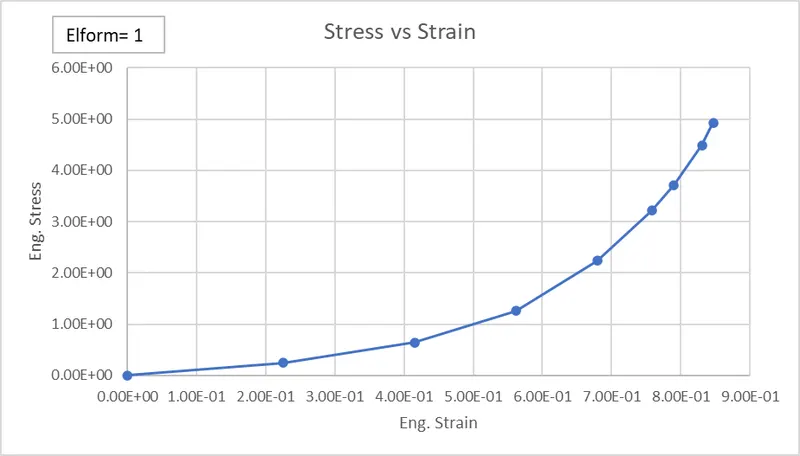
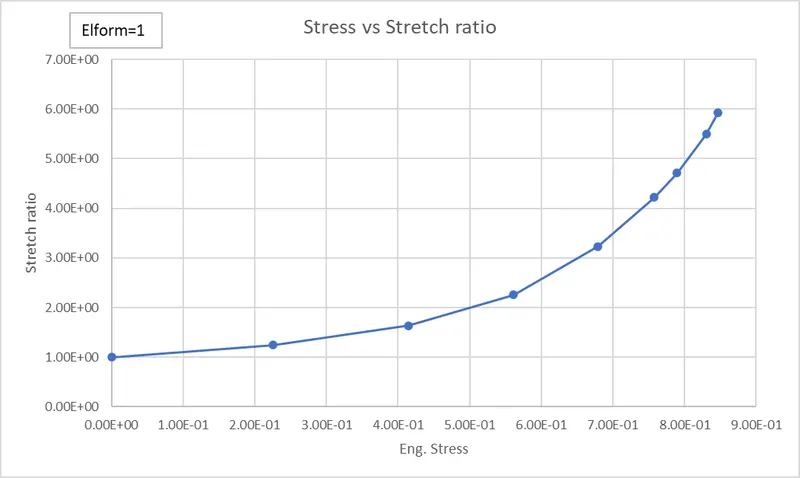
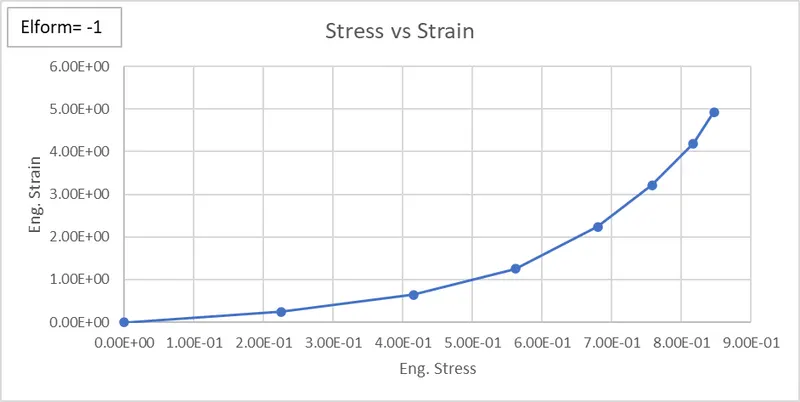
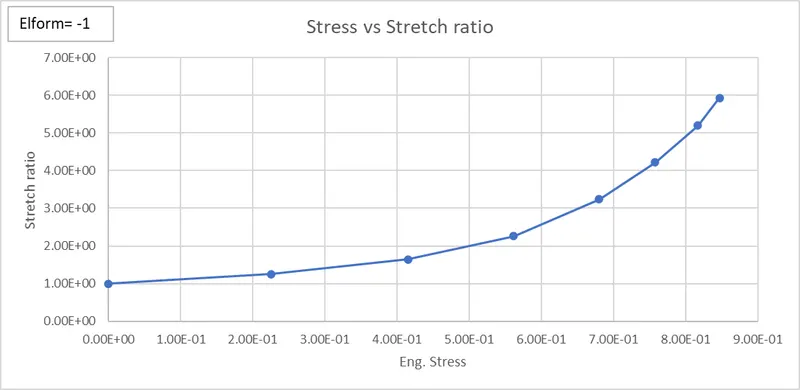
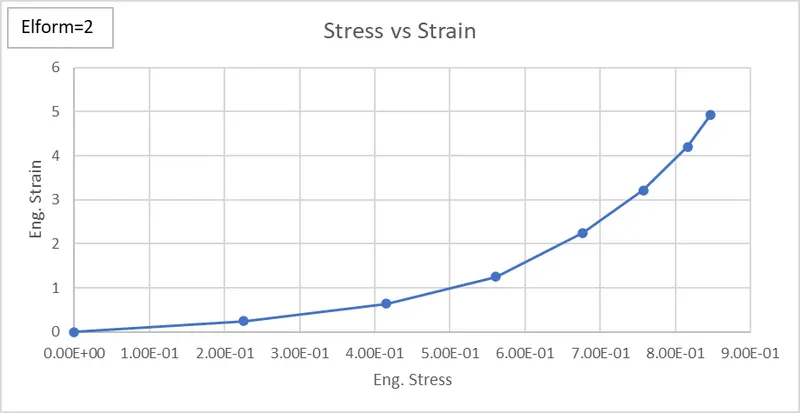
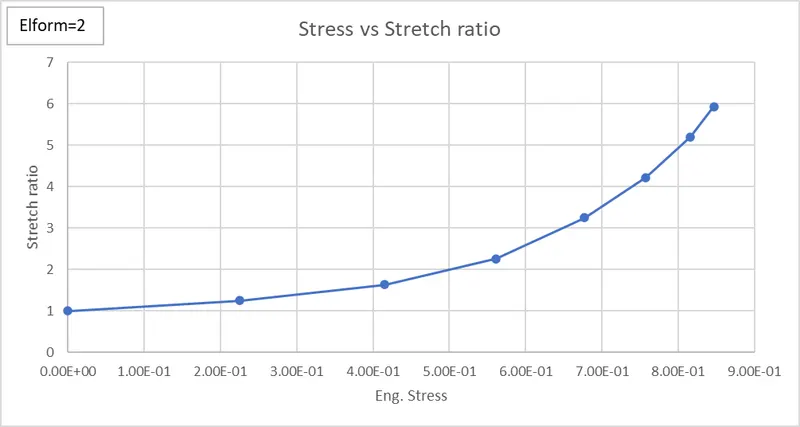
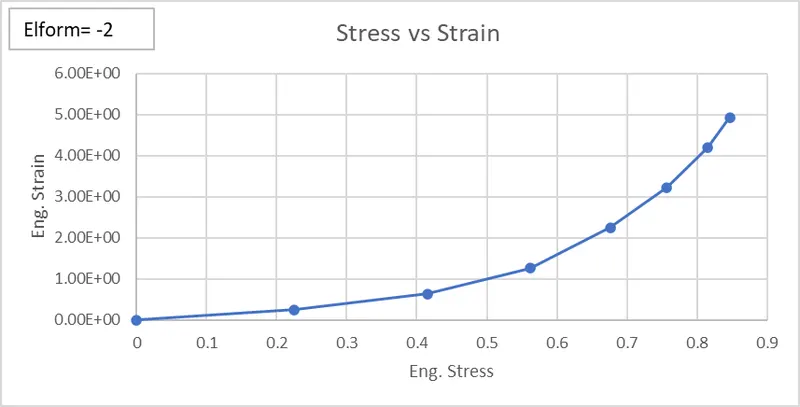
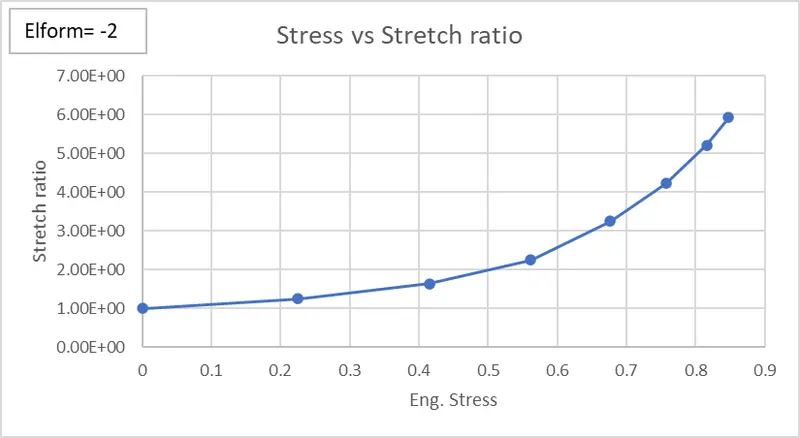
- From the above plots, we can see that the result value is almost the same and the behaviour of the curve is also is same.
- Here in this challenge, I've solved the analysis with Implicit analysis which requires an equilibrium with each time step. As the point of interest of this challenge is to get final results it is best to solve this problem using an implicit solver.