Adding Connections to the FE model of Rear Door using NASTRAN deck in ANSA v20.1.4
Adding necessary connections to the FE model of Rear Door using ANSA v20.1.4
AIM :
For the given FE model of Rear Door, perform all required connections using the options under the NASTRAN deck.
FILE : Rear_Door
PROCEDURE :
- Open the given Rear Door FE model using ANSA v20.1.4 using the INPUT>>NASTRAN options and select the file.
- Evaluate the different regions of the model and try to understand the necessary connections that need to be implemented.
- Make the model into different PID if required to apply the connections in Connections Manager with ease.
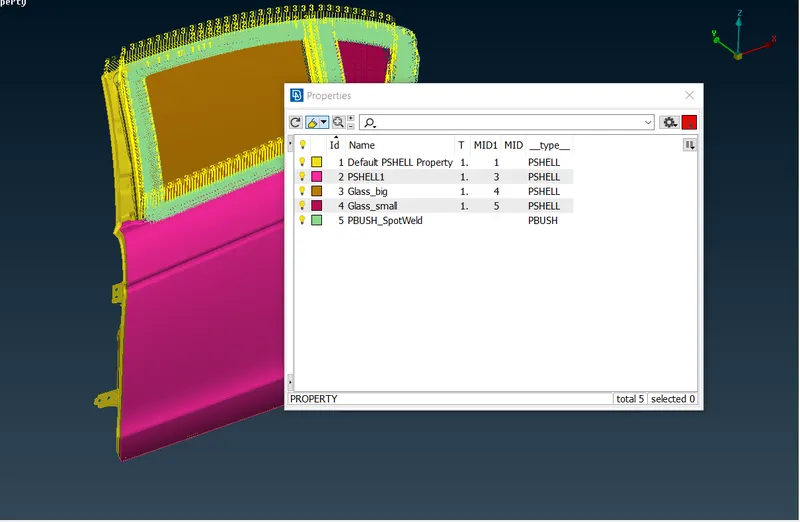
- Go to NASTRAN deck and use the RBE2>>Many nodes connector to make connections within the model. Use the spot weld connection wherever required.
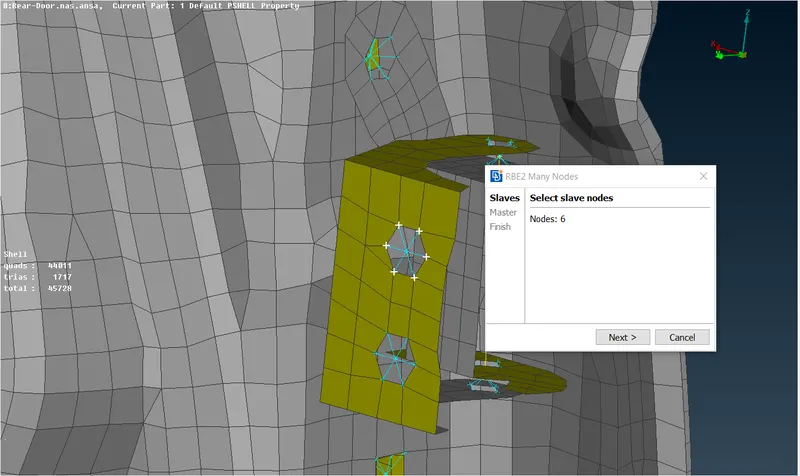
A Bolt Stem is created by first creating a RBE2>>Many nodes on the two holes and then creating a RBE2>>Two Nodes.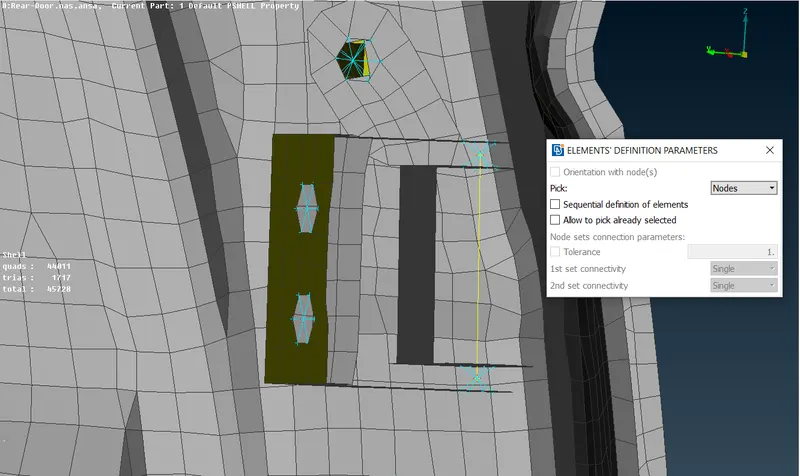
- We use RBE3-cBush-RBE3 connectors in regions where weather strips or damping elements are used. In order to make this connection, first we have to create a curve at the end regions of region (which is done by using Mesh>>Fea2Curve). Then we convert the curve into the a spotline.
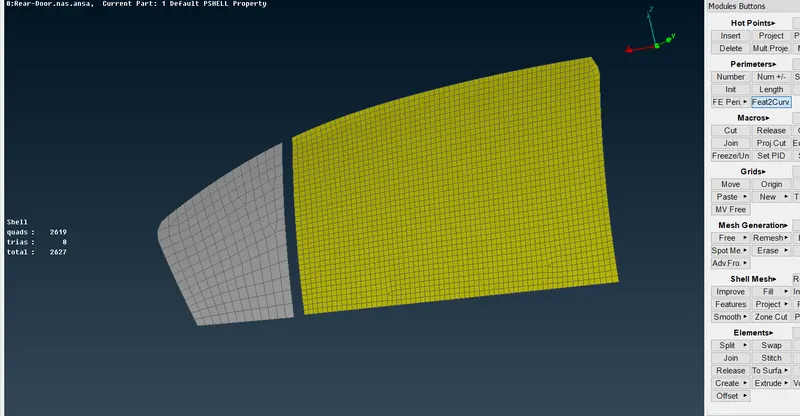
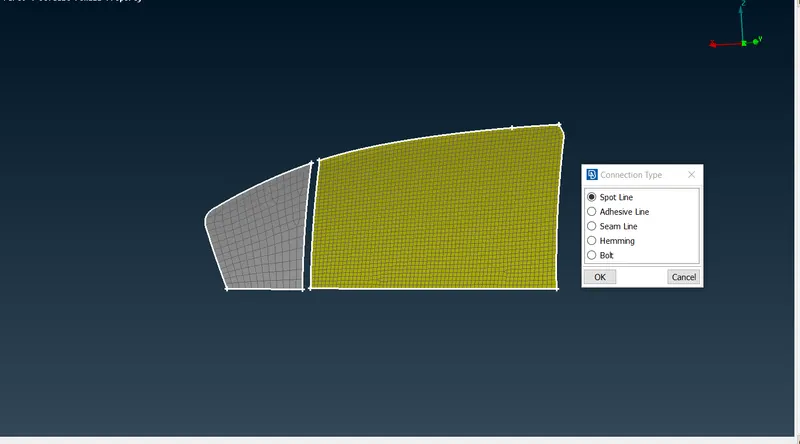
Then the spotline is defined as an RBE3-cBush-RBE3 from the Connection Manager. Input the required spacing as well as select the P1 and P2, then realize the connections.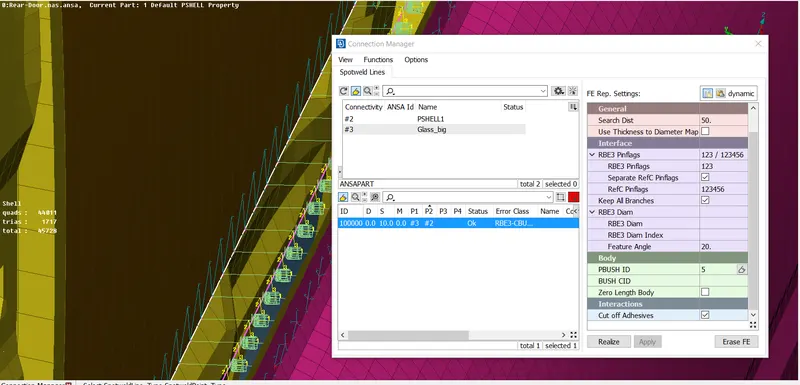
FINAL CBUSH CONNECTION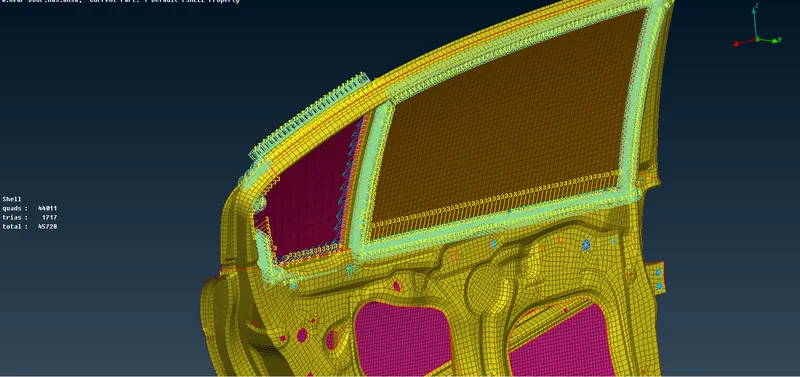
- Each cBush generated will be having its own locak coordinate system. This coordinate system needs to be changed to the central coordinate system for proper alignment of all the cBushes. This is done by selecting all the cBush elements and modifying the CID value to 0 as well as the chaging the orientation to with cord.
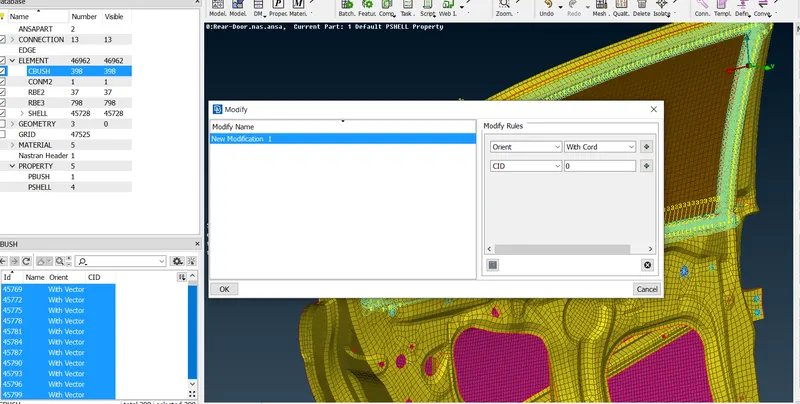
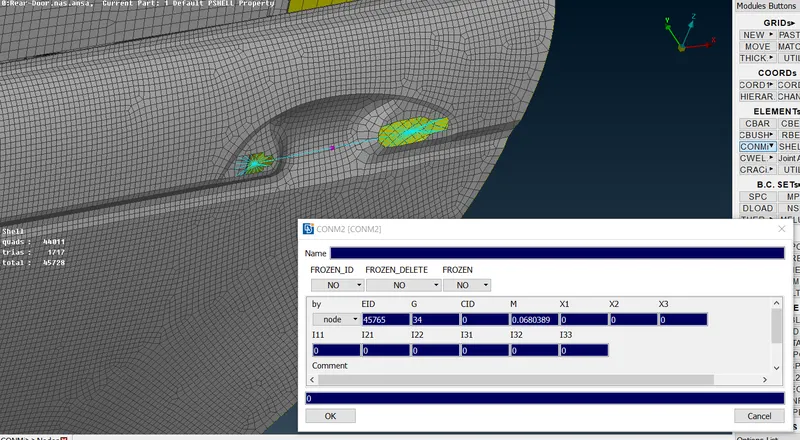
- The door handle connection is made using a TwoNode RBE2 connector and a concentrated mass is assigned at the COD using CONMi option in the NASTRAN deck . The mass is inputed in terms of tonnes.
RESULT :
- Connections were made in the given FE Model of a Rear Door.
- Mass given to the door using CONMi from the NASTRAN deck.
- For easy connection specify the model was spilt into different PID.
LEARNING OUTCOMES :
- Learned to apply various connections from Nastran Deck.
- How to apply different connection accoordingly.
- How to create a Bolt and spotweld connections.
- Create bush elements at the weather/ dampening strip.