Week 5 Sphere pressing on a plate
SPHERE ON PLATE
Aim
To model a sphere pressing on plate setup and observe plastic deformation.
Procedure
- Start a new static structural model in ansys and import the model
- Add the nonlinear materials of structural steel non-linear.
- Open this model in ansys mechanical.
- Check that the materials were properly assigned to the model, set plate material to structural steel Non linear.
- Delete the automatically created contacts and manually create a contact region with sphere as contact and plate as target.
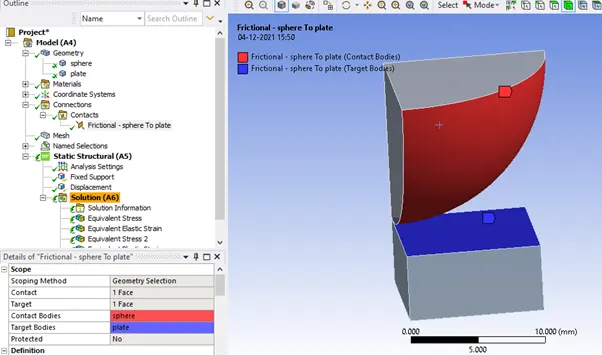
- Change the contacts to frictional and set friction coefficient to 0.74
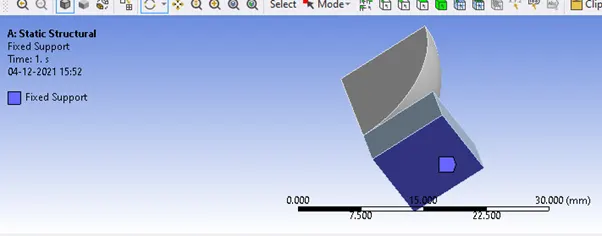
- .Set a fixed support to provide the required rigidity to the model.
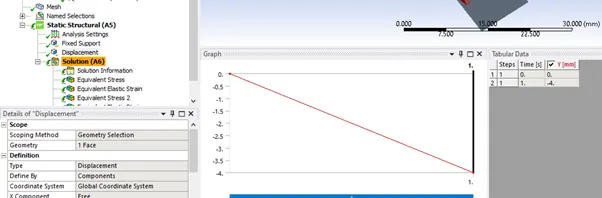
- Define the displacement of 4mm for the plate.
Analysis Settings
Set the analysis settings as shown.
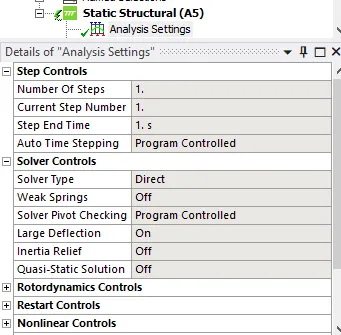
(if you get convergence issues due to timestep try reducing the timestep even further or increasing number of steps)
Set your output blocks as shown
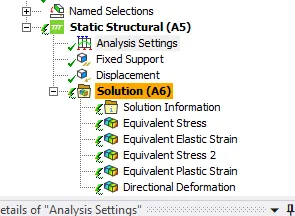
Post Processing
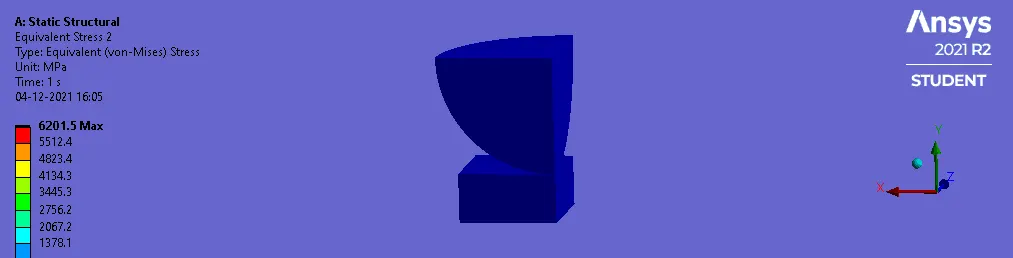
Tabulated Results
|
Material |
Structural Steel Nonlinear |
|
Maximum Stress on plate(MPa) |
6201.5 |
|
Plastic Strain on plate |
3.0274 |
|
Elastic Strain |
0.02815 |
It can be seen that the plastic deformation has been properly captured.Further accuracy can be obtained by higher mesh refinement.
Conclusion
A basic sphere on plate setup was modelled along the symmetric axis and simulated to observe the plastic deformation.
Since it is symmetric in nature, the deformation in the other sections will also be the same.