Week 5 Sphere pressing on a plate
#5 Week Assignment- Structural Analysis using Ansys Workbench
Aim: To perform the analysis to simulate a sphere pressing on a plate.
Objectives:
- Assign the materials.
- Create the manual contacts and symmetric regions.
- Default Mesh generation.
- Creating support and displacement.
- Solving for the required parameters.
Procedure:
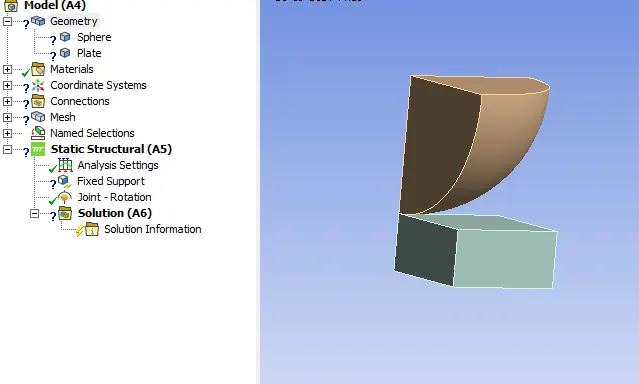
- Import the model into the mechanical module in ansys workbench.
- Assign the materials Structural Steel for thr sphere and structural steel NL for the plate.
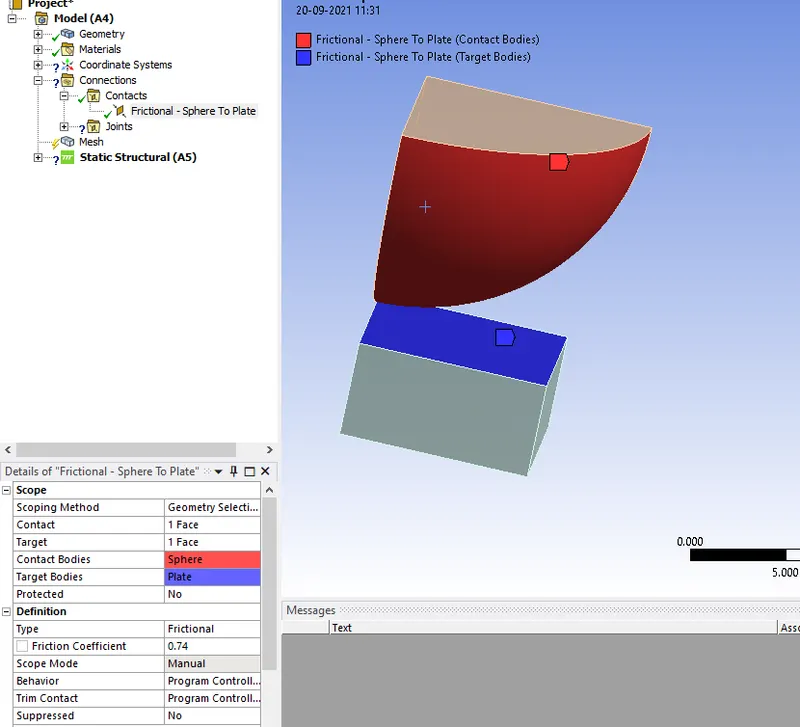
- Create the manual contact region and select the contact body as the sphere and the target body as plate.
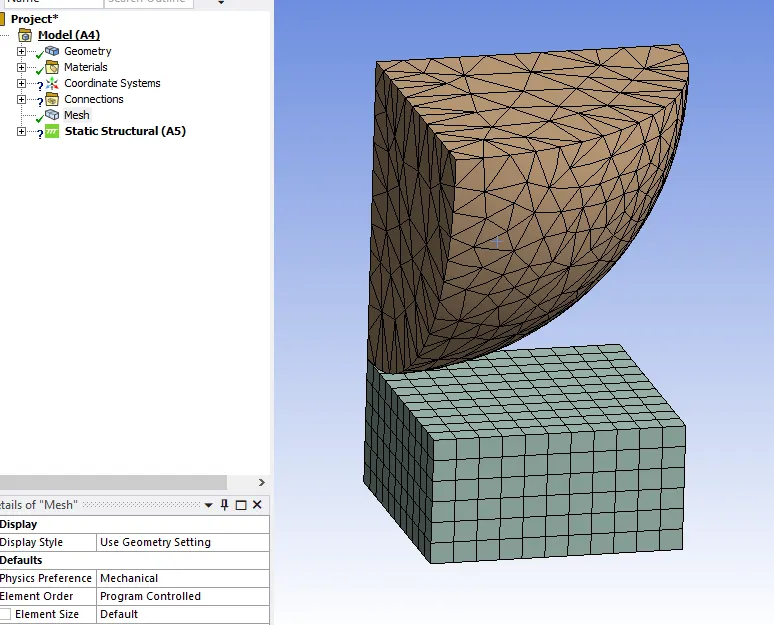
- Mesh with the default values as it seems fine for the simulation.
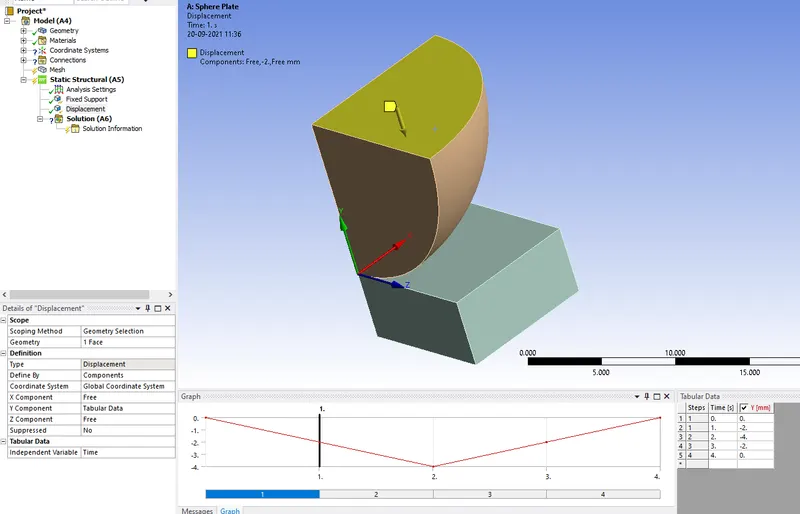
- Create a displacement of 4 steps to the sphere as it to be displaced on a total of 4mm and it returns back to check plastic deformation.
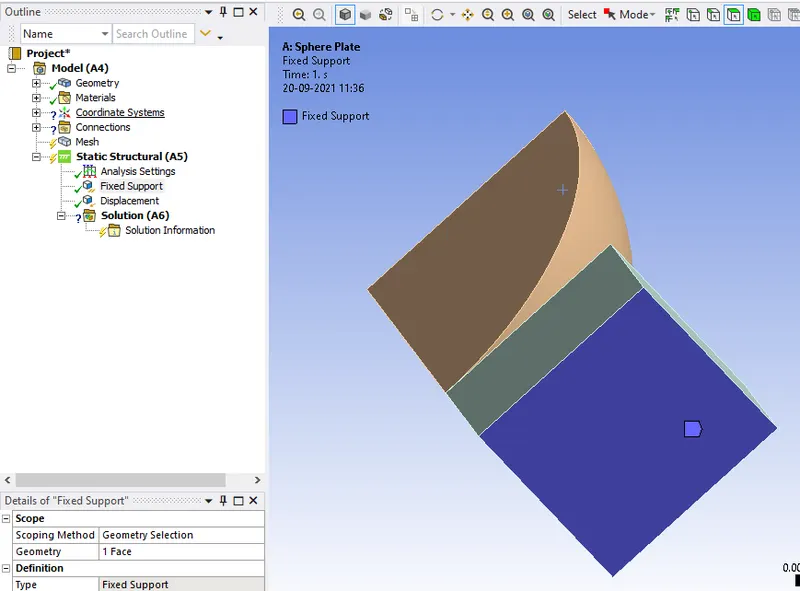
- Create a fixed support to the base of the plate to keep it fixedly.
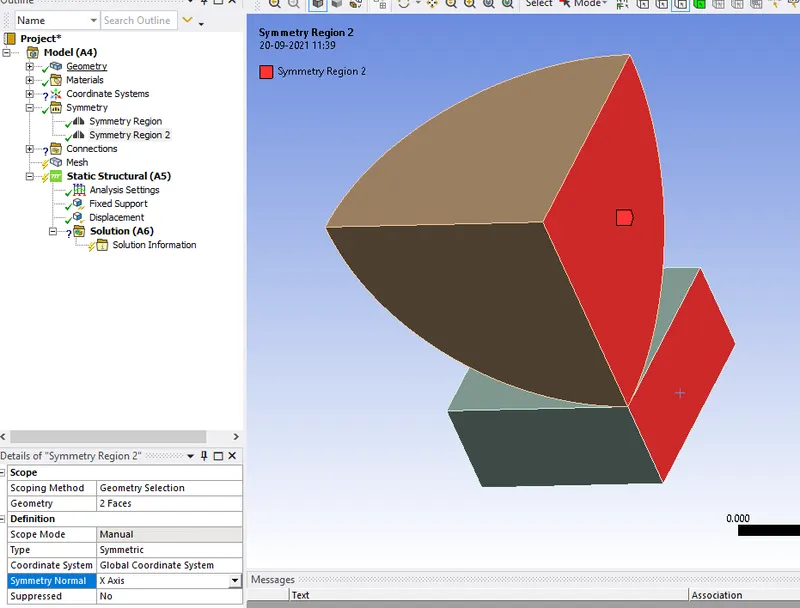
- Create the symmetry regions on the either sides of the sphere and plates with their respective axes.
Now click on solve by inserting the required parametrs to be observed in the simulation.
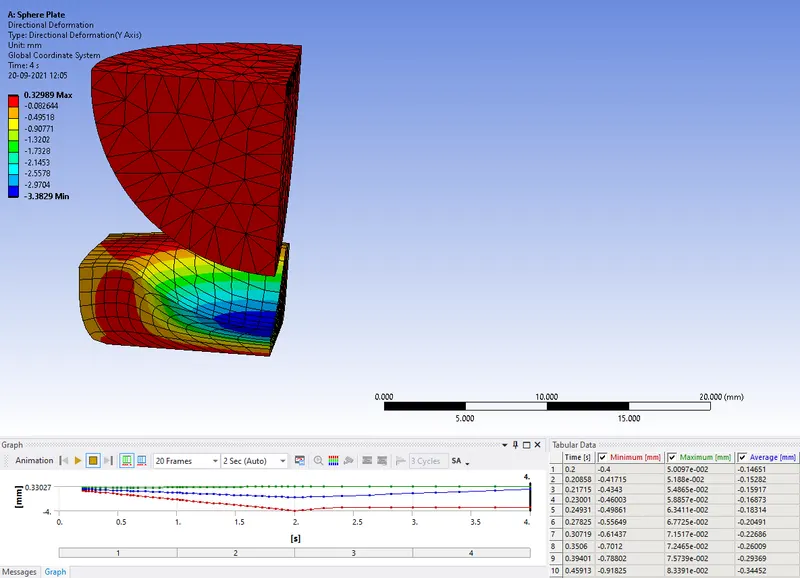
Directional Deformatiopn(Y-axis):
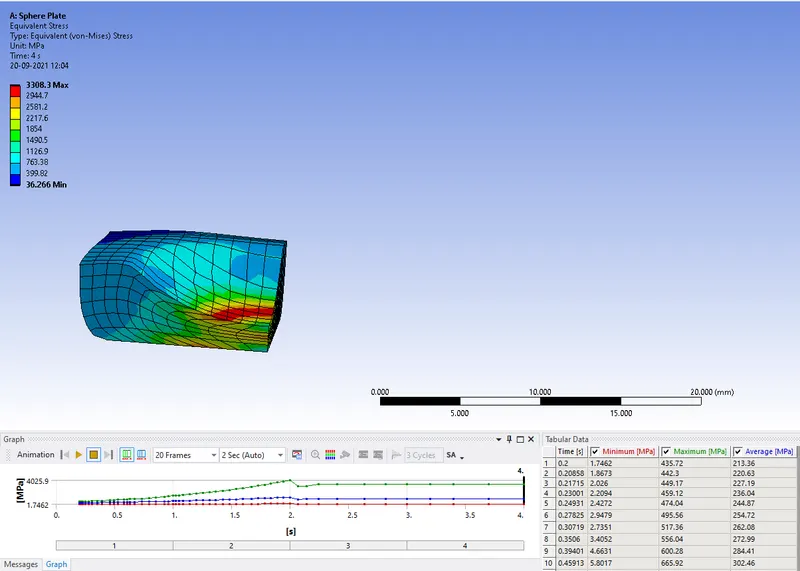
Equivalent Stress on the plate:
Equivalent Elastic Strain on the plate:
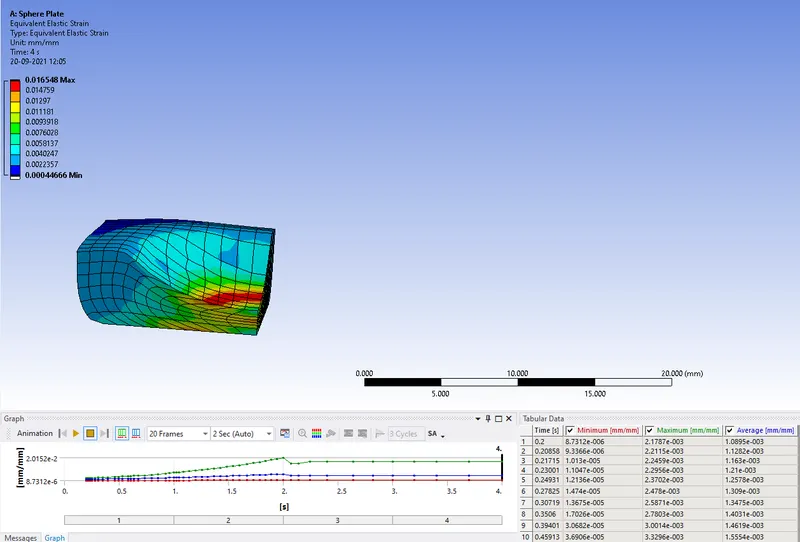
Conclusion: In the above simulation the sphere is made to displace on a plate ,where the plate deforms elastically at the region of contact with sphere.The plate stays deformed even the sphere returns back to the initial position.