Week 5 Sphere pressing on a plate
1. Objective
We have to perform analysis to simulate a sphere pressing on a plate. In order to avoid excess simulation time, we have considered a quarter of the sphere and plate. We have to capture the plastic deformation.
2. Case setup and Execution
- In the environment variable select the appropriate material, this case its Structural steel Non-Linear
- Then browse for geometry file and import in the Geometry section
- Rename the geometry parts as Sphere and Plate
- Change the material of plate to Structural Steel NL
- Add 2 symmetry regions by selecting faces of sphere and plate
- Remove default contact regions
- Add frictional contact pair between sphere and plate with a coefficient of friction 0.74
- Change default mesh size to 1mm
- In analysis settings, change the number of steps to 4
- Add fixed support to the bottom face of the plate
- Provide a displacement to the sphere in the Y direction by giving tabular data
- For results, display directional deformation for all bodies
- Display Equivalent stress and Equivalent elastic strain will be for plate
- Display equivalent elastic strain for sphere
3. Results, Conclusion and Report presentation
Fig 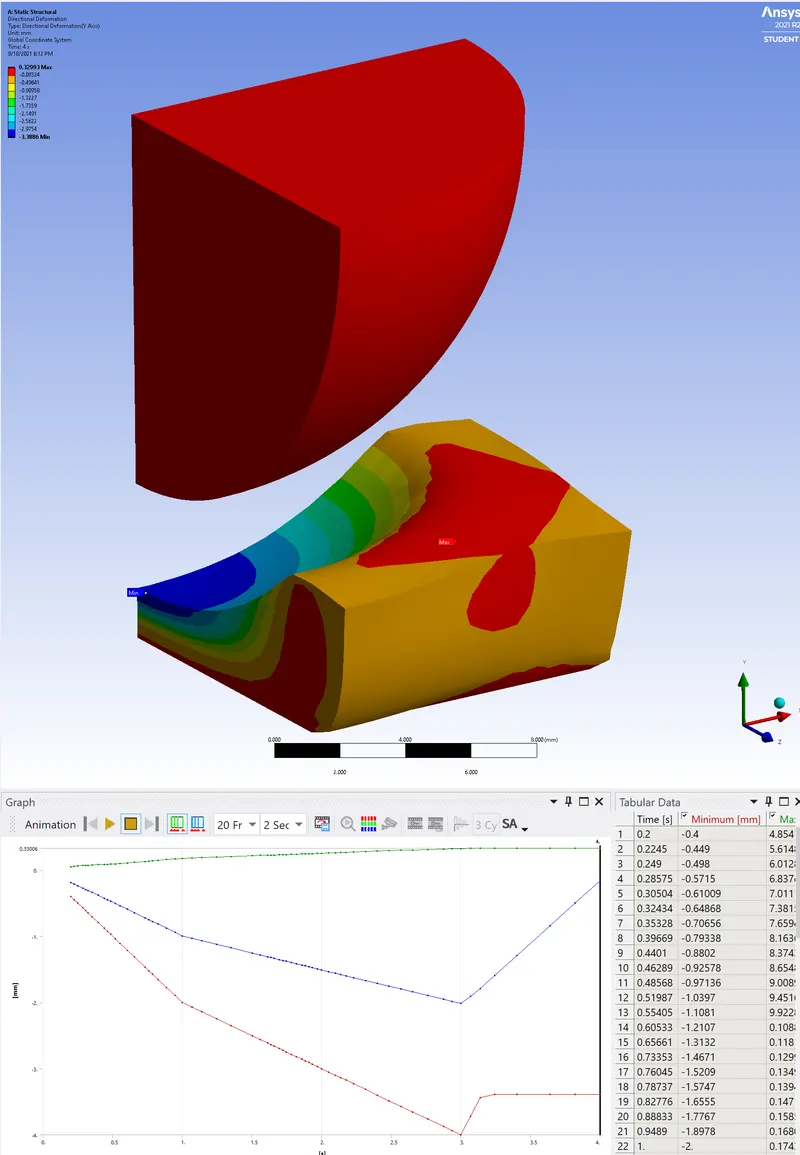
Fig 1 Directional deformation
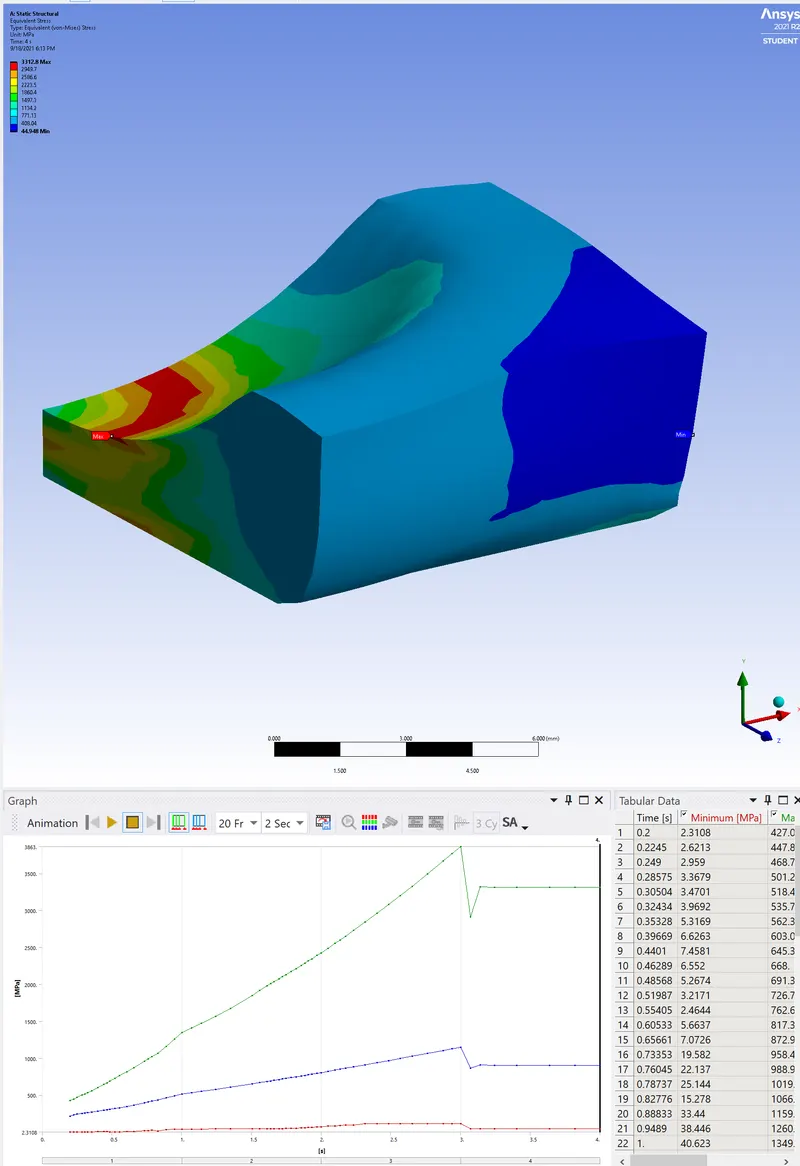
Fig 2 Equivalent stress for plate
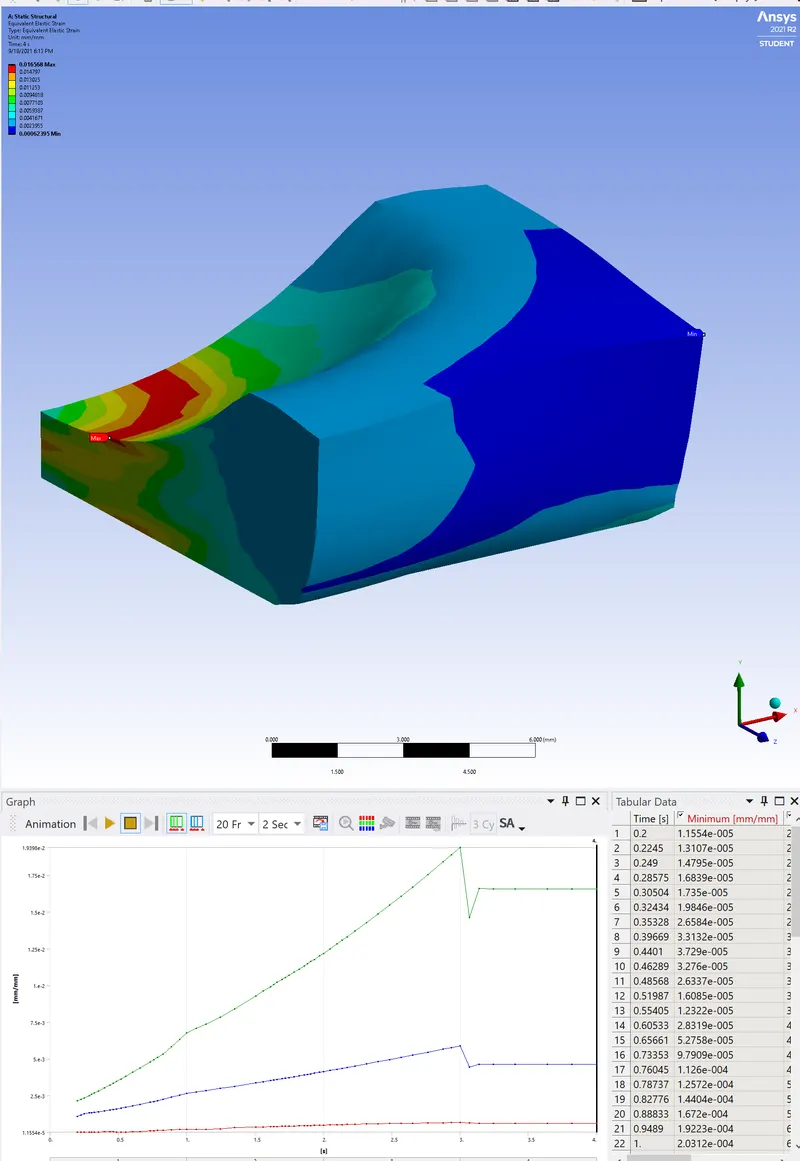
Fig 3 Equivalent strain for plate
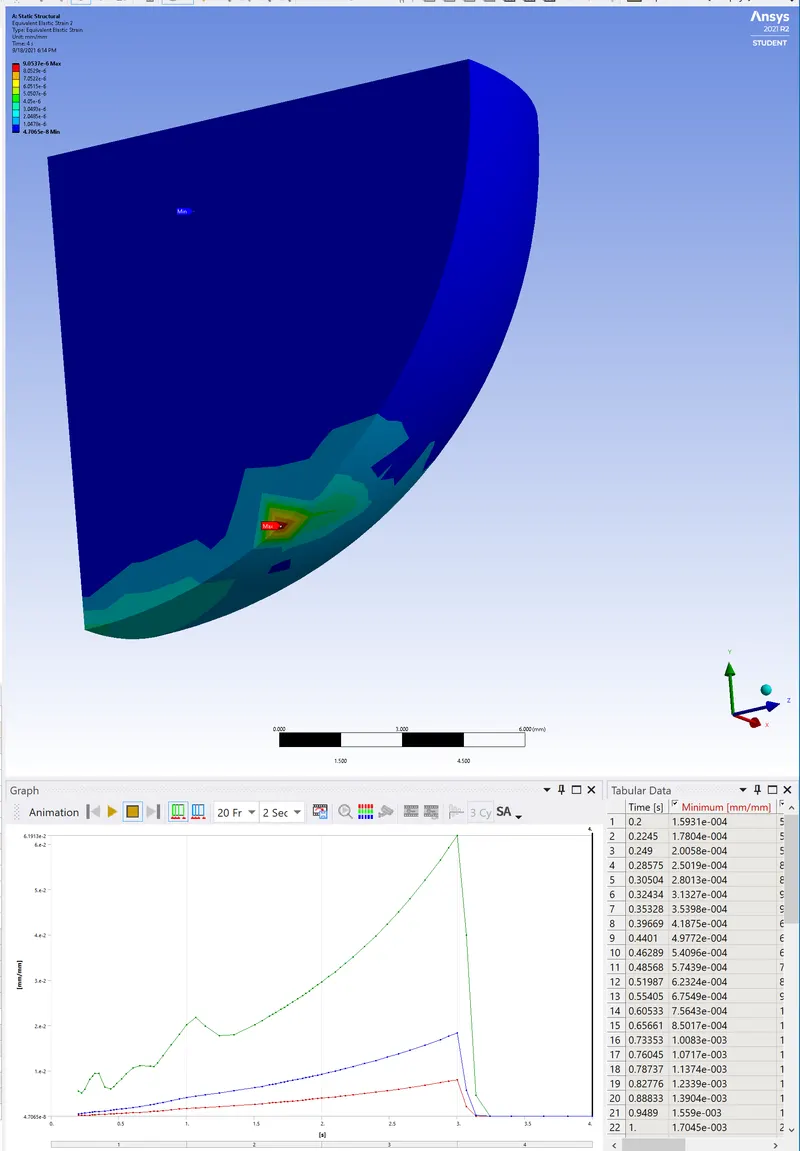
Fig 4 Equivalent strain for sphere
As seen from the above figures,
| Directional deformation | 0.3299mm |
| Equivalent stress for plate | 3312.8 MPa |
| Equivalent strain for plate | 1.6568e-2 |
| Equivalent strain for sphere | 9.0537e-6 |
We can see that as the plate is strained beyond its elastic limits, plastic deformation has occured.
4. Simulation files
Files are attached