Sphere pressing on a plate
AIM:
- To perform static structural analysis of sphere pressing the plate using ANSYS Workbench.
OBJECTIVES OF THE PROJECT:
- To add Structural steel NL material for the plate.
- To insert the contacts for the sphere and the plate.
- To fix the plate at the bottom.
- To define sphere displacement.
- To define Symmetry region.
- To mesh the sphere and the plate.
- To define the no of simulation steps and the analysis controls.
- To evaluate the stress and deformation in the work piece.
PROCEDURE:
- OPEN WORKBENCH21 > NEW PROJECT > STATIC STRUCTURAL.
- This will start a new static structural project.
- Rename the project as Sphere_plate_pressing.
- Go to ENGINEERING DATA > EDIT > GENERAL MATERIALS NL > STRUCTURAL STEEL NL.
- This will add the structural steel NL material properties.
- Then double click on Geometry. This will open the Spaceclaim.
- In Space claim check the model for any dents or irregularities.
- The geometry looks good, exit the Spaceclaim.
- Then double click on Model. This will open Mechanical module.
- Now, rename the geometry as sphere and plate.
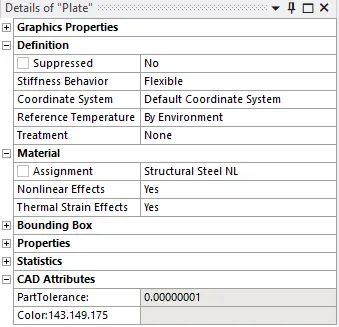
- Then assign structural steel NL to plate.
- Then go to CONTACTS > CONTACT = SPHERE OUTER FACE > TARGET = PLATE > TYPE = FRICTIONAL > FRICTIONAL COEFFICIENT = 0.74.
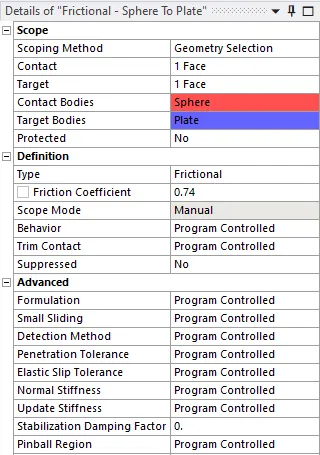
- This will define the contacts between the sphere and the plate as frictional.
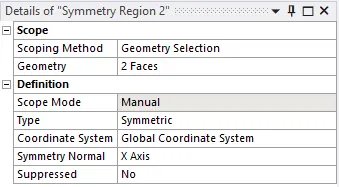
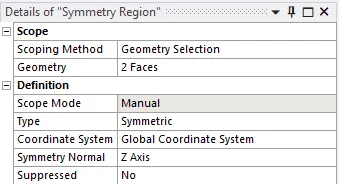
- Then go to MODEL > SYMMETRY > INSERT > SYMMETRY REGION FOR X AND Z axis.
- Now, go to MESH > DEFAULT > GENERATE MESH.
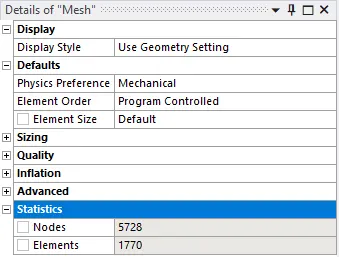
- The mesh will be generated on the model.
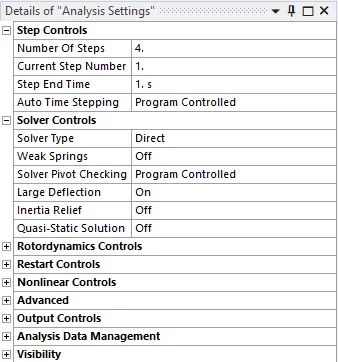
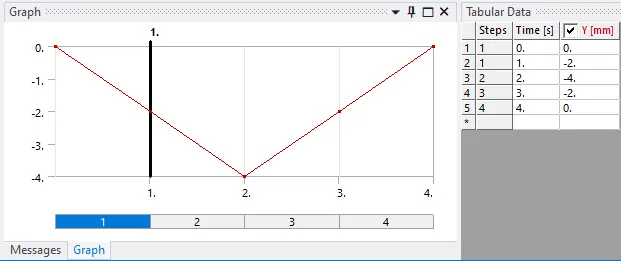
- Then go to STATIC STRUCTURAL > ANALYIS SETTINGS > NO OF STEPS = 4 > SOLVER TYPE = DIRECT > LARGE DEFLECTION = ON.
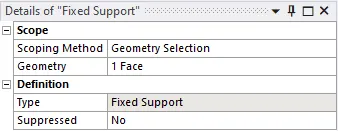
- Go to STATIC STRUCTURAL > INSERT > FIXED SUPPORT > GEOMETRY = LOWER FACE OF PLATE.
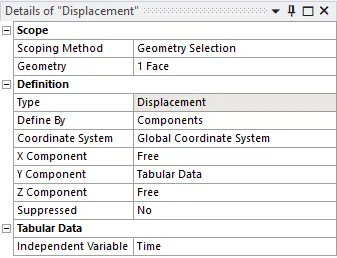
- STATIC STRUCTURAL > INSERT > DISPLACEMENT > SCOPE = SPHERE.
- Then, go to SOLUTION > INSERT > STRESS > STRAIN > DEFORMATION.
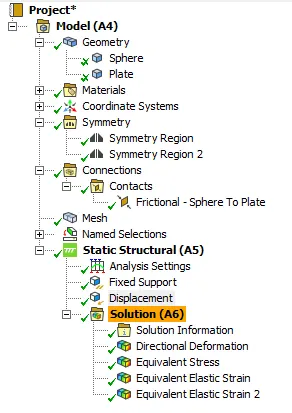
- This will set the output results.
- Then SOLUTION > SOLVE.
RESULTS:
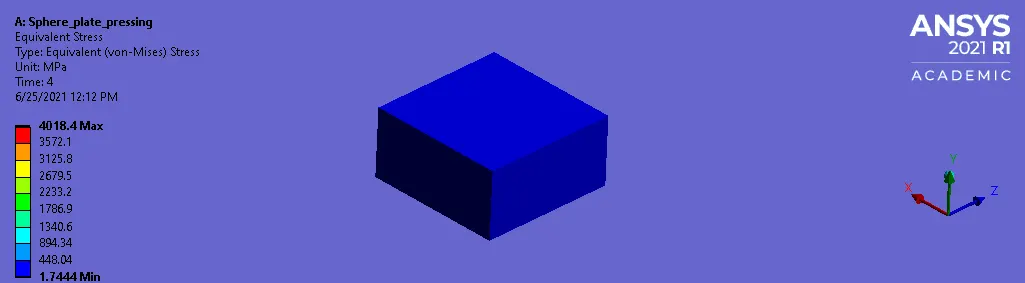
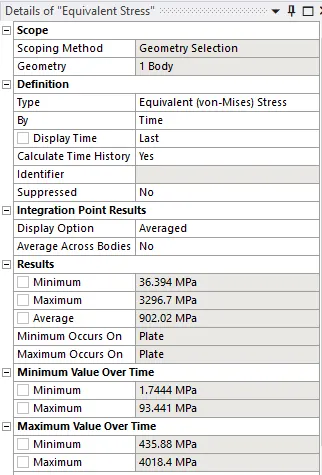
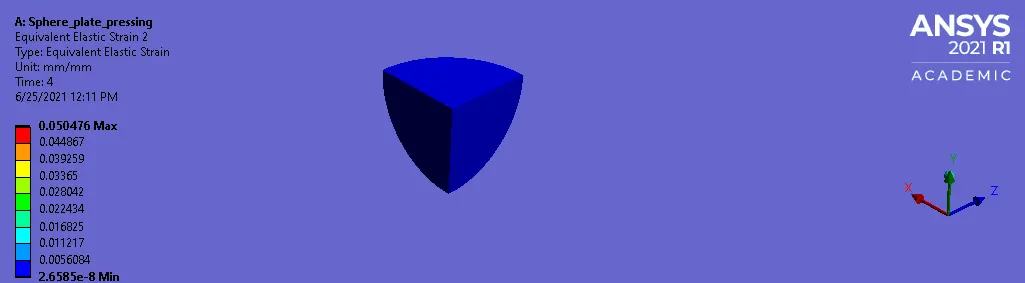
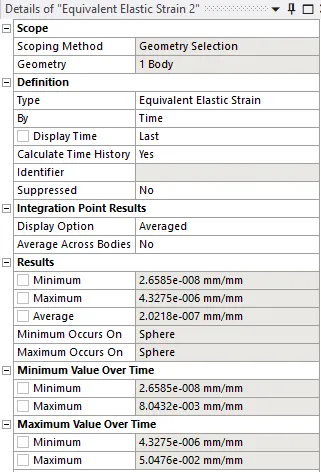
- The strain developed on the sphere is very less and this proves that the sphere transfers all the force to the plate without self deformation.
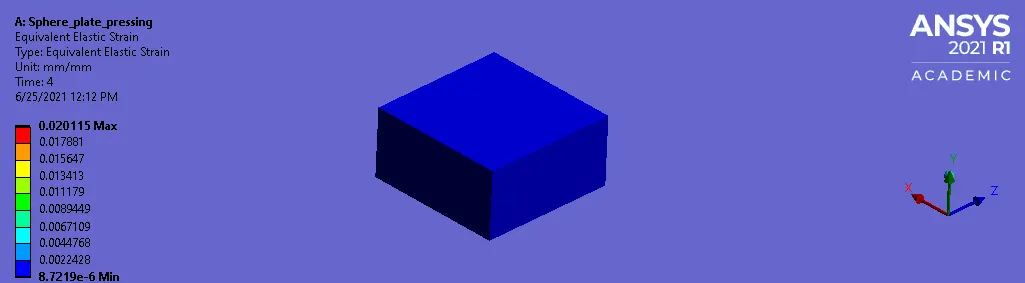
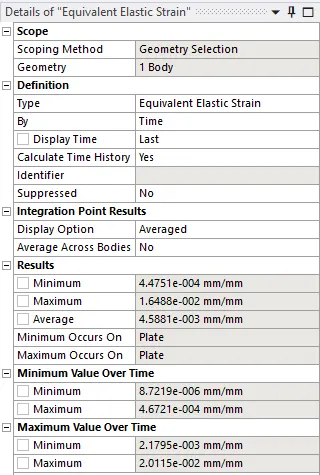
- The plate after deformation does not retract back to its original shape which confirms the plastic deformation of the plate.
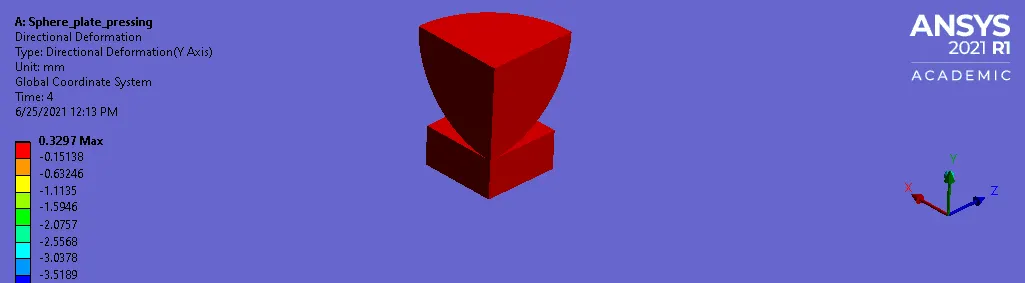
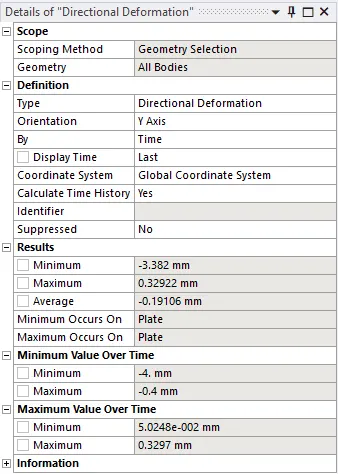
- We can observe the sphere is displaced by 4mm in the Y direction.
LEARNING OUTCOMES:
- To add structural steel NL material.
- To assign material from the material library.
- To define contacts for the sphere and the plate.
- To define fixed support and displacement.
- To deploy mesh on the geometry.
- To define symmetry region.
- To define output results.
CONCLUSION:
- By performing this project we conclude that the plate is displaced by 4mm in the Y direction plastically.