Week 5 Sphere pressing on a plate
Objective:
- To perform the analysis to simulate a sphere pressing on a plate using Structural steel Non linear material of the plate.(Press the sphere onto plate 4mm downwards and retract it)
- And Find out the results for:
- Plastic Deformation
Procedure:
Step 1: Engineering Data
- Add Structural Steel NL material to drop down list of materials.
Step 2: Geometry
- Right click on geometry and Import the Skill_Lync_Sphere_pressing on plate.step extension file
- Rename the Static Structural tab as Sphere Pressing Over a Flat Plate..
- update the Model tab and open click Edit.
Step 3: Model and Meshing
- Open Model and under geometry assign names according to convenience for better understanding.
- Rename geometries as Sphere and plate.
- Assign Structural steel NL material to Plate.
Step 4: Connections
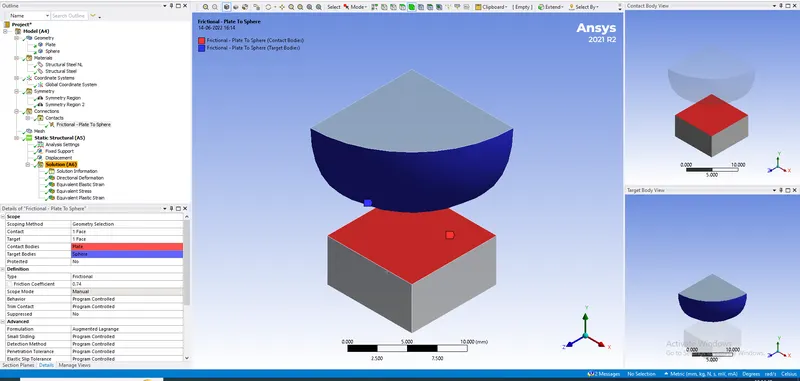
- Contacts:- Define the contact faces between wheel and workpiece properly. Change type of contact to frictional in both cases.
- Change frictional coefficient to 0.74 using Augmented Lagrange as Formulation method.
Step 5: Setup
- In analysis settings select all 5 steps and switch on the large deflection in solver controls.
- Insert Displacement to Sphere body along Y direction defined by tabular data.(0,-2mm,-3mm,-4mm,0,0)
- Insert fixed load to bottom surface of plate.
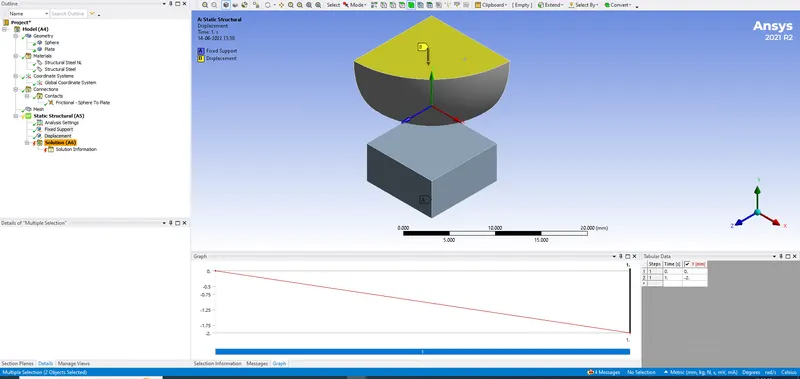
- It is important to define symmetric region around Z-direction and X-dir.(Nornal face dir) in this case.
Results:
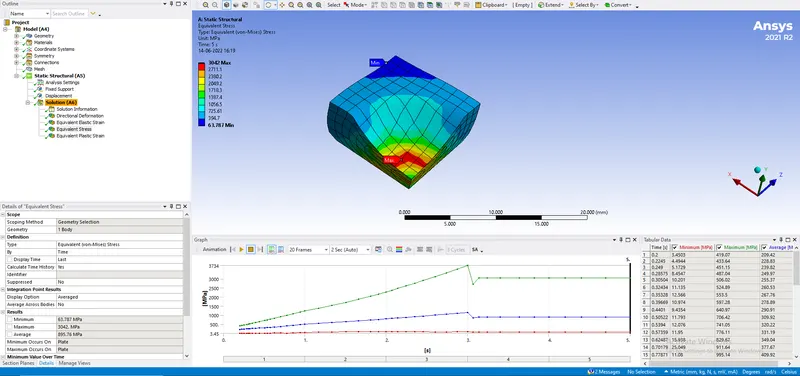
Result and Conclusion:
- The Directional Deformation is 0.32634 mm (Maximum Value).
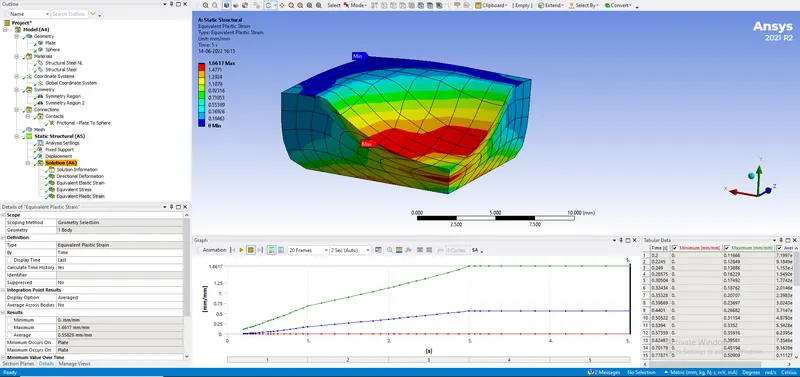
- The Equivalent Plastic strain is 1.6617 mm/mm
- Thus the simulation is successfully concluded using 4mm displacement and plastic deformation is captured.